IronPdf.Slim
2022.11.10347
 Prefix Reserved
See the version list below for details.
dotnet add package IronPdf.Slim --version 2022.11.10347
NuGet\Install-Package IronPdf.Slim -Version 2022.11.10347
<PackageReference Include="IronPdf.Slim" Version="2022.11.10347" />
paket add IronPdf.Slim --version 2022.11.10347
#r "nuget: IronPdf.Slim, 2022.11.10347"
// Install IronPdf.Slim as a Cake Addin
#addin nuget:?package=IronPdf.Slim&version=2022.11.10347

// Install IronPdf.Slim as a Cake Tool
#tool nuget:?package=IronPdf.Slim&version=2022.11.10347


%20-107C10?logo=visualstudio)



IronPDF - Create, Edit, and Read PDFs in .NET Applications

Get Started | Features | Code Examples | Licensing | Free Trial
IronPDF is a library developed and maintained by Iron Software that helps C# Software Engineers to create, edit and extract PDF content in projects in .NET.
IronPDF excels at:
- Generating PDFs from: HTML, URL, JavaScript, CSS and many image formats
- Adding headers/footers, signatures, attachments, and passwords and security
- Performance optimization: Full Multithreading and Async support
- And many more! Visit our website to see all our code examples and a full list of our 50+ features
IronPDF has cross platform support compatibility with:
- .NET 6 and .NET 5, .NET Core, Standard, and Framework
- Windows, macOS, Linux, Docker, Azure, and AWS
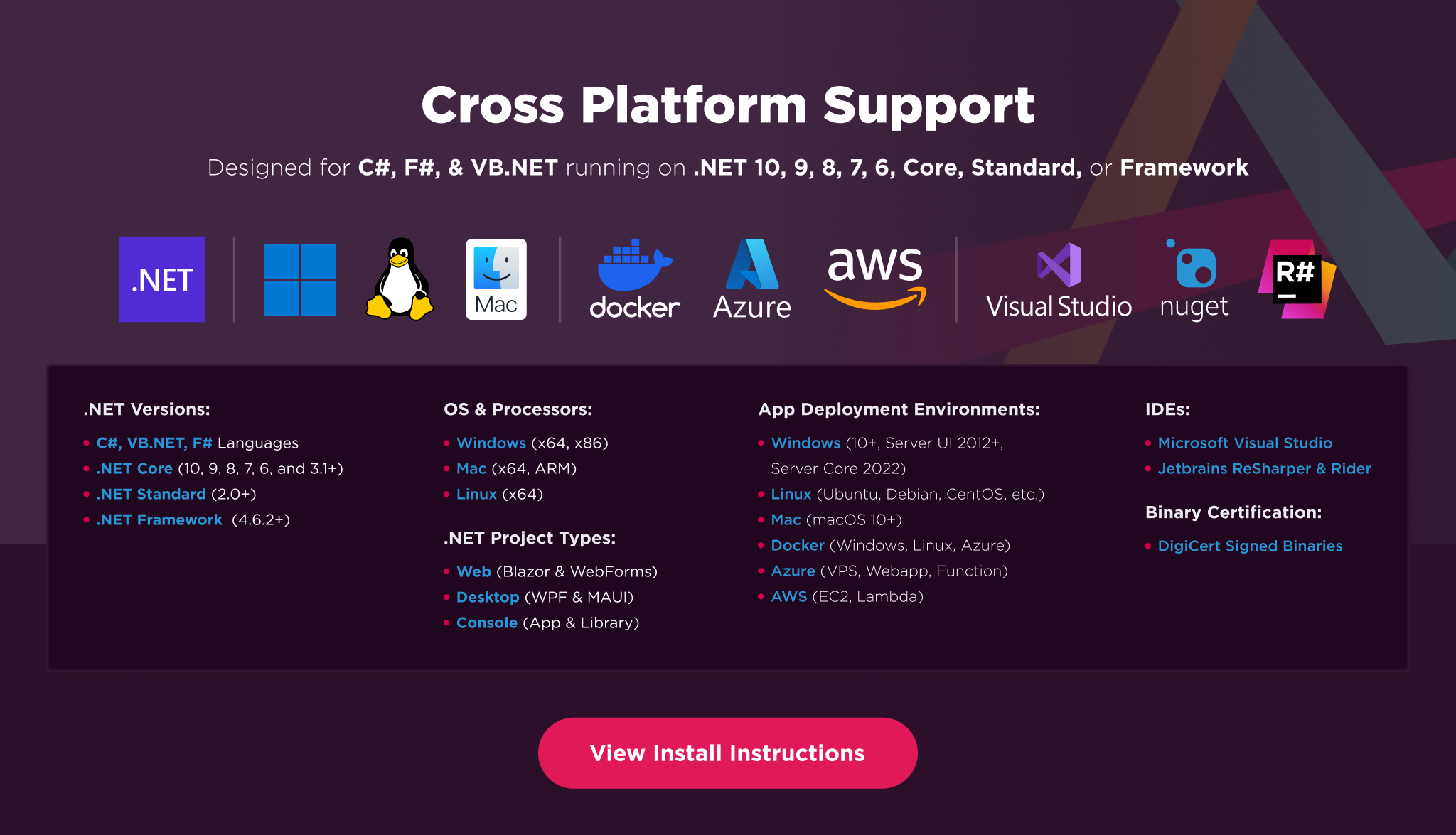
Additionally, our API reference and full licensing information can easily be found on our website.
Using IronPDF
Installing the IronPDF NuGet package is quick and easy, please install the package like this:
PM> Install-Package IronPdf
Once installed, you can get started by adding using IronPdf to the top of your C# code. Here is a sample HTML to PDF example to get started:
// HTML to PDF
using IronPdf;

var Renderer = new ChromePdfRenderer(); // Instantiates Chrome Renderer
var pdf = Renderer.RenderHtmlAsPdf(" <h1> ~Hello World~ </h1> Made with IronPDF!");
pdf.SaveAs("html_saved.pdf"); // Saves our PdfDocument object as a PDF
And another option is to create from URL to PDF:
// URL to PDF
using IronPdf;

var Renderer = new ChromePdfRenderer(); // Instantiates Chrome Renderer

// To include elements that are usually removed to save ink during printing we choose screen
Renderer.RenderingOptions.CssMediaType = IronPdf.Rendering.PdfCssMediaType.Screen;

var pdf = Renderer.RenderUrlAsPdf("https://getbootstrap.com/");
pdf.SaveAs("url_saved.pdf");
Features Table
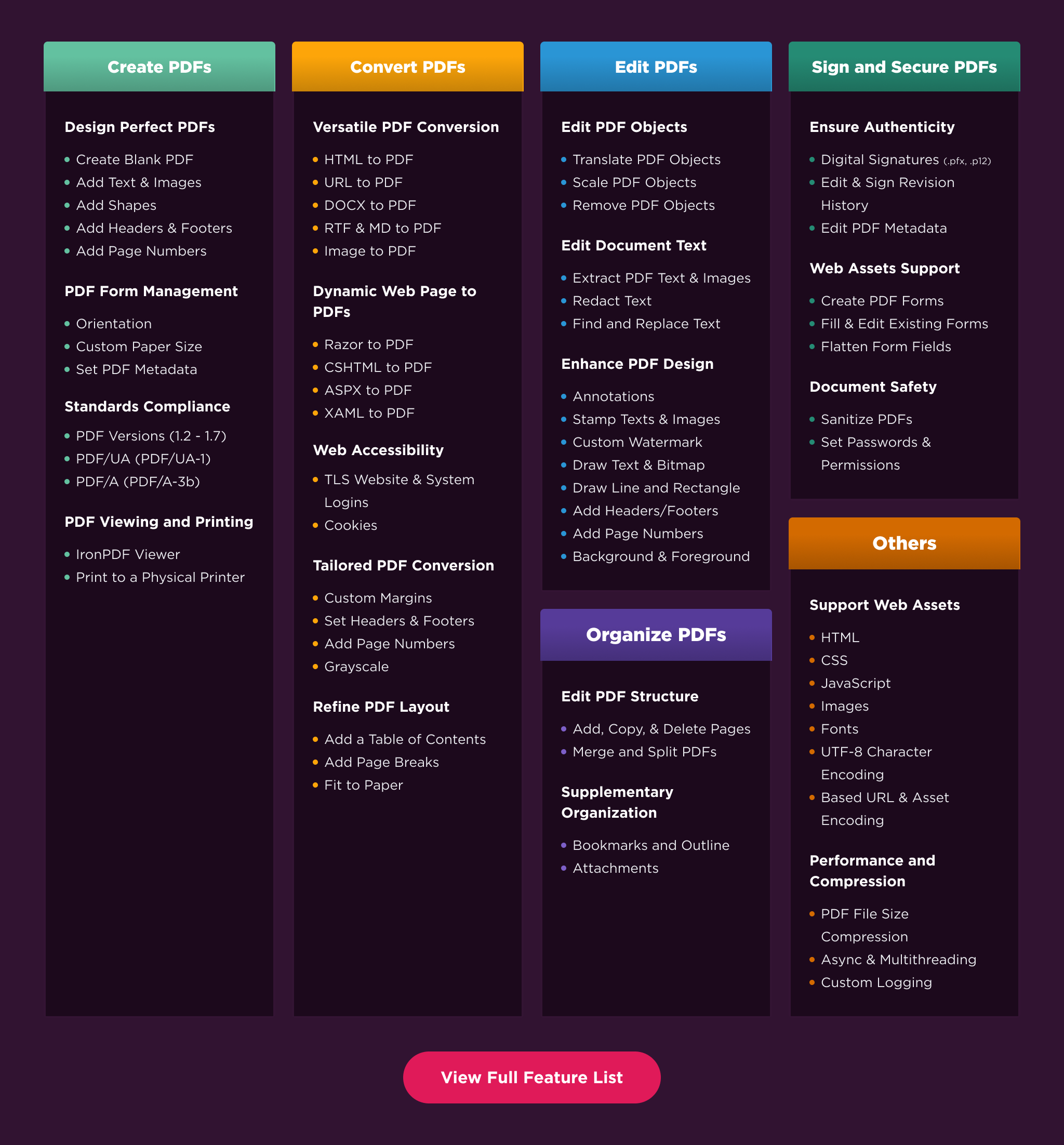
Licensing & Support Available
For our full list of code examples, tutorials, licensing information, and documentation visit: https://ironpdf.com/
For more support and inquiries, please email us at: developers@ironsoftware.com
Documentation Links
- Code Examples : https://ironpdf.com/examples/
- API Reference : https://ironpdf.com/object-reference/api/
- Tutorials : https://ironpdf.com/tutorials/
- Licensing : https://ironpdf.com/licensing/
- Live Chat Support : https://ironpdf.com/#helpscout-support
| Product | Versions Compatible and additional computed target framework versions. |
|---|---|
| .NET | net5.0 was computed. net5.0-windows was computed. net6.0 was computed. net6.0-android was computed. net6.0-ios was computed. net6.0-maccatalyst was computed. net6.0-macos was computed. net6.0-tvos was computed. net6.0-windows was computed. net7.0 was computed. net7.0-android was computed. net7.0-ios was computed. net7.0-maccatalyst was computed. net7.0-macos was computed. net7.0-tvos was computed. net7.0-windows was computed. net8.0 was computed. net8.0-android was computed. net8.0-browser was computed. net8.0-ios was computed. net8.0-maccatalyst was computed. net8.0-macos was computed. net8.0-tvos was computed. net8.0-windows was computed. |
| .NET Core | netcoreapp2.0 was computed. netcoreapp2.1 was computed. netcoreapp2.2 was computed. netcoreapp3.0 was computed. netcoreapp3.1 was computed. |
| .NET Standard | netstandard2.0 is compatible. netstandard2.1 was computed. |
| .NET Framework | net40 is compatible. net403 was computed. net45 was computed. net451 was computed. net452 was computed. net46 was computed. net461 was computed. net462 was computed. net463 was computed. net47 was computed. net471 was computed. net472 was computed. net48 was computed. net481 was computed. |
| MonoAndroid | monoandroid was computed. |
| MonoMac | monomac was computed. |
| MonoTouch | monotouch was computed. |
| Tizen | tizen40 was computed. tizen60 was computed. |
| Xamarin.iOS | xamarinios was computed. |
| Xamarin.Mac | xamarinmac was computed. |
| Xamarin.TVOS | xamarintvos was computed. |
| Xamarin.WatchOS | xamarinwatchos was computed. |
-
.NETFramework 4.0
- No dependencies.
-
.NETStandard 2.0
- System.Drawing.Common (>= 5.0.2)
NuGet packages (8)
Showing the top 5 NuGet packages that depend on IronPdf.Slim:
| Package | Downloads |
|---|---|
|
IronPdf
IronPDF helps C# Software Engineers to create, edit and extract PDF content in .NET projects. # C# HTML to PDF for .NET 7, .NET 6, .NET 5, Core, Standard, and Framework # Work with PDFs in C# using HTML, MVC, ASPX, and images # Generate, Edit, Read and Secure PDF Documents Generate PDFs with Pixel Perfect Chrome HTML to PDF Rendering: The Iron PDF library takes the frustration out of generating PDF documents by not relying on proprietary APIs. “Html-To-Pdf” renders pixel-perfect PDFs from open standard document types: HTML, JS, CSS, JPG, PNG, GIF, and SVG. In short, it uses the skills that developers already possess. Fully Supports: * .NET 7, .NET 6, .NET 5, Framework, Core, and Standard * Windows, MacOS, Linux, Azure, Docker and AWS For code examples, tutorials and documentation visit: https://ironpdf.com/ |
|
|
IronPdf.Linux
IronPDF helps C# Software Engineers to create, edit and extract PDF content in .NET projects. # C# HTML to PDF for .NET 7, .NET 6, .NET 5, Core, Standard, and Framework # Work with PDFs in C# using HTML, MVC, ASPX, and images # Generate, Edit, Read and Secure PDF Documents Generate PDFs with Pixel Perfect Chrome HTML to PDF Rendering: The Iron PDF library takes the frustration out of generating PDF documents by not relying on proprietary APIs. “Html-To-Pdf” renders pixel-perfect PDFs from open standard document types: HTML, JS, CSS, JPG, PNG, GIF, and SVG. In short, it uses the skills that developers already possess. Fully Supports: * .NET 7, .NET 6, .NET 5, Framework, Core, and Standard * Windows, MacOS, Linux, Azure, Docker and AWS For code examples, tutorials and documentation visit https://ironpdf.com/ |
|
|
Dynamicweb.Admin
Package Description |
|
|
IronPdf.MacOs
IronPDF helps C# Software Engineers to create, edit and extract PDF content in .NET projects. # C# HTML to PDF for .NET 7, .NET 6, .NET 5, Core, Standard, and Framework # Work with PDFs in C# using HTML, MVC, ASPX, and images # Generate, Edit, Read and Secure PDF Documents Generate PDFs with Pixel Perfect Chrome HTML to PDF Rendering: The Iron PDF library takes the frustration out of generating PDF documents by not relying on proprietary APIs. “Html-To-Pdf” renders pixel-perfect PDFs from open standard document types: HTML, JS, CSS, JPG, PNG, GIF, and SVG. In short, it uses the skills that developers already possess. Fully Supports: * .NET 7, .NET 6, .NET 5, Framework, Core, and Standard * Windows, MacOS, Linux, Azure, Docker and AWS For code examples, tutorials and documentation visit https://ironpdf.com/ |
|
|
Dynamicweb.Imaging.Providers.IronPdfProviders
IronPdf providers for pdf handling |
GitHub repositories
This package is not used by any popular GitHub repositories.
| Version | Downloads | Last updated |
|---|---|---|
| 2024.4.2 | 19,413 | 4/5/2024 |
| 2024.3.4 | 41,973 | 3/11/2024 |
| 2024.3.3 | 11,249 | 3/6/2024 |
| 2024.2.2 | 85,015 | 1/29/2024 |
| 2024.1.20 | 58,878 | 1/9/2024 |
| 2023.12.6 | 117,469 | 11/27/2023 |
| 2023.11.8 | 68,826 | 11/13/2023 |
| 2023.11.7 | 43,794 | 11/1/2023 |
| 2023.10.3 | 97,706 | 10/3/2023 |
| 2023.9.8 | 68,454 | 9/13/2023 |
| 2023.8.6 | 146,952 | 7/31/2023 |
| 2023.7.4 | 116,795 | 7/3/2023 |
| 2023.6.10 | 147,415 | 6/2/2023 |
| 2023.5.9 | 301,930 | 5/8/2023 |
| 2023.5.8 | 140,735 | 5/1/2023 |
| 2023.4.4 | 220,843 | 3/30/2023 |
| 2023.3.2 | 117,580 | 3/9/2023 |
| 2023.3.0-ci.61 | 134 | 3/16/2023 |
| 2023.2.4 | 78,639 | 2/28/2023 |
| 2023.1.11416 | 291,599 | 1/9/2023 |
| 2022.12.11113 | 75,481 | 12/23/2022 |
| 2022.11.10347 | 374,404 | 11/9/2022 |
| 2022.11.10341 | 4,793 | 11/8/2022 |
| 2022.10.9532 | 36,492 | 10/4/2022 |
| 2022.9.9056 | 241,488 | 9/15/2022 |
| 2022.8.8818 | 35,039 | 9/7/2022 |
| 2022.8.8138 | 121,435 | 8/16/2022 |
| 2022.8.7894 | 135,491 | 7/28/2022 |
| 2022.7.6986 | 173,260 | 6/30/2022 |
| 2022.6.6115 | 165,263 | 6/6/2022 |
| 2022.5.5629 | 110,310 | 5/12/2022 |
| 2022.5.5596 | 112,926 | 5/2/2022 |
| 2022.4.5575 | 40,155 | 4/25/2022 |
| 2022.4.5455 | 51,166 | 4/12/2022 |
| 2022.4.5250-eap | 8,321 | 3/22/2022 |
| 2022.3.5084 | 251,261 | 3/8/2022 |
| 2022.2.4887 | 163,807 | 2/17/2022 |
| 2022.1.4599 | 214,498 | 1/11/2022 |
| 2021.12.4495 | 311,632 | 12/7/2021 |
| 2021.12.4401 | 54,677 | 12/1/2021 |
| 2021.11.4257 | 75,519 | 11/15/2021 |
| 2021.11.4183 | 104,162 | 10/28/2021 |
| 2021.9.3737 | 228,631 | 9/20/2021 |
| 2021.9.3689 | 51,262 | 9/7/2021 |
| 2021.9.3678 | 49,513 | 8/26/2021 |
| 2021.9.3650 | 8,886 | 8/26/2021 |
* Adds radio button form elements, generated from html 'input' elements with a 'type' attribute of 'radio'
* Adds RTF-to-PDF - see RenderRtfStringAsPdf() for more information
* Adds more ways to replace text - see ReplaceTextOnPages() and ReplaceTextOnAllPages()
* Fixes text headers and footers not being visible
* Fixes error when merging documents with certain bookmark configurations
* Fixes error when calling ApplyWatermark()
* Fixes form fields sometimes not being editable after merging
* Fixes form generation for html elements with styles marked '!important'
* Fixes some TIFF images not loading when using ImageToPdf()
* Updates ToMultiPageTiffImage() to only generate a single image file
* Updates NuGet package layout to improve deployment on all platforms
* Updates logic for applying margins to headers and footers (now only applying left and right margins by default)
* Now supports installation of IronPdf via zip file or installer executable (see https://ironpdf.com/)