Ava3DControl 12.1.0-preview.14
dotnet add package Ava3DControl --version 12.1.0-preview.14
NuGet\Install-Package Ava3DControl -Version 12.1.0-preview.14
<PackageReference Include="Ava3DControl" Version="12.1.0-preview.14" />
<PackageVersion Include="Ava3DControl" Version="12.1.0-preview.14" />
<PackageReference Include="Ava3DControl" />
paket add Ava3DControl --version 12.1.0-preview.14
#r "nuget: Ava3DControl, 12.1.0-preview.14"
#:package Ava3DControl@12.1.0-preview.14
#addin nuget:?package=Ava3DControl&version=12.1.0-preview.14&prerelease
#tool nuget:?package=Ava3DControl&version=12.1.0-preview.14&prerelease
Ava3DControl
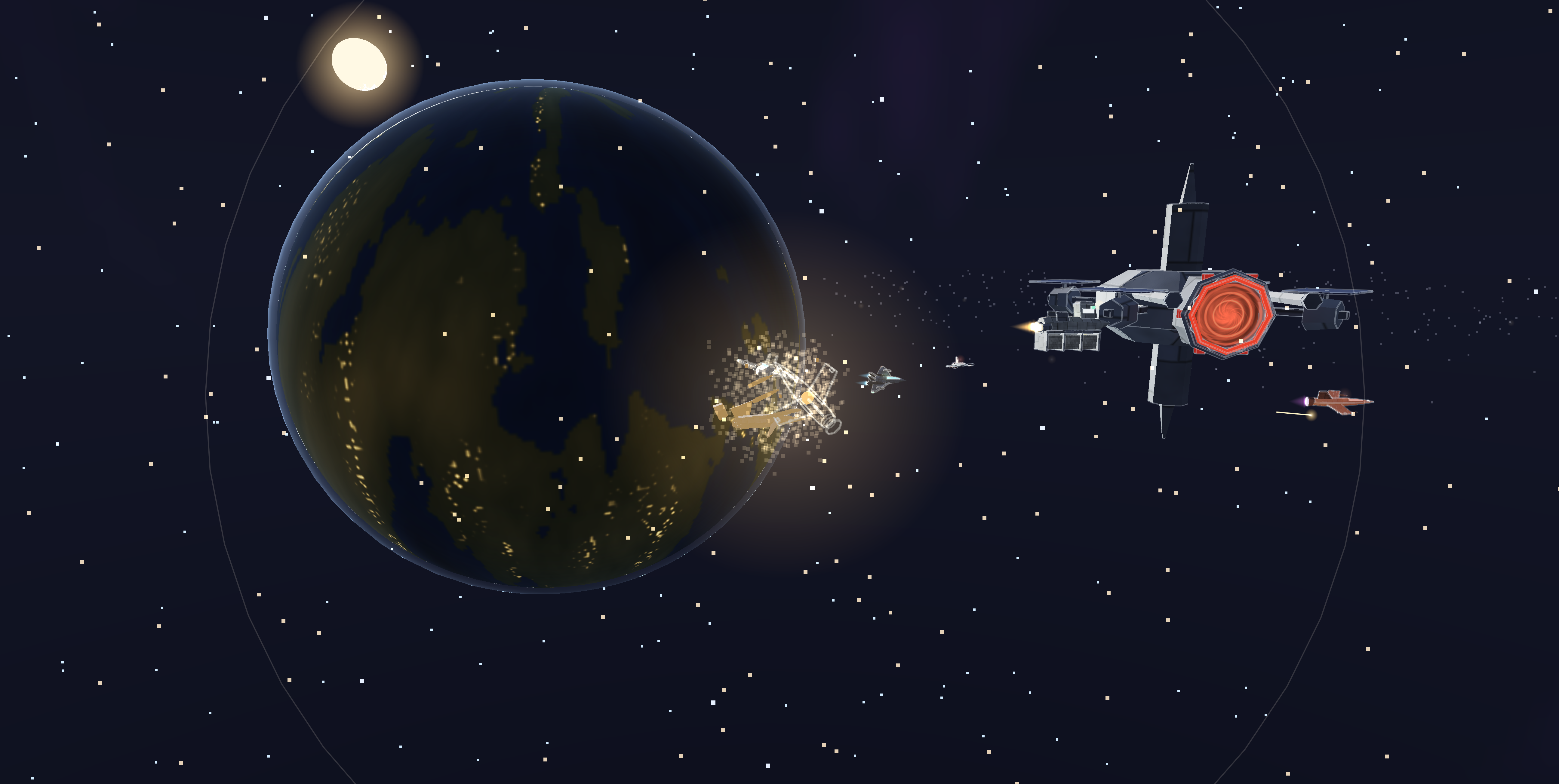
A 3D viewport control for Avalonia. Metallic-roughness PBR, shadows, HDR, skeletal animation, glTF loading and triangle-accurate picking, in one binary that renders through Metal, Vulkan, OpenGL, WebGL 2 or the CPU — chosen at runtime from whatever the host can offer.
Preview release. 12.1.0-preview.14 is a beta — pin the exact version. The major and minor track the Avalonia release this is built against.
Install
dotnet add package Ava3DControl --prerelease
Vulkan on a Mac needs MoltenVK, which is what Vulkan is there. Add Ava3DControl.MoltenVK to have it travel
with your application, or install it yourself with brew install molten-vk. Metal is the default on a Mac and
needs neither.
Use
<Window xmlns="https://github.com/avaloniaui"
        xmlns:a3d="using:Ava3D">
    <a3d:Ava3DView x:Name="View" />
</Window>
var scene = new Scene();

scene.Children.Add(new MeshNode(
    Primitives.Sphere(0.5f),
    new Material
    {
        BaseColor = new Vector4(1f, 0.77f, 0.34f, 1f),
        Metallic  = 1f,
        Roughness = 0.25f
    }));

View.Scene = scene;
That is the whole thing. The camera frames the scene by itself; orbit, pan and zoom are already wired up.
Features
- Metallic-roughness PBR with the full glTF 2.0 map set.
- Image-based lighting from an ordinary or a Radiance HDR image, with reflections of their own for up to two rooms.
- Linear HDR, with bloom that follows real brightness, exposure and white balance.
- Picks its renderer at runtime: Metal, Vulkan, OpenGL, WebGL 2, or the CPU where there is no GPU at all.
- Reports what each renderer supports, and why, before you ship rather than after — and how long its own render took, beside the interval between frames.
- Sprites, lines and point clouds, ordered together with the triangles.
- Depth bias, so a line or a decal drawn on a surface stops fighting with it.
- As many lights as a scene wants — directional, point and spot, with three.js-compatible falloff — sixteen everywhere, and usually far more.
- Shadows from up to two of them at once, on every renderer including the CPU, and contact occlusion where objects meet the floor and walls.
- Loads binary glTF: the node tree, the skeletons, the blend shapes, the animations, and a UV set and transform for each texture.
- Plays named animation states with a crossfade between them, and returns a gesture to the state it interrupted.
- Skinning and morph targets, on every renderer including the CPU, with picking and framing that follow the pose.
- Picks against triangles, so clicking behaves the same on every renderer.
- Ordinary Avalonia controls placed in the scene — nameplates, callouts, markers — that follow the camera.
- Text in the scene, and textures computed by a few lines of SkSL for screens, signs and water.
- Streams textures, so a texture-heavy scene appears immediately.
- Primitives whole or in part — domes, troughs, curved sections — and meshes that can be faceted and smoothed again.
- Geometry that can move, re-uploaded without reallocating, and meshes from signed-distance functions.
- Maths for paths, easing, rotation and scattering.
Around 120 fps on Metal, Vulkan, OpenGL and WebGL 2 for the demo's stress scene — 128,002 triangles in 126 draws. The CPU fallback manages 55 on a sixteen-core desktop, rasterising against its own depth buffer across every core, which is the honest cost of having no GPU.
Documentation
- 3D Guide — the book, from nothing to a working scene. Start here if 3D is new.
- API reference — every public type.
- Live demo — fifty-eight scenes in a browser tab.
- Release notes — version history.
Limits
- Two lights cast shadows at most, and there are no cascades, so one map covers each light's casting geometry.
- Contact occlusion works from what is on screen, so it cannot see anything outside the frame.
- Linear HDR ends in an ordinary display image; it does not drive an HDR monitor.
- Skinning and morph targets are solved on the CPU, so a moving character re-uploads its vertices.
- Morph targets carry positions only; normals are recomputed rather than read.
- Transparency is ordered per object, not per triangle.
- Binary .glb only.
- The CPU fallback lights per vertex, samples only the base-colour map, and does not anti-alias its edges.
- Browser builds need WasmBuildNative set to true, or the runtime aborts on the first GL call.
- Android builds but has not been run on a device.
- OpenGL on iOS renders nothing, which is an upstream Avalonia defect. Metal is used there instead.
- The Vulkan renderer samples textures without anisotropic filtering, and has not yet been run on a discrete card.
- Vulkan on macOS needs MoltenVK on the machine, and is slower than the Metal renderer because it runs on it.
- Vulkan is not available in the browser, which offers WebGL 2 as its only graphics API.
Licence
Freeware, commercial use included: no fee, no seat count, no attribution required in your application. Resale of the library itself is not permitted. See LICENSE.md in the package for the exact terms, and THIRD-PARTY-NOTICES.md for the components it builds on.
Feedback
GitHub Issues, or the Telegram topic for anything shorter.
| Product | Versions Compatible and additional computed target framework versions. |
|---|---|
| .NET | net10.0 is compatible. net10.0-android was computed. net10.0-browser was computed. net10.0-ios was computed. net10.0-maccatalyst was computed. net10.0-macos was computed. net10.0-tvos was computed. net10.0-windows was computed. |
-
net10.0
- Avalonia (>= 12.1.0)
- Avalonia.Skia (>= 12.1.0)
- SkiaSharp (>= 3.119.4)
NuGet packages
This package is not used by any NuGet packages.
GitHub repositories
This package is not used by any popular GitHub repositories.
| Version | Downloads | Last Updated |
|---|---|---|
| 12.1.0-preview.14 | 36 | 9/16/2026 |
| 12.1.0-preview.13 | 35 | 9/15/2026 |
| 12.1.0-preview.12 | 68 | 9/7/2026 |
| 12.1.0-preview.11 | 67 | 9/6/2026 |
| 12.1.0-preview.10 | 62 | 9/4/2026 |
| 12.1.0-preview.9 | 64 | 9/2/2026 |
| 12.1.0-preview.8 | 67 | 8/19/2026 |
| 12.1.0-preview.7 | 80 | 8/15/2026 |
| 12.1.0-preview.6 | 71 | 8/14/2026 |
| 12.1.0-preview.5 | 71 | 8/11/2026 |
| 12.1.0-preview.4 | 98 | 8/9/2026 |
| 12.1.0-preview.3 | 65 | 8/6/2026 |
| 12.1.0-preview.2 | 68 | 8/4/2026 |
| 12.1.0-preview | 66 | 7/30/2026 |