Blazor.AI.RAG
1.1.0
dotnet add package Blazor.AI.RAG --version 1.1.0
NuGet\Install-Package Blazor.AI.RAG -Version 1.1.0
<PackageReference Include="Blazor.AI.RAG" Version="1.1.0" />
<PackageVersion Include="Blazor.AI.RAG" Version="1.1.0" />
<PackageReference Include="Blazor.AI.RAG" />
paket add Blazor.AI.RAG --version 1.1.0
#r "nuget: Blazor.AI.RAG, 1.1.0"
#:package Blazor.AI.RAG@1.1.0
#addin nuget:?package=Blazor.AI.RAG&version=1.1.0
#tool nuget:?package=Blazor.AI.RAG&version=1.1.0
<p align="center"> <img src="https://raw.githubusercontent.com/DotNetVibeCoderz/Vibe_Components/main/Blazor.AI/assets/icon-512.png" width="112" alt="Blazor.AI logo: a kawung batik motif" /> </p>
<h1 align="center">Blazor.AI</h1>
<p align="center"> <b>AI components for Blazor</b>: smart forms, copilots, cited document chat, agents, decision engines, machine learning, reinforcement learning, Hugging Face models, biology workbenches and AI-powered 3D scenes.<br/> .NET 10 · Microsoft.Extensions.AI · works offline without keys </p>
<p align="center"><i>Dibuat oleh Gravicode Studios dipimpin oleh Kang Fadhil.</i></p>
<p align="center"><a href="#english">English</a> · <a href="#bahasa-indonesia">Bahasa Indonesia</a></p>
English
Why Blazor.AI
- 157 ready-made components across 12 NuGet packages, all styled by one theme (light and dark), including 48 Three.js components built on a reusable
Scene3Dengine. - Any model: OpenAI, Azure OpenAI, Anthropic Claude, Gemini, Mistral, Cohere, DeepSeek, Grok, Hugging Face, Ollama, llama.cpp, LocalGen, any OpenAI-compatible endpoint, ONNX and in-process Hugging Face transformers. Every component also runs on a built-in offline simulated model, so demos and tests need no keys.
- Computation stays deterministic. Machine learning, statistics, rules, chemistry and sequence analysis run in .NET (GraviLearn, GraviFrame, RLNet, Biotech.Net). The LLM plans and explains; it does not invent the numbers.
- Guardrails built in: PII redaction, content moderation, audit trail, AES-GCM encrypted prompt store and API-key vault, role-based access.
Packages
| Package | What you get |
|---|---|
Blazor.AI.Abstractions |
Provider options, vector, guardrail and smart-component contracts |
Blazor.AI.Core |
Provider factory, simulated model, text services, vector index, guardrails, DI (AddBlazorAI) |
Blazor.AI.Components |
Smart components (SmartPaste, SmartTextArea, SmartComboBox…), AiChat, AiAssistant, AiCopilot, generators, coding and productivity tools, theme |
Blazor.AI.Visualization |
SVG charts: line, bar, scatter, heatmap, Sankey, treemap, network and knowledge graphs, geo map, forecast, realtime, AI dashboard |
Blazor.AI.RAG |
Document ingestion (PDF, Office, CSV), vector search, cited document chat, PDF and spreadsheet chat, knowledge graph |
Blazor.AI.Agents |
Tool-calling agents, multi-agent teams, task board, memory, debugger, MCP explorer, workflow designer |
Blazor.AI.Decision |
Rule editor, DMN-style decision tables and trees, policies, risk, eligibility, approvals, dynamic pricing (TypeSafe System One) |
Blazor.AI.Analytics |
AutoML, six ML workbenches, statistics, Bayesian A/B, hypothesis tests, PCA, time series, signals, RL studio |
Blazor.AI.LocalModels |
Hugging Face hub browser and downloader, local inference: sentiment, NER, embeddings, vision, OCR, speech |
Blazor.AI.Bio |
DNA, restriction maps, alignment, phylogeny, proteins, molecules and ADMET, CRISPR, primers, codon optimisation, RNA-seq, bio copilot |
Blazor.AI.ThreeD |
Three.js scenes in C#: talking avatar with lip sync, 3D charts and graphs, agent and decision visualisers, RL arenas, digital twins, anatomy, molecules and proteins, CAD/BIM copilots, education and game tools |
Blazor.AI.Templates |
dotnet new blazorai project template |
Quick start
dotnet new install Blazor.AI.Templates
dotnet new blazorai -n MyAiApp --provider openai --agents true
Or add it to an existing Blazor Web App:
dotnet add package Blazor.AI.Components
// Program.cs
builder.Services.AddBlazorAI(builder.Configuration)       // providers from the "BlazorAI" section
    .AddSimulated()                                       // offline fallback
    .AddOpenAI(builder.Configuration["OpenAI:Key"]!, "gpt-5-mini");
builder.Services.AddBlazorAIComponents();
<link rel="stylesheet" href="_content/Blazor.AI.Components/blazor-ai.css" />
<link rel="stylesheet" href="https://cdn.jsdelivr.net/npm/bootstrap-icons@1.11.3/font/bootstrap-icons.min.css" />
<form>
    <input name="name" /> <input name="email" /> <input name="company" />
    <SmartPaste />
</form>

<AiChat Title="Support" SystemPrompt="You help customers of Contoso." />
Configuration
{
  "BlazorAI": {
    "DefaultProvider": "azure",
    "Providers": [
      { "Name": "simulated", "Kind": "Simulated" },
      { "Name": "azure", "Kind": "AzureOpenAI", "Endpoint": "https://<resource>.openai.azure.com/", "Model": "gpt-5-mini" },
      { "Name": "claude", "Kind": "Anthropic", "Model": "claude-sonnet-5-5" },
      { "Name": "local", "Kind": "Ollama", "Endpoint": "http://localhost:11434", "Model": "llama3.2" }
    ],
    "Guardrails": { "RedactPii": true, "ModerateContent": true, "Audit": true }
  }
}
Put keys in user-secrets or environment variables (BlazorAI__Providers__1__ApiKey), never in appsettings.json. Cloud providers without a key are skipped, and the simulated model stays available.
Gallery
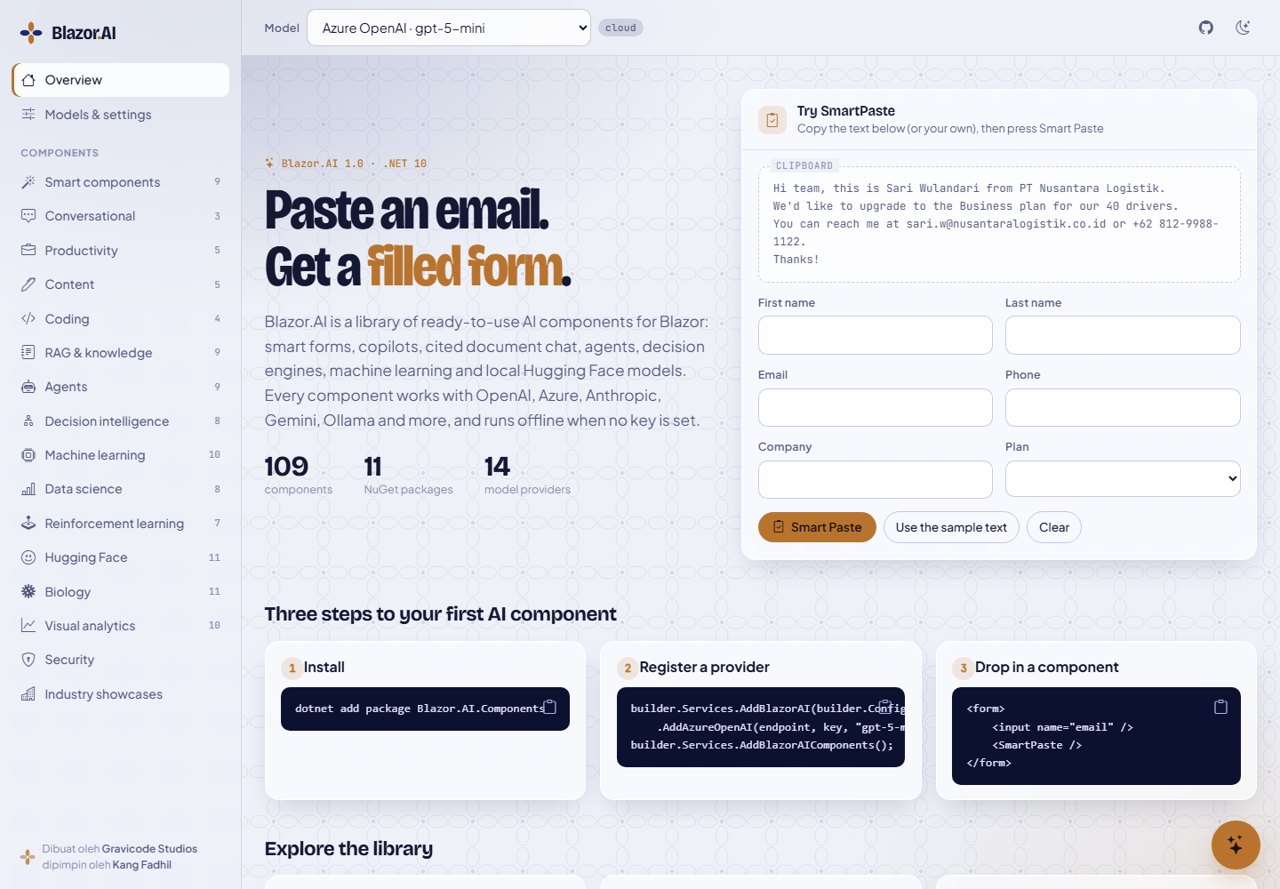
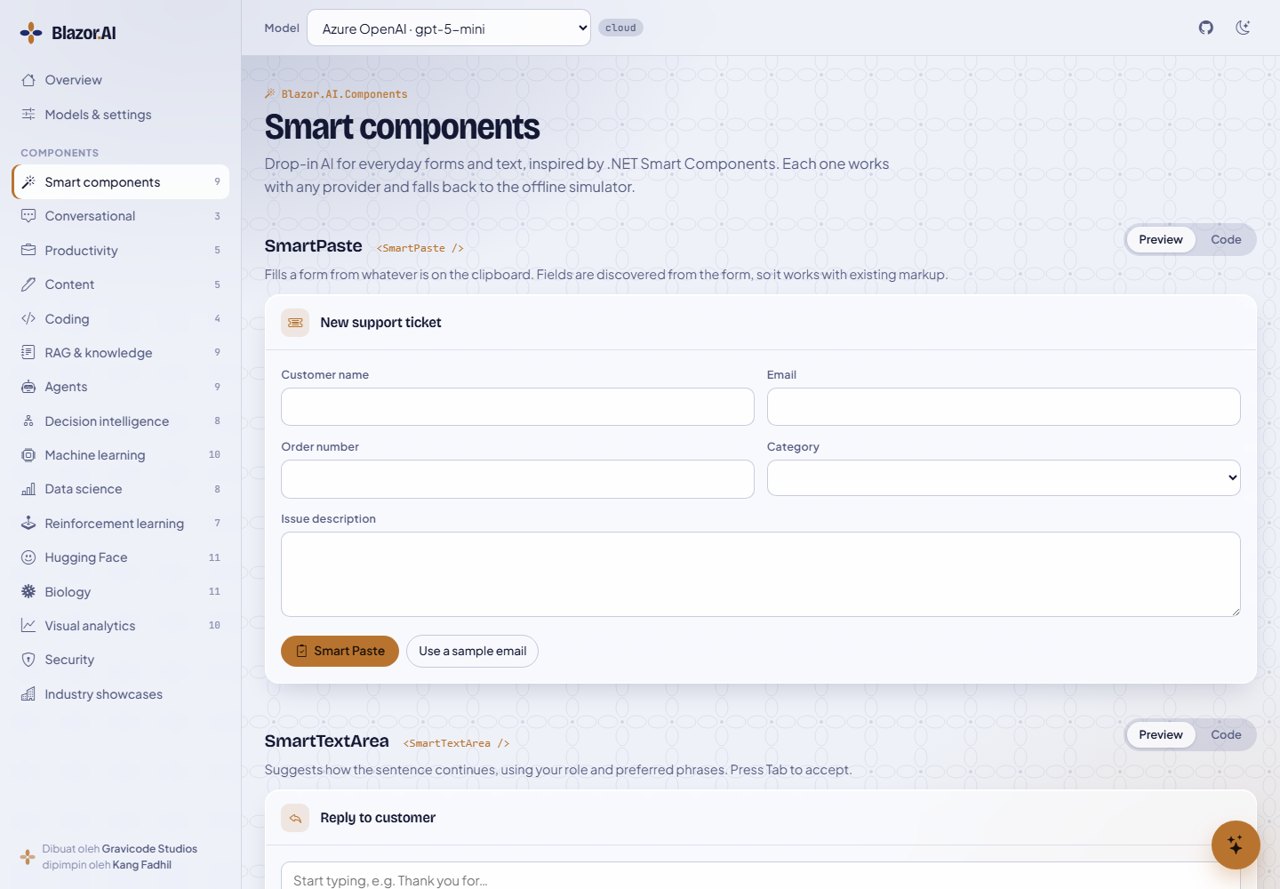
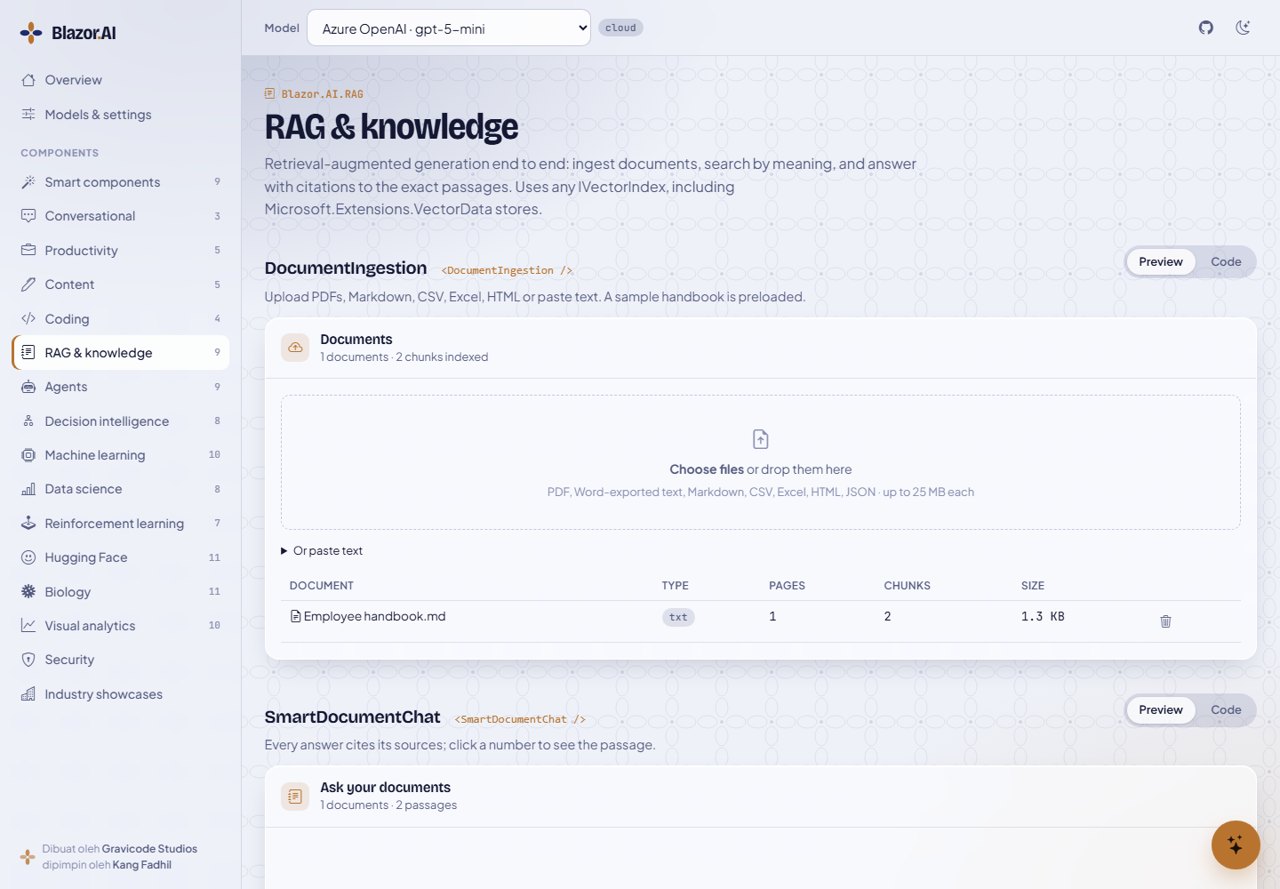
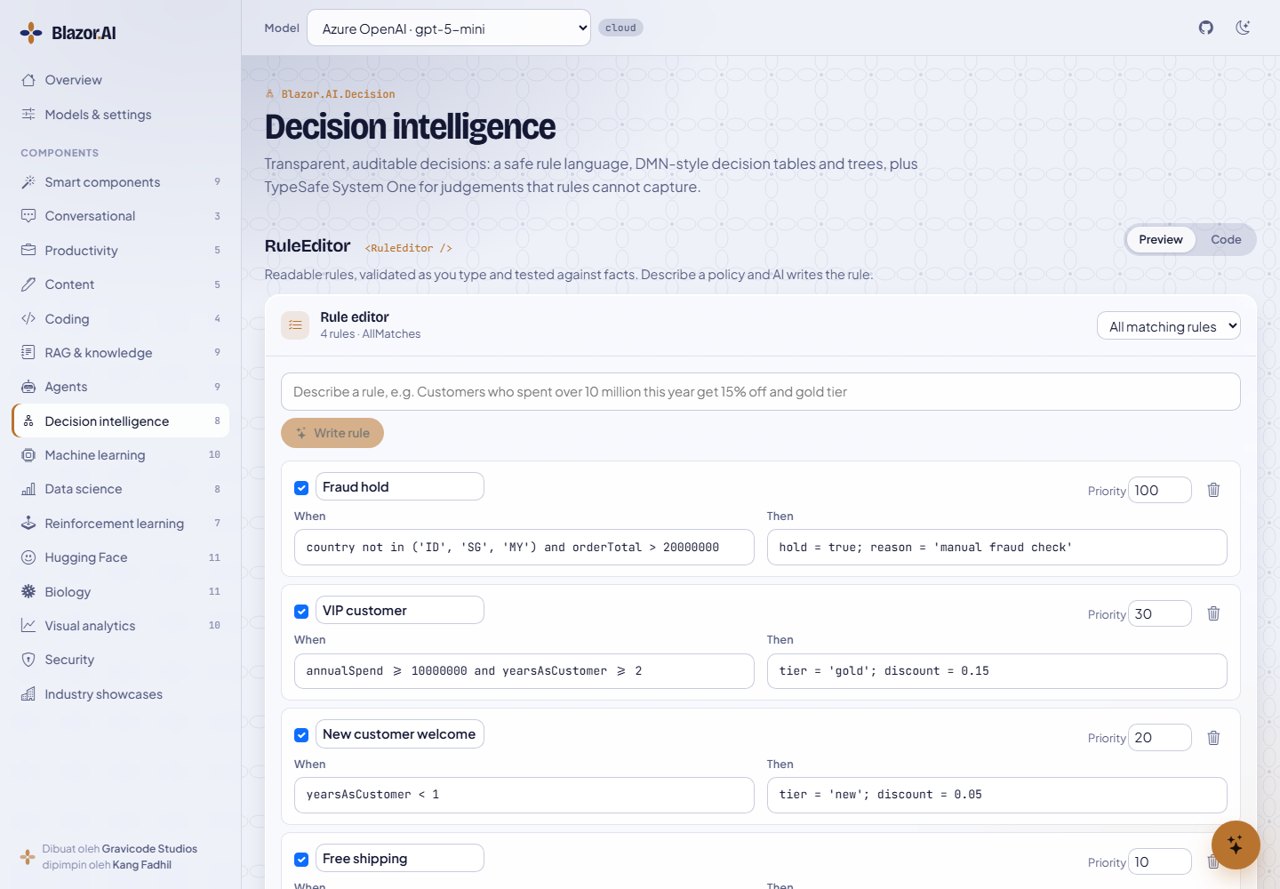
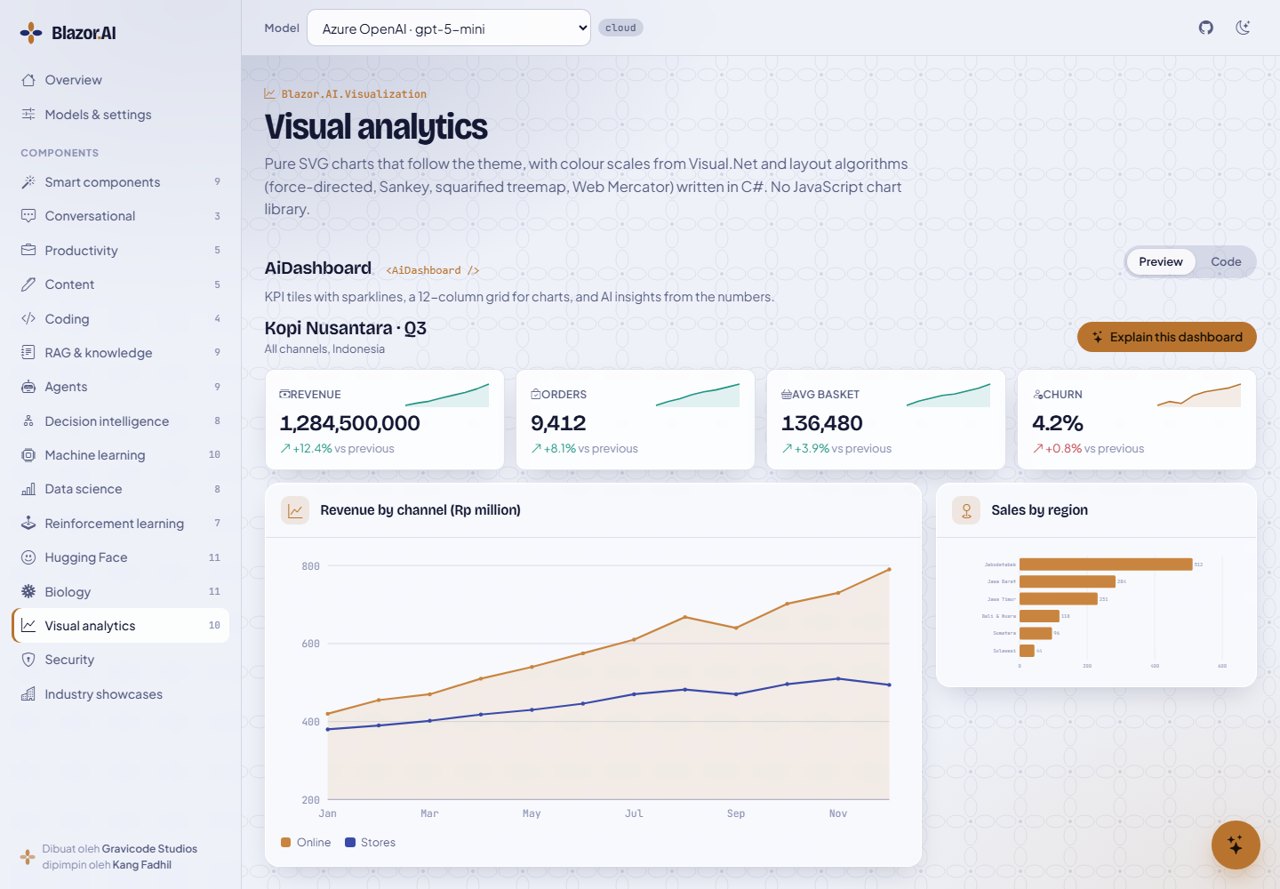
The gallery app shows every component with a live preview and copy-ready code.
dotnet run --project samples/Blazor.AI.Gallery # http://localhost:5180
 |
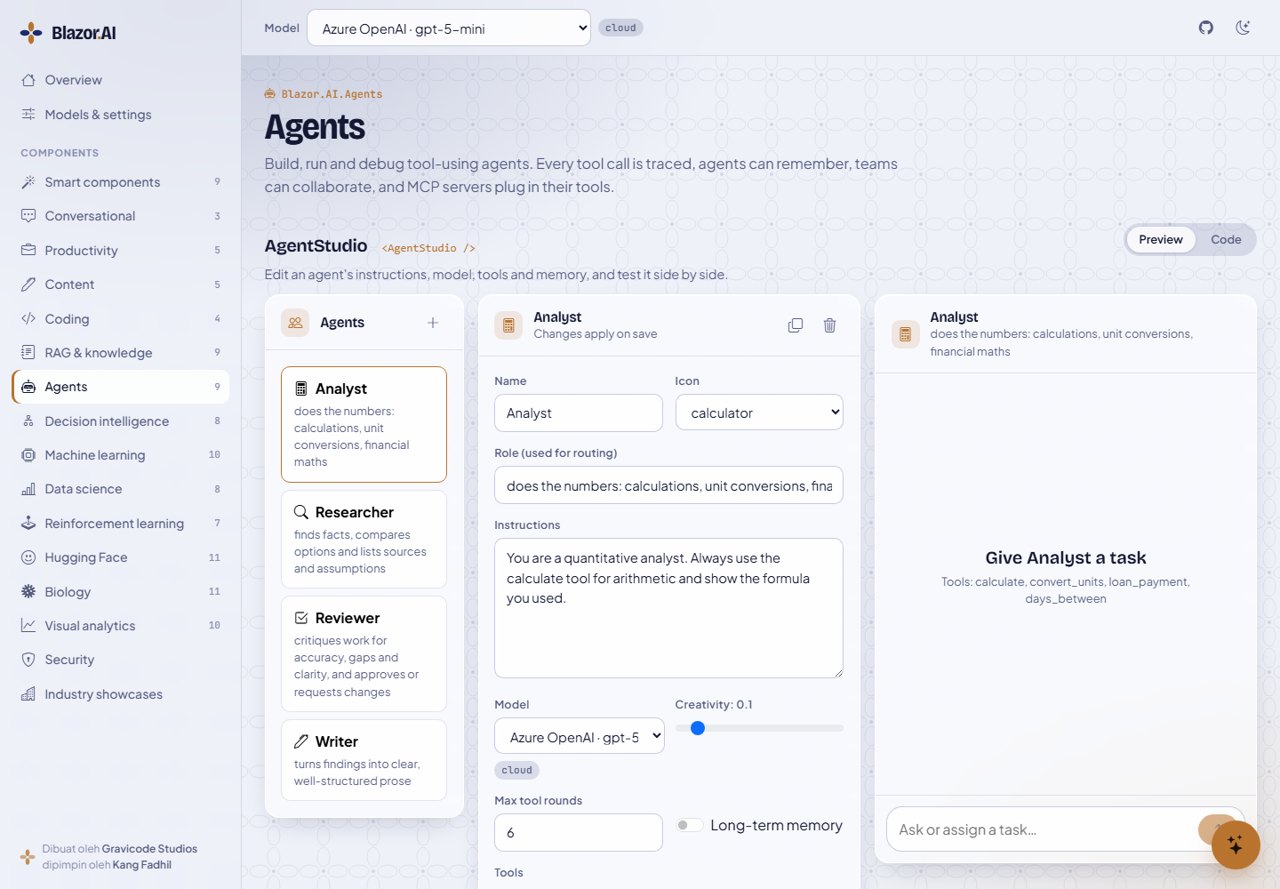 |
| Smart components | Agents |
 |
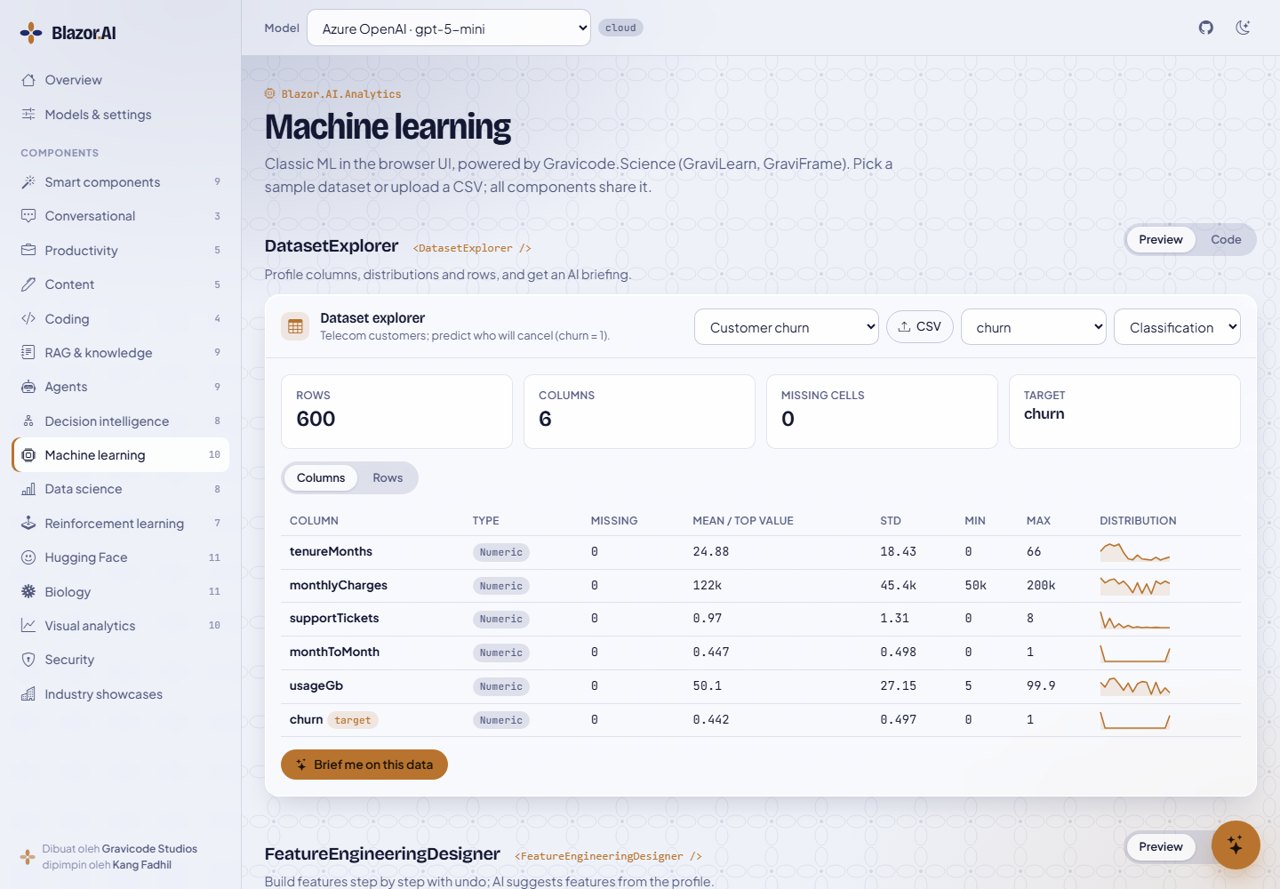 |
| RAG and knowledge | Machine learning |
 |
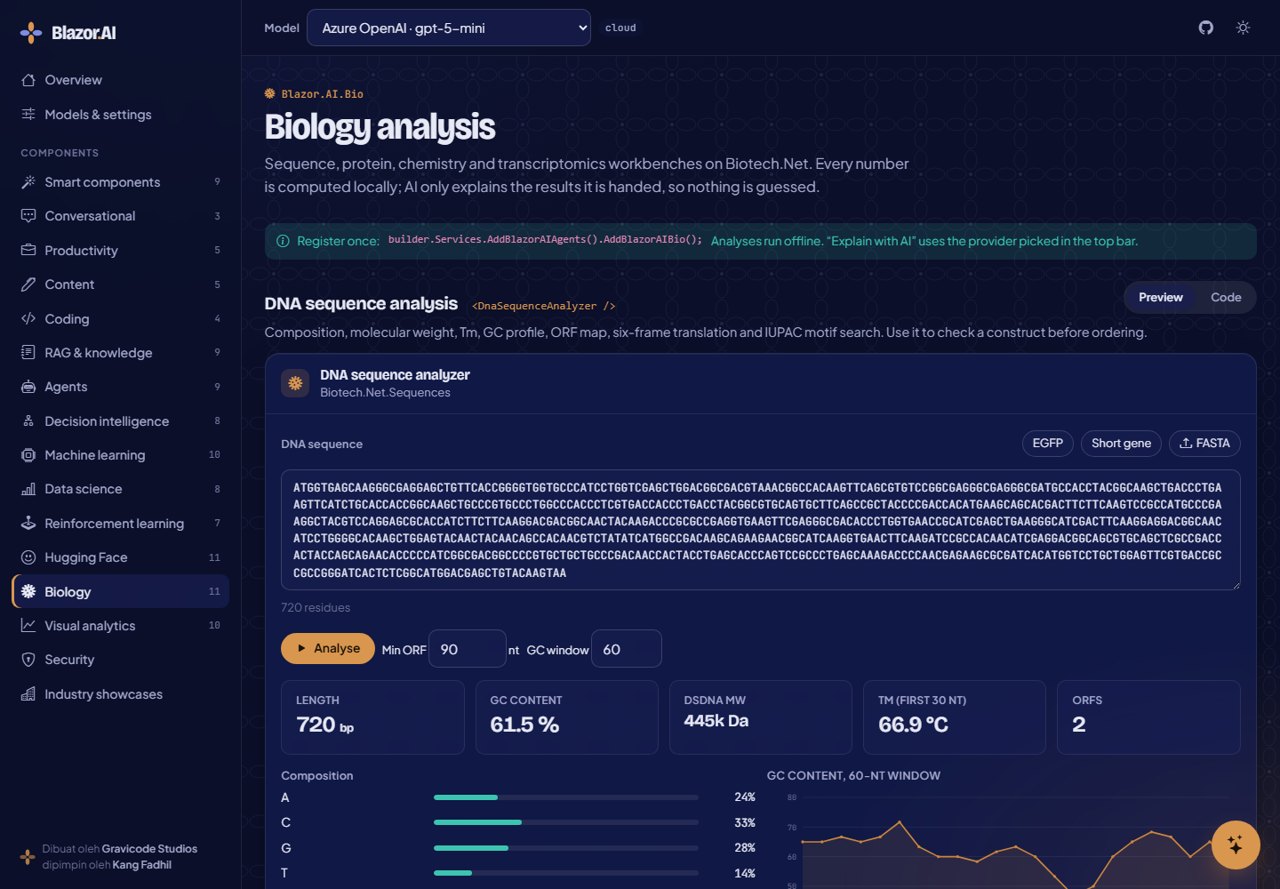 |
| Decision intelligence | Biology (dark theme) |
 |
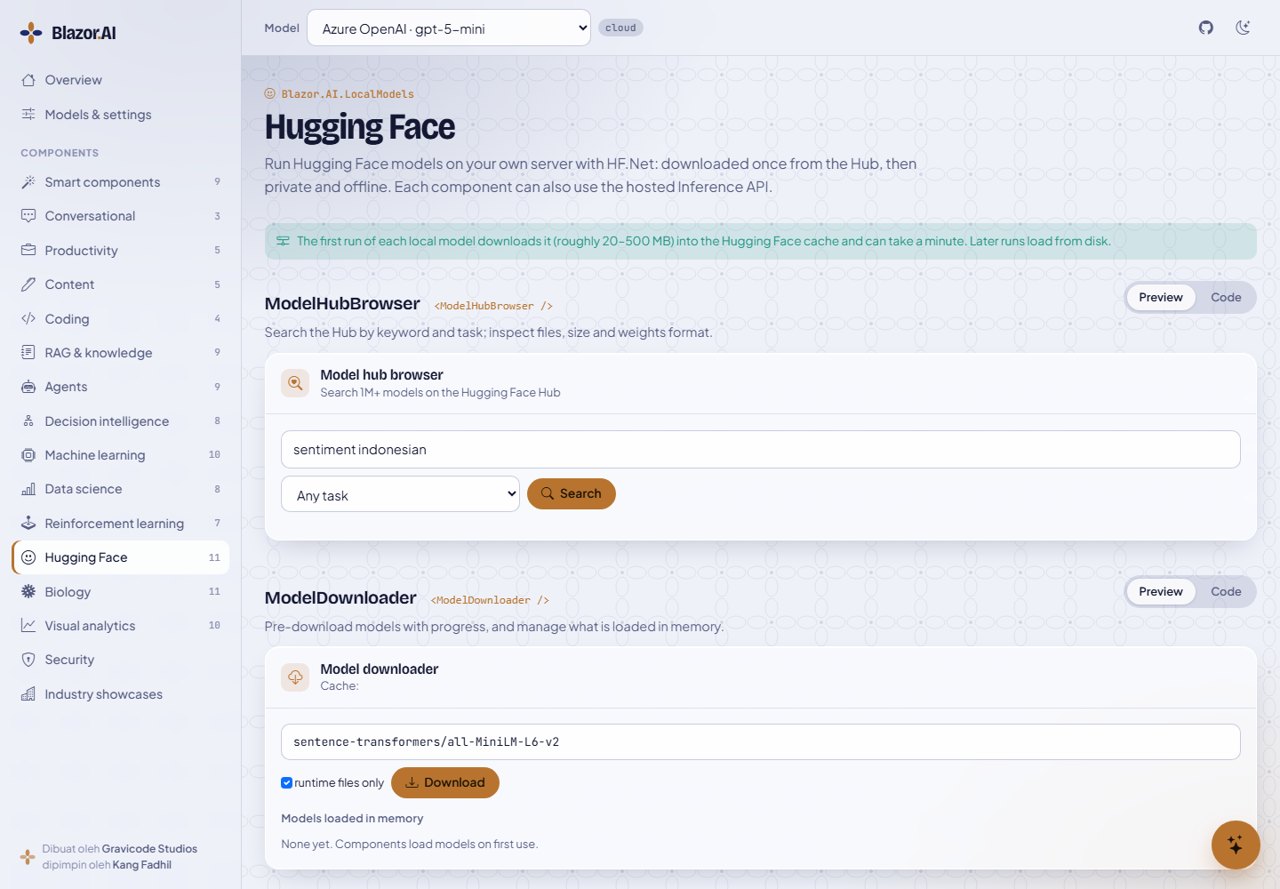 |
| Visual analytics | Hugging Face |
3D
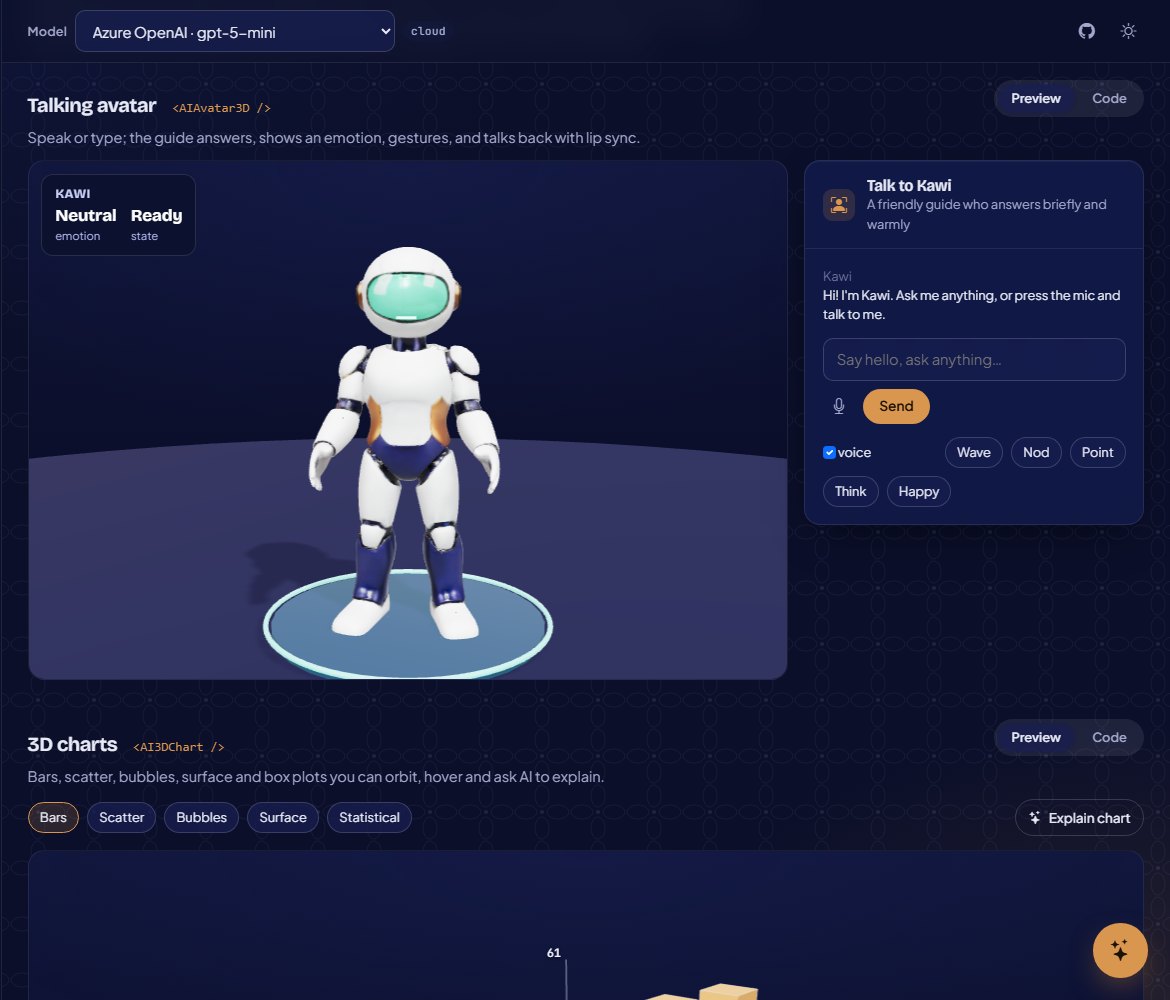
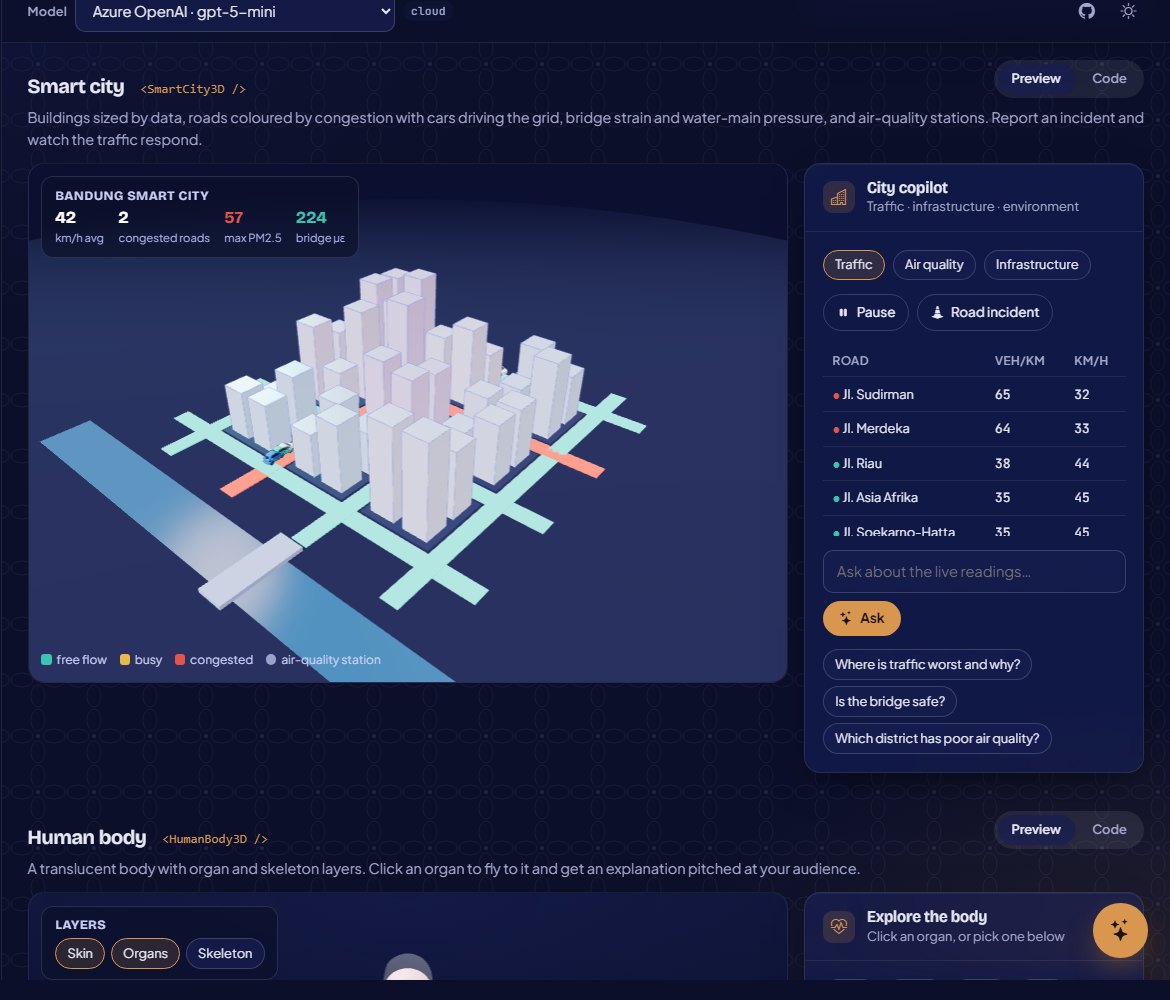
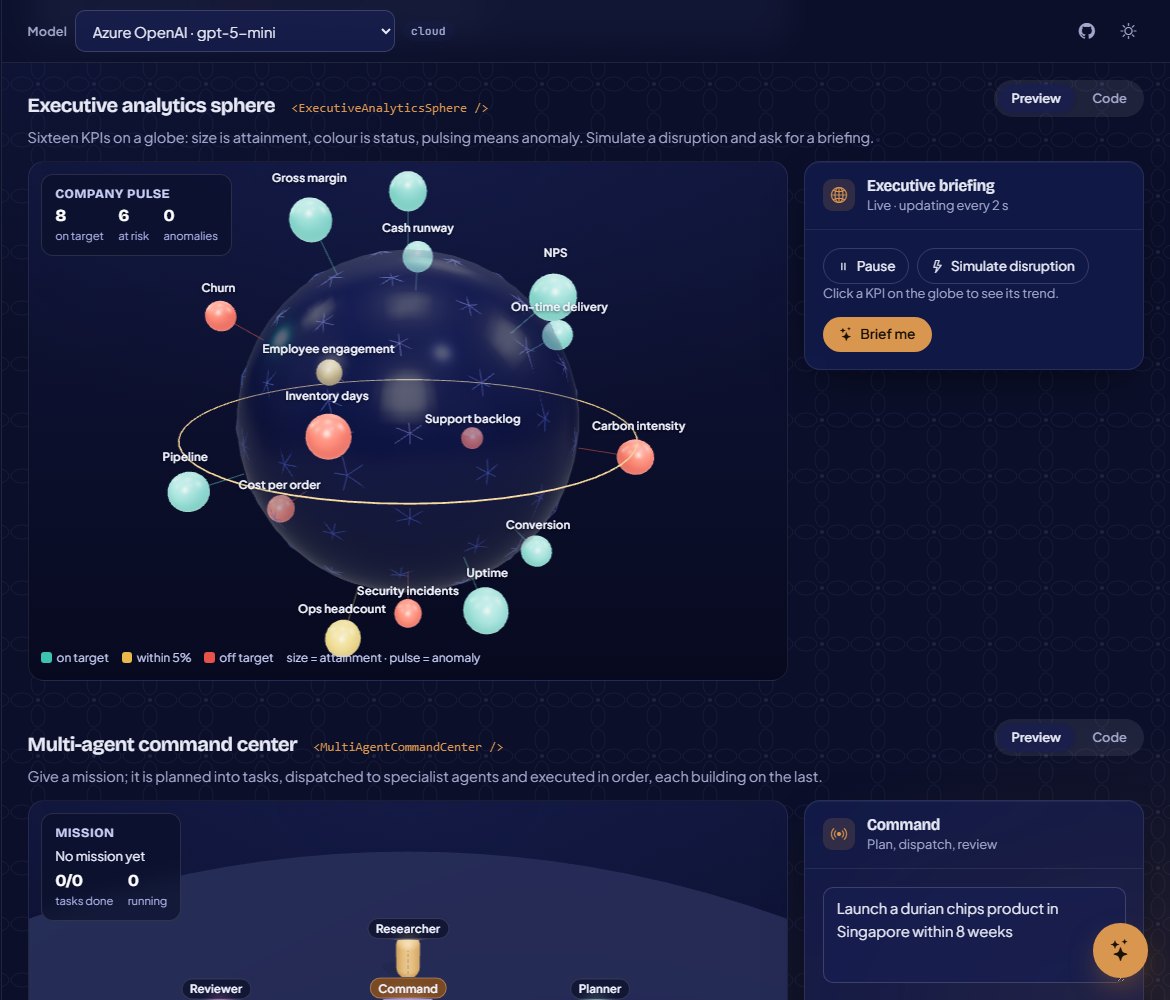
Blazor.AI.ThreeD renders declarative C# scenes with a bundled Three.js engine (no CDN). Its rigged guide robot, fish and robot arm were generated with Rodin and rigged and animated in Blender; the 2-D art was generated with Nano Banana 2.
 |
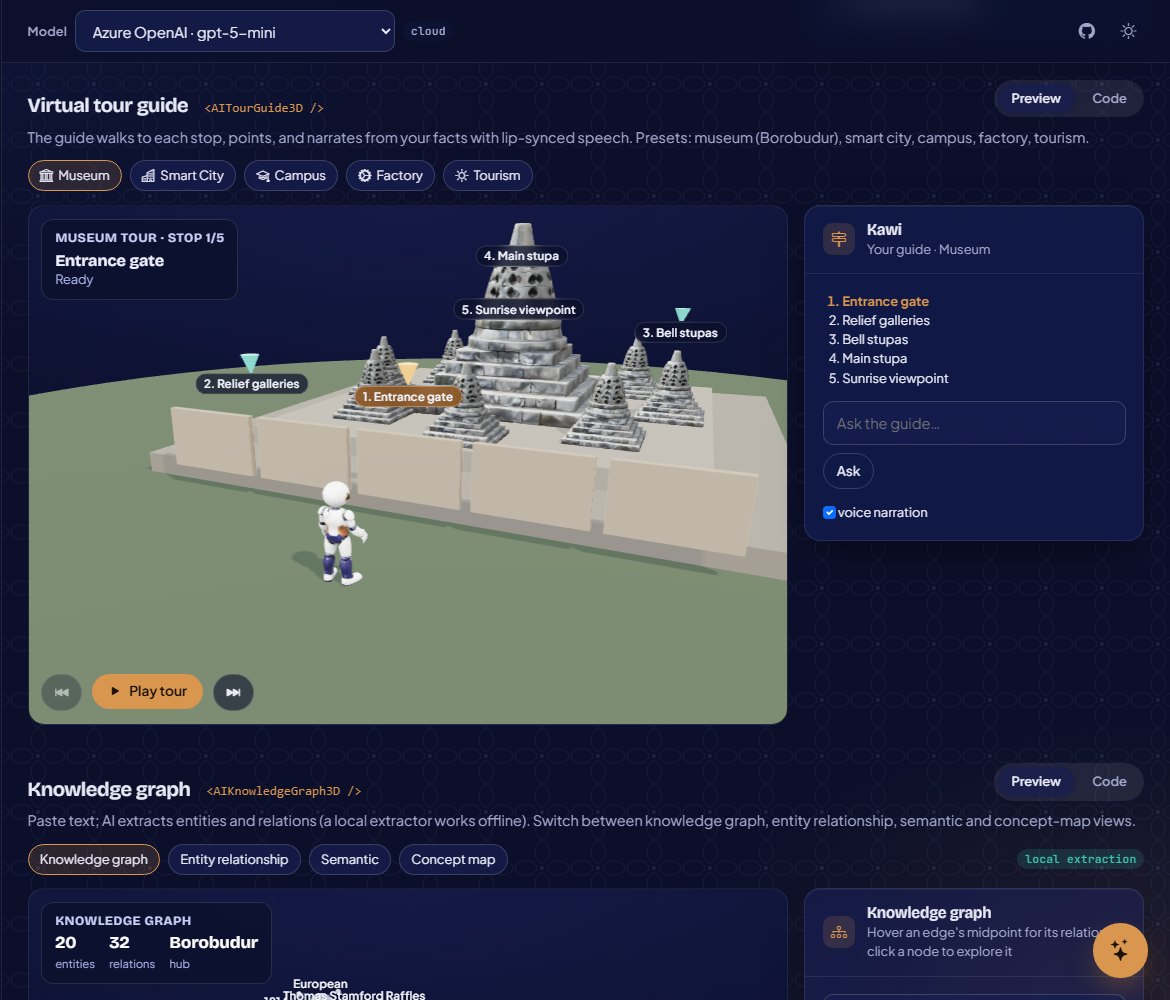 |
| Talking avatar with lip sync | Virtual tour guide (Borobudur) |
 |
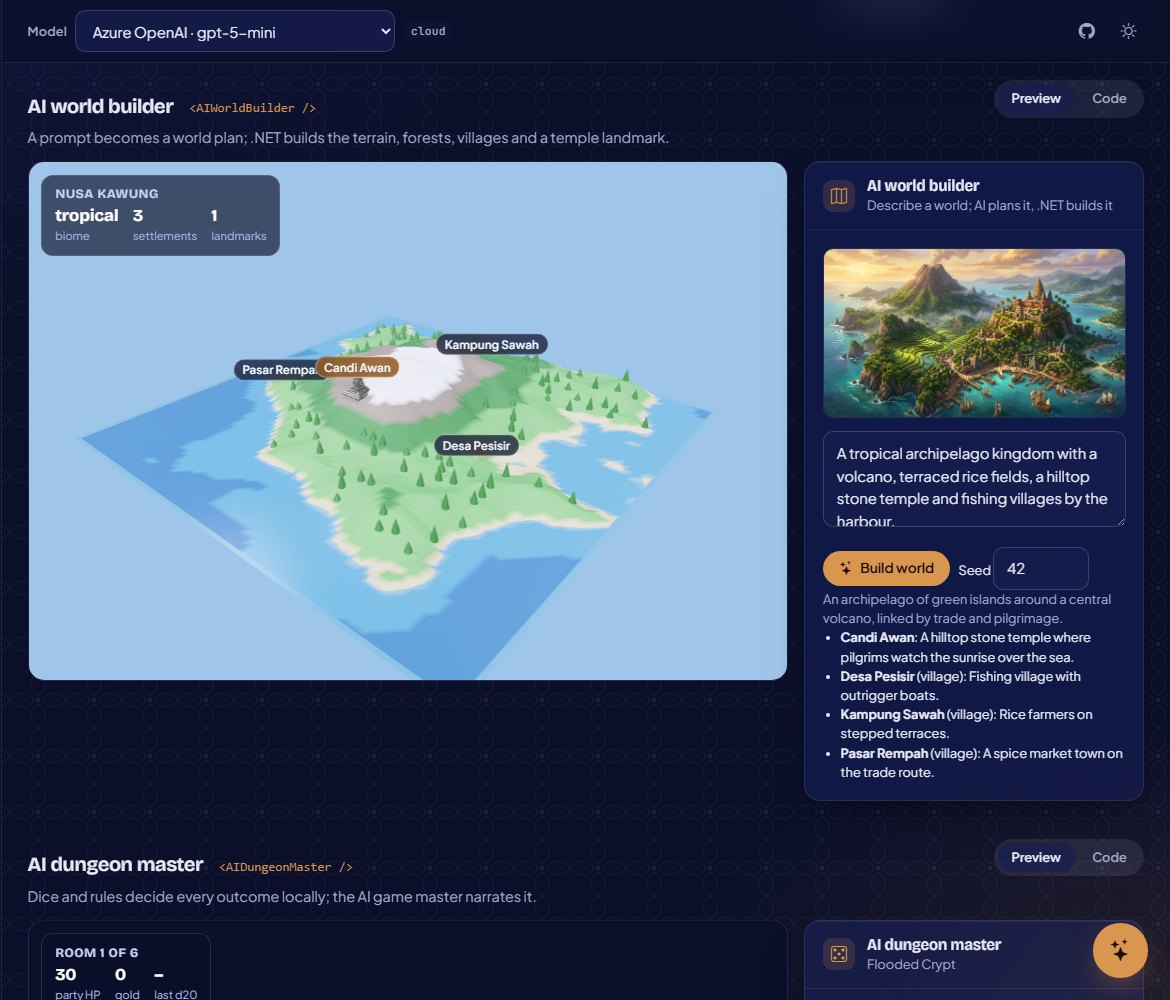 |
| Smart city digital twin | AI world builder |
 |
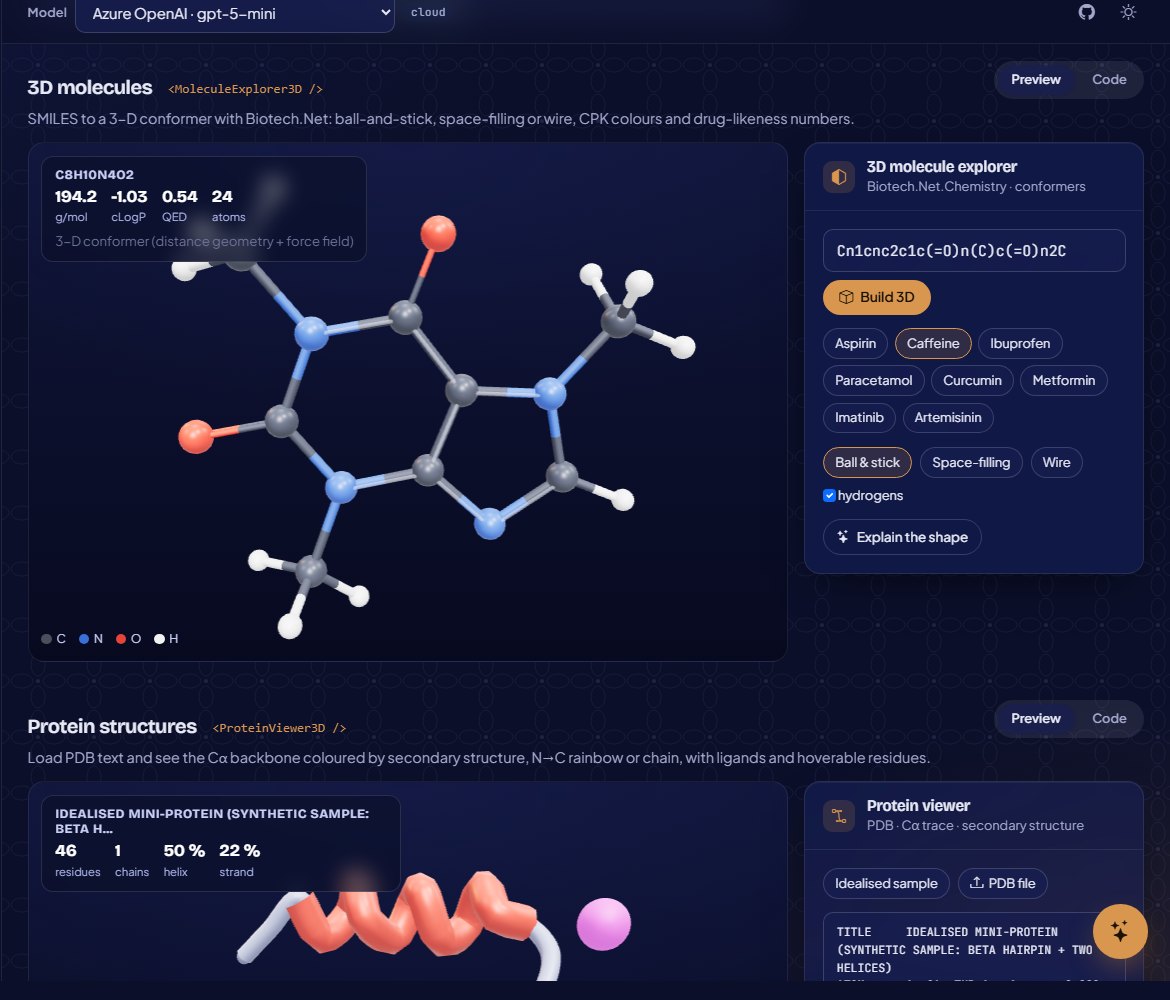 |
| Executive KPI sphere | 3D molecules from SMILES |
Documentation
- Getting started
- Providers and configuration
- Component catalogue
- Security and guardrails
- 3D components
Build and test
dotnet build Blazor.AI.slnx
dotnet test tests/Blazor.AI.Tests
dotnet pack Blazor.AI.slnx -c Release -o artifacts
Requires the .NET 10 SDK. MIT licensed.
Bahasa Indonesia
Kenapa Blazor.AI
- 157 komponen siap pakai dalam 12 paket NuGet, dengan satu tema yang konsisten (terang dan gelap), termasuk 48 komponen Three.js di atas engine
Scene3Dyang bisa dipakai ulang. - Model apa saja: OpenAI, Azure OpenAI, Anthropic Claude, Gemini, Mistral, Cohere, DeepSeek, Grok, Hugging Face, Ollama, llama.cpp, LocalGen, endpoint kompatibel OpenAI, ONNX, dan transformer Hugging Face lokal. Semua komponen juga jalan dengan model simulasi offline, jadi demo dan tes tidak butuh API key.
- Perhitungan tetap deterministik. Machine learning, statistik, aturan bisnis, kimia, dan analisis sekuens dihitung di .NET (GraviLearn, GraviFrame, RLNet, Biotech.Net). LLM merencanakan dan menjelaskan, bukan mengarang angka.
- Guardrail bawaan: redaksi PII, moderasi konten, jejak audit, penyimpanan prompt dan brankas API key terenkripsi AES-GCM, serta kontrol akses berbasis peran.
Paket
| Paket | Isi |
|---|---|
Blazor.AI.Abstractions |
Kontrak provider, vektor, guardrail, dan smart component |
Blazor.AI.Core |
Factory provider, model simulasi, layanan teks, indeks vektor, guardrail, DI (AddBlazorAI) |
Blazor.AI.Components |
Smart component (SmartPaste, SmartTextArea, SmartComboBox…), AiChat, AiAssistant, AiCopilot, generator konten, alat coding dan produktivitas, tema |
Blazor.AI.Visualization |
Grafik SVG: garis, batang, sebaran, heatmap, Sankey, treemap, graf jaringan dan pengetahuan, peta, forecast, realtime, dasbor AI |
Blazor.AI.RAG |
Ingesti dokumen (PDF, Office, CSV), pencarian vektor, chat dokumen bersitasi, chat PDF dan spreadsheet, knowledge graph |
Blazor.AI.Agents |
Agen pemanggil tool, tim multi-agen, papan tugas, memori, debugger, MCP explorer, desainer workflow |
Blazor.AI.Decision |
Editor aturan, tabel dan pohon keputusan gaya DMN, kebijakan, risiko, kelayakan, persetujuan, harga dinamis (TypeSafe System One) |
Blazor.AI.Analytics |
AutoML, enam workbench ML, statistik, A/B Bayesian, uji hipotesis, PCA, deret waktu, sinyal, studio RL |
Blazor.AI.LocalModels |
Browser dan pengunduh Hugging Face Hub, inferensi lokal: sentimen, NER, embedding, visi, OCR, suara |
Blazor.AI.Bio |
DNA, peta restriksi, alignment, filogeni, protein, molekul dan ADMET, CRISPR, primer, optimasi kodon, RNA-seq, bio copilot |
Blazor.AI.ThreeD |
Scene Three.js dari C#: avatar bicara dengan lip sync, grafik dan graf 3D, visualisasi agen dan keputusan, arena RL, digital twin, anatomi, molekul dan protein, copilot CAD/BIM, alat edukasi dan game |
Blazor.AI.Templates |
Template proyek dotnet new blazorai |
Mulai cepat
dotnet new install Blazor.AI.Templates
dotnet new blazorai -n AplikasiAI --provider openai --agents true
Atau tambahkan ke aplikasi Blazor Web App yang sudah ada:
dotnet add package Blazor.AI.Components
// Program.cs
builder.Services.AddBlazorAI(builder.Configuration)       // provider dari bagian "BlazorAI"
    .AddSimulated()                                       // cadangan offline
    .AddOpenAI(builder.Configuration["OpenAI:Key"]!, "gpt-5-mini");
builder.Services.AddBlazorAIComponents();
<form>
    <input name="nama" /> <input name="email" /> <input name="perusahaan" />
    <SmartPaste />
</form>

<AiChat Title="Layanan pelanggan" SystemPrompt="Kamu membantu pelanggan Toko Nusantara. Jawab dalam Bahasa Indonesia." />
Simpan API key di user-secrets atau variabel lingkungan (BlazorAI__Providers__1__ApiKey), jangan di appsettings.json. Provider cloud tanpa key akan dilewati, dan model simulasi tetap tersedia.
Galeri
Aplikasi galeri menampilkan setiap komponen dengan pratinjau langsung dan contoh kode yang siap disalin.
dotnet run --project samples/Blazor.AI.Gallery # http://localhost:5180
Dokumentasi
Build dan tes
dotnet build Blazor.AI.slnx
dotnet test tests/Blazor.AI.Tests
Butuh .NET 10 SDK. Lisensi MIT.
<p align="center">Made by <b>Gravicode Studios</b>, led by <b>Kang Fadhil</b> · <i>Dibuat oleh Gravicode Studios dipimpin oleh Kang Fadhil</i></p>
| Product | Versions Compatible and additional computed target framework versions. |
|---|---|
| .NET | net10.0 is compatible. net10.0-android was computed. net10.0-browser was computed. net10.0-ios was computed. net10.0-maccatalyst was computed. net10.0-macos was computed. net10.0-tvos was computed. net10.0-windows was computed. |
-
net10.0
- Blazor.AI.Components (>= 1.1.0)
- Blazor.AI.Visualization (>= 1.1.0)
- Gravicode.OfficeNet.PdfNet (>= 1.3.0)
- Gravicode.Science.GraviFrame (>= 1.4.0)
- Microsoft.AspNetCore.Components.Web (>= 10.0.12)
- System.Security.Cryptography.Pkcs (>= 10.0.13)
NuGet packages
This package is not used by any NuGet packages.
GitHub repositories
This package is not used by any popular GitHub repositories.