CS-VB_LINES
1.0.0
No functional changes. The alternative package only fixes the README.nuget.md formatting for better compatibility with the NuGet.org interface.
dotnet tool install --global CS-VB_LINES --version 1.0.0
dotnet new tool-manifest
dotnet tool install --local CS-VB_LINES --version 1.0.0
#tool dotnet:?package=CS-VB_LINES&version=1.0.0
nuke :add-package CS-VB_LINES --version 1.0.0
CS-VB Line Endings Normalizer (CS-VB_LINES.exe)

Command-line utility to normalize line endings (CRLF / CR / LF) in your C# or VB.NET source-code files.
👋 Introduction
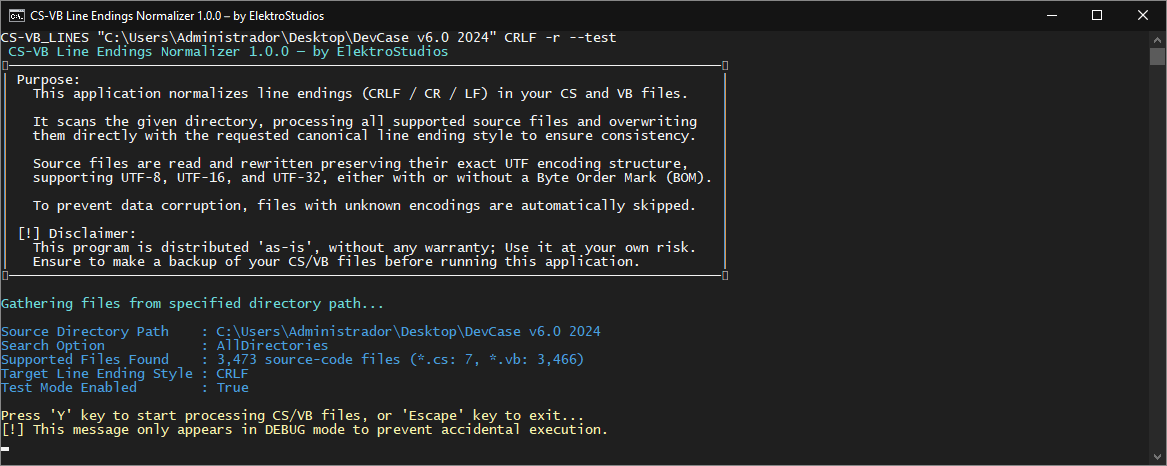
CS-VB Line Endings Normalizer is a command-line interface (CLI) tool designed to ensure line-ending consistency across C# (*.cs) and Visual Basic (*.vb) source code files.
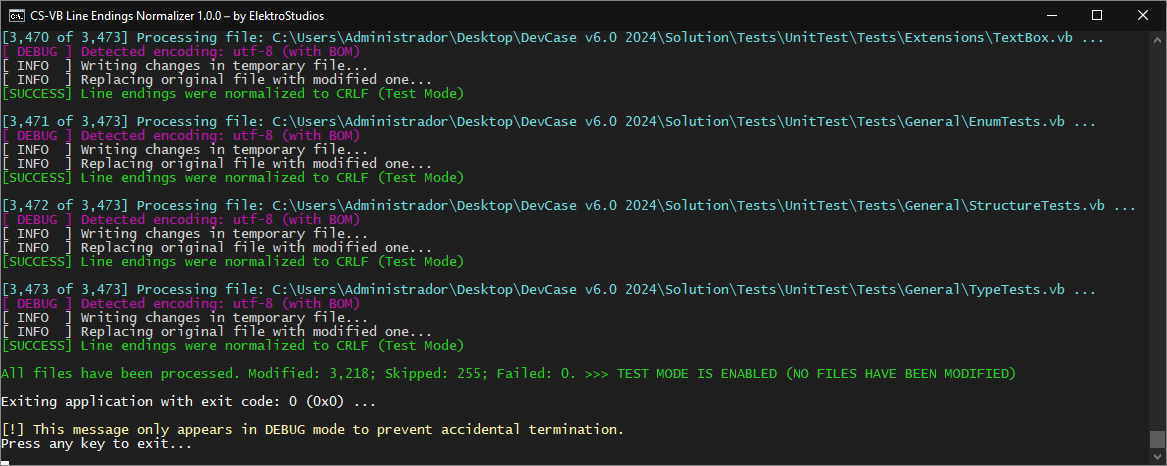
The application scans a given directory to process supported source-code files, identifying which files require normalization, and applies the requested canonical line ending style (CRLF, LF, or CR) using a safe, atomic file replacement operation.
👌 Features
- Files are read and rewritten preserving their exact text encoding, supporting UTF-8, UTF-16, and UTF-32 in both Little Endian and Big Endian, with or without a Byte Order Mark (BOM).
- Automatically skips empty files, white-space-only files, Visual Studio auto-generated files, and files with unrecognized or unsupported text encodings.
- Updates your source-code files safely by writing changes to a temporary file first, using an atomic replacement with a temporary
.bakfile to ensure data integrity. - Supports optional recursive scanning (
-ror--recurseflags). - Provides a safe dry-run environment (
-tor--testflags) to simulate changes without modifying your actual files. - Uses Natural sort order to process files, making the program execution sequence predictable and easy to follow.
🖼️ Screenshots
📝 Requirements
- Microsoft Windows OS.
🤖 Getting Started
Choose the installation method that best fits your workflow. You can either use the tool as a standalone portable executable or install it as a .NET Tool via NuGet.
Option A: Standalone Executable (Portable)
This is the standard approach if you want a ready-to-use console application without relying on the .NET SDK.
- Navigate to the Releases page.
- Download the latest
.ziparchive. - Extract the contents to your preferred directory.
- Open your terminal and run the executable directly.
Option B: .NET Tool (NuGet)
If you are a developer with the .NET SDK installed, you can install the package globally. This is highly recommended as it allows you to invoke the tool directly from Visual Studio in the directory of your current solution.
Open your terminal and run the following command:
dotnet tool install --global CS-VB_LINES
Once installed successfully, you can invoke the tool from anywhere using its command name CS-VB_LINES.
⚙️ Usage
CS-VB_LINES.exe <directory_path> <line_ending_style> [options]
| Mandatory Arguments | Description |
|---|---|
| <code><directory_path></code> | The path to the root directory containing the *.cs or *.vb source-code files to process. |
| <code><line_ending_style></code> | The target line ending formatting style to apply. Supported values are: CRLF, CR, or LF (case-insensitive). |
| Options | Description |
|---|---|
| <code>‑r</code>, <code>‑‑recursive</code> | Recursively process source-code files in all subdirectories. |
| <code>‑t</code>, <code>‑‑test</code> | Runs the application in Test Mode (dry-run), simulating the entire process without modifying actual files. |
🚀 Examples
Normalize line endings to Windows style (CRLF) for files in the the specified root directory:
VB_Lines_Normalizer.exe "C:\MySolution" crlf
Recursively normalize line endings to Unix style (LF) for files within the specified root directory and its subdirectories:
VB_Lines_Normalizer.exe "C:\MySolution" lf -r
Run a safe simulation dry-run recursively using Mac style (CR) to validate layout changes without modifying actual files:
VB_Lines_Normalizer.exe "C:\MySolution" cr -r --test
🔄 Change Log
Explore the complete list of changes, bug fixes, and improvements across different releases by clicking here.
⚠️ Disclaimer:
This Work (the repository and the content provided in) is provided "as is", without warranty of any kind, express or implied, including but not limited to the warranties of merchantability, fitness for a particular purpose and noninfringement. In no event shall the authors or copyright holders be liable for any claim, damages or other liability, whether in an action of contract, tort or otherwise, arising from, out of or in connection with the Work or the use or other dealings in the Work.
This Work has no affiliation, approval or endorsement by the author(s) of the third-party libraries used by this Work.
💪 Contributing
Your contribution is highly appreciated!. If you have any ideas, suggestions, or encounter issues, feel free to open an issue by clicking here.
Your input helps make this Work better for everyone. Thank you for your support! 🚀
💰 Beyond Contribution
This project is distributed for educational purposes without any profit motive. However, if you find value in my efforts and wish to support financially my ongoing work, please consider visiting the main repository page on GitHub to view the full sponsorship section and explore the available financial contribution options.
Your support means the world to me! Thank you for considering it! 👍
| Product | Versions Compatible and additional computed target framework versions. |
|---|---|
| .NET | net10.0 is compatible. net10.0-android was computed. net10.0-browser was computed. net10.0-ios was computed. net10.0-maccatalyst was computed. net10.0-macos was computed. net10.0-tvos was computed. net10.0-windows was computed. |
This package has no dependencies.
| Version | Downloads | Last Updated |
|---|