ConduitSharp.TokenFlow
1.0.2
dotnet tool install --global ConduitSharp.TokenFlow --version 1.0.2
dotnet new tool-manifest
dotnet tool install --local ConduitSharp.TokenFlow --version 1.0.2
#tool dotnet:?package=ConduitSharp.TokenFlow&version=1.0.2
nuke :add-package ConduitSharp.TokenFlow --version 1.0.2
TokenFlow
Track token spend across any AI agent, ships pre-configured with Claude Code, Codex and Local LLM routes. Single command install.
Problem
I use AI daily and have no idea where my tokens are going and what the AI agent is doing under the hood. I built TokenFlow to answer the question:
"What is all my routed AI traffic doing, how is it allocating my tokens, what is being sent with my prompts and why is this turn consuming so many tokens?"
See where your tokens go in realtime
Dashboard at http://localhost:5050. Live feed as calls land, per-session totals, date range,
and prompt detail with the wire body behind it.
Where tokens went
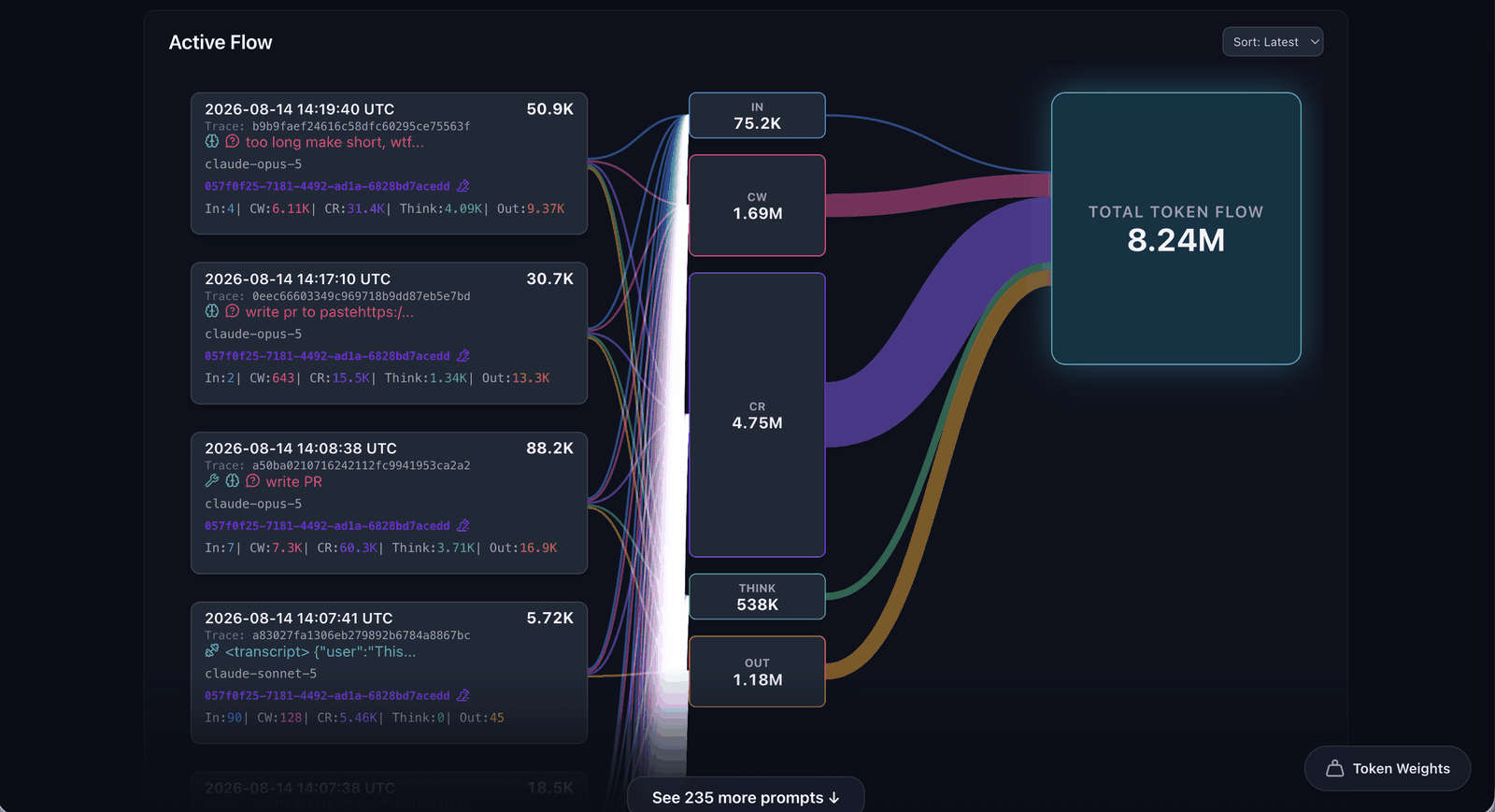
Spend patterns
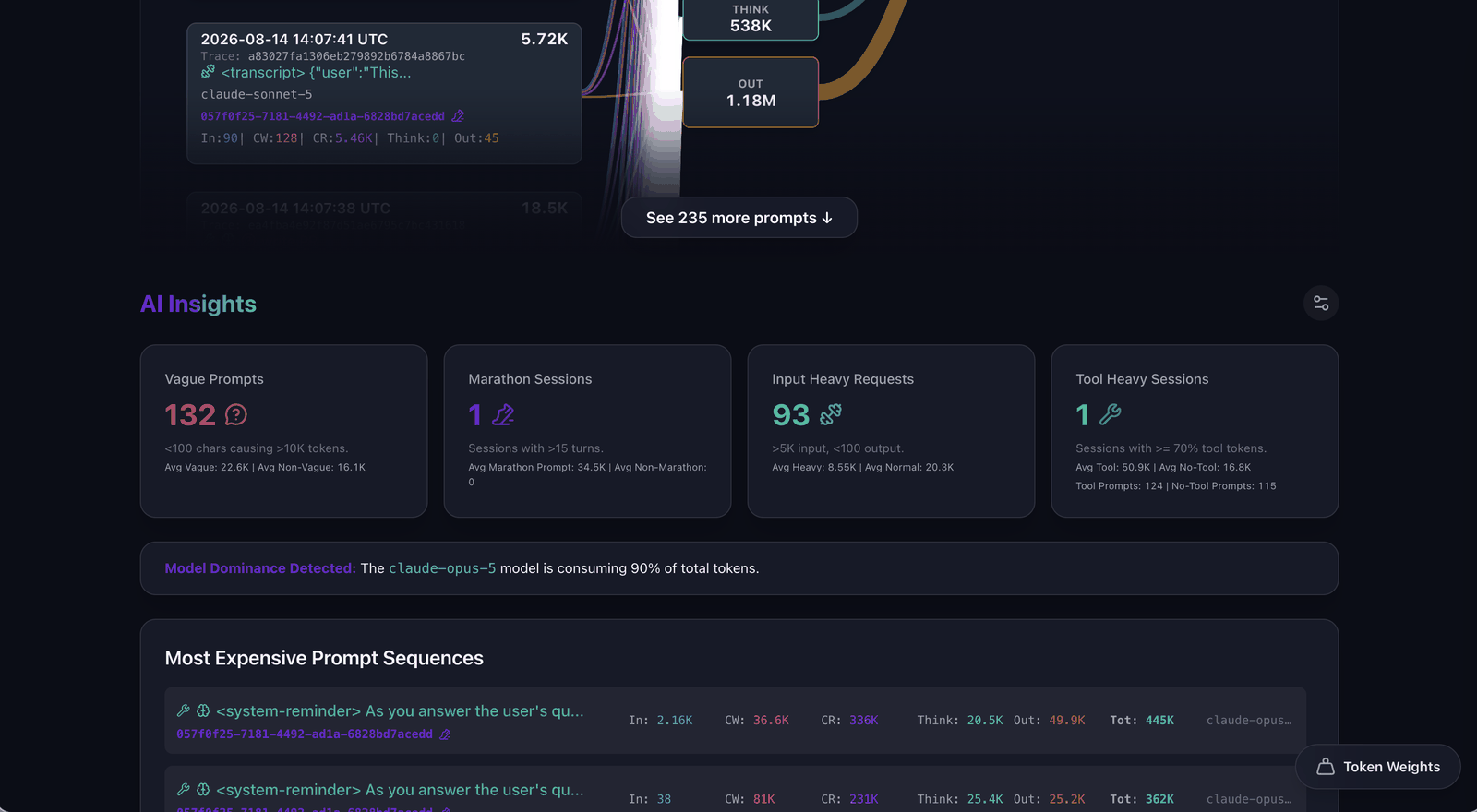
Prompt and wire log
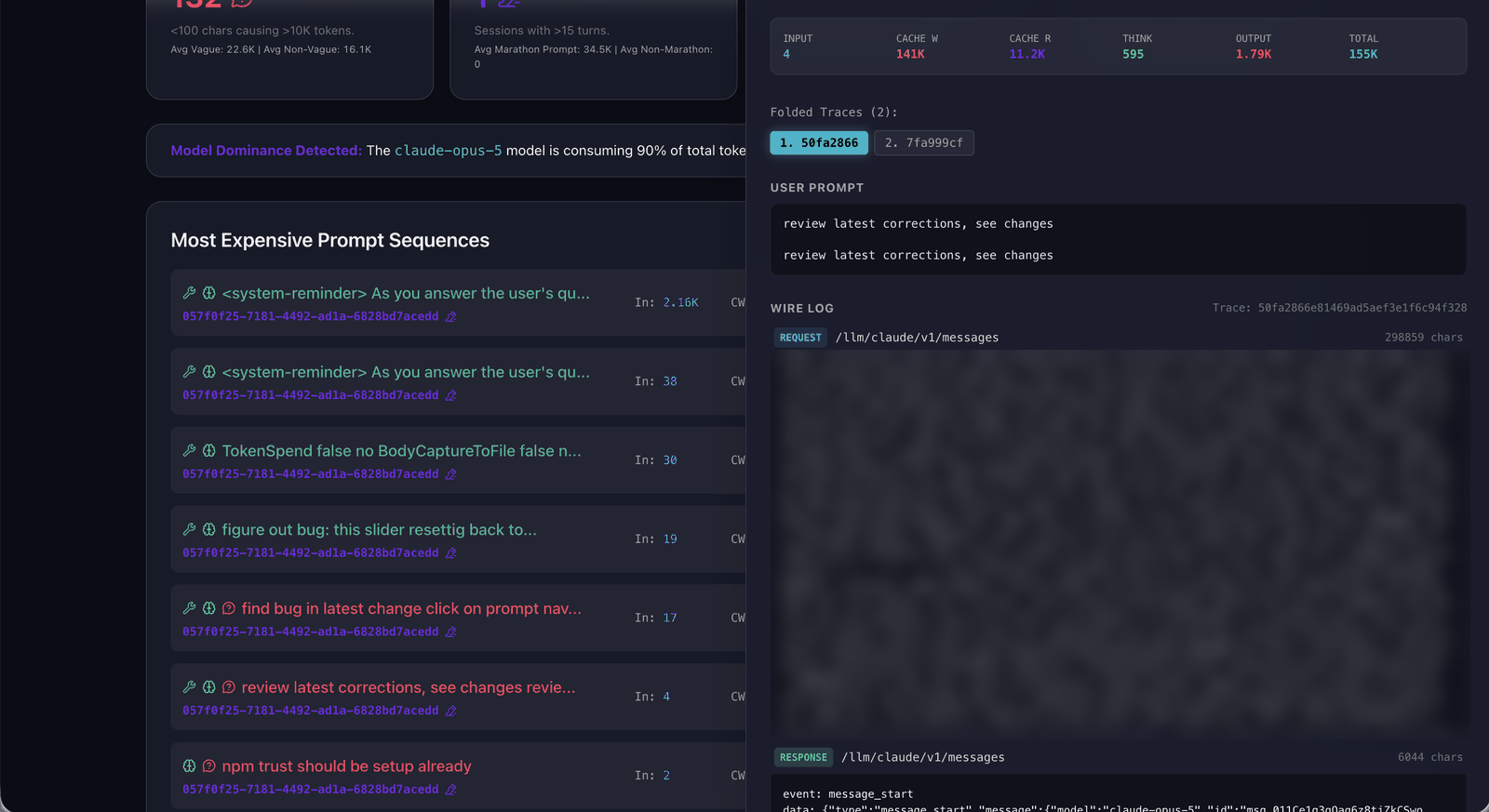
Prompt and wire logs allow us to see what was exactly sent to Anthropic, OpenAI, or any other provider not just what the harness logs in your session logs.
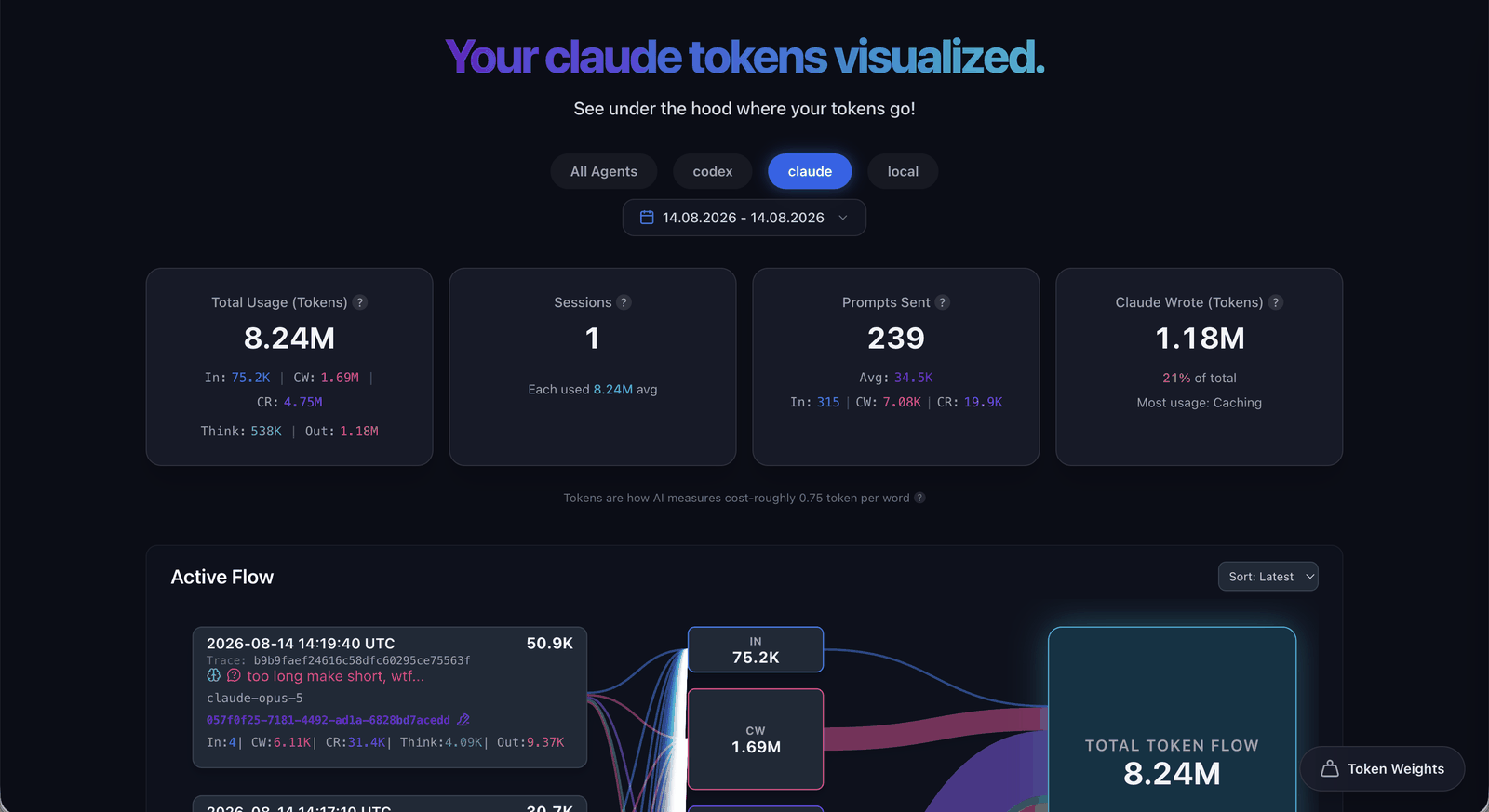
Totals per agent
Install
One command. Needs Node, nothing else. First run fetches the runtime (~46 MB) into
~/.tokenflow.
npx @liqngliz/tokenflow
Leave that terminal open, it runs there. CTRL-C to shut down.
Open http://localhost:5050 in browser to see dasboard.
http://localhost:5050/info gives info on where to point Claude, Codex or local llm.
Point agent to TokenFlow
Three routes shipped /llm/claude, /llm/codex, and /llm/local
All three routes have been exercised against live traffic. claude and codex through their
VS Code extensions, local through Cline.
Claude Code Config, one repo
File: <repo>/.claude/settings.local.json
Create a .claude folder in your repository root. Add settings.local.json inside it.
{
  "env": {
    "ANTHROPIC_BASE_URL": "http://localhost:5050/llm/claude"
  }
}
Windows Explorer refuses a folder name starting with a dot. Type .claude. with a trailing dot and
it saves as .claude, or run mkdir .claude in the terminal.
Claude Code Config, every repo
File: ~/.claude/settings.json
On Windows that is C:\Users\<you>\.claude\settings.json.
Create a .claude folder in your home directory. Add settings.json inside it.
{
  "env": {
    "ANTHROPIC_BASE_URL": "http://localhost:5050/llm/claude"
  }
}
Windows note: type .claude. with a trailing dot in Explorer, or mkdir .claude in the
terminal.
If a repo also has its own settings.local.json, that one wins.
Restart Claude Code after editing.
Codex (VS Code extension) Config
File: ~/.codex/config.toml
On Windows that is C:\Users\<you>\.codex\config.toml.
Codex creates .codex when you sign in, so the folder is already there. Add config.toml to it, or
edit the one you have.
model_provider = "conduit"

[model_providers.conduit]
name     = "ConduitSharp"
base_url = "http://localhost:5050/llm/codex/backend-api/codex"
wire_api = "responses"
Restart the extension after editing.
Cline (VS Code extension) + LM Studio Config
In LM Studio, start the local server on port 1234.
Cline: API Provider → LM Studio, tick Use custom base URL:
http://localhost:5050/llm/local/v1
How it works
TokenFlow is built upon ConduitSharp, an API gateway with realtime body capture capabilities.
All requests are streamed through the gateway. Token and prompt metrics are captured in the stream and passed in realtime to the dashboard to build metrics.
Privacy
The gateway runs locally on your device and all logged data stays local. The dashboard is served on localhost, no data from token flow is sent anywhere.
License
Apache-2.0, same as ConduitSharp. Copyright © 2026 liqngliz.
Advanced configurations
ADVANCED.md: Docker and .NET SDK installs, log location, ports, your own routes, known limits.
| Product | Versions Compatible and additional computed target framework versions. |
|---|---|
| .NET | net10.0 is compatible. net10.0-android was computed. net10.0-browser was computed. net10.0-ios was computed. net10.0-maccatalyst was computed. net10.0-macos was computed. net10.0-tvos was computed. net10.0-windows was computed. |
This package has no dependencies.