DiagramForge 1.1.0
dotnet add package DiagramForge --version 1.1.0
NuGet\Install-Package DiagramForge -Version 1.1.0
<PackageReference Include="DiagramForge" Version="1.1.0" />
<PackageVersion Include="DiagramForge" Version="1.1.0" />
<PackageReference Include="DiagramForge" />
paket add DiagramForge --version 1.1.0
#r "nuget: DiagramForge, 1.1.0"
#:package DiagramForge@1.1.0
#addin nuget:?package=DiagramForge&version=1.1.0
#tool nuget:?package=DiagramForge&version=1.1.0
DiagramForge
Text in, SVG out. DiagramForge is a .NET library and CLI for rendering diagram text to real SVG without a browser, JavaScript runtime, or headless Chrome.
DiagramForge focuses on the cases where Mermaid-style diagram authoring is useful, but browser-generated SVG is not: PowerPoint decks, Keynote slides, Inkscape workflows, docs pipelines, and image conversion with tools like librsvg.
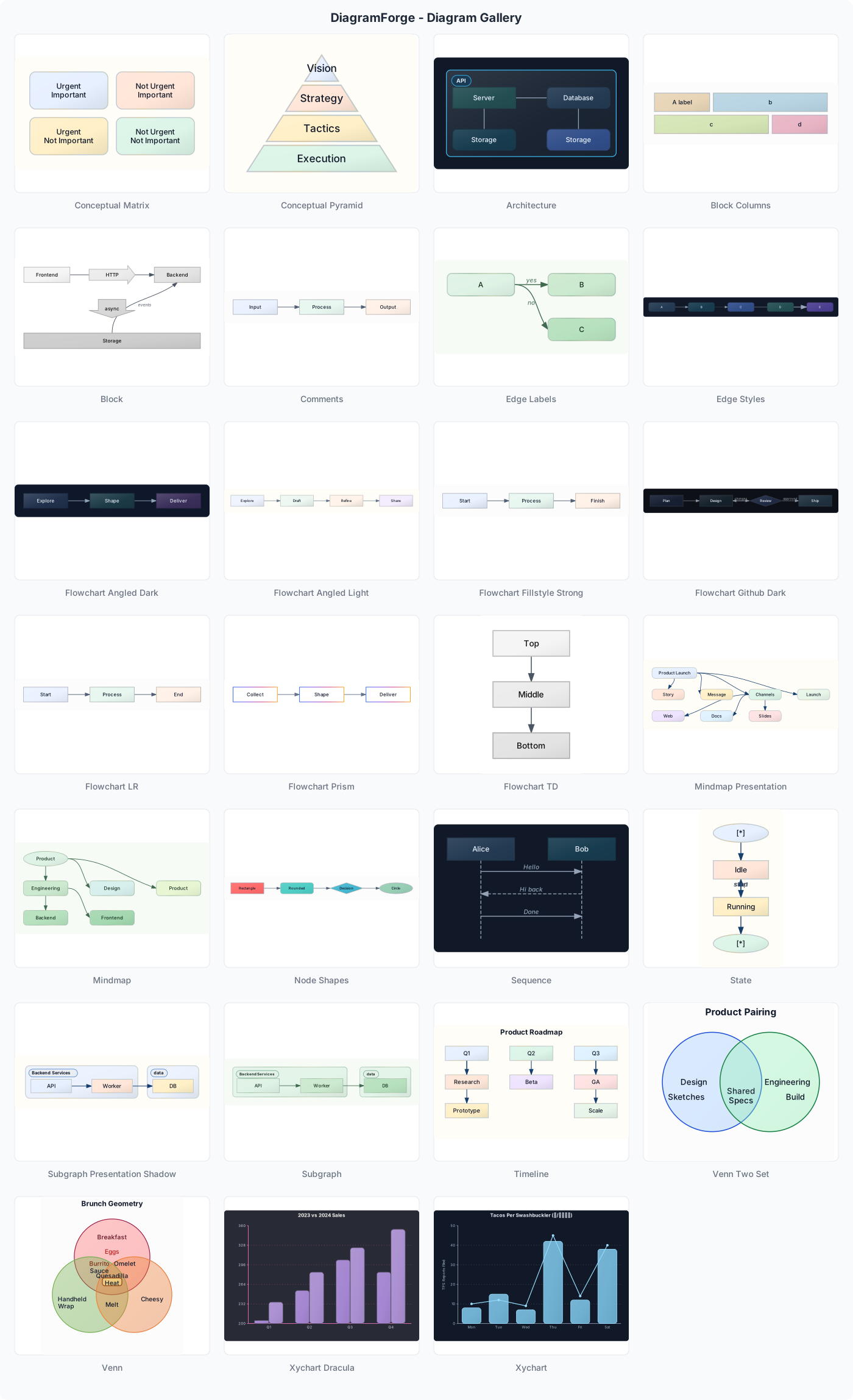
Why DiagramForge
- Real SVG output with native
textelements - No browser, Node.js, or headless Chrome dependency
- Deterministic rendering suitable for snapshot testing
- Mermaid subset support plus presentation-oriented conceptual layouts
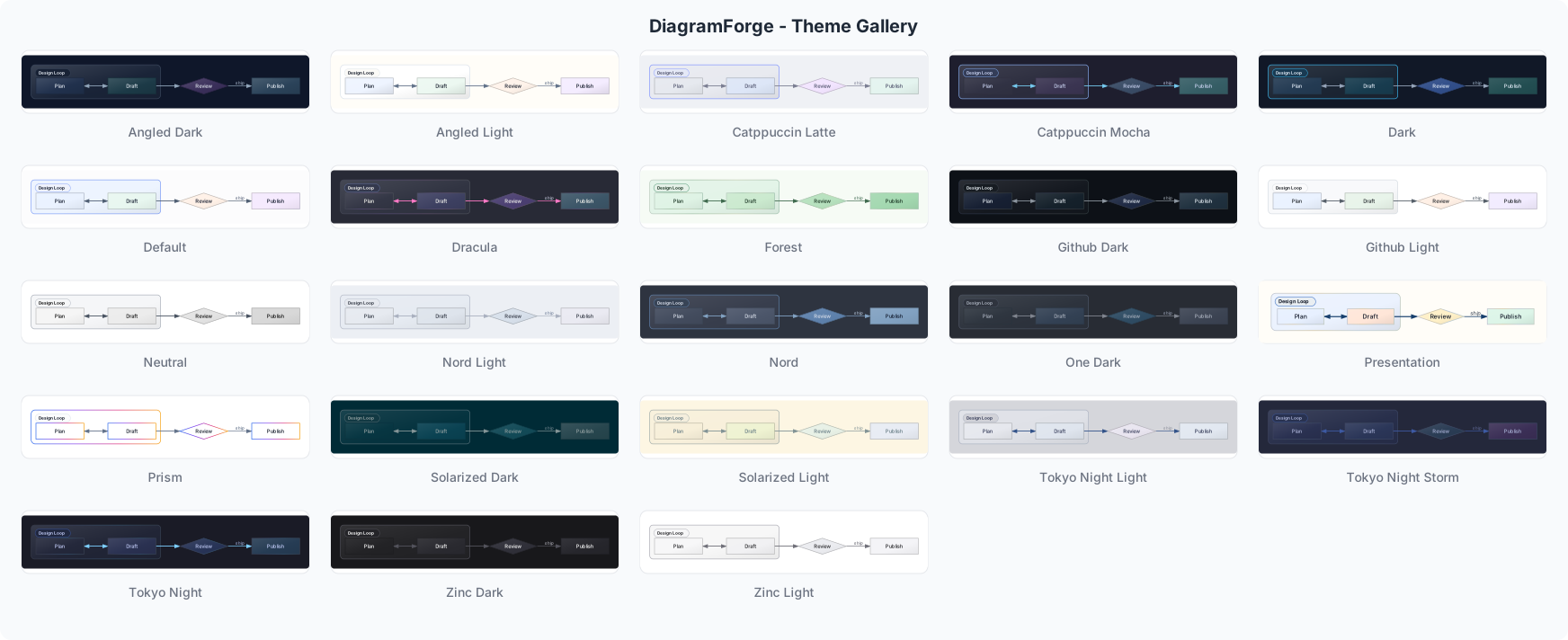
- Built-in themes, JSON themes, palette overrides, and embedded frontmatter styling
Install
DiagramForge targets .NET 10.
Library
dotnet add package DiagramForge
CLI (dnx)
dnx DiagramForge.Tool --help
With .NET 10, dnx can run the tool package directly without a prior install.
Basic usage
using DiagramForge;

var renderer = new DiagramRenderer();
string svg = renderer.Render("""
flowchart LR
  A[Plan] --> B[Build]
  B --> C[Ship]
""");
CLI usage
dnx DiagramForge.Tool diagram.mmd -o diagram.svg
dnx DiagramForge.Tool diagram.mmd --theme dracula --transparent -o overlay.svg
Supported today
- Mermaid subset: flowchart, block, sequence, state, mindmap, timeline, venn, architecture, and xychart
- Conceptual DSL: matrix, pyramid, cycle, pillars, funnel, and radial
- Theme presets, theme JSON files, palette overrides, and frontmatter styling
DiagramForge intentionally implements a focused Mermaid subset rather than full Mermaid.js parity.
Documentation
- Full project README: github.com/jongalloway/DiagramForge
- Theming guide: Theming
- Frontmatter guide: Frontmatter
- Product scope and roadmap: PRD
Feedback
| Product | Versions Compatible and additional computed target framework versions. |
|---|---|
| .NET | net10.0 is compatible. net10.0-android was computed. net10.0-browser was computed. net10.0-ios was computed. net10.0-maccatalyst was computed. net10.0-macos was computed. net10.0-tvos was computed. net10.0-windows was computed. |
-
net10.0
- No dependencies.
NuGet packages
This package is not used by any NuGet packages.
GitHub repositories
This package is not used by any popular GitHub repositories.
| Version | Downloads | Last Updated |
|---|---|---|
| 1.1.0 | 499 | 3/17/2026 |
| 1.0.0 | 387 | 3/13/2026 |
| 1.0.0-rc.2 | 69 | 3/13/2026 |
| 1.0.0-rc.1 | 74 | 3/12/2026 |
| 0.1.0 | 143 | 3/11/2026 |
| 0.0.0-alpha.0.30 | 73 | 3/11/2026 |