FestiveUmbraco 18.1.1
dotnet add package FestiveUmbraco --version 18.1.1
NuGet\Install-Package FestiveUmbraco -Version 18.1.1
<PackageReference Include="FestiveUmbraco" Version="18.1.1" />
<PackageVersion Include="FestiveUmbraco" Version="18.1.1" />
<PackageReference Include="FestiveUmbraco" />
paket add FestiveUmbraco --version 18.1.1
#r "nuget: FestiveUmbraco, 18.1.1"
#:package FestiveUmbraco@18.1.1
#addin nuget:?package=FestiveUmbraco&version=18.1.1
#tool nuget:?package=FestiveUmbraco&version=18.1.1
Festive Umbraco
<img src="icon.png" alt="Festive Umbraco icon" width="96" height="96" align="left" style="margin-right: 16px;" />
v18.1.1 · by Jasper Neupane, One Tech Nepal · MIT licensed
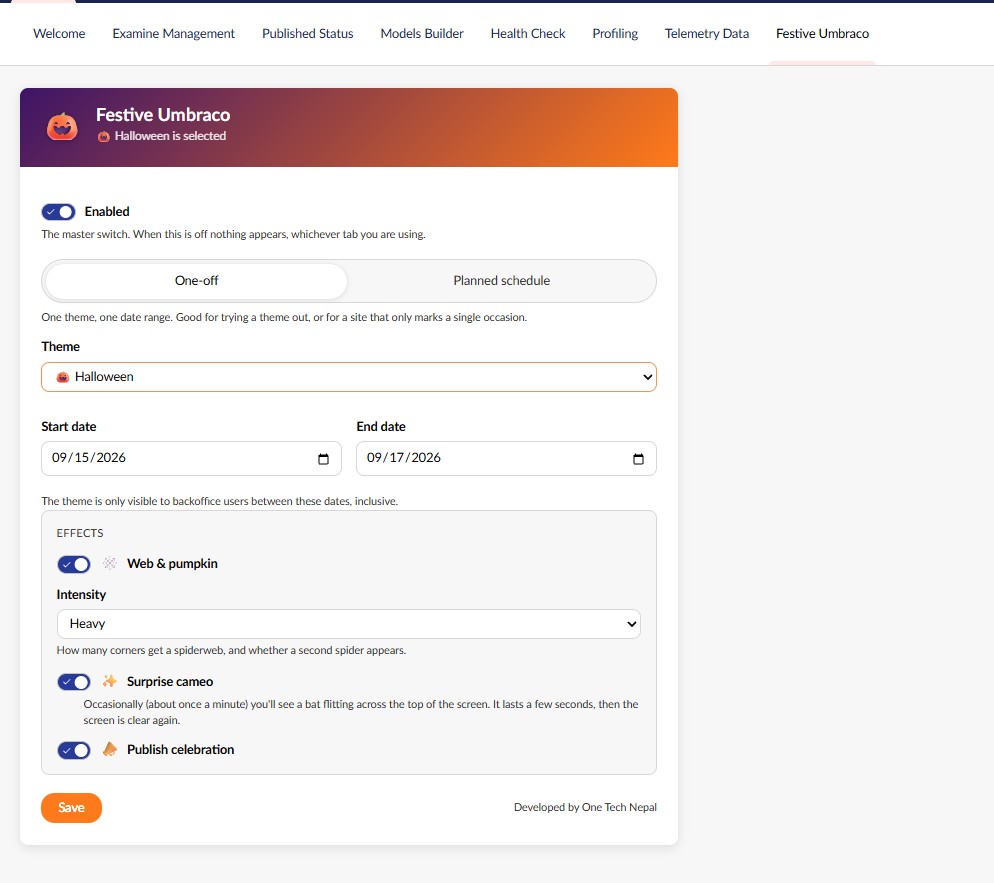
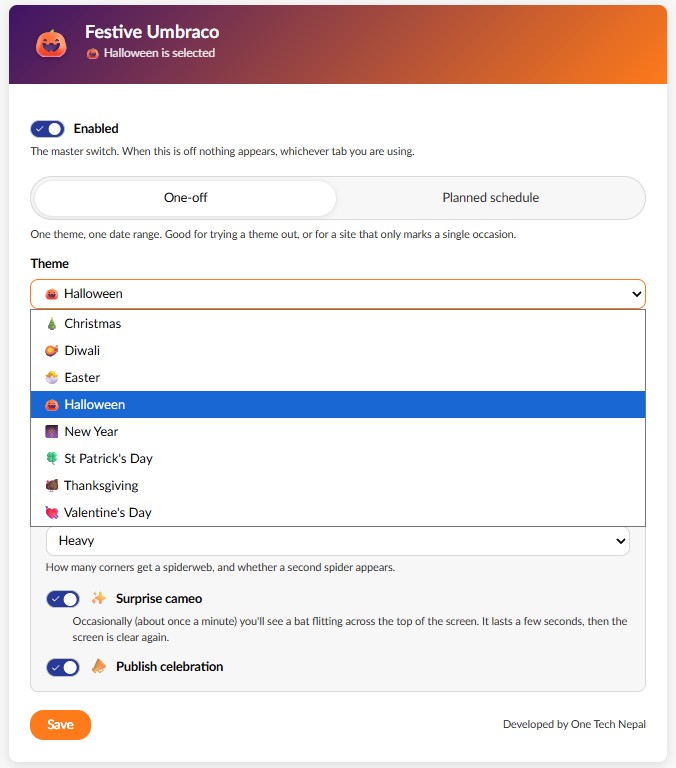
Temporarily turns the Umbraco backoffice into a festive experience for date ranges you choose. Eight themes, each with a subtle background effect, an occasional themed cameo, and a small celebration when content is published.
Run a single theme for one occasion, or plan the whole year ahead and let it switch itself over.
It is off by default, backoffice only, and it never touches your content, your database schema, or the front end of your site.
Screenshots
 |
 |
 |
 |
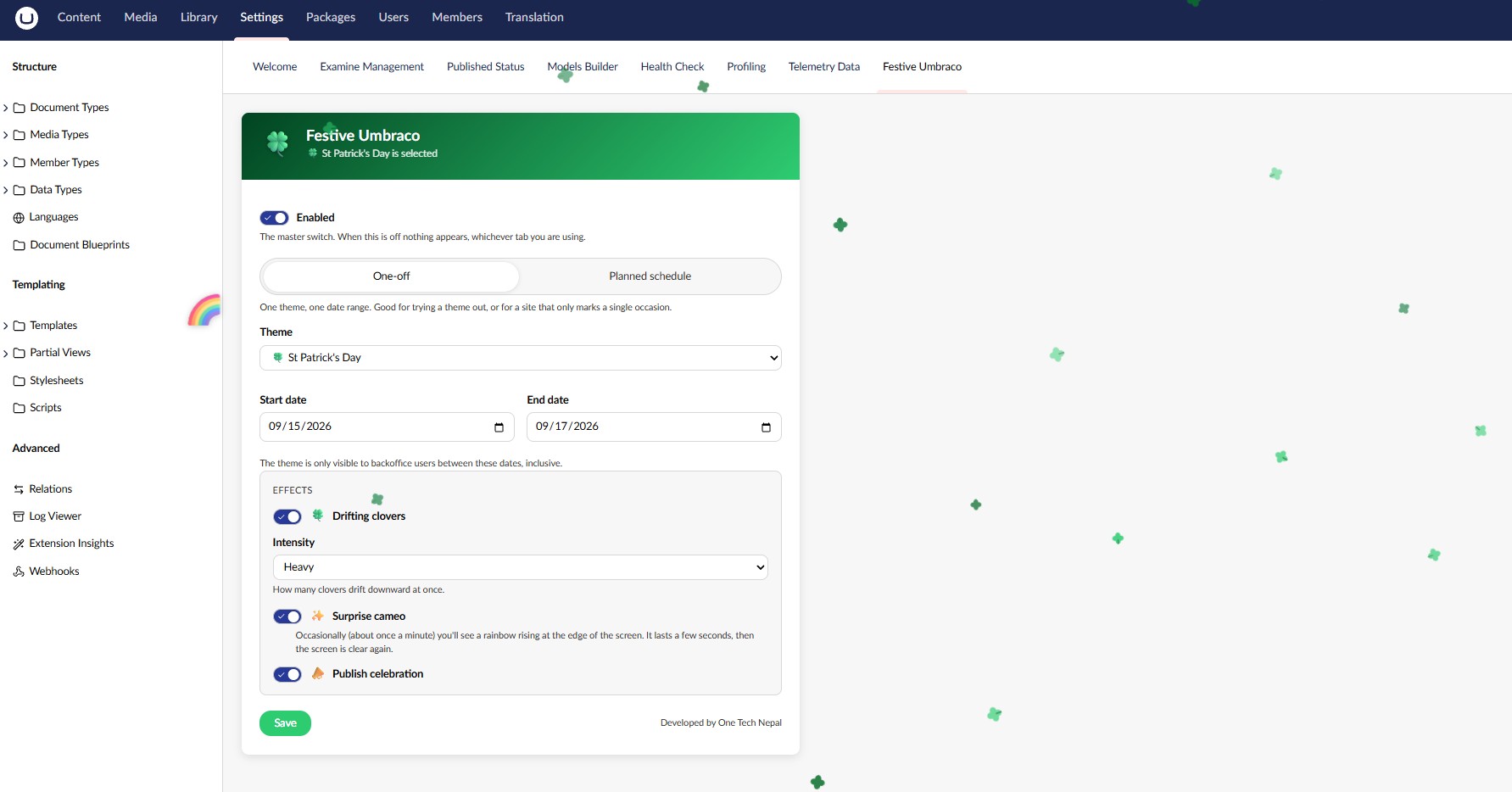 |
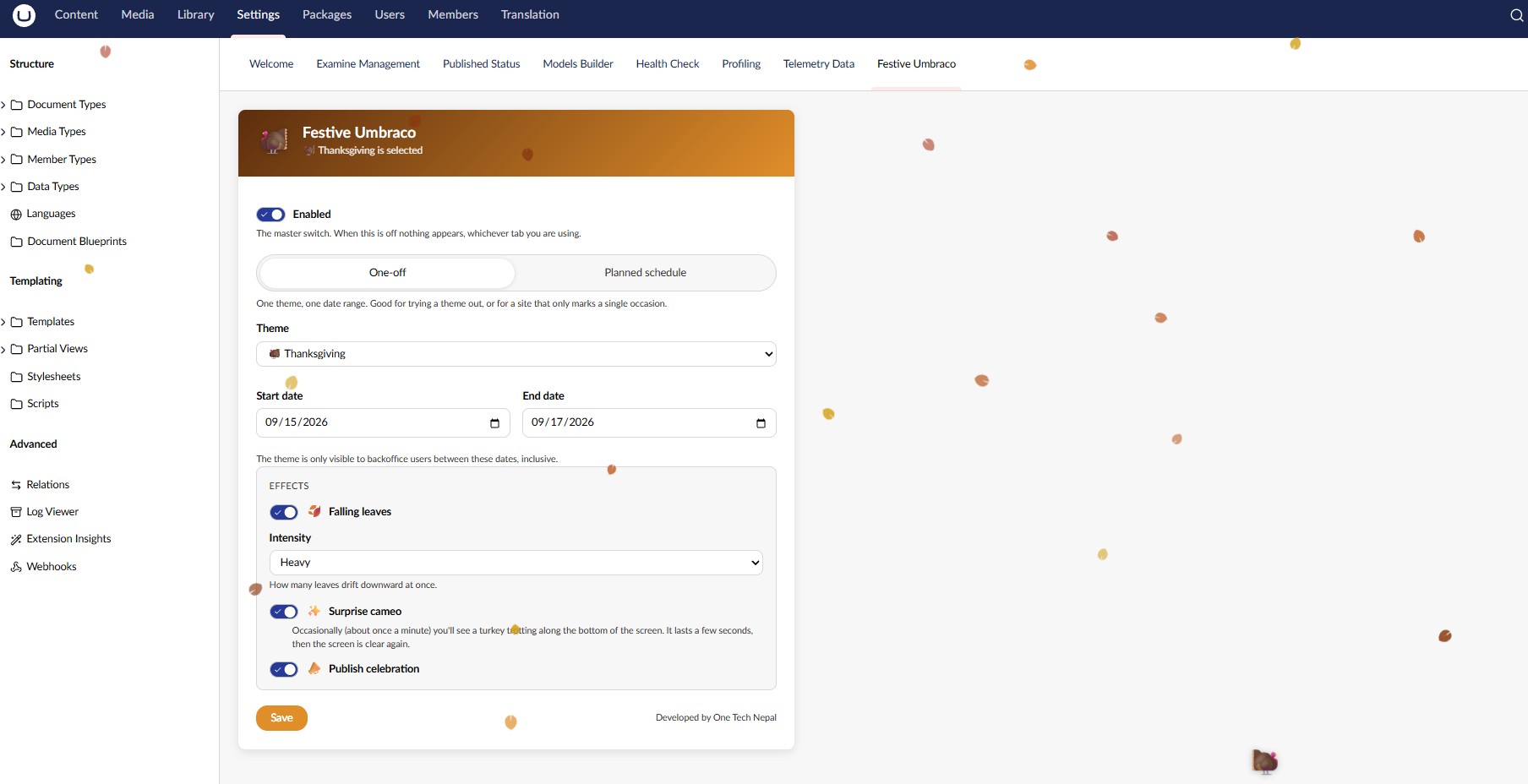 |
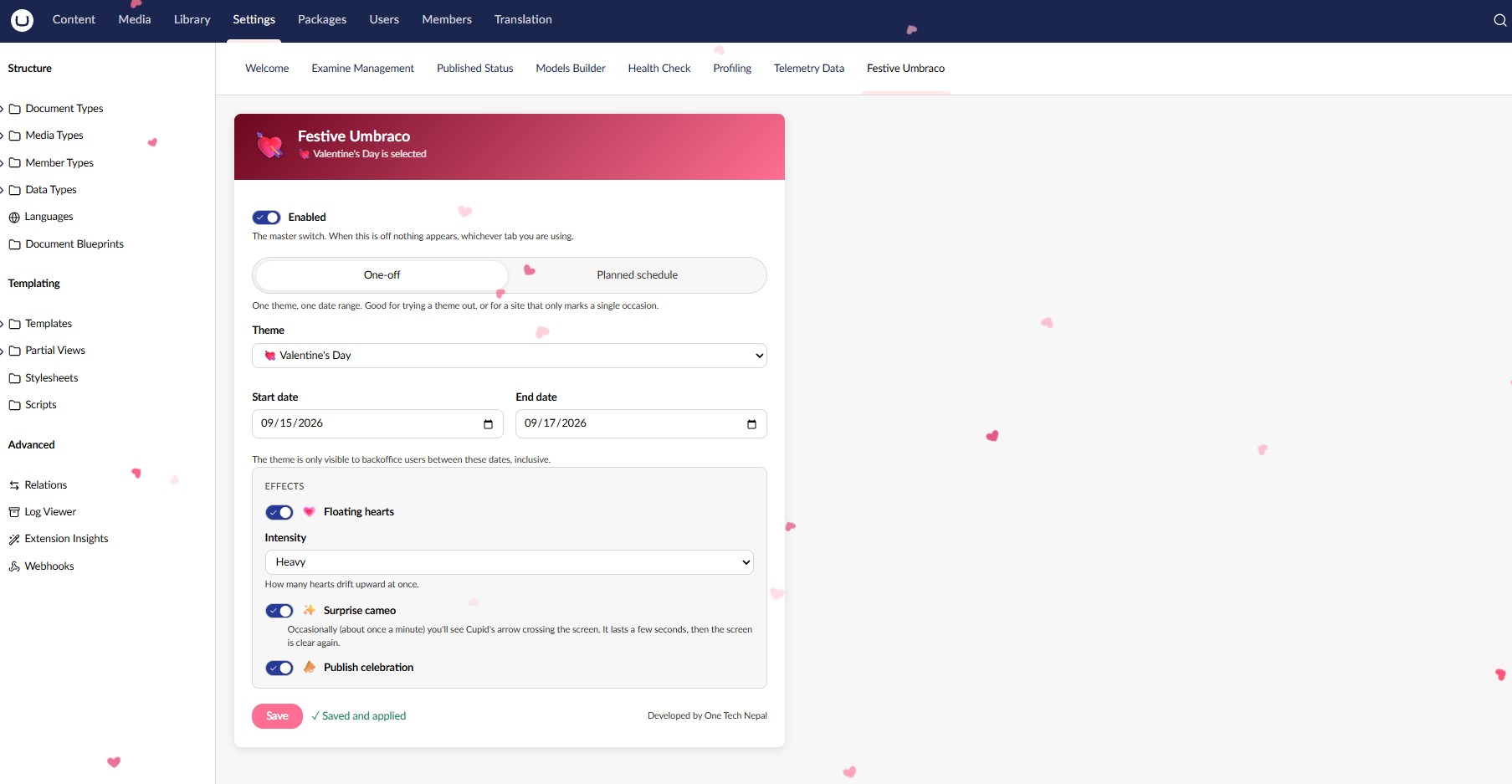 |
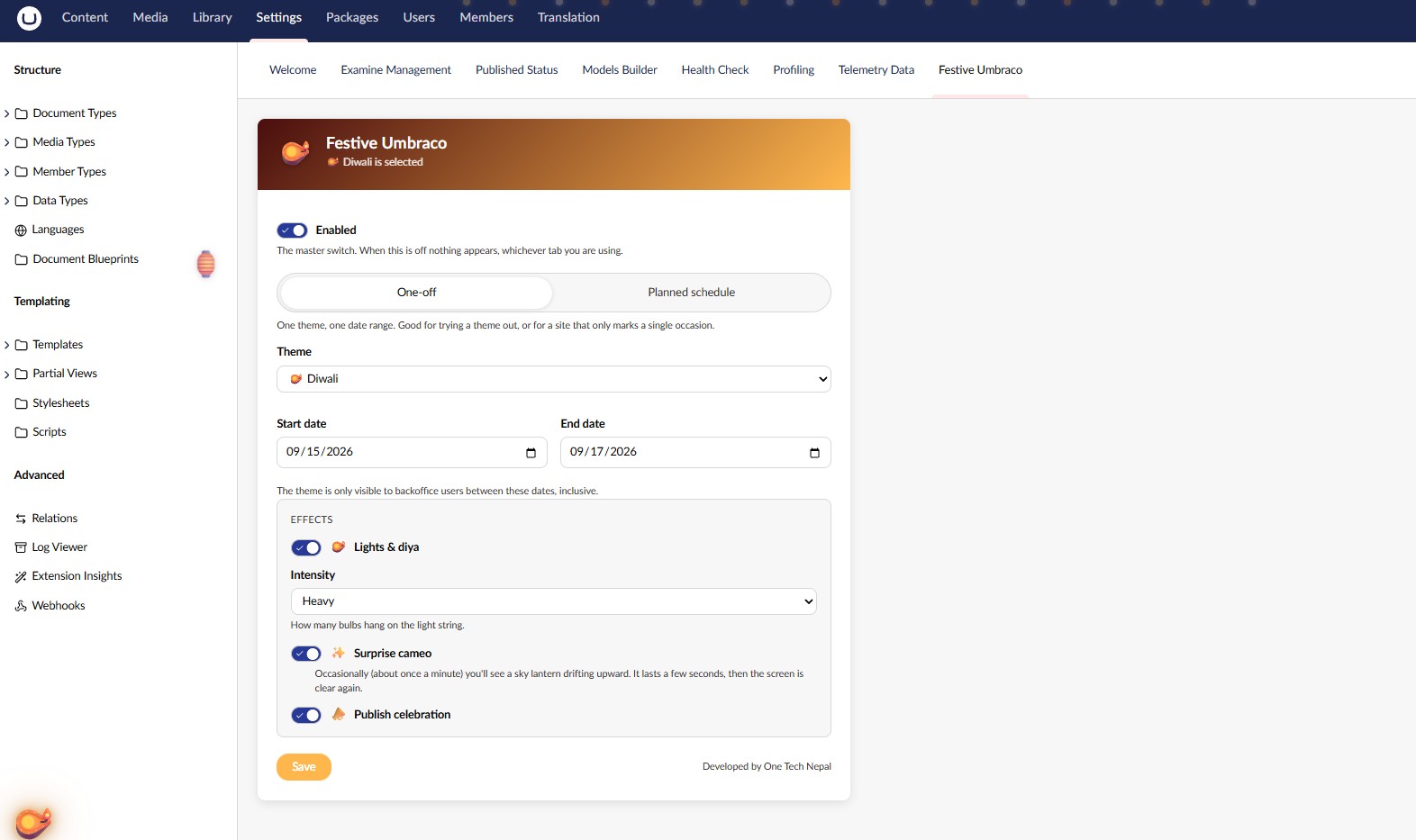 |
Install
dotnet add package FestiveUmbraco
Then: Settings → Festive Umbraco, pick a theme and a date range, switch it on, and save. The theme appears immediately — no restart, no redeploy, no page reload. (On the very first install, before the backoffice has loaded the package once, the dashboard says "Saved — reload to see it" instead, with a Reload button — that's the one case where a reload is actually needed.)
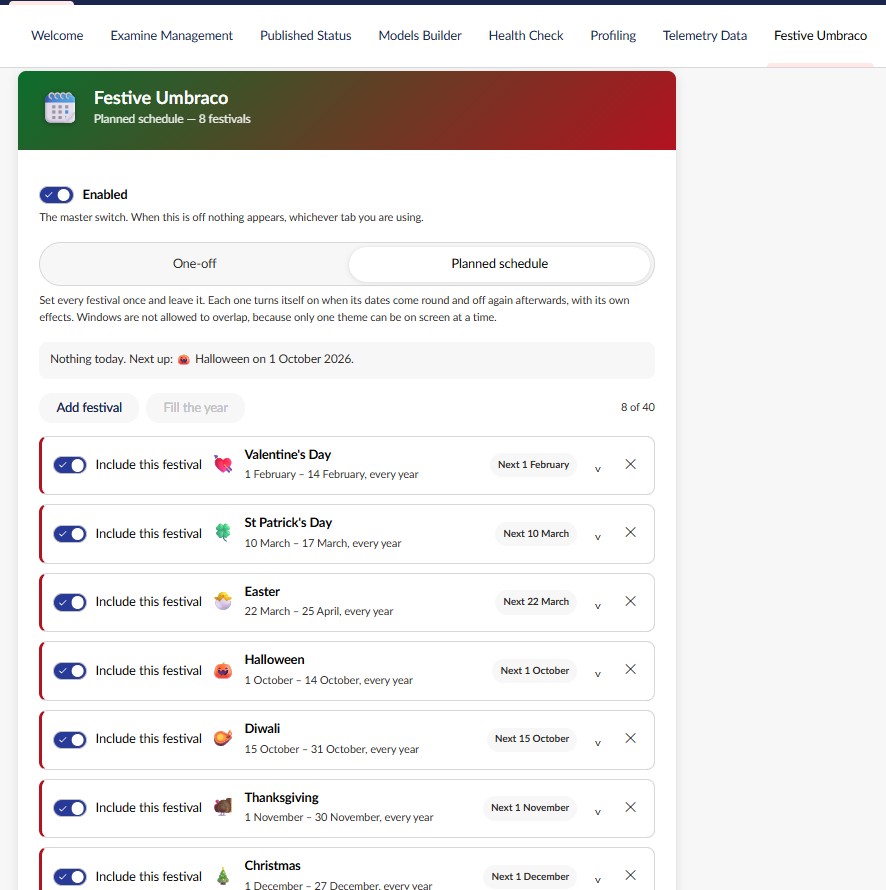
Planning the year instead? Open the Planned schedule tab, press Fill the year, and save. That is the whole setup.
Requires Umbraco 17 or later (.NET 10).
Themes
| Theme | Background effect | Occasional cameo |
|---|---|---|
| 🎄 Christmas | Falling snow | Santa's sleigh crossing the top |
| 🎃 Halloween | Corner spiderwebs + a lit pumpkin | A bat flitting past |
| 🎆 New Year | A string of warm gold lights | A firework rising at the edge |
| 🪔 Diwali | The same light string, plus a diya | A sky lantern drifting up |
| 💘 Valentine's Day | Hearts drifting upward | Cupid's arrow crossing |
| 🐣 Easter | Pastel eggs drifting down | A bunny hopping along the bottom |
| 🍀 St Patrick's Day | Clovers drifting down | A rainbow rising at the edge |
| 🦃 Thanksgiving | Autumn leaves drifting down | A turkey trotting along the bottom |
Each theme ships a suggested date window as a starting point. The dates you set always win — which matters for Diwali and Easter, whose dates move every year.
Two modes
The dashboard has two tabs and exactly one of them is in force at a time. Switching between them never discards the other one's settings — both are saved every time — so you can try the schedule out and drop back to a single theme without retyping anything.
One-off
One theme, one date range. Good for trying a theme out, or for a site that only marks a single occasion.
Planned schedule
For the set-it-and-forget-it case: a developer handing a site to a client sets up Christmas, Diwali, Easter and the rest once, and never touches it again. Each festival in the list has:
| Field | What it does |
|---|---|
| Festival | Which theme. Picking one pre-fills its usual dates. |
| Start / end date | Its window, both ends inclusive. |
| Repeat every year | On by default — the year is ignored and the window comes round for ever. |
| Its own effects | Signature effect, intensity, cameo and publish toast, per festival. |
| Include / exclude | Park a festival without deleting it and losing its dates. |
Each row shows whether it is live today, when it next starts, or that it is switched off, and a line above the list says what is running in the backoffice right now.
Windows may not overlap. Only one theme can be on screen at a time, so a clash is refused: both offending rows are marked as you type, and the server re-checks on save. Windows that merely touch are fine — Christmas can end on 27 December and New Year start on the 28th — but sharing a single day is not.
Repeat every year, and the festivals that move. Easter and Diwali are not on a fixed date, so an annual window is an approximation for them. Either give them a window wide enough to cover the drift, or turn Repeat every year off and pin the real dates one year at a time. The dashboard says which of the two a row is doing.
Fill the year lays out all eight themes at their suggested dates in one click. Those suggestions genuinely collide with one another — Diwali's window runs into both Halloween and Thanksgiving, and Christmas runs into New Year — so the button resolves each clash by shortening the earlier festival, and tells you which ones it adjusted. The result is a complete, valid year you can then adjust by hand.
Settings
Enabled — the master switch, and it governs both modes. Off until you turn it on, and off means nothing appears no matter what is planned.
Theme and date range (one-off mode) — the theme is only visible between these dates, inclusive. A window where the start is later than the end wraps around the year end (15 Dec → 2 Jan), and the dashboard says so when you set one. Windows longer than 120 days are rejected in either mode: this is meant to be seasonal.
Signature effect — the theme's background effect. The label changes to match the theme, because "snow" means nothing at Diwali.
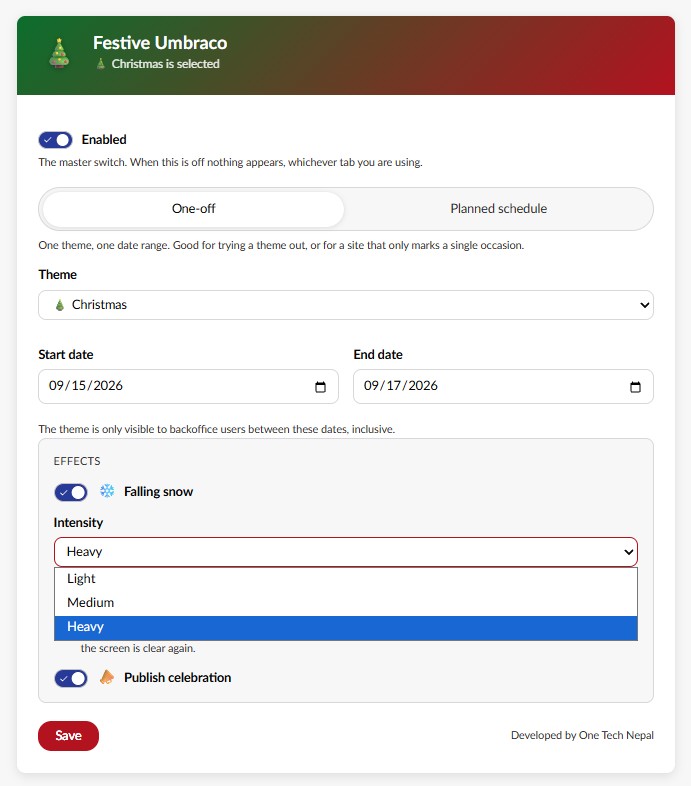
Intensity — light, medium or heavy, and it applies to every theme, not just Christmas. What it scales depends on the theme: how many particles drift (snow, hearts, eggs, clovers, leaves), how many bulbs hang on the light string (New Year, Diwali), how much of the room gets decorated (Halloween), and how often a cameo appears.
Surprise cameo — the occasional themed character. Roughly once a minute at medium intensity, a few seconds long, always along the very top or bottom edge, never across the middle of the screen where you're working. Turn it off and nothing else changes.
Publish celebration — a short themed toast after a successful publish. A failed publish or an unpublish never triggers it.
Performance
The package is decorative, so its cost has to be close to unmeasurable. Here's what keeps it that way:
One shared animation loop. Every effect registers with a single requestAnimationFrame
loop for the whole package, rather than each effect running its own — and it stops entirely
when there's nothing to animate.
Nothing runs in a background tab. The loop is cancelled on visibilitychange and all
timers pause with it. A backoffice tab left open behind other windows does no work and makes
no requests.
Frame-rate independent motion. Everything moves per-second with a clamped delta, not a fixed distance per frame, so a 144 Hz monitor and a stalled, backgrounded tab both look right — nothing teleports on return.
Capped, transform-only rendering. Element counts are fixed and capped (48 particles at
the very heaviest). Animation touches only transform and opacity — no layout, no paint
thrash — and layers use contain: layout style so effect repaints stay out of the
backoffice's own render tree.
Publish-toast polling stays light. The poll runs every 15 seconds, skips hidden tabs entirely, and backs off exponentially (to a 2-minute ceiling) after repeated failures so a restarting site is never hammered. The endpoint it hits reads an in-memory value and does no database work.
No database read on publish. Settings are cached in memory after the first read and refreshed on save, so the publish pipeline doesn't gain a query it didn't have before.
Nothing at all under prefers-reduced-motion. Everything here is decorative, so the
correct behaviour is to show none of it.
Load-balanced note: each server caches settings independently, so a save made on one server reaches the others on their next cache invalidation or recycle. For a decorative setting that's a deliberate trade against a database read on every publish.
Security
Authentication. Every endpoint sits behind ManagementApiControllerBase, so nothing is
reachable anonymously.
Authorisation. The two settings endpoints additionally require the Settings section
policy (AuthorizationPolicies.SectionAccessSettings). Without that, any authenticated
backoffice user — including a restricted Writer who can only edit one page — could have
changed the settings for the whole installation. The read-only status and publish-ping
endpoints stay at plain backoffice authentication because every logged-in user needs them to
render the decoration; between them they expose the active theme, three booleans, an
intensity number and a last-publish timestamp. No content, no user data, no configuration.
Input validation. The theme alias is checked against the registered themes; intensity is clamped server-side; the date window is length-checked. In schedule mode every row is checked the same way and the whole list is checked for overlap, with the count capped so a hand-crafted request cannot post ten thousand entries into that check. Values are re-sanitised on read as well as on write, so a row hand-edited in the database can't push the client outside known-good bounds — and activation independently ignores anything it cannot resolve, so even a schedule written straight into the database can only ever result in no decoration, never a broken backoffice. The invalid-theme error deliberately doesn't echo the submitted value back into a message the dashboard renders.
No markup injection. The dashboard builds every element it generates — theme options,
schedule rows, error messages — with createElement/textContent rather than an
innerHTML string, so nothing returned by the API is ever parsed as markup. The effect SVGs are static templates whose only interpolated
values come from fixed colour constants in the same file.
No network egress. The package makes no external requests of any kind — no CDN, no fonts, no telemetry, no analytics, no phone-home. Every request is same-origin and authenticated, and goes only to this package's own endpoints. It works fully offline and in an air-gapped environment.
No caching of status. Responses are sent no-store, so a shared or corporate proxy never
serves one user's festive status to another.
Overlays can't intercept input. Every overlay is pointer-events: none and
aria-hidden="true", so nothing here can swallow a click, a drag, a focus or a keystroke, and
screen readers skip all of it.
Non-interference with normal CMS operations
This is the part that matters most for a production install, so it's worth being explicit.
No middleware, no filters, no route interception. The composer registers some singletons, one notification handler and one API controller. There is no code path through which this package can affect request handling, routing, content, or the front end.
The publish pipeline is protected. The one place this package touches a real CMS
operation is ContentPublishedNotification. That handler:
- never throws — every exception is swallowed, because an exception escaping a notification handler can fail the publish itself. Nobody loses work over a decorative toast.
- does no I/O — the settings lookup is served from memory; the only write is a single interlocked assignment.
- short-circuits when off — outside the date window, or with the package disabled, nothing is touched at all.
- never reads or modifies the content being published.
Thread-safe. The last-publish timestamp is stored as a single long accessed with
Interlocked, not a DateTime? field — the latter is wider than a machine word, so a reader
polling while a publish writes could observe a half-written value.
Fails silently, always. If the settings table is unreachable, if the JSON is corrupt, if an effect module fails to load, if the status call 500s — the result is a plain, undecorated, fully working backoffice. Every failure path in this package ends in "do nothing".
Nothing is installed into your database. Settings live as one row in Umbraco's existing key/value table. There's no schema change, no migration, and no content type. Uninstalling leaves that single row behind and nothing else.
Project layout
Composers/           DI registration (one file)
Configuration/       Settings model + sanitisation
Controllers/         The four API endpoints
NotificationHandlers/ Publish hook
Services/            Settings store (cached), activation, schedule rules, publish tracker
Themes/              One small class per theme
wwwroot/App_Plugins/FestiveUmbraco/
  entry-point.js     Boots the package, exposes apply()/teardown()
  dashboard/         Settings UI
                     schedule-rules.js (client mirror of the schedule date rules)
  effects/           One file per effect
  effects/shared/    runtime.js (loop, timers, teardown, intensity)
                     drift-particles.js (shared particle engine)
                     cameos.js (the occasional character)
Adding a theme
- Add a class in
Themes/implementingIFestiveTheme. - Register it in
FestiveUmbracoComposer. - Add its effect file and map it in
BACKGROUND_EFFECT_FILE_BY_THEMEinentry-point.js. - Add its colours and wording to
THEME_METAin the dashboard, its cameo toCAMEO_BY_THEME, and its message toCELEBRATION_MESSAGE_BY_THEME.
Nothing else needs to change — no schema change, no activation-logic change, and nothing in the schedule. A new theme shows up in both modes, in the dropdown and in Fill the year, on its own.
Known gaps
- No automated .NET tests yet. The highest-value place to start is
FestiveScheduleService— expansion, overlap and validation are all pure static functions overDateOnly, so they test without any Umbraco scaffolding at all. The cases worth writing first are the ones that actually bite: a window that wraps the year end, 29 February in a non-leap year, an annual entry checked against a one-time entry several years out, and two windows that merely touch at the ends. - The schedule rules exist twice, once in
FestiveScheduleService.csand once indashboard/schedule-rules.js, because the warnings have to appear as you type. They are written to mirror each other case for case, and the server is the authority on every save — so a drift between them shows up as a warning appearing a moment early or late, never as a bad schedule being stored. Any change to one belongs in the other. uui-toggle's.checkedproperty is used the way a native checkbox's would be. That matches the UUI convention but is worth confirming on your install.
Support
Jasper Neupane — One Tech Nepal. Report an issue — please include your Umbraco version and anything in the browser console when reporting one.
| Product | Versions Compatible and additional computed target framework versions. |
|---|---|
| .NET | net10.0 is compatible. net10.0-android was computed. net10.0-browser was computed. net10.0-ios was computed. net10.0-maccatalyst was computed. net10.0-macos was computed. net10.0-tvos was computed. net10.0-windows was computed. |
-
net10.0
- Umbraco.Cms (>= 18.1.1)
NuGet packages
This package is not used by any NuGet packages.
GitHub repositories
This package is not used by any popular GitHub repositories.
v18.1.1 - First release. Two planning modes (one-off and a planned schedule covering all eight themes at once, each with its own dates and effects), overlap detection checked on both client and server, live/next-up labelling, and a "Fill the year" button that lays out sensible defaults and disables itself once anything is planned so it can't be used to accidentally overwrite a schedule. Off by default, backoffice-only, and built to fail safe: any error here leaves a plain, working backoffice, never a broken one. See CHANGELOG.md for the full list.