Folio.AspNetCore
1.3.0
dotnet add package Folio.AspNetCore --version 1.3.0
NuGet\Install-Package Folio.AspNetCore -Version 1.3.0
<PackageReference Include="Folio.AspNetCore" Version="1.3.0" />
<PackageVersion Include="Folio.AspNetCore" Version="1.3.0" />
<PackageReference Include="Folio.AspNetCore" />
paket add Folio.AspNetCore --version 1.3.0
#r "nuget: Folio.AspNetCore, 1.3.0"
#:package Folio.AspNetCore@1.3.0
#addin nuget:?package=Folio.AspNetCore&version=1.3.0
#tool nuget:?package=Folio.AspNetCore&version=1.3.0
Folio.AspNetCore
An embeddable OpenAPI documentation and testing UI for ASP.NET Core, packaged as middleware: no separate infrastructure, no static hosting — just a NuGet package.

Screenshots
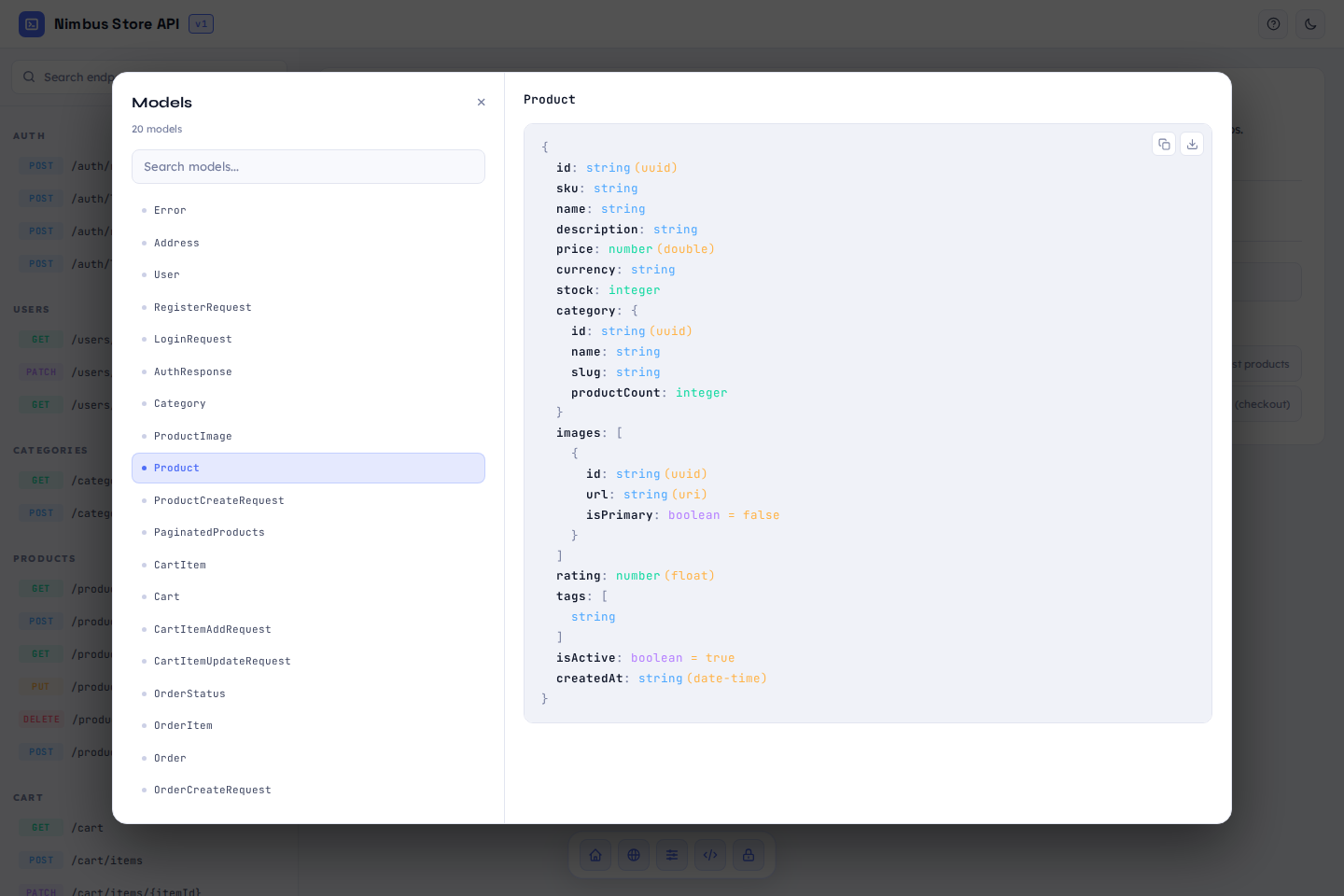
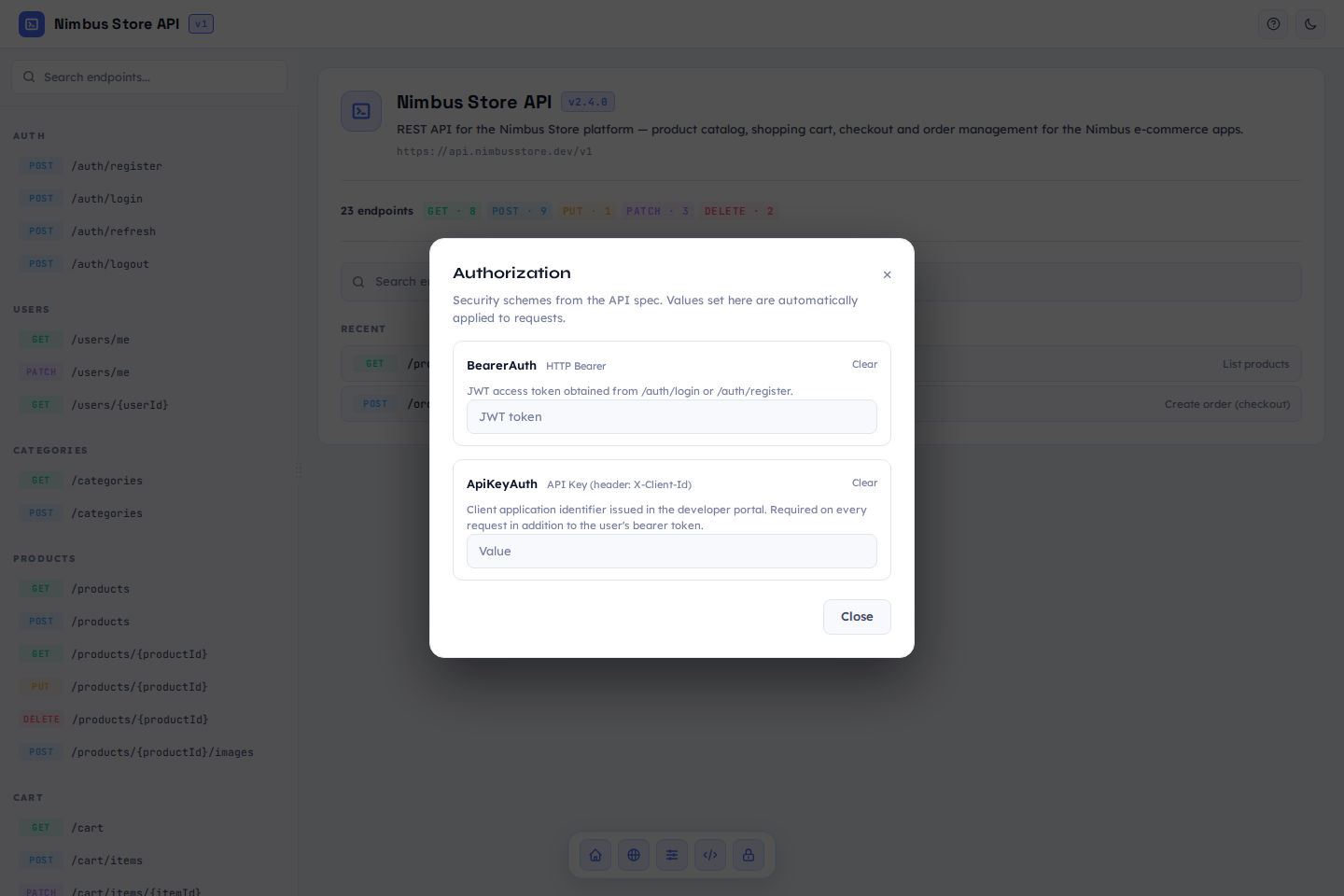
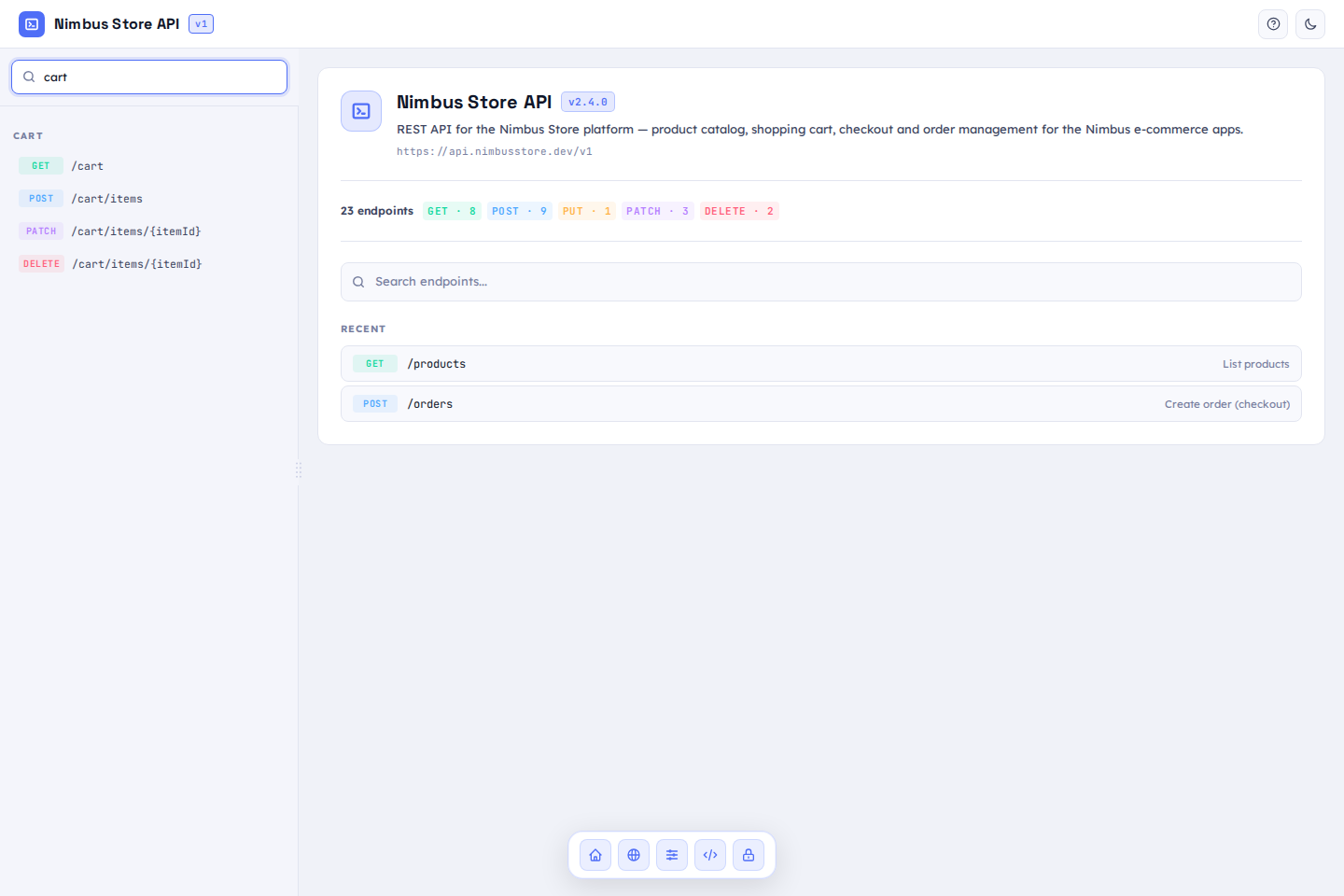
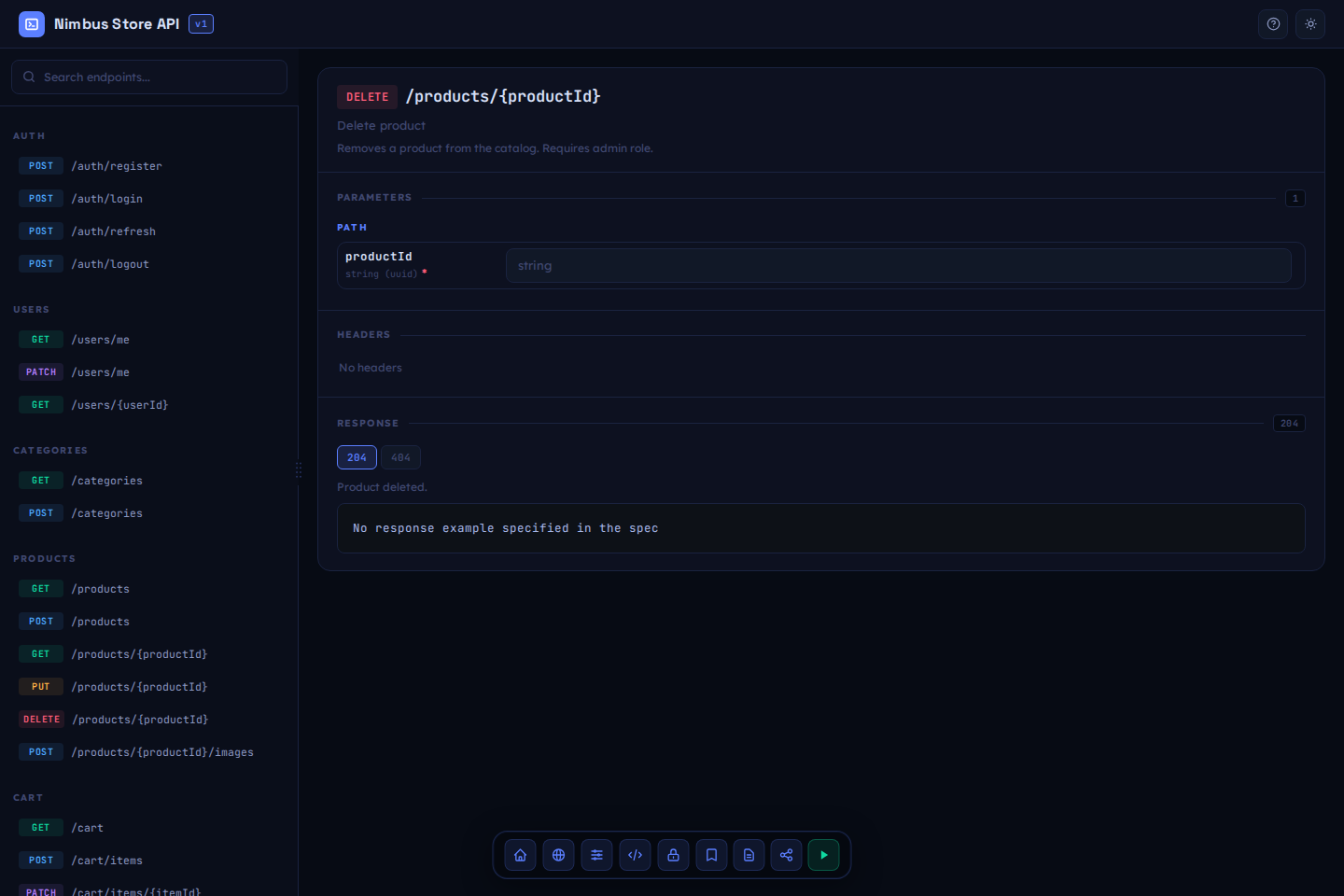
Rendered from a sample e-commerce API spec — see docs/demo-openapi.json. Click a thumbnail for the full-size screenshot.
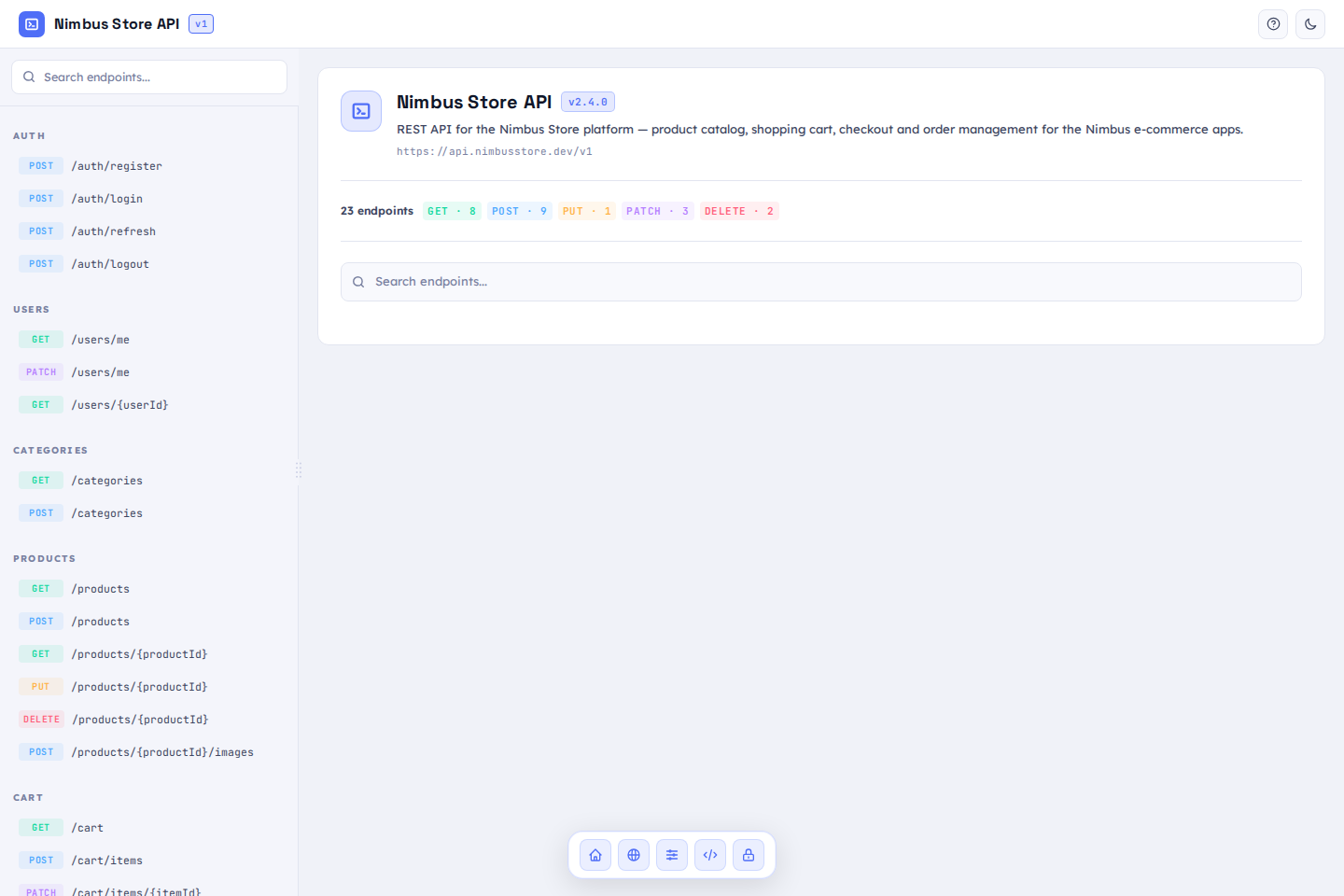 |
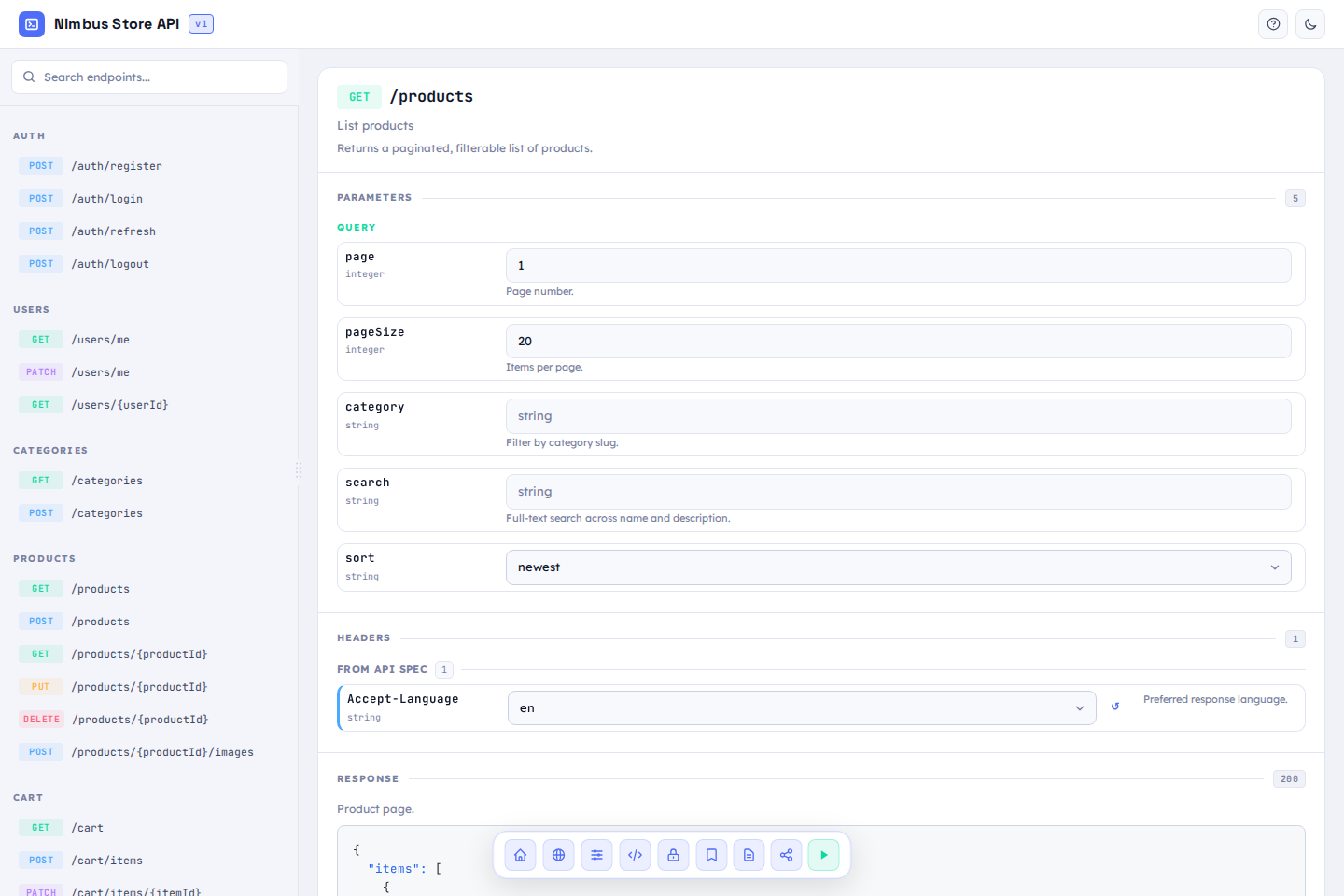 |
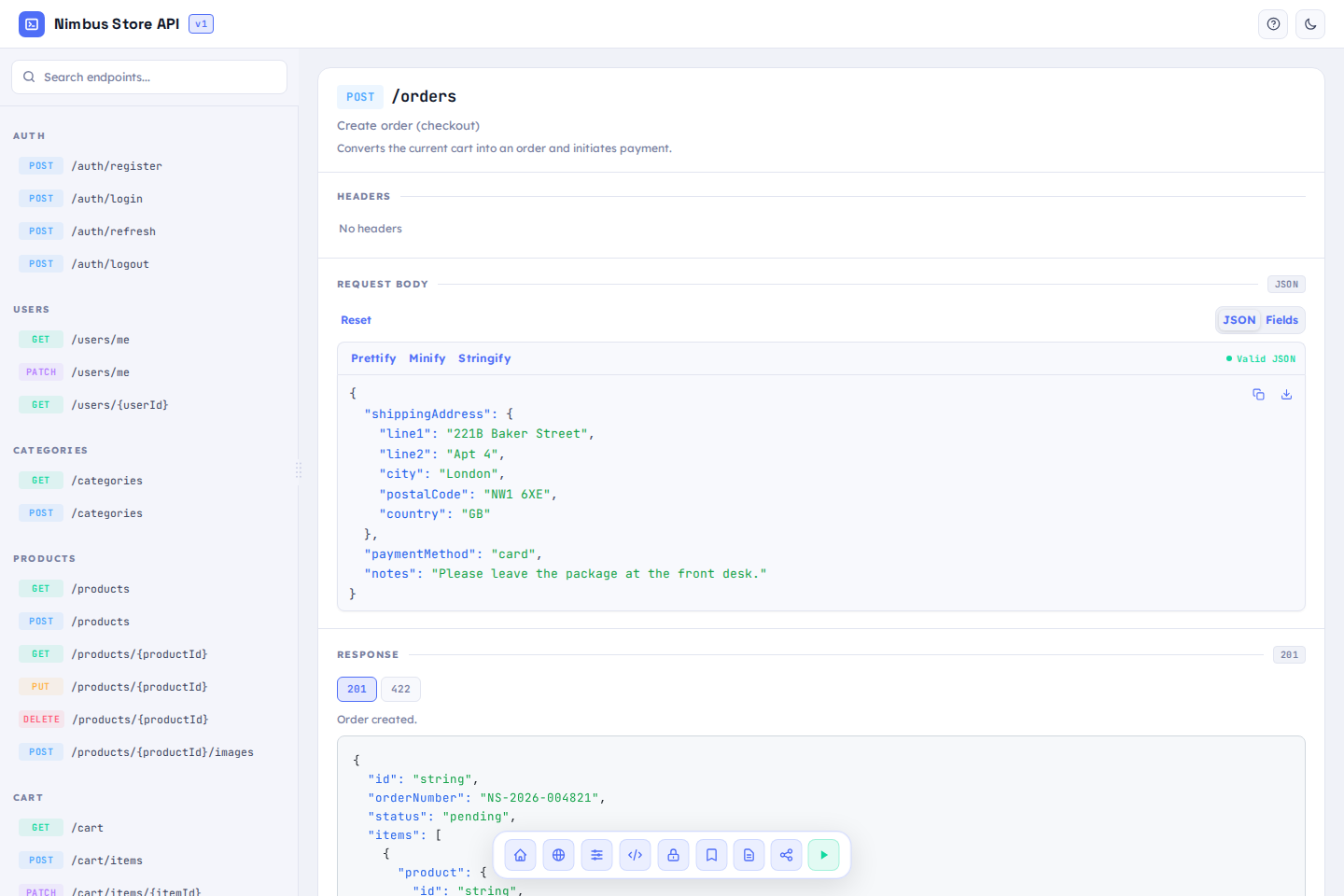 |
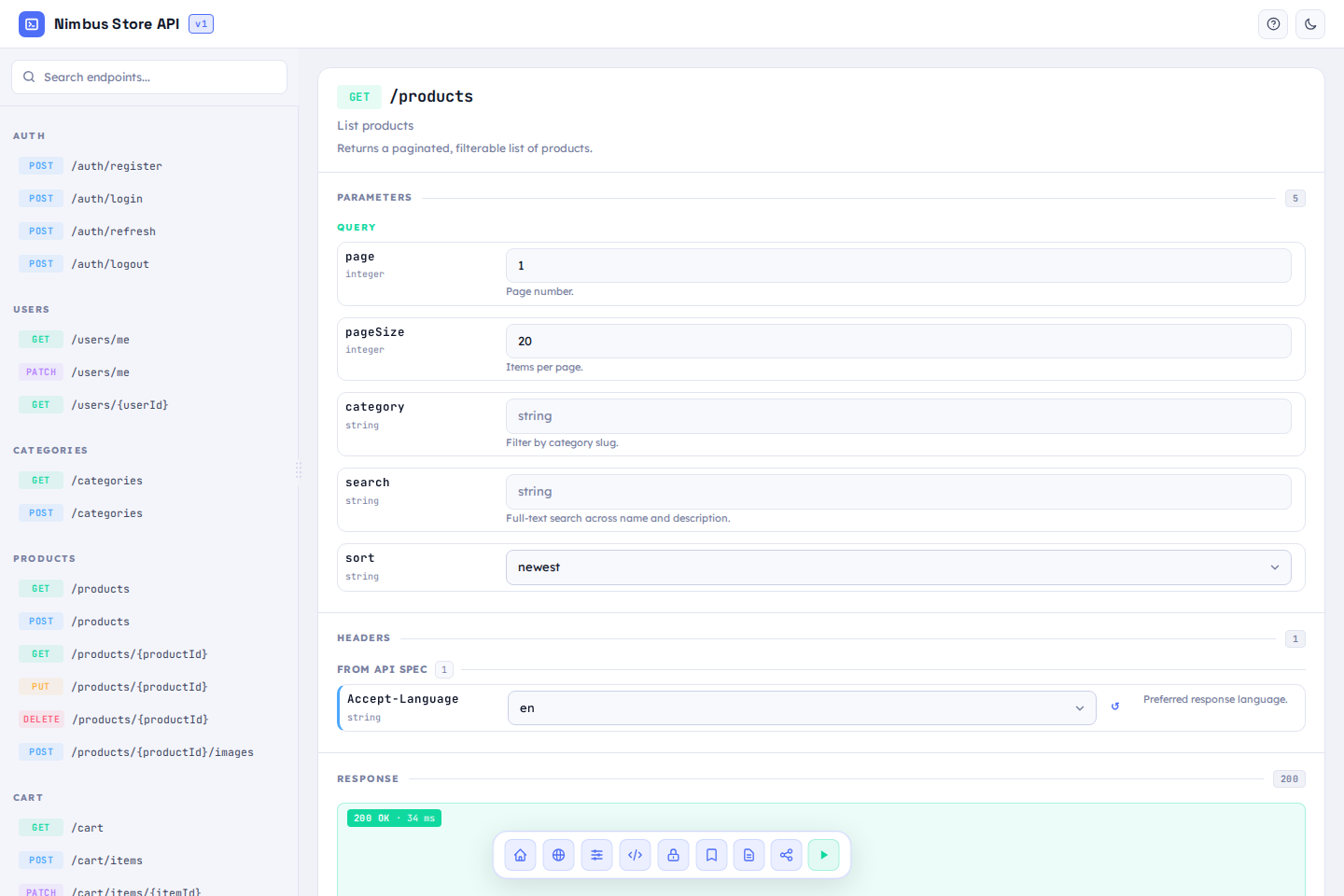 |
|---|---|---|---|
| Endpoint list & model catalog | GET endpoint & response schema | Type-aware request body builder | Request execution & generated cURL |
 |
 |
 |
 |
|---|---|---|---|
| Full, searchable model catalog | Authorization against security schemes | Instant endpoint search | Dark mode |
Installation
dotnet add package Folio.AspNetCore
See CHANGELOG.md for release history, and the Wiki for full docs (getting started, authorization, FAQ).
Usage
The package doesn't care how you generate your OpenAPI document — it just
renders whatever you point it at via SpecUrl. Any source works: the
built-in Microsoft.AspNetCore.OpenApi, Swashbuckle, NSwag, or a static
file.
With built-in Microsoft.AspNetCore.OpenApi (.NET 9+)
var builder = WebApplication.CreateBuilder(args);
builder.Services.AddOpenApi();

var app = builder.Build();

app.MapOpenApi(); // publishes /openapi/v1.json

app.UseFolio(options =>
{
    options.RoutePrefix = "docs";           // UI will be at /docs
    options.SpecUrl     = "/openapi/v1.json";
    options.Title       = "My API";          // optional
});

app.Run();
With Swashbuckle
builder.Services.AddSwaggerGen();
// ...
app.UseSwagger(); // publishes /swagger/v1/swagger.json

app.UseFolio(options =>
{
    options.SpecUrl = "/swagger/v1/swagger.json";
});
Open /docs (or your configured RoutePrefix) — you'll see the endpoint
list, model schemas, a type-aware request builder, in-browser request
execution with generated cURL, environment support, and authorization
against the spec's security schemes (apiKey, HTTP Bearer/Basic).
Options (FolioOptions)
| Property | Default | Description |
|---|---|---|
RoutePrefix |
"folio" |
Path the UI is served under (no leading/trailing slashes). |
SpecUrl |
"/openapi/v1.json" |
URL of the OpenAPI document — required for a real project. |
Title |
null |
Page/header title. Falls back to the spec's info.title if not set. |
AuthorizationPolicy |
null |
Name of an ASP.NET Core authorization policy the UI is gated behind. See Authorization. |
LogoutUrl |
null |
Shows a "Log out" button in the header, pointing here. Hidden if unset. |
ShowTryItOut |
true |
Shows the "Send request" button that executes real requests against your API. |
ShowRoles |
true |
Shows the role badges/popover read from your endpoints' own [Authorize(Roles = "...")]. |
ShowCodeGenerator |
true |
Shows the multi-language code generator (cURL/JS/Python/C#/Go/PowerShell) in the request panel. |
ShowSchema |
true |
Shows the Schema button for viewing a model's JSON schema. |
ShowHome |
true |
Shows the "Home" button (returns to the welcome screen). |
ShowEnvironmentSwitcher |
true |
Shows the environment/base-URL switcher (add/edit environments, import servers from the spec). |
ShowGlobalHeaders |
true |
Shows the "Global headers" button (headers sent with every request). |
ShowAuthorize |
true |
Shows the OpenAPI security scheme "Authorization" button, when the spec declares one. |
ShowExamples |
true |
Shows "Save example" / "My examples". |
ShowShare |
true |
Shows the "Copy endpoint link" button. |
Set any of these directly in code:
app.UseFolio(options =>
{
    options.SpecUrl = "/openapi/v1.json";
    options.ShowTryItOut = false;
});
Or bind them from appsettings.json (or any other IConfiguration source) — Folio never reads configuration on its own, so this only happens if you call it explicitly, the same way Serilog's ReadFrom.Configuration(...) works:
{
  "Folio": {
    "ShowTryItOut": false,
    "ShowCodeGenerator": false
  }
}
app.UseFolio((context, options) =>
{
    options.SpecUrl = "/openapi/v1.json";
    options.ReadFrom.Configuration(context.Configuration, "Folio");
});
Authorization
By default the UI is open to anyone who can reach the route. Two ways to gate it:
You already have auth in your app (cookie, JWT bearer, ASP.NET Core
Identity, an external provider, ...) — point AuthorizationPolicy at a
policy name and Folio integrates with it the same way a normal
[Authorize] endpoint would:
builder.Services.AddAuthorization(options =>
    options.AddPolicy("FolioAccess", policy => policy.RequireAuthenticatedUser()));

app.UseAuthentication();
app.UseAuthorization();

app.UseFolio(options =>
{
    options.SpecUrl = "/openapi/v1.json";
    options.AuthorizationPolicy = "FolioAccess";
    options.LogoutUrl = "/account/logout"; // wherever your app signs out
});
Note: this only gates the Folio UI itself — it doesn't protect the underlying OpenAPI document or your actual API endpoints. Protect those the same way you'd protect any other endpoint.
You have no auth system yet and just want to put a login in front of
the docs — AddFolioAuth/UseFolioAuth is a self-contained alternative:
give it a list of users and it handles cookie issuance, a login page
(styled to match Folio's own dark theme), and the login/logout routes,
wiring itself into UseFolio(...) automatically:
builder.Services.AddFolioAuth(options =>
{
    options.Users = builder.Configuration.GetSection("Users").Get<List<FolioUser>>() ?? [];
});

var app = builder.Build();

app.UseFolioAuth();
app.UseFolio(options => options.SpecUrl = "/openapi/v1.json");
// appsettings.json
{
  "Users": [
    { "Username": "admin", "Password": "correct-horse-battery-staple" }
  ]
}
How it works
The UI (HTML/CSS/JS) is embedded into the package assembly as embedded
resources and served through the standard StaticFileMiddleware on top of
a ManifestEmbeddedFileProvider — with proper ETag/Last-Modified/
conditional requests, not hand-rolled file serving. index.html is served
by a small dedicated handler that injects configuration (SpecUrl, Title)
into a <script> tag on the fly before the rest of the scripts load — the
UI itself hardcodes nothing and works with whatever OpenAPI document you
point it at.
The package's static assets live in this repo under assets/ui/
so everything embedded in the published package is visible right here —
nothing is pulled in from an external source at build time.
Requirements
- ASP.NET Core, .NET 6, 7, 8, or 9.
- No internet connection required at all: fonts, Tailwind CSS, marked.js, and flatpickr are all bundled locally and embedded into the package assembly along with the rest of the UI — zero external requests, both at build time and in the user's browser.
| Product | Versions Compatible and additional computed target framework versions. |
|---|---|
| .NET | net6.0 is compatible. net6.0-android was computed. net6.0-ios was computed. net6.0-maccatalyst was computed. net6.0-macos was computed. net6.0-tvos was computed. net6.0-windows was computed. net7.0 is compatible. net7.0-android was computed. net7.0-ios was computed. net7.0-maccatalyst was computed. net7.0-macos was computed. net7.0-tvos was computed. net7.0-windows was computed. net8.0 is compatible. net8.0-android was computed. net8.0-browser was computed. net8.0-ios was computed. net8.0-maccatalyst was computed. net8.0-macos was computed. net8.0-tvos was computed. net8.0-windows was computed. net9.0 is compatible. net9.0-android was computed. net9.0-browser was computed. net9.0-ios was computed. net9.0-maccatalyst was computed. net9.0-macos was computed. net9.0-tvos was computed. net9.0-windows was computed. net10.0 was computed. net10.0-android was computed. net10.0-browser was computed. net10.0-ios was computed. net10.0-maccatalyst was computed. net10.0-macos was computed. net10.0-tvos was computed. net10.0-windows was computed. |
-
net6.0
- Microsoft.Extensions.FileProviders.Embedded (>= 8.0.11)
-
net7.0
- Microsoft.Extensions.FileProviders.Embedded (>= 8.0.11)
-
net8.0
- Microsoft.Extensions.FileProviders.Embedded (>= 8.0.11)
-
net9.0
- Microsoft.Extensions.FileProviders.Embedded (>= 8.0.11)
NuGet packages
This package is not used by any NuGet packages.
GitHub repositories
This package is not used by any popular GitHub repositories.