Hibira 0.1.1
dotnet add package Hibira --version 0.1.1
NuGet\Install-Package Hibira -Version 0.1.1
<PackageReference Include="Hibira" Version="0.1.1" />
<PackageVersion Include="Hibira" Version="0.1.1" />
<PackageReference Include="Hibira" />
paket add Hibira --version 0.1.1
#r "nuget: Hibira, 0.1.1"
#:package Hibira@0.1.1
#addin nuget:?package=Hibira&version=0.1.1
#tool nuget:?package=Hibira&version=0.1.1
Hibira for ASP.NET Core and Blazor

Realtime hubs for ASP.NET Core and Blazor over Hibira, with the SignalR hub API you already know and no WebSocket server, backplane or Azure SignalR Service to run.
Hibira is a hosted realtime service that speaks the Pusher Channels protocol.
HibiraHub looks like SignalR's Hub: Clients.All.SendAsync(...),
Groups.AddToGroupAsync(...), Clients.User(...), typed hubs and
IHubContext<THub> all work the same way. Your server keeps handling hub
calls; Hibira holds the WebSocket connections and fans messages out.
| Package | What it is |
|---|---|
Hibira.AspNetCore |
HibiraHub, MapHibiraHub<T>(), IHubContext<T>, webhooks, and the browser client hibira-hub.js |
Hibira.Client |
.NET client for Blazor WebAssembly, Blazor Server, MAUI and console apps (the SignalR client API) |
Hibira |
HTTP API client: trigger events, sign channels and users, verify webhooks, approvals |
Supports .NET 8 and later.
Install
dotnet add package Hibira.AspNetCore
dotnet add package Hibira.Client   # for Blazor or other .NET clients
Copy the app ID, key and secret from your app page on hibira.io/portal (the free plan needs no card) into configuration, for example user secrets or environment variables:
dotnet user-secrets set Hibira:AppId your-app-id
dotnet user-secrets set Hibira:Key your-app-key
dotnet user-secrets set Hibira:Secret your-app-secret
# or HIBIRA__APPID, HIBIRA__KEY, HIBIRA__SECRET
The secret is shown only once, when you create the app; the app ID and key
stay under Overview → Credentials. Apps outside the default region also set
Hibira:Host (ws-<cluster>.hibira.io). On the Free plan, allowed origins
can't be *: add every origin your pages load from (https://localhost:5001
while developing, plus your production domain), or browsers are refused.
A hub
using Hibira.AspNetCore;

public class ChatHub : HibiraHub
{
    public async Task SendMessage(string user, string message) =>
        await Clients.All.SendAsync("ReceiveMessage", user, message);
}
builder.Services.AddHibira();            // reads the "Hibira" section

var app = builder.Build();
app.UseStaticFiles();                    // serves hibira-hub.js
app.MapHibiraHub<ChatHub>("/hubs/chat");
Blazor (and any .NET client)
@using Hibira.Client
@inject NavigationManager Navigation
@implements IAsyncDisposable

@code {
    private HubConnection? hubConnection;
    private readonly List<string> messages = new();

    protected override async Task OnInitializedAsync()
    {
        hubConnection = new HubConnectionBuilder()
            .WithUrl(Navigation.ToAbsoluteUri("/hubs/chat"))
            .WithAutomaticReconnect()
            .Build();

        hubConnection.On<string, string>("ReceiveMessage", (user, message) =>
        {
            messages.Add($"{user}: {message}");
            InvokeAsync(StateHasChanged);
        });

        await hubConnection.StartAsync();
    }

    private Task Send(string user, string text) => hubConnection!.SendAsync("SendMessage", user, text);

    public async ValueTask DisposeAsync()
    {
        if (hubConnection is not null) await hubConnection.DisposeAsync();
    }
}
That is Microsoft's SignalR Blazor tutorial with one using changed. It runs
in Blazor WebAssembly as is. In Blazor Server the component's connection is
made from the server, so it doesn't carry the browser's cookies: use
anonymous hubs there, or pass o.AccessTokenProvider / o.Headers in
WithUrl. With prerendering on, OnInitializedAsync runs twice; turn it off
for the component (new InteractiveServerRenderMode(prerender: false)) or
start the connection in OnAfterRenderAsync.
JavaScript
<script src="https://cdn.jsdelivr.net/npm/pusher-js@8.4.0/dist/web/pusher.min.js"></script>
<script src="_content/Hibira.AspNetCore/hibira-hub.js"></script>
<script>
  const connection = new hibira.HubConnectionBuilder()
    .withUrl("/hubs/chat")
    .withAutomaticReconnect()
    .build();

  connection.on("ReceiveMessage", (user, message) => console.log(user, message));
  await connection.start();
  await connection.invoke("SendMessage", "ann", "hello");
</script>
hibira has the same shape as signalR from @microsoft/signalr: on,
off, start, stop, invoke, send, onclose, onreconnecting,
onreconnected, state and connectionId. Pass accessTokenFactory or
headers to withUrl for bearer tokens.
Everything a hub can do
[Authorize]
public class GameHub : HibiraHub
{
    public Task Move(int x, int y) => Clients.Others.SendAsync("Moved", Context.UserIdentifier, x, y);
    public Task Ping() => Clients.Caller.SendAsync("Pong");
    public async Task JoinRoom(string room)
    {
        await Groups.AddToGroupAsync(Context.ConnectionId, room);
        await Clients.OthersInGroup(room).SendAsync("Joined", Context.UserIdentifier);
    }
    public Task Whisper(string userId, string text) => Clients.User(userId).SendAsync("Whisper", text);
    public int Roll() => Random.Shared.Next(1, 7);              // returned to InvokeAsync<int>
    [Authorize(Roles = "admin")] public Task Kick(string id) => Clients.Client(id).SendAsync("Kicked");
    public void Cheat() => throw new HubException("nice try");  // the message reaches the caller

    public override Task OnConnectedAsync() => Clients.All.SendAsync("Online", Context.UserIdentifier);
    public override Task OnDisconnectedAsync(Exception? e) => Clients.All.SendAsync("Offline", Context.UserIdentifier);
}
Typed hubs and sending from anywhere else:
public interface IGameClient { Task Moved(string user, int x, int y); }
public class TypedGameHub : HibiraHub<IGameClient> { /* Clients.All.Moved(...) */ }

public class ScoresController(IHubContext<GameHub> hub) : ControllerBase
{
    [HttpPost] public Task Post(Score s) => hub.Clients.Group(s.Room).SendAsync("Score", s);
}
Hub methods get services injected as parameters, a CancellationToken, and
Context.User, Context.UserIdentifier (the NameIdentifier claim; change it
with HibiraHubOptions.UserIdProvider) and Context.GetHttpContext().
Moving from SignalR
- Swap
using Microsoft.AspNetCore.SignalR;forusing Hibira.AspNetCore;andHubforHibiraHub(Hub<T>forHibiraHub<T>). - Swap
AddSignalR()forAddHibira(),MapHub<T>forMapHibiraHub<T>, and drop the Azure SignalR or Redis backplane. - In .NET clients, swap the
Microsoft.AspNetCore.SignalR.Clientpackage forHibira.Client(using Hibira.Client;). In the browser, load pusher-js andhibira-hub.jsand usehibira.where you usedsignalR..
What is different:
| SignalR | Hibira | |
|---|---|---|
| Client → server calls | over the WebSocket | HTTPS POST to your app (same auth, cookies and policies) |
| Server → client messages | your server holds every socket | Hibira holds the sockets; your server makes one HTTPS call per message |
AllExcept, GroupExcept |
any number of IDs | at most one ID per message |
| Message size | 32 KB by default | 10 KB (4 KB on Free) per message |
| Groups | in the hub's memory | the connection store (memory, or IDistributedCache with several servers) |
| Client results, streaming, MessagePack | yes | not yet |
Like SignalR, a reconnect gets a new connection ID, and groups have to be
joined again (Reconnected / onreconnected is the place).
Webhooks: hear about every disconnect
StopAsync and closing the page tell the hub right away. For connections that
just drop (a phone losing signal), map the webhook endpoint and add its URL in
the Hibira portal with the channel_vacated event:
app.MapHibiraWebhooks("/hibira/webhooks", async (e, services) =>
{
    // every verified event also arrives here, if you want them
});
Signatures are checked, including the previous secret while a rotated secret is in its grace period.
Several servers
Group memberships live in memory by default. Behind a load balancer, store
them in any IDistributedCache:
builder.Services.AddStackExchangeRedisCache(o => o.Configuration = "...");
builder.Services.AddHibira().AddDistributedConnectionStore();
The HTTP API on its own
var hibira = app.Services.GetRequiredService<IHibiraClient>();   // or new HibiraClient(options)

await hibira.TriggerAsync("orders", "order-shipped", new { id = 42 });
await hibira.SendToUserAsync("ann", "notification", new { text = "Hi" });
var channels = await hibira.GetChannelsAsync(prefix: "presence-");

// Your own private and presence channels for pusher-js clients:
var auth = hibira.AuthorizePresenceChannel(socketId, "presence-room-1", userId, new { name });

// Ask a person for a decision and wait for the answer:
var approval = await hibira.RequestApprovalAsync(new() { Title = "Refund order #1042 for $89?" });
// share approval.Url, then:
approval = await hibira.GetApprovalAsync(approval.ApprovalId, wait: TimeSpan.FromSeconds(25));
How it works
Each hub has a private channel for everyone (private-hibira.<hub>), one per
connection (.c.<connection id>) and one per group (.g.<group>); users get
Hibira's #server-to-user-<id> channel through sign-in. MapHibiraHub adds
these endpoints under the hub path: negotiate, auth and user-auth (it
signs only the channels a connection may join: its own connection channel,
and groups the hub added it to), handshake, connect, invoke and
disconnect. The connection token that invoke needs is delivered over the
connection's own channel, so only the real socket can use it, and it is bound
to the signed-in user. Messages are sent as events named after the client
method, with {"hub": "...", "arguments": [...]} as data.
Sample
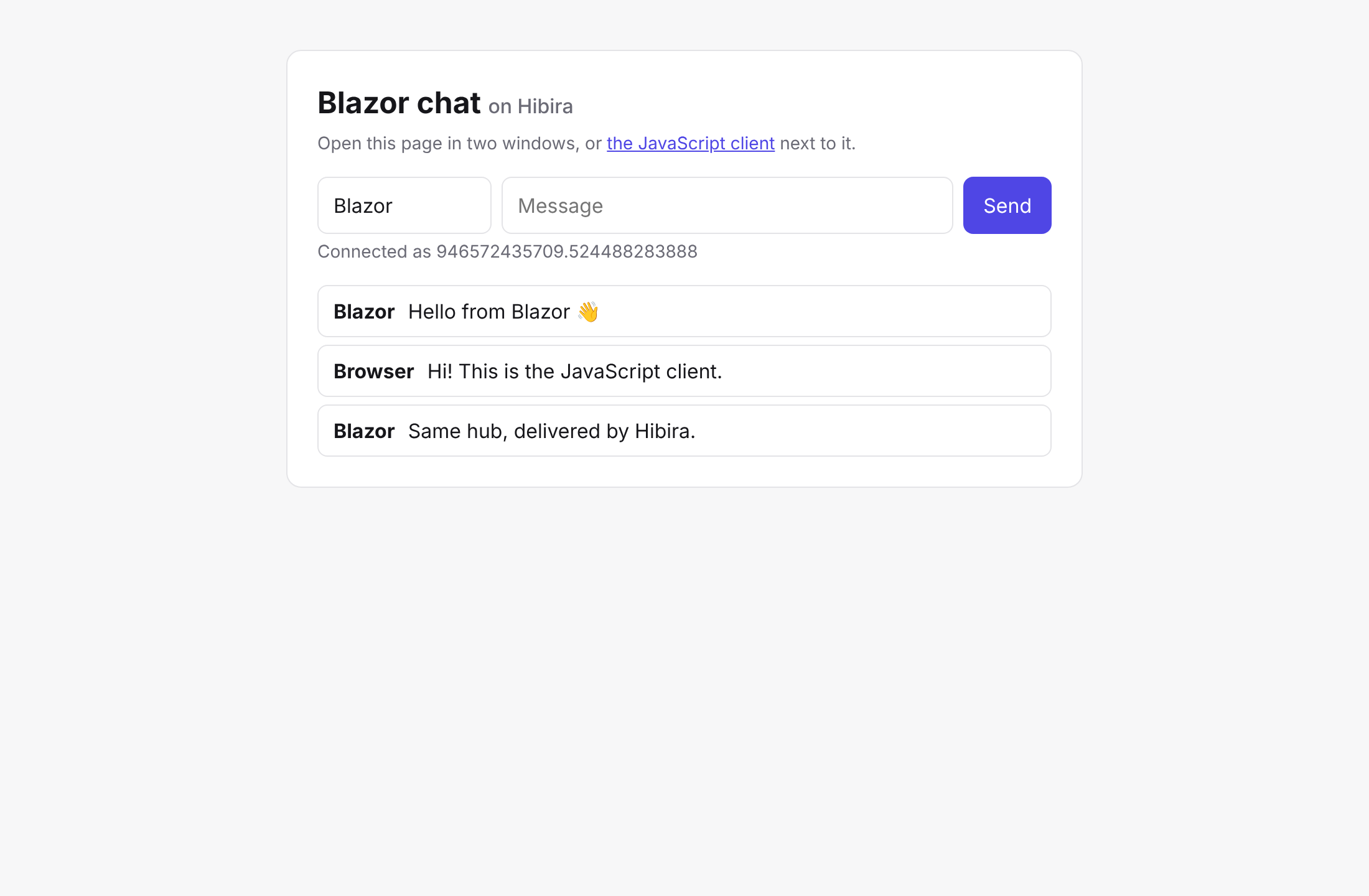
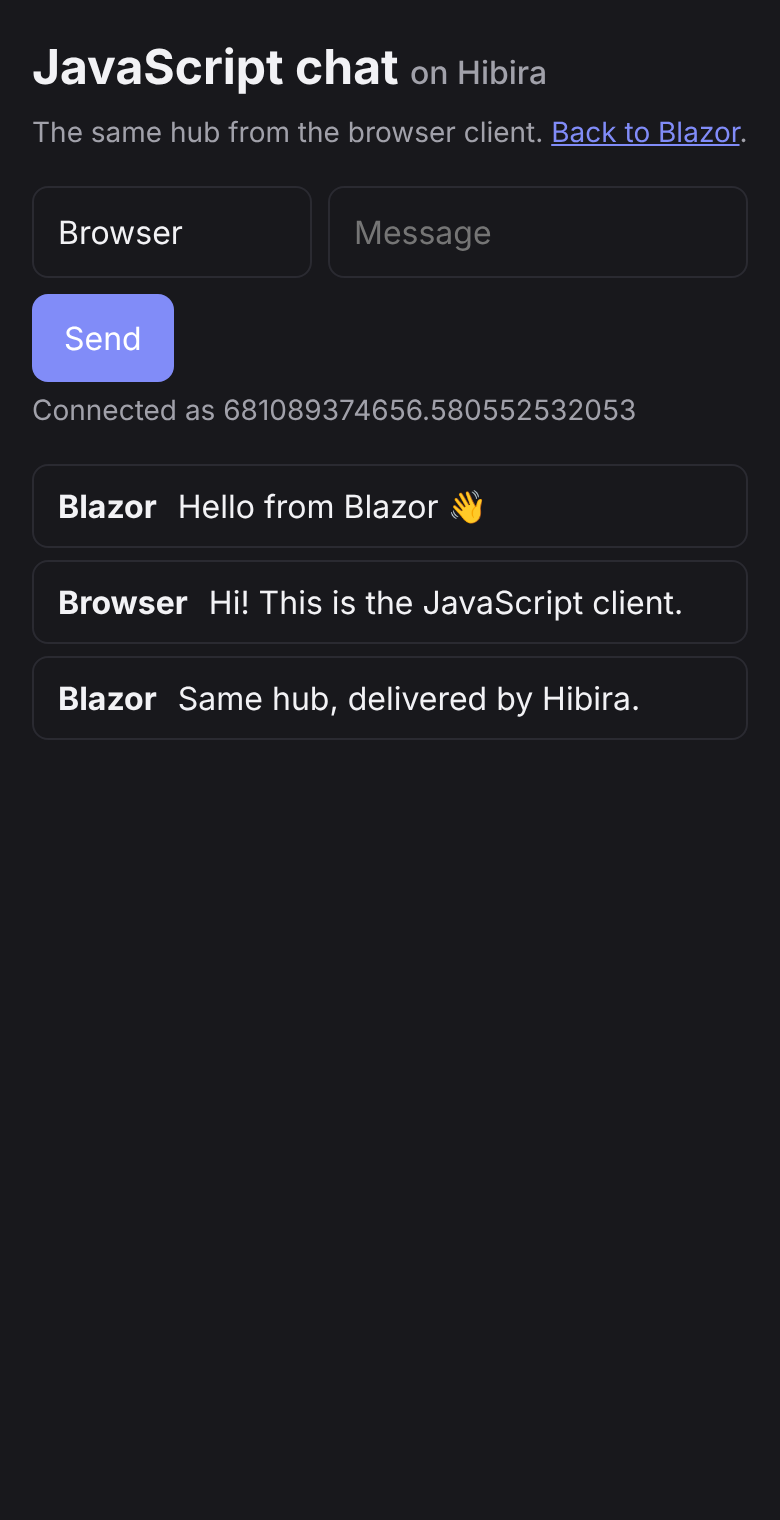
samples/BlazorChat is a Blazor Web App chat with a
JavaScript page on the same hub:
cd samples/BlazorChat
dotnet user-secrets init
dotnet user-secrets set Hibira:AppId ... # Key, Secret too
dotnet run
Development
dotnet test                                        # unit and hub tests
npm install --prefix tests/Hibira.E2E/js
E2E_HOST=ws.hibira.io E2E_PORT=443 E2E_TLS=1 E2E_APP_ID=... E2E_KEY=... E2E_SECRET=... \
  dotnet run --project tests/Hibira.E2E              # two .NET clients and hibira-hub.js against a real app
License
MIT
中文摘要
Hibira.AspNetCore 讓 ASP.NET Core 與 Blazor 透過 Hibira 使用和 SignalR
相同的 Hub API(Clients.All、Groups、Clients.User、強型別 Hub、
IHubContext),不需要自己架 WebSocket 伺服器、backplane 或 Azure SignalR
Service。從 SignalR 移轉時,只要把 Hub 換成 HibiraHub、MapHub 換成
MapHibiraHub,.NET 用戶端換成 Hibira.Client,瀏覽器改用 pusher-js 加
hibira-hub.js。用戶端呼叫伺服器方法走 HTTPS(沿用你的驗證與授權),
伺服器送出的訊息由 Hibira 負責推送。差異:AllExcept 一次只能排除一個連線、
每則訊息上限 10 KB(Free 方案 4 KB)。多台伺服器時請用
AddDistributedConnectionStore();要即時得知斷線,請在 Hibira 主控台設定
channel_vacated webhook 並 MapHibiraWebhooks。
| Product | Versions Compatible and additional computed target framework versions. |
|---|---|
| .NET | net8.0 is compatible. net8.0-android was computed. net8.0-browser was computed. net8.0-ios was computed. net8.0-maccatalyst was computed. net8.0-macos was computed. net8.0-tvos was computed. net8.0-windows was computed. net9.0 was computed. net9.0-android was computed. net9.0-browser was computed. net9.0-ios was computed. net9.0-maccatalyst was computed. net9.0-macos was computed. net9.0-tvos was computed. net9.0-windows was computed. net10.0 was computed. net10.0-android was computed. net10.0-browser was computed. net10.0-ios was computed. net10.0-maccatalyst was computed. net10.0-macos was computed. net10.0-tvos was computed. net10.0-windows was computed. |
-
net8.0
- No dependencies.
NuGet packages (1)
Showing the top 1 NuGet packages that depend on Hibira:
| Package | Downloads |
|---|---|
|
Hibira.AspNetCore
ASP.NET Core and Blazor integration for Hibira, the hosted realtime service that speaks the Pusher Channels protocol. HibiraHub mirrors the SignalR Hub API (Clients.All, Groups, Clients.User, typed hubs, IHubContext), so moving off a self-hosted or Azure SignalR backend is a small change. |
GitHub repositories
This package is not used by any popular GitHub repositories.