JobMaster.Dashboard
0.0.2-alpha
Prefix Reserved
dotnet add package JobMaster.Dashboard --version 0.0.2-alpha
NuGet\Install-Package JobMaster.Dashboard -Version 0.0.2-alpha
<PackageReference Include="JobMaster.Dashboard" Version="0.0.2-alpha" />
<PackageVersion Include="JobMaster.Dashboard" Version="0.0.2-alpha" />
<PackageReference Include="JobMaster.Dashboard" />
paket add JobMaster.Dashboard --version 0.0.2-alpha
#r "nuget: JobMaster.Dashboard, 0.0.2-alpha"
#:package JobMaster.Dashboard@0.0.2-alpha
#addin nuget:?package=JobMaster.Dashboard&version=0.0.2-alpha&prerelease
#tool nuget:?package=JobMaster.Dashboard&version=0.0.2-alpha&prerelease
Experimental Alpha Release
This package is in an early stage and subject to significant changes before 1.0. Features and APIs may evolve, and stability is not guaranteed. Not recommended for production environments.
JobMaster.Dashboard
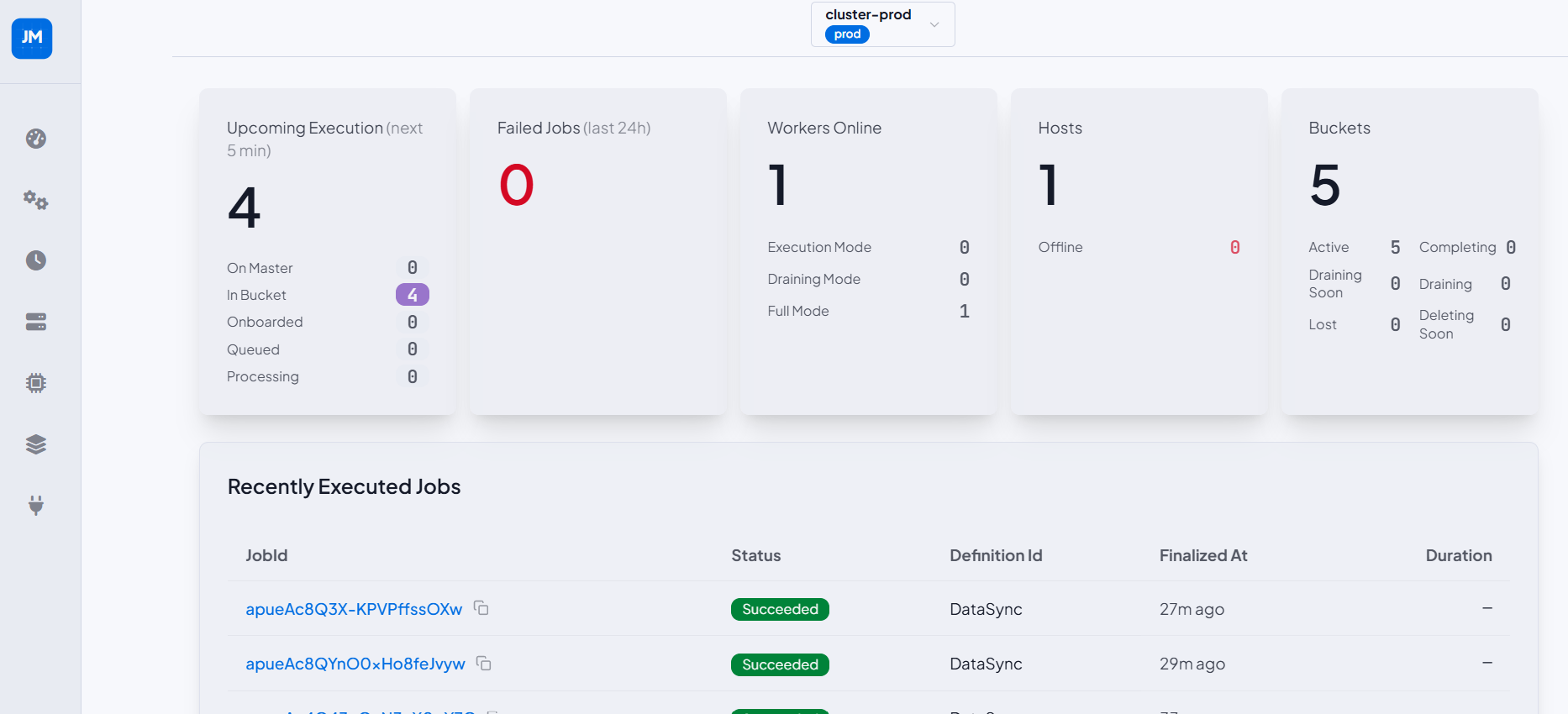
A browser-based single-page application for monitoring and managing your JobMaster clusters. Served as embedded static assets directly from your ASP.NET Core application — no separate deployment required.
📦 Installation
dotnet add package JobMaster.Dashboard
The dashboard connects to the JobMaster API over HTTP. If both live in the same process, also install
JobMaster.Api. If the API is deployed separately, no additional package is needed.
⚙️ Setup
// 1. Register the cluster (master DB only — no workers required for the dashboard)
builder.Services.AddJobMasterCluster(config =>
{
    config.ClusterId("prod");
    config.UsePostgresForMaster("Host=db.internal;Database=jobmaster;Username=app;Password=...;");
});

// 2. Configure the API
builder.Services.UseJobMasterApi(o =>
{
    o.BasePath = "/jm-api";
    o.RequireAuthentication = true;
    o.EnableSwagger = true;
    o.IncludeClusterIdsInOpenApi();
    o.UseApiKeyAuth()
     .AddApiKey("dashboard", "secure-key-here");
});

// 3. Configure the Dashboard
builder.Services.AddJobMasterDashboard(dashboard =>
{
    dashboard.UseBasePath("/jm-dashboard");
    dashboard.FromOpenApiJson(); // auto-discovers clusters and auth from the API spec

    dashboard.ConfigureAuthRetention()
        .SetAuthRetentionType(DashboardAuthRetentionType.ServerSideInMemory);

    dashboard.AddPrimaryTheme(DashboardBuiltInTheme.JobMasterLight, "Light")
        .SetBorderRadii(box: "0.75rem", selector: "0.5rem");
});

var app = builder.Build();

// 4. Start the runtime and serve the dashboard
await app.Services.StartJobMasterRuntimeAsync();
app.MapJobMasterApi();
app.StartJobMasterDashboard();

app.Run();
🛡️ Authentication
Supports API Key, Username & Password, Simple JWT (paste token), and JWT Form (login form → token endpoint). Configure which providers appear in the sign-in UI:
dashboard.ConfigApiKeyAuth().WithDisplayName("API Key");
dashboard.ConfigUserPasswordAuth().WithDisplayName("Username & Password");
dashboard.ConfigSimpleJwtAuth().WithDisplayName("Bearer Token");
Or let FromOpenApiJson() auto-discover providers from the API's OpenAPI spec.
🎨 Themes & Per-Cluster Visual Identity
Pin a distinct theme to each cluster so users instantly know which environment they are in:
dashboard.AddPrimaryTheme(DashboardBuiltInTheme.JobMasterLight, "Light");

dashboard.AddTheme(DashboardBuiltInTheme.Corporate, "Production")
    .DefaultForClusterId("prod");

dashboard.AddTheme(DashboardBuiltInTheme.Dark, "QA")
    .DefaultForClusterId("qa");
📚 Full Documentation
- DashboardConfiguration.md — complete configuration reference
- DashboardScreenshots.md — annotated screenshots of every dashboard page
| Product | Versions Compatible and additional computed target framework versions. |
|---|---|
| .NET | net8.0 is compatible. net8.0-android was computed. net8.0-browser was computed. net8.0-ios was computed. net8.0-maccatalyst was computed. net8.0-macos was computed. net8.0-tvos was computed. net8.0-windows was computed. net9.0 was computed. net9.0-android was computed. net9.0-browser was computed. net9.0-ios was computed. net9.0-maccatalyst was computed. net9.0-macos was computed. net9.0-tvos was computed. net9.0-windows was computed. net10.0 was computed. net10.0-android was computed. net10.0-browser was computed. net10.0-ios was computed. net10.0-maccatalyst was computed. net10.0-macos was computed. net10.0-tvos was computed. net10.0-windows was computed. |
-
net8.0
- Microsoft.Extensions.FileProviders.Embedded (>= 10.0.8)
NuGet packages
This package is not used by any NuGet packages.
GitHub repositories
This package is not used by any popular GitHub repositories.
| Version | Downloads | Last Updated |
|---|---|---|
| 0.0.2-alpha | 55 | 6/6/2026 |
| 0.0.1-alpha | 47 | 6/2/2026 |