PartnerDashboard 18.1.1
dotnet add package PartnerDashboard --version 18.1.1
NuGet\Install-Package PartnerDashboard -Version 18.1.1
<PackageReference Include="PartnerDashboard" Version="18.1.1" />
<PackageVersion Include="PartnerDashboard" Version="18.1.1" />
<PackageReference Include="PartnerDashboard" />
paket add PartnerDashboard --version 18.1.1
#r "nuget: PartnerDashboard, 18.1.1"
#:package PartnerDashboard@18.1.1
#addin nuget:?package=PartnerDashboard&version=18.1.1
#tool nuget:?package=PartnerDashboard&version=18.1.1
Partner Dashboard
A branded welcome dashboard for the Umbraco backoffice. Instead of the default Umbraco welcome screen, your clients see a customizable, on-brand landing page with a welcome message, rotating marketing tips, your latest blog posts, and your support contact details — all editable from a Settings section, no code required.
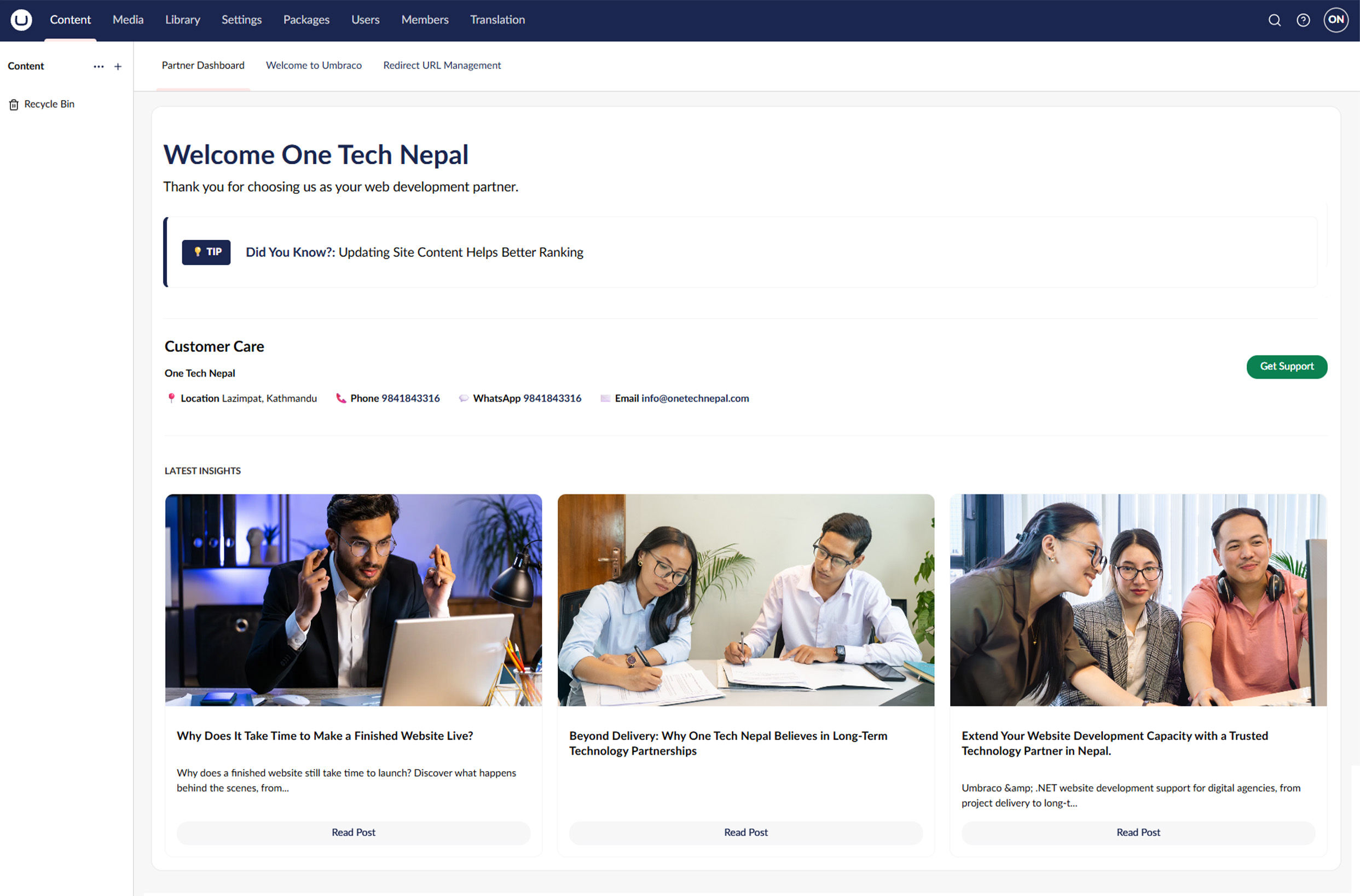
The dashboard as your clients see it: welcome message, marketing tips, latest blog insights, and customer care details.
The settings screen is organized into four tabs:
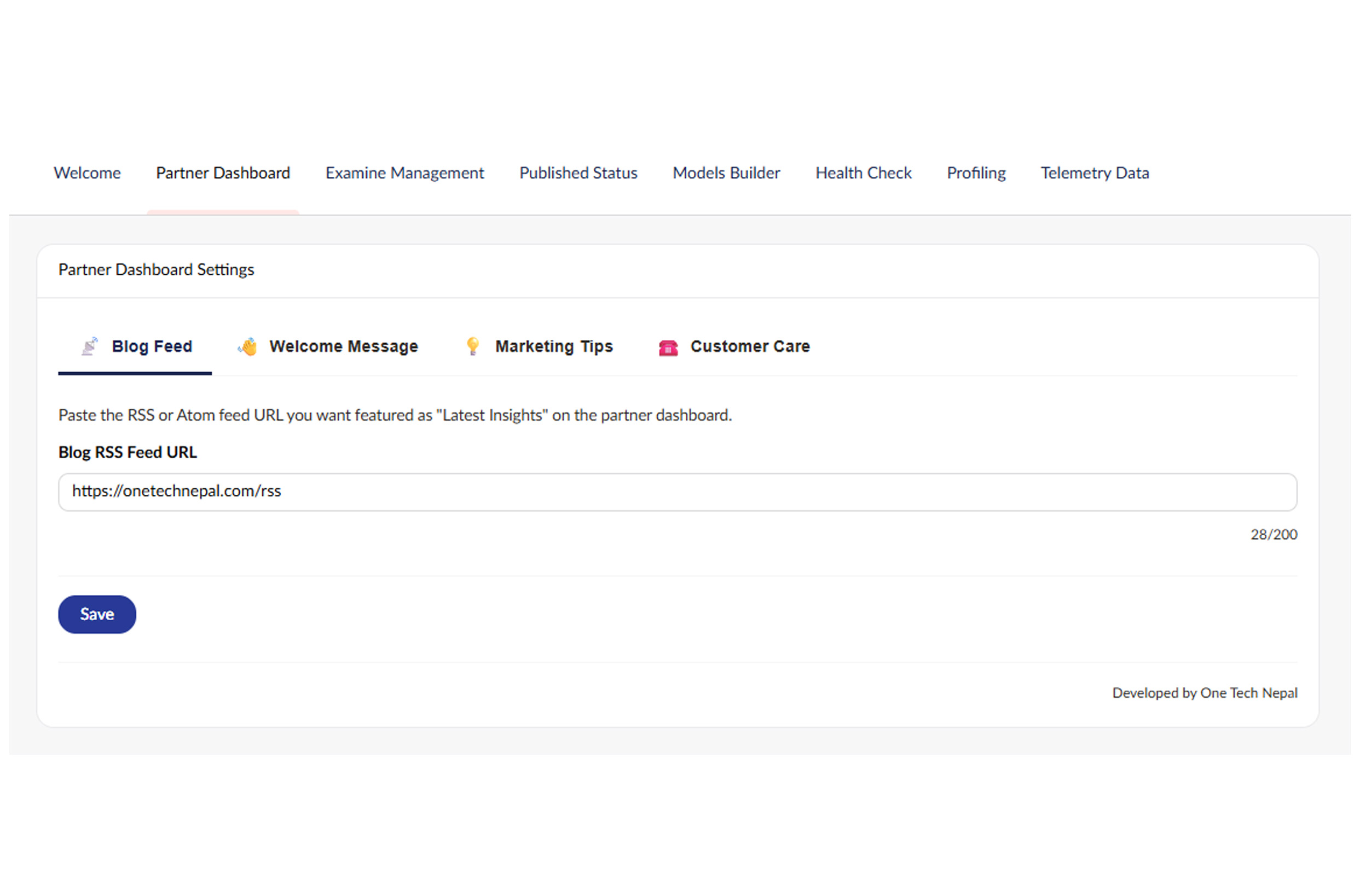
Blog Feed — paste an RSS/Atom URL to populate Latest Insights.
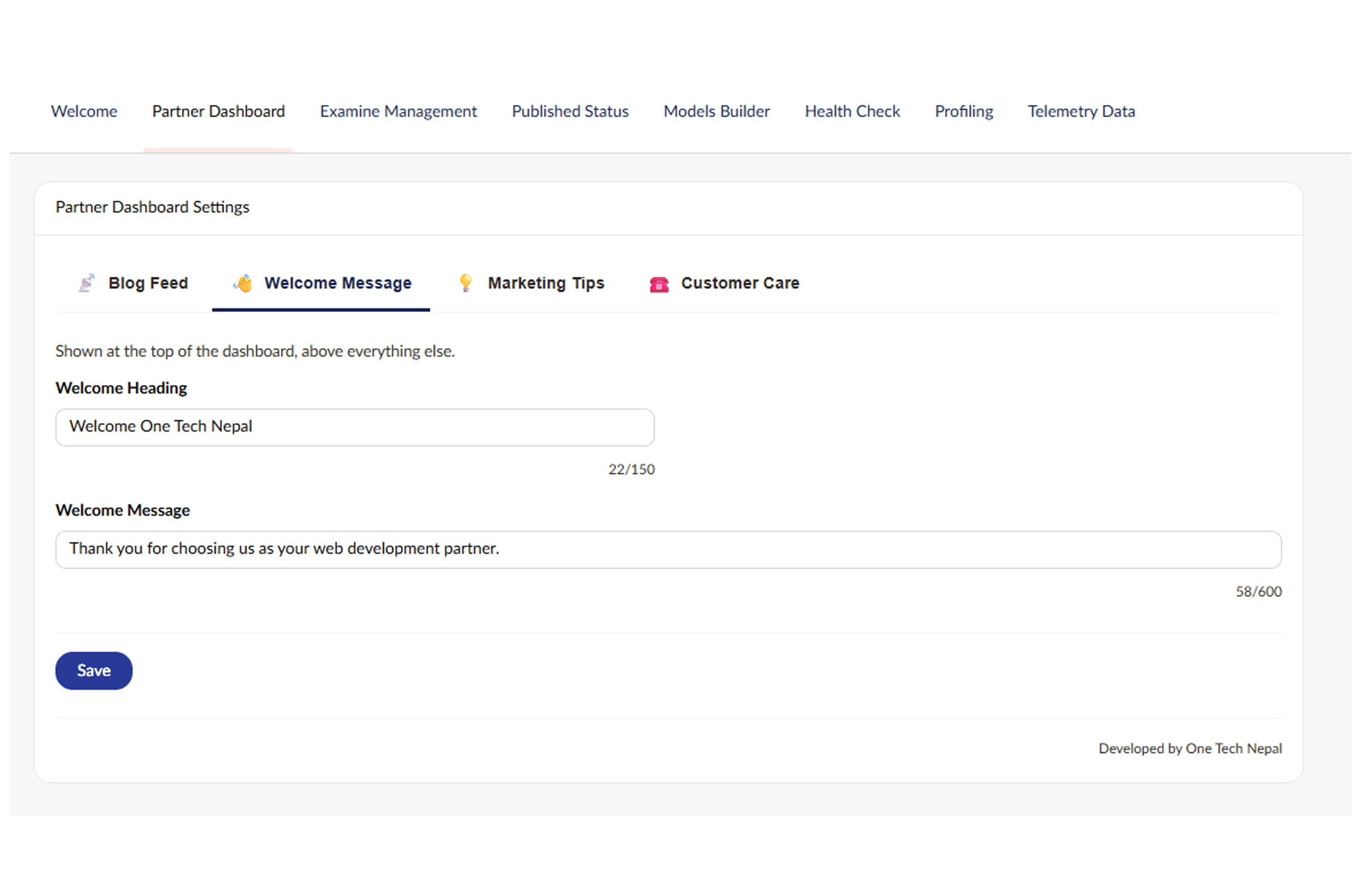
Welcome Message — set the heading and message shown at the top of the dashboard.
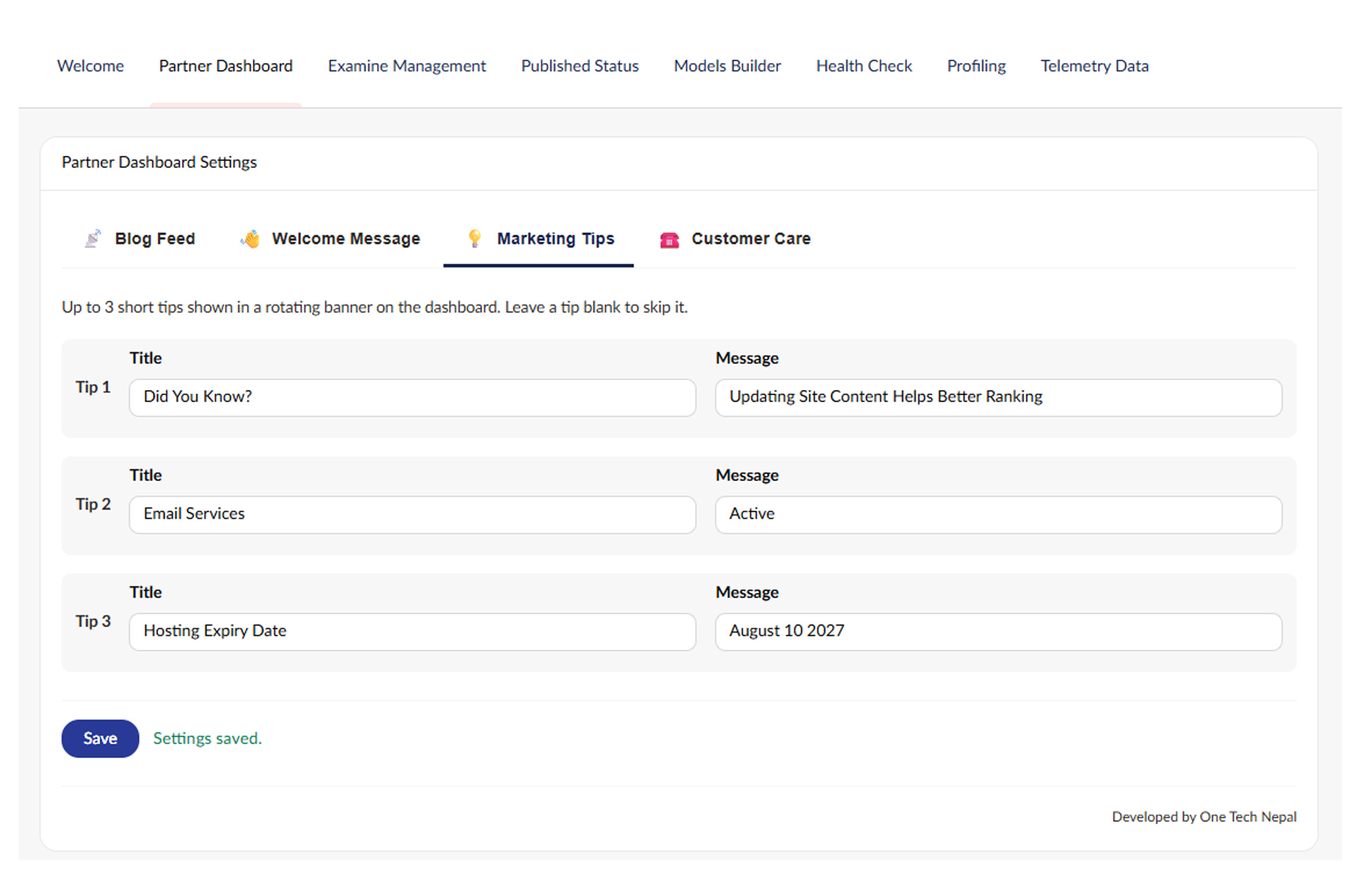
Marketing Tips — up to 3 short tips shown in a rotating banner.
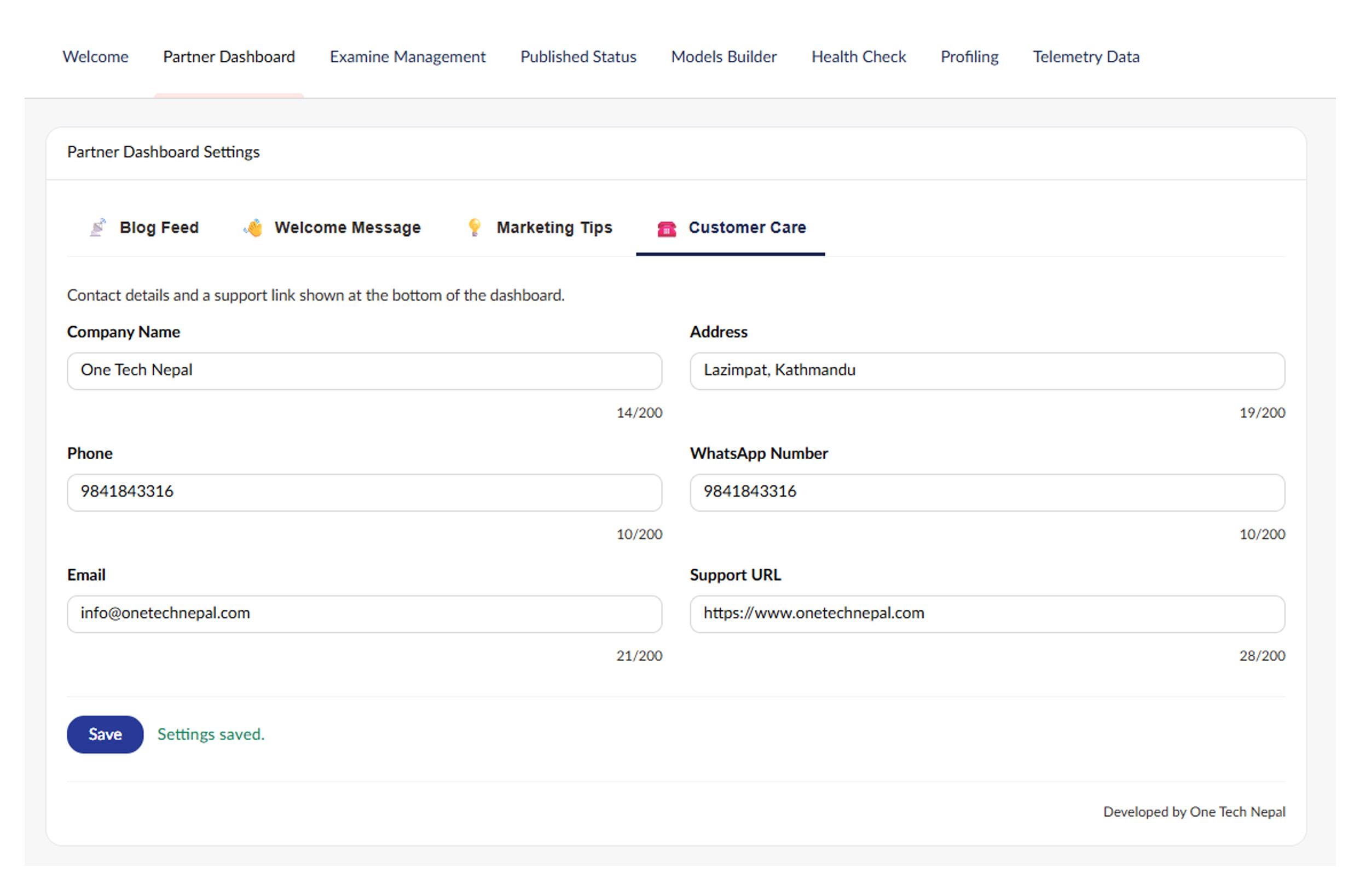
Customer Care — company contact details and a support link.
Features
- Welcome message — a custom heading and message shown at the top of the dashboard.
- Marketing tips — up to 3 short tips shown in a rotating banner, useful for nudging clients toward good practices (updating content, backing up, reviewing SEO, etc.).
- Latest insights — pulls the most recent posts from any RSS or Atom feed (e.g. your agency blog) and displays them as cards with image, title, and a short excerpt.
- Customer care — company name, address, phone, WhatsApp, email, and a support link, so clients always know how to reach you.
- Settings UI — a tabbed settings screen in the backoffice for editing everything above, with inline validation.
Requirements
- Umbraco CMS 18.1.1 or later
- .NET 10
Installation
Install via the .NET CLI:
dotnet add package PartnerDashboard
Or via the NuGet Package Manager in Visual Studio, searching for PartnerDashboard.
After installing, rebuild and restart your site. A new Partner Dashboard section appears in the backoffice.
Configuration
- In the backoffice, open Partner Dashboard → Settings.
- Fill in the tabs:
- Blog Feed — paste your RSS/Atom feed URL to populate Latest Insights.
- Welcome Message — set the heading and message shown at the top.
- Marketing Tips — add up to 3 tips for the rotating banner. Leave a tip blank to skip it.
- Customer Care — add your company's contact details and support link.
- Click Save. Changes appear on the dashboard immediately.
All fields are optional — sections with nothing configured are hidden automatically, so the dashboard degrades gracefully out of the box.
Support
Questions or issues? Reach out:
- Email: info@onetechnepal.com
- Website: www.onetechnepal.com
License
MIT © One Tech Nepal
Credits
Developed by Jasper Neupane at One Tech Nepal.
| Product | Versions Compatible and additional computed target framework versions. |
|---|---|
| .NET | net10.0 is compatible. net10.0-android was computed. net10.0-browser was computed. net10.0-ios was computed. net10.0-maccatalyst was computed. net10.0-macos was computed. net10.0-tvos was computed. net10.0-windows was computed. |
-
net10.0
- Microsoft.AspNetCore.OpenApi (>= 10.0.10)
- Microsoft.Extensions.Logging.Abstractions (>= 10.0.12)
- System.ServiceModel.Syndication (>= 10.0.12)
- Umbraco.Cms.Api.Common (>= 18.1.1)
- Umbraco.Cms.Api.Management (>= 18.1.1)
- Umbraco.Cms.Web.Common (>= 18.1.1)
- Umbraco.Cms.Web.Website (>= 18.1.1)
NuGet packages
This package is not used by any NuGet packages.
GitHub repositories
This package is not used by any popular GitHub repositories.