Pignone.Dapper.BulkExtensions
8.0.5
dotnet add package Pignone.Dapper.BulkExtensions --version 8.0.5
NuGet\Install-Package Pignone.Dapper.BulkExtensions -Version 8.0.5
<PackageReference Include="Pignone.Dapper.BulkExtensions" Version="8.0.5" />
<PackageVersion Include="Pignone.Dapper.BulkExtensions" Version="8.0.5" />
<PackageReference Include="Pignone.Dapper.BulkExtensions" />
paket add Pignone.Dapper.BulkExtensions --version 8.0.5
#r "nuget: Pignone.Dapper.BulkExtensions, 8.0.5"
#:package Pignone.Dapper.BulkExtensions@8.0.5
#addin nuget:?package=Pignone.Dapper.BulkExtensions&version=8.0.5
#tool nuget:?package=Pignone.Dapper.BulkExtensions&version=8.0.5
Pignone.Dapper.BulkExtensions
NuGet package for extend Dapper operations bulks insert, delete and update.
Index
Overview
This package provides:
- BulkInsert.
- BulkDelete.
- BulkUpdate.
Compatible with .NET 8 and C# 12.
Installation
Via CLI:
dotnet add package Pignone.Dapper.BulkExtensions
Or via PackageReference (e.g. csproj):
<PackageReference Include="Pignone.Dapper.BulkExtensions" Version="*" />
Quick start
BulkInsertAsync example:
using System.Data.SqlClient;
using Pignone.Dapper.BulkExtensions;

// Definition of the class that represents the data
public class User
{
    public int Id { get; set; }
    public string Name { get; set; }
    public string Email { get; set; }
}

// List of data to be inserted
var users = new List<User>
{
    new User { Id = 1, Name = "Alice", Email = "alice@example.com" },
    new User { Id = 2, Name = "Bob", Email = "bob@example.com" }
};

// Mapping dictionary:
// Key   = Name of the property in the class (T)
// Value = Name of the column in the database (Destination)
var columnMapping = new Dictionary<string, string>
{
    { "Id", "Id" },
    { "Name", "FullName" },
    { "Email", "UserEmail" }
};

// Database connection (IDbConnection)
using var connection = new SqlConnection("YourConnectionString");

// Call to the BulkInsertAsync extension method
await connection.BulkInsertAsync(
    tableName: "UsersTable",
    mappingColumns: columnMapping,
    data: users
);
BulkDeleteAsync example:
using System.Data.SqlClient;
using Pignone.Dapper.BulkExtensions;

// Definition of the class with the necessary properties for deletion
public sealed record UserDeleteDto(int Id);

// List containing only the data (e.g. IDs) you want to batch delete
var usersToDelete = new UserDeleteDto[]
{
    new UserDeleteDto(1),
    new UserDeleteDto(2)
};

// Mapping dictionary:
// Key   = Name of the property in class T
// Value = Name of the column in the temporary table/database
var columnMapping = new Dictionary<string, string>
{
    { "Id", "Id" }
};

// DELETE command that will JOIN the real table and temporary table
// Important: The temporary table (#TempUsers) will contain the data we pass in the list
string deleteCommand = @"
    DELETE t1
    FROM UsersTable t1
    INNER JOIN #TempUsers t2 ON t1.Id = t2.Id;";

using var connection = new SqlConnection("YourConnectionString");

// Call to the extension method to perform batch delete
await connection.BulkExecuteAsync(
    executeCommandText: deleteCommand,
    temporaryTableName: "#TempUsers",
    tableName: "UsersTable", // Table that has the original mapping columns
    mappingColumns: columnMapping,
    data: usersToDelete
);
BulkUpdateAsync example:
using System.Data.SqlClient;
using Pignone.Dapper.BulkExtensions;

// Definition of the record with the properties for the update
public sealed record UserUpdateDto(int Id, string NewEmail);

// List with the updated data
var usersToUpdate = new UserUpdateDto[]
{
    new UserUpdateDto(1, "new_alice@example.com"),
    new UserUpdateDto(2, "new_bob@example.com")
};

// Mapping dictionary:
// Key   = Name of the property in the record
// Value = Name of the column in the temporary table/database
var columnMapping = new Dictionary<string, string>
{
    { "Id", "Id" },
    { "NewEmail", "UserEmail" }
};

// UPDATE command that will JOIN the real table and temporary table
// Important: The temporary table (#TempUsers) will contain the newly transferred data
string updateCommand = @"
    UPDATE t1
    SET t1.UserEmail = t2.UserEmail
    FROM UsersTable t1
    INNER JOIN #TempUsers t2 ON t1.Id = t2.Id;";

using var connection = new SqlConnection("YourConnectionString");

// Call to the extension method to perform batch update
await connection.BulkExecuteAsync(
    executeCommandText: updateCommand,
    temporaryTableName: "#TempUsers",
    tableName: "UsersTable", // Table that bases the mapping columns
    mappingColumns: columnMapping,
    data: usersToUpdate
);
References
- Dapper: https://github.com/DapperLib/Dapper
- SqlBulkCopy : https://learn.microsoft.com/pt-br/dotnet/api/system.data.sqlclient.sqlbulkcopy?view=netframework-4.8.1&viewFallbackFrom=net-8.0
Contact
For questions and issues, please open an issue in the package repository.
Donate
If you think has been helpful to your work, please consider making a small donation to support continued development.
It may be the equivalent of a coffee ☕, but it makes a huge difference on the other side of the screen.
| Provider | Link |
|---|---|
| Paypal |  |
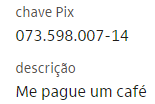
If you are Brazilian, you can donate through pix.
| Key | QR Code |
|---|---|
 |
 |
Your contribution helps ensure that I can continue to improve and support the extension, making it even more useful to the community.
Thank you in advance for considering supporting this project. Your generosity makes all the difference!
| Product | Versions Compatible and additional computed target framework versions. |
|---|---|
| .NET | net8.0 is compatible. net8.0-android was computed. net8.0-browser was computed. net8.0-ios was computed. net8.0-maccatalyst was computed. net8.0-macos was computed. net8.0-tvos was computed. net8.0-windows was computed. net9.0 was computed. net9.0-android was computed. net9.0-browser was computed. net9.0-ios was computed. net9.0-maccatalyst was computed. net9.0-macos was computed. net9.0-tvos was computed. net9.0-windows was computed. net10.0 was computed. net10.0-android was computed. net10.0-browser was computed. net10.0-ios was computed. net10.0-maccatalyst was computed. net10.0-macos was computed. net10.0-tvos was computed. net10.0-windows was computed. |
-
net8.0
- Dapper (>= 2.1.44)
- Microsoft.Data.SqlClient (>= 6.1.4)
NuGet packages
This package is not used by any NuGet packages.
GitHub repositories
This package is not used by any popular GitHub repositories.
8.0.5
- Code cleanup and structure improvements.
- The BulkDeleteAsync and BulkUpdateAsync methods have been moved to BulkExecuteAsync.
8.0.4
- Code cleanup and structure improvements.
- No behavioral changes.
- No API changes.
8.0.3
- Package Changelog notes.
- Updated project license from MIT to Custom Proprietary License.
8.0.2
- Code cleanup and structure improvements.
- No behavioral changes.
- No API changes.
8.0.1
- Additional configuration options (batch size and timeout).
- Insert performance for large datasets.
8.0.0
- Initial release of Pignone.Dapper.BulkExtensions.
- Support for **BulkInsert** operations.
- Support for **BulkUpdate** operations.
- Support for **BulkDelete** operations.
- Lightweight implementation focused on performance and minimal configuration.