RimWorks.Quickstarts.Ref
4.0.2
dotnet add package RimWorks.Quickstarts.Ref --version 4.0.2
NuGet\Install-Package RimWorks.Quickstarts.Ref -Version 4.0.2
<PackageReference Include="RimWorks.Quickstarts.Ref" Version="4.0.2" />
<PackageVersion Include="RimWorks.Quickstarts.Ref" Version="4.0.2" />
<PackageReference Include="RimWorks.Quickstarts.Ref" />
paket add RimWorks.Quickstarts.Ref --version 4.0.2
#r "nuget: RimWorks.Quickstarts.Ref, 4.0.2"
#:package RimWorks.Quickstarts.Ref@4.0.2
#addin nuget:?package=RimWorks.Quickstarts.Ref&version=4.0.2
#tool nuget:?package=RimWorks.Quickstarts.Ref&version=4.0.2
Quickstarts: RimWorld dev quicktest scenarios


<img src="https://raw.githubusercontent.com/RimWorks/Rimworld-Quickstarts/main/About/ModIcon.png" alt="Quickstarts icon" width="96" align="right">
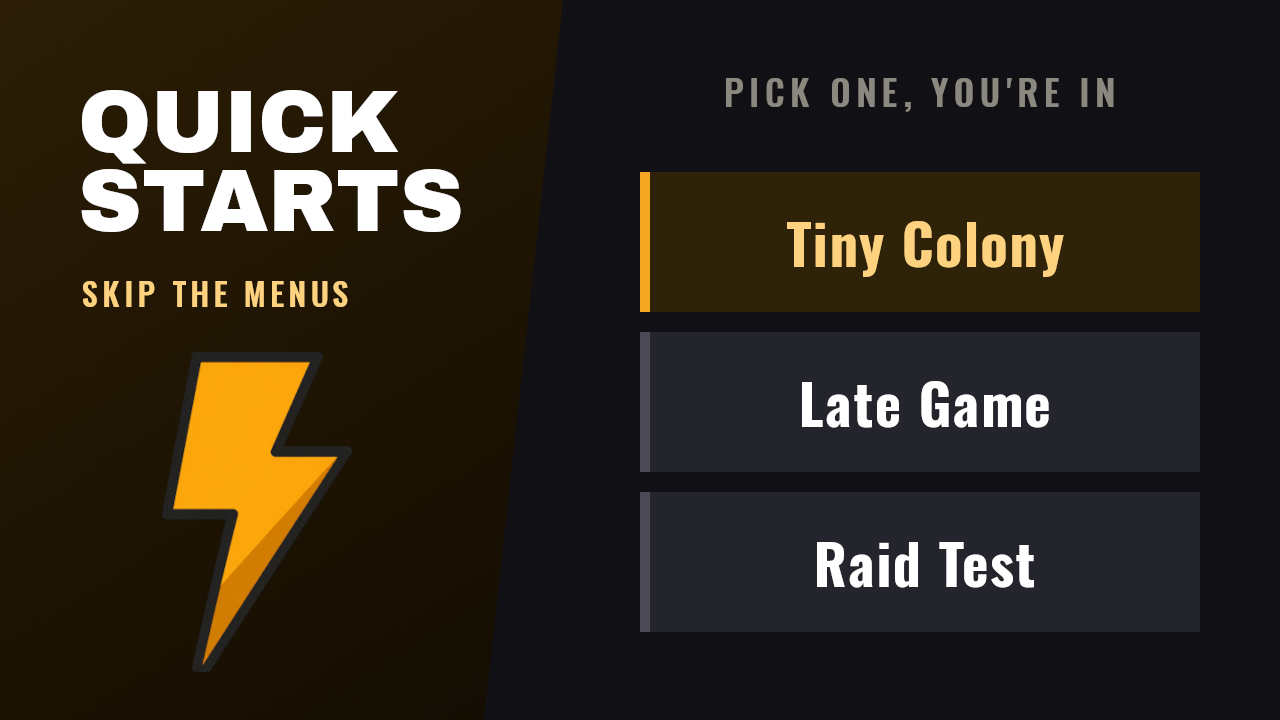
A developer tool for RimWorld. Skip the menus and boot straight into a colony that is already set up the way you need it. Quickstarts replaces the vanilla dev quicktest button with your own scenarios, written in C# and launched from the dev menu or a command line flag.
Vanilla's quicktest drops you on a random map with random colonists. A quickstart is the same colony every time, so the same scenario doubles as a smoke test. Run it with a flag and the game asserts against the live simulation. It writes a JSON report and JUnit XML, then exits with a pass or fail code.
Requires Harmony or Concord. Quickstarts prefers Concord when both are active.
Install
Subscribe on the Workshop, or drop a release zip into your Mods folder. Quickstarts only does
anything when RimWorld's dev mode is on.
Define a quickstart
Add a reference to RimWorks.Quickstarts.Ref, then subclass AbstractQuickstart. Every
non-abstract subclass with a parameterless constructor is found automatically.
using RimWorks.Quickstarts;
using RimWorks.Quickstarts.Verification;
using RimWorld;
using Verse;

public class TinyColony : AbstractQuickstart {
  public override TaggedString description => "One small map, three colonists, paused.";

  public override int mapSize => 50;

  public override void PrepareColonists(List<Pawn> pawns) {
    foreach (Pawn pawn in pawns) {
      pawn.playerSettings.hostilityResponse = HostilityResponseMode.Attack;
    }
  }

  public override QuickstartVerification Verify() {
    QuickstartVerification verification = new QuickstartVerification();
    verification.Assert("colonists spawned", () => Find.CurrentMap.mapPawns.FreeColonistsSpawnedCount > 0);
    return verification;
  }
}
The hooks run in this order:
| Hook | When it runs |
|---|---|
PostStart |
Before generation, while the menu is still up. Good for dev toggles. |
PostApplyConfiguration |
World exists, pawns not generated yet. Good for pawn counts. |
PostConfigured |
After the scenario finishes its own setup. Nothing can undo you here. |
PrepareColonists |
Map is live, colonists are spawned. |
PostLoaded |
Last, just before the pause. |
Launch one
Three ways, in the order they win:
-quickstart=TinyColonyon the command line.- The
RIMWORLD_QUICKSTARTenvironment variable. - The default set in the mod's settings.
With none of those, the game starts normally and the main menu's dev quicktest button opens a picker instead.
Fix the world seed
By default every launch generates a new planet, so a CI failure cannot be replayed. Override
seed on the quickstart, or pass -quickstartseed=abc123 to beat whatever the quickstart says.
The seed that ran goes into the log and into the JSON report.
public override string? seed => "abc123";
Two runs on the same seed give you the same planet, the same landing tile, the same map, and the same colonists. Seeds are only stable within one build of the mod.
CI mode
Add -quickstartverify to run Verify() and exit 0 or 1. Add -quickstartreport=<path> to
also write a JSON report, which turns on verify by itself.
scripts/run-quickstart.sh TinyColony /tmp/report.json
By default Verify() runs against a map nothing has happened on yet. Override ticksBeforeVerify
to drive the simulation first, which is where most tick-path bugs surface.
public override int ticksBeforeVerify => 2500; // about 40 in-game seconds
A run also fails when the game logs a red error, even if every assertion holds. That is the check that catches a broken mod interaction. The report counts errors from before the launch, during mod and def loading, in their own field, and they never fail the run.
public override bool failOnLogError => false;                  // turn the check off
public override int allowedLogErrors => 2;                     // tolerate a known-noisy dependency
public override IEnumerable<string> ignoredLogErrors => ["null hediff"];   // substrings, no case
An ignored error still shows up in the report. It just does not count against the budget.
The report looks like this:
{
  "quickstart": "TinyColony",
  "seed": "abc123",
  "ticksRun": 2500,
  "passed": true,
  "logErrors": 0,
  "logWarnings": 3,
  "logTruncated": false,
  "preLaunchErrors": 0,
  "total": 1,
  "failed": 0,
  "results": [
    { "label": "colonists spawned", "passed": true, "detail": null }
  ],
  "errors": []
}
RimWorld keeps the last 1000 log lines and collapses a message repeated in a row into a repeats
count. So logErrors is a floor, not an exact total, and logTruncated tells you when the queue
dropped older lines.
Timeouts
scripts/run-quickstart.sh wraps the game in timeout, so a wedged run cannot hang CI. Set
QUICKSTART_TIMEOUT to change the limit from the default 600 seconds.
The script also arms an in-game watchdog 30 seconds inside that limit, with
-quickstarttimeout=<seconds>. It fires first and writes a report naming the stage the run died
in, which timeout alone cannot tell you.
| Code | Meaning |
|---|---|
| 0 | every assertion passed and the log was clean |
| 1 | an assertion failed, or the error budget blew |
| 2 | the in-game watchdog fired. a report exists, with stage |
| 124 | timeout fired. probably no report |
| 137 | timeout needed SIGKILL |
Stages, in order: configuring, generating-world, generating-map, ticking, verifying.
JUnit output
-quickstartjunit=<path> writes the same run as JUnit XML, which GitHub Actions and most other CI
tools read natively. It turns a failed assertion into an annotation on the PR instead of a line in
a log nobody opens. Independent of the JSON, so a run can write both, either or neither.
<testsuites tests="4" failures="0" errors="0">
  <testsuite name="ScenarioTestQuickstart" tests="4" failures="0" errors="0">
    <testcase classname="ScenarioTestQuickstart" name="a game exists" />
    <testcase classname="ScenarioTestQuickstart" name="no log errors" />
  </testsuite>
</testsuites>
One assertion is one <testcase>. The error budget is a synthetic no log errors case, captured
errors go in <system-err>, and a watchdog timeout is an <error>. Publish it with:
- uses: mikepenz/action-junit-report@v5
  if: always()
  with:
    report_paths: /tmp/quickstart-junit.xml
This does not feed SonarCloud. The .NET scanner wants VSTest TRX or Sonar's generic format, not JUnit.
Build
gamecrate steam build rimworld --beta public         # 1.6 assemblies to compile against
gamecrate steam build rimworld --beta version-1.5    # and 1.5
dotnet build Quickstarts.slnx -c Release -p:GameVersion=1.6
scripts/build-versions.sh                            # or every version loadFolders.xml declares
A build needs no npm install. node_modules holds the release tooling, and the msbuild
properties live in Source/Directory.Build.props.
Output lands in 1.6/Assemblies/, 1.6/Harmony/Assemblies/ and 1.6/Concord/Assemblies/, one
folder per game version. loadFolders.xml loads only the backend folder whose library is active,
so the other one never has to resolve.
More modding tools from RimWorks
| Tool | What it does |
|---|---|
| Pickle | Run Gherkin tests against a live RimWorld session, in the game |
| RimLogging | Structured logging, an in-game log viewer, and one-click bug report sharing |
License
MIT.
| Product | Versions Compatible and additional computed target framework versions. |
|---|---|
| .NET Framework | net472 is compatible. net48 was computed. net481 was computed. |
-
.NETFramework 4.7.2
- No dependencies.
NuGet packages
This package is not used by any NuGet packages.
GitHub repositories
This package is not used by any popular GitHub repositories.
| Version | Downloads | Last Updated |
|---|---|---|
| 4.0.2 | 44 | 10/1/2026 |
| 4.0.1 | 79 | 9/30/2026 |
| 4.0.0 | 87 | 9/27/2026 |
| 3.2.3 | 92 | 9/25/2026 |
| 3.2.2 | 90 | 9/25/2026 |
| 3.2.1 | 108 | 9/19/2026 |
| 3.2.0 | 104 | 9/15/2026 |
| 3.1.1 | 103 | 9/14/2026 |
| 3.1.0 | 102 | 9/14/2026 |
| 3.0.26 | 99 | 9/13/2026 |
| 3.0.25 | 95 | 9/13/2026 |
| 3.0.24 | 105 | 9/12/2026 |
| 3.0.23 | 100 | 9/12/2026 |
| 3.0.22 | 111 | 9/8/2026 |
| 3.0.21 | 99 | 9/8/2026 |
| 3.0.20 | 107 | 9/8/2026 |
| 3.0.19 | 96 | 9/8/2026 |
| 3.0.18 | 101 | 9/8/2026 |
| 3.0.17 | 106 | 9/8/2026 |
| 3.0.16 | 114 | 9/8/2026 |