SplatDev.Umbraco.Plugins.NuGetCatalog
1.2.0
dotnet add package SplatDev.Umbraco.Plugins.NuGetCatalog --version 1.2.0
NuGet\Install-Package SplatDev.Umbraco.Plugins.NuGetCatalog -Version 1.2.0
<PackageReference Include="SplatDev.Umbraco.Plugins.NuGetCatalog" Version="1.2.0" />
<PackageVersion Include="SplatDev.Umbraco.Plugins.NuGetCatalog" Version="1.2.0" />
<PackageReference Include="SplatDev.Umbraco.Plugins.NuGetCatalog" />
paket add SplatDev.Umbraco.Plugins.NuGetCatalog --version 1.2.0
#r "nuget: SplatDev.Umbraco.Plugins.NuGetCatalog, 1.2.0"
#:package SplatDev.Umbraco.Plugins.NuGetCatalog@1.2.0
#addin nuget:?package=SplatDev.Umbraco.Plugins.NuGetCatalog&version=1.2.0
#tool nuget:?package=SplatDev.Umbraco.Plugins.NuGetCatalog&version=1.2.0
SplatDev.Umbraco.Plugins.NuGetCatalog
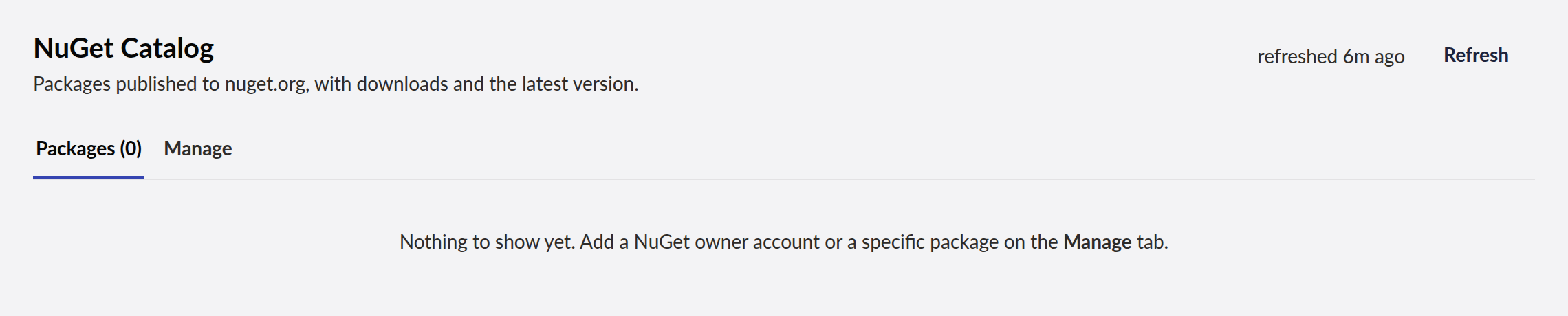
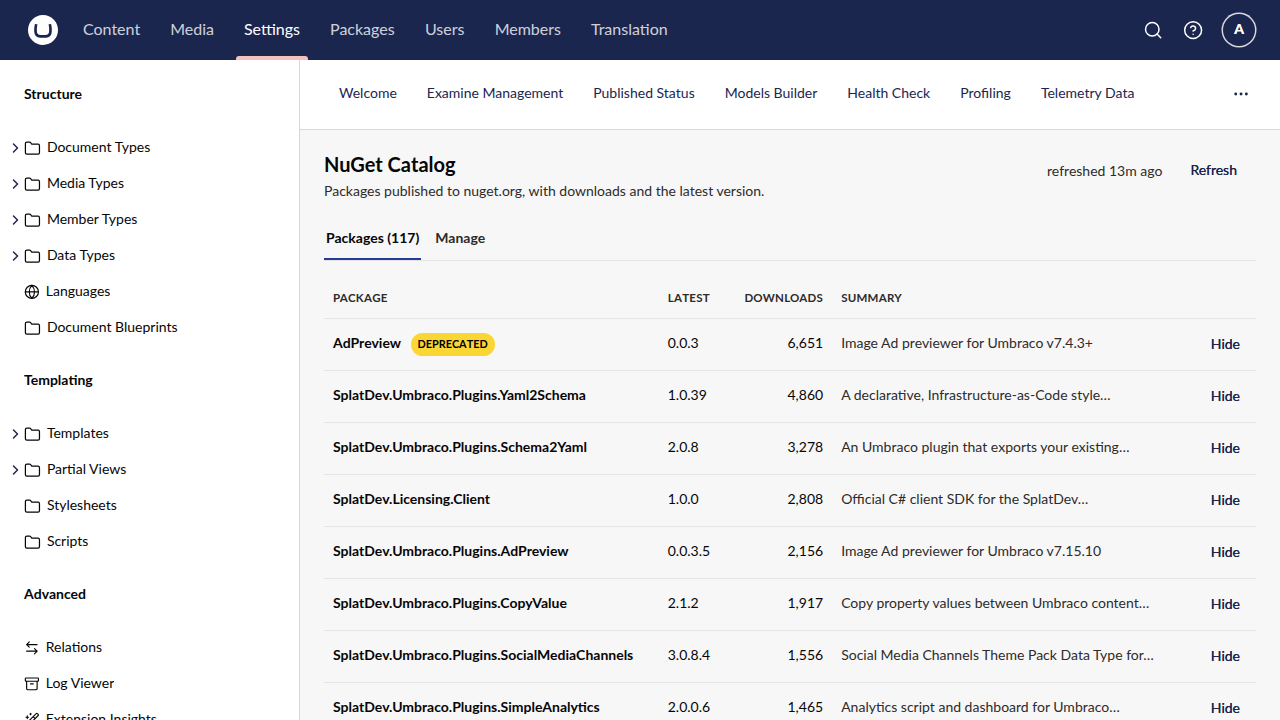
A Settings dashboard listing the packages you publish to nuget.org — download counts, latest version and a one-line summary per package.
Package
NuGet: SplatDev.Umbraco.Plugins.NuGetCatalog (v1.0.0)
Compatibility
| Umbraco Version | .NET | Status |
|---|---|---|
| v17 | net10.0 | Supported |
| v13 | net8.0 | Not supported |
Umbraco 17 only. The UI is Lit 3, and supporting Umbraco 13 would mean maintaining a second AngularJS bundle for a dashboard that is a convenience rather than a dependency.
Installation
dotnet add package SplatDev.Umbraco.Plugins.NuGetCatalog
The dashboard appears under Settings → NuGet Catalog. Nothing is copied into your project — the assets are embedded in the assembly and served from there.
Configuration
Optional. Configuration seeds the catalog on first run; after that the dashboard's own
settings file is the source of truth, so editing appsettings.json later will not undo
what someone changed in the UI.
{
  "SplatDev": {
    "NuGetCatalog": {
      "Owners": [ "splatdev" ],
      "Packages": [ "Umbraco.Cms" ],
      "CacheMinutes": 60,
      "SummaryLength": 50
    }
  }
}
| Setting | Default | Meaning |
|---|---|---|
Owners |
empty | nuget.org owner accounts to list packages for |
Packages |
empty | Extra package ids to include |
CacheMinutes |
60 |
How long fetched data stays warm |
SummaryLength |
50 |
Characters kept before the ellipsis |
Settings live at umbraco/Data/nuget-catalog.json.
Usage
Packages lists everything published under your owner accounts plus anything added explicitly, sorted by downloads. Each row links to nuget.org and can be hidden.
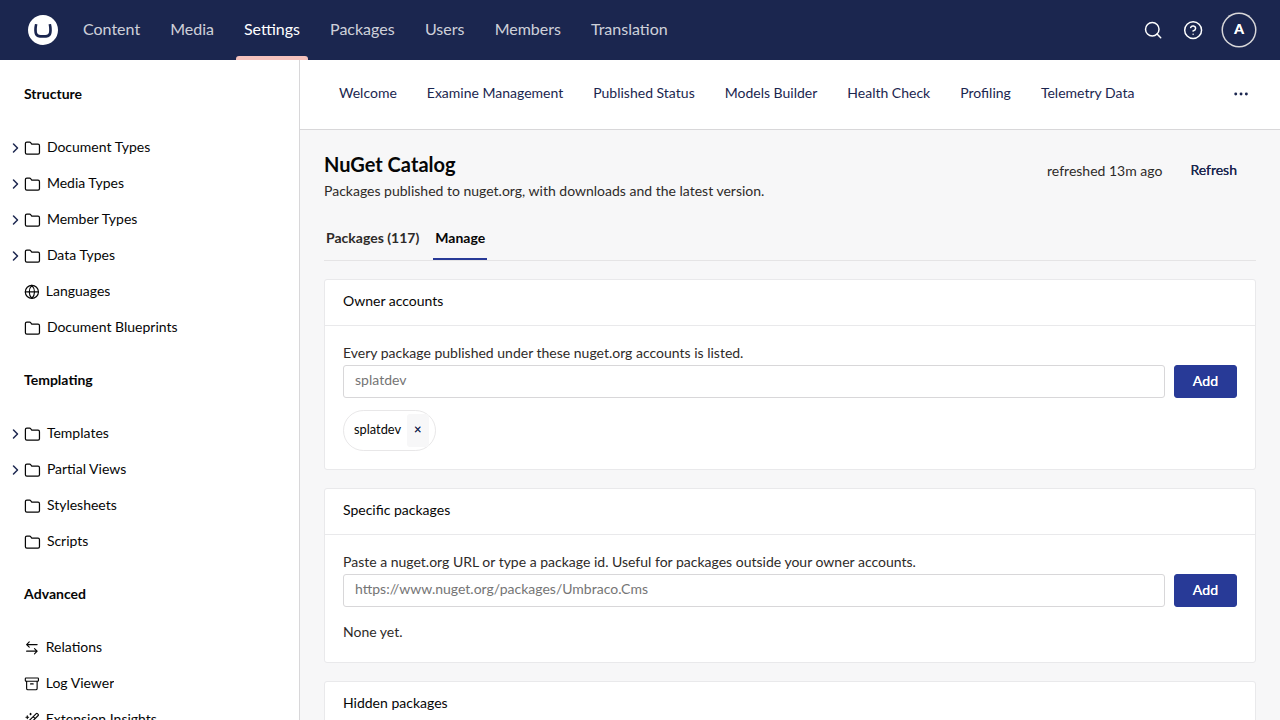
Manage is where you add owner accounts, add specific packages, and restore hidden ones.
Packages are added by pasting a nuget.org URL or typing a bare id — https://www.nuget.org/packages/Umbraco.Cms/17.3.4
and Umbraco.Cms both resolve to the same entry, so a package cannot be added twice
under different URL forms.
Behaviour worth knowing
- Downloads lag. nuget.org's search index is eventually consistent, so a package published minutes ago reads 0 downloads. The dashboard shows when its data was fetched rather than implying it is live.
- Hidden packages keep refreshing, so restoring one never shows stale numbers.
- Hiding is per-site, not per-user — which packages belong in the catalog is an editorial decision, not a personal preference.
- If nuget.org is unreachable the dashboard serves its last good data with a warning banner, or an empty state naming the error if nothing is cached. It will not fail application startup.
What it does not do
Reads nuget.org only. No publishing, unlisting, or per-version charts.
Changelog
1.2.0 — 2026-08-23
The Umbraco Marketplace listing now shows every screenshot for this plugin, not just the dashboard. The listing keeps its own screenshot list rather than reading the README.
License
MIT © SplatDev
| Product | Versions Compatible and additional computed target framework versions. |
|---|---|
| .NET | net8.0 is compatible. net8.0-android was computed. net8.0-browser was computed. net8.0-ios was computed. net8.0-maccatalyst was computed. net8.0-macos was computed. net8.0-tvos was computed. net8.0-windows was computed. net9.0 was computed. net9.0-android was computed. net9.0-browser was computed. net9.0-ios was computed. net9.0-maccatalyst was computed. net9.0-macos was computed. net9.0-tvos was computed. net9.0-windows was computed. net10.0 is compatible. net10.0-android was computed. net10.0-browser was computed. net10.0-ios was computed. net10.0-maccatalyst was computed. net10.0-macos was computed. net10.0-tvos was computed. net10.0-windows was computed. |
-
net10.0
- Microsoft.Extensions.FileProviders.Embedded (>= 10.0.6)
- Umbraco.Cms.Api.Management (>= 17.3.4)
- Umbraco.Cms.Core (>= 17.3.4)
- Umbraco.Cms.Web.Common (>= 17.3.4)
-
net8.0
- Umbraco.Cms.Core (>= 13.12.0)
- Umbraco.Cms.Web.BackOffice (>= 13.12.0)
- Umbraco.Cms.Web.Common (>= 13.12.0)
NuGet packages
This package is not used by any NuGet packages.
GitHub repositories
This package is not used by any popular GitHub repositories.
| Version | Downloads | Last Updated |
|---|---|---|
| 1.2.0 | 83 | 8/23/2026 |