ZeroDep 2.2.0
dotnet add package ZeroDep --version 2.2.0
NuGet\Install-Package ZeroDep -Version 2.2.0
<PackageReference Include="ZeroDep" Version="2.2.0" />
<PackageVersion Include="ZeroDep" Version="2.2.0" />
<PackageReference Include="ZeroDep" />
paket add ZeroDep --version 2.2.0
#r "nuget: ZeroDep, 2.2.0"
#:package ZeroDep@2.2.0
#addin nuget:?package=ZeroDep&version=2.2.0
#tool nuget:?package=ZeroDep&version=2.2.0
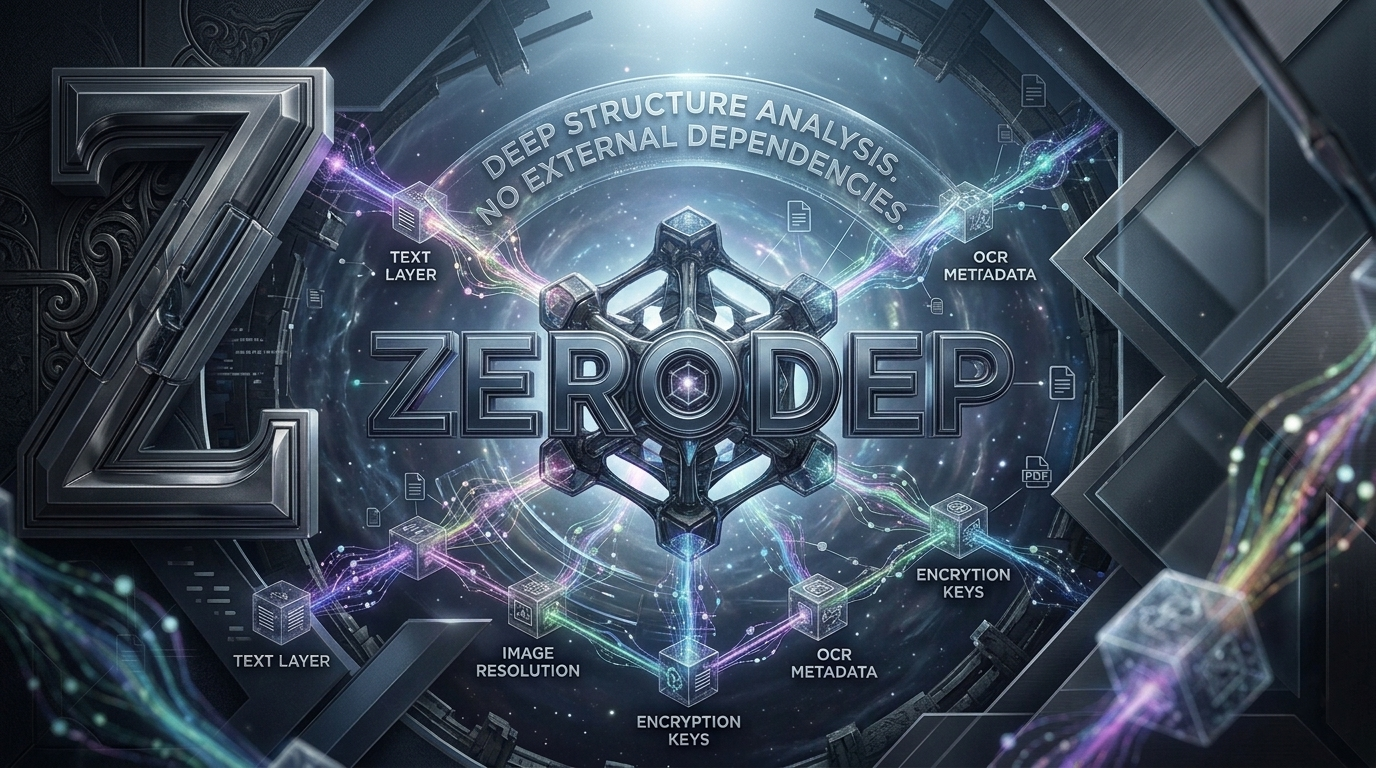
Zero External Dependencies. Pure PDF Processing.
A 100% dependency-free .NET engine for PDF structural analysis.




ZeroDep reads PDF files directly from bytes using only the .NET Base Class Library — no third-party PDF or graphics libraries, no native binaries, no transitive packages. It extracts the structure of a document — image resolution, text and OCR layers, interactive forms, encryption metadata — and emits a typed, versioned JSON graph. It is built for document-processing pipelines: ingestion, archive validation, compliance checks, and large-corpus analysis.
The guiding principle is "analyze, don't render." Almost everything that forces a normal PDF stack to pull in a native dependency is a rendering concern (rasterizing pages, decoding JPEG/JBIG2 pixels, hinting glyph outlines). By restricting itself to structural analysis, ZeroDep keeps the zero-dependency promise while still answering the questions that matter for document workflows.
Why ZeroDep
- Zero supply-chain surface. One managed assembly. No native assets, no RID-specific builds, no third-party CVEs to track. Trivial to vendor, audit, and deploy.
- Broad reach. Multi-targets
netstandard2.0(so it runs on .NET Framework 4.6.1+) alongside modernnet10.0andnet11.0. - Deterministic and inspectable. Pure managed code, stream-based and memory-conscious. The same bytes always produce the same typed result.
- Safe by default. Corrupted files are rejected with a structured reason rather than silently producing plausible-but-wrong data. Encryption and authentication failures are structured results, not crashes.
Features
| Capability | What it does |
|---|---|
| Image DPI analysis | Computes the effective resolution of every placed raster image from the content-stream CTM, reports the limiting (smaller) axis, and flags images below a configurable threshold. Page-area coverage is reported so small logos/stamps can be excluded from scan-quality judgments. |
| JPEG decoding | A complete pure-BCL JPEG (/DCTDecode) decoder — baseline, extended-sequential, progressive, and CMYK/YCCK (Adobe APP14) — decoding image streams to RGB/grayscale pixels and validating declared vs. actual dimensions. |
| Text & OCR-layer extraction | Pulls positioned text runs (BT/ET, Tj/TJ), resolves Unicode via /ToUnicode CMaps with /Encoding + /Differences fallback, and tags the invisible (Tr 3) OCR layer that scanners embed. |
| AcroForm mapping | Traverses /AcroForm fields by name (never geometry): fully-qualified names, labels, values, checkbox/radio state from the widget /AS + /V, page association, and dynamic-XFA detection. |
| Encryption | Standard security-handler decryption — RC4, AES-128 (AESV2), AES-256 (AESV3, R6) — authenticated with a supplied or empty/default password. |
| Integrity validation | A pre-flight gate rejects corrupted/malformed files with a machine-readable reason; it never attempts risky salvage. |
| Typed JSON output | The full parsed graph as a stable, versioned JSON schema, written by a pure-BCL serializer. |
| Batch corpus runner | A resumable, parallel runner over a directory tree that produces per-file results and publishable, content-free aggregate statistics. |
| OCR-from-image (opt-in) | A dependency-free ZeroDep.Ocr package with a pluggable IOcrEngine: decode a scanned page's image, run any OCR engine you supply, and fold the recovered text back in tagged OcrGenerated with confidence — never silently mixed with embedded text. |
Embedded-font parsing & glyph rasterization (ZeroDep.Fonts / ZeroDep.Raster) |
Parses every embedded font program — TrueType (glyf), CFF/Type1C (incl. CID-keyed, FDArray/FDSelect), and Type 1 (eexec, flex, seac) — to a common cubic/quadratic outline, and rasterizes it to an anti-aliased 8-bit coverage bitmap via an analytic scanline fill. A single FontProgram.Load sniffs the kind and gives glyph access by id, name, code point, or CID. Outlines match FreeType/fontTools bit-for-bit (100% on the corpus); AA coverage tracks FreeType within RMSE ≈ 0.01. A full TrueType bytecode hinting interpreter is included as experimental, opt-in (safe fallback to the unhinted outline). |
Scope: analyze, don't render
| ZeroDep does (structural / security) | ZeroDep does not do (rendering / out of scope) |
|---|---|
Parse xref tables and streams, object streams, /Prev chains |
Rasterize pages to bitmaps |
| Validate integrity and reject corrupted files | Salvage/repair broken files |
| Decrypt the standard security handler (RC4/AES-128/AES-256) | Public-key / certificate security handlers |
Decode /FlateDecode, /LZWDecode, ASCII, /DCTDecode (JPEG), /CCITTFaxDecode, /JBIG2Decode, and /JPXDecode (JPEG 2000) to pixels, and normalize them to RGB through the PDF colour space (Device/Indexed/ICCBased/Lab/Separation) |
Full ICC colour management (a CMM with rendering intents / print-accurate output) |
Read image /Width, /Height, /BitsPerComponent |
Rasterize whole pages (vector + text + image compositing) |
| Interpret content-stream operators for text and placement | Execute path/shading/vector rendering |
Resolve /ToUnicode to UTF-8 |
Embed, subset, or rasterize fonts |
Map /AcroForm fields and values |
Render form appearances to pixels |
| Compute effective DPI from CTM math | Color management, ICC, blending |
| Read-only analysis | Edit, sign, or write PDFs back out |
Install
dotnet add package ZeroDep
<PackageReference Include="ZeroDep" Version="1.0.0" />
Quick start
The entry point is the static PdfAnalyzer in the ZeroDep namespace. Every method takes a readable
Stream and an optional password.
Analyze a whole document
using ZeroDep;
using ZeroDep.Abstractions;

using FileStream pdf = File.OpenRead("invoice.pdf");
DocumentAnalysis result = PdfAnalyzer.Analyze(pdf);

if (result.Status == DocumentStatus.Rejected)
{
    Console.WriteLine($"Rejected: {result.Rejection!.Reason}");
    return;
}

Console.WriteLine($"Pages: {result.PageCount}");
Console.WriteLine($"Encrypted: {result.Security.IsEncrypted} ({result.Security.Algorithm})");
Console.WriteLine($"Images: {result.Images.Count}, text runs: {result.TextRuns.Count}");
Console.WriteLine($"Form fields: {result.Form.Fields.Count}");
Extract text (including the OCR layer)
using FileStream pdf = File.OpenRead("scanned.pdf");

foreach (TextRunInfo run in PdfAnalyzer.ExtractText(pdf))
{
    string layer = run.IsOcrLayer ? "[ocr]" : "";
    Console.WriteLine($"p{run.PageIndex} ({run.X:F0},{run.Y:F0}) {layer} {run.Text}");
}

// or a simple line-grouped plain-text rendering:
string text = PdfAnalyzer.ExtractPlainText(File.OpenRead("scanned.pdf"));
Flag low-resolution images
using FileStream pdf = File.OpenRead("archive-scan.pdf");

foreach (ImageDpiInfo image in PdfAnalyzer.AnalyzeImageDpi(pdf, dpiThreshold: 150))
{
    if (image.IsBelowThreshold && image.PageAreaFraction >= 0.5)
    {
        Console.WriteLine($"Low-quality scan on page {image.PageIndex}: {image.EffectiveDpi:F0} DPI");
    }
}
Read interactive form fields
using FileStream pdf = File.OpenRead("sf1449.pdf");
AcroFormReport form = PdfAnalyzer.ExtractForm(pdf);

foreach (FormFieldInfo field in form.Fields)
{
    string value = field.IsChecked is bool b ? (b ? "[X]" : "[ ]") : field.Value ?? "";
    Console.WriteLine($"{field.FullyQualifiedName} = {value}");
}
Open an encrypted document
// Supplied password, or null for the empty/default user password.
DocumentAnalysis result = PdfAnalyzer.Analyze(File.OpenRead("secure.pdf"), password: "secret");
Emit the JSON schema
string json = PdfAnalyzer.ToJson(File.OpenRead("invoice.pdf"), indent: true);
File.WriteAllText("invoice.json", json);
ToJson builds the whole document in memory. For large files, stream it instead; the output is identical
(UTF-8, no byte-order mark):
using FileStream output = File.Create("book.json");
PdfAnalyzer.WriteJson(File.OpenRead("book.pdf"), output, indent: true);
Decode a JPEG to pixels
using ZeroDep.Filters;

byte[] jpeg = File.ReadAllBytes("photo.jpg");   // or a /DCTDecode image stream

JpegMetadata meta = JpegReader.ReadMetadata(jpeg);    // dimensions, mode, components — no pixel decode
Console.WriteLine($"{meta.Width}x{meta.Height}, {meta.Mode}");

RasterImage image = JpegDecoder.Decode(jpeg);   // baseline, progressive, or CMYK/YCCK → RGB/grayscale
// image.Samples is row-major, interleaved; image.Components is 1 (gray) or 3 (RGB)
Rasterize a glyph from an embedded font
using ZeroDep.Fonts;
using ZeroDep.Raster;

byte[] program = /* an embedded /FontFile, /FontFile2, or /FontFile3 stream */;

FontProgram font = FontProgram.Load(program);   // sniffs TrueType / CFF / Type 1
int gid = font.MapCodepointToGlyph('A');        // (TrueType cmap; CID fonts use GlyphIdForCid)

GlyphOutline outline = font.GetGlyph(gid);       // cubic/quadratic contours, font units
GlyphBitmap bmp = GlyphRenderer.Render(font, gid, pixelSize: 48);   // 8-bit AA coverage
// bmp.Coverage is row-major Width*Height; bmp.Left/Top are the pen-relative placement
Recover text from a scanned page (OCR)
ZeroDep.Ocr is an opt-in, dependency-free package. You supply the OCR engine by implementing
IOcrEngine (over Tesseract, PaddleOCR, a cloud API — your choice); ZeroDep decodes the page image,
drives your engine, and merges the result as OcrGenerated text.
using ZeroDep;
using ZeroDep.Abstractions;
using ZeroDep.Ocr;

sealed class MyEngine : IOcrEngine
{
    public OcrResult Recognize(DecodedImage image, OcrOptions options) => /* call your OCR engine */;
}

using var pdf = File.OpenRead("scanned.pdf");
DocumentAnalysis analysis = PdfAnalyzer.Analyze(pdf);

pdf.Position = 0;
IReadOnlyList<PdfImageInfo> images = PdfAnalyzer.ExtractImages(pdf);

DocumentAnalysis withOcr = OcrProcessor.Augment(analysis, images, new MyEngine(), new OcrOptions { MinConfidence = 0.6 });

foreach (TextRunInfo run in withOcr.TextRuns)
{
    if (run.Source == TextSource.OcrGenerated)
        Console.WriteLine($"[ocr {run.Confidence:P0}] {run.Text}");   // tagged, never mistaken for embedded text
}
OCR accuracy — measured, not asserted
OCR ships against a measured accuracy benchmark, not on faith. The reference adapter was scored against two independent labeled sets of real multilingual form documents — one spanning five European languages, one an independent set of noisy low-resolution scans — using length-weighted Character Error Rate (CER) after Unicode/whitespace/case normalization.
| Language | Character accuracy | Character accuracy at reported confidence ≥ 0.9 |
|---|---|---|
| German | 95.8% | 99.2% |
| Spanish | 93.1% | 98.7% |
| Italian | 91.3% | 97.3% |
| Portuguese | 90.7% | 98.4% |
| French | 86.7% | 97.8% |
| English (noisy scans) | 83.8% | 95.0% |
The key property is calibrated confidence: on every set, error falls monotonically as the engine's reported confidence rises — so at confidence ≥ 0.9 the reference adapter is 95–99% character-accurate, and lower-confidence output is honestly flagged rather than passed off as correct. Because confidence is surfaced on every recovered run, you can threshold on it with trust.
Accuracy depends on the engine you plug in, which is the point of a pluggable IOcrEngine. The default
reference adapter targets Latin-script scans; for dense CJK (Chinese, Japanese) a second reference
adapter cuts the character error by roughly half to two-thirds on the same pages — so you pick the
engine that fits your documents without touching the dependency-free core. Both reference adapters reach
their engine out-of-process (a CLI binary / a worker process), so neither bundles native binaries.
Resource limits
Every analysis runs under a set of resource limits, so a malformed or oversized file cannot exhaust memory or
CPU. The defaults suit ordinary documents; set AnalyzerOptions.Limits to tighten them for untrusted input or
to raise them for very large files.
var options = new AnalyzerOptions
{
    DpiThreshold = 150,
    Limits = new PdfLimits
    {
        MaxDecodedStreamBytes = 64L * 1024 * 1024,  // 64 MiB per decoded stream
        MaxWorkPerDocument = 100_000_000,
        WorkPerSourceByte = 0,                     // the same work budget whatever the file size
    },
};

DocumentAnalysis result = PdfAnalyzer.Analyze(File.OpenRead("upload.pdf"), options);
if (result.Rejection?.Reason == RejectionReason.ResourceLimitExceeded)
{
    // Too large or too complex for the configured limits.
}
Every PdfAnalyzer method has an (Stream, AnalyzerOptions) overload, and the public stream and image
decoders and ColorConverter.ToRgb have overloads that take a PdfLimits. The existing overloads use
PdfLimits.Default.
| Limit | Default | Bounds |
|---|---|---|
MaxDecodedStreamBytes |
256 MiB | Output of one decoded stream; also the largest object read from the file |
MaxImagePixels |
2<sup>28</sup> (268,435,456) | Pixels in one image; a decoder's working set is 4 bytes per allowed pixel |
MaxWorkPerPage |
50,000,000 | Content operators and glyphs interpreted for one page, including Form XObjects |
MaxWorkPerDocument |
250,000,000 | Base budget for all content work plus object reads (one unit per 64 bytes) across the document |
WorkPerSourceByte |
256 | Work added to the document budget per byte of the file, so large scanned books fit while small files stay bounded by the base |
MaxFormFields |
100,000 | Interactive form fields |
MaxCMapEntries |
1,048,576 | Entries in one font character map or width table |
The defaults are estimates: sized to stay well above what ordinary documents need while keeping one
analysis within a few gigabytes of memory. Only the document work budget has been checked against real
books so far. Each value must be greater than zero, except WorkPerSourceByte, which may be zero to turn
the allowance off; a value out of range throws ArgumentOutOfRangeException.
What happens when a limit is exceeded:
Analyze/ToJsondo not throw for it. A limit that stops the whole document (the document work budget, an object larger than the decoded-stream limit, too many form fields) gives aRejectedresult with reasonResourceLimitExceeded. A limit hit while reading one page's content keeps the document: that page is reported withIncomplete = trueand one or more stableIncompleteReasonscodes —PageWorkLimit,ContentLimitExceeded,ContentUnreadableorFontMapLimitExceeded.- The extraction methods (
ExtractText,ExtractForm,ExtractImages, …) skip a page or image that hits a per-part limit, and throwPdfLimitExceededExceptionfor a document-wide one. It derives fromPdfSyntaxException, so existing handlers keep working;LimitNamenames the limit (aPdfLimitsproperty, or a fixed structural limit such asMaxNestingDepth) andLimitgives its value. - The standalone decoders keep their contract and throw
InvalidDataException; when a limit was the cause, itsInnerExceptionis thePdfLimitExceededException.
Command-line tool
A thin, zero-dependency console front-end ships alongside the library.
# Analyze one file (human-readable, or --json)
zerodep document.pdf
zerodep document.pdf --json --password=secret

# Batch-process a directory tree (recursive)
zerodep batch ./corpus --output=./batch-out
The batch verb is resumable and parallel. It writes three things under the output folder:
a resumable ledger, optional per-file JSON (--no-perfile to skip), and a publishable
aggregate.json containing aggregates and counts only — no file names, extracted text, or field
values. Useful flags: --concurrency=N (default: the processor count, at most 4), --threshold=N,
--no-resume, --no-perfile.
Batch from code
using ZeroDep.Batch;

var summary = await new BatchProcessor().RunAsync(new BatchOptions
{
    InputDirectory = "./corpus",
    OutputDirectory = "./batch-out",
});

Console.WriteLine($"Processed {summary.Total}, rejected {summary.Rejected}");
foreach (var category in summary.Statistics.Categories)
{
    Console.WriteLine($"  {category.Category}: {category.Count} ({category.Percent}%)");
}
Each document is classified into a content-free, structural category — DigitalText,
ScannedImageOnly, ScannedWithOcr, FormBased, Mixed, EncryptedUnreadable, or Rejected —
derived only from how the file is built, never from what it says.
Supported frameworks
| Target | Use |
|---|---|
netstandard2.0 |
.NET Framework 4.6.1+, older runtimes |
net10.0 |
Modern .NET (LTS) |
net11.0 |
Latest .NET |
Crypto uses the in-box System.Security.Cryptography (AES, MD5, SHA-2 ship with every target); RC4
is implemented in-house. Building from source requires the .NET SDK 11.0.100+.
Output schema (overview)
PdfAnalyzer.ToJson emits a stable, versioned envelope. Top-level status lets a pipeline branch in
a single read; every page-level array is always present (possibly empty); undecodable assets are
reported with flags rather than dropped silently.
{
  "schemaVersion": "1.3",
  "status": "Processed",            // Processed | Rejected
  "rejection": null,                // { "reason": "TruncatedStream", "detail": "..." } when Rejected; ResourceLimitExceeded when a limit was hit
  "pageCount": 3,
  "imageAreaFraction": 0.94,
  "security": { "isEncrypted": true, "algorithm": "AES-256", "authentication": "UserPassword", "...": "..." },
  "images":   [ { "page": 0, "effectiveDpi": 200.0, "belowThreshold": false, "pageAreaFraction": 0.94 } ],
  "textRuns": [ { "page": 0, "text": "Invoice", "renderMode": 0, "isOcrLayer": false } ],
  "form":     { "hasAcroForm": true, "hasXfa": false, "fields": [ /* ... */ ] },
  "pages":    [ { "index": 0, "class": "DigitalText", "signals": { /* ... */ },
                  "incomplete": false, "incompleteReasons": [] } ]
}
Architecture
ZeroDep is a layered pipeline; each layer depends only on the layers below it:
bytes → lexer → object resolver → security/decryption → filters
      → document model → content interpreter → feature engines → typed result → JSON
| Layer | Responsibility |
|---|---|
| Byte source | Seekable, buffered windows over the stream; no whole-file load |
| Lexer | Names, numbers, strings, dictionaries, arrays |
| Integrity validator | Pre-flight accept/reject gate (no salvage) |
| Object resolver | Xref tables + streams, object streams, indirect refs, /Prev chains |
| Security | Standard-handler key derivation and per-object decryption |
| Filters | Flate, LZW, ASCIIHex/85, RunLength, predictors; full JPEG (/DCTDecode), CCITT (/CCITTFaxDecode, Group 3/4), JBIG2 (/JBIG2Decode), and JPEG 2000 (/JPXDecode) decode |
| Document model | Catalog, page tree, resources, fonts, AcroForm |
| Content interpreter | Text and image-placement operator state machine |
| Feature engines | DPI, text/OCR, forms |
Font programs (ZeroDep.Fonts) |
Embedded TrueType / CFF / Type 1 / CID parsing → common outline; optional TrueType hinting VM |
Rasterizer (ZeroDep.Raster) |
Bézier flattening + analytic non-zero-winding scanline fill → 8-bit AA coverage |
| Serialization | Typed graph → versioned JSON (pure BCL) |
Roadmap
Each release is additive and keeps the shipped public API backward-compatible. The core engine stays 100% dependency-free — only the OCR stage introduces an opt-in dependency, isolated in its own package.
| Release | Capability | Status |
|---|---|---|
| 1.0.x | Structural analysis: DPI, text & OCR-layer, AcroForms, encryption, validation, JSON, batch | Released |
| 1.1.0 | JPEG (/DCTDecode) pure-BCL decode — baseline, extended-sequential, progressive, and CMYK/YCCK. Gives OCR real pixels and validates declared vs. actual image dimensions |
Released |
| 1.2.0 | Text from images (OCR) — opt-in, dependency-free ZeroDep.Ocr with a pluggable IOcrEngine; recovers text from raster pages with no embedded text layer (ScannedImageOnly → ScannedWithOcr) |
Released |
| 1.2.1 | Reference engine adapters — ZeroDep.Ocr.Tesseract (Latin scripts) and ZeroDep.Ocr.Paddle (CJK), both out-of-process and dependency-free, gated on a measured accuracy benchmark |
Released |
| 1.3.0 | CCITT (/CCITTFaxDecode) pure-BCL decode — Group 4, Group 3 1D & 2D — brings bi-level (fax-style) document scans into the OCR pipeline. Validated on ~5,000 corpus images |
Released |
| 1.4.0 | JBIG2 (/JBIG2Decode) and JPEG 2000 (/JPXDecode) pure-BCL decoders. JBIG2 generic/symbol/text regions (validated bit-for-bit vs. a reference decoder); JPEG 2000 full pipeline — packet decode, EBCOT, 5/3 reversible (bit-exact) and 9/7 irreversible wavelets, RCT/ICT. Both feed the OCR pipeline |
Released |
| 1.5.0 | Color pipeline (ZeroDep.Color) — normalizes decoded images to RGB by applying the PDF colour space: DeviceGray/RGB/CMYK, Indexed (palette), ICCBased (component count + alternate), CalGray/CalRGB/Lab, and Separation/DeviceN, with a PDF function evaluator and /Decode + bit-depth handling. PdfAnalyzer.ExtractColorImages makes extracted images render in true colour. Validated vs. a reference renderer on the real corpus (Indexed/Gray bit-exact; CMYK/Separation within tolerance) |
Released |
| 1.6.0 | Per-page structural classification — a content class per page (digital-text / form / table-or-complex hint / scanned / mixed / empty) with confidence and the underlying signals, on DocumentAnalysis.Pages and in the JSON, for callers that process pages selectively; the document category rolls up from the page classes. Validated on the real corpus: zero dangerous misclassifications, deterministic, no crashes |
Released |
| 2.0.0 | Font program parsing & glyph rasterization (ZeroDep.Fonts / ZeroDep.Raster) — parse embedded TrueType / CFF (incl. CID-keyed) / Type 1 programs to a common outline and scan-convert to anti-aliased coverage bitmaps; unified FontProgram facade. Outlines match FreeType/fontTools 100% on the corpus; AA fidelity RMSE ≈ 0.01 vs FreeType; no-crash across the embedded-font corpus. A full TrueType hinting bytecode interpreter ships experimental / opt-in with a safe fallback. Embedded fonts only |
Released |
| 2.1.0 (current) | Per-page text-decode trust signal — a deterministic [0,1] TextDecodeConfidence on PageSignals estimating how much of a page's text decoded via an authoritative /ToUnicode / standard encoding vs a blind guess on a symbolic font, so callers can abstain from a confidently-wrong text layer (distinct from classification confidence). Validated on the real corpus: sharply bimodal, deterministic, no crashes |
Released |
| 2.2.0 | Full page rendering — colour fill + alpha compositing over the glyph/image layers; hinting hardened to broad FreeType parity | Planned |
Contributing
Issues and pull requests are welcome. Please run dotnet test ZeroDep.slnx -c Release before
submitting; all targets must build clean (warnings are treated as errors).
Releases also pass a smoke gate over real documents. tools/ZeroDep.Smoke runs the built CLI (text, JSON and
batch modes) over a random sample of a local PDF folder, one document at a time with a timeout and a memory
ceiling. With --attest it writes build/smoke-attestation.json, which holds file hashes and counts only. The
release workflow refuses to publish unless that file matches the source being released:
dotnet run --project tools/ZeroDep.Smoke -c Release -- <pdfFolder> [--sample=N | --all] [--seed=S] --attest
License
Licensed under the Apache License 2.0.
ZeroDep includes material from third parties under their own licences (Apache-2.0, BSD-2-Clause,
BSD-3-Clause). Their notices are in THIRD-PARTY-NOTICES.txt, at the repository root and inside every
NuGet package.
| Product | Versions Compatible and additional computed target framework versions. |
|---|---|
| .NET | net5.0 was computed. net5.0-windows was computed. net6.0 was computed. net6.0-android was computed. net6.0-ios was computed. net6.0-maccatalyst was computed. net6.0-macos was computed. net6.0-tvos was computed. net6.0-windows was computed. net7.0 was computed. net7.0-android was computed. net7.0-ios was computed. net7.0-maccatalyst was computed. net7.0-macos was computed. net7.0-tvos was computed. net7.0-windows was computed. net8.0 was computed. net8.0-android was computed. net8.0-browser was computed. net8.0-ios was computed. net8.0-maccatalyst was computed. net8.0-macos was computed. net8.0-tvos was computed. net8.0-windows was computed. net9.0 was computed. net9.0-android was computed. net9.0-browser was computed. net9.0-ios was computed. net9.0-maccatalyst was computed. net9.0-macos was computed. net9.0-tvos was computed. net9.0-windows was computed. net10.0 is compatible. net10.0-android was computed. net10.0-browser was computed. net10.0-ios was computed. net10.0-maccatalyst was computed. net10.0-macos was computed. net10.0-tvos was computed. net10.0-windows was computed. net11.0 is compatible. |
| .NET Core | netcoreapp2.0 was computed. netcoreapp2.1 was computed. netcoreapp2.2 was computed. netcoreapp3.0 was computed. netcoreapp3.1 was computed. |
| .NET Standard | netstandard2.0 is compatible. netstandard2.1 was computed. |
| .NET Framework | net461 was computed. net462 was computed. net463 was computed. net47 was computed. net471 was computed. net472 was computed. net48 was computed. net481 was computed. |
| MonoAndroid | monoandroid was computed. |
| MonoMac | monomac was computed. |
| MonoTouch | monotouch was computed. |
| Tizen | tizen40 was computed. tizen60 was computed. |
| Xamarin.iOS | xamarinios was computed. |
| Xamarin.Mac | xamarinmac was computed. |
| Xamarin.TVOS | xamarintvos was computed. |
| Xamarin.WatchOS | xamarinwatchos was computed. |
-
.NETStandard 2.0
- ZeroDep.Abstractions (>= 2.2.0)
- ZeroDep.Analysis (>= 2.2.0)
- ZeroDep.Content (>= 2.2.0)
- ZeroDep.Filters (>= 2.2.0)
- ZeroDep.IO (>= 2.2.0)
- ZeroDep.Json (>= 2.2.0)
- ZeroDep.Lexing (>= 2.2.0)
- ZeroDep.Model (>= 2.2.0)
- ZeroDep.Objects (>= 2.2.0)
- ZeroDep.Security (>= 2.2.0)
- ZeroDep.Validation (>= 2.2.0)
-
net10.0
- ZeroDep.Abstractions (>= 2.2.0)
- ZeroDep.Analysis (>= 2.2.0)
- ZeroDep.Content (>= 2.2.0)
- ZeroDep.Filters (>= 2.2.0)
- ZeroDep.IO (>= 2.2.0)
- ZeroDep.Json (>= 2.2.0)
- ZeroDep.Lexing (>= 2.2.0)
- ZeroDep.Model (>= 2.2.0)
- ZeroDep.Objects (>= 2.2.0)
- ZeroDep.Security (>= 2.2.0)
- ZeroDep.Validation (>= 2.2.0)
-
net11.0
- ZeroDep.Abstractions (>= 2.2.0)
- ZeroDep.Analysis (>= 2.2.0)
- ZeroDep.Content (>= 2.2.0)
- ZeroDep.Filters (>= 2.2.0)
- ZeroDep.IO (>= 2.2.0)
- ZeroDep.Json (>= 2.2.0)
- ZeroDep.Lexing (>= 2.2.0)
- ZeroDep.Model (>= 2.2.0)
- ZeroDep.Objects (>= 2.2.0)
- ZeroDep.Security (>= 2.2.0)
- ZeroDep.Validation (>= 2.2.0)
NuGet packages (2)
Showing the top 2 NuGet packages that depend on ZeroDep:
| Package | Downloads |
|---|---|
|
ZeroDep.Batch
A 100% dependency-free .NET engine for PDF structural analysis: DPI metrics, text and OCR-layer extraction, AcroForm mapping, standard-handler decryption, and typed JSON output. |
|
|
Foliant.Orchestration
ZeroDep-first orchestration for Foliant: a plan-then-execute router that classifies every page via the ZeroDep structural fast-lane (consumed as a NuGet.org package) and escalates only the pages that need Foliant's render+ML heavy lane, then merges to one unified result. See docs/ADR-0003. |
GitHub repositories
This package is not used by any popular GitHub repositories.
See CHANGELOG.md for release notes.