ZoneTree.Analytics
1.0.2
Prefix Reserved
dotnet add package ZoneTree.Analytics --version 1.0.2
NuGet\Install-Package ZoneTree.Analytics -Version 1.0.2
<PackageReference Include="ZoneTree.Analytics" Version="1.0.2" />
<PackageVersion Include="ZoneTree.Analytics" Version="1.0.2" />
<PackageReference Include="ZoneTree.Analytics" />
paket add ZoneTree.Analytics --version 1.0.2
#r "nuget: ZoneTree.Analytics, 1.0.2"
#:package ZoneTree.Analytics@1.0.2
#addin nuget:?package=ZoneTree.Analytics&version=1.0.2
#tool nuget:?package=ZoneTree.Analytics&version=1.0.2
ZoneTree.Analytics
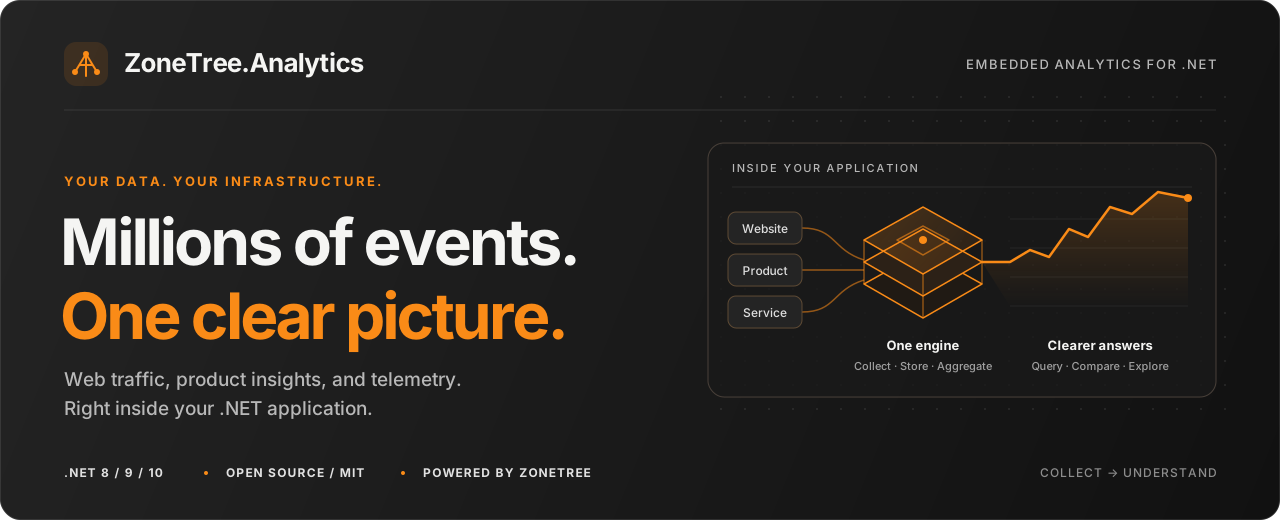
Understand your traffic. Measure your product. Own your data.
Web analytics, custom events, and telemetry inside your .NET application.


ZoneTree.Analytics is an embedded analytics engine built on ZoneTree. Record events, keep the dataset on your infrastructure, and query it directly from C#. The engine runs in your process and requires no external database or separate analytics service.
Packages
| Package | What it adds |
|---|---|
| ZoneTree.Analytics | The engine: background ingestion, persistent storage, retention, web reports, and the typed C# query API. Its only direct package dependency is ZoneTree. |
| ZoneTree.Analytics.AspNetCore | ASP.NET Core integration: dependency injection, server-side page view tracking, a cookie-free browser tracker, and a reporting API. |
Both packages target .NET 8, 9, and 10.
What you can build
| Use case | What you can measure |
|---|---|
| Website analytics | Visitors, page views, sessions, bounce rate, popular pages, sources, campaigns, browsers, and devices |
| Product analytics | Signups, purchases, revenue, behavioral segments, and conversion funnels |
| Service telemetry | Event counts, durations, percentiles, histograms, error rates, and business metrics |
| Multi-site reporting | Site-scoped events and reports for multiple websites, applications, or tenants in one engine |
- One query model. Combine metrics, filters, dimensions, formulas, time buckets, and period comparisons through a typed C# API.
- Pre-aggregation for recurring reports. Matching rollups and optional indexes answer recurring reports; queries they cannot answer fall back to retained event history. Query plans expose coverage and warnings.
- Privacy-conscious defaults. Cookie-free collection, daily anonymous identity rotation, and no stored raw IP addresses or user-agent strings.
- Application-owned storage. Background ingestion, configurable retention, and persistent ZoneTree stores.
- Room to customize. Plug in event filters, enrichers, bot detectors, a user-agent parser, or a geolocation provider. Bot traffic can be excluded or reported separately.
Quick start
In a .NET console project, install the engine:
dotnet add package ZoneTree.Analytics
Replace Program.cs with this complete example:
using ZoneTree.Analytics;
using ZoneTree.Analytics.Web;

await using var analytics = AnalyticsEngine.Open("data/analytics");

// Track a page view and a business event for the same identified visitor.
var pageView = AnalyticsEvent.PageView("https://example.com/pricing");
pageView.VisitorId = "customer-42";
await analytics.TrackAsync(pageView);

await analytics.TrackAsync(new AnalyticsEvent("purchase")
{
    VisitorId = "customer-42",
    Dimensions = { ["plan"] = "pro" },
    Values = { ["revenue"] = 49.0 },
});

// Make the events visible before reading them in this short-lived example.
await analytics.FlushAsync();

var traffic = await analytics.Web.GetSummaryAsync(new WebReportRequest
{
    Range = DateRange.LastDays(30),
});

var sales = await analytics.QueryAsync(new AnalyticsQuery
{
    Event = "purchase",
    Range = DateRange.LastDays(30),
    Metrics = { Metric.Events, Metric.Sum("revenue") },
});

Console.WriteLine($"Page views: {traffic.Summary.PageViews}");
Console.WriteLine($"Revenue: {sales.Totals[Metric.Sum("revenue")]:F2}");
Run it with dotnet run. On an empty dataset, it records one page view and revenue of 49.00. The data remains in data/analytics between runs.
Keep one engine per data directory open for the application's lifetime. Events are processed in the background, with an aggregate flush interval of two seconds by default. Normal reporting does not need an explicit flush; this example uses one so its immediate read includes the events it just tracked. Await disposal at shutdown to drain the queue and flush remaining work.
Add it to ASP.NET Core
Install the integration package in an ASP.NET Core project:
dotnet add package ZoneTree.Analytics.AspNetCore
This minimal Program.cs registers the engine and tracks successful HTML page responses:
using ZoneTree.Analytics.AspNetCore;

var builder = WebApplication.CreateBuilder(args);
builder.Services.AddZoneTreeAnalytics(
    options => options.DataDirectory = "data/analytics");

var app = builder.Build();
app.UseZoneTreeAnalytics();

app.MapGet("/", () => Results.Content(
    "<!doctype html><html><body><h1>Hello analytics</h1></body></html>",
    "text/html"));

await app.RunAsync();
Dependency injection owns the shared engine and disposes it at host shutdown. Inject IAnalyticsTracker to record custom actions, or AnalyticsEngine to query reports.
- Browser collection: map
app.MapZoneTreeAnalytics()and load/_analytics/script.json your pages. Choose either server middleware or browser tracking for each page view to avoid double counting. - Reporting API: map
app.MapZoneTreeAnalyticsApi(), and protect it withapp.MapZoneTreeAnalyticsApi().RequireAuthorization()in a host with authentication and authorization configured. Multi-site applications should also configureAuthorizeSitefor site-level access.
The ASP.NET Core guide covers collection choices, proxy configuration, and reporting access.
Ask more of your events
The general query API supports totals, grouped reports, time series, and formulas. After tracking purchases with a plan dimension and a revenue value:
var revenue = Metric.Sum("revenue");
var averageOrder = revenue / Metric.Events;

var report = await analytics.QueryAsync(new AnalyticsQuery
{
    Event = "purchase",
    Range = DateRange.ThisMonth,
    Interval = TimeInterval.Day,
    GroupBy = { "plan" },
    Metrics = { Metric.Events, revenue, averageOrder },
    Compare = ComparisonPeriod.PreviousPeriod,
});

foreach (var row in report.Rows)
    Console.WriteLine($"{row.Bucket:yyyy-MM-dd} | {row["plan"]}: {row[revenue]:F2} revenue");

Console.WriteLine($"Average order: {report.Totals[averageOrder]:F2}");
Totals evaluate formulas over the range's totals. Here, the overall average order value is total revenue divided by the number of purchases.
| Question | Tools |
|---|---|
| Where do visitors come from? | Web breakdowns by source, channel, campaign, and referrer |
| Which plans generate revenue? | Custom dimensions, numeric aggregates, and metric formulas |
| What did purchasers view? | Visitor or session segments based on recorded behavior |
| Where do visitors drop off? | Ordered funnels with a configurable conversion window |
| How slow are background jobs? | Percentiles, histograms, moving averages, and time buckets |
Explore querying, segments and funnels, and the query reference for supported combinations and metric semantics.
A dashboard you can host
Explore traffic, acquisition, audience, events, funnels, and bot activity, run custom queries, and export reports. The dashboard is a .NET server with a static UI, built on these packages. It ships as source in the GitHub repository, not as a NuGet package.
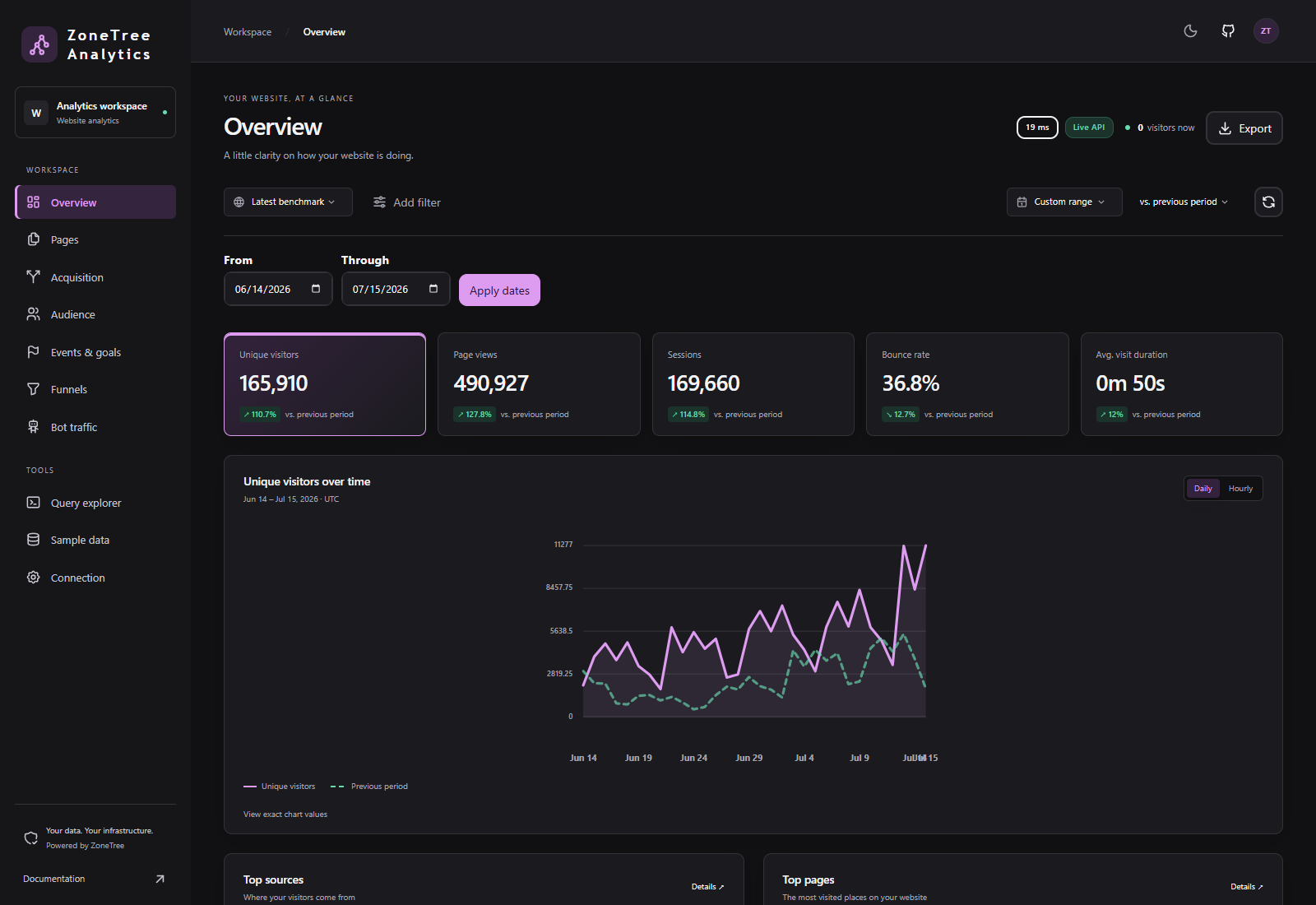
The dashboard guide covers running it with sample data, release builds, and deployment.
Performance
A documented benchmark measures annual reports with previous-period comparisons over 5 million generated events spanning 365 days, including configuration, query plans, individual timings, and methodology.
Matching rollups answer recurring reports from aggregates. Segments, funnels, and unsupported aggregate combinations can require event scans. The benchmarking guide explains how to measure your own workload.
Privacy and data ownership
The default identity strategy recognizes anonymous visitors within a UTC day using a rotating hash. Explicit visitor IDs are keyed hashes and remain stable across days. Raw IP addresses and user-agent strings are used in memory for identity and enrichment, then discarded. Page query strings are excluded by default.
Custom dimensions retain the values your application supplies, so choose what to collect. Configure dimension allow and deny lists, geography precision, identity strategy, and retention to fit your use case. Geography enrichment requires a geolocation provider.
Visitor erasure removes an explicit visitor's retained raw events, dimension-index copies, and active session state. Existing aggregate rollups are not recomputed. Read privacy and identity and retention and erasure for the full behavior.
Operating the engine
| Concern | What to know |
|---|---|
| Storage ownership | One engine exclusively owns a data directory, including across processes. Keep it on persistent storage. Replicas with separate directories have separate datasets. |
| Ingestion pressure | The queue is bounded. Track drops events on a full queue by default; TrackAsync waits asynchronously for space. Both return whether the event was accepted. Monitor dropped-event statistics and configure request tracking's queue behavior as needed. |
| Freshness and durability | Aggregates are buffered until a successful flush. A crash can lose unflushed aggregates; persistent records follow ZoneTree's write-ahead log guarantees. Await clean shutdown. |
| History | Raw events default to 90 days; hourly rollups to 400 days; daily rollups are kept indefinitely. Hour and Day are the default enabled rollup tiers. |
| Coverage and counts | Inspect query plans and warnings when history or aggregates cannot cover a request. At default precision, unique counts are exact up to 4,096 identities per row, then have about 0.8% standard error. |
Use analytics.GetStatistics() and host logging to monitor the engine. See deployment and lifecycle for scaling and backups, and time and accuracy for identity, count, and reporting semantics.
Documentation
Feedback
Bug reports and focused pull requests are welcome on GitHub. For a reproducible report, include the package version, runtime, relevant options, and a small example in a GitHub issue.
License
Released under the MIT license. Built on ZoneTree.
| Product | Versions Compatible and additional computed target framework versions. |
|---|---|
| .NET | net8.0 is compatible. net8.0-android was computed. net8.0-browser was computed. net8.0-ios was computed. net8.0-maccatalyst was computed. net8.0-macos was computed. net8.0-tvos was computed. net8.0-windows was computed. net9.0 is compatible. net9.0-android was computed. net9.0-browser was computed. net9.0-ios was computed. net9.0-maccatalyst was computed. net9.0-macos was computed. net9.0-tvos was computed. net9.0-windows was computed. net10.0 is compatible. net10.0-android was computed. net10.0-browser was computed. net10.0-ios was computed. net10.0-maccatalyst was computed. net10.0-macos was computed. net10.0-tvos was computed. net10.0-windows was computed. |
NuGet packages (1)
Showing the top 1 NuGet packages that depend on ZoneTree.Analytics:
| Package | Downloads |
|---|---|
|
ZoneTree.Analytics.AspNetCore
ASP.NET Core integration for ZoneTree.Analytics: dependency injection, server-side page view tracking middleware, a cookie-less JavaScript tracker with a beacon endpoint, and a reporting API. |
GitHub repositories
This package is not used by any popular GitHub repositories.