Flags.Icons.WinForms
3.1.1
dotnet add package Flags.Icons.WinForms --version 3.1.1
NuGet\Install-Package Flags.Icons.WinForms -Version 3.1.1
<PackageReference Include="Flags.Icons.WinForms" Version="3.1.1" />
<PackageVersion Include="Flags.Icons.WinForms" Version="3.1.1" />
<PackageReference Include="Flags.Icons.WinForms" />
paket add Flags.Icons.WinForms --version 3.1.1
#r "nuget: Flags.Icons.WinForms, 3.1.1"
#:package Flags.Icons.WinForms@3.1.1
#addin nuget:?package=Flags.Icons.WinForms&version=3.1.1
#tool nuget:?package=Flags.Icons.WinForms&version=3.1.1
Flags.Icons
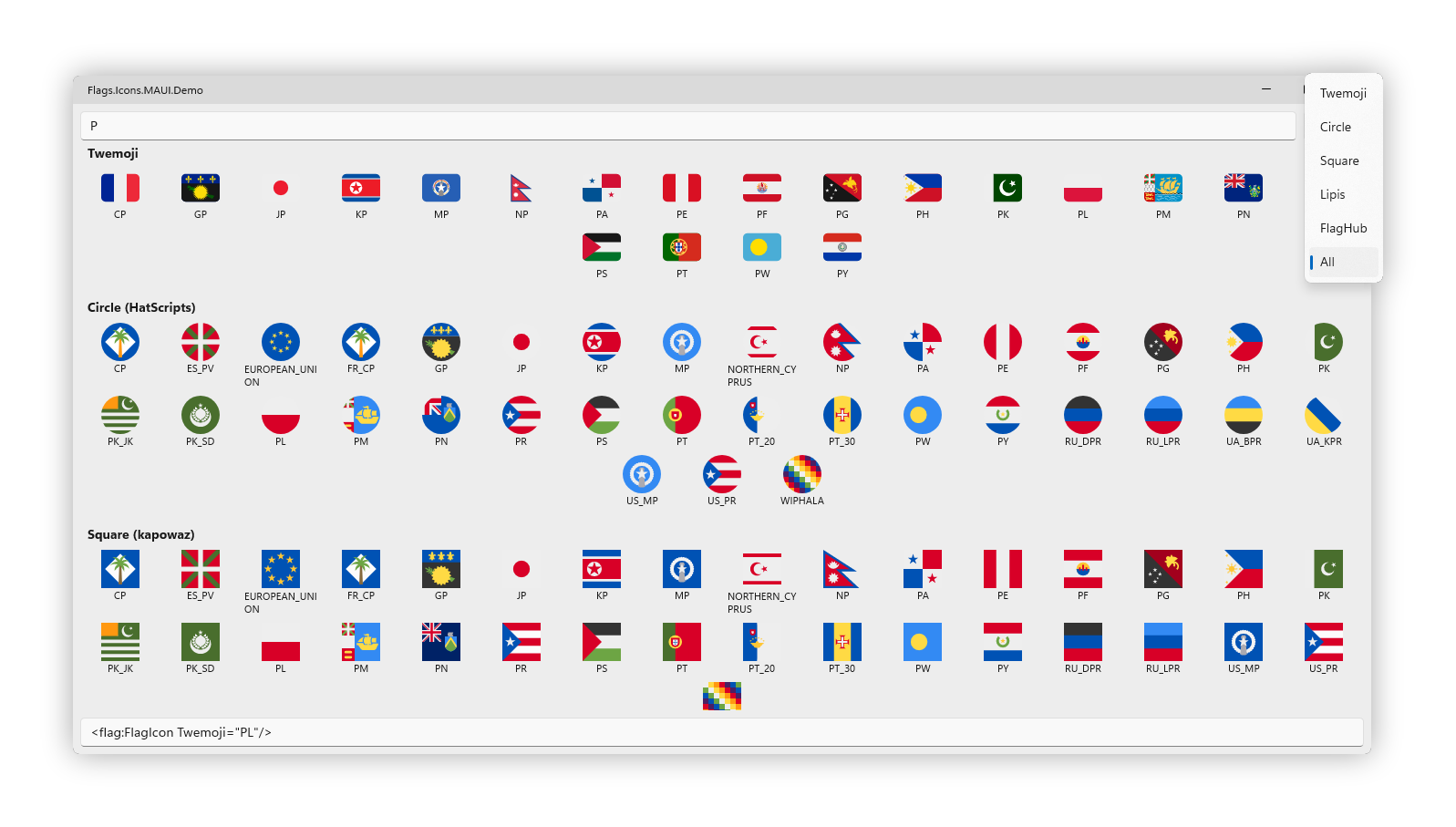
Flag icons from 5 upstream sources — Twemoji (262 country + subdivision emoji), Circle (430, HatScripts), Square (417, kapowaz), Lipis (271, lipis/flag-icons 4×3), FlagHub (259, Alpaq92's maintained fork of madebybowtie/FlagKit) — packaged as drop-in controls for Avalonia, Eto.Forms, .NET MAUI, Aprillz.MewUI, Uno Platform, Windows Forms, WinUI 3 and WPF. Every SVG ships as an embedded resource in the core Flags.Icons package — no runtime download, no file-system access.
Counts as of 2026-06-01; refreshed monthly via the upstream-bump workflow, so any given release may carry slightly different totals — the actual numbers print in the build log.
v3: the FlagKit-style artwork from v1 is back, sourced from the maintained Alpaq92/FlagHub fork and surfaced as a fifth source (
FlagHub="US"/FlagHubFlag.US). Additive on top of v2, still breaking vs v1 (noFlagKindenum — use one of the five typed source properties).
Install
dotnet add package Flags.Icons.Avalonia # or .Eto / .MAUI / .MewUI / .Uno / .WinForms / .WinUi / .WPF
Every platform package transitively pulls in Flags.Icons core.
Usage
One strongly-typed enum per source: TwemojiFlag, CircleFlag, SquareFlag, LipisFlag, FlagHubFlag. FlagIcon exposes one property per source (DependencyProperty / BindableProperty / StyledProperty / plain CLR property, depending on the UI stack); set exactly one and the others auto-clear.
<flag:FlagIcon Twemoji="US" Width="48" Height="36" />
<flag:FlagIcon Circle="US"  Width="48" Height="36" />
<flag:FlagIcon Square="US"  Width="48" Height="36" />
<flag:FlagIcon Lipis="US"   Width="48" Height="36" />
<flag:FlagIcon FlagHub="US" Width="48" Height="36" />
var flag = new FlagIcon { Twemoji = TwemojiFlag.US };
Per-stack XAML namespaces and code-first usage examples in the full README on GitHub →
Links
Source: MIT. Bundled flag SVGs from jdecked/twemoji (graphics CC-BY 4.0, code MIT), HatScripts/circle-flags (MIT), kapowaz/square-flags (MIT), lipis/flag-icons (MIT), Alpaq92/FlagHub (MIT, FlagKit fork).
| Product | Versions Compatible and additional computed target framework versions. |
|---|---|
| .NET | net8.0-windows7.0 is compatible. net9.0-windows was computed. net10.0-windows was computed. |
-
net8.0-windows7.0
- Flags.Icons (>= 3.1.1)
- Svg.Skia (>= 1.0.0.16)
NuGet packages
This package is not used by any NuGet packages.
GitHub repositories
This package is not used by any popular GitHub repositories.