FluentDS 1.0.0
dotnet add package FluentDS --version 1.0.0
NuGet\Install-Package FluentDS -Version 1.0.0
This command is intended to be used within the Package Manager Console in Visual Studio, as it uses the NuGet module's version of Install-Package.
<PackageReference Include="FluentDS" Version="1.0.0" />
For projects that support PackageReference, copy this XML node into the project file to reference the package.
<PackageVersion Include="FluentDS" Version="1.0.0" />
<PackageReference Include="FluentDS" />
For projects that support Central Package Management (CPM), copy this XML node into the solution Directory.Packages.props file to version the package.
paket add FluentDS --version 1.0.0
The NuGet Team does not provide support for this client. Please contact its maintainers for support.
#r "nuget: FluentDS, 1.0.0"
#r directive can be used in F# Interactive and Polyglot Notebooks. Copy this into the interactive tool or source code of the script to reference the package.
#:package FluentDS@1.0.0
#:package directive can be used in C# file-based apps starting in .NET 10 preview 4. Copy this into a .cs file before any lines of code to reference the package.
#addin nuget:?package=FluentDS&version=1.0.0
#tool nuget:?package=FluentDS&version=1.0.0
The NuGet Team does not provide support for this client. Please contact its maintainers for support.
Fluent Design System for .NET 5
WPF Class Library forked from FluentUI.Core then optimized, updated, rebuilt and repackaged for .NET 5.0.2
Preview Image
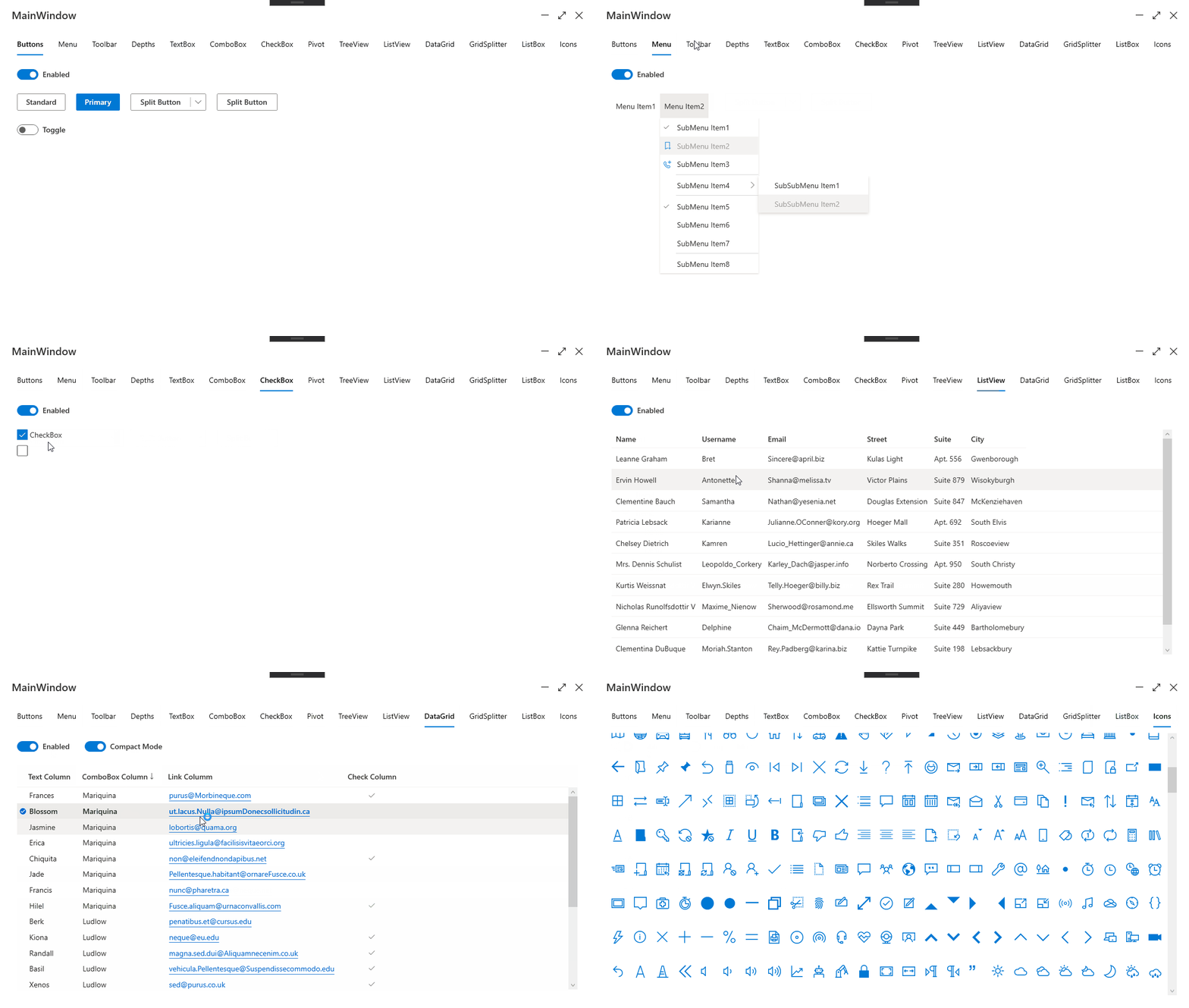
Version 1.0.0 | Release Date: April 5, 2021
- Changes from the original repo:
- Removed WinForms library
- Removed .NET Core Examples project
- Removed .NET Framework library
- Removed .NET Framework Examples project
- New to this repo
- Added support for .NET 5
- Added an icon to more easily differentiate this specific library
- Imported code (XAML and otherwise) for all Components and Styles into the same namespace as the rest of the project
- Replaced all instances of "FluentUI" and "Fabric" namespaces, classes, etc., with "FluentDS" (all items now are in the same namespace.)
Getting Started
Add using statements:
using FluentDS;
using FluentDS.Styles; //Optional
using FluentDS.Converters; //Optional
In MainWindow.cs, inherit FluentWindow
public partial class MainWindow : FluentWindow
{
    public MainWindow()
    {
        InitializeComponent();
    }
}
Credits
- This library is essentially a direct fork of the original FluentUI.Core by adospace
- Originally released under the MIT license (this release is, too.)
- Thank you to Icons8.com for the new icon
License: MIT (as per the original author, credited above.)
| Product | Versions Compatible and additional computed target framework versions. |
|---|---|
| .NET | net5.0-windows7.0 is compatible. net6.0-windows was computed. net7.0-windows was computed. net8.0-windows was computed. net9.0-windows was computed. net10.0-windows was computed. |
Compatible target framework(s)
Included target framework(s) (in package)
Learn more about Target Frameworks and .NET Standard.
-
net5.0-windows7.0
- No dependencies.
NuGet packages
This package is not used by any NuGet packages.
GitHub repositories
This package is not used by any popular GitHub repositories.
| Version | Downloads | Last Updated |
|---|---|---|
| 1.0.0 | 529 | 4/6/2021 |
This release, Version 1.0.0, contains no additional functionality beyond the scope of the original repo and only includes support for .NET 5 (x64)