labworx.logger
2.5.0
dotnet add package labworx.logger --version 2.5.0
NuGet\Install-Package labworx.logger -Version 2.5.0
<PackageReference Include="labworx.logger" Version="2.5.0" />
<PackageVersion Include="labworx.logger" Version="2.5.0" />
<PackageReference Include="labworx.logger" />
paket add labworx.logger --version 2.5.0
#r "nuget: labworx.logger, 2.5.0"
#:package labworx.logger@2.5.0
#addin nuget:?package=labworx.logger&version=2.5.0
#tool nuget:?package=labworx.logger&version=2.5.0
Logger v2.5
A lightweight, hyper-focused, zero-allocation cryptographic file logging library with automatic log rotation, retention management, and thread-safe streaming.
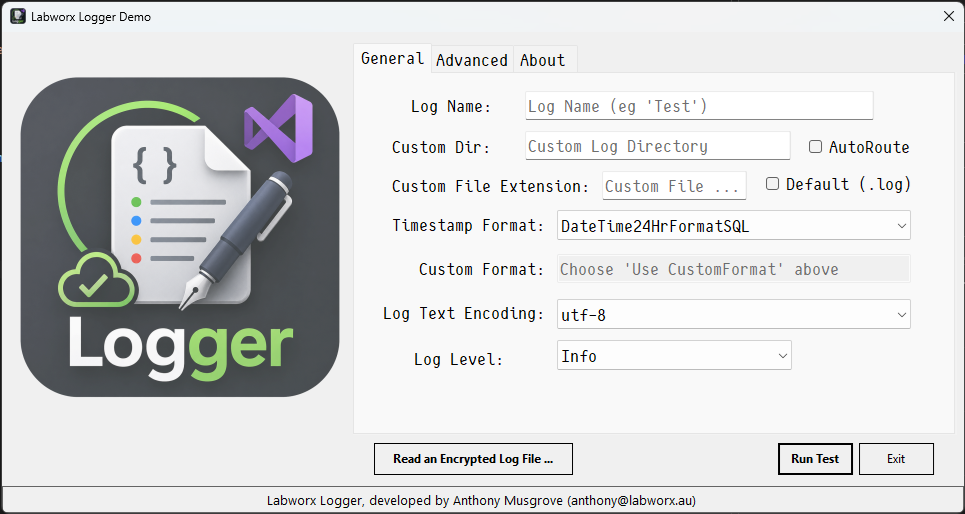
Overview
Logger is a high-performance file logging engine for .NET applications.
Version 2.5 introduces a complete architecture overhaul, exposing a modern ILogger interface backed by a zero-allocation cryptographic engine. Utilizing modern C# features like Span<byte> and stackalloc, every log line can be encrypted using AES-256 natively on the CPU stack before hitting disk—giving you ironclad file security with a completely flat memory graph.
Whether you are building low-latency background workers, high-volume APIs, desktop applications, or robust cross-platform mobile apps, Logger provides asynchronous thread safety via optimized semaphores without garbage collection overhead.
Features
- ✅ New
ILoggerInterface: Standardized interface for clean dependency injection and testing. - ✅ Zero-Allocation Logging Paths: Utilizes
Span<byte>andstackallocto eliminate heap churning during active log writes. - ✅ Fast Skip Logging: Uses cached static tasks to instantly exit disabled log levels with 0 bytes allocated.
- ✅ Smart Cryptographic Auto-Detect: Extension methods intelligently parse Hex, Base64, or Plain Text encryption keys natively.
- ✅ Thread-Safe Concurrency: Coordinated via
SemaphoreSlimto blend high-speed sync and async logs without thread locks. - ✅ Automatic Lifecycle Management: Log rotation by time intervals or precise file sizes (
5kb,50MB,2GB). - ✅ Smart Multi-OS Auto-Routing: Intelligently maps local or common paths for Windows (User/Service), Linux, MacOS, and Android.
- ✅ No External Dependencies: Written in pure, modern .NET C#.
Installation
NuGet
dotnet add package labworx.logger
or
Install-Package labworx.logger
Quick Start
Instantiate using the brand new ILogger interface and choose between synchronous execution or the high-performance Task-based asynchronous calls.
using Labworx;

// Seamlessly create through the standard interface
ILogger logger = new Logger("AppCore", new LoggerOptions());

// High-speed Synchronous Logging
logger.Info("Application initialized successfully.");
logger.Warn("Database connections approaching pool limits.");

// Allocation-Free Asynchronous Logging
await logger.ErrorAsync("Failed to process transaction payload.");
Configuration
Logger is configured by passing a LoggerOptions instance into the initialization pipeline.
var options = new LoggerOptions
{
    AutoRoute = true,
    LogLevel = LogLevel.Info, // Ignore Debug/Trace lines dynamically
    RotationInterval = LoggerRotationInterval.Daily,
    RotateOnFileSizeLimit = "5kb",
    TotalFilesToRetain = 10,
    TimeStampFormat = LoggerTimestampFormat.DateTime24HrInternational
};

ILogger logger = new Logger("ABC", options);
LoggerOptions Reference
| Property | Type | Description |
|---|---|---|
AutoRoute |
bool |
Automatically selects the optimal file path based on the host OS. |
LogLevel |
LogLevel |
Discards logs below this priority level instantly with zero CPU overhead. |
CustomPath |
string |
Specify an absolute or relative destination folder directory. |
CustomExtension |
string |
Changes the default .log extension to a custom suffix. |
RotateOnFileSizeLimit |
string |
Triggers rotation instantly when a file meets limits (e.g., 100KB, 5MB). |
RotationInterval |
Enum |
Time-based interval to cycle logs (Minutely, Hourly, Daily, etc.). |
TotalFilesToRetain |
int |
Maximum log files to keep in history. Set to 0 for unlimited. |
TimeStampFormat |
Enum |
Select from a comprehensive variety of pre-built layout timestamp headers. |
CustomTimestampFormat |
string |
Assign a standard .NET DateTime format string when using Custom. |
Encoding |
string |
Supports utf-8, utf-16, us-ascii, iso-8859-1, and more. |
EncryptionKey |
byte[] / string |
Auto-detecting property holding the 32-byte AES Encryption Key. |
EncryptionIV |
byte[] / string |
Auto-detecting property holding the 16-byte AES Encryption IV. |
Advanced Encryption Setup
The core writing engines handle data encryption transparently under the hood when keys are assigned, processing lines through standard or explicit interfaces securely.
var options = new LoggerOptions
{
    AutoRoute = true,
    // Provide Keys as raw strings, Hex, or Base64 - the engine auto-converts cleanly!
    EncryptionKey = "4i02yjt0weitjywm6uvwtewqartq9grj",
    EncryptionIV = "lfkdurnb85jdk58g"
};

ILogger logger = new Logger("SecureLog", options);

// Text lines passing through here are immediately written into encrypted cipher block formats
logger.WriteEncryptedLine("Highly sensitive compliance tracking block.");

// Or execute in a thread-safe non-blocking async stream
await logger.WriteEncryptedLineAsync("Asynchronous payload encryption entry.");
Decrypting Log Archives
// Read an entire encrypted log directly back into plain-text strings
string clearLogContents = await logger.DecryptLogFileAsyncAsString(encryptedFilePath);

// Or unpack an archived file directly back out into a new unencrypted physical log file
await logger.DecryptLogFileAsync(encryptedFilePath, destinationPlainFilePath);
Automated Log Routing
When AutoRoute is enabled, Logger queries the host architecture to ensure logs are written to safe, modern folders matching structural operating system conventions.
AutoRoute Structural Target Matrix
| Operating System | Context Environment | Target System Path |
|---|---|---|
| Windows | Standalone / Desktop App | :\Users\<user>\AppData\Local\<AppName>\Logs |
| Windows | Windows Native Service | :\ProgramData\<AppName>\Logs |
| Linux | Universal Console / Server | /home/<user>/<AppName>/Logs |
| MacOS | Desktop / App Bundle | Users/<user>/Library/Application Support/<AppName>/Logs |
| Android | App Package Storage | /data/user/0/[package.name]/files/logs |
Contributing
Contributions, optimization reviews, and bug submissions are completely welcome. If you have an implementation design that improves structural efficiency or introduces handy .NET enhancements, feel free to open a GitHub Issue or fork a Pull Request!
License
This project is open source and licensed under the GPL V3.0 License.
Engineered with precision and ❤️ for the high-performance .NET community.
| Product | Versions Compatible and additional computed target framework versions. |
|---|---|
| .NET | net10.0 is compatible. net10.0-android was computed. net10.0-browser was computed. net10.0-ios was computed. net10.0-maccatalyst was computed. net10.0-macos was computed. net10.0-tvos was computed. net10.0-windows was computed. |
-
net10.0
- Microsoft.Extensions.Hosting.WindowsServices (>= 10.0.9)
NuGet packages
This package is not used by any NuGet packages.
GitHub repositories
This package is not used by any popular GitHub repositories.
Initial release of Labworx Logger