MacUI 1.0.0
dotnet add package MacUI --version 1.0.0
NuGet\Install-Package MacUI -Version 1.0.0
<PackageReference Include="MacUI" Version="1.0.0" />
<PackageVersion Include="MacUI" Version="1.0.0" />
<PackageReference Include="MacUI" />
paket add MacUI --version 1.0.0
#r "nuget: MacUI, 1.0.0"
#:package MacUI@1.0.0
#addin nuget:?package=MacUI&version=1.0.0
#tool nuget:?package=MacUI&version=1.0.0
MacUI
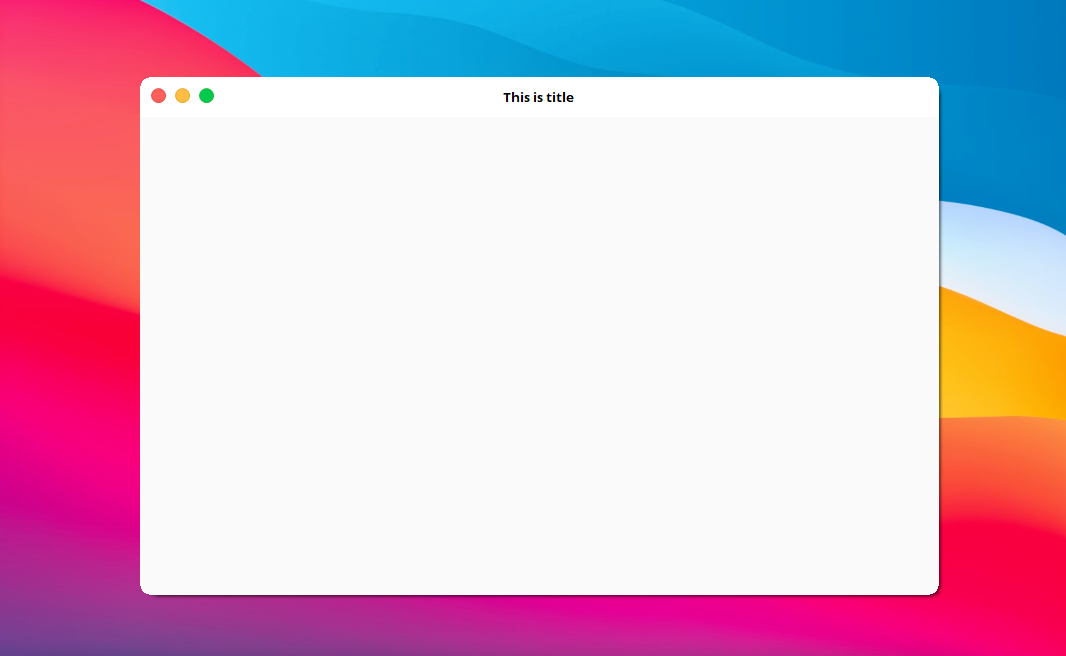
This library allows you to make a windows forms application with beautifully Mac-like design. It will fulfill the dream of some developers that want to make a Mac application 😎 💻.
Getting Started
These instructions will get you the MacUI library installed on your Windows Forms Application project :
- Download the library file
(.dll)from this link - Open your Windows Forms Application project on Visual Studio (or create a new one)
- Add references to your project
- Browse for the
MacUI.dllthat you downloaded before - Add that library to the project
How to use
Below are the instructions how to use the library :
- Open your C# source code file
(.cs) - Import the library by adding "using MacUI;" on the top of the file
- Make the form inherits
MacUIFormdesign
Change this line
public partial class YourFormName : Form
Into this
public partial class YourFormName : MacUIForm
Preview
Support
You can support me by hitting that star button, and follow me for more interesting things. Cya! 👋
| Product | Versions Compatible and additional computed target framework versions. |
|---|---|
| .NET Framework | net is compatible. |
This package has no dependencies.
NuGet packages
This package is not used by any NuGet packages.
GitHub repositories
This package is not used by any popular GitHub repositories.
| Version | Downloads | Last Updated |
|---|---|---|
| 1.0.0 | 1,903 | 10/6/2022 |