Mma.SqlStudio.ApiClient
1.4.1
dotnet add package Mma.SqlStudio.ApiClient --version 1.4.1
NuGet\Install-Package Mma.SqlStudio.ApiClient -Version 1.4.1
<PackageReference Include="Mma.SqlStudio.ApiClient" Version="1.4.1" />
<PackageVersion Include="Mma.SqlStudio.ApiClient" Version="1.4.1" />
<PackageReference Include="Mma.SqlStudio.ApiClient" />
paket add Mma.SqlStudio.ApiClient --version 1.4.1
#r "nuget: Mma.SqlStudio.ApiClient, 1.4.1"
#:package Mma.SqlStudio.ApiClient@1.4.1
#addin nuget:?package=Mma.SqlStudio.ApiClient&version=1.4.1
#tool nuget:?package=Mma.SqlStudio.ApiClient&version=1.4.1
Mma.SqlStudio.ApiClient
A modern, highly customizable, embeddable SQL Server Object Explorer and Query Editor for .NET.



Mma.SqlStudio.ApiClient is a Razor Class Library (RCL) that allows you to easily embed a full-featured SQL development environment into any ASP.NET Core application. It connects to a backend API to execute queries and manage database schema, providing a decoupled and secure way to interact with your data.
✨ Features
- 🗄️ SQL Object Explorer: Browse databases, schemas, tables, views, and stored procedures seamlessly.
- ✍️ Query Editor: Execute queries with full syntax highlighting and a responsive results grid.
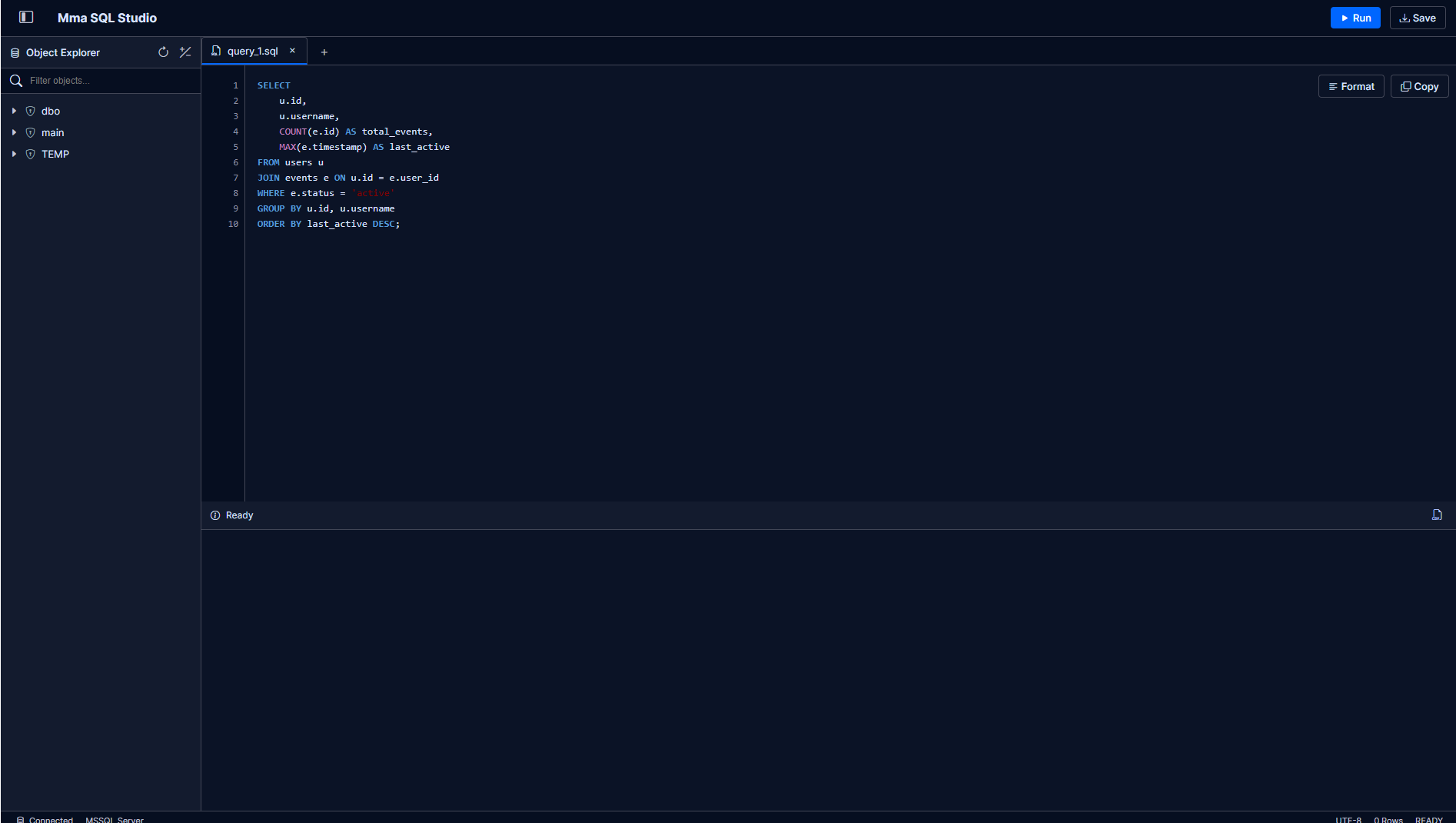
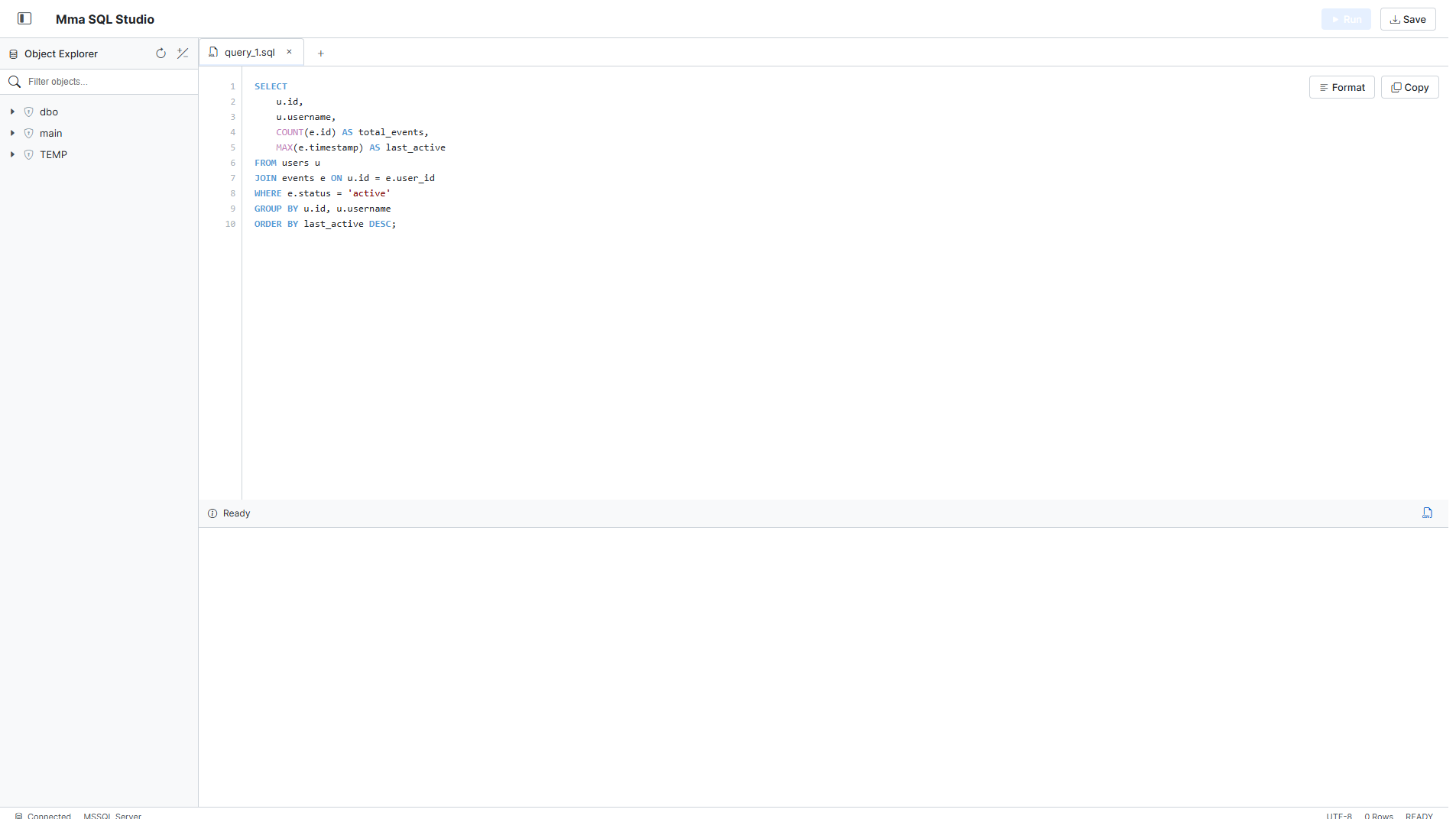
- 🎨 Modern UI: Clean, responsive, and dynamic interface built with vanilla CSS. Dark and Light mode supported!
- 🔌 Embeddable: Drop into any ASP.NET Core application via Minimal APIs and Razor Pages in just a few lines of code.
- ⚙️ Highly Configurable: Control routing, application naming, and schema loading.
- 🕒 Query History: Dedicated sidebar tab for query history, including browser metadata (cookies/localStorage) and easy script re-execution.
- 🔒 Customizable Authorization: Secure your SQL Studio instance by applying custom endpoint and page authorization filters, including built-in support for HTTP Basic Auth.
🚀 Getting Started
1. Install the NuGet Package
Add the package to your project using the .NET CLI:
dotnet add package Mma.SqlStudio.ApiClient --version 1.4.1
2. Configure Services
Register the required services in your Program.cs. You can customize the studio behavior by configuring the SqlStudioOptions.
builder.Services.AddRazorPages();

// Configure the HttpClient that SQL Studio will use to talk to your backend API
builder.Services.AddHttpClient("SqlStudioClient", client =>
{
    client.BaseAddress = new Uri("https://your-api-url.com");
});

// Add and configure SQL Studio
builder.Services.AddSqlStudio(options =>
{
    options.Route = "/sql-studio";
    options.AppName = "Mma SQL Studio";

    options.ApiConfig = new()
    {
        QueryEndPoint = "api/sql/query",
        ExecuteEndPoint = "api/sql/execute",
        SchemaEndPoint = "api/sql/schema",
        HealthEndpoint = "api/health",
        AuthHeaders = new Dictionary<string, string>
        {
            { "X-Api-Key", "your-secret-key" }
        }
    };

    // Optional: UI Configuration
    options.EnableSchemaLoad = true;
    options.Theme = "Dark"; // "Dark" or "Light"

    // Optional: Object Filtering
    options.ExcludedSchemas = ["guest", "temp"];
    options.ExcludedObjects = ["Logs", "InternalTable"];

    // Optional: Authorization Filter for the UI pages
    options.AuthFilter = ctx =>
    {
        // Example: HTTP Basic Auth (admin:password)
        if (ctx.Request.Headers.TryGetValue("Authorization", out var authHeader) &&
            authHeader.ToString().StartsWith("Basic "))
        {
            var token = authHeader.ToString().Substring("Basic ".Length).Trim();
            return token == "YWRtaW46cGFzc3dvcmQ=";
        }

        ctx.Response.Headers.WWWAuthenticate = "Basic realm=\"SqlStudio\"";
        return false;
    };

    // History Configuration
    options.AllowHistoryLog = true;
    options.HistoryTableName = "__SqlStudioQueryHistory";
    options.CreateTable = true; // Auto-provision history table

    // Set to null to return 401 Unauthorized instead of redirecting
    options.UnauthorizedRedirectUrl = null;
});
3. Map Endpoints
Ensure static files and endpoints are mapped properly in your middleware pipeline:
// Required to serve the embedded CSS and JS files from the RCL
app.UseStaticFiles();

app.MapRazorPages();

// Map the API endpoints required by SQL Studio (Proxies to your configured API)
app.MapSqlStudioEndpoints();
🔌 API Specification
Your backend API must implement the following endpoints. You can find the full OpenAPI Specification (YAML) in the repository.
Response Models
All query/execute endpoints should return a QueryResult object:
{
  "success": true,
  "isQuery": true,
  "message": "Query executed successfully",
  "rows": [
    { "Id": 1, "Name": "Alice" },
    { "Id": 2, "Name": "Bob" }
  ]
}
1. Query Endpoint (POST)
Used for SELECT statements.
- Request:
{ "query": "string", "cookies": "string", "localStorage": "string" } - Response:
QueryResult(rows populated)
2. Execute Endpoint (POST)
Used for INSERT, UPDATE, DELETE, etc.
- Request:
{ "query": "string", "cookies": "string", "localStorage": "string" } - Response:
QueryResult(rows usually empty)
3. History Endpoint (GET)
Retrieves query history.
- Response:
{ "items": [HistoryItem], "tableName": "string" }
3. Schema Endpoint (GET)
Returns the database structure.
- Response: Array of
SchemaNode:
[
  {
    "name": "dbo",
    "children": [
      { "name": "Tables", "objects": ["Users", "Orders"] },
      { "name": "Views", "objects": ["v_ActiveUsers"] }
    ]
  }
]
4. Health Endpoint (GET)
Simple check to verify backend connectivity.
- Response: Any
2xxstatus code.
📸 Screenshots
Dark Theme
Light Theme
📝 License
This project is licensed under the MIT License. See the LICENSE file for details.
| Product | Versions Compatible and additional computed target framework versions. |
|---|---|
| .NET | net8.0 is compatible. net8.0-android was computed. net8.0-browser was computed. net8.0-ios was computed. net8.0-maccatalyst was computed. net8.0-macos was computed. net8.0-tvos was computed. net8.0-windows was computed. net9.0 is compatible. net9.0-android was computed. net9.0-browser was computed. net9.0-ios was computed. net9.0-maccatalyst was computed. net9.0-macos was computed. net9.0-tvos was computed. net9.0-windows was computed. net10.0 is compatible. net10.0-android was computed. net10.0-browser was computed. net10.0-ios was computed. net10.0-maccatalyst was computed. net10.0-macos was computed. net10.0-tvos was computed. net10.0-windows was computed. |
-
net10.0
- No dependencies.
-
net8.0
- No dependencies.
-
net9.0
- No dependencies.
NuGet packages
This package is not used by any NuGet packages.
GitHub repositories
This package is not used by any popular GitHub repositories.