SyntaxColorizer 1.0.2
dotnet add package SyntaxColorizer --version 1.0.2
NuGet\Install-Package SyntaxColorizer -Version 1.0.2
<PackageReference Include="SyntaxColorizer" Version="1.0.2" />
<PackageVersion Include="SyntaxColorizer" Version="1.0.2" />
<PackageReference Include="SyntaxColorizer" />
paket add SyntaxColorizer --version 1.0.2
#r "nuget: SyntaxColorizer, 1.0.2"
#:package SyntaxColorizer@1.0.2
#addin nuget:?package=SyntaxColorizer&version=1.0.2
#tool nuget:?package=SyntaxColorizer&version=1.0.2
SyntaxColorizer
A syntax-highlighting TextBox control for Avalonia with support for multiple programming languages. Built using only native Avalonia features without external dependencies.
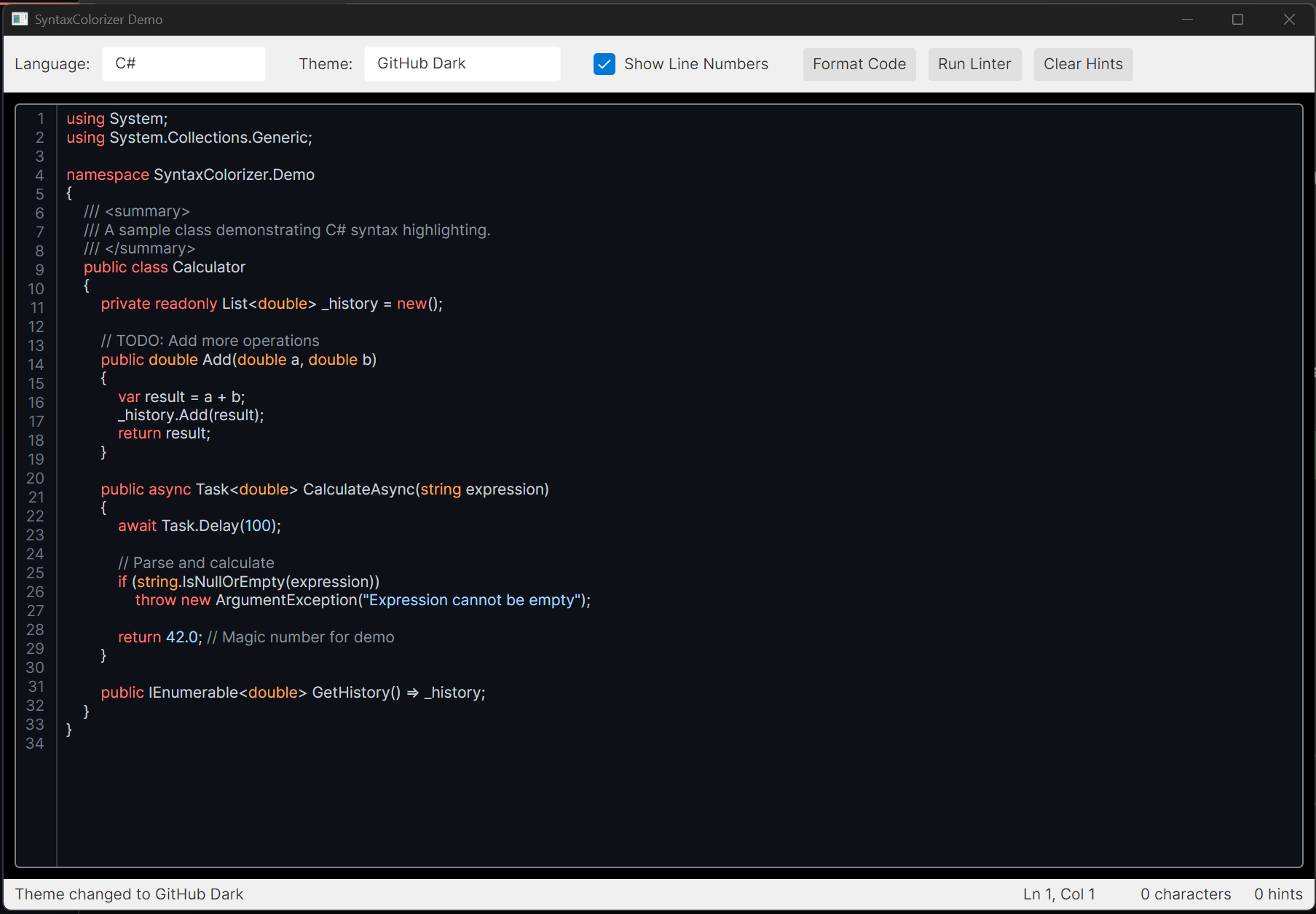
<details> <summary>More Screenshots</summary>
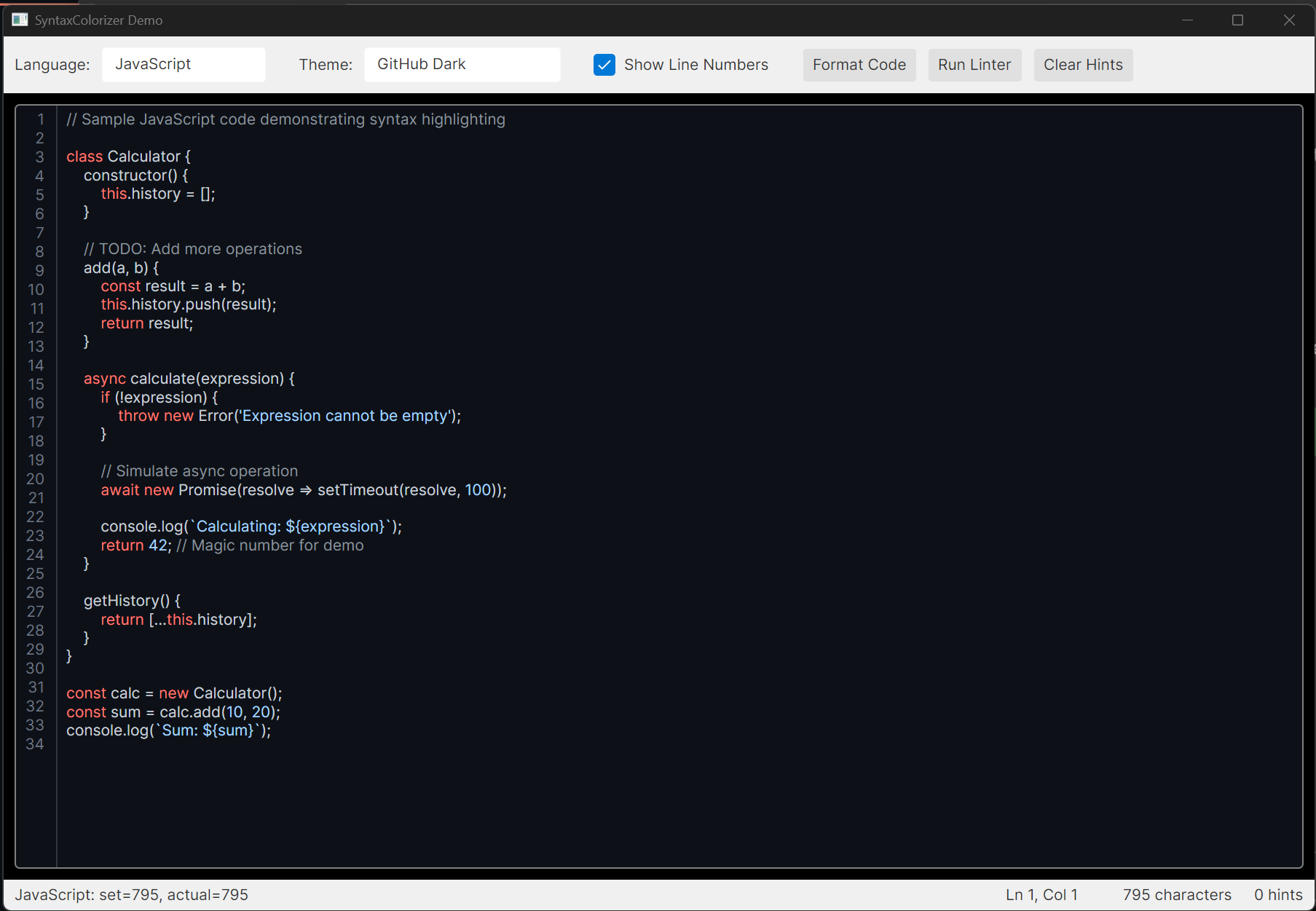
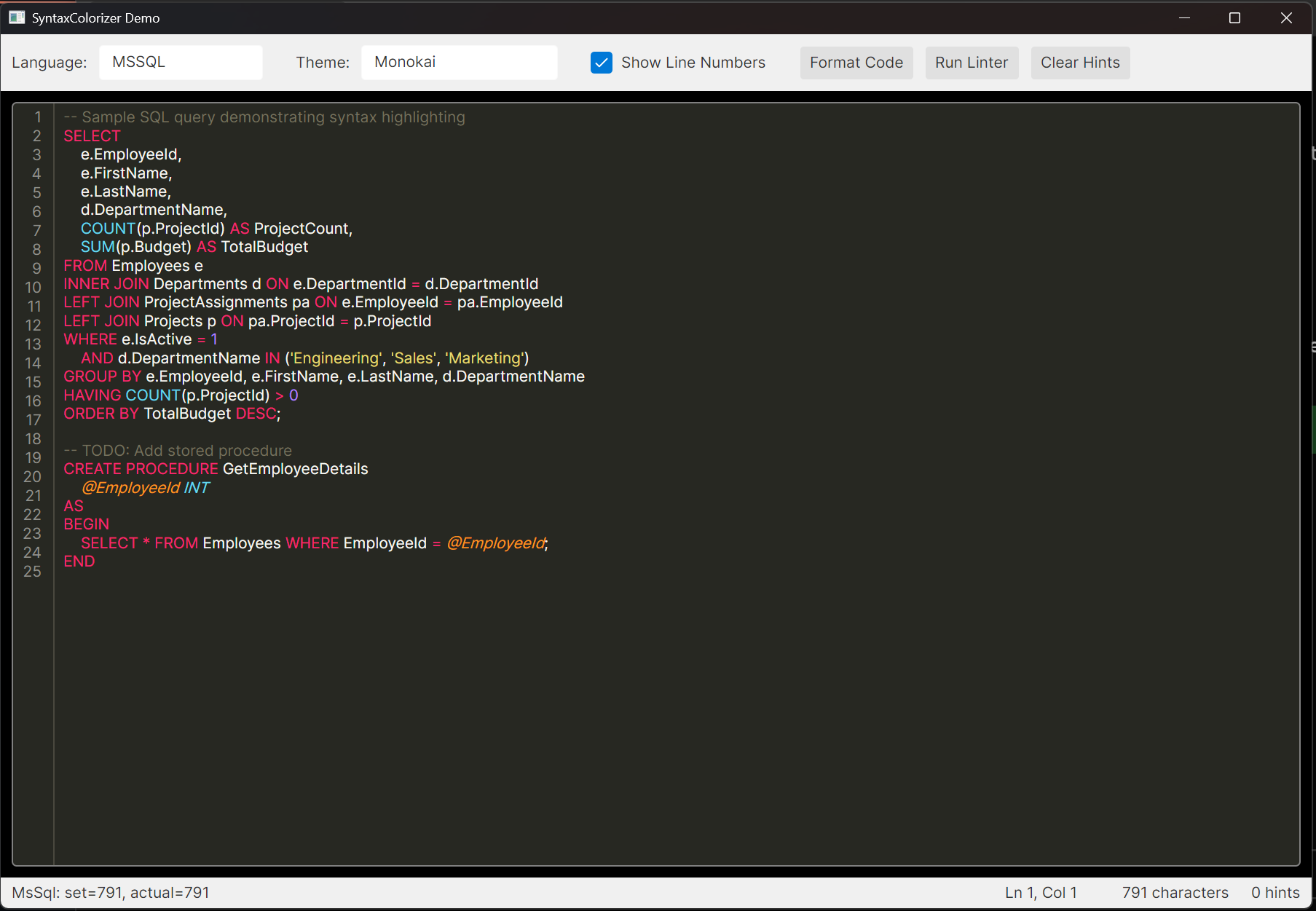
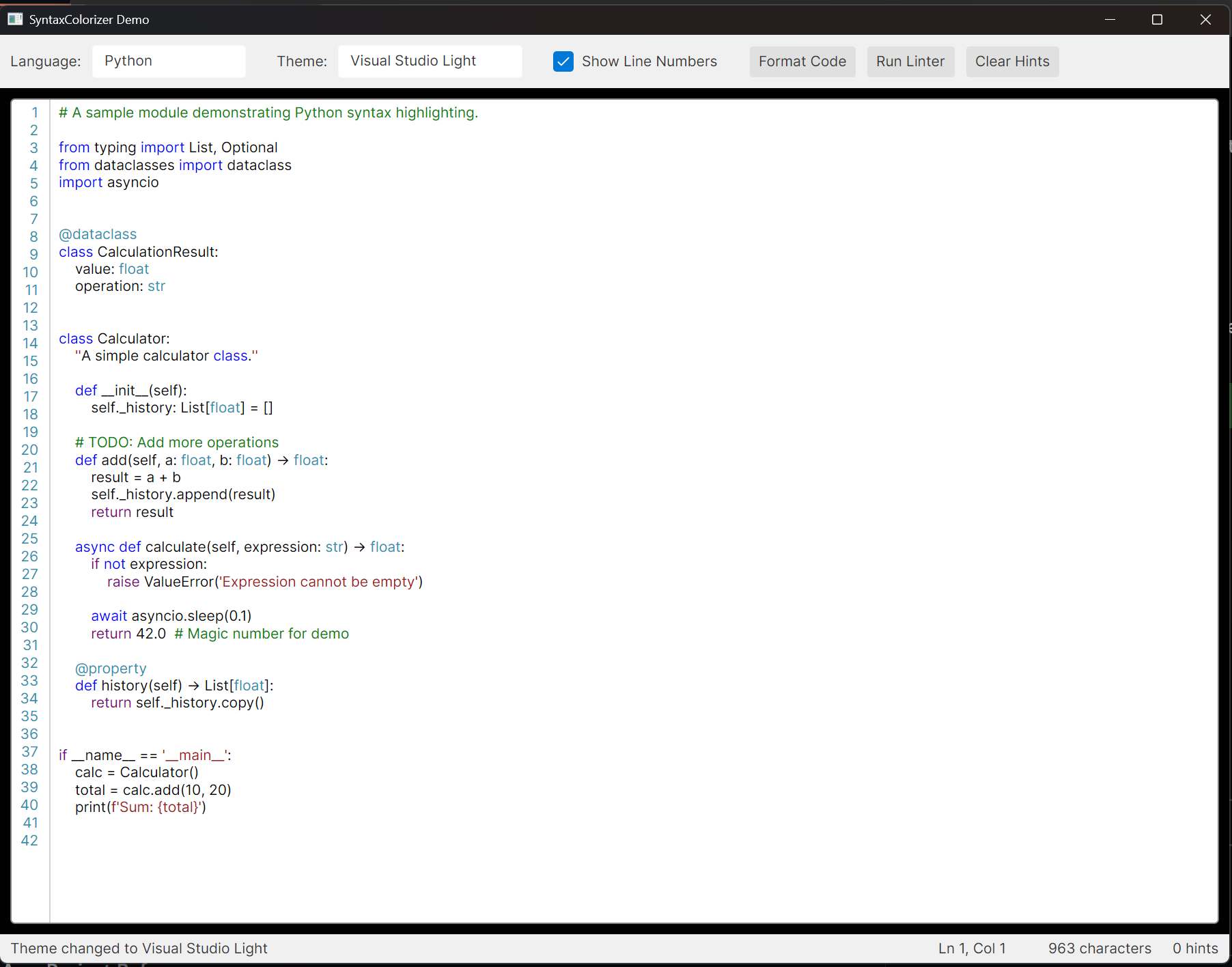
</details>
Features
- Real-time syntax highlighting as you type
- Support for 37 programming languages
- 14 built-in color themes
- Line numbers display (toggleable)
- Linting infrastructure with customizable rules
- MVVM-friendly design
- NuGet package ready
Supported Languages
| Category | Languages |
|---|---|
| C-Family | C, C++, C#, Java, Kotlin, Scala, Swift, Objective-C |
| Scripting | JavaScript, TypeScript, Python, Ruby, PHP, Lua, Groovy, Elixir |
| Functional | F#, R, Haskell |
| Mobile | Dart |
| Systems | Rust, Go |
| Microsoft | Visual Basic .NET, PowerShell, MS SQL (T-SQL) |
| Database | Oracle SQL (PL/SQL) |
| Web | HTML, CSS, SCSS/Sass/Less, JSON, XML, YAML, Markdown, GraphQL |
| Config | TOML |
| DevOps | Bash, Dockerfile |
Installation
From NuGet (Recommended)
Install via the .NET CLI:
dotnet add package SyntaxColorizer
Or via the Package Manager Console in Visual Studio:
Install-Package SyntaxColorizer
Or add directly to your .csproj:
<ItemGroup>
  <PackageReference Include="SyntaxColorizer" Version="1.0.0" />
</ItemGroup>
From Source
- Clone the repository
- Build the solution:
dotnet build - Add a project reference to your Avalonia application:
<ItemGroup>
  <ProjectReference Include="path/to/SyntaxColorizer/SyntaxColorizer.csproj" />
</ItemGroup>
Usage
1. Add the Styles
In your App.axaml, include the SyntaxColorizer styles:
<Application.Styles>
    <FluentTheme />
    <StyleInclude Source="avares://SyntaxColorizer/Controls/SyntaxHighlightingTextBox.axaml" />
</Application.Styles>
2. Add the Namespace
In your XAML file, add the namespace:
xmlns:controls="clr-namespace:SyntaxColorizer.Controls;assembly=SyntaxColorizer"
3. Use the Control
<controls:SyntaxHighlightingTextBox
    Language="CSharp"
    SyntaxTheme="{x:Static themes:BuiltInThemes.VisualStudioDark}"
    ShowLineNumbers="True"
    FontSize="14" />
Code-Behind Example
using SyntaxColorizer;
using SyntaxColorizer.Controls;
using SyntaxColorizer.Themes;

// Set the language
editor.Language = SyntaxLanguage.CSharp;

// Set the theme
editor.SyntaxTheme = BuiltInThemes.VisualStudioDark;

// Get/set text
editor.Text = "public class Hello { }";

// Show/hide line numbers
editor.ShowLineNumbers = true;
Available Properties
| Property | Type | Description |
|---|---|---|
Text |
string |
The editable text content |
Language |
SyntaxLanguage |
The programming language for highlighting |
SyntaxTheme |
SyntaxTheme |
The color theme to use |
ShowLineNumbers |
bool |
Whether to show line numbers |
IsReadOnly |
bool |
Whether the text is read-only |
AcceptsReturn |
bool |
Whether Enter key inserts new lines |
AcceptsTab |
bool |
Whether Tab key inserts tabs |
UpdateDelay |
int |
Delay (ms) before updating highlighting |
Built-in Themes
| Theme | Style |
|---|---|
| Visual Studio Light | Light |
| Visual Studio Dark | Dark |
| Monokai | Dark |
| GitHub Light | Light |
| GitHub Dark | Dark |
| Solarized Light | Light |
| Solarized Dark | Dark |
| Dracula | Dark |
| One Dark | Dark |
| One Light | Light |
| Nord | Dark |
| Gruvbox Dark | Dark |
| Gruvbox Light | Light |
| Quiet Light | Light |
using SyntaxColorizer.Themes;

// Light themes
var vsLight = BuiltInThemes.VisualStudioLight;
var githubLight = BuiltInThemes.GitHubLight;
var solarizedLight = BuiltInThemes.SolarizedLight;
var oneLight = BuiltInThemes.OneLight;
var gruvboxLight = BuiltInThemes.GruvboxLight;
var quietLight = BuiltInThemes.QuietLight;

// Dark themes
var vsDark = BuiltInThemes.VisualStudioDark;
var monokai = BuiltInThemes.Monokai;
var githubDark = BuiltInThemes.GitHubDark;
var solarizedDark = BuiltInThemes.SolarizedDark;
var dracula = BuiltInThemes.Dracula;
var oneDark = BuiltInThemes.OneDark;
var nord = BuiltInThemes.Nord;
var gruvboxDark = BuiltInThemes.GruvboxDark;
Linting
The control includes a linting infrastructure for displaying code hints:
using SyntaxColorizer.Linting;

// Get a linter for the current language
var linter = LinterFactory.GetLinter(editor.Language);

// Run analysis
var hints = linter.Analyze(editor.Text);

// Add hints to the editor
foreach (var hint in hints)
{
    editor.AddLintingHint(hint);
}

// Clear all hints
editor.ClearLintingHints();
Creating Custom Linting Rules
using System.Text.RegularExpressions;
using SyntaxColorizer.Linting;

var linter = new CommonLinter(SyntaxLanguage.CSharp);
linter.AddRule(new LintingRule
{
    Pattern = new Regex(@"\bmagic\b", RegexOptions.IgnoreCase),
    Message = "Avoid using magic values",
    Severity = LintingSeverity.Warning,
    Code = "CUSTOM001"
});
Adding New Language Support
- Create a new tokenizer class in
Tokenization/Languages/:
using System.Text.RegularExpressions;
using SyntaxColorizer.Tokenization;

public class MyLanguageTokenizer : LanguageTokenizerBase
{
    private static readonly IReadOnlyList<TokenPattern> _patterns;
    private static readonly IReadOnlyDictionary<string, TokenType> _keywords;

    static MyLanguageTokenizer()
    {
        _keywords = new Dictionary<string, TokenType>
        {
            ["if"] = TokenType.ControlKeyword,
            ["else"] = TokenType.ControlKeyword,
            // ... more keywords
        };

        _patterns = new List<TokenPattern>
        {
            new(CommonPatterns.SingleLineComment, TokenType.Comment, 9),
            new(CommonPatterns.DoubleQuotedString, TokenType.String, 6),
            new(CommonPatterns.Identifier, TokenType.Identifier, 2),
            // ... more patterns
        };
    }

    public override SyntaxLanguage Language => SyntaxLanguage.MyLanguage;
    protected override IReadOnlyList<TokenPattern> Patterns => _patterns;
    protected override IReadOnlyDictionary<string, TokenType>? Keywords => _keywords;
}
Add the language to the
SyntaxLanguageenum inSyntaxLanguage.csRegister the tokenizer in
TokenizerFactory.cs:
SyntaxLanguage.MyLanguage => new MyLanguageTokenizer(),
Project Structure
SyntaxColorizer/
├── src/
│   ├── SyntaxColorizer/              # Main library
│   │   ├── Controls/                  # UI controls
│   │   ├── Linting/                   # Linting infrastructure
│   │   ├── Themes/                    # Color themes
│   │   └── Tokenization/              # Tokenizers
│   │       └── Languages/             # Language-specific tokenizers
│   └── SyntaxColorizer.Demo/          # Demo application
├── SyntaxColorizer.sln
└── README.md
Running the Demo
cd src/SyntaxColorizer.Demo
dotnet run
The demo application demonstrates:
- Switching between languages
- Changing themes
- Line number toggle
- Running the linter
License
MIT License - see LICENSE file for details.
Contributing
Contributions are welcome! Feel free to:
- Add support for new languages
- Create new color themes
- Improve tokenizer accuracy
- Add new linting rules
- Fix bugs and improve performance
| Product | Versions Compatible and additional computed target framework versions. |
|---|---|
| .NET | net8.0 is compatible. net8.0-android was computed. net8.0-browser was computed. net8.0-ios was computed. net8.0-maccatalyst was computed. net8.0-macos was computed. net8.0-tvos was computed. net8.0-windows was computed. net9.0 was computed. net9.0-android was computed. net9.0-browser was computed. net9.0-ios was computed. net9.0-maccatalyst was computed. net9.0-macos was computed. net9.0-tvos was computed. net9.0-windows was computed. net10.0 was computed. net10.0-android was computed. net10.0-browser was computed. net10.0-ios was computed. net10.0-maccatalyst was computed. net10.0-macos was computed. net10.0-tvos was computed. net10.0-windows was computed. |
-
net8.0
- Avalonia (>= 11.2.1)
- Avalonia.AvaloniaEdit (>= 11.3.0)
NuGet packages
This package is not used by any NuGet packages.
GitHub repositories
This package is not used by any popular GitHub repositories.
v1.0.2: Fixed keyboard input not working when used as NuGet package - AvaloniaEdit styles are now automatically included.