Yamca 0.1.9
dotnet tool install --global Yamca --version 0.1.9
This package contains a .NET tool you can call from the shell/command line.
dotnet new tool-manifest
dotnet tool install --local Yamca --version 0.1.9
This package contains a .NET tool you can call from the shell/command line.
#tool dotnet:?package=Yamca&version=0.1.9
The NuGet Team does not provide support for this client. Please contact its maintainers for support.
nuke :add-package Yamca --version 0.1.9
The NuGet Team does not provide support for this client. Please contact its maintainers for support.
Yamca
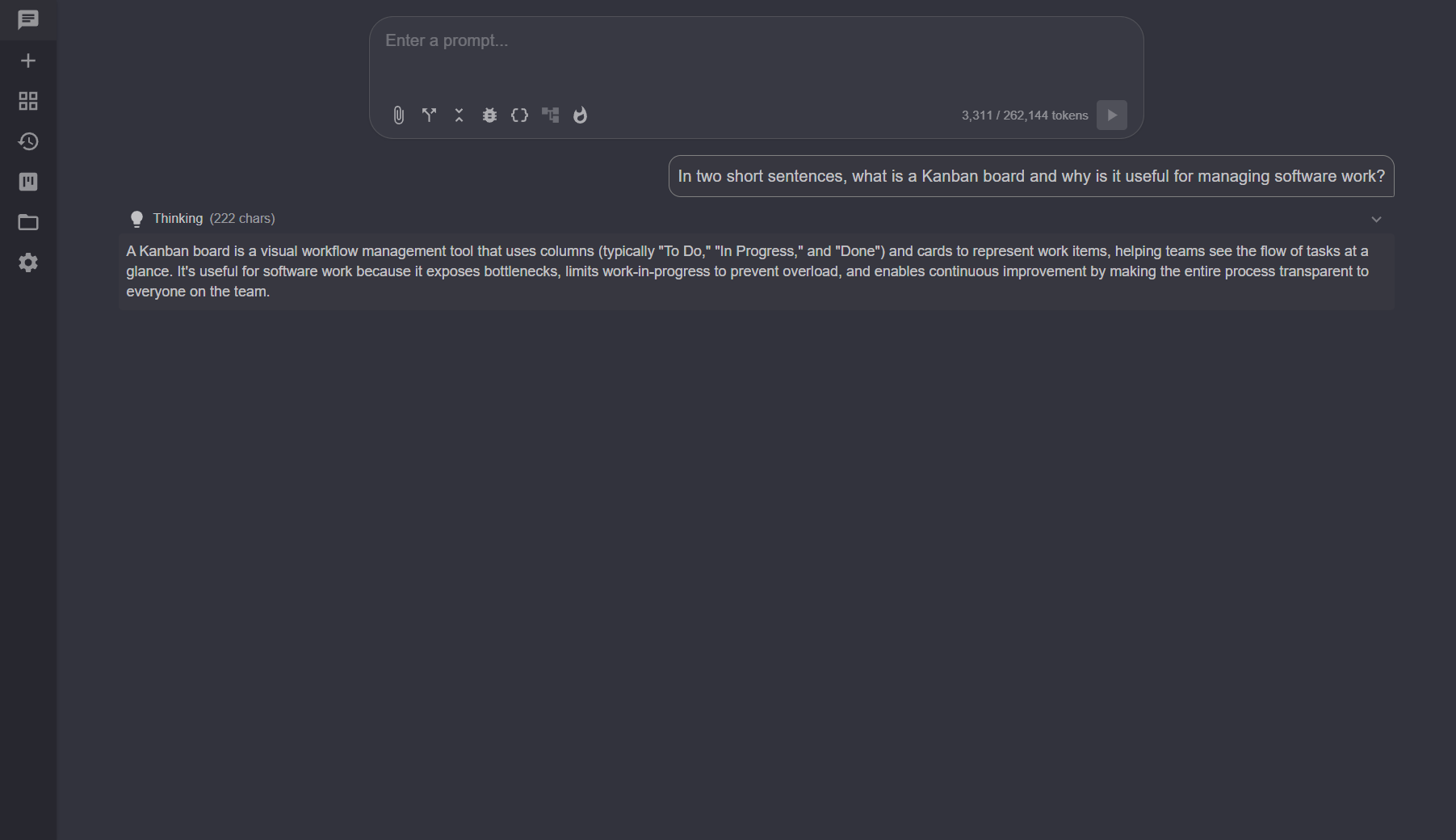
Yamca is a local-first Blazor agent / chat UI distributed as a .NET global
tool. Launch yamca from any directory and the current folder becomes the
agent's sandboxed workspace.
Requirements
- .NET 10 runtime (the ASP.NET Core runtime is sufficient — Yamca ships framework-dependent).
Install
dotnet tool install --global Yamca
Update with:
dotnet tool update --global Yamca
Uninstall with:
dotnet tool uninstall --global Yamca
Usage
yamca                       # workspace = current directory; serves on http://127.0.0.1:9001
yamca C:\path\to\project    # bind workspace to a specific path
yamca --port 5555           # listen on a different port
yamca --no-browser          # don't auto-open the browser
yamca --help                # show all flags
yamca --version             # print version
On startup Yamca prints the URL it is listening on, e.g.
Yamca listening on http://127.0.0.1:51234 (workspace: C:\Repos\yamca)
Features
- Dev Board — a local, uncommitted Kanban scratchpad that drives your immediate work through AI-assisted steps.
- Chat Sessions — streaming, tool-using conversations (up to 4 at once), with persistence, compaction, and a split view.
- Endpoints — OpenAI-compatible LLM backends (llama.cpp, vllm, OpenAI).
- Tools & Permissions — the agent's file, search, execution, and code-intelligence tools, gated by an Allow/Ask/Deny permission model with the option for deferred loading.
- Subagents — named, headless agents the chat can delegate self-contained tasks to, keeping the parent context small.
- Loop — fan one prompt out across many items, each handled by its own subagent, with a single roll-up of the results.
- Worktrees — isolated git worktrees for branch work which can be tied to chat sessions so they can work independantly.
- MCP Servers — Model Context Protocol servers that contribute additional tools to the agent.
- Scripts — registered vs. discovered scripts, with distinct execution permissions.
- Custom Instructions — system prompt and instruction files folded into every session.
- Settings & Backup — Project vs. User settings tiers, preferences, and user-settings export/import.
Troubleshooting
- Port already in use — Yamca defaults to port 9001. If 9001 is taken
Yamca falls back to an OS-assigned port and prints the URL it ends up on,
so running it against several repos at once just works. An explicit
--port <n>is honored exactly and errors if that port is unavailable. - Browser did not open — visit the URL printed on startup, or pass
--no-browserand open it yourself. The auto-open helper usesxdg-openon Linux,openon macOS, and the shell on Windows. yamca: command not found— make sure dotnet can be found on your path.
License
MIT — see LICENSE.
| Product | Versions Compatible and additional computed target framework versions. |
|---|---|
| .NET | net10.0 is compatible. net10.0-android was computed. net10.0-browser was computed. net10.0-ios was computed. net10.0-maccatalyst was computed. net10.0-macos was computed. net10.0-tvos was computed. net10.0-windows was computed. |
Compatible target framework(s)
Included target framework(s) (in package)
Learn more about Target Frameworks and .NET Standard.
This package has no dependencies.