AdvancedImageViewer.WinForms
1.0.1
See the version list below for details.
dotnet add package AdvancedImageViewer.WinForms --version 1.0.1
NuGet\Install-Package AdvancedImageViewer.WinForms -Version 1.0.1
<PackageReference Include="AdvancedImageViewer.WinForms" Version="1.0.1" />
<PackageVersion Include="AdvancedImageViewer.WinForms" Version="1.0.1" />
<PackageReference Include="AdvancedImageViewer.WinForms" />
paket add AdvancedImageViewer.WinForms --version 1.0.1
#r "nuget: AdvancedImageViewer.WinForms, 1.0.1"
#:package AdvancedImageViewer.WinForms@1.0.1
#addin nuget:?package=AdvancedImageViewer.WinForms&version=1.0.1
#tool nuget:?package=AdvancedImageViewer.WinForms&version=1.0.1
AdvancedImageViewer.WinForms





High-performance image viewer for Windows Forms with smooth pan, precision zoom, dynamic scaling, themes, and optimized rendering.
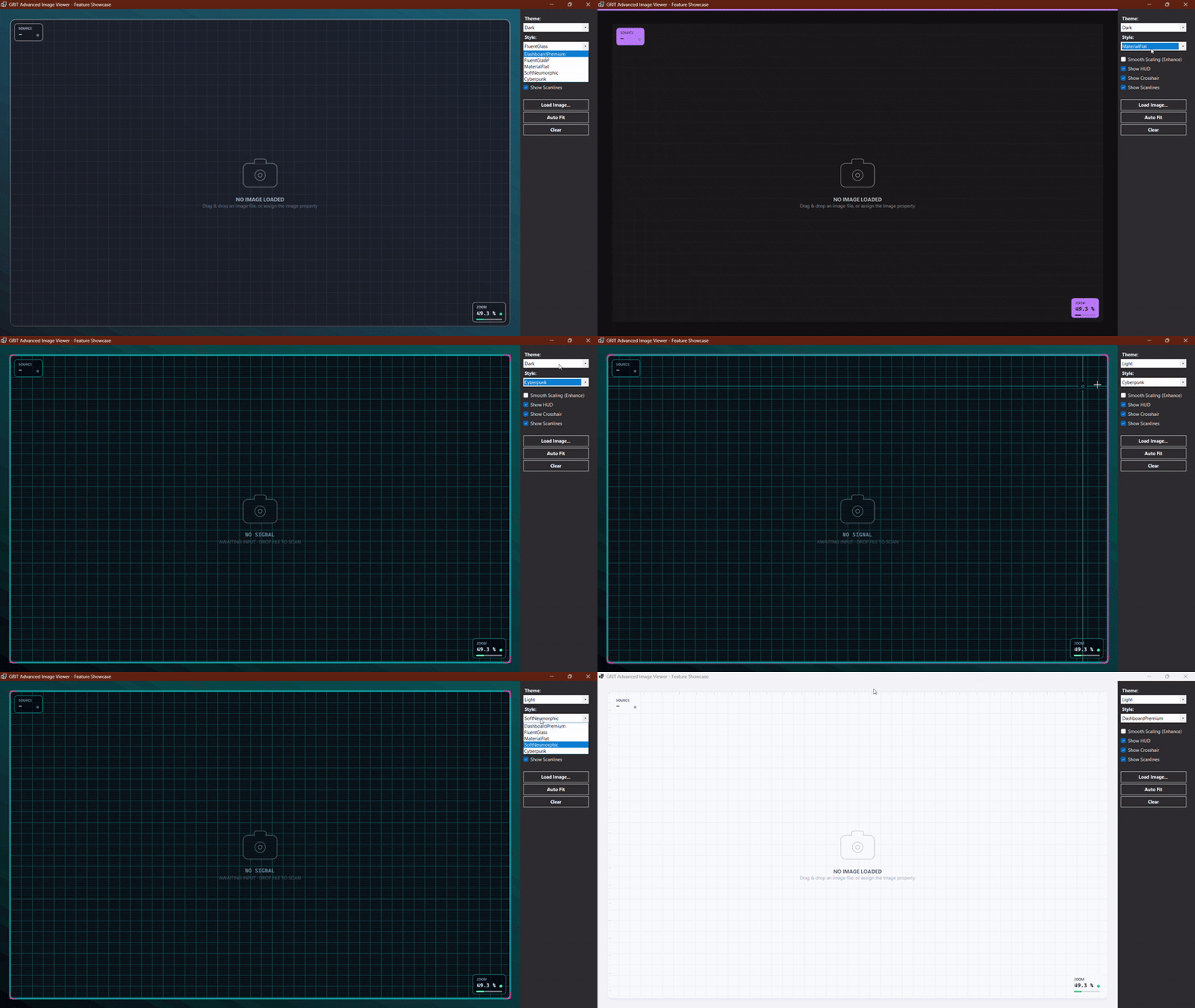
Advanced Image Viewer Demo Theme Demo
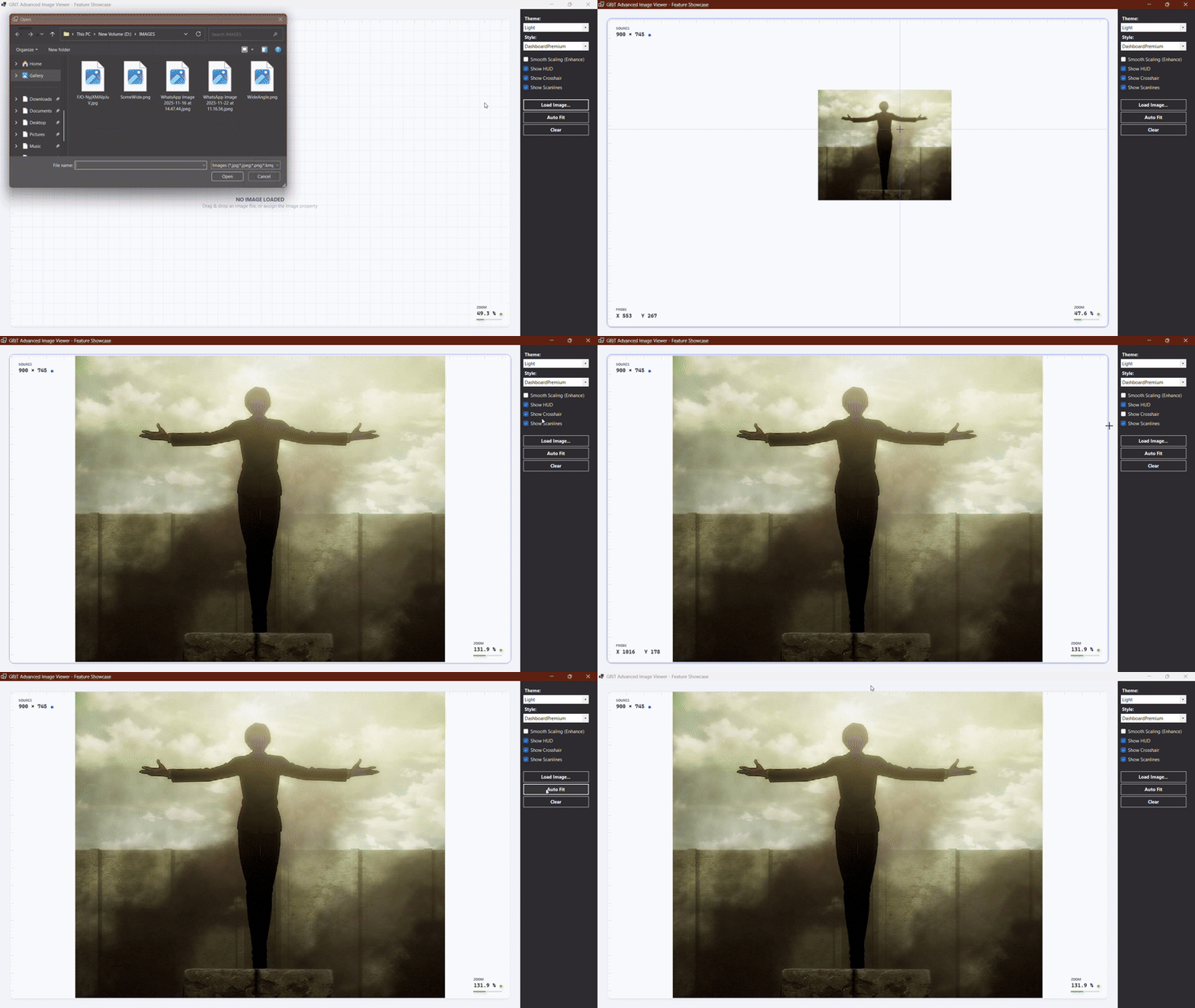
Advanced Image Viewer Demo Other Demo
Overview
AdvancedImageViewer is a modern, high-performance replacement for the standard WinForms PictureBox.
It provides smooth image navigation, high-resolution rendering, customizable themes, and programmatic control over zooming, panning, and overlays.
Built for:
- .NET Framework 4.7.2+
- .NET 6.0
- .NET 8.0+
Features
Performance
- Double-buffered rendering
- Premultiplied-ARGB image caching
- Reduced flickering during panning
- Optimized rendering for large images
- Smooth interaction with HD, 4K, and 8K images
Zoom & Pan
- Scroll-wheel zoom
- Mouse drag panning
- Zoom range from
5%to10000% - Automatic image fitting
- Programmatic zoom control
- Programmatic panning
Built-in Styles & Themes
- Styles:
DashboardPremium,FluentGlass,MaterialFlat,SoftNeumorphic,Cyberpunk - Themes: Built-in Light and Dark mode support.
HUD & Visuals
- Zoom percentage, Image dimensions, and Cursor X/Y coordinates
- Optional Crosshair and Scanlines
- Enhanced image scaling (smooth vs. sharp pixel rendering)
Installation
Package Manager Console
Install-Package AdvancedImageViewer.WinForms
.NET CLI
dotnet add package AdvancedImageViewer.WinForms
Quick Start
Create Viewer
using GRIT.UI.WinForms;

var viewer = new AdvancedImageViewer();
viewer.Dock = DockStyle.Fill;
this.Controls.Add(viewer);
Load Image
// Load synchronously
viewer.LoadFromFile(@"C:\photos\sample.jpg");

// For large images, use asynchronous loading
await viewer.LoadFromFileAsync(@"C:\photos\massive_image.png");
Customization
Theme & Style
viewer.ThemeMode = ThemeMode.Dark;
viewer.ControlStyle = ViewerStyle.Cyberpunk;
HUD & Image Quality
viewer.ShowHud = true;
viewer.ShowCrosshair = true;
viewer.ShowScanlines = true;
viewer.EnhanceImage = true; // true = smooth scaling, false = sharper pixels
Viewport Controls (Zoom & Pan)
viewer.AutoFit();       // Automatically scale and center image
viewer.Zoom = 1.5f;     // Set zoom to 150%
viewer.PanBy(100, 0);   // Move viewport horizontally
Custom Overlays
Use OverlayPaint to draw custom graphics over the image. The viewer automatically converts image coordinates to screen coordinates, so your overlay follows zoom and pan seamlessly.
viewer.OverlayPaint += (s, e) =>
{
    // Define rectangle using RAW image coordinates
    Rectangle rawFaceRect = new Rectangle(500, 200, 300, 300);

    // Convert image coordinates to screen coordinates
    RectangleF screenRect = viewer.ImageToScreenF(rawFaceRect);

    // Draw overlay
    using (Pen pen = new Pen(e.Palette.Accent, 2f))
    {
        e.Graphics.DrawRectangle(pen, screenRect.X, screenRect.Y, screenRect.Width, screenRect.Height);
    }
};
Why AdvancedImageViewer?
| Capability | PictureBox | AdvancedImageViewer |
|---|---|---|
| Image display | Yes | Yes |
| Smooth pan | No | Yes |
| Mouse scroll zoom | No | Yes |
| 5%–10000% zoom | No | Yes |
| Auto fit | No | Yes |
| Programmatic pan | No | Yes |
| Multiple UI Styles | No | Yes |
| Light/Dark themes | No | Yes |
| Informational HUD | No | Yes |
| Custom overlays | Limited | Yes |
| Coordinate conversion | No | Yes |
| Async loading | No | Yes |
Developed under the GRIT Ecosystem
Growth • Resilience • Intensity • Tenacity
Building zero-dependency, ultra-performance developer workflows and premium component layouts.
| Product | Versions Compatible and additional computed target framework versions. |
|---|---|
| .NET | net6.0-windows7.0 is compatible. net7.0-windows was computed. net8.0-windows was computed. net8.0-windows7.0 is compatible. net9.0-windows was computed. net10.0-windows was computed. |
| .NET Framework | net472 is compatible. net48 is compatible. net481 was computed. |
-
.NETFramework 4.7.2
- No dependencies.
-
.NETFramework 4.8
- No dependencies.
-
net6.0-windows7.0
- No dependencies.
-
net8.0-windows7.0
- No dependencies.
NuGet packages
This package is not used by any NuGet packages.
GitHub repositories
This package is not used by any popular GitHub repositories.
v1.0.1 Release:
- Split massive demo GIF into two optimized, fast-loading GIFs (Themes and Features) to bypass GitHub LFS limits.
- Converted README to 100% pure CommonMark syntax to fix NuGet.org raw HTML rendering bugs.
- Safely encoded URL parameters (&) to ensure cross-platform image loading.
- Updated package icon reference format.