AngleSharp.Browser
0.1.0
dotnet add package AngleSharp.Browser --version 0.1.0
NuGet\Install-Package AngleSharp.Browser -Version 0.1.0
<PackageReference Include="AngleSharp.Browser" Version="0.1.0" />
<PackageVersion Include="AngleSharp.Browser" Version="0.1.0" />
<PackageReference Include="AngleSharp.Browser" />
paket add AngleSharp.Browser --version 0.1.0
#r "nuget: AngleSharp.Browser, 0.1.0"
#:package AngleSharp.Browser@0.1.0
#addin nuget:?package=AngleSharp.Browser&version=0.1.0
#tool nuget:?package=AngleSharp.Browser&version=0.1.0

AngleSharp.Browser




AngleSharp.Browser brings everything from the AngleSharp ecosystem together in a set of packages that can either be a rendering (visible) browser; in form of a re-usable component.
Packages
| Package | Description |
|---|---|
| AngleSharp.Browser | A UI-agnostic BrowserEngine wiring up AngleSharp, AngleSharp.Css, AngleSharp.Js, AngleSharp.Io and AngleSharp.Renderer. It navigates (with back / forward history), paints the current document and translates pointer, wheel and keyboard input into DOM interactions (hover, links, forms, focus, text entry, scrolling). |
| AngleSharp.Browser.Avalonia | A ready to use BrowserView control for showing web pages in Avalonia applications. |
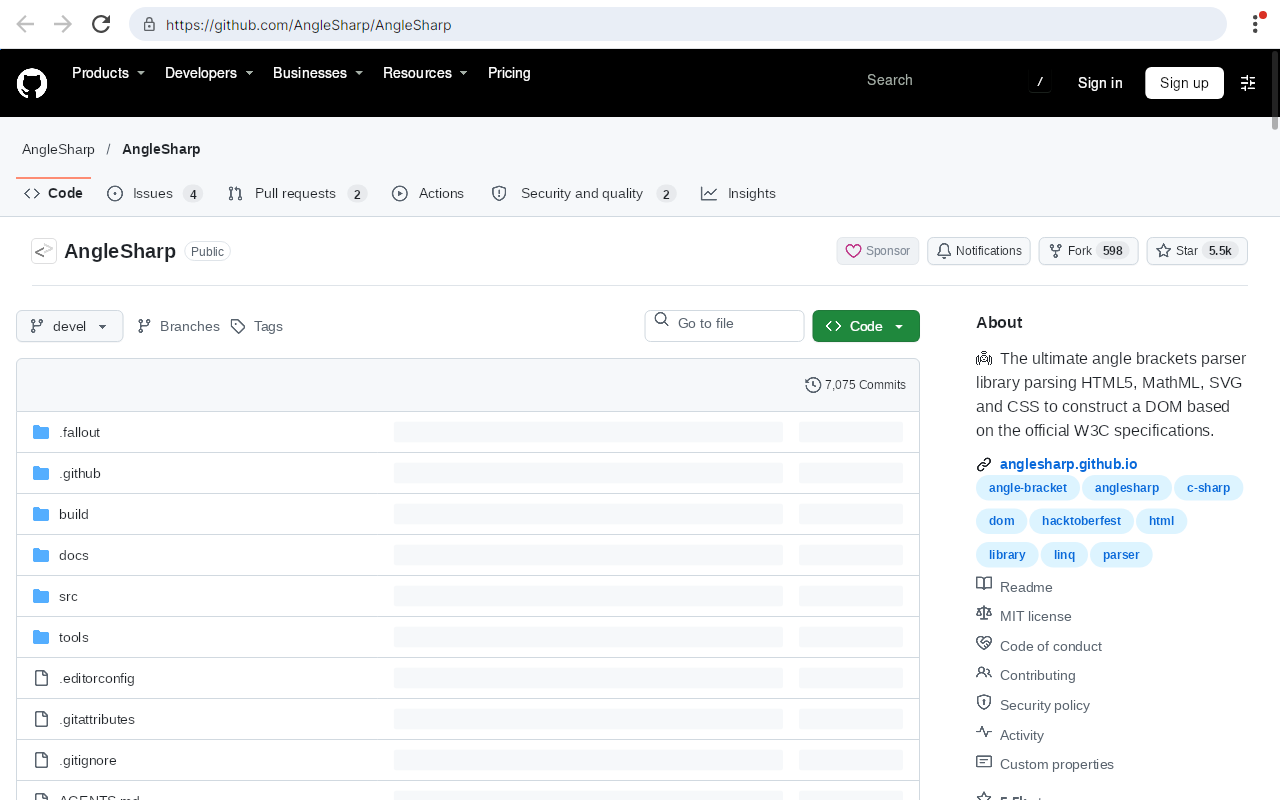
The repository also contains Vision, a sample browser showing how the packages are used.
Rendering quality and speed are bound by AngleSharp.Renderer, which is still an early layout engine.
Quick Start
In an Avalonia Application
dotnet add package AngleSharp.Browser.Avalonia
<Window xmlns="https://github.com/avaloniaui"
        xmlns:browser="using:AngleSharp.Browser.Avalonia">
    <browser:BrowserView Source="https://example.org" />
</Window>
Without Any UI
dotnet add package AngleSharp.Browser
using var engine = new BrowserEngine(new BrowserOptions
{
    ProfileDirectory = null, // keep everything in memory
    ViewportWidth = 1280,
    ViewportHeight = 800,
});

await engine.NavigateAsync("https://example.org");
await engine.ClickAsync(40, 390);
var image = await engine.PaintAsync();
await File.WriteAllBytesAsync("page.png", image!.Data);
Documentation
The docs cover the engine, rendering, input, configuration, the Avalonia control, and have a collection of examples.
Vision
Vision is the sample browser of this repository: a proof of concept, not a product. Run it (optionally with a start address) from a clone:
dotnet run --project src/Vision -- https://example.org
Cookies, web storage and the HTTP cache are persisted in a profile directory (by default in the local application data folder). Use --profile <directory> to pick another one or --in-memory to persist nothing.
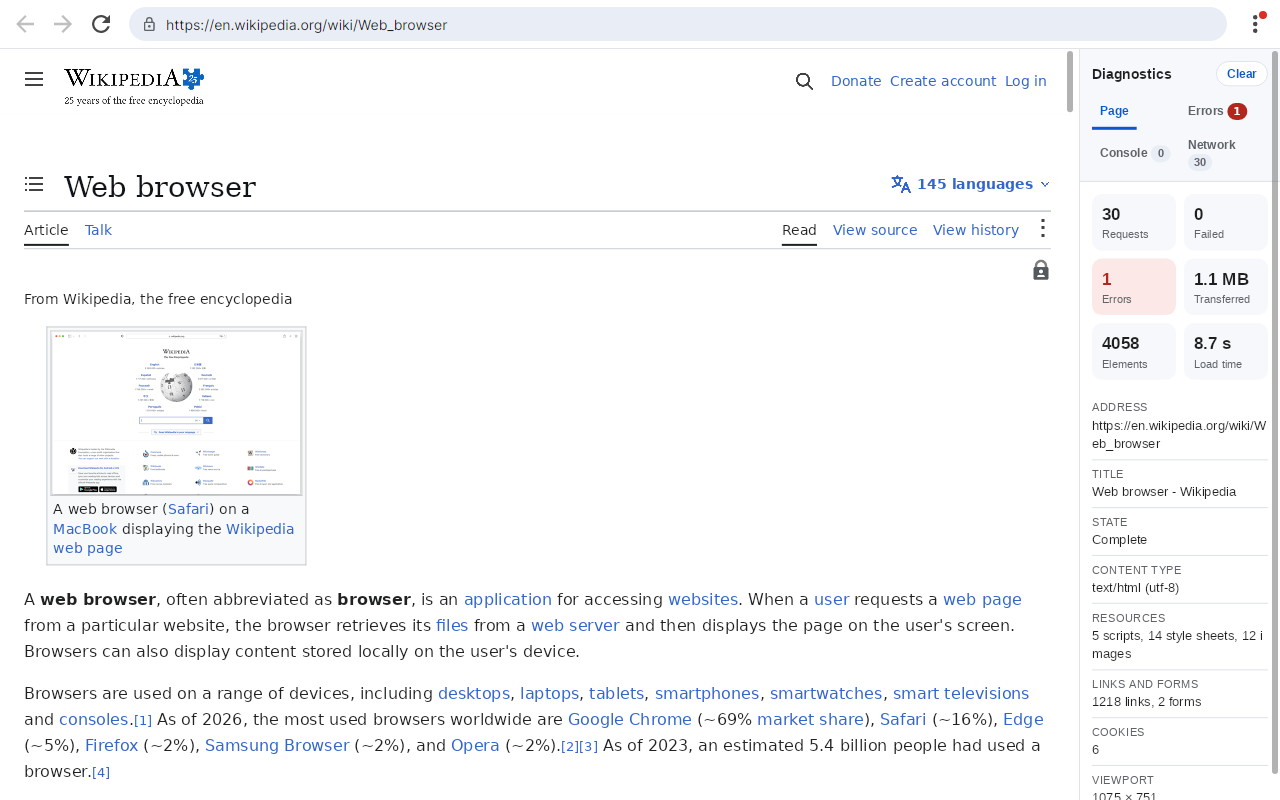
The diagnostics (F12) show what a page did: errors with their stack traces, the console output, a waterfall of the requests and the timings of the rendering. They are HTML and CSS rendered by a second BrowserView, like the rest of Vision's own UI:
The inspector (Ctrl+Shift+I) opens in the same place and shows the page as AngleSharp sees it right now: its DOM, its CSSOM and its render tree, with the matched rules, computed style and box of any element:

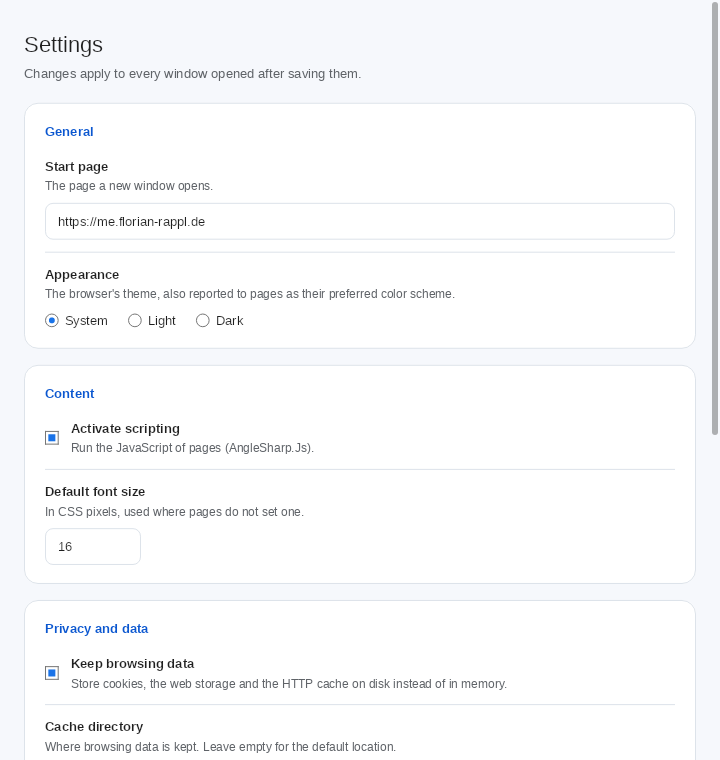
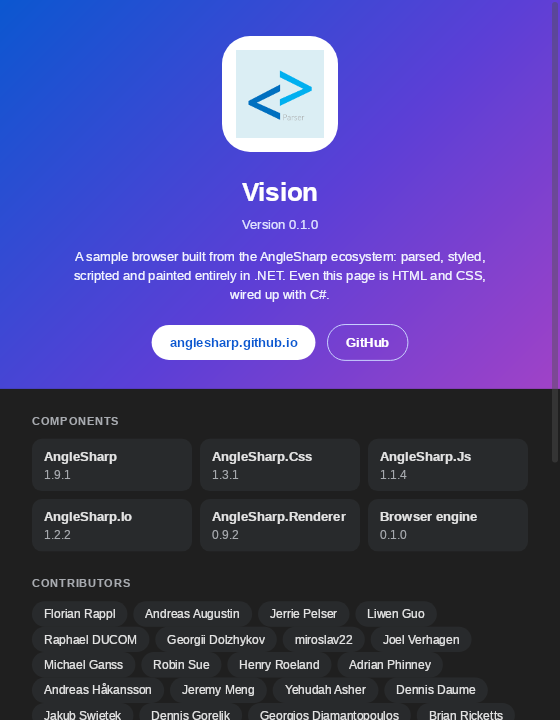
| Settings | About |
|---|---|
 |
 |
Help Us Render the Web
Every page that looks wrong points at something we can improve, and Vision is the easiest way to find those pages. Run it with a website you care about:
dotnet run --project src/Vision -- https://your-favorite-website.example
If the page does not render correctly, then please do one of the following:
- Report it. Open an issue with the address, a screenshot, and what you expected to see.
- Even better, fix it. Point your coding agent at the page and let it find the cause, then send a pull request to the project responsible.
The diagnostics (F12) show the page's failed requests, errors and console output, and the inspector (Ctrl+Shift+I) shows the DOM, CSSOM and render tree AngleSharp ended up with, which is a good place to start. The fix may belong to any part of the ecosystem:
| Project | Responsible for |
|---|---|
| AngleSharp | HTML parsing and the DOM |
| AngleSharp.Css | CSS parsing, the cascade and computed styles |
| AngleSharp.Xml | XML parsing and validation |
| AngleSharp.Renderer | Layout and painting |
| AngleSharp.Js | Running scripts and exposing the DOM to them |
| AngleSharp.Io | Requests and other I/O |
| AngleSharp.Browser | Navigation, input, scrolling and Vision itself |
Not sure which one it is? Open the issue here and we will help to find out. A small reproduction and a test make a pull request much easier to review, whoever (or whatever) wrote it. See the contributing guide for the details.
.NET Foundation
This project is supported by the .NET Foundation.
License
AngleSharp.Browser is released using the MIT license. For more information see the license file.
| Product | Versions Compatible and additional computed target framework versions. |
|---|---|
| .NET | net10.0 is compatible. net10.0-android was computed. net10.0-browser was computed. net10.0-ios was computed. net10.0-maccatalyst was computed. net10.0-macos was computed. net10.0-tvos was computed. net10.0-windows was computed. |
-
net10.0
- AngleSharp (>= 1.10.1)
- AngleSharp.Css (>= 1.4.1)
- AngleSharp.Io (>= 1.3.0)
- AngleSharp.Js (>= 1.2.1)
- AngleSharp.Renderer (>= 0.11.1)
- AngleSharp.Wasm (>= 1.1.0)
- AngleSharp.Xml (>= 1.3.0)
- SkiaSharp (>= 3.119.4)
- SkiaSharp.NativeAssets.Linux (>= 3.119.4)
NuGet packages (1)
Showing the top 1 NuGet packages that depend on AngleSharp.Browser:
| Package | Downloads |
|---|---|
|
AngleSharp.Browser.Avalonia
An Avalonia control displaying web pages with AngleSharp.Browser. |
GitHub repositories
This package is not used by any popular GitHub repositories.
| Version | Downloads | Last Updated |
|---|---|---|
| 0.1.0 | 58 | 11/9/2026 |
| 0.1.0-beta.12 | 48 | 11/9/2026 |
| 0.1.0-beta.7 | 51 | 11/8/2026 |
| 0.1.0-beta.6 | 58 | 11/6/2026 |
| 0.1.0-beta.3 | 64 | 11/2/2026 |