AspNetDebugDashboard 2.2.0
dotnet add package AspNetDebugDashboard --version 2.2.0
NuGet\Install-Package AspNetDebugDashboard -Version 2.2.0
<PackageReference Include="AspNetDebugDashboard" Version="2.2.0" />
<PackageVersion Include="AspNetDebugDashboard" Version="2.2.0" />
<PackageReference Include="AspNetDebugDashboard" />
paket add AspNetDebugDashboard --version 2.2.0
#r "nuget: AspNetDebugDashboard, 2.2.0"
#:package AspNetDebugDashboard@2.2.0
#addin nuget:?package=AspNetDebugDashboard&version=2.2.0
#tool nuget:?package=AspNetDebugDashboard&version=2.2.0
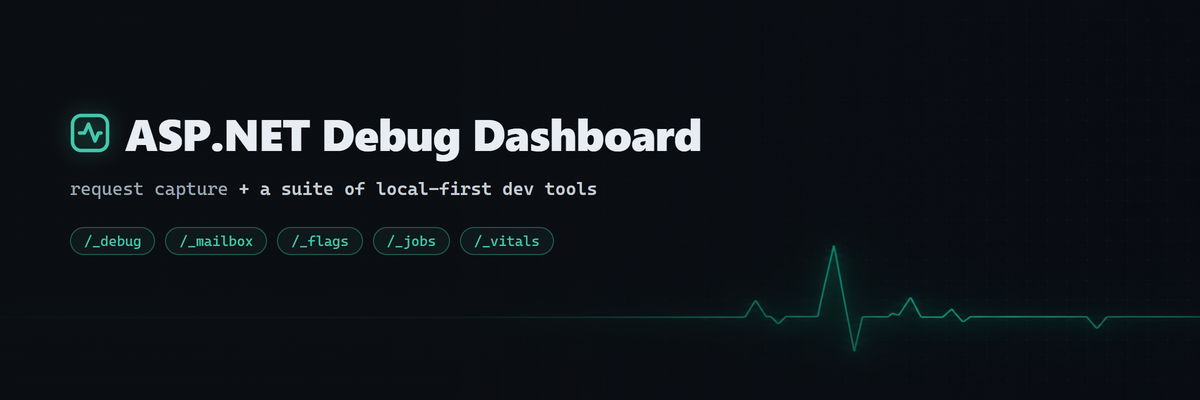
ASP.NET Debug Dashboard





Request, SQL query, log, and exception capture for ASP.NET Core, viewable in a dashboard at /_debug. Think Laravel Telescope, but for .NET.
Everything is stored locally in a LiteDB file. The dashboard ships inside the package as a single self-contained page, so there are no CDN dependencies and it works offline.
Install
dotnet add package AspNetDebugDashboard
Or in the project file:
<PackageReference Include="AspNetDebugDashboard" Version="2.1.1" />
Or from the Package Manager Console in Visual Studio:
Install-Package AspNetDebugDashboard
Works on .NET 8, 9, and 10. No other setup files, schemas, or services needed. Storage is an embedded LiteDB database created on first run.
Setup
The minimum is two lines:
using AspNetDebugDashboard.Extensions;

var builder = WebApplication.CreateBuilder(args);

builder.Services.AddDebugDashboard();          // 1. register services

var app = builder.Build();

app.UseDebugDashboard();                       // 2. add middleware (no-op outside Development)

app.MapControllers();
app.Run();
Run your app and open /_debug.
Capture EF Core queries
Attach the interceptor when registering your context:
builder.Services.AddDbContext<AppDbContext>((sp, options) =>
{
    options.UseSqlServer(connectionString);    // any relational provider
    options.AddDebugDashboard(sp);
});
Works with SQL Server, PostgreSQL, SQLite, MySQL, anything that goes through EF Core's relational pipeline. (UseInMemoryDatabase produces no SQL, so there's nothing to capture there.)
Write your own log entries
Inject IDebugLogger anywhere:
public class OrderService(IDebugLogger log)
{
    public async Task<Order> CreateAsync(CreateOrderRequest req)
    {
        await log.LogInfoAsync("Creating order", properties: new() { ["customerId"] = req.CustomerId });
        // LogWarningAsync, LogErrorAsync, LogSuccessAsync, or LogAsync(message, level)
    }
}
Or use the static logger where injection is awkward:
await DebugLogger.InfoAsync("Cache warmed", tag: "startup");
Entries written during a request are attached to it, so the request detail shows the logs and queries it produced.
The dashboard
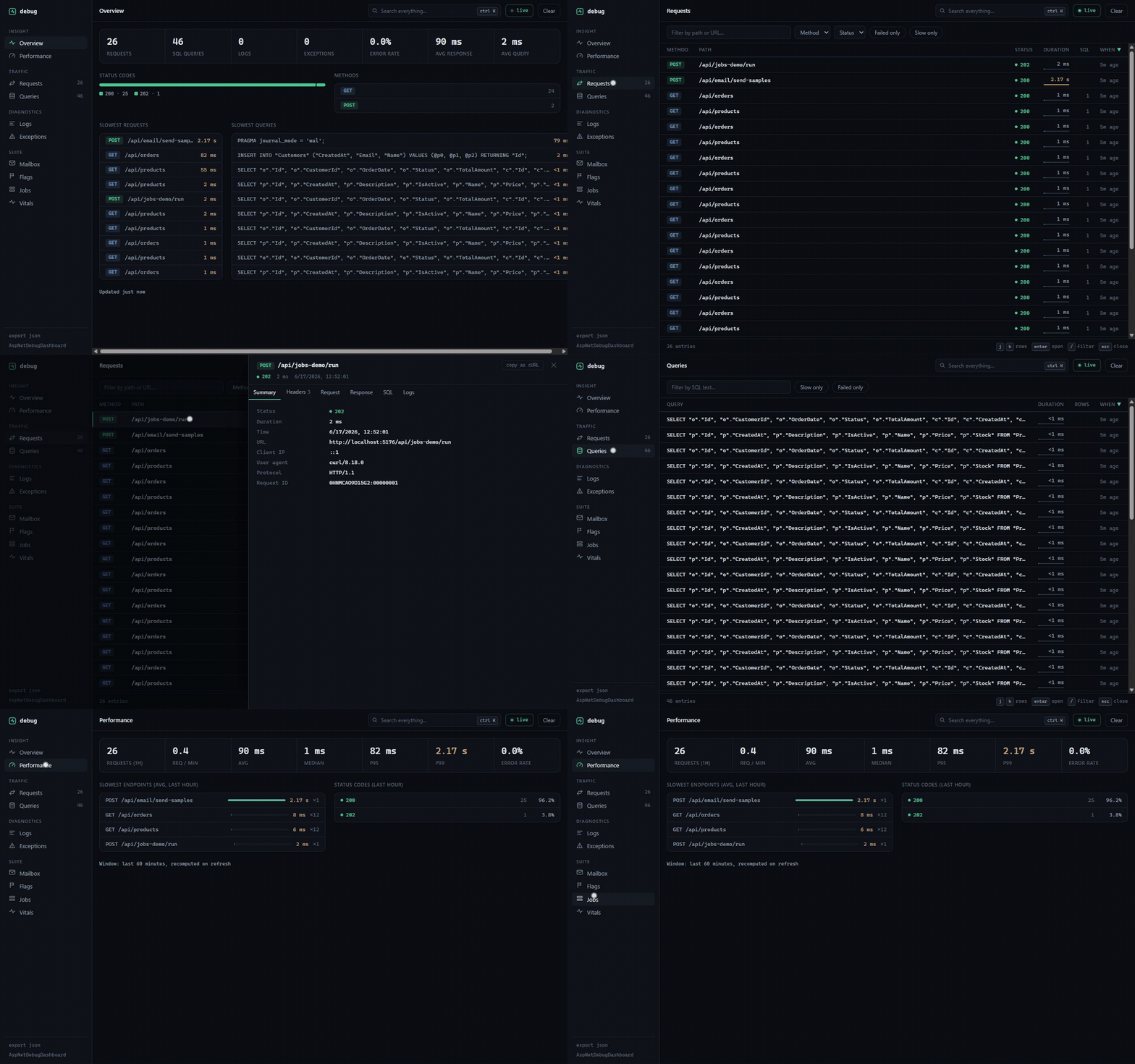
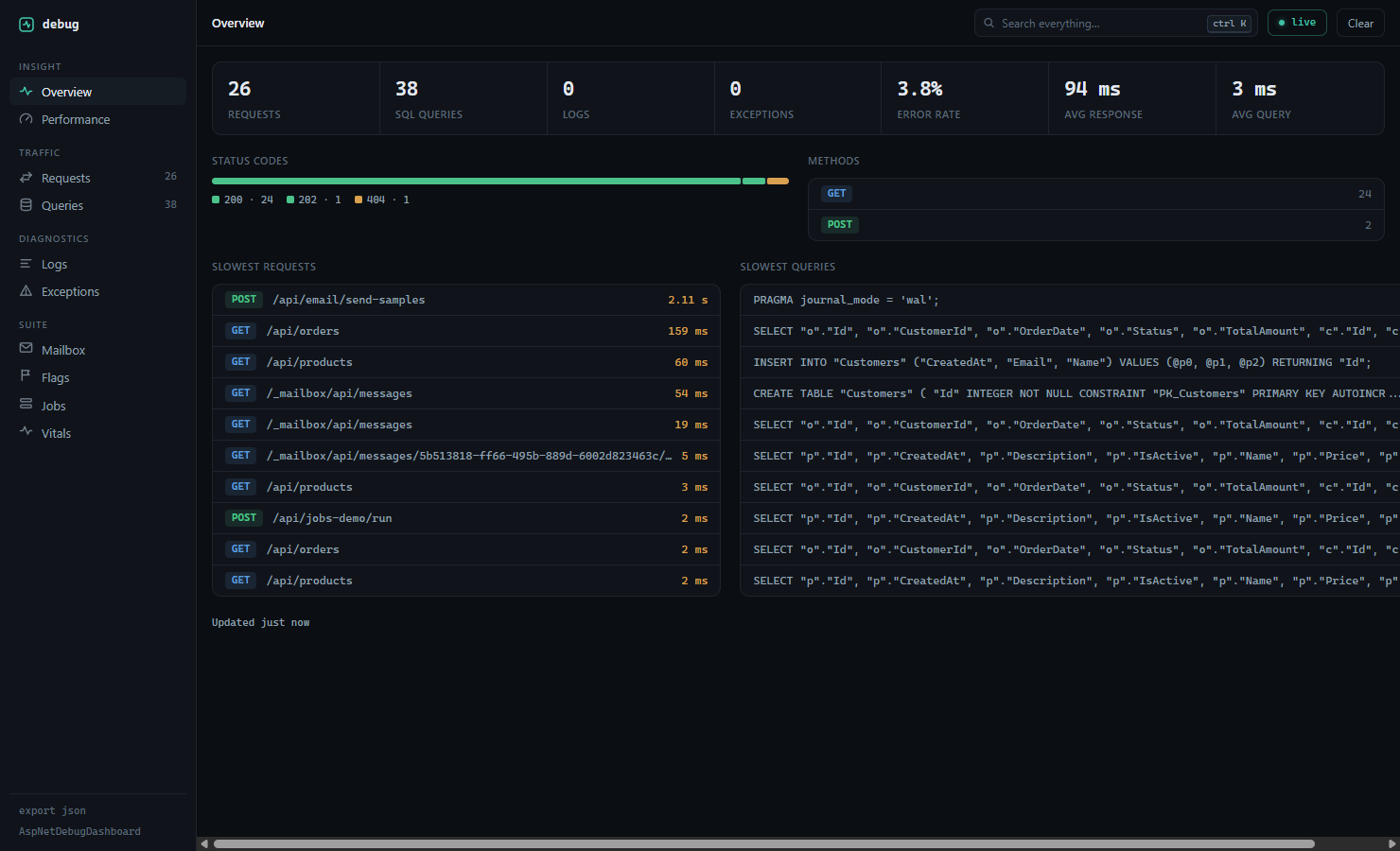
| Overview | totals, error rate, status/method distribution, slowest requests and queries |
| Performance | req/min, avg, median, P95/P99, error rate, slowest endpoints (last hour) |
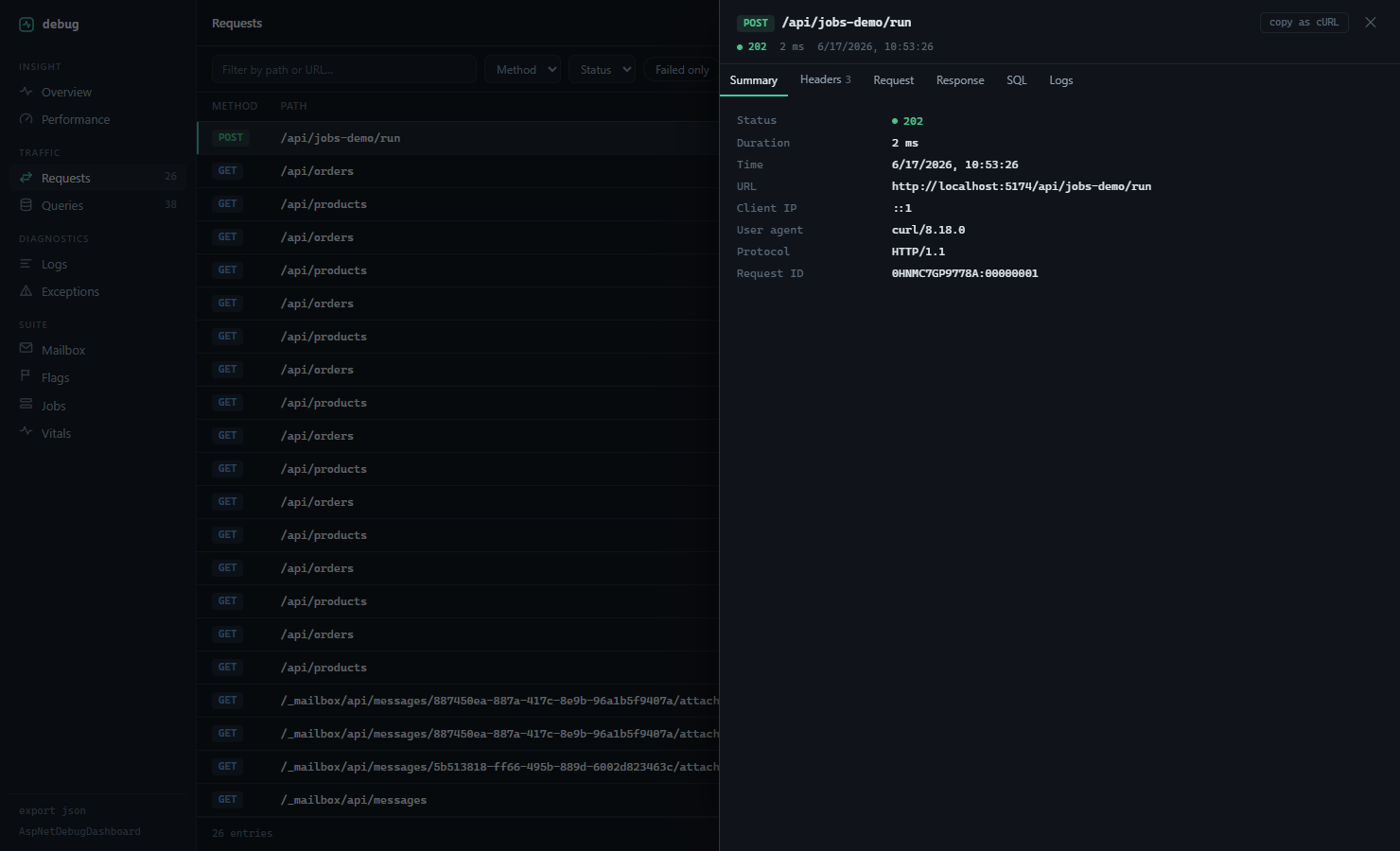
| Requests | sortable table with duration bars; detail has Summary / Headers / Request / Response / SQL / Logs tabs and a copy-as-cURL button |
| Queries | full SQL with syntax highlighting, parameters, timing; slow queries flagged; an N+1 warning appears when one request runs the same query 3+ times |
| Logs | level, category, structured properties, stack traces |
| Exceptions | type, message, full stack trace, inner exceptions, the route that threw |
Global search (Ctrl+K) covers everything. Tables navigate from the keyboard: j/k rows, Enter open, / filter, Esc close. Queries, logs, and exceptions link back to their parent request.
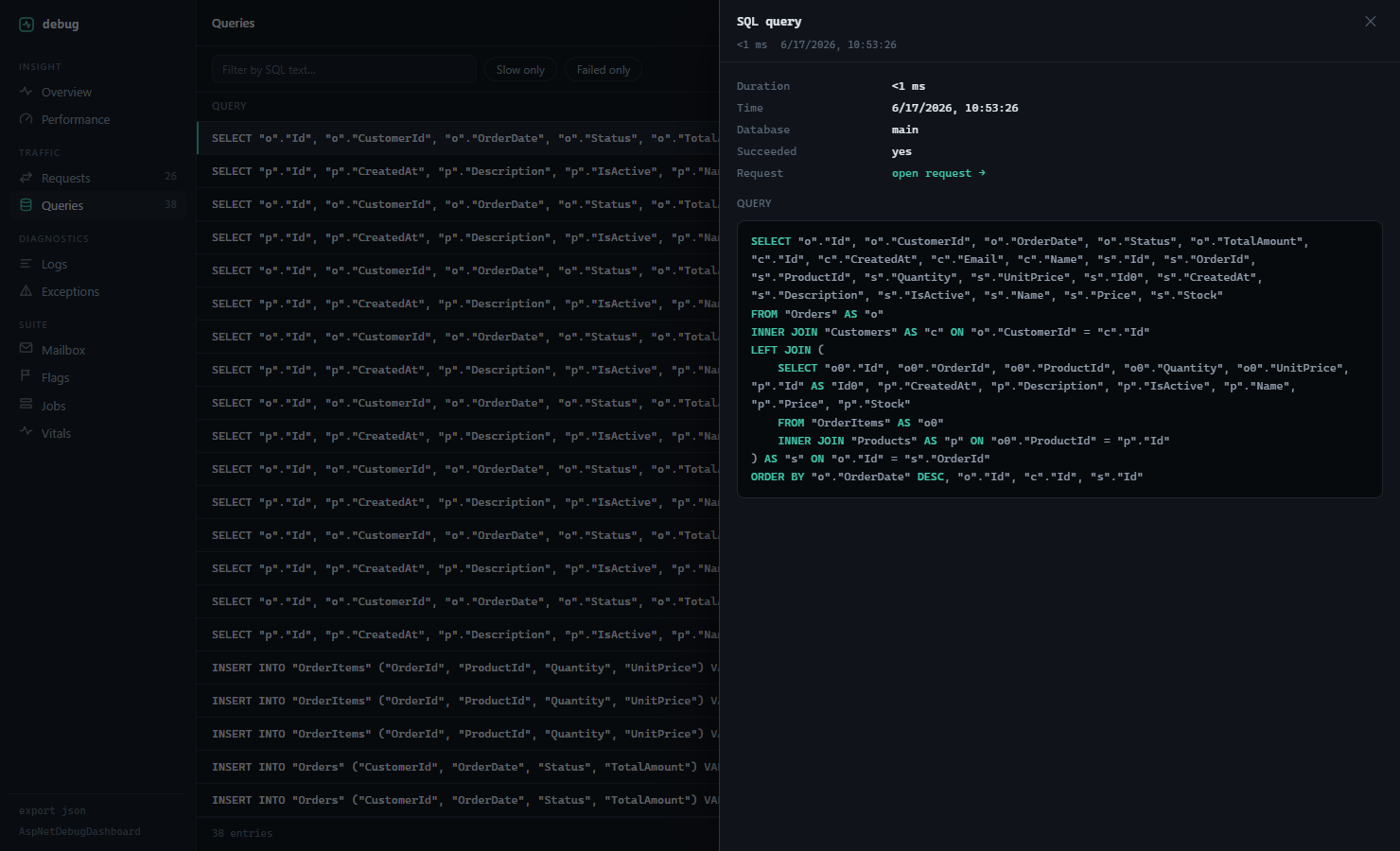
Configuration
All options, with their defaults:
builder.Services.AddDebugDashboard(options =>
{
    options.BasePath = "/_debug";              // dashboard route
    options.DatabasePath = "debug-dashboard.db";
    options.MaxEntries = 1000;                 // per entry type, oldest trimmed first
    options.LogRequestBodies = true;
    options.LogResponseBodies = false;
    options.MaxBodySize = 1024 * 1024;         // bodies above this are skipped
    options.SlowQueryThresholdMs = 1000;
    options.ExcludedPaths = new() { "/_debug", "/health" };
    options.ExcludedHeaders = new() { "Authorization", "Cookie" };
    options.RetentionPeriod = TimeSpan.FromDays(7);
});
Or bind from appsettings.json:
{
  "DebugDashboard": {
    "MaxEntries": 2000,
    "LogResponseBodies": true,
    "SlowQueryThresholdMs": 500
  }
}
builder.Services.Configure<DebugConfiguration>(builder.Configuration.GetSection("DebugDashboard"));
builder.Services.AddDebugDashboard();
The full reference is in docs/CONFIGURATION.md.
OpenTelemetry
Captured requests and queries are also emitted as spans on an ActivitySource named AspNetDebugDashboard. Add that source to your tracer and they flow to Aspire, Jaeger, or any OTLP backend, alongside what the dashboard stores locally:
builder.Services.AddOpenTelemetry()
    .WithTracing(t => t
        .AddSource("AspNetDebugDashboard")
        .AddOtlpExporter());
The spans carry the request id, status, SQL text, and timing. They cost nothing until you add the source (no listener, no span), so the default is fine to leave on. Set EmitActivities = false to turn it off entirely. Details in docs/OPENTELEMETRY.md.
MCP server for AI agents


AspNetDebugDashboard.Mcp is a separate dotnet tool that exposes the captured data to a coding agent over MCP, so it can read recent requests, the SQL a request ran, recent failures, and performance numbers while it works on your app. If you've installed the rest of the suite, it can also read your feature flags, background jobs, vitals, and captured mail.
dotnet tool install --global AspNetDebugDashboard.Mcp
{
  "mcpServers": {
    "debug-dashboard": {
      "command": "aspnet-debug-mcp",
      "env": { "DEBUG_DASHBOARD_URL": "http://localhost:5000" }
    }
  }
}
Setup and the full tool list are in its README.
Production
UseDebugDashboard() does nothing unless the environment is Development, so leaving the package referenced in production builds is safe. If you do want it on elsewhere (a staging box, say), opt in explicitly:
app.UseDebugDashboard(forceEnable: true);
If you force-enable it anywhere reachable from the internet, put it behind your own auth. The dashboard itself has none, and captured request bodies can contain anything your users send.
REST API
The dashboard is a client of a plain JSON API you can also call directly:
| Endpoint | What it returns |
|---|---|
GET /_debug/api/stats |
totals and distributions |
GET /_debug/api/requests |
paged requests; supports search, method, statusCode, isSuccessful, minExecutionTime, sortBy, page |
GET /_debug/api/queries |
paged SQL queries; supports search, isSlowQuery, isSuccessful |
GET /_debug/api/logs |
paged logs; supports search, level |
GET /_debug/api/exceptions |
paged exceptions |
GET /_debug/api/performance |
last-hour metrics (P95/P99, error rate, slowest endpoints) |
GET /_debug/api/search?term= |
cross-type search |
GET /_debug/api/export |
everything as a JSON file |
POST /_debug/api/logs |
write a log entry over HTTP |
DELETE /_debug/api/clear |
wipe all captured data |
Full details in docs/API.md.
Try it
The repo ships a sample app with endpoints for generating traffic, slow operations, and test exceptions:
git clone https://github.com/eladser/AspNetDebugDashboard
cd AspNetDebugDashboard
dotnet run --project samples/SampleApp --urls http://localhost:5000
# hit a few endpoints, then open http://localhost:5000/_debug
curl http://localhost:5000/api/products
curl http://localhost:5000/api/products/slow-operation
curl http://localhost:5000/api/products/test-error
The AspNet* suite
The dashboard is the hub of a set of local-first dev tools that follow the same recipe: install a package, get a self-contained page at a /_* route, no extra infrastructure. Each one works on its own.
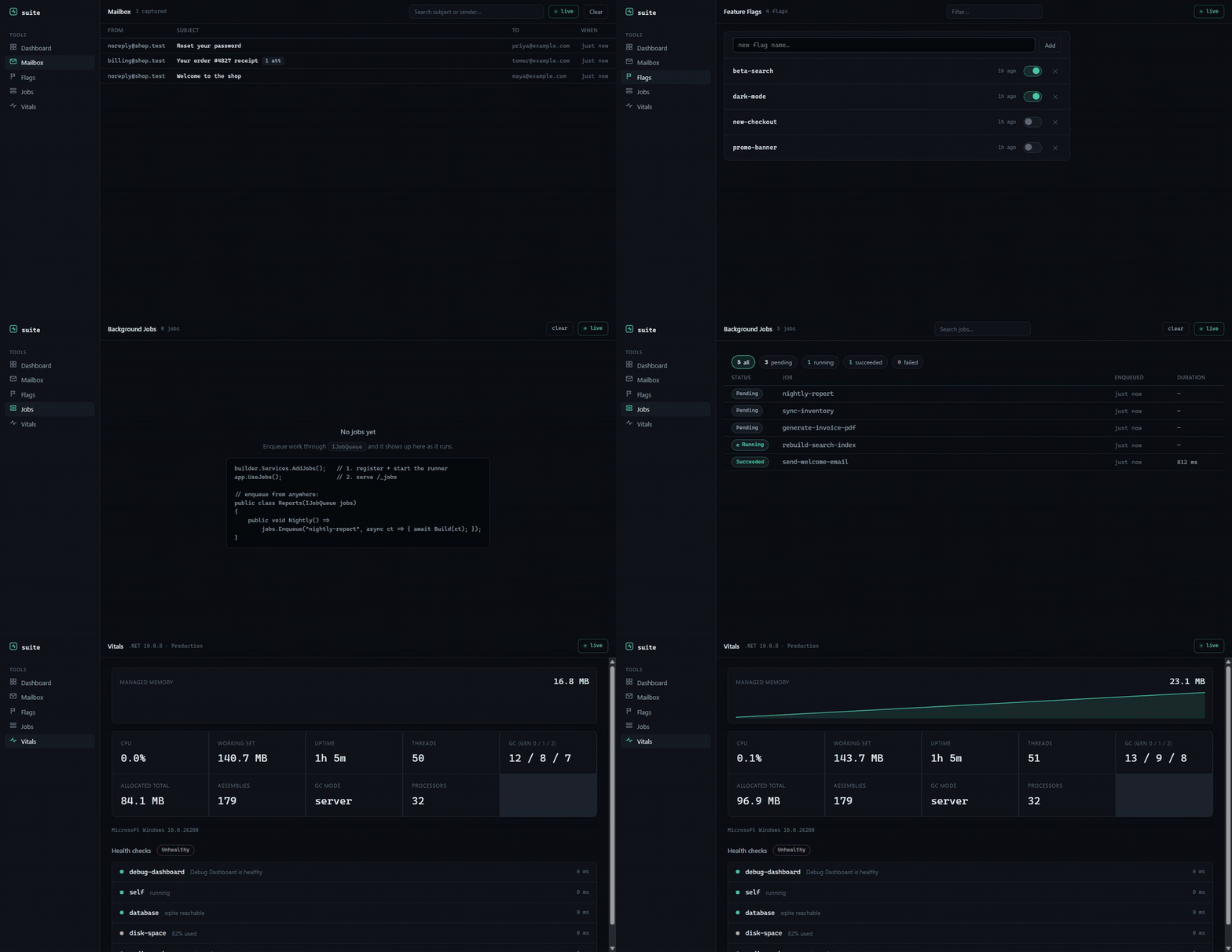
| Package | Route | What it does |
|---|---|---|
| AspNetMailbox | /_mailbox |
Captures outbound email in-process and previews it (HTML, text, headers, attachments). No mail server. |
| AspNetFlags | /_flags |
Feature flags with a toggle UI. Flags appear the first time your code checks them. |
| AspNetJobs | /_jobs |
Background jobs that run in-process, with a live inspector showing status, timing, and stack traces. |
| AspNetVitals | /_vitals |
Live memory, GC, threads, uptime, and your registered health checks on one page. |
How the dashboard is built
The UI is a Vite + React app in dashboard/, compiled to one HTML file with everything inlined and embedded into the assembly. To work on it:
cd dashboard
npm install
npm run dev    # proxies /_debug/api to localhost:5000 (run the sample app alongside)
npm run build  # writes src/AspNetDebugDashboard/wwwroot/index.html
See CONTRIBUTING.md for the full dev loop.
Support
If this tool saves you some debugging time, you can buy me a coffee.
License
MIT. See LICENSE.
| Product | Versions Compatible and additional computed target framework versions. |
|---|---|
| .NET | net8.0 is compatible. net8.0-android was computed. net8.0-browser was computed. net8.0-ios was computed. net8.0-maccatalyst was computed. net8.0-macos was computed. net8.0-tvos was computed. net8.0-windows was computed. net9.0 is compatible. net9.0-android was computed. net9.0-browser was computed. net9.0-ios was computed. net9.0-maccatalyst was computed. net9.0-macos was computed. net9.0-tvos was computed. net9.0-windows was computed. net10.0 is compatible. net10.0-android was computed. net10.0-browser was computed. net10.0-ios was computed. net10.0-maccatalyst was computed. net10.0-macos was computed. net10.0-tvos was computed. net10.0-windows was computed. |
-
net10.0
- AspNetDebugDashboard.Suite (>= 2.2.0)
- LiteDB (>= 5.0.21)
- Microsoft.EntityFrameworkCore (>= 10.0.9)
- Microsoft.EntityFrameworkCore.Relational (>= 10.0.9)
-
net8.0
- AspNetDebugDashboard.Suite (>= 2.2.0)
- LiteDB (>= 5.0.21)
- Microsoft.EntityFrameworkCore (>= 8.0.28)
- Microsoft.EntityFrameworkCore.Relational (>= 8.0.28)
-
net9.0
- AspNetDebugDashboard.Suite (>= 2.2.0)
- LiteDB (>= 5.0.21)
- Microsoft.EntityFrameworkCore (>= 9.0.17)
- Microsoft.EntityFrameworkCore.Relational (>= 9.0.17)
NuGet packages
This package is not used by any NuGet packages.
GitHub repositories
This package is not used by any popular GitHub repositories.
2.1.1 fixes the README images not rendering on the NuGet listing (now absolute URLs). 2.1.0 added OpenTelemetry tracing on the "AspNetDebugDashboard" ActivitySource and a companion MCP server (AspNetDebugDashboard.Mcp) for coding agents.