AspNetFlags 0.1.0
dotnet add package AspNetFlags --version 0.1.0
NuGet\Install-Package AspNetFlags -Version 0.1.0
<PackageReference Include="AspNetFlags" Version="0.1.0" />
<PackageVersion Include="AspNetFlags" Version="0.1.0" />
<PackageReference Include="AspNetFlags" />
paket add AspNetFlags --version 0.1.0
#r "nuget: AspNetFlags, 0.1.0"
#:package AspNetFlags@0.1.0
#addin nuget:?package=AspNetFlags&version=0.1.0
#tool nuget:?package=AspNetFlags&version=0.1.0
AspNetFlags


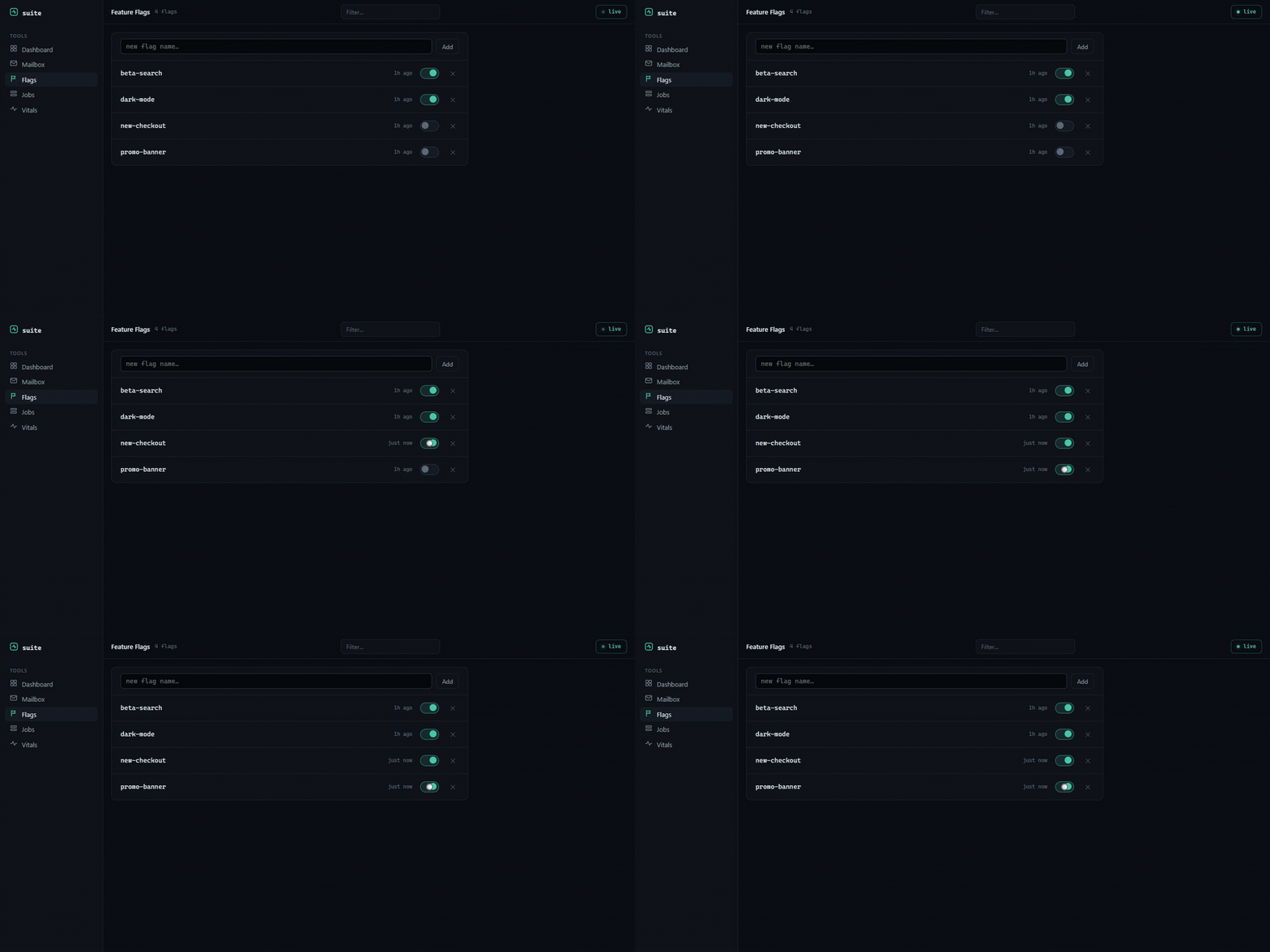
Feature flags with a toggle UI at /_flags, stored locally. No SaaS account, no SDK keys. Flags appear the first time your code checks them, so you flip them without declaring anything up front. Part of the AspNetDebugDashboard suite.
Install
dotnet add package AspNetFlags
Setup
using AspNetFlags;

builder.Services.AddFlags();   // 1. register
var app = builder.Build();
app.UseFlags();                // 2. serve /_flags (no-op outside Development)
Checking flags
Inject IFeatureFlags and gate whatever you want:
public class CheckoutController(IFeatureFlags flags)
{
    public IActionResult Index() =>
        flags.IsEnabled("new-checkout") ? View("NewCheckout") : View("Checkout");
}
The first check for an unknown flag registers it (off) so it shows up at /_flags. Flip it there and the next check returns the new value.
What you get
/_flags lists every flag your app has touched, each with an on/off switch and when it last changed. Toggling persists immediately; changes take effect on the next IsEnabled call. You can also add a flag by name or delete one from the page, and filter the list once it grows. The page polls so flags discovered by other requests show up live.
Configuration
builder.Services.AddFlags(o =>
{
    o.BasePath = "/_flags";       // dashboard route
    o.DatabasePath = "flags.db";  // local LiteDB store
    o.AutoDiscover = true;        // off = a flag must exist before it can be toggled
});
License
MIT.
| Product | Versions Compatible and additional computed target framework versions. |
|---|---|
| .NET | net8.0 is compatible. net8.0-android was computed. net8.0-browser was computed. net8.0-ios was computed. net8.0-maccatalyst was computed. net8.0-macos was computed. net8.0-tvos was computed. net8.0-windows was computed. net9.0 is compatible. net9.0-android was computed. net9.0-browser was computed. net9.0-ios was computed. net9.0-maccatalyst was computed. net9.0-macos was computed. net9.0-tvos was computed. net9.0-windows was computed. net10.0 is compatible. net10.0-android was computed. net10.0-browser was computed. net10.0-ios was computed. net10.0-maccatalyst was computed. net10.0-macos was computed. net10.0-tvos was computed. net10.0-windows was computed. |
-
net10.0
- AspNetDebugDashboard.Suite (>= 1.0.0)
- LiteDB (>= 5.0.21)
-
net8.0
- AspNetDebugDashboard.Suite (>= 1.0.0)
- LiteDB (>= 5.0.21)
-
net9.0
- AspNetDebugDashboard.Suite (>= 1.0.0)
- LiteDB (>= 5.0.21)
NuGet packages
This package is not used by any NuGet packages.
GitHub repositories
This package is not used by any popular GitHub repositories.
| Version | Downloads | Last Updated |
|---|---|---|
| 0.1.0 | 48 | 6/17/2026 |