AspNetVitals 0.1.0
dotnet add package AspNetVitals --version 0.1.0
NuGet\Install-Package AspNetVitals -Version 0.1.0
<PackageReference Include="AspNetVitals" Version="0.1.0" />
<PackageVersion Include="AspNetVitals" Version="0.1.0" />
<PackageReference Include="AspNetVitals" />
paket add AspNetVitals --version 0.1.0
#r "nuget: AspNetVitals, 0.1.0"
#:package AspNetVitals@0.1.0
#addin nuget:?package=AspNetVitals&version=0.1.0
#tool nuget:?package=AspNetVitals&version=0.1.0
AspNetVitals


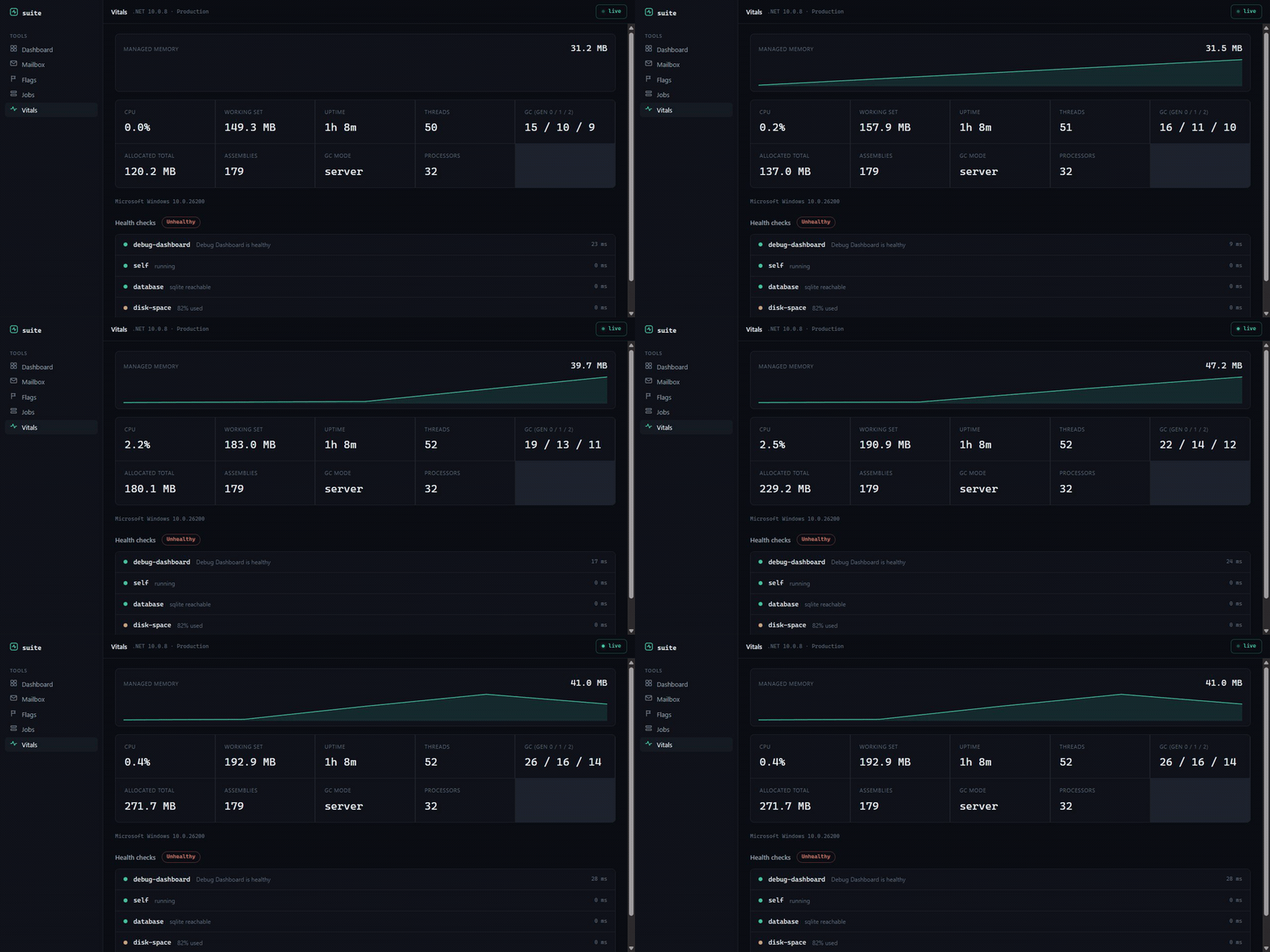
A live vitals page at /_vitals: memory, GC, threads, uptime, runtime, and your registered health checks, all updating in real time. No storage, no config. Part of the AspNetDebugDashboard suite.
Install
dotnet add package AspNetVitals
Setup
using AspNetVitals;

builder.Services.AddVitals();
var app = builder.Build();
app.UseVitals();   // serve /_vitals (no-op outside Development)
Health checks
If you've registered health checks, they show up automatically with their status, message, and run time:
builder.Services.AddHealthChecks()
    .AddCheck("self", () => HealthCheckResult.Healthy())
    .AddSqlServer(connectionString)
    .AddRedis(redisConnection);
No health checks registered? The page still shows process metrics and tells you how to add some.
What you get
/_vitals shows a live memory sparkline plus managed and working-set memory, CPU usage, GC collection counts per generation, total allocated bytes, thread and assembly counts, GC mode, uptime, and the runtime/OS. Below that, every registered health check with a color-coded status. The page polls so the numbers move as your app works.
Configuration
builder.Services.AddVitals(o => o.BasePath = "/_vitals");
License
MIT.
| Product | Versions Compatible and additional computed target framework versions. |
|---|---|
| .NET | net8.0 is compatible. net8.0-android was computed. net8.0-browser was computed. net8.0-ios was computed. net8.0-maccatalyst was computed. net8.0-macos was computed. net8.0-tvos was computed. net8.0-windows was computed. net9.0 is compatible. net9.0-android was computed. net9.0-browser was computed. net9.0-ios was computed. net9.0-maccatalyst was computed. net9.0-macos was computed. net9.0-tvos was computed. net9.0-windows was computed. net10.0 is compatible. net10.0-android was computed. net10.0-browser was computed. net10.0-ios was computed. net10.0-maccatalyst was computed. net10.0-macos was computed. net10.0-tvos was computed. net10.0-windows was computed. |
-
net10.0
- AspNetDebugDashboard.Suite (>= 1.0.0)
-
net8.0
- AspNetDebugDashboard.Suite (>= 1.0.0)
-
net9.0
- AspNetDebugDashboard.Suite (>= 1.0.0)
NuGet packages
This package is not used by any NuGet packages.
GitHub repositories
This package is not used by any popular GitHub repositories.
| Version | Downloads | Last Updated |
|---|---|---|
| 0.1.0 | 41 | 6/17/2026 |