AtomicUI.Wpf
1.3.8
dotnet add package AtomicUI.Wpf --version 1.3.8
NuGet\Install-Package AtomicUI.Wpf -Version 1.3.8
<PackageReference Include="AtomicUI.Wpf" Version="1.3.8" />
<PackageVersion Include="AtomicUI.Wpf" Version="1.3.8" />
<PackageReference Include="AtomicUI.Wpf" />
paket add AtomicUI.Wpf --version 1.3.8
#r "nuget: AtomicUI.Wpf, 1.3.8"
#:package AtomicUI.Wpf@1.3.8
#addin nuget:?package=AtomicUI.Wpf&version=1.3.8
#tool nuget:?package=AtomicUI.Wpf&version=1.3.8
AtomicUI.WPF
Modern WPF theme for .NET Framework and modern .NET.
Premium Fluent-inspired UI for native WPF desktop applications.
Modern UI. Minimal XAML. 2026-ready. Atomic speed.
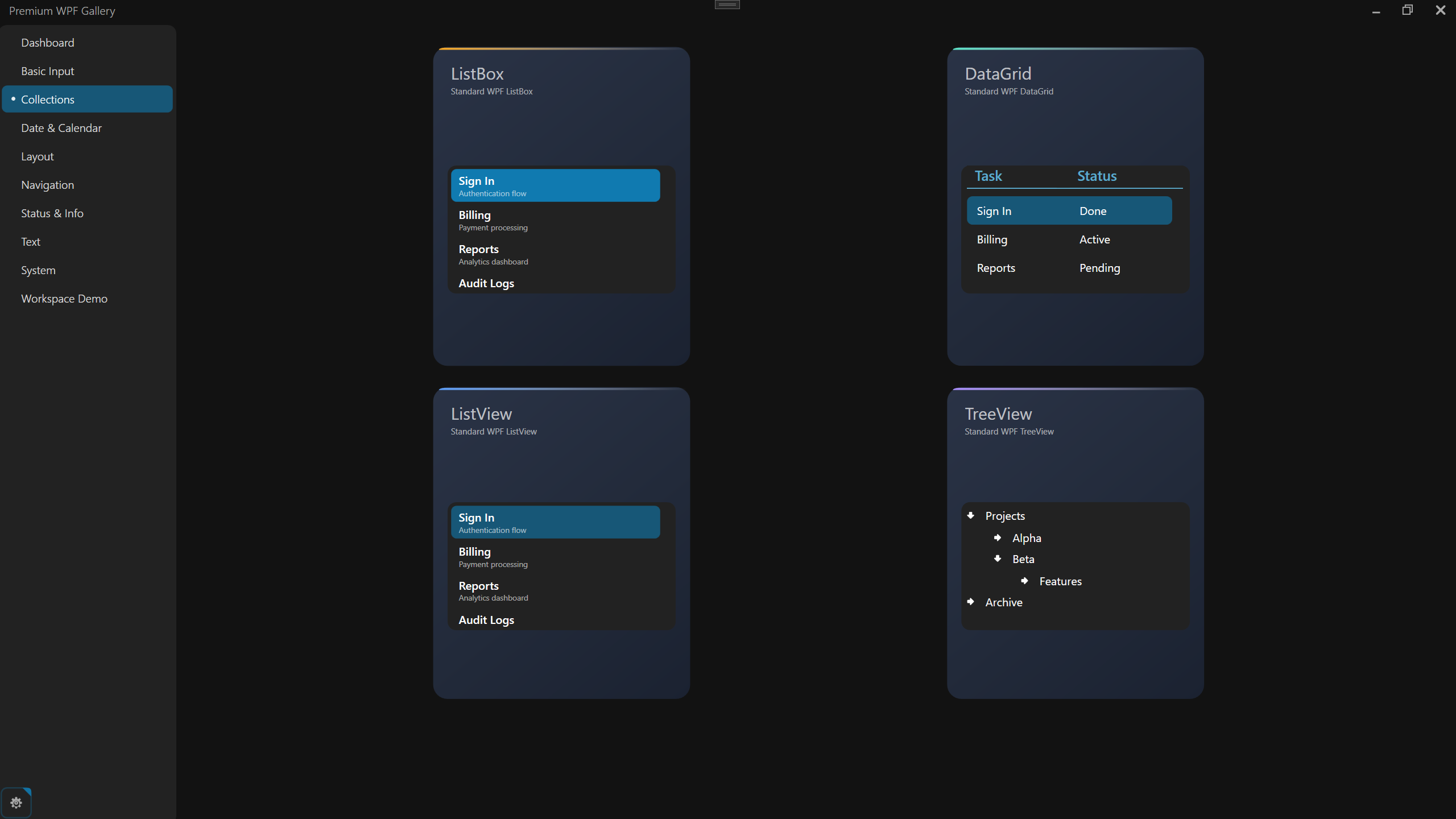
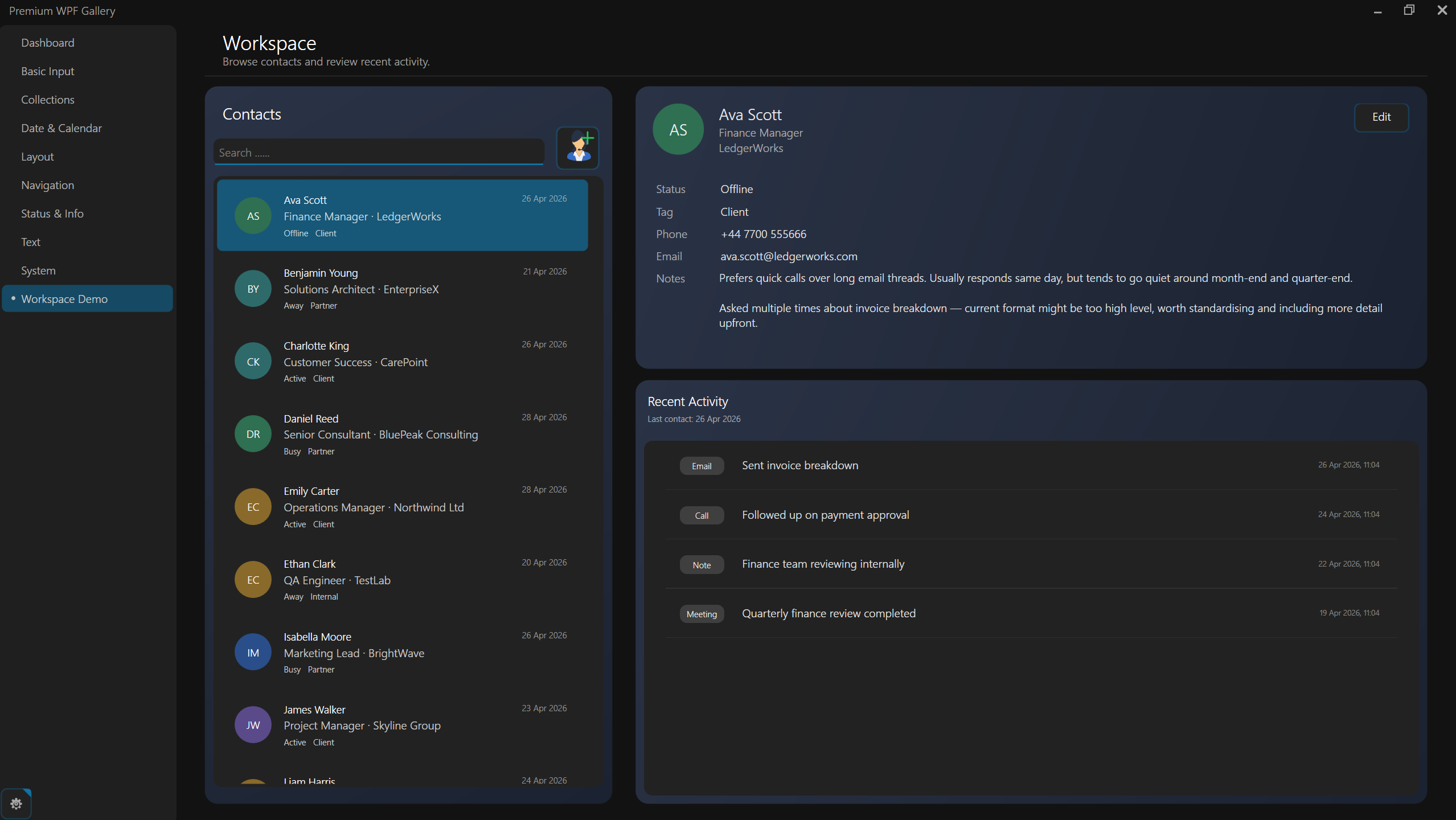
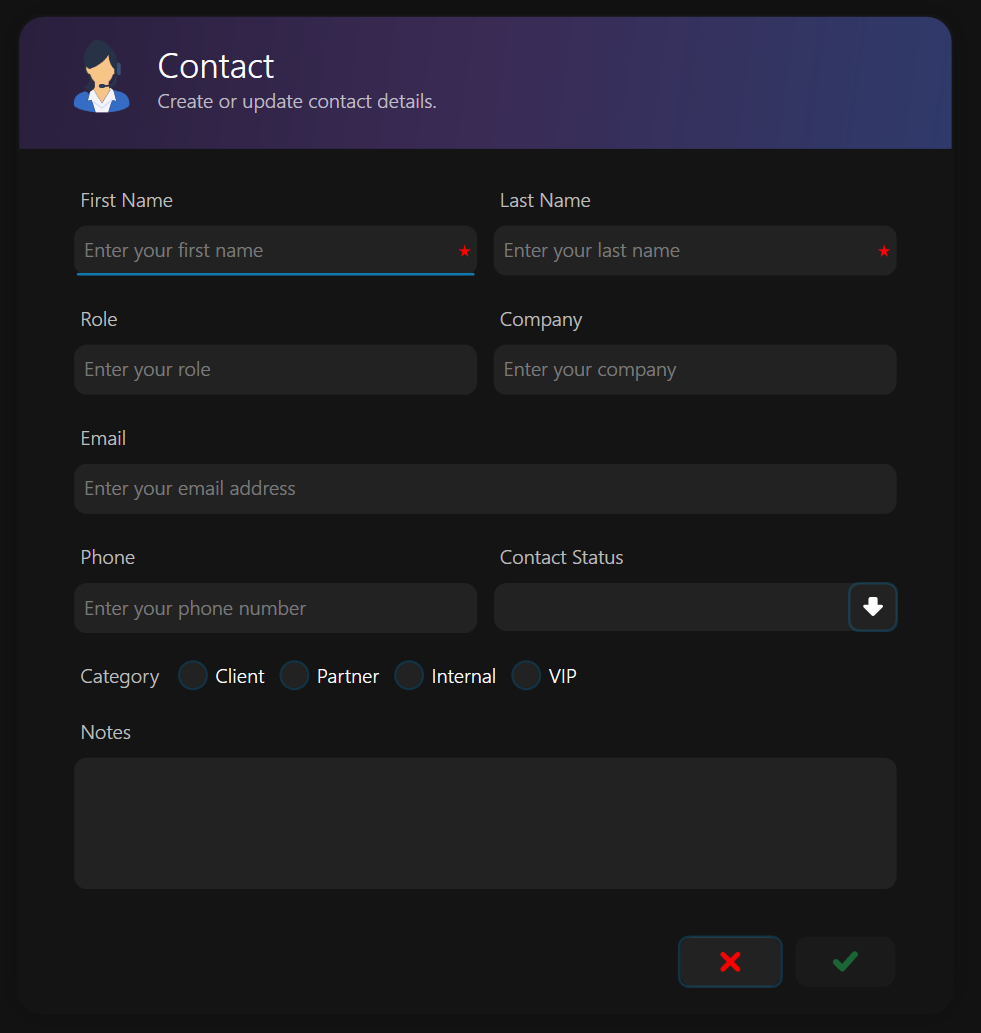
AtomicUI.WPF styles native WPF controls automatically, giving existing desktop applications a polished, modern interface without replacing standard WPF controls or rewriting your UI.
- Dark & Light themes
- Native WPF controls
- Custom
ModernWindowchrome - Smooth animations and transitions
- .NET Framework 4.5.1+ and modern .NET
- Windows 7 → Windows 11
🚀 Try the AtomicUI Gallery
Explore AtomicUI.WPF in the official Gallery with live controls, themes, animations, and layouts.
Microsoft Store:
https://apps.microsoft.com/detail/9PHND2W8WGG7?hl=en-us&gl=GB&ocid=pdpshare
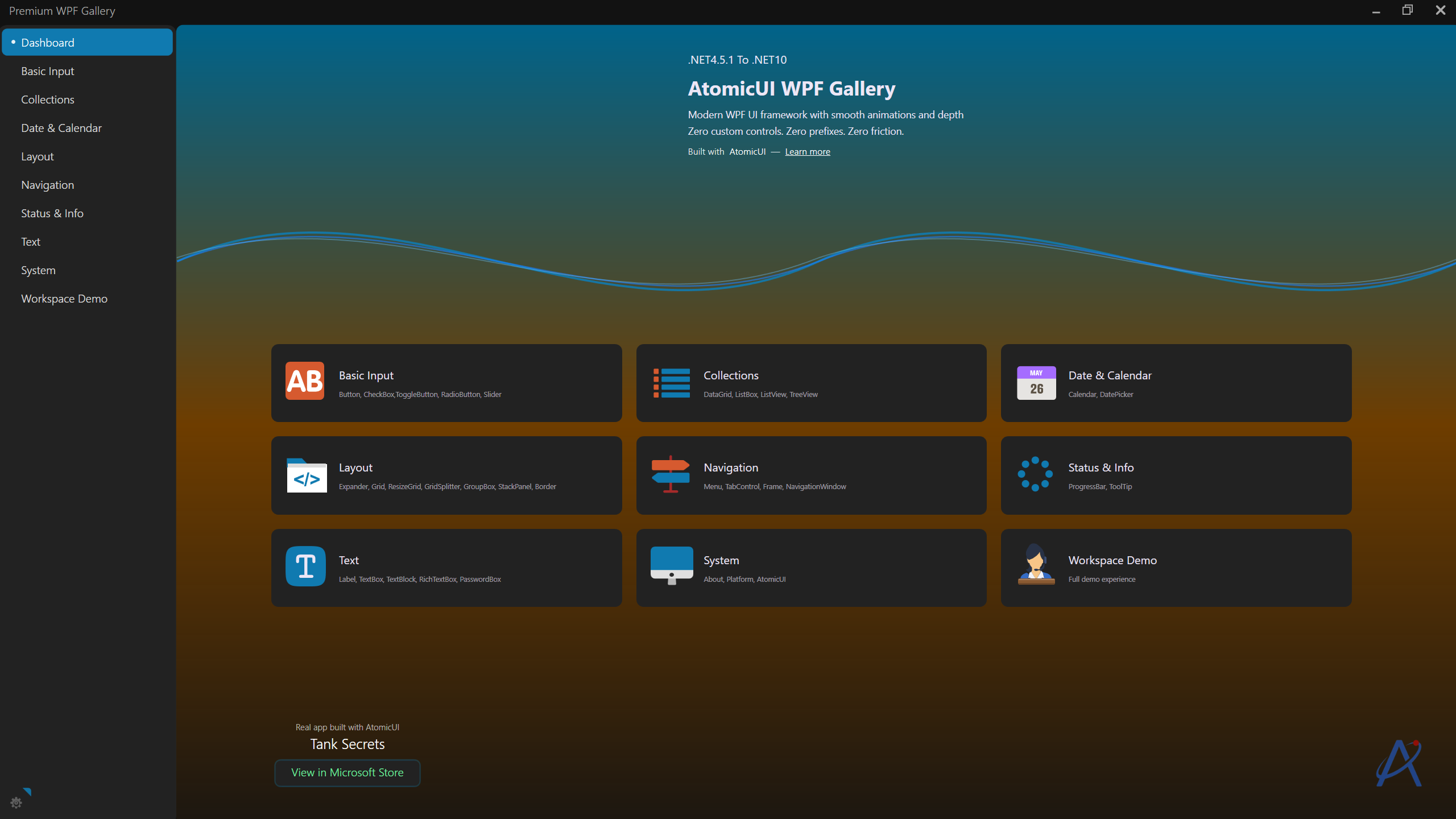
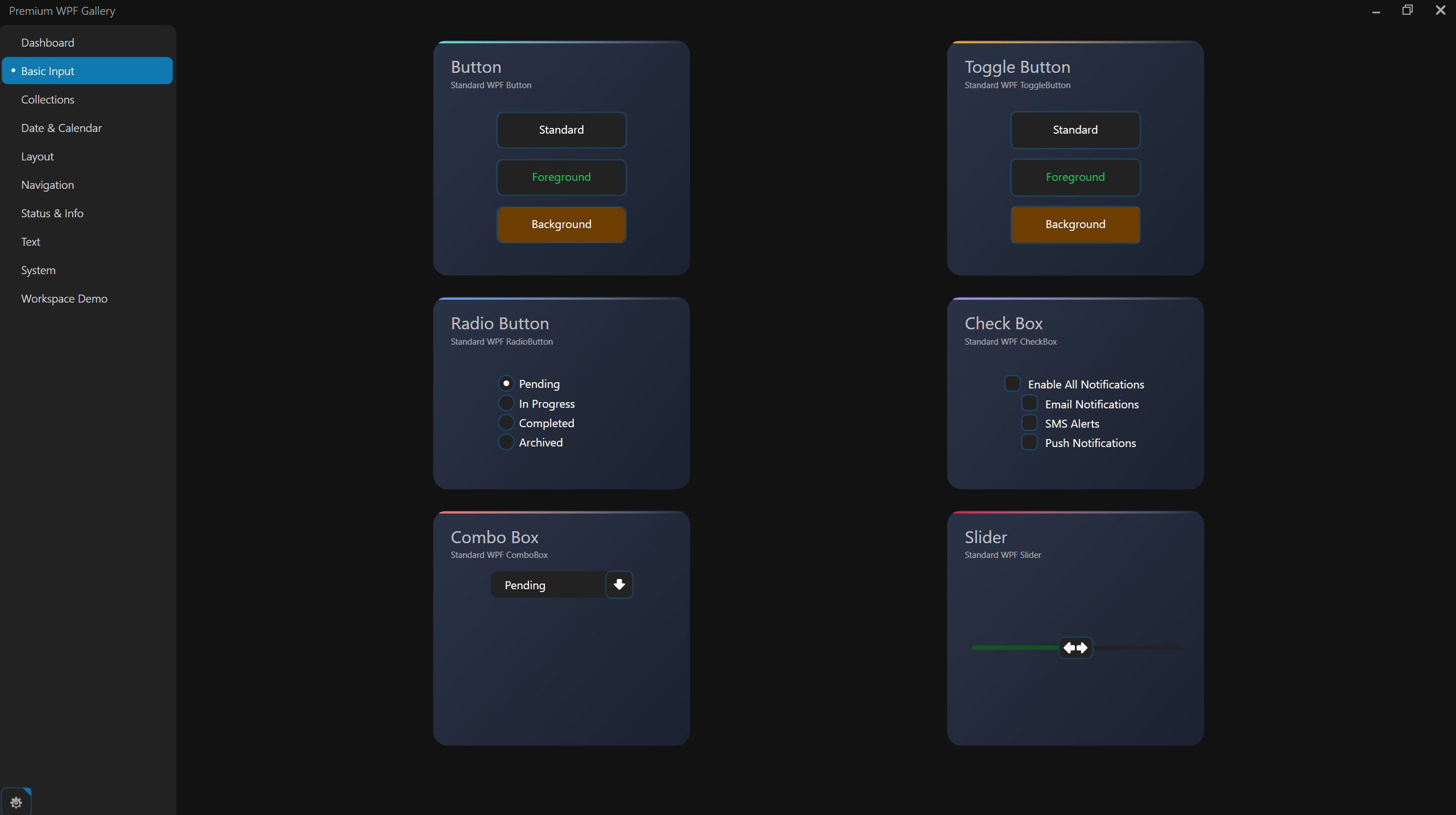
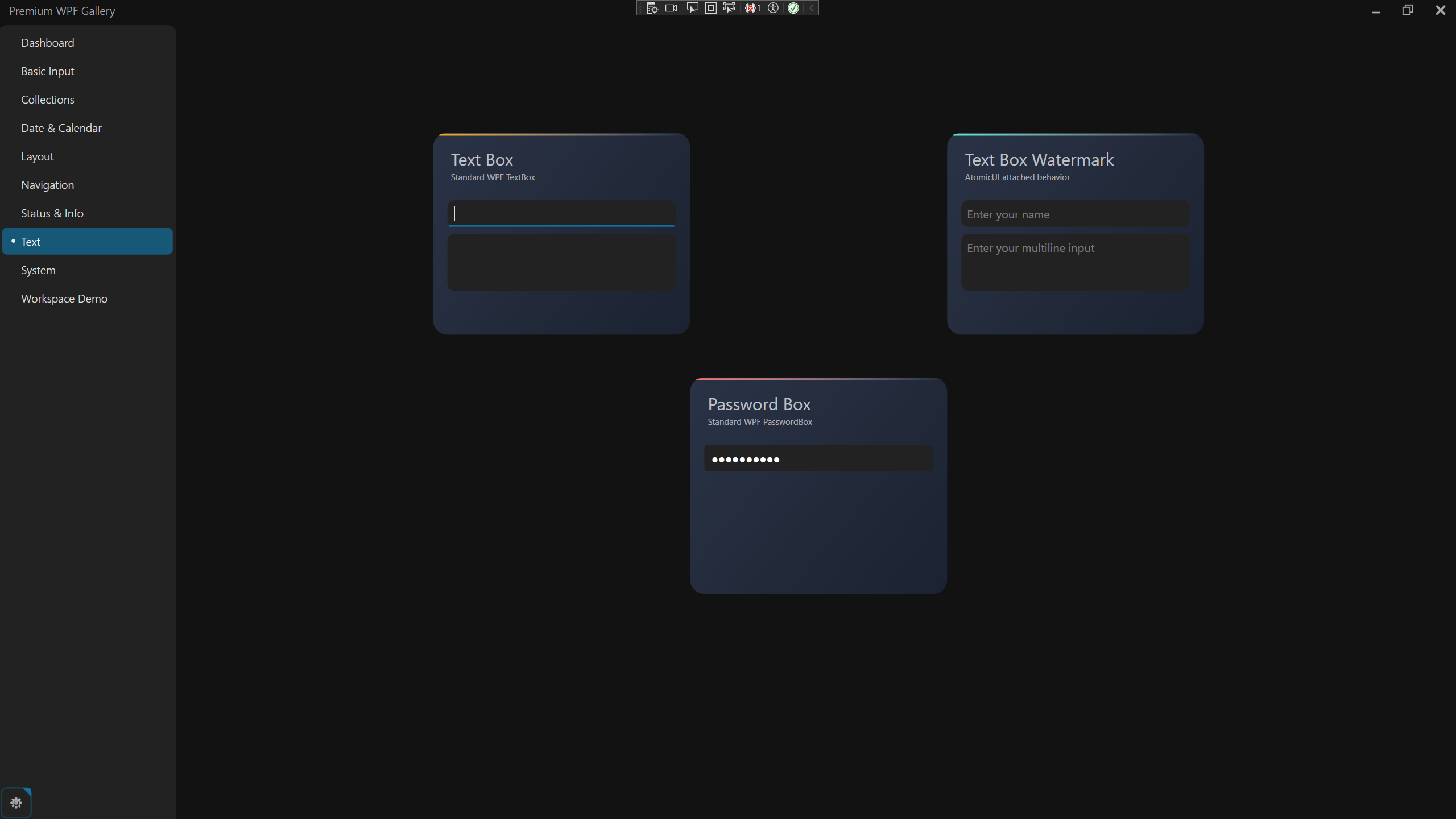
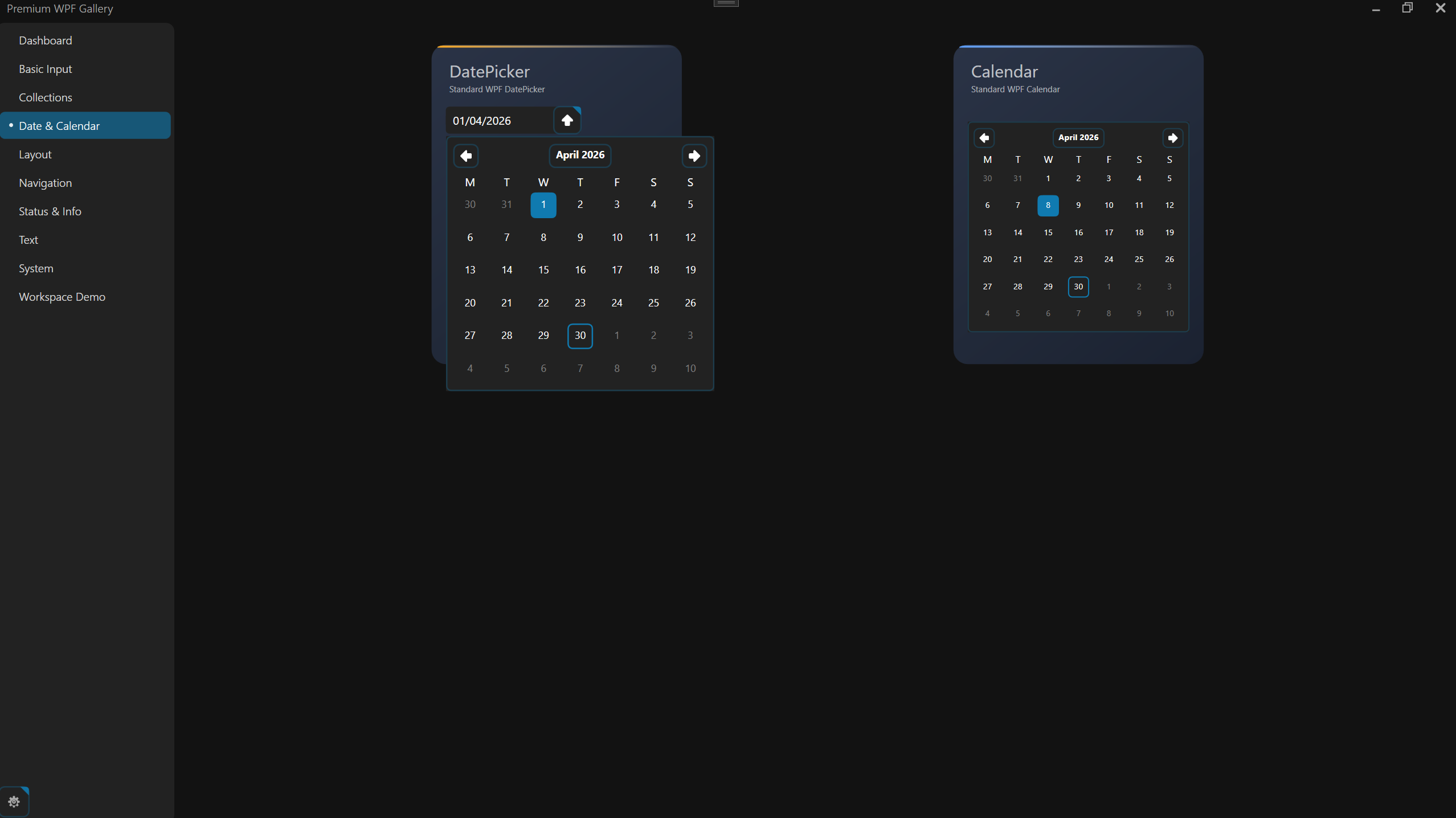
Built with AtomicUI
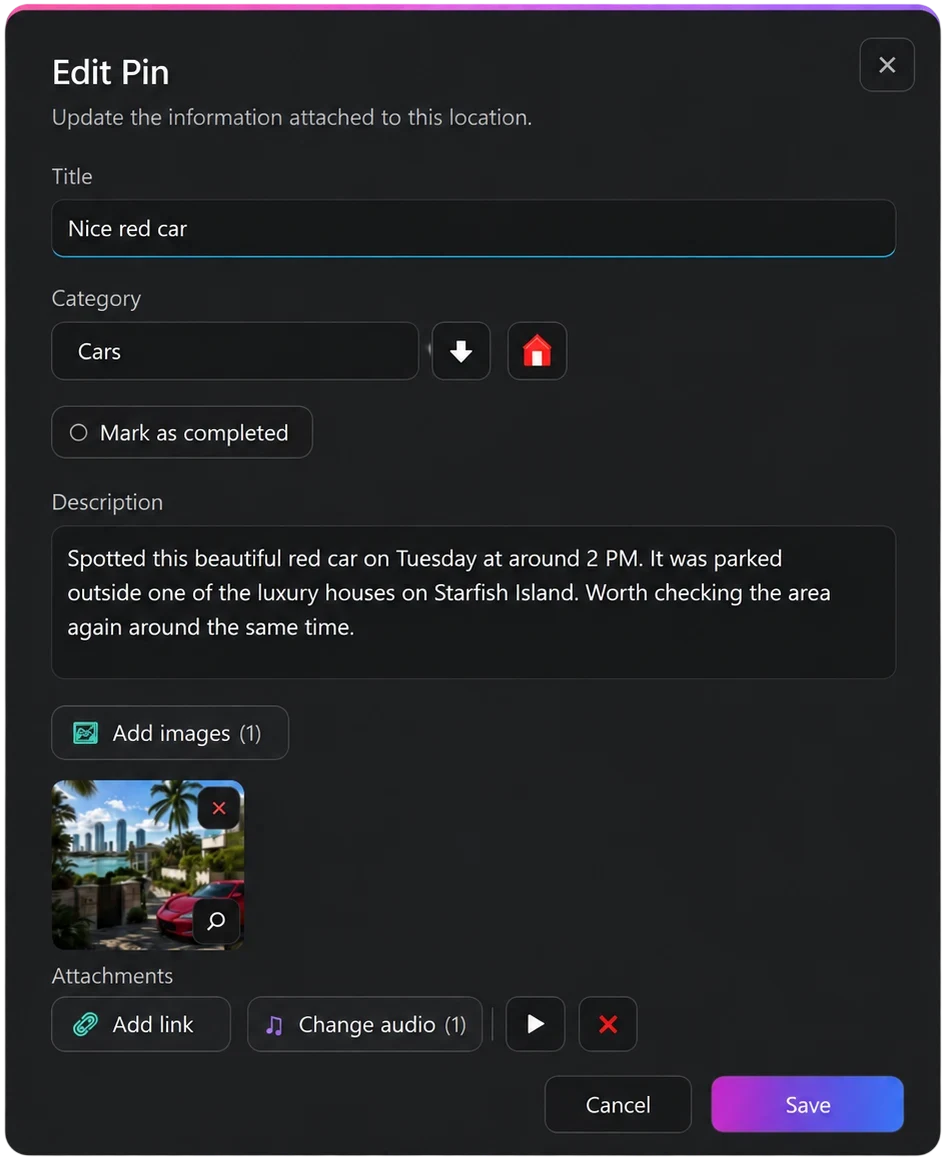
AtomicUI.WPF is also used in commercial Windows applications, including Map Secrets and Tank Secrets.
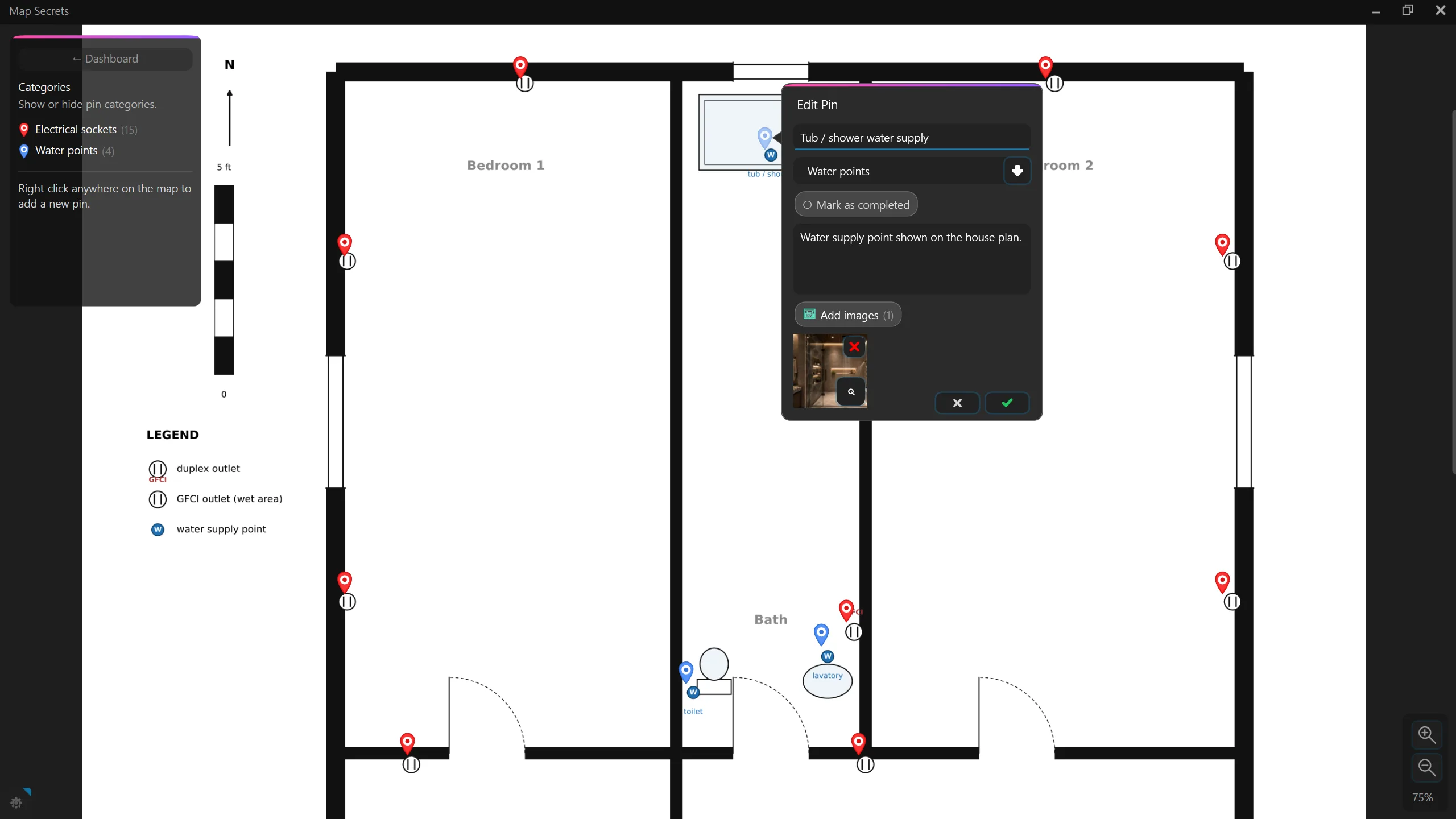
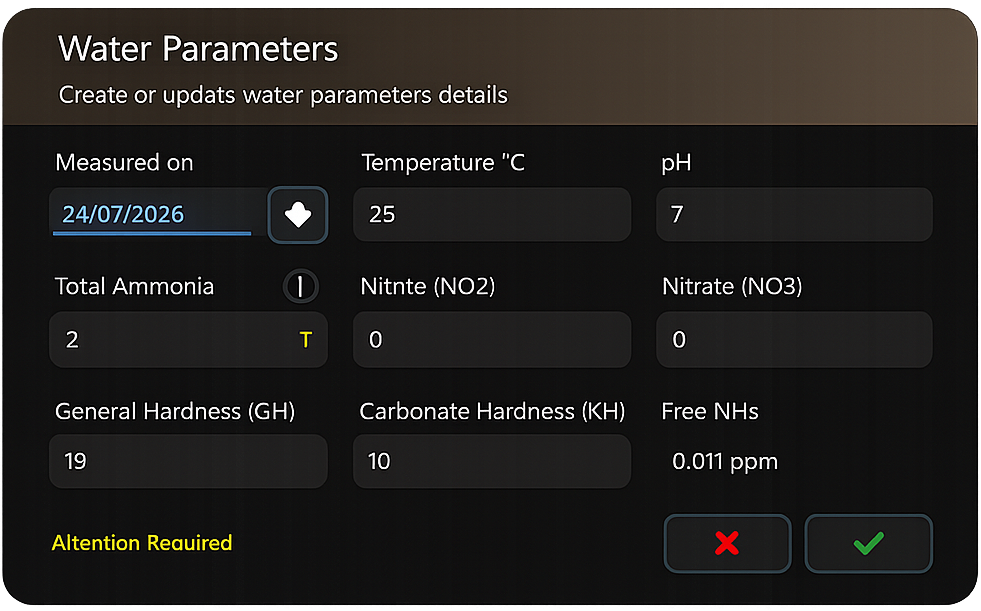
📦 Installation
dotnet add package AtomicUI.Wpf
🧩 Setup
Using ModernWindow (recommended)
ModernWindow is optional, but recommended for the best AtomicUI experience.
If your application uses ModernWindow, you do not need to add
DarkTheme.xaml or LightTheme.xaml manually.
Merge Generic.xaml only:
<ResourceDictionary>
  <ResourceDictionary.MergedDictionaries>
    <ResourceDictionary Source="/AtomicUI;component/Themes/Generic.xaml" />
  </ResourceDictionary.MergedDictionaries>
</ResourceDictionary>
ModernWindow automatically loads and manages the active Dark or Light
theme.
Use ModernWindow in place of a standard WPF Window:
<ui:ModernWindow
    x:Class="MyApp.MainWindow"
    xmlns="http://schemas.microsoft.com/winfx/2006/xaml/presentation"
    xmlns:x="http://schemas.microsoft.com/winfx/2006/xaml"
    xmlns:ui="clr-namespace:AtomicUI.CustomControls;assembly=AtomicUI"
    Title="My App">

</ui:ModernWindow>
public partial class MainWindow : ModernWindow
{
    public MainWindow()
    {
        InitializeComponent();
    }
}
Theme selection
Set the initial theme using IsDarkTheme:
<ui:ModernWindow
    ...
    IsDarkTheme="True">
</ui:ModernWindow>
IsDarkTheme="True"--- Dark themeIsDarkTheme="False"--- Light theme (default)
Built-in theme toggle
ModernWindow includes a built-in button for switching between Dark and
Light themes. The button is shown by default.
<ui:ModernWindow
    ...
    ShowThemeToggleButton="True">
</ui:ModernWindow>
To hide it:
<ui:ModernWindow
    ...
    ShowThemeToggleButton="False">
</ui:ModernWindow>
Using a standard WPF Window
If you are not using ModernWindow, merge Generic.xaml together with
the theme you want to use.
Dark theme
<ResourceDictionary>
  <ResourceDictionary.MergedDictionaries>
    <ResourceDictionary Source="/AtomicUI;component/Themes/DarkTheme.xaml" />
    <ResourceDictionary Source="/AtomicUI;component/Themes/Generic.xaml" />
  </ResourceDictionary.MergedDictionaries>
</ResourceDictionary>
Light theme
<ResourceDictionary>
  <ResourceDictionary.MergedDictionaries>
    <ResourceDictionary Source="/AtomicUI;component/Themes/LightTheme.xaml" />
    <ResourceDictionary Source="/AtomicUI;component/Themes/Generic.xaml" />
  </ResourceDictionary.MergedDictionaries>
</ResourceDictionary>
🔑 License Key
A license key is only required for paid licenses.
using AtomicUI;

public partial class App : Application
{
    protected override void OnStartup(StartupEventArgs e)
    {
        ThemeManager.SetKey("MY-LICENSE-KEY");
        base.OnStartup(e);
    }
}
⚡ Custom Styles
AtomicUI styles native WPF controls automatically. If you override a
control style and want to retain AtomicUI's styling, inherit from the
existing style with BasedOn:
<TextBox>
    <TextBox.Style>
        <Style BasedOn="{StaticResource {x:Type TextBox}}"
               TargetType="{x:Type TextBox}">
            <Setter Property="FontSize" Value="18" />
        </Style>
    </TextBox.Style>
</TextBox>
This is standard WPF behaviour: defining a new style without BasedOn
replaces the existing style.
For advanced scenarios such as dynamically loaded Prism views or isolated resource dictionaries, see the full documentation on GitHub.
📄 Licensing
AtomicUI.WPF uses a perpetual licensing model.
Personal & Indie --- Free
Free with no time limit for personal and hobby projects, independent developers, and commercial applications you develop and distribute independently. No guaranteed support is included.
Commercial licenses
Paid licenses are available for developers working for organisations or clients, development teams, and enterprise organisations.
See current plans and licensing details:
https://atomicapps.dev/pricing
AtomicUI.WPF is distributed as a compiled-only NuGet package.
📬 Support
- Discord: https://discord.gg/5QN4qyGP
- Email: dan@atomicapps.dev
🌐 Links
- Website: https://atomicapps.dev
- Full documentation & source repository: https://github.com/AtomicAppsUI/AtomicUI.WPF
- Gallery: https://apps.microsoft.com/detail/9PHND2W8WGG7?hl=en-us&gl=GB&ocid=pdpshare
- Pricing: https://atomicapps.dev/pricing
| Product | Versions Compatible and additional computed target framework versions. |
|---|---|
| .NET | net6.0-windows7.0 is compatible. net7.0-windows was computed. net7.0-windows7.0 is compatible. net8.0-windows was computed. net8.0-windows7.0 is compatible. net9.0-windows was computed. net9.0-windows7.0 is compatible. net10.0-windows was computed. net10.0-windows7.0 is compatible. |
| .NET Framework | net451 is compatible. net452 was computed. net46 was computed. net461 was computed. net462 is compatible. net463 was computed. net47 was computed. net471 was computed. net472 was computed. net48 is compatible. net481 was computed. |
-
.NETFramework 4.5.1
- No dependencies.
-
.NETFramework 4.6.2
- No dependencies.
-
.NETFramework 4.8
- No dependencies.
-
net10.0-windows7.0
- No dependencies.
-
net6.0-windows7.0
- No dependencies.
-
net7.0-windows7.0
- No dependencies.
-
net8.0-windows7.0
- No dependencies.
-
net9.0-windows7.0
- No dependencies.
NuGet packages
This package is not used by any NuGet packages.
GitHub repositories
This package is not used by any popular GitHub repositories.
| Version | Downloads | Last Updated |
|---|---|---|
| 1.3.8 | 103 | 8/16/2026 |
| 1.3.7 | 93 | 8/15/2026 |
| 1.3.5 | 94 | 8/12/2026 |
| 1.3.1 | 90 | 8/9/2026 |
| 1.2.0 | 127 | 6/19/2026 |
| 1.1.7 | 125 | 5/20/2026 |
| 1.1.6 | 110 | 5/20/2026 |
| 1.1.5 | 114 | 4/25/2026 |
| 1.1.2 | 113 | 4/25/2026 |
| 1.1.1 | 112 | 4/25/2026 |
| 1.1.0 | 128 | 4/20/2026 |
| 1.0.3 | 157 | 2/19/2026 |
| 1.0.2 | 126 | 2/17/2026 |
| 1.0.1 | 121 | 2/13/2026 |
| 1.0.0 | 143 | 2/2/2026 |
Various styling fixes and refinements.