BetterHangfire.Dashboard
1.0.0-rc.1
dotnet add package BetterHangfire.Dashboard --version 1.0.0-rc.1
NuGet\Install-Package BetterHangfire.Dashboard -Version 1.0.0-rc.1
<PackageReference Include="BetterHangfire.Dashboard" Version="1.0.0-rc.1" />
<PackageVersion Include="BetterHangfire.Dashboard" Version="1.0.0-rc.1" />
<PackageReference Include="BetterHangfire.Dashboard" />
paket add BetterHangfire.Dashboard --version 1.0.0-rc.1
#r "nuget: BetterHangfire.Dashboard, 1.0.0-rc.1"
#:package BetterHangfire.Dashboard@1.0.0-rc.1
#addin nuget:?package=BetterHangfire.Dashboard&version=1.0.0-rc.1&prerelease
#tool nuget:?package=BetterHangfire.Dashboard&version=1.0.0-rc.1&prerelease
Better Hangfire Dashboard
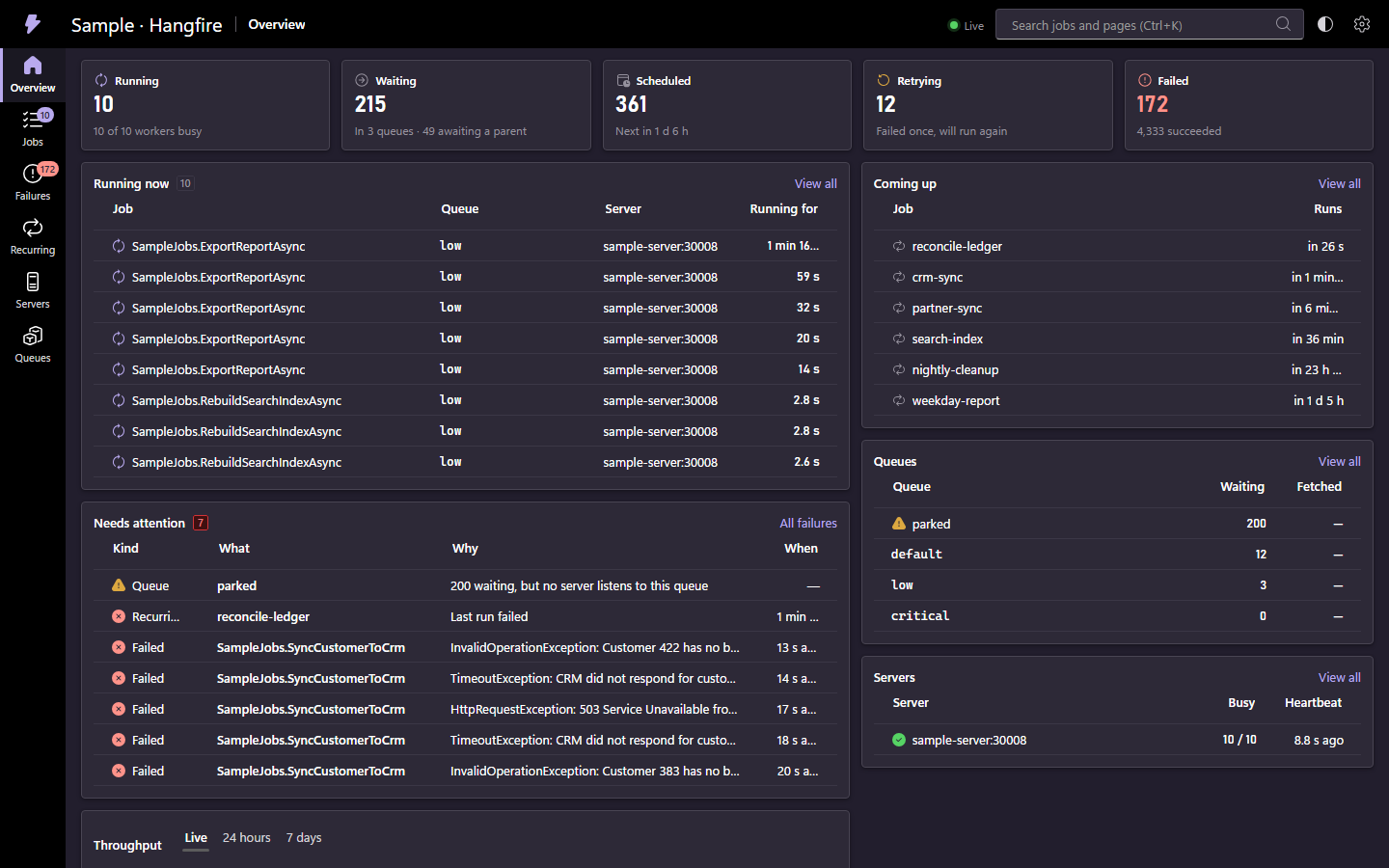
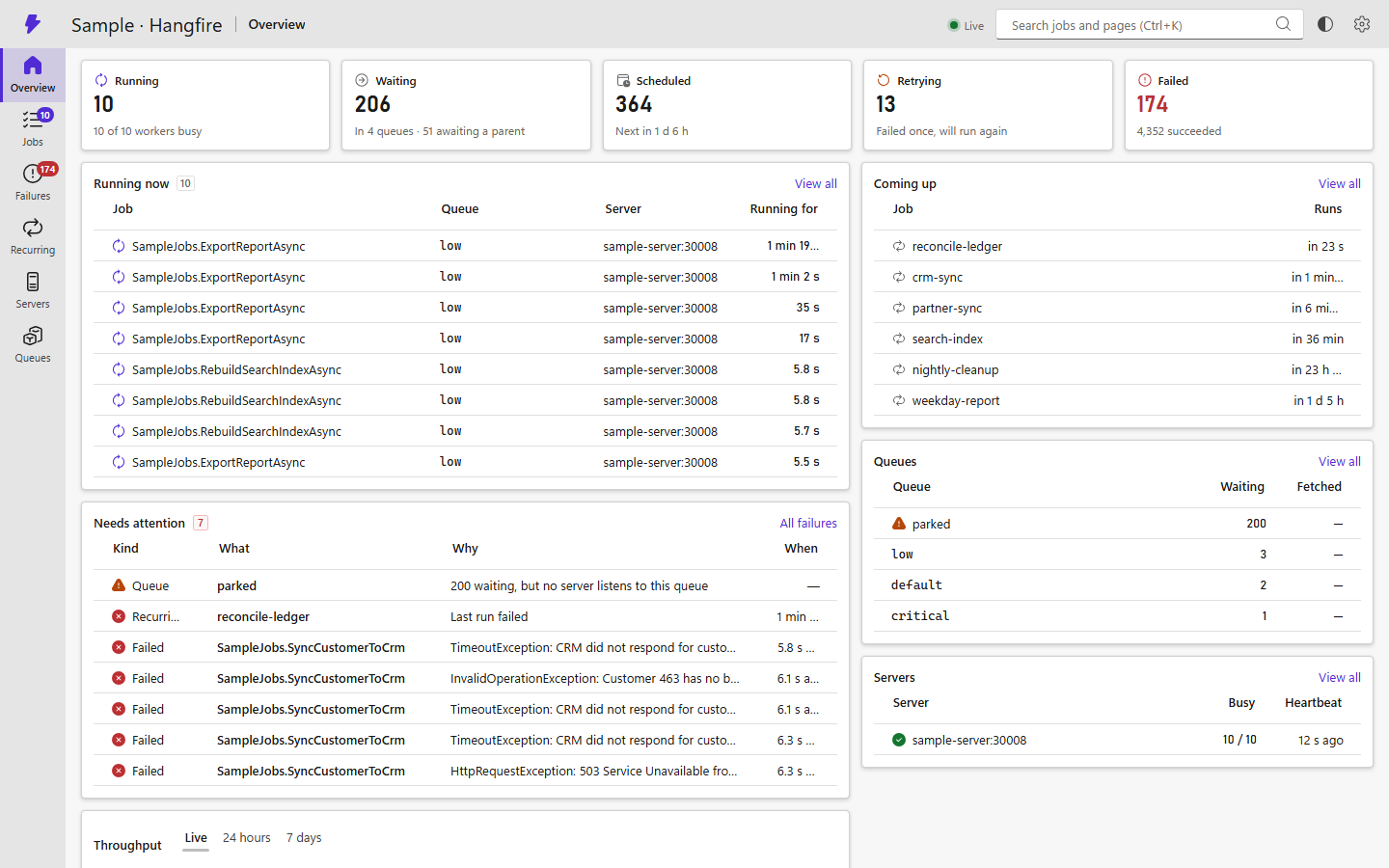
A fast, modern dashboard for Hangfire, built with Blazor and Fluent UI Blazor. It mounts inside your ASP.NET Core app, next to (or instead of) the built-in dashboard, and works with any Hangfire storage.
Status: release candidate. The public API may still change before 1.0. See PLAN.md for the roadmap and CHANGELOG.md for what changed.
Features
- Live: counters, charts and lists update instantly when job states change. One storage read serves every viewer.
- Fast at scale: virtualized, server-paged grids. Never loads a whole job list.
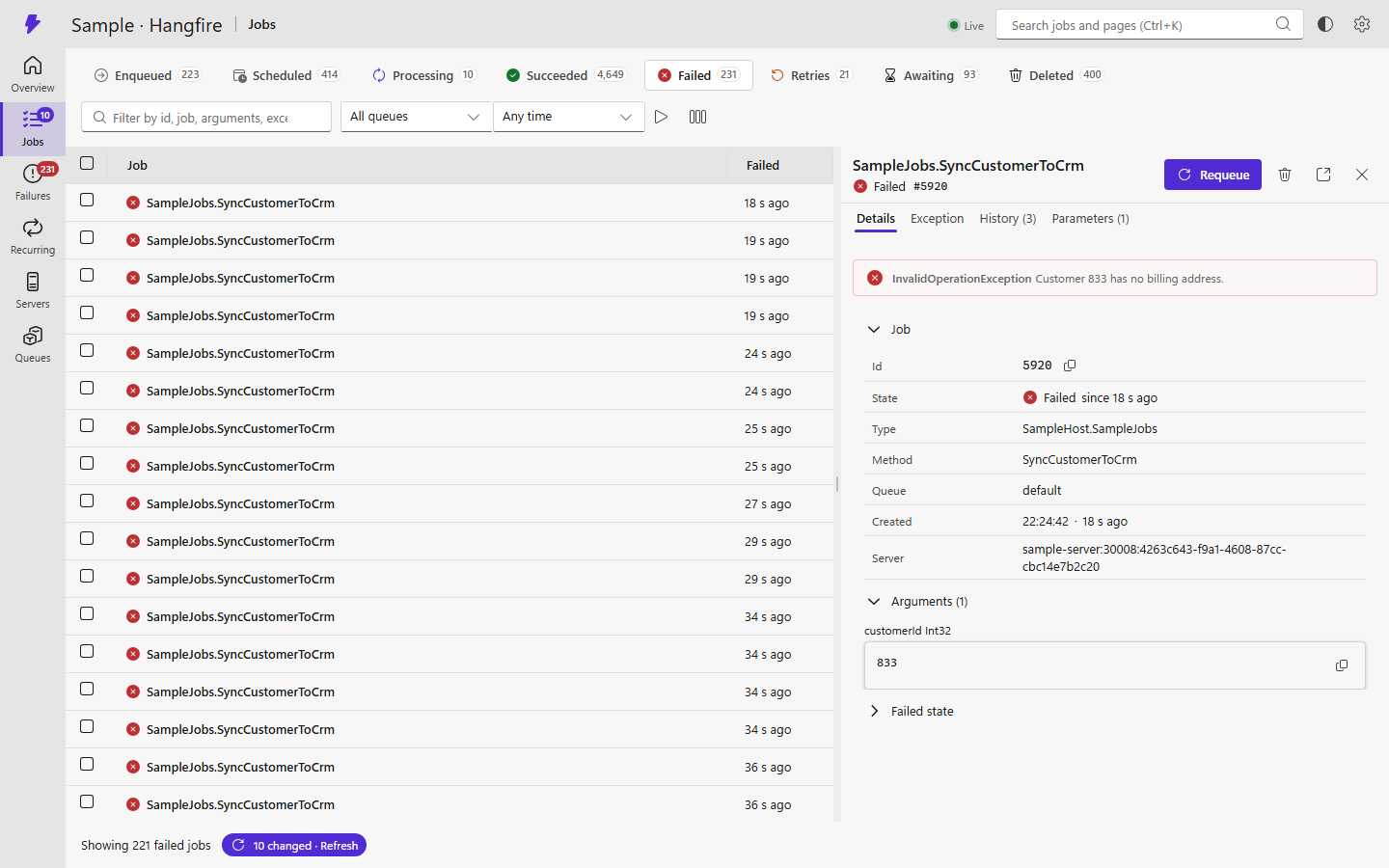
- Search and filters on every job list, saved in the URL so links can be shared.
- Bulk actions on selected rows or on everything matching a filter.
- Failures grouped by exception and job method. Requeue or delete a whole group.
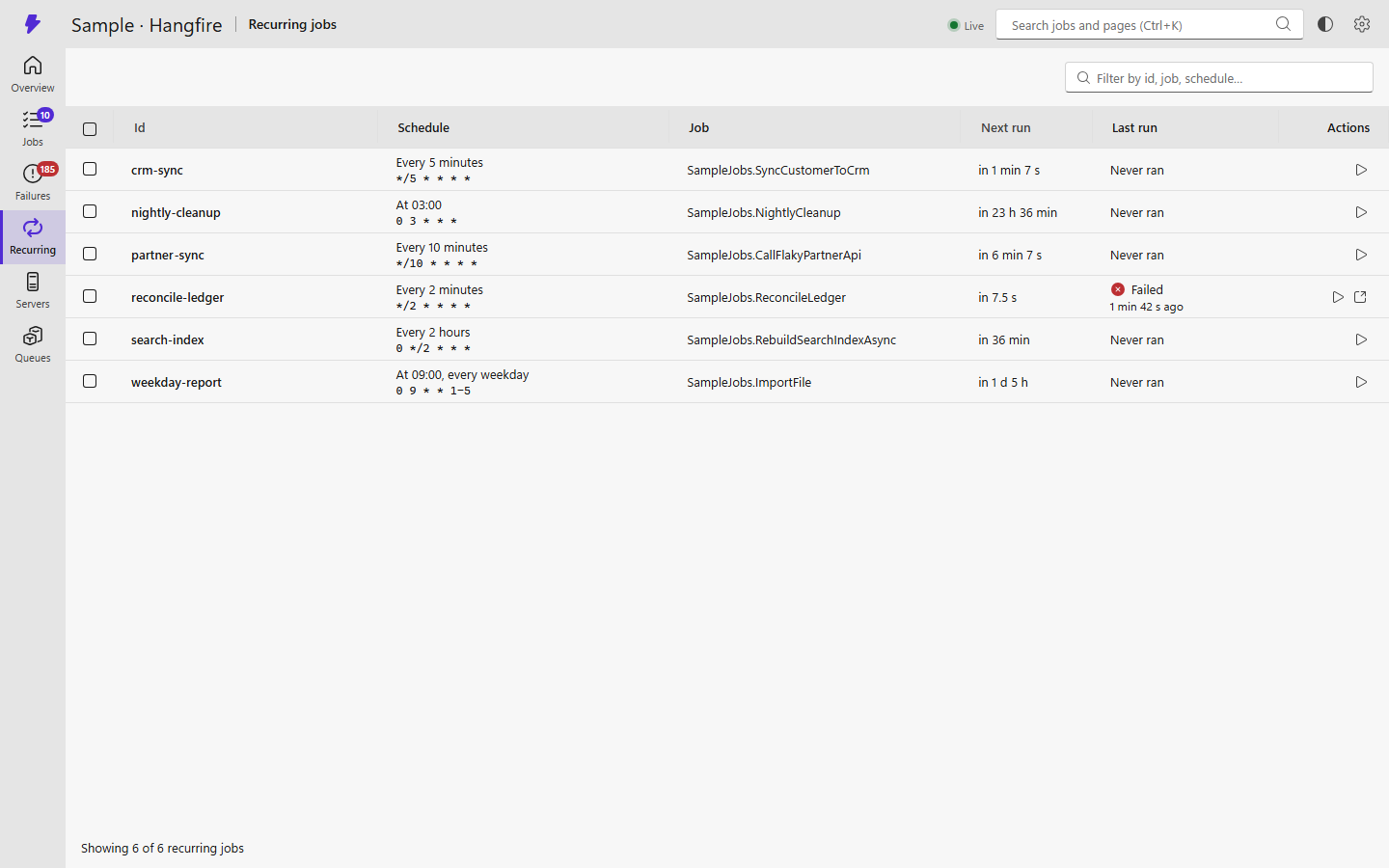
- Recurring jobs with plain-English schedules and the next runs.
- Your existing auth: reuses Hangfire's dashboard authorization filters and read-only rules, or ASP.NET Core policies.
- Light and dark themes, keyboard shortcuts (Ctrl+K search), no JavaScript build.
Screenshots
 |
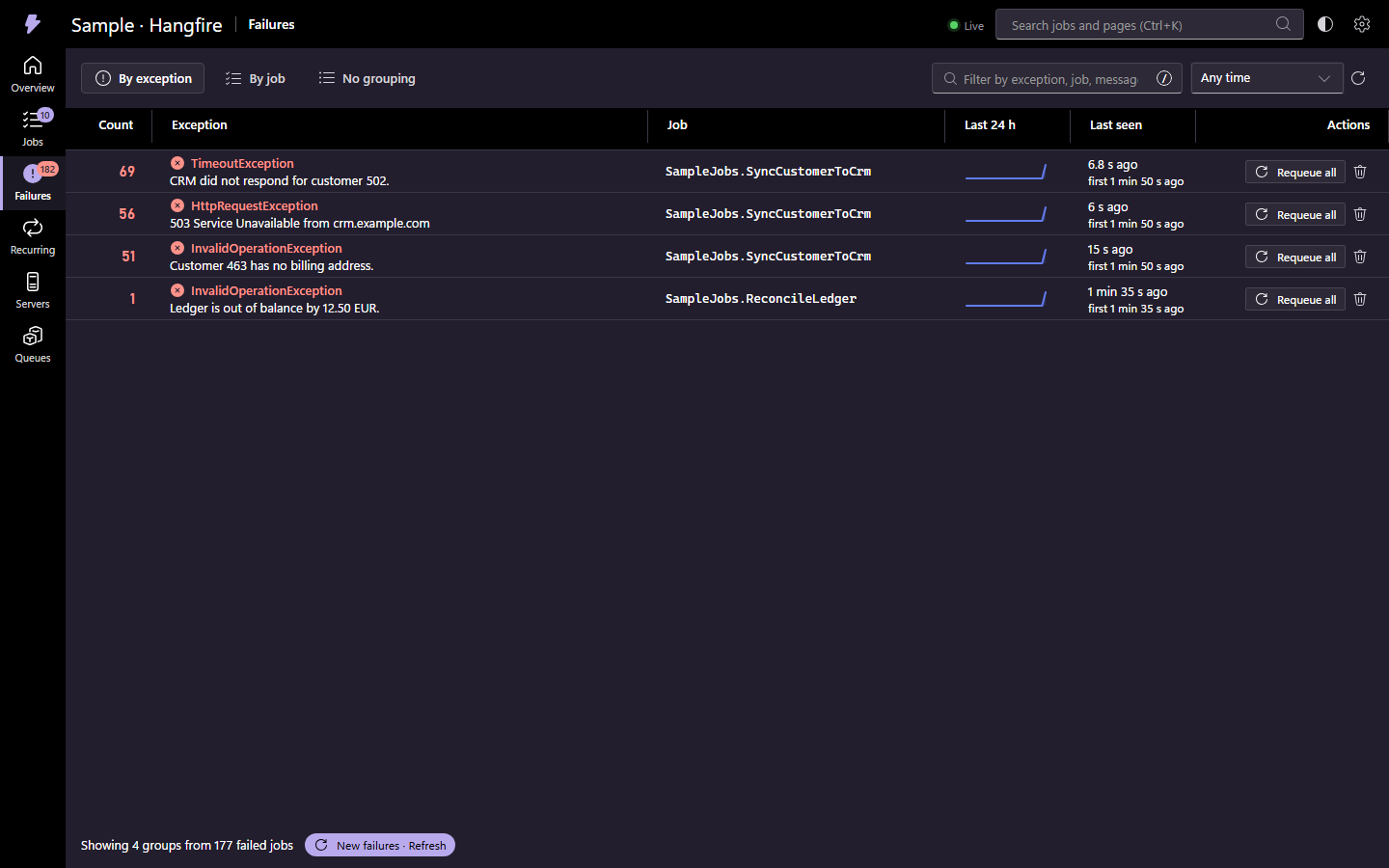 |
| Job lists with search, filters and a details panel | Failures grouped by exception or job |
 |
 |
| Recurring jobs in plain English | Light theme |
Quick start
Requires .NET 10 and Hangfire 1.8.
dotnet add package BetterHangfire.Dashboard --prerelease
builder.Services.AddHangfire(/* your storage */);
builder.Services.AddBetterHangfireDashboard();

var app = builder.Build();
app.MapBetterHangfireDashboard("/jobs");
By default only local requests are allowed, like the built-in dashboard. To reuse your Hangfire dashboard rules:
var hangfireDashboard = new Hangfire.DashboardOptions
{
    Authorization = [new MyAuthorizationFilter()],
    IsReadOnlyFunc = context => !context.GetHttpContext().User.IsInRole("Admin"),
};

builder.Services.AddBetterHangfireDashboard(options => options.UseHangfireAuthorization(hangfireDashboard));
app.UseHangfireDashboard("/hangfire", hangfireDashboard); // optional: keep the classic one too
Or use ASP.NET Core policies: options.AuthorizationPolicy = "HangfireViewers"; options.EditPolicy = "HangfireAdmins";.
All options are documented in DashboardOptions.cs.
Audit log
Every requeue, delete and trigger is logged. To also record it somewhere of your own, register one or more
IDashboardAuditSinks:
builder.Services.AddSingleton<IDashboardAuditSink, MyAuditSink>();

sealed class MyAuditSink(ILogger<MyAuditSink> logger) : IDashboardAuditSink
{
    public ValueTask OnActionAsync(DashboardAuditEntry entry, CancellationToken cancellationToken)
    {
        logger.LogWarning("{User} ran {Action} on {Jobs}", entry.User, entry.Action, entry.Targets);
        return ValueTask.CompletedTask;
    }
}
Search on large storages
Hangfire's storage API can't search, so search, filters and failure grouping look at the newest
SearchScanLimit jobs of a list (5,000 by default), and the UI says when a result is partial. To search in the
database instead, register your own IDashboardDataSource before calling AddBetterHangfireDashboard.
Try it
dotnet run --project samples/SampleHost --launch-profile http
Open http://localhost:5187/jobs. The sample uses in-memory storage and generates jobs in every state.
Contributing
Contributions are welcome. See CONTRIBUTING.md. Coding conventions, for people and AI agents, are in AGENTS.md.
License
| Product | Versions Compatible and additional computed target framework versions. |
|---|---|
| .NET | net10.0 is compatible. net10.0-android was computed. net10.0-browser was computed. net10.0-ios was computed. net10.0-maccatalyst was computed. net10.0-macos was computed. net10.0-tvos was computed. net10.0-windows was computed. |
-
net10.0
- Cronos (>= 0.13.0)
- Hangfire.AspNetCore (>= 1.8.25)
- Hangfire.Core (>= 1.8.25)
- Microsoft.FluentUI.AspNetCore.Components (>= 5.0.1)
- Microsoft.FluentUI.AspNetCore.Components.Charts (>= 5.0.1)
- Microsoft.FluentUI.AspNetCore.Components.Icons (>= 5.0.1)
- Newtonsoft.Json (>= 13.0.4)
NuGet packages
This package is not used by any NuGet packages.
GitHub repositories
This package is not used by any popular GitHub repositories.
| Version | Downloads | Last Updated |
|---|---|---|
| 1.0.0-rc.1 | 47 | 11/15/2026 |