Chip8 1.0.1
dotnet add package Chip8 --version 1.0.1
NuGet\Install-Package Chip8 -Version 1.0.1
<PackageReference Include="Chip8" Version="1.0.1" />
<PackageVersion Include="Chip8" Version="1.0.1" />
<PackageReference Include="Chip8" />
paket add Chip8 --version 1.0.1
#r "nuget: Chip8, 1.0.1"
#:package Chip8@1.0.1
#addin nuget:?package=Chip8&version=1.0.1
#tool nuget:?package=Chip8&version=1.0.1
CHIP-8




Introduction
This repository contains yet another implementation of a CHIP-8 emulator.
CHIP-8 is an interpreted programming language created in the mid-1970s. It was designed to allow video games to be more easily programmed for early 8-bit microcomputers. Systems running CHIP-8 are great candidates for emulation because of their simple architecture.
How this implementation differs from others:
- Not just a weekend hackathon project: Effort was put into code quality.
- Separation of concerns: Each CPU instruction is implemented separately and is well-documented.
- Modularity & portability: Core parts of the emulator (instructions, instruction executor) are decoupled, allowing different display, keyboard, and sound implementations to be easily injected.
- Automated pipeline: Includes quality gates with Codecov and Codacy integration.
- Comprehensive testing: High unit test coverage.
- Core parts of the emulator available as a NuGet package, with executables available as WPF / CLI / web application
- The emulator passes all tests in the CHIP-8 test suite by Timendus
- The WPF user interface acts as a debugger, enabling:
- Pausing / resuming and executing games one instruction at a time
- Inspection of registers
- Converting CHIP-8 binary to mnemonic code and vice-versa
- Setting breakpoints (TODO: planned)
Screenshots of UI implementations
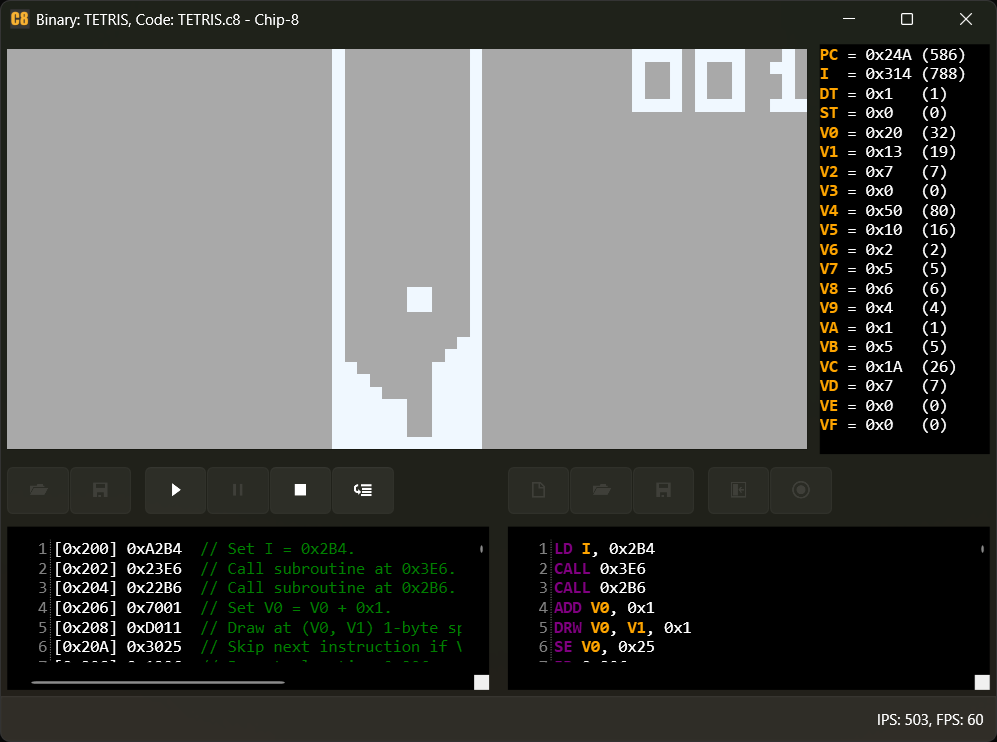
WPF (Debugger)
The WPF application provides a full debugging environment. You can inspect registers, view the disassembled code, and execute instructions step-by-step.
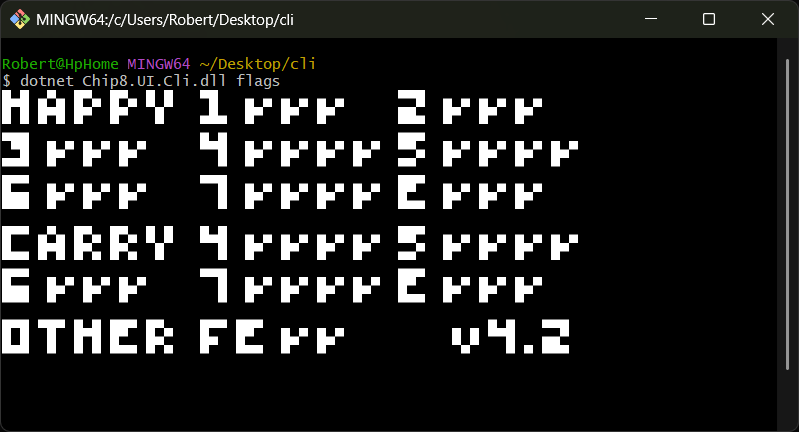
CLI
A lightweight console application for running ROMs directly from your terminal.
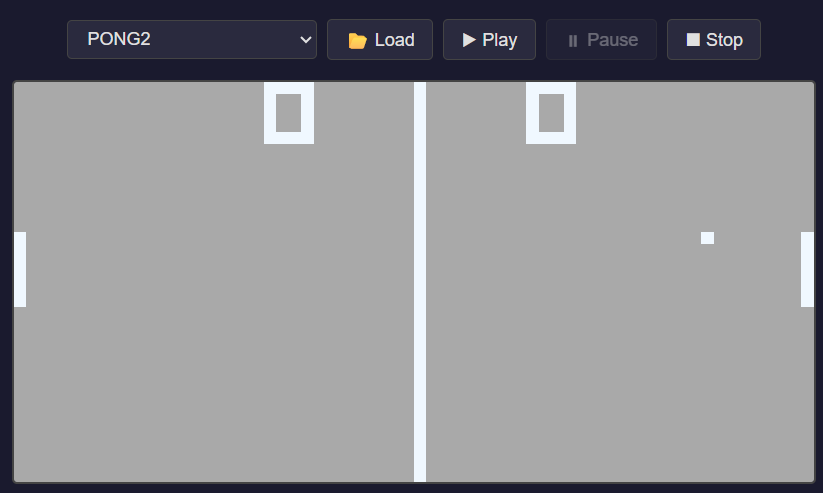
Web (Blazor WASM)
The emulator running directly in your browser using Blazor WebAssembly.
TL;DR I want to play some TETRIS / PONG / BRIX ...
An emulator embedded in a Blazor WASM project is available here: https://kurtanr.github.io/Chip8/
WPF & CLI binaries are available on the releases page.
When trying out the games, take note of the original CHIP-8 keyboard layout and how it is emulated (on QWERTY keyboard layout):
Original layout:         Emulated with:
    1 2 3 C                 1 2 3 4
    4 5 6 D        -->      Q W E R
    7 8 9 E                 A S D F
    A 0 B F                 Z X C V
CHIP-8 specification
- Memory / CPU
- 4096 bytes of addressable memory
- Sixteen 8-bit data registers (V0-VF)
- One 16 bit address register (I)
- Graphics
- Monochrome display with a resolution of 64x32 pixels
- Input
- 16-key hexadecimal keypad
I want to write my own CHIP-8 games
The CHIP-8 specification defines a set of instructions and how they are represented in memory. However, it does not define a standard set of mnemonics (symbolic names for machine language instructions). This implementation uses the mnemonics specified in Cowgod's Chip-8 Technical Reference v1.0.
The simplest CHIP-8 program is one that clears the screen in an infinite loop. Since CHIP-8 programs start at memory address 0x200 (hex), the logic is:
- Clear the screen.
- Jump back to the starting address.
Using Cowgod's mnemonics, the code looks like this:
CLS
JP 0x200
You can assemble this code into an executable using the provided debugger:
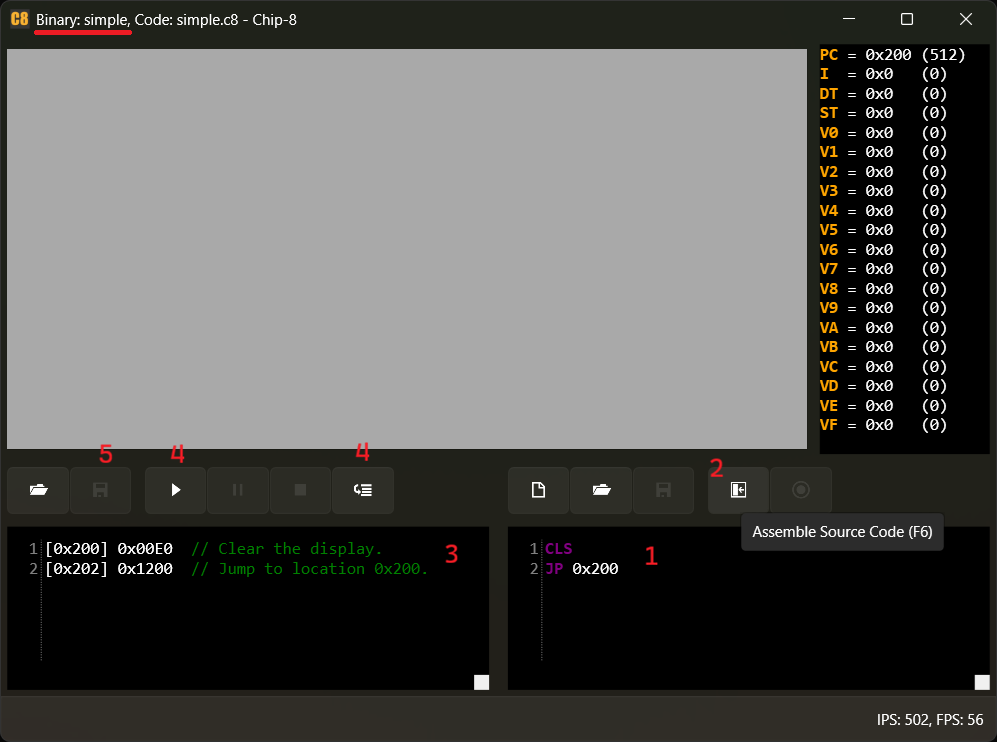
- Type the mnemonic instructions into the right pane.
- Press F6 or click the "Assemble Source Code" button.
- The assembled code and generated comments will appear in the left pane.
- Run the application using the Run (F5) or Execute Single Step (F10) buttons.
- Save the assembled binary using the Save button (already saved as 'simple' in the screenshot).
The saved binary can be opened in any compatible CHIP-8 emulator.
Opening the 'simple' file in a hex editor would show the following bytes: 00 E0 12
Project goals
To provide:
- A CHIP-8 interpreter capable of executing CHIP-8 programs
- A disassembler able to show details about the CHIP-8 program
- A user interface capable of loading, running and debugging CHIP-8 programs
- An opportunity to have fun and learn something along the way
References
| Product | Versions Compatible and additional computed target framework versions. |
|---|---|
| .NET | net10.0 is compatible. net10.0-android was computed. net10.0-browser was computed. net10.0-ios was computed. net10.0-maccatalyst was computed. net10.0-macos was computed. net10.0-tvos was computed. net10.0-windows was computed. |
-
net10.0
- No dependencies.
NuGet packages
This package is not used by any NuGet packages.
GitHub repositories
This package is not used by any popular GitHub repositories.
See https://github.com/kurtanr/Chip8/releases for release notes.