ColorLib 2.0.0
There is a newer version of this package available.
See the version list below for details.
See the version list below for details.
dotnet add package ColorLib --version 2.0.0
NuGet\Install-Package ColorLib -Version 2.0.0
This command is intended to be used within the Package Manager Console in Visual Studio, as it uses the NuGet module's version of Install-Package.
<PackageReference Include="ColorLib" Version="2.0.0" />
For projects that support PackageReference, copy this XML node into the project file to reference the package.
<PackageVersion Include="ColorLib" Version="2.0.0" />
<PackageReference Include="ColorLib" />
For projects that support Central Package Management (CPM), copy this XML node into the solution Directory.Packages.props file to version the package.
paket add ColorLib --version 2.0.0
The NuGet Team does not provide support for this client. Please contact its maintainers for support.
#r "nuget: ColorLib, 2.0.0"
#r directive can be used in F# Interactive and Polyglot Notebooks. Copy this into the interactive tool or source code of the script to reference the package.
#:package ColorLib@2.0.0
#:package directive can be used in C# file-based apps starting in .NET 10 preview 4. Copy this into a .cs file before any lines of code to reference the package.
#addin nuget:?package=ColorLib&version=2.0.0
#tool nuget:?package=ColorLib&version=2.0.0
The NuGet Team does not provide support for this client. Please contact its maintainers for support.
ColorLib
A library that allows you to use HEX and RGB colors in mods. Also has built-in colors.
Dependancy
Current State
- Published on Nuget. The dll can be built from source though
Using the Library
Build from source
- Clone this repository with
git clone https://github.com/Quest-play/ColorLib.git - Navigate into the directory (if using the zip you have to unzip it first)
- Build with the command
dotnet build(requires .NET SDK 6) - The built dll is in the folder
bin/Debug/net6.0/ColorLib.dll
Examples of use
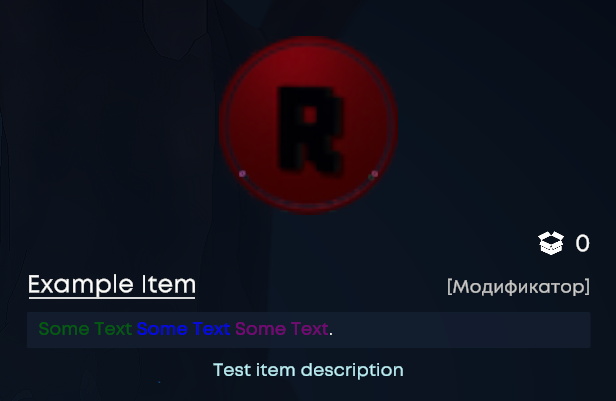
namespace ColorLib.Example
{
    public static class Example
    {

        public static void RegisterItems(ItemAPI itemAPI)
        {

            var testItem = itemAPI.AddItem(new GkItem.Builder("Test Item", "Test item description", $"<color={TextColor.DarkGreen}>Some Text</color> <color={TextColor.Blue}>Some Text</color> <color={TextColor.Purple}>Some Text</color>.")
            .SetUnlocked(true)
            .SetHidden(false)
            .AsModifier()
            );
        }
    }
}
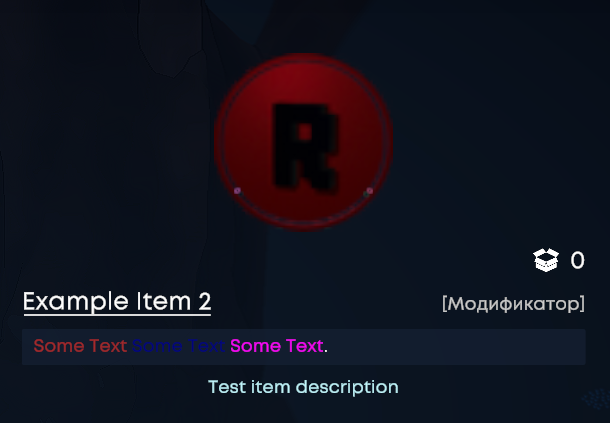
using GKAPI.Items;
using static ColorLib.TextColor; // No need to use TextColor.<COLOR> before each color

namespace ColorLib.Example
{
    public static class Example
    {

        public static void RegisterItems(ItemAPI itemAPI)
        {

            var testItem = itemAPI.AddItem(new GkItem.Builder("Test Item", "Test item description", $"<color={Brown}>Some Text</color> <color={Navy}>Some Text</color> <color={Magenta}>Some Text</color>.")
            .SetUnlocked(true)
            .SetHidden(false)
            .AsModifier()
            );
        }
    }
}
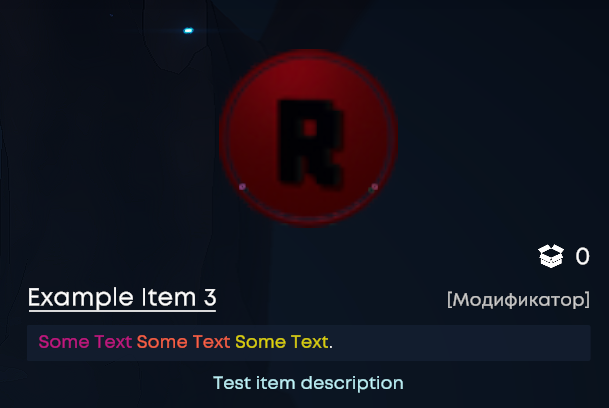
using GKAPI.Items;

namespace ColorLib.Example
{
    public static class Example
    {

        public static void RegisterItems(ItemAPI itemAPI)
        {

            var testItem = itemAPI.AddItem(new GkItem.Builder("Test Item", "Test item description", $"<color={TextColor.FromRgb(199, 21, 133)}>Some Text</color> <color={TextColor.FromRgb(255, 99, 71)}>Some Text</color> <color={TextColor.FromRgb(225, 215, 0)}>Some Text</color>.")
            .SetUnlocked(true)
            .SetHidden(false)
            .AsModifier()
            );
        }
    }
}
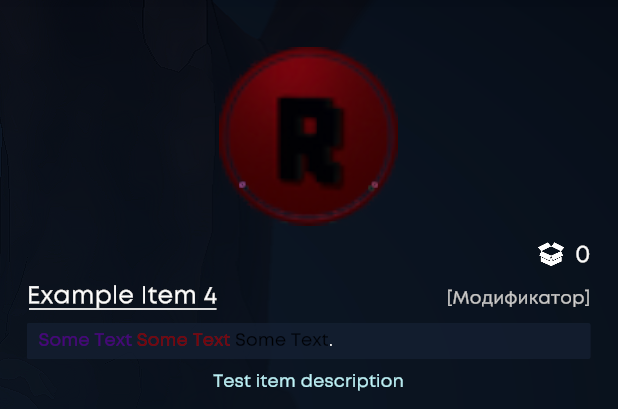
Or without using the library
using GKAPI.Items;

namespace ColorLib.Example
{
    public static class Example
    {

        public static void RegisterItems(ItemAPI itemAPI)
        {

            var testItem = itemAPI.AddItem(new GkItem.Builder("Test Item", "Test item description", "<color=#4B0082>Some Text</color> <color=#800000>Some Text</color> <color=#000000>Some Text</color>.")
            .SetUnlocked(true)
            .SetHidden(false)
            .AsModifier()
            );
        }
    }
}
Result
| Product | Versions Compatible and additional computed target framework versions. |
|---|---|
| .NET | net6.0 is compatible. net6.0-android was computed. net6.0-ios was computed. net6.0-maccatalyst was computed. net6.0-macos was computed. net6.0-tvos was computed. net6.0-windows was computed. net7.0 was computed. net7.0-android was computed. net7.0-ios was computed. net7.0-maccatalyst was computed. net7.0-macos was computed. net7.0-tvos was computed. net7.0-windows was computed. net8.0 was computed. net8.0-android was computed. net8.0-browser was computed. net8.0-ios was computed. net8.0-maccatalyst was computed. net8.0-macos was computed. net8.0-tvos was computed. net8.0-windows was computed. net9.0 was computed. net9.0-android was computed. net9.0-browser was computed. net9.0-ios was computed. net9.0-maccatalyst was computed. net9.0-macos was computed. net9.0-tvos was computed. net9.0-windows was computed. net10.0 was computed. net10.0-android was computed. net10.0-browser was computed. net10.0-ios was computed. net10.0-maccatalyst was computed. net10.0-macos was computed. net10.0-tvos was computed. net10.0-windows was computed. |
Compatible target framework(s)
Included target framework(s) (in package)
Learn more about Target Frameworks and .NET Standard.
-
net6.0
- BepInEx.PluginInfoProps (>= 2.1.0)
- BepInEx.Unity.IL2CPP (>= 6.0.0-be.738)
- Gatekeeper.GameLibs.Steam (>= 1.0.0.5)
- GKAPI (>= 0.1.8)
- UnityEngine.Modules (>= 2022.3.55)
NuGet packages
This package is not used by any NuGet packages.
GitHub repositories
This package is not used by any popular GitHub repositories.
Added 146 colors, Fixed library malfunction