ConsoleToSvg 0.1.1
There is a newer version of this package available.
See the version list below for details.
See the version list below for details.
dotnet tool install --global ConsoleToSvg --version 0.1.1
This package contains a .NET tool you can call from the shell/command line.
dotnet new tool-manifest
dotnet tool install --local ConsoleToSvg --version 0.1.1
This package contains a .NET tool you can call from the shell/command line.
#tool dotnet:?package=ConsoleToSvg&version=0.1.1
The NuGet Team does not provide support for this client. Please contact its maintainers for support.
nuke :add-package ConsoleToSvg --version 0.1.1
The NuGet Team does not provide support for this client. Please contact its maintainers for support.
ConsoleToSvg
console2svg is a .NET global tool that converts terminal output into SVG.
Overview
console2svg | console2svg
This image is generated by converting the description text of this library into SVG (oh, how meta).
console2svg -w 100 -h 24 --window macos --padding 5 -- console2svg
You can also generate SVG with a window frame. and some options to customize the appearance.

console2svg -m video --window macos -w 120 -h 16 -- ./my-install.sh
In video mode, you can capture the animation of the command execution and save it as an SVG.
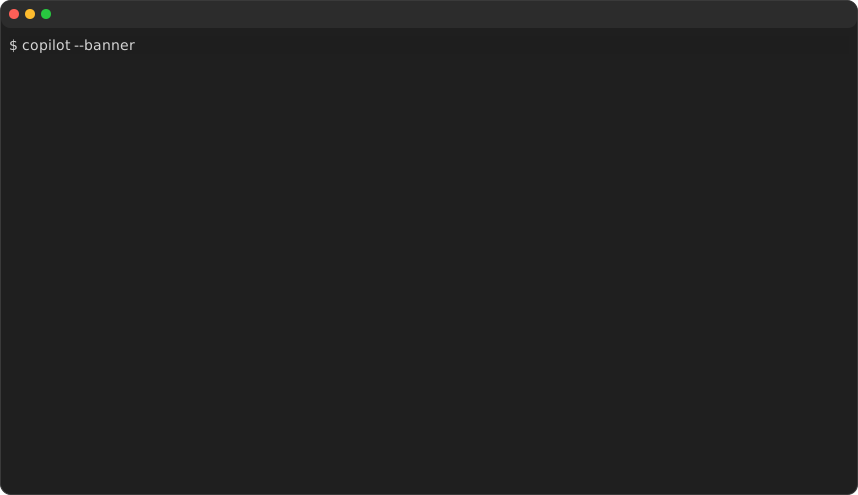
console2svg -m video --window macos --loop -- copilot --banner
Loop playback is also supported.
Install
dotnet tool install -g ConsoleToSvg
Usage
Pipe mode
Width and height default to the current terminal dimensions.
my-command | console2svg
PTY command mode
console2svg "git log --oneline"
Or pass the command after --:
console2svg -- dotnet test.cs
Animated SVG
console2svg -m video -- dotnet build
Loop playback:
console2svg -m video --loop -- nyancat
Static SVG with crop
# ch: charactor width, px: pixel
console2svg "dotnet --info" --crop-top 1ch --crop-right 5px
You can also crop at the position where a specific character appears.
When specifying a character, you can specify it like :(number), which crops at a relative position from the detected line.
console2svg "dotnet --info" --crop-top "Host" --crop-bottom ".NET runtimes installed:-2"
Window chrome and padding
console2svg --window macos --padding 8 -- dotnet --version
Key options
-m, --mode image|video-c, --command <cmd>(also works as a bare positional argument)-o, --out <svg-path>-w, --width <columns>/-h, --height <rows>(default: auto-detected from terminal in pipe mode, 80×24 for PTY)--frame <index>--crop-top|--crop-right|--crop-bottom|--crop-left <px|ch|pattern>--theme dark|light--window none|macos|windows--padding <px>(default: 2)--loop(video mode only, default: false)--fps <number>(video mode only, default: 12)--font <css-font-family>--in <cast-path>--save-cast <path>--help--version
| Product | Versions Compatible and additional computed target framework versions. |
|---|---|
| .NET | net6.0 is compatible. net6.0-android was computed. net6.0-ios was computed. net6.0-maccatalyst was computed. net6.0-macos was computed. net6.0-tvos was computed. net6.0-windows was computed. net7.0 was computed. net7.0-android was computed. net7.0-ios was computed. net7.0-maccatalyst was computed. net7.0-macos was computed. net7.0-tvos was computed. net7.0-windows was computed. net8.0 is compatible. net8.0-android was computed. net8.0-browser was computed. net8.0-ios was computed. net8.0-maccatalyst was computed. net8.0-macos was computed. net8.0-tvos was computed. net8.0-windows was computed. net9.0 is compatible. net9.0-android was computed. net9.0-browser was computed. net9.0-ios was computed. net9.0-maccatalyst was computed. net9.0-macos was computed. net9.0-tvos was computed. net9.0-windows was computed. net10.0 is compatible. net10.0-android was computed. net10.0-browser was computed. net10.0-ios was computed. net10.0-maccatalyst was computed. net10.0-macos was computed. net10.0-tvos was computed. net10.0-windows was computed. |
Compatible target framework(s)
Included target framework(s) (in package)
Learn more about Target Frameworks and .NET Standard.
This package has no dependencies.
| Version | Downloads | Last Updated |
|---|---|---|
| 0.6.5 | 115 | 3/30/2026 |
| 0.6.4 | 101 | 3/8/2026 |
| 0.6.3 | 91 | 3/7/2026 |
| 0.6.2 | 94 | 3/6/2026 |
| 0.6.1 | 90 | 3/6/2026 |
| 0.6.0 | 89 | 3/6/2026 |
| 0.5.3 | 89 | 3/6/2026 |
| 0.5.2 | 89 | 3/4/2026 |
| 0.5.1 | 87 | 3/3/2026 |
| 0.5.0 | 94 | 3/2/2026 |
| 0.4.11 | 93 | 3/2/2026 |
| 0.4.10 | 92 | 3/2/2026 |
| 0.4.9 | 93 | 3/2/2026 |
| 0.4.8 | 90 | 3/2/2026 |
| 0.4.7 | 89 | 3/2/2026 |
| 0.4.6 | 90 | 3/1/2026 |
| 0.4.5 | 87 | 3/1/2026 |
| 0.4.4 | 91 | 3/1/2026 |
| 0.4.3 | 86 | 3/1/2026 |
| 0.1.1 | 91 | 2/26/2026 |
Loading failed