CwSoftware.MauiForge
1.5.10
dotnet tool install --global CwSoftware.MauiForge --version 1.5.10
dotnet new tool-manifest
dotnet tool install --local CwSoftware.MauiForge --version 1.5.10
#tool dotnet:?package=CwSoftware.MauiForge&version=1.5.10
nuke :add-package CwSoftware.MauiForge --version 1.5.10
<div align="center">
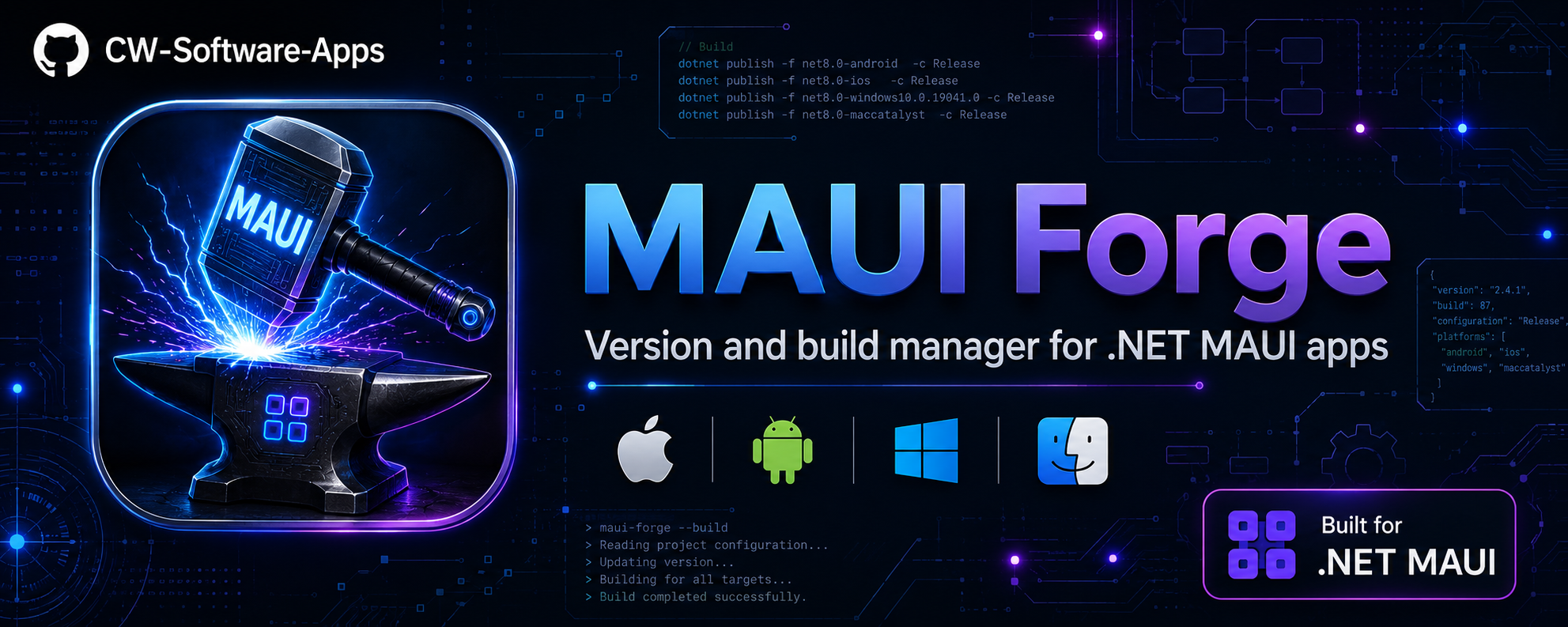
⚡ MAUI Forge
The missing CLI for .NET MAUI developers.
One terminal. Every app. Every device. Every release.





</div>
The problem
You have multiple .NET MAUI apps. To release even one of them, you have to:
- Edit
Info.plist(iOS version + build) - Edit
AndroidManifest.xml(Android version + build) - Edit
.csproj(ApplicationVersion / ApplicationDisplayVersion) - Make sure all three match
- Open Xcode or Android Studio to pick a device
- Remember the right
dotnet publishflags for archive, codesign, and framework - Repeat for every app, every time
MAUI Forge replaces all of that with an interactive terminal UI — pick an app, pick an action, done.
🍎 The Mac + VS Code story
If you develop MAUI apps on a Mac using VS Code, you know the pain: there's no built-in Run/Archive launcher for iOS. Every time you want to:
- Run on a physical device → manually pick the UDID, type the
dotnet build -t:Runflags - Switch simulator → edit the launch config or find the right UDID from
xcrun - Archive for App Store → remember the right
-p:ArchiveOnBuild=true -p:CodesignKey=...flags and configuration
VS Code doesn't have individual per-project launch configurations for each device/simulator out of the box, so you end up with a terminal full of copy-pasted commands.
MAUI Forge solves this entirely:
Run iOS Device
  > iPhone 16 Pro (simulator)
  > iPhone 15 (simulator)
  > Cezar's iPhone — physical device ✓
  > iPad Pro 13" (simulator)
  > iPad Air (3rd gen) — old device, iOS 16 ✓
It calls xcrun xctrace list devices for you, presents every connected physical device and every simulator in a menu, and fires the right dotnet build -t:Run -p:_DeviceId=<udid> — no config files, no remembered UDIDs, no launch.json setup. The selected device is remembered per project for next time.
Same for Archive: pick your codesign key from a list (Apple Development / Apple Distribution / custom), choose the framework, and MAUI Forge assembles the full dotnet publish command — correctly, every time.
You never need to create individual VS Code launch configurations per device or per app again.
📱 Old iPads and legacy devices VS Code can't see
VS Code's MAUI extension only lists devices running the latest iOS version. If you have an iPad Air 2, iPad mini 4, or any device stuck on iOS 15/16 because Apple dropped support — VS Code simply doesn't show them.
MAUI Forge reads the full xcrun xctrace list devices output, which includes every connected device regardless of iOS version. If it's plugged in and trusted, it shows up. You can run and debug your app on an old iPad that VS Code has completely forgotten about — which is invaluable for testing on lower-end hardware or older OS versions your users still run.
✨ What it does
<table> <tr> <td width="50%">
📋 App discovery
- Scans a folder for all your
.csprojMAUI apps - Shows iOS version, Android version, git branch, and git status in one table
- Sorted by most recently used — active projects always at top
- Filter by platform (iOS / Android / All) or search by name
</td> <td width="50%">
🔢 Version management
- Reads and writes all three files atomically (
Info.plist,AndroidManifest.xml,.csproj) - Increment version + build, build only, or set manually
- Sync iOS ↔ Android when they drift apart
- Snapshot + undo before every change — instant rollback
</td> </tr> <tr> <td>
🍎 iOS
- List all physical devices and simulators (SSH to remote Mac or local
xcrun) - Pick a device from a menu — no UDID hunting
- Run on device or simulator with one keypress
- Archive for App Store with codesign key selection
- Remembered per project: device, framework, codesign key
</td> <td>
🤖 Android
- List all connected devices and emulators via
adb - Pick from a menu and run — no serial number copy-paste
- Publish Release
.apk/.aabwith one action - Works from Windows, macOS, or Linux
</td> </tr> <tr> <td>
🌿 Git
- Live git status (ahead / behind / dirty) per app
- Auto-fetch when you open an app
- Warning + pull prompt if you're behind the remote
- Push with a formatted commit message after version bumps
</td> <td>
🔁 Productivity
- Repeat last action — re-runs the last build/deploy without navigating
- Build verbosity — quiet / minimal / normal / detailed / diagnostic
- Diagnostics screen — checks every dependency before a build fails
- Auto-update check — notifies when a newer NuGet version is available
</td> </tr> </table>
Install
Requires the .NET SDK — which every MAUI developer already has.
dotnet tool install -g CwSoftware.MauiForge
dotnet tool update -g CwSoftware.MauiForge   # update
dotnet tool uninstall -g CwSoftware.MauiForge # remove
Quick start
maui-forge                              # current directory
maui-forge --path ~/projects            # point to your projects folder
maui-forge --path ~/projects --depth 3  # deeper scan (default depth: 2)
The path and all settings are remembered in ~/.maui-forge.state.json — after the first run, just type maui-forge.
The app list
  MAUIForge
  >>> by CW Software  |  .NET MAUI Version & Build Manager  v1.4.3

  scan: /Users/me/projects  |  mac: 192.168.1.50 (local)

  12 apps  ·  8 iOS  ·  10 Android  ·  2 dirty  ·  1 out of sync

                        iOS               Android           Branch        Git
  ── Apps (12) ──────────────────────────────────────────────────────────────
  + MyApp               1.4.2 #18         1.4.2 #18         main          clean
  * ShippingApp         2.0.0 #103        2.0.0 #103        release/2.0   +2
  * OtherApp            1.0.0 #5        ! 1.0.1 #6          feature/x     ~
  ! LegacyApp           2.1.0 #40         2.1.0 #40         main          -3
  ── Options ─────────────────────────────────────────────────────────────────
  >  Change folder
  >  Platform: All  →  iOS
  >  Search: all
  >  Mac / SSH config
  >  Diagnostics
  >  Quit
| Indicator | Meaning |
|---|---|
+ green |
Git clean, up to date with remote |
* yellow |
Working tree dirty or commits ahead of remote |
! red |
Behind remote — pull recommended |
! between version columns |
iOS and Android versions are out of sync |
| Bold name | Used in the last 24 hours |
App detail
╭─ >>> ShippingApp ─────────────────────────────────────────────────╮
│ (iOS)     2.0.0  build #103                                       │
│ (Android) 2.0.0  build #103                                       │
│   (ok) iOS and Android in sync                                    │
│                                                                   │
│   branch    release/2.0   ✓  ^2 to push                          │
│                                                                   │
│   config    Release   ios fw  net9.0-ios   droid fw  net9.0-and.. │
│   ios dev   Cezar's iPhone ✓   android dev  R5CX208XXXX           │
│   mac       192.168.1.50 (local)                                  │
╰───────────────────────────────────────────────────────────────────╯

What would you like to do?
-- Version ──────────────────────────────────────────────────────────
  v+   Increment Version + Build    2.0.0 -> 2.0.1  #103 -> #104
  b+   Increment Build only         #103 -> #104
  ~~   Set version manually
  <>   Sync iOS -- Android          (ok) in sync
-- iOS ──────────────────────────────────────────────────────────────
  [#]  Archive iOS (Release)        net9.0-ios  Apple Distribution
  [>]  Run iOS Device               Cezar's iPhone
-- Android ──────────────────────────────────────────────────────────
  [>]  Run Android Device           R5CX208XXXX
  [#]  Publish Android (Release)    net9.0-android
-- Git & Build ──────────────────────────────────────────────────────
  git  Git Pull                     pending
  clr  Clean Project
────────────────────────────────────────────────────────────────────
  <<   Undo last version change     → 1.9.9 #102
  >>|  Repeat last action           Run iOS Device
  ~~~  Build verbosity:             quiet
   x   Back
Version management
| Action | What it does |
|---|---|
v+ Increment Version + Build |
Bumps the patch number and build counter in all three files. Shows before/after preview. Optionally commits and pushes with a formatted message like chore: bump version to 2.0.1 #104 (ShippingApp). |
b+ Increment Build only |
Keeps the version string, bumps only the build number. Useful for TestFlight or Play Store re-submissions. |
~~ Set manually |
Prompts for version and build number. For major bumps or fixing incorrect values. |
<> Sync iOS ↔ Android |
When platforms drift apart, pick which one to use as the source and copy to the other. |
<< Undo |
Restores the version snapshot taken before the last change — no git revert needed. |
iOS builds
Works with a remote Mac via SSH or a local Mac running maui-forge directly.
[#] Archive iOS (Release) — Prompts for codesign key, then runs:
dotnet publish -c Release -f net9.0-ios -p:ArchiveOnBuild=true -p:CodesignKey="Apple Distribution: ..."
[>] Run iOS Device — Lists connected devices and simulators, lets you pick, and runs:
dotnet build -t:Run -f net9.0-ios -p:_DeviceId=<udid>
The selected device, framework, and codesign key are saved per project.
Android builds
Requires adb in PATH (comes with Android SDK / Android Studio).
[>] Run Android Device — Lists devices and emulators via adb devices -l:
dotnet build -t:Run -f net9.0-android -p:AdbArguments="-s <serial>"
[#] Publish Android (Release) — Runs dotnet publish -c Release and prints .apk / .aab paths.
Mac / iOS setup
Remote Mac (SSH)
From the main menu → Mac / SSH config:
- Enter the Mac Host (IP or hostname) and User — or use Scan network to discover from ARP
- SSH key auth is recommended (no password prompts during builds)
The Mac must have Xcode and the MAUI workload:
sudo xcode-select --install
dotnet workload install maui-ios
Local Mac
Running maui-forge directly on a Mac:
- Main menu → Mac / SSH config → select "Use local Mac (no SSH)"
Device listing uses xcrun locally, no SSH or ServerAddress/ServerUser MSBuild properties needed.
Diagnostics
Main menu → Diagnostics checks every tool MAUI Forge depends on:
| Component | How it's checked |
|---|---|
dotnet |
dotnet --version |
| Workloads | dotnet workload list |
adb |
adb version |
ssh |
ssh -V |
xcrun |
xcrun --version |
git |
git --version |
Run this first when something isn't working — it immediately shows if adb is missing or maui-ios workload isn't installed.
Persistent state
All settings live in ~/.maui-forge.state.json — nothing inside your project folders.
| Field | Description |
|---|---|
ScanRootPath |
Last root folder scanned |
MacHost / MacUser |
Remote Mac SSH credentials |
UseLocalMac |
Skip SSH and use local xcrun |
Verbosity |
Build log level for all dotnet commands |
LastAction |
Last action per app (used by Repeat) |
LastVersion |
Version snapshot per app (used by Undo) |
AppUsage |
Last-used timestamp per app — drives sort order |
AppBuildConfigs |
Per-app: framework, device ID, codesign key |
Manual install (without NuGet)
<details> <summary><strong>Windows — self-contained exe (no .NET runtime required)</strong></summary>
git clone https://github.com/CW-Software-Apps/maui-forge.git
cd maui-forge
.\install.ps1
Publishes dist\maui-forge.exe as a self-contained win-x64 binary and adds dist\ to the user PATH.
git pull && .\install.ps1 # update
</details>
<details> <summary><strong>macOS — self-contained binary (no .NET runtime required)</strong></summary>
git clone https://github.com/CW-Software-Apps/maui-forge.git
cd maui-forge
./install.sh
Publishes as osx-arm64 (Apple Silicon) or osx-x64 (Intel) and symlinks to ~/.local/bin/maui-forge.
git pull && ./install.sh # update
</details>
Publishing a new release
Tags trigger automatic publishing to NuGet.org via GitHub Actions:
git tag v1.4.3
git push origin v1.4.3
The workflow runs dotnet pack and pushes to NuGet. Requires a NUGET_API_KEY secret in repo settings.
Stack
- C# .NET 10, console app
- Spectre.Console — all UI (tables, prompts, panels, progress bars, colors)
- Microsoft.Extensions.DependencyInjection — service composition
- Distributed as a
dotnet tool— single command install, works on Windows, macOS, and Linux
<div align="center">
MIT © CW Software · NuGet · Issues
</div>
| Product | Versions Compatible and additional computed target framework versions. |
|---|---|
| .NET | net10.0 is compatible. net10.0-android was computed. net10.0-browser was computed. net10.0-ios was computed. net10.0-maccatalyst was computed. net10.0-macos was computed. net10.0-tvos was computed. net10.0-windows was computed. |
This package has no dependencies.
| Version | Downloads | Last Updated |
|---|---|---|
| 1.5.10 | 0 | 5/20/2026 |
| 1.5.9 | 0 | 5/20/2026 |
| 1.5.8 | 0 | 5/20/2026 |
| 1.5.7 | 0 | 5/20/2026 |
| 1.5.6 | 0 | 5/20/2026 |
| 1.5.5 | 0 | 5/20/2026 |
| 1.5.4 | 0 | 5/20/2026 |
| 1.5.1 | 0 | 5/20/2026 |
| 1.5.0 | 0 | 5/20/2026 |
| 1.4.9 | 0 | 5/20/2026 |
| 1.4.8 | 0 | 5/20/2026 |
| 1.4.7 | 0 | 5/19/2026 |
| 1.4.6 | 0 | 5/19/2026 |
| 1.4.5 | 0 | 5/19/2026 |
| 1.4.4 | 0 | 5/19/2026 |
| 1.4.3 | 33 | 5/19/2026 |
| 1.4.2 | 37 | 5/19/2026 |
| 1.4.1 | 30 | 5/19/2026 |
| 1.4.0 | 34 | 5/19/2026 |
| 1.3.0 | 44 | 5/19/2026 |