DotJpegli 3.0.0
dotnet add package DotJpegli --version 3.0.0
NuGet\Install-Package DotJpegli -Version 3.0.0
<PackageReference Include="DotJpegli" Version="3.0.0" />
<PackageVersion Include="DotJpegli" Version="3.0.0" />
<PackageReference Include="DotJpegli" />
paket add DotJpegli --version 3.0.0
#r "nuget: DotJpegli, 3.0.0"
#:package DotJpegli@3.0.0
#addin nuget:?package=DotJpegli&version=3.0.0
#tool nuget:?package=DotJpegli&version=3.0.0
DotJpegli
Pure managed JPEG encoding for .NET.




Photograph comparison · Quick start · Features · Performance · Documentation
DotJpegli is a safe, portable C# JPEG encoder based on Google Jpegli. Encode RGB or grayscale pixels as baseline or progressive JPEG, with control over quality, sampling, color profiles and metadata.
The library is implemented entirely in managed .NET, with no native dependencies, P/Invoke, unsafe code or runtime NuGet dependencies.
NativeAOT and trimming are fully supported on .NET 10 and .NET 11.
Photograph comparison
Fine clouds of dust, saturated colour and thousands of stars make Webb's Cosmic Cliffs a demanding subject. Open the 2400 × 1390 source photograph to inspect its full detail:
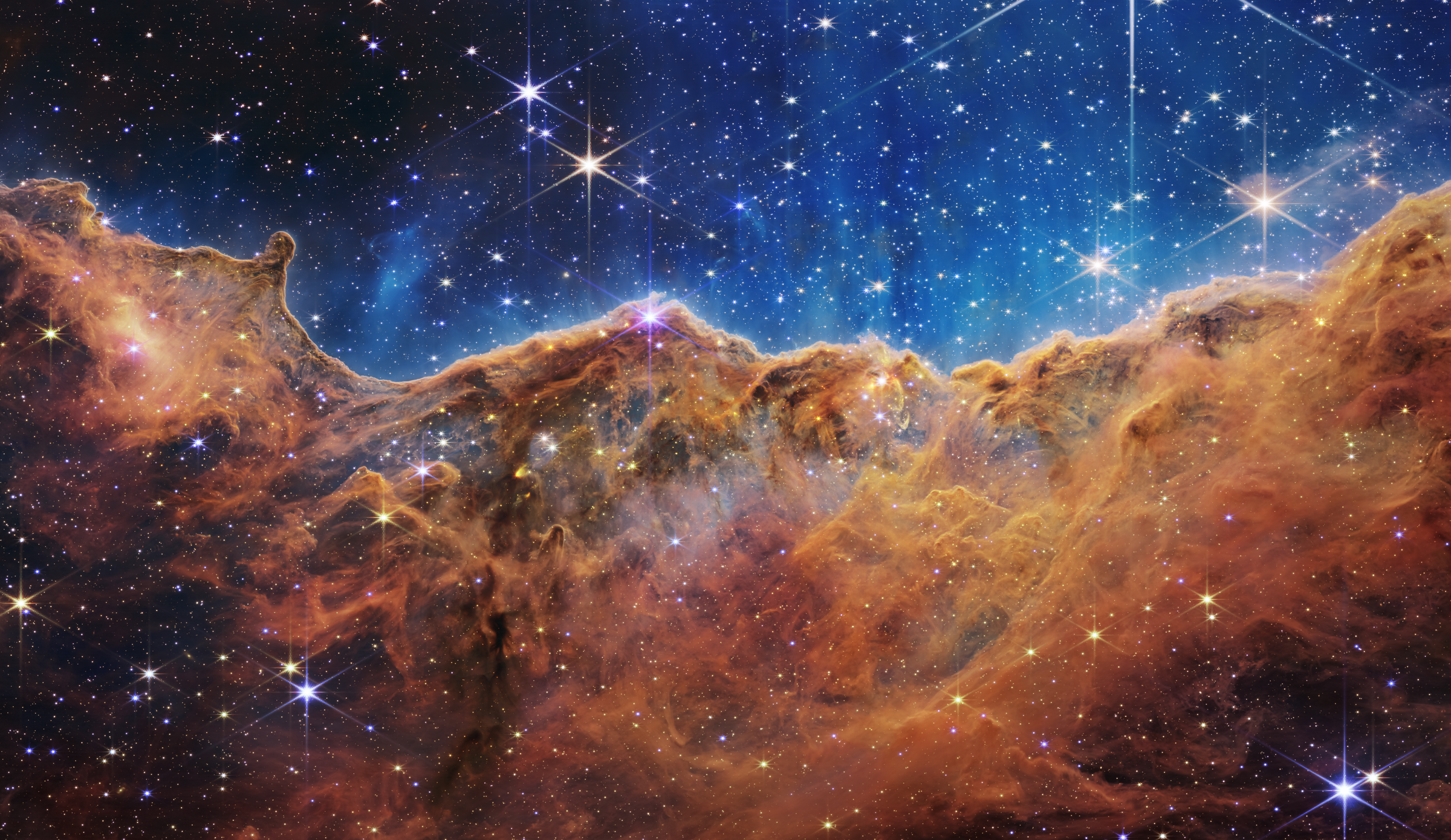
Photograph: NASA, ESA, CSA, and STScI — ESA/Webb source, CC BY 4.0. Resized from the official lossless TIFF; the comparison images are re-encoded and the detail panels are cropped.
Every encoder receives the same RGB pixels. Links open the complete files; sizes include headers and metadata. SSIMULACRA2 measures each decoded image against the source; higher scores indicate closer agreement with that metric.
| Encoder / source | Settings | File size | SSIMULACRA2 |
|---|---|---|---|
| Source PNG | Lossless common input | 4,437,354 bytes · 4333.4 KiB | 100.00 |
| DotJpegli 2.0.0 | Distance 1, 4:2:0, progressive level 2 | 723,724 bytes · 706.8 KiB | 80.49 |
| Google's C++ jpegli | Distance 1, 4:2:0, progressive level 2 | 723,938 bytes · 707.0 KiB | 80.49 |
| mozjpeg 4.1.1 | Quality 90, 4:2:0, progressive, trellis | 726,330 bytes · 709.3 KiB | 78.92 |
| libjpeg-turbo 3.2.0 | Quality 90, 4:2:0, progressive | 822,647 bytes · 803.4 KiB | 80.41 |
| WebP 1.6.0 | Quality 90, method 6 | 640,770 bytes · 625.8 KiB | 82.28 |
| AVIF · libavif 1.4.2 / libaom 3.14.1 | Quality 90, speed 6, 8-bit 4:2:0 | 837,683 bytes · 818.0 KiB | 86.85 |
| JPEG XL · libjxl 0.12.0 | Distance 1, effort 7 | 759,353 bytes · 741.6 KiB | 88.02 |
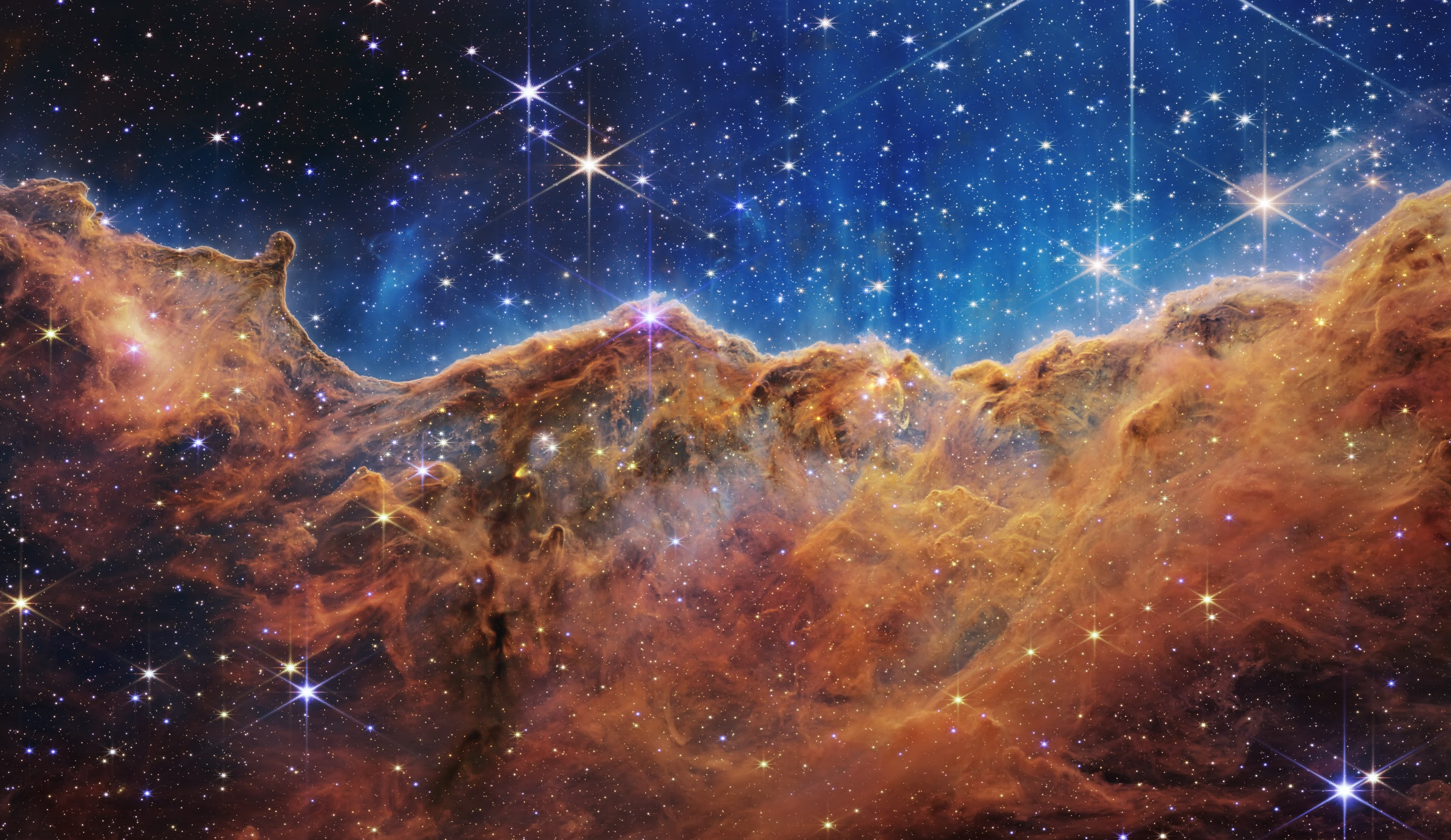
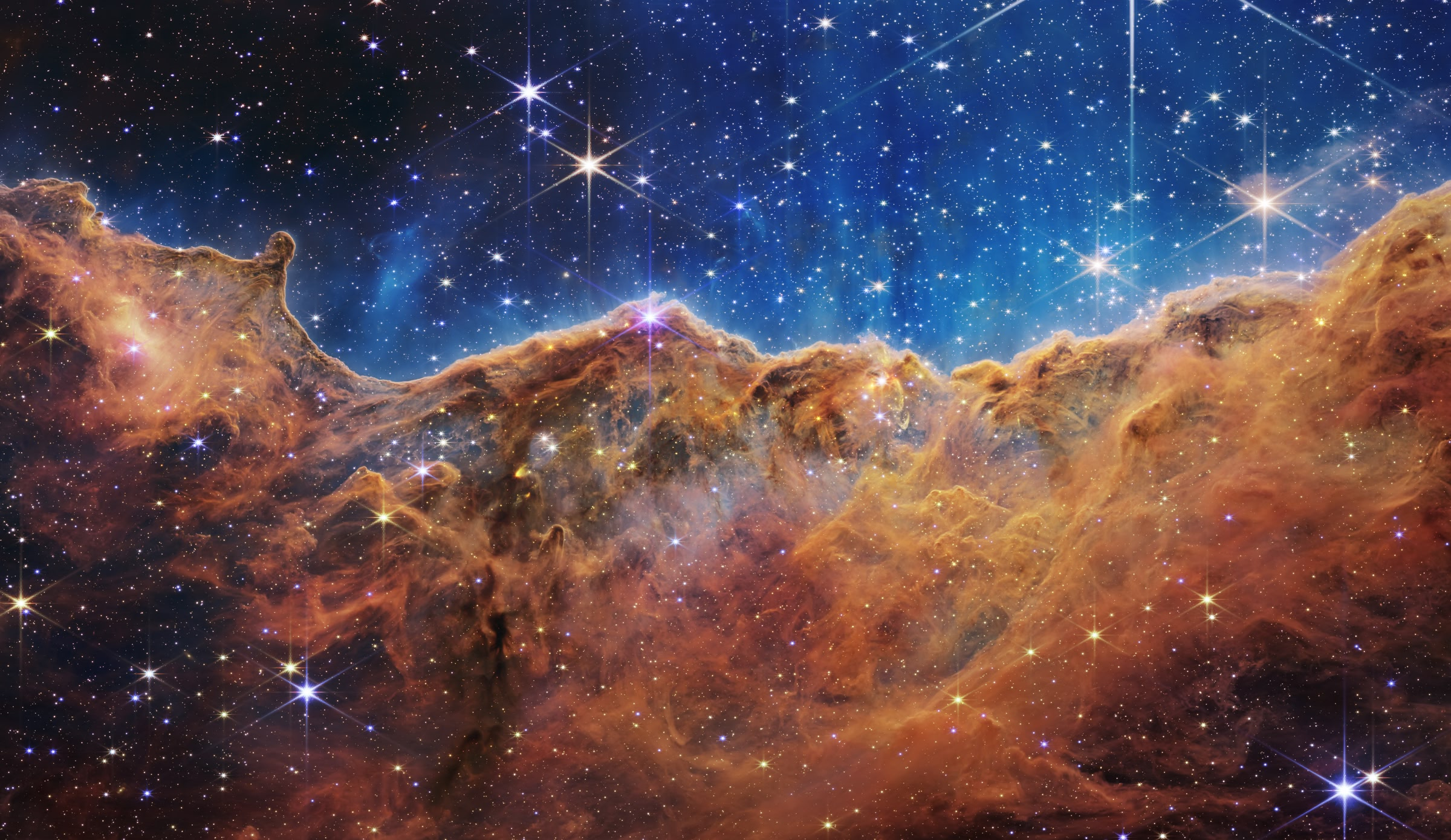
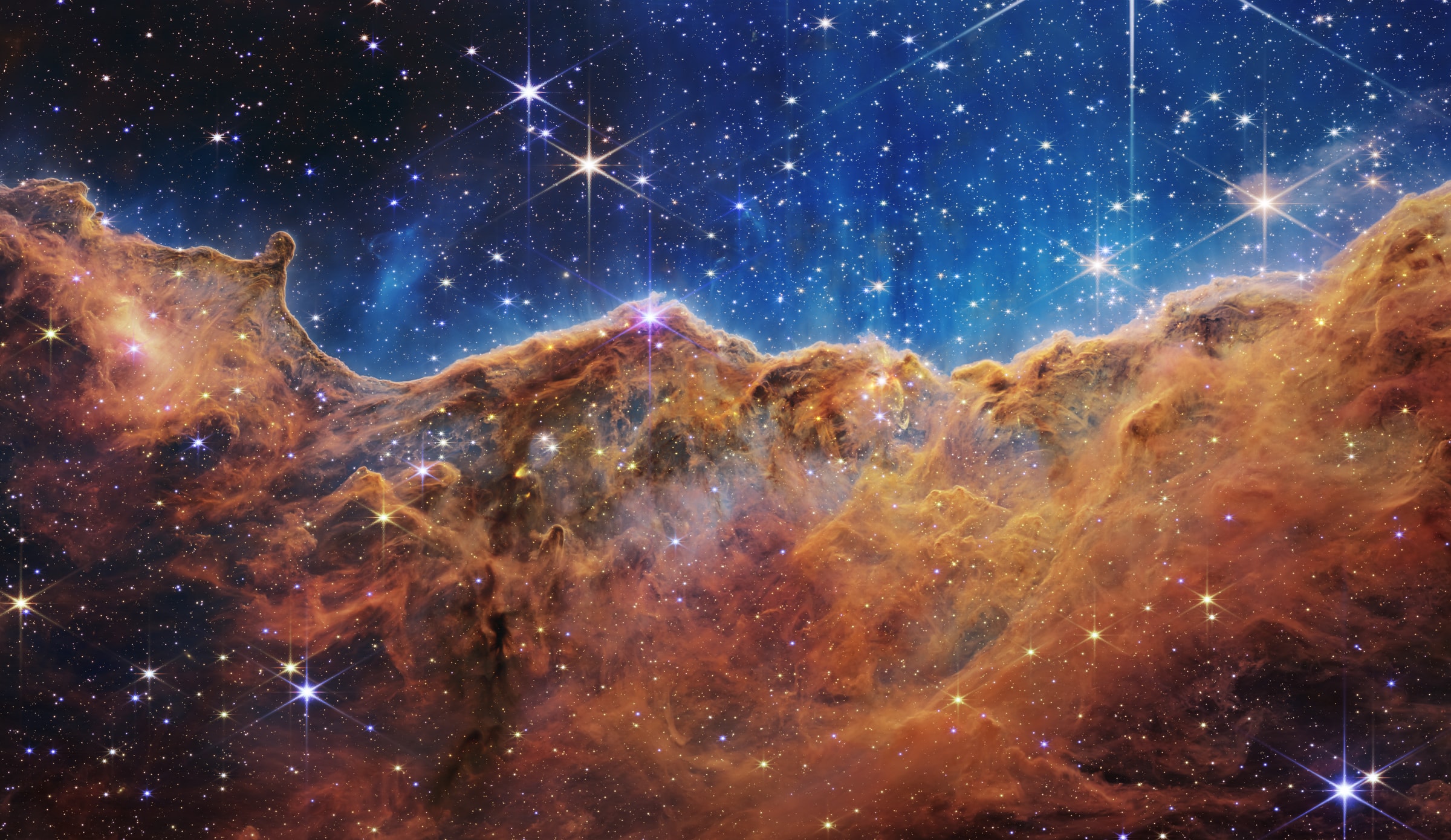
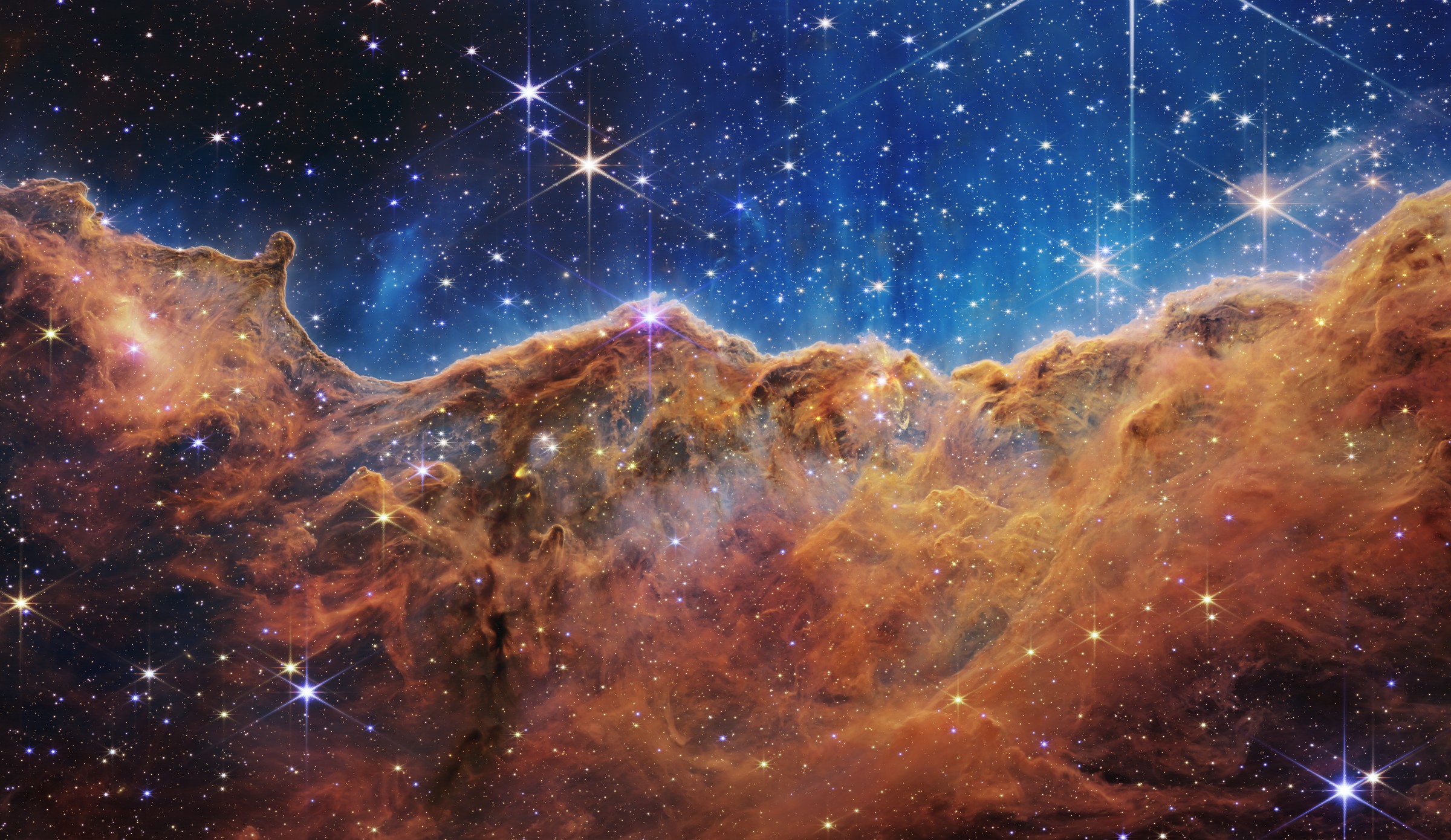
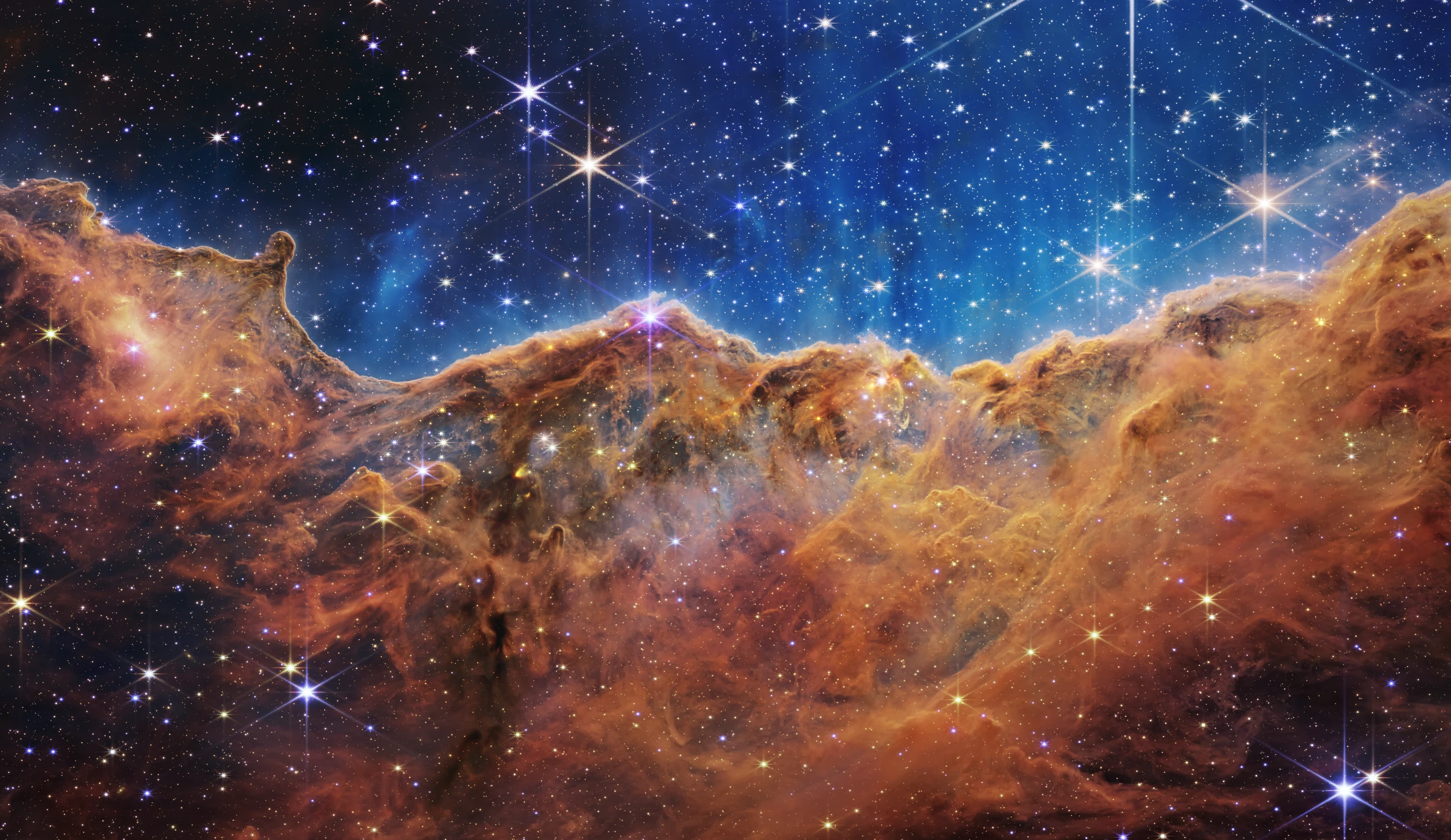
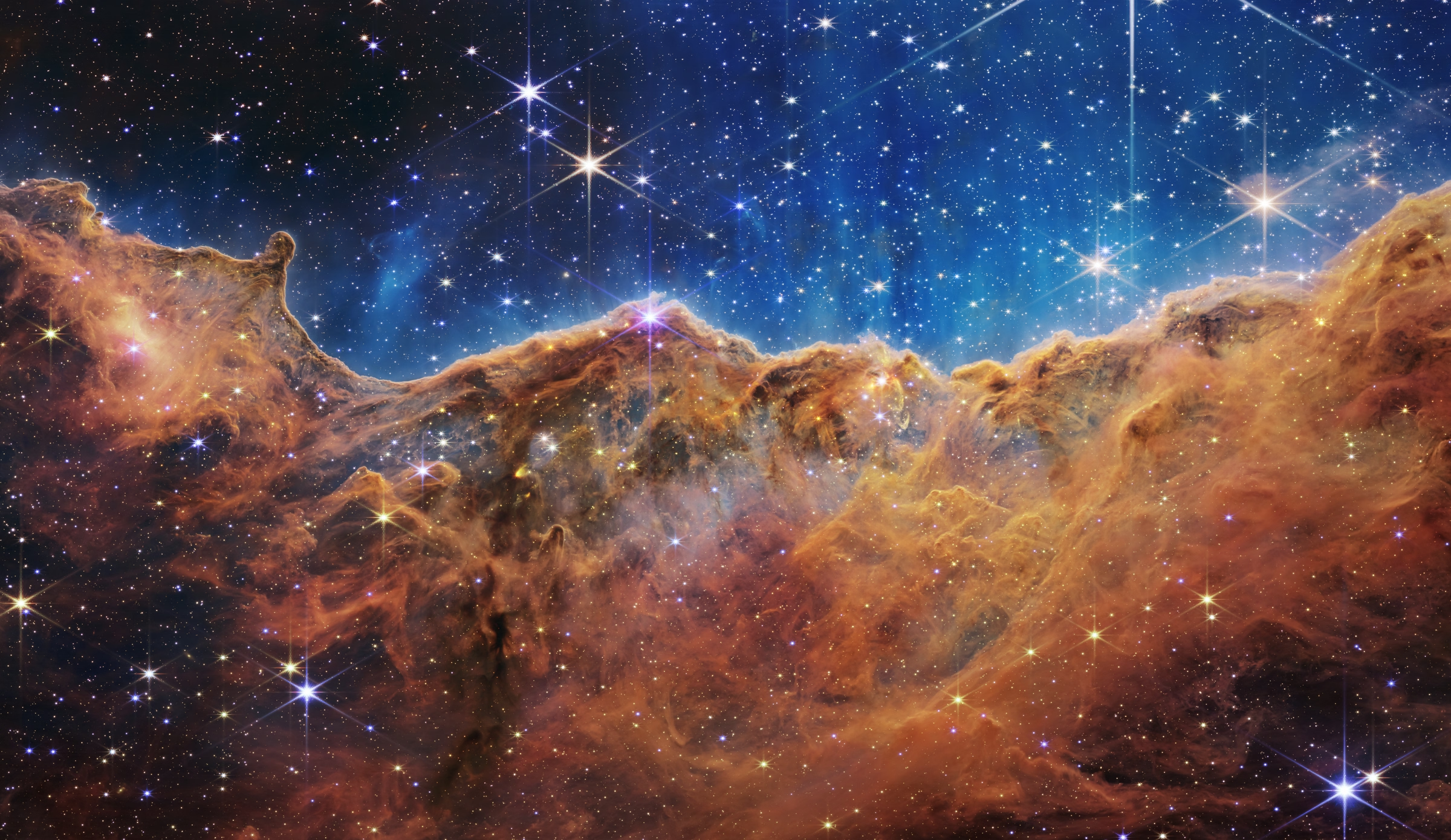
These are selected high-quality settings for one photograph. Quality scales differ across codecs, and these outputs are not matched perceptual quality. JPEG XL and AVIF retain more detail according to this metric at the settings shown. DotJpegli is 214 bytes smaller than Google's jpegli here; their bytes and decoded pixels differ slightly. JPEG XL requires a compatible viewer.
The following lossless sheet shows the same 480 × 300 detail from every image, with one source pixel per image pixel. Open it at full size to compare star edges, wispy dust and colour transitions:
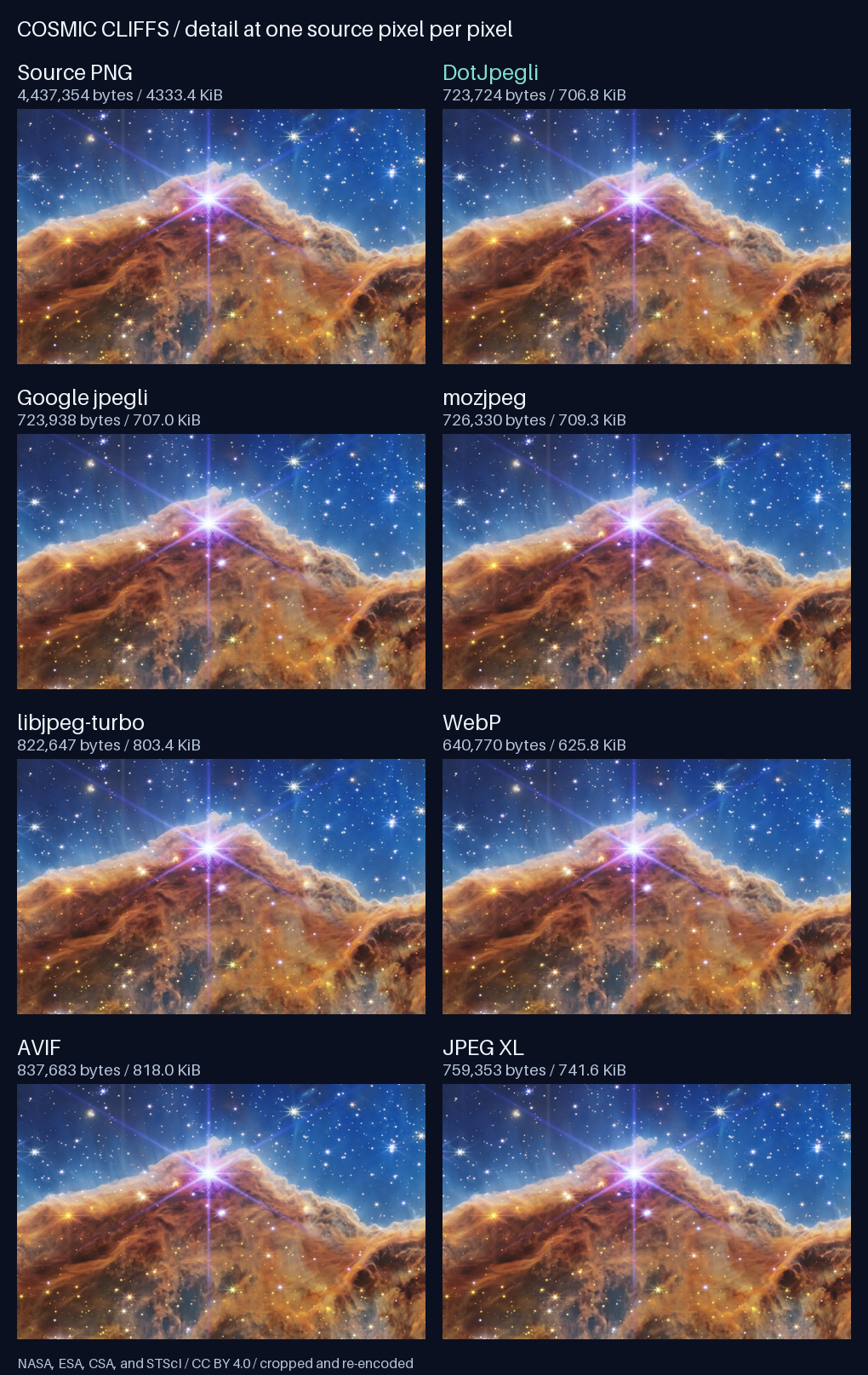
See the source, exact settings, hashes and reproduction instructions. Google also published a separate human-rater study of jpegli, mozjpeg and libjpeg-turbo; the example above is generated for this repository.
Features
| Capability | Support |
|---|---|
| Encoding | Baseline and progressive JPEG, perceptual quality or distance, chroma subsampling and custom scan scripts. |
| Pixel input | RGB, BGR, grayscale and other layouts; byte, ushort and float sources; configurable row stride. |
| Color and metadata | ICC profiles and source color conversion, Exif, XMP, IPTC, comments and raw metadata markers. |
| Output and execution | Byte arrays or streams, cancellation and optional parallel encoding. |
| Portable acceleration | Managed SIMD on .NET 10 and .NET 11, with scalar fallbacks. |
Command-line encoder
Download the self-contained NativeAOT dotjpegli.exe or Windows MSI from
Releases. Packages are
available for x64 and ARM64 and do not require .NET to be installed.
dotjpegli encode input.png output.jpg --quality 90 --progressive
See the CLI guide for installation, options and local publishing.
Quick start
Install the package
dotnet add package DotJpegli --version 3.0.0
The package supports .NET Standard 2.1, .NET 10 and .NET 11.
Build from source
Building from source requires .NET SDK 11.0.100-rc.3.26522.148, pinned in
global.json
with prerelease SDKs enabled.
From this repository's root, add a project reference to your application.
Replace path/to/YourApp.csproj with your application's project path:
dotnet add path/to/YourApp.csproj reference src/DotJpegli/DotJpegli.csproj
Encode an image
Pass an RGB pixel buffer and its dimensions to the encoder:
using DotJpegli;

byte[] rgbPixels = [255, 0, 0]; // One red pixel, in R, G, B order.

byte[] jpeg = JpegliEncoder.Encode(rgbPixels, width: 1, height: 1, options: new()
{
    Quality = 85
});

File.WriteAllBytes("output.jpg", jpeg);
For RGB input, the defaults are baseline JPEG, quality 85 and 4:2:0 chroma subsampling. For other pixel layouts, row padding and higher-precision sources, see the encoding guide. Alpha channels are ignored; composite translucent pixels before encoding.
Write progressive JPEG to a stream
Using the same pixel buffer, write directly to a destination stream and enable progressive encoding:
using FileStream output = File.Create("progressive.jpg");

JpegliEncoder.Encode(output, rgbPixels, width: 1, height: 1, options: new()
{
    Quality = 85,
    Progressive = true
});
The stream overload avoids retaining the complete encoded JPEG in a returned byte array. See compression and scan options for quality, sampling and progression controls.
Performance
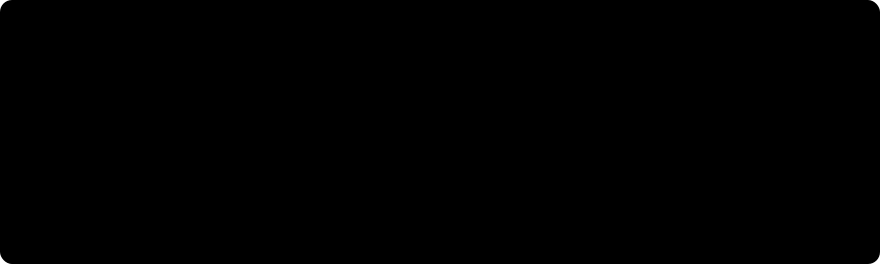
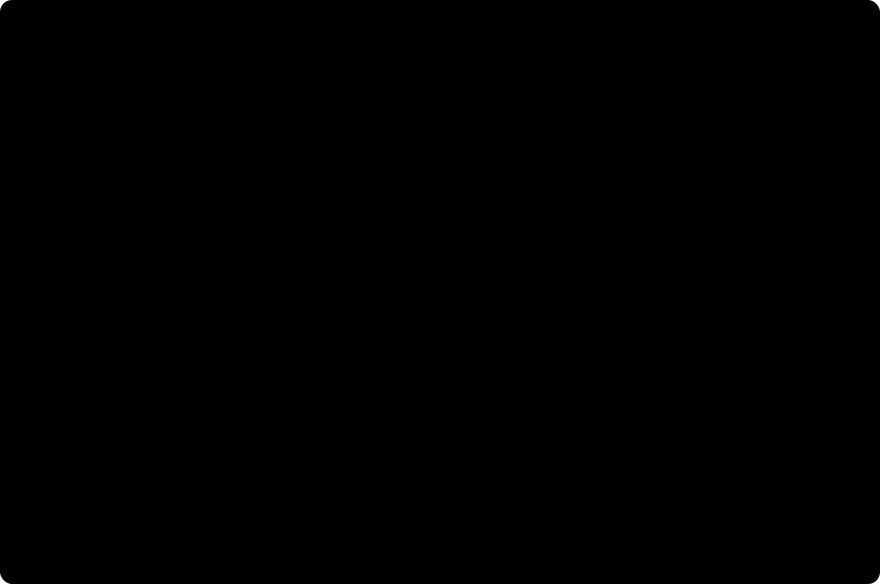
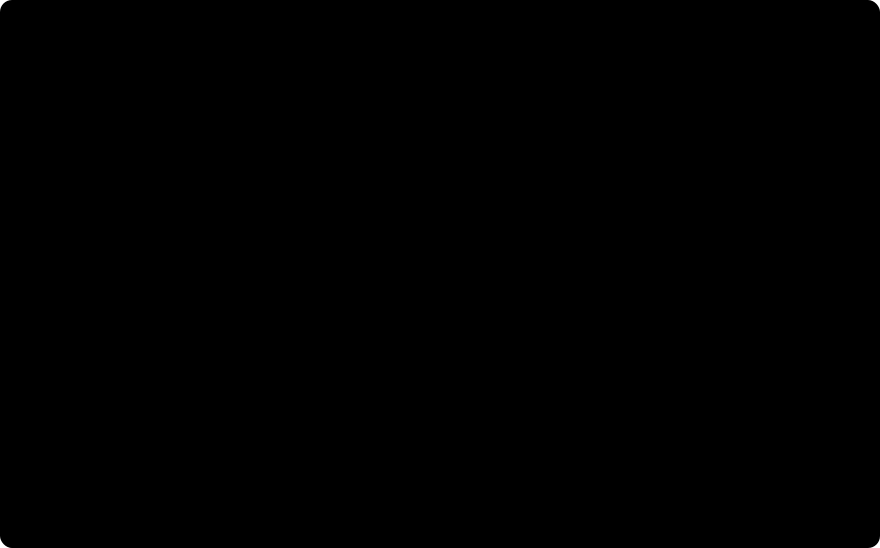
These charts compare DotJpegli with native Google Jpegli on 24 Kodak photographs.
Compression efficiency
Mean JPEG sizes differ from native by at most 0.032% at matched PSNR and SSIM.
Encoding wall time
On an AMD EPYC 7763, progressive encoding averaged 11.1–11.8% less time than native; sequential averaged 6.0–6.1% more.
Allocations per encode
Allocation measurements compare managed GC allocations with native heap requests per encode, including the output JPEG. These do not measure peak memory.
See methodology and full results and chart data. The full comparison does not meet native performance parity.
Documentation
| Guide | Topics |
|---|---|
| Encoding | Pixel layouts, sampling, streams and color spaces. |
| Profiles and metadata | ICC profiles, Exif, XMP, IPTC and metadata editing. |
| Compression and scans | Quality, distance, scan scripts, parallel execution and memory use. |
| Quantization | Standard and custom tables, transfer functions and advanced tuning. |
| Development and validation | Source builds, focused tests, reproducibility and deployment checks. |
| Publishing to NuGet | Trusted publishing setup and publishing a tested package from CI. |
| Quality and compression parity | Comparison scope, acceptance bounds and hosted evidence. |
| Performance parity | Measurement scope, encoding latency and CI diagnostics. |
Scope and validation
DotJpegli produces lossy, eight-bit JPEG, including from higher-precision sources and even at quality 100. Jpegli's quality scale is not interchangeable with libjpeg's. Decoding is outside the project's scope.
Quality and compression parity with upstream is established within a documented RGB8 YCbCr scope. Byte-identical upstream output is not claimed. Performance results and acceptance bounds are documented separately.
License
Copyright (c) 2026 Edward Miller. Licensed under BSD-3-Clause, with the upstream copyright notice retained for adapted portions. See the upstream license and third-party notices for attribution. The upstream manifest records the pinned source revision.
The photograph and its derivatives are separately licensed under CC BY 4.0, with the full credit and source given in the comparison above.
| Product | Versions Compatible and additional computed target framework versions. |
|---|---|
| .NET | net5.0 was computed. net5.0-windows was computed. net6.0 was computed. net6.0-android was computed. net6.0-ios was computed. net6.0-maccatalyst was computed. net6.0-macos was computed. net6.0-tvos was computed. net6.0-windows was computed. net7.0 was computed. net7.0-android was computed. net7.0-ios was computed. net7.0-maccatalyst was computed. net7.0-macos was computed. net7.0-tvos was computed. net7.0-windows was computed. net8.0 was computed. net8.0-android was computed. net8.0-browser was computed. net8.0-ios was computed. net8.0-maccatalyst was computed. net8.0-macos was computed. net8.0-tvos was computed. net8.0-windows was computed. net9.0 was computed. net9.0-android was computed. net9.0-browser was computed. net9.0-ios was computed. net9.0-maccatalyst was computed. net9.0-macos was computed. net9.0-tvos was computed. net9.0-windows was computed. net10.0 is compatible. net10.0-android was computed. net10.0-browser was computed. net10.0-ios was computed. net10.0-maccatalyst was computed. net10.0-macos was computed. net10.0-tvos was computed. net10.0-windows was computed. net11.0 is compatible. |
| .NET Core | netcoreapp3.0 was computed. netcoreapp3.1 was computed. |
| .NET Standard | netstandard2.1 is compatible. |
| MonoAndroid | monoandroid was computed. |
| MonoMac | monomac was computed. |
| MonoTouch | monotouch was computed. |
| Tizen | tizen60 was computed. |
| Xamarin.iOS | xamarinios was computed. |
| Xamarin.Mac | xamarinmac was computed. |
| Xamarin.TVOS | xamarintvos was computed. |
| Xamarin.WatchOS | xamarinwatchos was computed. |
-
.NETStandard 2.1
- No dependencies.
-
net10.0
- No dependencies.
-
net11.0
- No dependencies.
NuGet packages
This package is not used by any NuGet packages.
GitHub repositories
This package is not used by any popular GitHub repositories.