Ekom.U19
1.4.5
dotnet add package Ekom.U19 --version 1.4.5
NuGet\Install-Package Ekom.U19 -Version 1.4.5
<PackageReference Include="Ekom.U19" Version="1.4.5" />
<PackageVersion Include="Ekom.U19" Version="1.4.5" />
<PackageReference Include="Ekom.U19" />
paket add Ekom.U19 --version 1.4.5
#r "nuget: Ekom.U19, 1.4.5"
#:package Ekom.U19@1.4.5
#addin nuget:?package=Ekom.U19&version=1.4.5
#tool nuget:?package=Ekom.U19&version=1.4.5
Ekom





Ekom is a free, open-source e-commerce package for Umbraco. The catalog is Umbraco content, so editors manage products where they already work. Orders, customers and analytics are handled in a manager inside the backoffice.
Documentation: vettvangur.gitbook.io/ekom
Product website: ekomcommerce.com
What Ekom does
Catalog
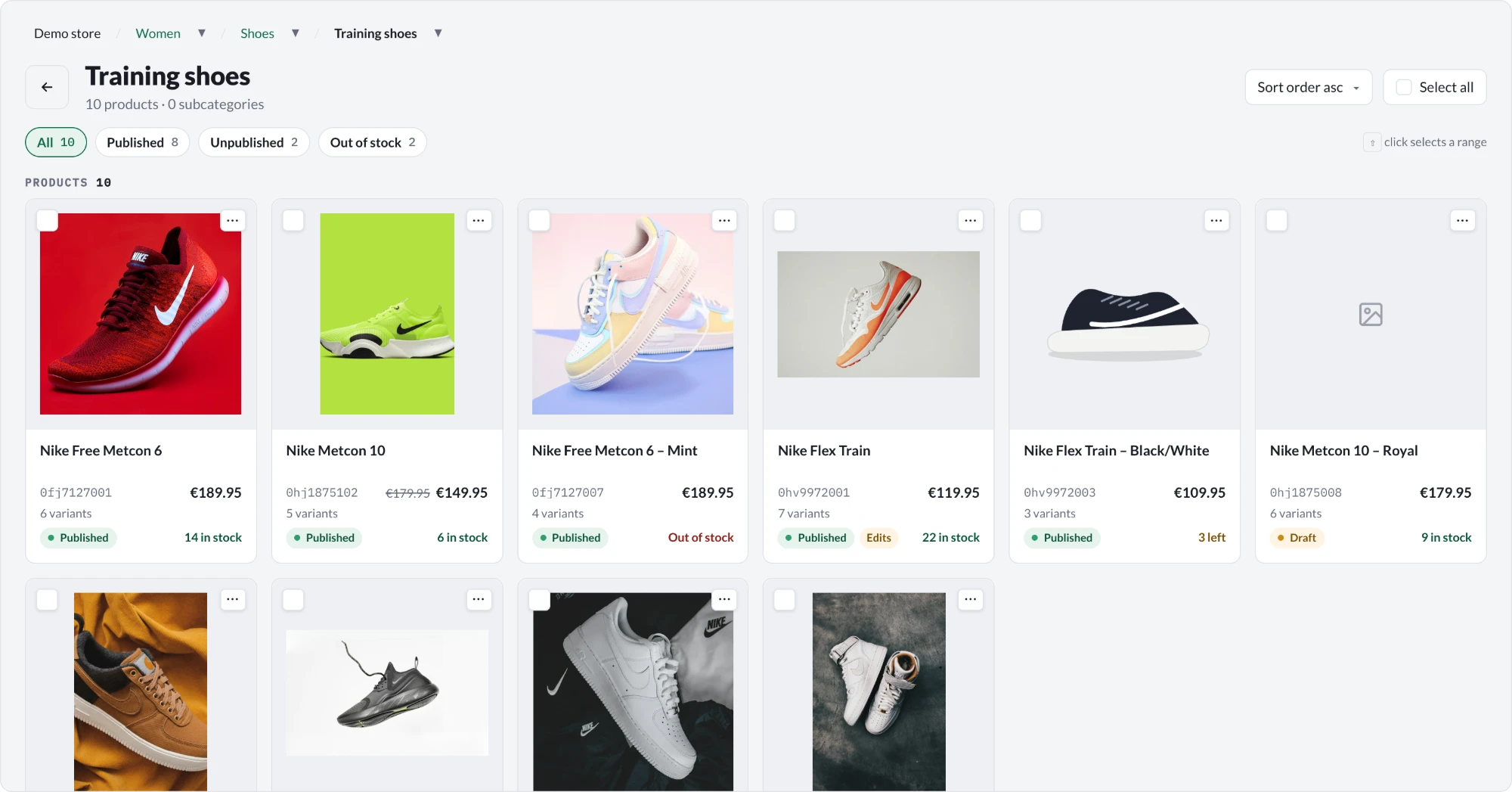
- Products, variants and categories as Umbraco content, with a catalog view that shows price, stock and publish state on every card
- Several stores in one site, each with its own languages, currencies and catalog
- Imports that keep products, prices and stock in step with an ERP system
- Database price storage, so frequent price updates go live without publishing a product
Selling
- Baskets and orders for consumers and for business customers
- Checkout with payment and shipping providers that you set up as content
- Discounts on products, orders and quantities, and coupons with usage limits
- Stock with reservations, so two customers cannot buy the last item
Payments, shipping and orders
- Ten payment gateways, each one package, and offline payments without any
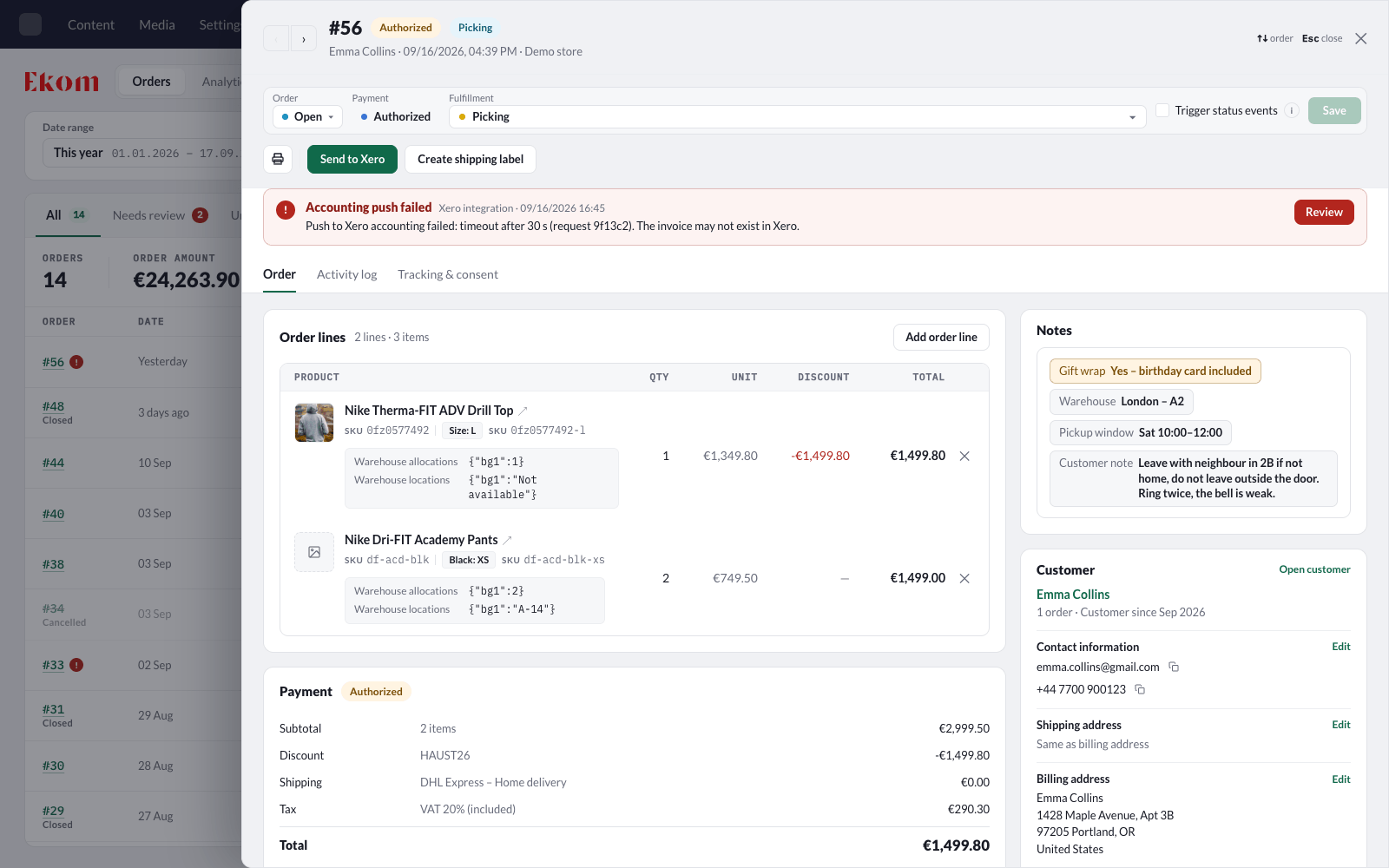
- Every payment attempt recorded on its order: provider, transaction ID, authorization code and card, with the payment status worked out from what the gateway reported
- Shipments with tracking numbers on the order, entered by staff or booked with a carrier
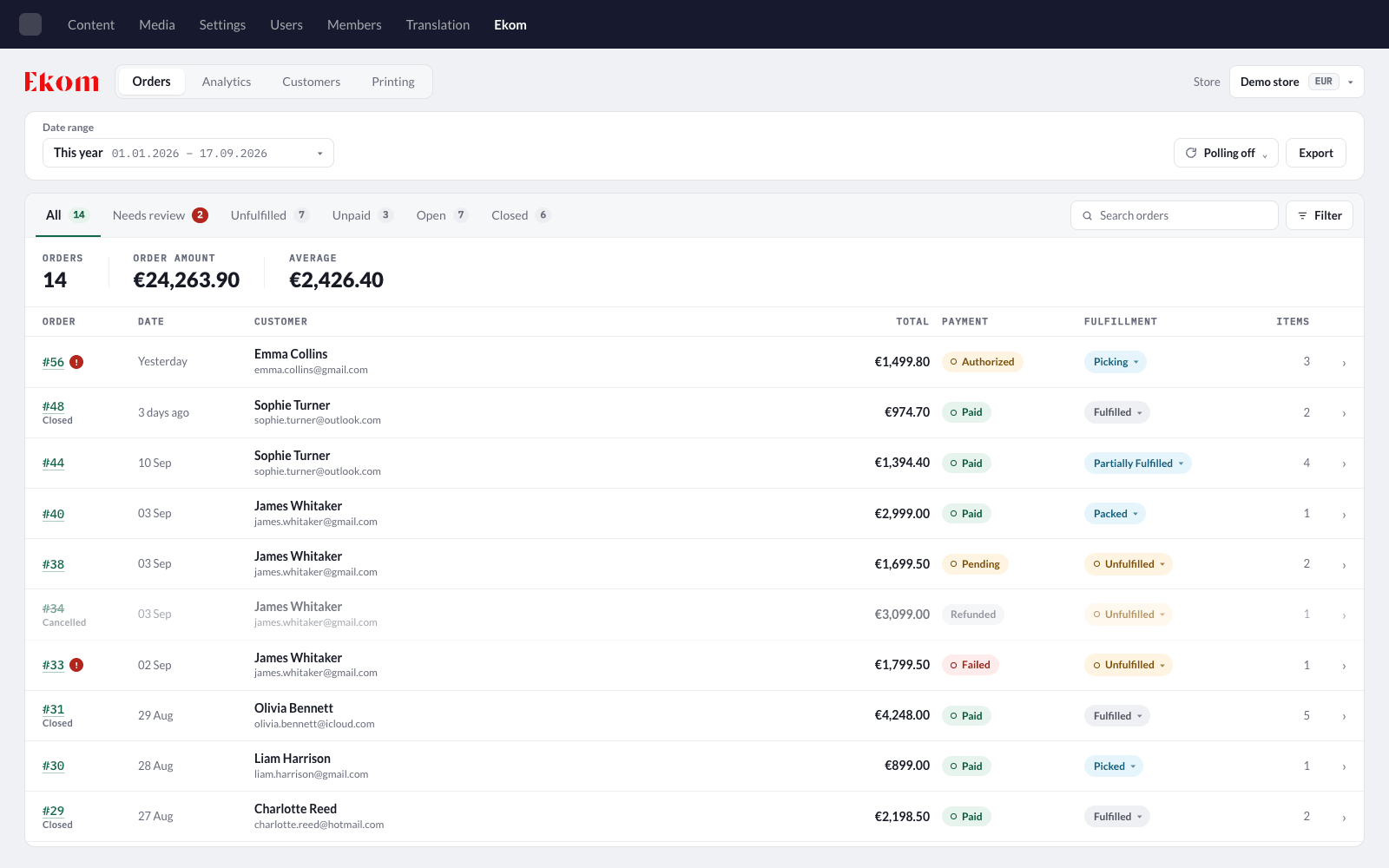
- Separate order, payment and fulfillment statuses, so an order can be paid but not yet shipped
- Order reviews that flag orders a person must look at, such as a payment that does not match its order
Manager
- Orders: search, filter, change statuses, edit order lines and export to CSV
- Customers and analytics for the same orders
- An activity log on every order, and access per store
Integrating and extending
- Headless APIs for catalog, basket, checkout and orders
- GA4 and Meta tracking with consent handling
- Events and services for your own pricing, stock rules, search and manager actions
- Working code examples for event handlers, your own product classes, imports, storefront pages and background jobs
Requirements
Install the runtime package and the web-assets package of the row that matches your Umbraco version, with the same version number.
| Umbraco | .NET | Runtime package | Web-assets package |
|---|---|---|---|
| 17 | 10 | Ekom.U17 |
Ekom.Web.U17 |
| 18 | 10 | Ekom.U18 |
Ekom.Web.U18 |
| 19 (release candidate) | 11 | Ekom.U19 |
Ekom.Web.U19 |
| 13 | 8 | Ekom.U10 |
Ekom.Web |
The documentation covers Umbraco 17, 18 and 19. Ekom.U10 is the retained package name for the Umbraco 13 integration. It does not support Umbraco 10.
See Compatibility for the exact Umbraco versions each package accepts.
Get started
Install both packages in the site's main project, the one that contains
wwwroot. On Umbraco 17:dotnet add package Ekom.U17dotnet add package Ekom.Web.U17Start the site. Ekom registers itself through its Umbraco composer, so there is no setup code; do not call
AddEkom(...)yourself. On the first start it creates its database tables, data types, document types and the Ekom root content node.In the backoffice, add the Ekom section to your user group.
Create and publish a store, then a category and a product.
The installation guide and the quick start take you from an empty Umbraco site to a product in a basket.
Payment gateways
Offline payments, such as bank transfer or pay on pickup, work with Ekom alone. Each online gateway is one package from the Ekom.Payments repository that the site references itself:
dotnet add package Ekom.Payments.Stripe
| Gateway | Package |
|---|---|
| Stripe | Ekom.Payments.Stripe |
| PayPal | Ekom.Payments.PayPal |
| Borgun (Teya cards) | Ekom.Payments.Borgun |
| Valitor | Ekom.Payments.Valitor |
| Straumur | Ekom.Payments.Straumur |
| Netgiro | Ekom.Payments.Netgiro |
| Siminn Pay | Ekom.Payments.SiminnPay |
| Teya Consumer Loans | Ekom.Payments.TeyaConsumerloans |
| AltaPay | Ekom.Payments.AltaPay |
| PayTrail | Ekom.Payments.PayTrail |
The gateway packages need Ekom 1.2 or later. A gateway that has no package can be written in a site project.
Optional packages
| Package | Adds |
|---|---|
| Ekom.Algolia | Product, category and content indexing, and product search through Algolia |
| Ekom.Klaviyo | Order events and catalog synchronization with Klaviyo |
| Ekom.Mailchimp | Mailchimp audience tags, subscriptions, purchase tracking and transactional messages |
| Ekom.Printer | Automatic picking-slip printing through a Windows agent |
Each package states the Ekom and Umbraco versions it supports. Check them before you upgrade Ekom or Umbraco. See Integrations.
Documentation
| Section | Read it when you want to |
|---|---|
| Getting started | Install Ekom on a site for the first time. |
| Guides | Build one part of a store, such as checkout or discounts. |
| Payment gateways | Set up Stripe, PayPal or another gateway. |
| Examples | Copy working code for a common task. |
| Reference | Look up a setting, method, event or endpoint. |
| Manager | Work with orders and customers in the backoffice. |
| Upgrading | Move a site to a newer Umbraco or Ekom version. |
| Architecture | Understand how Ekom is put together. |
The same pages are in the docs folder of this repository, which is where they are edited.
Help and contributing
Report bugs and ask questions in GitHub issues.
To work on Ekom itself, see Set up a development environment and Build, test and release. The release history is in Ekom/CHANGELOG.md.
License
Ekom is available under the MIT License.
| Product | Versions Compatible and additional computed target framework versions. |
|---|---|
| .NET | net11.0 is compatible. |
-
net11.0
- Ekom.AspNetCore (>= 1.4.5)
- Umbraco.Cms.Api.Common (>= 19.0.0-rc1 && < 20.0.0)
- Umbraco.Cms.Core (>= 19.0.0-rc1 && < 20.0.0)
- Umbraco.Cms.Web.Common (>= 19.0.0-rc1 && < 20.0.0)
- Umbraco.Cms.Web.Website (>= 19.0.0-rc1 && < 20.0.0)
NuGet packages (3)
Showing the top 3 NuGet packages that depend on Ekom.U19:
| Package | Downloads |
|---|---|
|
Ekom.Algolia.U19
Ekom Algolia integration plugin for Umbraco 19. |
|
|
Ekom.Klaviyo.U19
Ekom Klaviyo integration plugin for Umbraco 19. |
|
|
Ekom.Mailchimp.U19
Mailchimp integration for Ekom on Umbraco 19. |
GitHub repositories
This package is not used by any popular GitHub repositories.
| Version | Downloads | Last Updated |
|---|---|---|
| 1.4.5 | 51 | 11/18/2026 |
| 1.4.4 | 42 | 11/18/2026 |
| 1.4.3 | 43 | 11/18/2026 |
| 1.4.2 | 44 | 11/18/2026 |
| 1.4.1 | 46 | 11/18/2026 |
| 1.4.0 | 54 | 11/17/2026 |
| 1.3.5 | 47 | 11/17/2026 |
| 1.3.4 | 49 | 11/17/2026 |
| 1.3.3 | 52 | 11/17/2026 |
| 1.3.2 | 52 | 11/16/2026 |
| 1.3.1 | 49 | 11/16/2026 |
| 1.3.0 | 56 | 11/16/2026 |
| 1.2.0 | 56 | 11/16/2026 |
| 1.1.6 | 68 | 11/12/2026 |
| 1.1.5 | 58 | 11/12/2026 |
| 1.1.4 | 58 | 11/12/2026 |
| 1.1.3 | 57 | 11/12/2026 |
| 1.1.2 | 61 | 11/12/2026 |
| 1.1.1 | 58 | 11/12/2026 |
| 1.1.0 | 69 | 11/12/2026 |