GreyGui 0.1.7
Prefix Reserveddotnet add package GreyGui --version 0.1.7
NuGet\Install-Package GreyGui -Version 0.1.7
This command is intended to be used within the Package Manager Console in Visual Studio, as it uses the NuGet module's version of Install-Package.
<PackageReference Include="GreyGui" Version="0.1.7" />
For projects that support PackageReference, copy this XML node into the project file to reference the package.
<PackageVersion Include="GreyGui" Version="0.1.7" />
<PackageReference Include="GreyGui" />
For projects that support Central Package Management (CPM), copy this XML node into the solution Directory.Packages.props file to version the package.
paket add GreyGui --version 0.1.7
The NuGet Team does not provide support for this client. Please contact its maintainers for support.
#r "nuget: GreyGui, 0.1.7"
#r directive can be used in F# Interactive and Polyglot Notebooks. Copy this into the interactive tool or source code of the script to reference the package.
#:package GreyGui@0.1.7
#:package directive can be used in C# file-based apps starting in .NET 10 preview 4. Copy this into a .cs file before any lines of code to reference the package.
#addin nuget:?package=GreyGui&version=0.1.7
#tool nuget:?package=GreyGui&version=0.1.7
The NuGet Team does not provide support for this client. Please contact its maintainers for support.
Caution: This library is still in development, breaking changes could happen
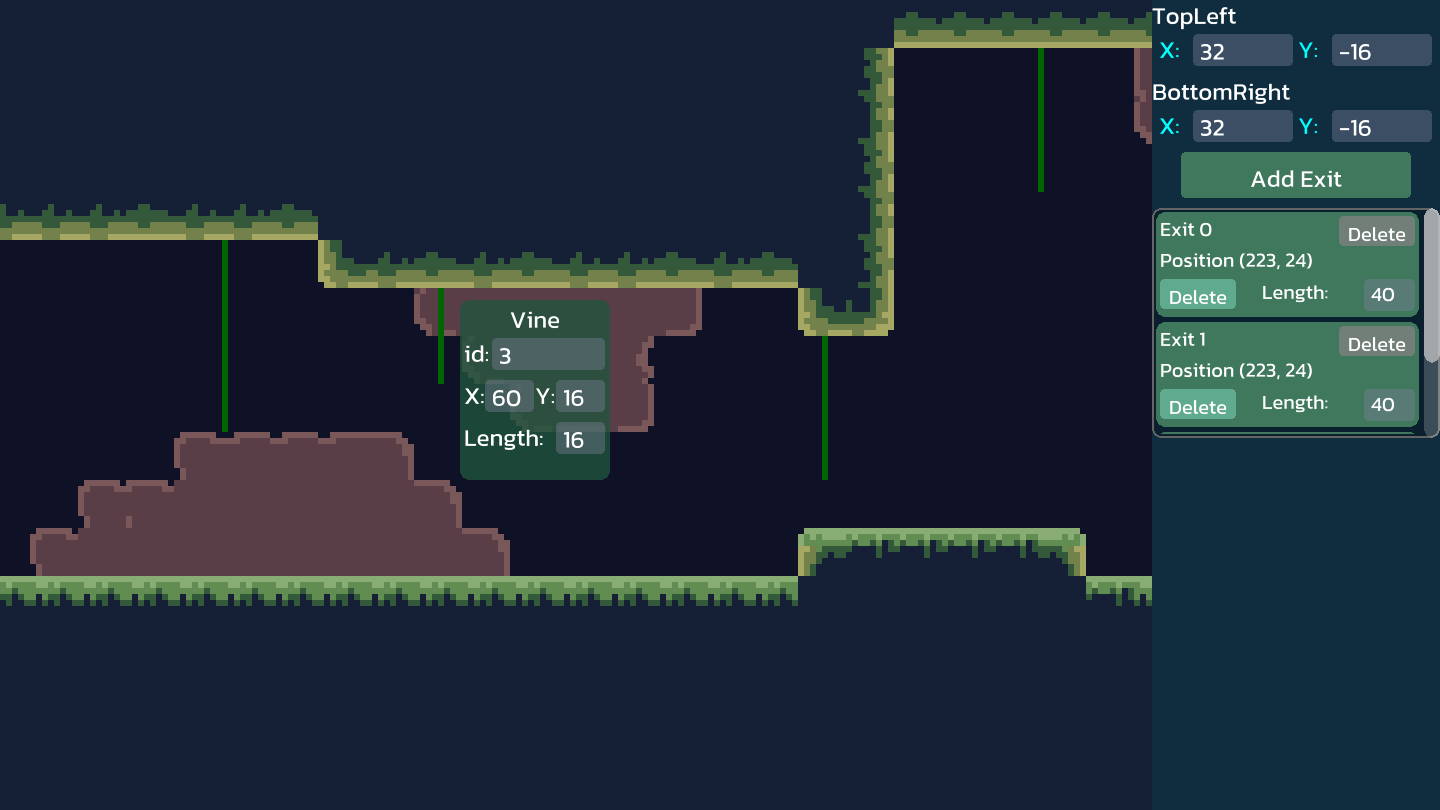
GreyGui - An HTML-inspired GUI Library for MonoGame

With GreyGui, you can create graphical user interface (GUI) in MonoGame with familiar HTML-like syntax.
Demo picture:
Key Features
GreyGui provides minimalism visuals with the following features.
- Dynamic Scaling - Elements can auto scale with its container size to fit in any screen resolution
- Rounded Corner - Create modern visuals with beautifully rounded rectangles
- SDF Font - The text system uses signed distance field (SDF) technology to render sharp text at any font size
- Explicit Control - You, as a programer, will control and know when to Update and Draw your elements
- Customizable - Load your own Texture2D or just override the default drawing methods
Syntax Preview
GreyGui simulates HTML syntax by doing some quirky utilizations of C# syntax.
- Element have constructors that includes all their attributes, for instance,
new Panel(size: new Vector2(200, 100))is just like writing<div style="width:200px; height:100px;"> - Container elements have
SetChildrenmethod that accepts an array of child nodes and return themselves
Combining these, we have:
new ListPanel(size: new(300, 200), colorMask: Color.Cyan, borderRadius: 5).SetChildren([
    new RowPanel(widthMode: WidthMode.ParentRatio, widthRatio: 1f, heightMode: HeightMode.ParentRatio, heightRatio: .6f).SetChildren([
        new Text(displayText: "Syntax demo", size: new(50, 40), fontSize: 40),
        new Button(size: new(30, 30), onLeftClicked: HandleMouseClick),
    ]),
    new Image(imageTexture: _buttonTexture)
]);
| Product | Versions Compatible and additional computed target framework versions. |
|---|---|
| .NET | net8.0 is compatible. net8.0-android was computed. net8.0-browser was computed. net8.0-ios was computed. net8.0-maccatalyst was computed. net8.0-macos was computed. net8.0-tvos was computed. net8.0-windows was computed. net9.0 was computed. net9.0-android was computed. net9.0-browser was computed. net9.0-ios was computed. net9.0-maccatalyst was computed. net9.0-macos was computed. net9.0-tvos was computed. net9.0-windows was computed. net10.0 was computed. net10.0-android was computed. net10.0-browser was computed. net10.0-ios was computed. net10.0-maccatalyst was computed. net10.0-macos was computed. net10.0-tvos was computed. net10.0-windows was computed. |
Compatible target framework(s)
Included target framework(s) (in package)
Learn more about Target Frameworks and .NET Standard.
-
net8.0
- Monogame.Framework.desktopGL (>= 3.8.4.1)
NuGet packages
This package is not used by any NuGet packages.
GitHub repositories
This package is not used by any popular GitHub repositories.