McpVal 1.1.2
dotnet tool install --global McpVal --version 1.1.2
dotnet new tool-manifest
dotnet tool install --local McpVal --version 1.1.2
#tool dotnet:?package=McpVal&version=1.1.2
nuke :add-package McpVal --version 1.1.2
MCP Validator (mcpval)




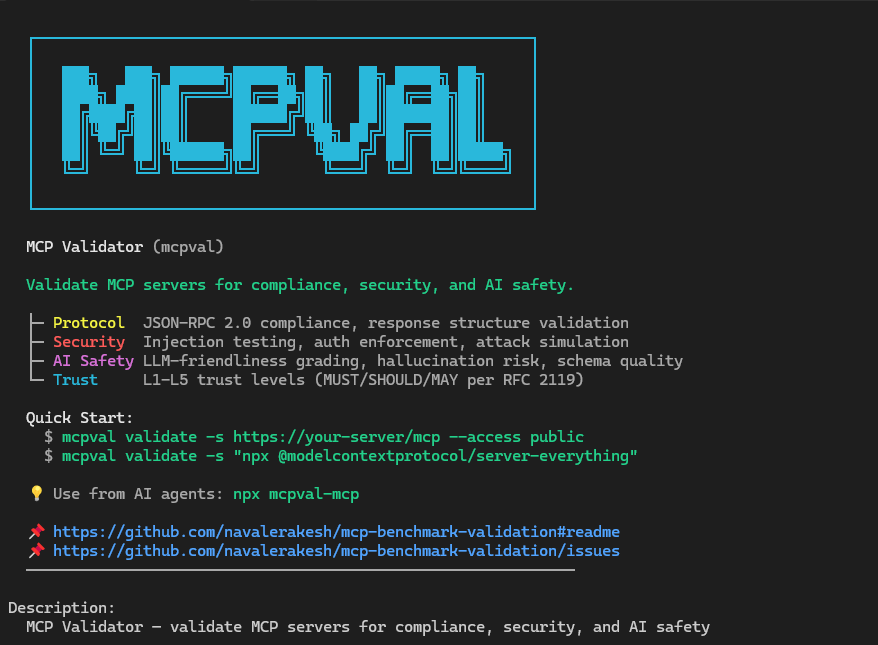
Validate that your MCP server is safe for AI agents. Checks protocol compliance, security posture, AI safety, and assigns a trust level (L1–L5).
Install
# Install from NuGet
dotnet tool install --global McpVal

# Verify installation
mcpval --help
Or download a self-contained exe from Releases — no .NET runtime needed.
CLI Usage
Validate
Run the full compliance suite (protocol, tools, prompts, resources, performance, security):
mcpval validate \
	--server https://api.githubcopilot.com/mcp/ \
	--access authenticated \
	--max-concurrency 2 \
	--output ./TEMP/reports \
	--mcpspec latest \
	--verbose
| Option | Description |
|---|---|
-s, --server <url> |
MCP endpoint or discovery URL. Required unless supplied via config file. |
-o, --output <folder> |
Writes Markdown + JSON artifacts for offline reporting. |
--mcpspec <profile> |
Overrides the embedded spec profile (e.g., latest, 2025-06-18). |
--access <profile> |
Declares server intent (public, authenticated, enterprise) so the validator enforces the right auth gates. |
-t, --token <value> |
Injects a bearer token. Pair with --access authenticated for enterprise servers. |
-i, --interactive |
Launches interactive auth (e.g., browser login) when strategies support it. |
--max-concurrency <n> |
Caps concurrent requests to avoid rate limits. |
-c, --config <file> |
Supplies a JSON McpValidatorConfiguration for advanced scenarios. |
-v, --verbose |
Streams detailed progress, transport fallbacks, and scoring notes to the console. |
Validate a Local STDIO Server
For servers using stdin/stdout transport, pass the command directly:
mcpval validate \
	--server "npx -y @modelcontextprotocol/server-everything" \
	--access public \
	--output ./reports
The CLI auto-detects STDIO transport when the server argument is not an HTTP URL.
Report
Transform saved validation results into polished HTML or XML reports:
mcpval report \
	--input ./reports/secure/mcp-validation-20260101-004312-result.json \
	--format html \
	--output ./reports/share/mcp-validation-20260101-004312-report.html
| Option | Description |
|---|---|
-i, --input <file> |
Required. Accepts either the JSON snapshot or the Markdown file created by validate. |
-f, --format <html|xml> |
Chooses the offline artifact type (HTML default). |
-o, --output <file> |
Overrides the destination path; defaults to <input>-report.<ext>. |
-c, --config <file> |
Optional configuration to tweak branding/report metadata. |
-v, --verbose |
Enables verbose logging for troubleshooting offline report rendering. |
Other Commands
mcpval health-check— fast connectivity probe with auth hints.mcpval discover— capability snapshot in JSON/YAML/table form for docs or debugging.
Introduction
- Purpose: verify that an MCP server follows the spec, handles errors correctly, resists attacks, and produces responses that AI agents can reason about safely.
- What it does: connects via HTTP or STDIO, validates JSON-RPC compliance and response structures, tests authentication enforcement, injects payloads into real tool arguments, grades error clarity for LLM self-correction, and reports a trust level.
- Who it is for: anyone building, deploying, or consuming MCP servers — developers, security teams, platform engineers, and AI agent builders.
Why Run MCP Validator
- MCP Trust Levels (L1–L5): every run produces a multi-dimensional trust assessment measuring Protocol Compliance, Security Posture, AI Safety, and Operational Readiness. Trust level is determined by the weakest dimension (security-first principle).
- RFC 2119 Compliance Tiers: checks are classified as MUST (hard compliance gates), SHOULD (weighted penalties), or MAY (informational). A single MUST failure caps the trust level at L2.
- AI Safety Scoring: hallucination risk from vague schemas, destructive tool detection, data exfiltration surface analysis, prompt injection resistance, and LLM-friendliness grading of error responses.
- Real Security Testing: injection attacks target actual tool arguments via
tools/call(not the harmlesstools/listendpoint). 9 auth scenarios per endpoint including revoked tokens and wrong audience (RFC 8707). - Deep MCP Response Validation: validates
tools/callreturnscontent[]with typed items,resources/readreturnscontents[]withuri+text/blob,prompts/getreturnsmessages[]withrole+content— all per MCP spec requirements. - Dual Transport: HTTP Streamable + STDIO (spawns local MCP servers as child processes). Auto-detects transport from endpoint format.
- Actionable reporting: one command produces console summaries plus Markdown, JSON, HTML, and XML outputs ready for tickets or dashboards.
MCP Trust Levels
Every validation run produces a trust level based on 4 dimensions:
| Level | Label | Criteria |
|---|---|---|
| 🟢 L5 | Certified Secure | ≥90% on ALL dimensions |
| 🔵 L4 | Trusted | ≥75% on ALL dimensions |
| 🟡 L3 | Acceptable | ≥50% on ALL dimensions |
| 🟠 L2 | Caution | ≥25% or any MUST failure |
| 🔴 L1 | Untrusted | Critical failures |
Dimensions measured:
- Protocol Compliance — MCP spec adherence, JSON-RPC 2.0, response structures
- Security Posture — Auth compliance, injection resistance, attack surface
- AI Safety — Schema quality, destructive tool detection, exfiltration risk, LLM-friendliness
- Operational Readiness — Latency, throughput, error rate (informational, does not impact compliance score)
Architecture
Clean Architecture: domain abstractions in Mcp.Benchmark.Core, transport/rule/scoring engines in Mcp.Benchmark.Infrastructure, and the CLI composition root in Mcp.Benchmark.CLI. See docs/Design/Architecture.md for diagrams and flow details.
Build from Source
git clone https://github.com/navalerakesh/mcp-validation-security.git
cd mcp-validation-security
dotnet build
dotnet run --project Mcp.Benchmark.CLI -- validate -s https://your-mcp-server.com/mcp
Documentation
- docs/README.md — documentation index, contributor guide, and workflow links.
- docs/Design/Architecture.md — system overview, layers, and validator pipeline.
- docs/Design/Schemas.md — spec registry, schema layout, and versioning guidelines.
- docs/Resources/GitHub-MCP-Remote-Run.md — example CLI run against GitHub MCP remote and the generated output artifacts.
- docs/Features/00_ToDo.md — living roadmap tied to feature gaps and impact.
Contributing
- Fork, branch, and submit PRs following the steps in docs/README.md#contributing.
- Run
dotnet testbefore opening a PR and include documentation updates for user-facing changes.
License
Distributed under the MIT License.
| Product | Versions Compatible and additional computed target framework versions. |
|---|---|
| .NET | net8.0 is compatible. net8.0-android was computed. net8.0-browser was computed. net8.0-ios was computed. net8.0-maccatalyst was computed. net8.0-macos was computed. net8.0-tvos was computed. net8.0-windows was computed. net9.0 was computed. net9.0-android was computed. net9.0-browser was computed. net9.0-ios was computed. net9.0-maccatalyst was computed. net9.0-macos was computed. net9.0-tvos was computed. net9.0-windows was computed. net10.0 was computed. net10.0-android was computed. net10.0-browser was computed. net10.0-ios was computed. net10.0-maccatalyst was computed. net10.0-macos was computed. net10.0-tvos was computed. net10.0-windows was computed. |
This package has no dependencies.