MeshLib 3.1.4.554
dotnet add package MeshLib --version 3.1.4.554
NuGet\Install-Package MeshLib -Version 3.1.4.554
<PackageReference Include="MeshLib" Version="3.1.4.554" />
<PackageVersion Include="MeshLib" Version="3.1.4.554" />
<PackageReference Include="MeshLib" />
paket add MeshLib --version 3.1.4.554
#r "nuget: MeshLib, 3.1.4.554"
#:package MeshLib@3.1.4.554
#addin nuget:?package=MeshLib&version=3.1.4.554
#tool nuget:?package=MeshLib&version=3.1.4.554

MeshLib — an SDK that supercharges your 3D data processing efficiency
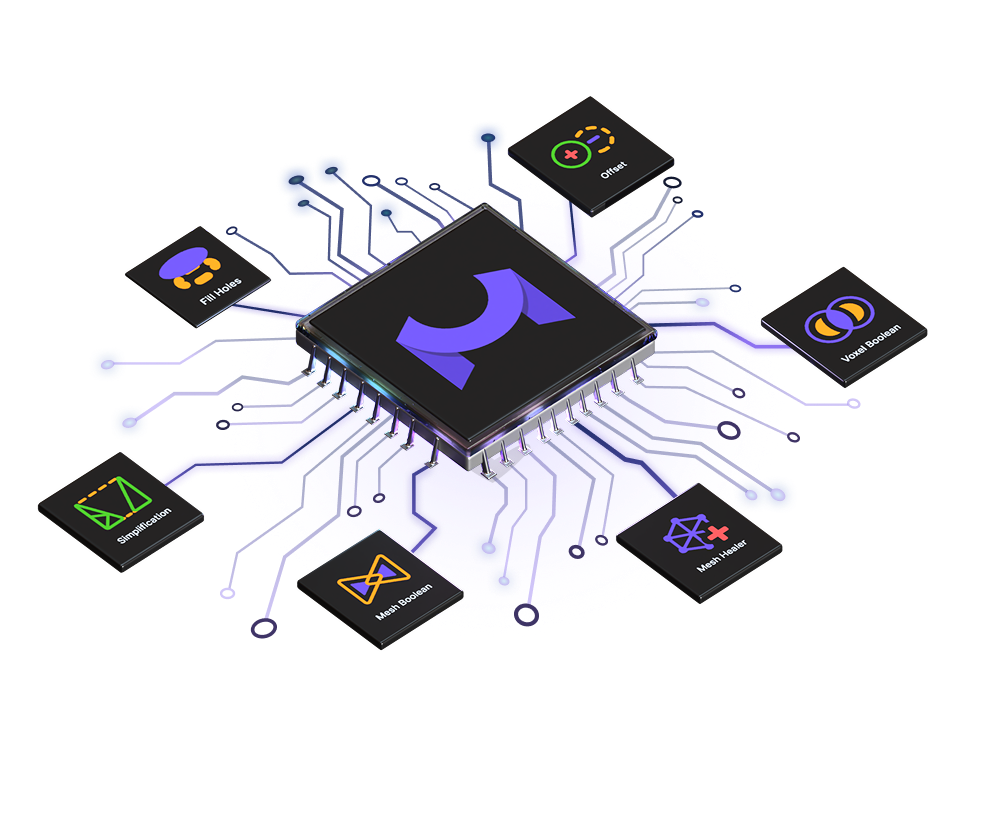
Geometry algorithms engineered to revolutionize. We help software engineers process, repair, measure and optimize 3D data with next-generation algorithms, reducing development time and costs — mesh boolean, mesh repair, decimation, offset, point cloud triangulation, ICP registration and voxel processing, in C++, C, C#, Python and JavaScript. This is the .NET package.
▶ Try it live · Website · Documentation · C# setup guide · Examples · Benchmarks · Discussions




Install
dotnet add package MeshLib
.NET Standard 2.0, with native libraries for Windows, Linux and macOS on x64 and arm64. For the other languages, see the Installation Guide.
60 seconds to your first result
Turn a scan into a triangle mesh:
var pc   = MR.PointsLoad.fromAnySupportedFormat("scan.ply");   // point cloud from any scanner
var mesh = MR.triangulatePointCloud(pc).value()!;              // point cloud -> triangle mesh
MR.MeshSave.toAnySupportedFormat(mesh, "model.stl");
Boolean operations that just work, with no non-manifold surprises:
var a = MR.makeUVSphere(1.0f, 64, 64);
var b = new MR.Mesh(a);
b.transform(MR.AffineXf3f.translation(new MR.Vector3f(0.7f, 0.0f, 0.0f)));

var res = MR.boolean(a, b, MR.BooleanOperation.Union);
if (!res.valid())
    throw new Exception(res.errorString);
MR.MeshSave.toAnySupportedFormat(res.mesh, "out_boolean.stl");
Heal a broken scan into a watertight, printable model. Voxel-based repair rebuilds the surface through a signed distance field, so holes, self-intersections and non-manifold edges disappear in a single pass:
var mesh = MR.MeshLoad.fromAnySupportedFormat("broken.stl");

var parameters = new MR.GeneralOffsetParameters();
parameters.voxelSize = mesh.computeBoundingBox().diagonal() / 200;
parameters.signDetectionMode = MR.SignDetectionMode.HoleWindingRule;
parameters.closeHolesInHoleWindingNumber = true;

var fixedMesh = MR.generalOffsetMesh(new MR.MeshPart(mesh), 0.0f, parameters);   // watertight
MR.MeshSave.toAnySupportedFormat(fixedMesh, "fixed.stl");
Voxel repair resamples the surface, so the result is denser than the input —
add decimateMesh to bring the
triangle count back down within a tolerance you set. Lighter, topological repair
(fixMeshDegeneracies, fillHole, SelfIntersections.fix) is available when you
need to preserve the original vertices.
More in Tutorials and the
examples/ folder —
including complete, runnable programs for repair, boolean, offset, ICP and triangulation;
the C# ones are in examples/c-sharp-examples.
Each snippet above is a complete console program with top-level statements; loading, saving
and the other operations that can fail throw an exception with the error message.
What MeshLib does
| 3D Boolean | Fast, exact mesh booleans (union, intersection, difference) plus a voxel-based mode for messy input. |
| Mesh repair | Fix self-intersections, degeneracies, tunnels, multiple edges and undercuts; fill and stitch holes on flat and curved surfaces. |
| Point cloud to mesh | Triangulation with accurate normal estimation, uniform and grid sampling, outlier removal. |
| Simplification | Decimation within a set tolerance, remeshing and subdivision that keep the details you care about. |
| Offset | Shell, partial and weighted offsets for 3D printing, machining and hollowing. |
| Registration | Point-to-point and point-to-plane ICP, plus global registration of multiple scans. |
| Distance & SDF | Mesh to signed distance field and back by marching cubes, distance maps, iso-lines, projection and ray intersection. |
| Voxels & CT | DICOM import/export, voxel-grid processing and 3D volume rendering. |
| Deformation | Laplacian, freeform and relaxation smoothing, noise reduction. |
| Segmentation | Semi-automatic mesh segmentation guided by a curvature metric; graph-cut segmentation of voxel volumes. |
| Collision detection | Exact and precise self- and pairwise intersection tests. |
| Viewer | An embeddable OpenGL/ImGui viewer with UI components, or run the algorithms fully headless. |
| File formats | Meshes, point clouds, CT scans, polylines, distance maps and G-code — full list. |
Full feature reference: meshlib.io/features.
Why teams pick MeshLib
Measured, not claimed. Our boolean benchmark compares MeshLib across nine libraries on 2M-triangle models — method, data and input meshes. The simplification benchmark does the same for decimation across 11 libraries. Both are public and reproducible.
Manifold by construction. Meshes use a half-edge data structure, in which most non-manifold situations are simply not representable — a non-manifold edge, or a vertex with two closed rings of triangles around it. Broken topology is caught where it happens, not three pipeline stages later.
One engine, five languages. A native C++ core with official APIs for C, C#, Python and JavaScript/WebAssembly. The same algorithms, the same results — on the desktop, on a server, or in a browser tab.
Built for real workloads. Core algorithms are multithreaded; a CUDA module accelerates distance maps, signed distance fields, offsets and swept volumes on NVIDIA GPUs.
We use it ourselves. MeshInspector, our desktop and web application, and SmileInspector, our FDA-cleared clear-aligner platform, are both built entirely on this SDK, so it is exercised every day on real production data.
Supported, not abandoned. Backed by a full-time team with commercial support, regular releases and a responsive issue tracker.
Platforms
Windows · macOS · Linux (Ubuntu/Debian, Fedora/RHEL) · WebAssembly
Built with MeshLib
| Project | Field | What it does |
|---|---|---|
| Polyga | 3D scanning | PointKit scanning platform, built on MeshLib |
| Verisurf | Metrology | 3D measurement, inspection and reverse engineering |
| Brius Technologies | Orthodontics | Customized lingual orthodontic appliances |
| Axial3D | Medical imaging | Scan-to-3D-model services for surgical planning |
| customed.ai | Medical devices | AI-driven patient-specific surgical instruments |
| Relu | Digital dentistry | AI segmentation for dental CAD workflows |
| spherene | Generative design | Adaptive density minimal surfaces for AM |
| ToffeeX | Generative design | Physics-driven design optimization |
| Enhatch | Medical devices | Intelligent surgery platform |
| CIMsystem | CAM / machining | CAD/CAM software for dental and industrial milling |
| 3DONS | Digital dentistry | Dental treatment planning software |
| Henning Larsen | Architecture / AEC | Computational design and terrain modelling |
| MeshInspector | 3D printing / QA | STL editor, viewer and mesh repair application |
| SmileInspector | Clear aligners | FDA-cleared aligner treatment planning platform |
Shipping something built on MeshLib? Open a PR and add it here — we like showing what people build.
Getting started
- Try the live demo — booleans, repair, decimation and ICP in the browser. No install, no sign-up.
- Evaluate locally.
dotnet add package MeshLib, then work through the tutorials. Free for non-commercial and educational use under our licence. - See it in an application. MeshInspector is the GUI built on MeshLib — desktop and web, 30-day trial.
- Book a call. Integration guidance, architecture questions and commercial licensing tailored to your project.
Licence
MeshLib is source-available: read the code, fork it, and use it free for non-commercial and educational work. Commercial use requires a licence — see the full terms and the licence page.
Citing MeshLib
If MeshLib supports your research, please cite the exact version you used — find it with dotnet list package.
@software{meshlib,
  author       = {{MeshLib Development Team}},
  title        = {{MeshLib}: 3D Mesh Processing Library},
  organization = {AMV Consulting LLC},
  year         = {2026},
  version      = {3.1.4.554},
  url          = {https://meshlib.io},
  note         = {Please cite the exact version used in your work}
}
Other styles (APA, IEEE, Chicago) and guidance on citing a specific algorithm: meshlib.io/citation-guide. Published something that uses MeshLib? Tell us in Discussions — we keep a list.
Community and support
- Bugs and feature requests → GitHub Issues
- Questions, ideas, show-and-tell → GitHub Discussions
- Commercial support → meshlib.io/book-a-call
If MeshLib saves you time, a ⭐ helps other engineers find it.
| Product | Versions Compatible and additional computed target framework versions. |
|---|---|
| .NET | net5.0 was computed. net5.0-windows was computed. net6.0 was computed. net6.0-android was computed. net6.0-ios was computed. net6.0-maccatalyst was computed. net6.0-macos was computed. net6.0-tvos was computed. net6.0-windows was computed. net7.0 was computed. net7.0-android was computed. net7.0-ios was computed. net7.0-maccatalyst was computed. net7.0-macos was computed. net7.0-tvos was computed. net7.0-windows was computed. net8.0 was computed. net8.0-android was computed. net8.0-browser was computed. net8.0-ios was computed. net8.0-maccatalyst was computed. net8.0-macos was computed. net8.0-tvos was computed. net8.0-windows was computed. net9.0 was computed. net9.0-android was computed. net9.0-browser was computed. net9.0-ios was computed. net9.0-maccatalyst was computed. net9.0-macos was computed. net9.0-tvos was computed. net9.0-windows was computed. net10.0 was computed. net10.0-android was computed. net10.0-browser was computed. net10.0-ios was computed. net10.0-maccatalyst was computed. net10.0-macos was computed. net10.0-tvos was computed. net10.0-windows was computed. |
| .NET Core | netcoreapp2.0 was computed. netcoreapp2.1 was computed. netcoreapp2.2 was computed. netcoreapp3.0 was computed. netcoreapp3.1 was computed. |
| .NET Standard | netstandard2.0 is compatible. netstandard2.1 was computed. |
| .NET Framework | net461 was computed. net462 was computed. net463 was computed. net47 was computed. net471 was computed. net472 was computed. net48 was computed. net481 was computed. |
| MonoAndroid | monoandroid was computed. |
| MonoMac | monomac was computed. |
| MonoTouch | monotouch was computed. |
| Tizen | tizen40 was computed. tizen60 was computed. |
| Xamarin.iOS | xamarinios was computed. |
| Xamarin.Mac | xamarinmac was computed. |
| Xamarin.TVOS | xamarintvos was computed. |
| Xamarin.WatchOS | xamarinwatchos was computed. |
-
.NETStandard 2.0
- No dependencies.
NuGet packages
This package is not used by any NuGet packages.
GitHub repositories
This package is not used by any popular GitHub repositories.
| Version | Downloads | Last Updated |
|---|---|---|
| 3.1.4.554 | 187 | 10/16/2026 |
| 3.1.4.297 | 1,714 | 9/16/2026 |
| 3.1.3.429 | 477 | 8/3/2026 |
| 3.1.3.338-beta | 231 | 7/14/2026 |
| 3.1.3.297 | 402 | 7/6/2026 |
| 3.1.3.249 | 351 | 6/25/2026 |
| 3.1.2.192 | 377 | 5/6/2026 |
| 3.1.1.211 | 320 | 3/24/2026 |
| 3.1.1.92 | 334 | 2/19/2026 |
| 3.1.0.75 | 389 | 1/26/2026 |
| 3.1.0.2 | 707 | 12/29/2025 |
| 3.0.9.196 | 855 | 11/12/2025 |
| 3.0.9.193 | 377 | 11/12/2025 |
| 3.0.8.247 | 535 | 10/6/2025 |
| 3.0.8.228 | 316 | 10/1/2025 |
| 3.0.7.238 | 417 | 8/13/2025 |
| 3.0.6.335 | 288 | 7/17/2025 |