Mma.SqlStudio.SqlServer
1.4.1
dotnet add package Mma.SqlStudio.SqlServer --version 1.4.1
NuGet\Install-Package Mma.SqlStudio.SqlServer -Version 1.4.1
<PackageReference Include="Mma.SqlStudio.SqlServer" Version="1.4.1" />
<PackageVersion Include="Mma.SqlStudio.SqlServer" Version="1.4.1" />
<PackageReference Include="Mma.SqlStudio.SqlServer" />
paket add Mma.SqlStudio.SqlServer --version 1.4.1
#r "nuget: Mma.SqlStudio.SqlServer, 1.4.1"
#:package Mma.SqlStudio.SqlServer@1.4.1
#addin nuget:?package=Mma.SqlStudio.SqlServer&version=1.4.1
#tool nuget:?package=Mma.SqlStudio.SqlServer&version=1.4.1
Mma.SqlStudio.SqlServer

A modern, highly customizable, embeddable SQL Server Object Explorer and Query Editor for .NET.



Mma.SqlStudio.SqlServer is packaged as a Razor Class Library (RCL), making it incredibly simple to drop a full-featured SQL development environment into any existing ASP.NET Core application.
✨ Features
- 🗄️ SQL Object Explorer: Browse databases, schemas, tables, views, and stored procedures seamlessly.
- ✍️ Query Editor: Execute queries with full syntax highlighting and a responsive results grid.
- 🕒 Query History: Dedicated sidebar tab for query history, including browser metadata (cookies/localStorage) and easy script re-execution.
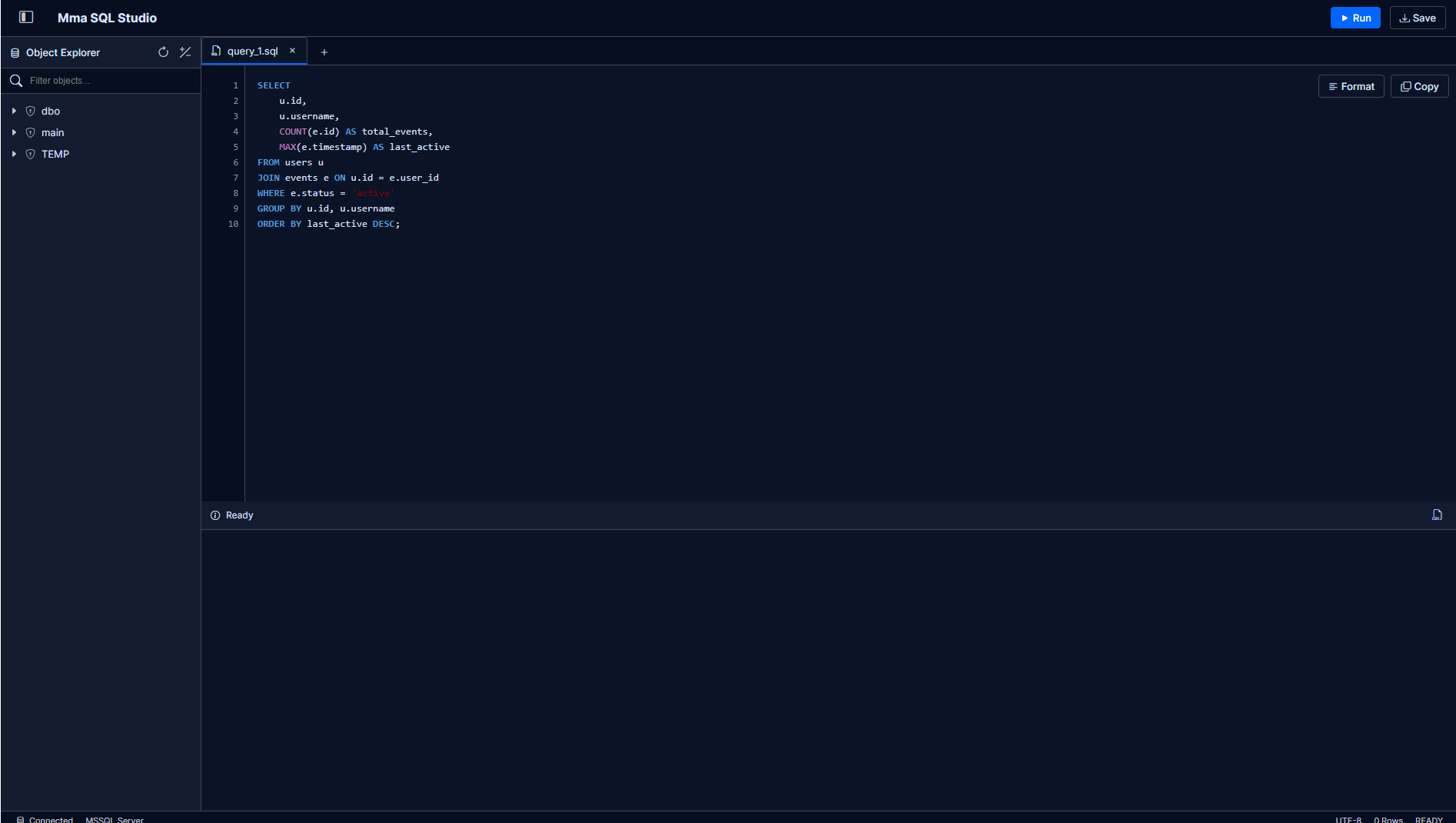
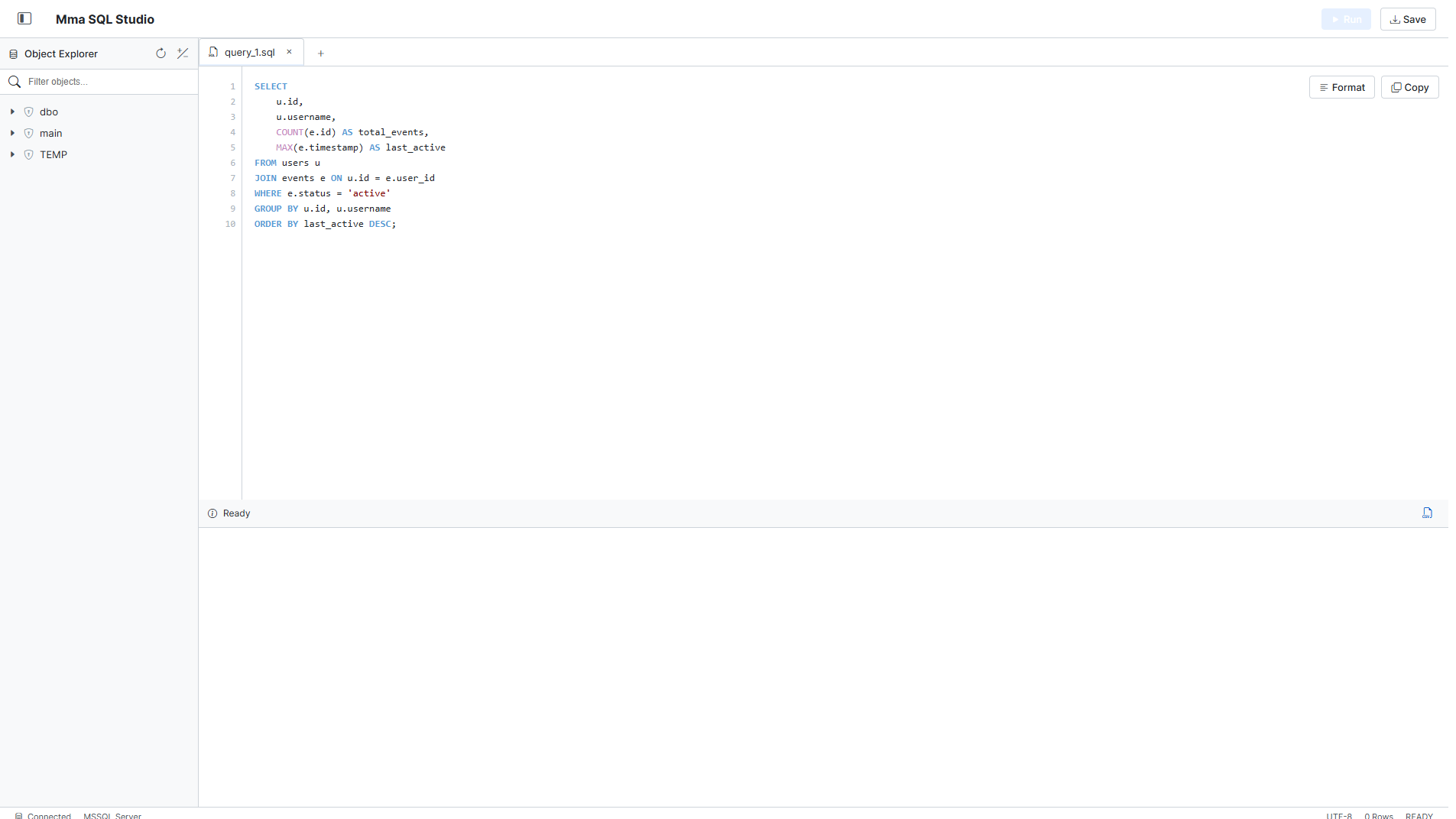
- 🎨 Modern UI: Clean, responsive, and dynamic interface built with vanilla CSS. Dark and Light mode supported!
- 🔌 Embeddable: Drop into any ASP.NET Core application via Minimal APIs and Razor Pages in just a few lines of code.
- ⚙️ Highly Configurable: Control routing, application naming, default connections, and schema loading.
- 🔒 Customizable Authorization: Secure your SQL Studio instance by applying custom endpoint and page authorization filters, including built-in support for HTTP Basic Auth or your own custom logic.
🚀 Getting Started
1. Install the NuGet Package
Add the package to your project using the .NET CLI:
dotnet add package Mma.SqlStudio.SqlServer --version 1.4.1
2. Configure Services
Register the required services in your Program.cs. You can customize the studio behavior by configuring the SqlStudioOptions.
builder.Services.AddRazorPages();

// Add and configure SQL Studio
builder.Services.AddSqlStudio(options =>
{
    options.Route = "/sql-studio"; // Change to your preferred route
    options.AppName = "Mma SQL Studio"; // Custom application name
    options.ConnectionString = "Server=myServerAddress;Database=myDataBase;User Id=myUsername;Password=myPassword;";
    options.Database = "YourDatabase";

    // Optional: UI Configuration
    options.EnableSchemaLoad = true; // Set to false to hide the Object Explorer
    options.Theme = Theme.Dark; // Options: Theme.Dark, Theme.Light

    // Optional: Object Filtering
    options.ExcludedSchemas = ["guest", "temp"];
    options.ExcludedObjects = ["Logs", "InternalTable"];

    // Optional: Authorization Filter
    options.AuthFilter = ctx =>
    {
        // Example: HTTP Basic Auth (admin:password)
        if (ctx.Request.Headers.TryGetValue("Authorization", out var authHeader) &&
            authHeader.ToString().StartsWith("Basic "))
        {
            var token = authHeader.ToString().Substring("Basic ".Length).Trim();
            return token == "YWRtaW46cGFzc3dvcmQ=";
        }

        ctx.Response.Headers.WWWAuthenticate = "Basic realm=\"SqlStudio\"";
        return false;
    };

    // Set to null to return 401 Unauthorized instead of redirecting
    // Alternatively, provide a path like "/access-denied" to redirect rejected requests
    options.UnauthorizedRedirectUrl = null;

    // Optional: Query History Configuration
    options.AllowHistoryLog = true; // Enable history logging
    options.HistoryTableName = "__SqlStudioQueryHistory"; // Custom table name
    options.CreateTable = true; // Auto-create history table if it doesn't exist
});
3. Map Endpoints
Ensure static files and endpoints are mapped properly in your middleware pipeline:
// Required to serve the embedded CSS and JS files from the RCL
app.UseStaticFiles();
// Tip: Use app.MapStaticAssets() for .NET 9+

app.MapRazorPages();

// Map the API endpoints required by SQL Studio
app.MapSqlStudioEndpoints();
4. Run the Application
Run your application and navigate to the route you configured (default is /sql-studio).
dotnet run
📸 Screenshots
Dark Theme
Light Theme
📝 License
This project is licensed under the MIT License. See the LICENSE file for details.
| Product | Versions Compatible and additional computed target framework versions. |
|---|---|
| .NET | net8.0 is compatible. net8.0-android was computed. net8.0-browser was computed. net8.0-ios was computed. net8.0-maccatalyst was computed. net8.0-macos was computed. net8.0-tvos was computed. net8.0-windows was computed. net9.0 is compatible. net9.0-android was computed. net9.0-browser was computed. net9.0-ios was computed. net9.0-maccatalyst was computed. net9.0-macos was computed. net9.0-tvos was computed. net9.0-windows was computed. net10.0 is compatible. net10.0-android was computed. net10.0-browser was computed. net10.0-ios was computed. net10.0-maccatalyst was computed. net10.0-macos was computed. net10.0-tvos was computed. net10.0-windows was computed. |
-
net10.0
- Dapper (>= 2.1.72)
- Microsoft.Data.SqlClient (>= 7.0.1)
-
net8.0
- Dapper (>= 2.1.72)
- Microsoft.Data.SqlClient (>= 7.0.1)
-
net9.0
- Dapper (>= 2.1.72)
- Microsoft.Data.SqlClient (>= 7.0.1)
NuGet packages
This package is not used by any NuGet packages.
GitHub repositories
This package is not used by any popular GitHub repositories.