Net.Azure.ServiceBusConsole
0.7.0
dotnet tool install --global Net.Azure.ServiceBusConsole --version 0.7.0
dotnet new tool-manifest
dotnet tool install --local Net.Azure.ServiceBusConsole --version 0.7.0
#tool dotnet:?package=Net.Azure.ServiceBusConsole&version=0.7.0
nuke :add-package Net.Azure.ServiceBusConsole --version 0.7.0
azure-servicebus-console
A terminal UI browser for Azure Service Bus — explore namespaces, queues, topics, and messages directly from your terminal.
Install
Requires .NET 10 SDK and an active Azure CLI login.
dotnet tool install -g Net.Azure.ServiceBusConsole
az login
azsb
To update to the latest version:
dotnet tool update -g Net.Azure.ServiceBusConsole
Note: Subscription IDs are currently hardcoded. See Configuration.
Features
- Browse Service Bus namespaces across multiple Azure subscriptions
- Queues and topics with live message counts (active, DLQ, scheduled, transfer) — animated spinner while refreshing from cache
- Filter queues, topics, and subscriptions by typing in the filter box
- Scrollable tables — arrow keys or scrollbar to navigate long lists
- Peek, receive (PeekLock) or receive-and-delete a chosen number of messages, like the Azure portal's Service Bus Explorer
- Multi-select messages (
Space, click the checkbox,Aall,Iinvert) and act on all of them at once - Locked messages: complete, abandon, dead-letter or requeue; locks renew automatically and are released when you leave
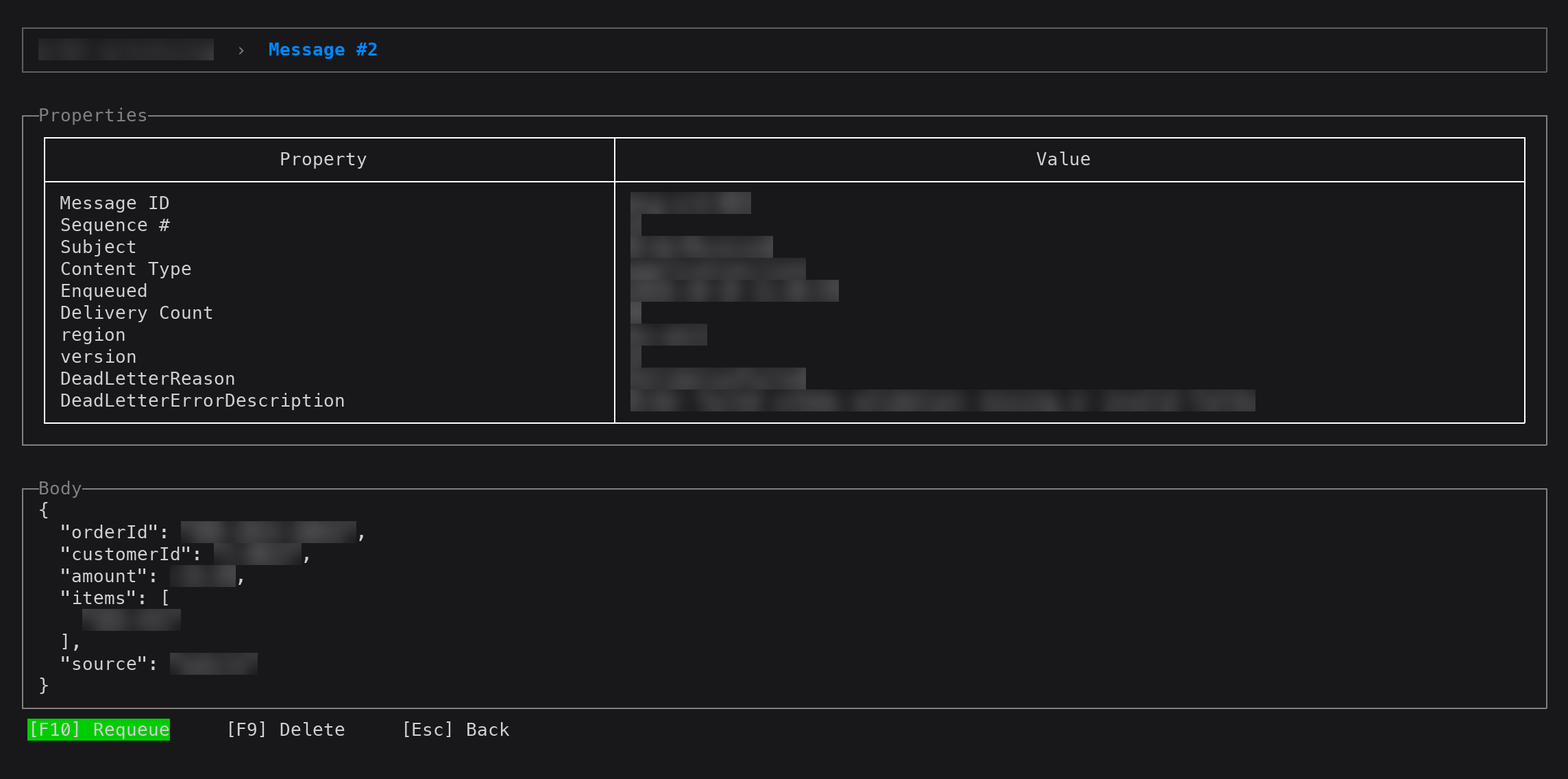
- Inspect message properties and body (auto pretty-printed if JSON) with a scrollable body panel
- Dead-letter queue browsing per queue and per subscription
- Requeue DLQ messages: republish locked dead-lettered messages to the origin queue/topic and complete them
- Delete individual queues, topics or subscriptions
- Mouse support: click buttons and rows, click a selected row to open it, scroll lists with the wheel
Screenshots
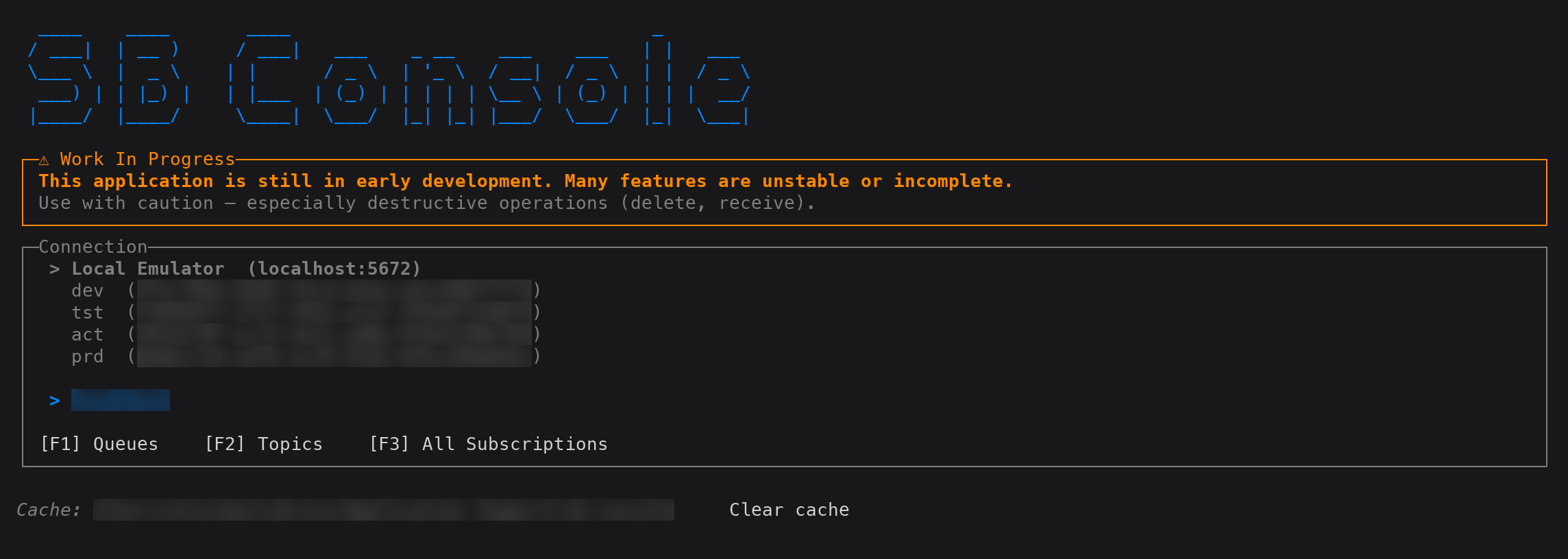
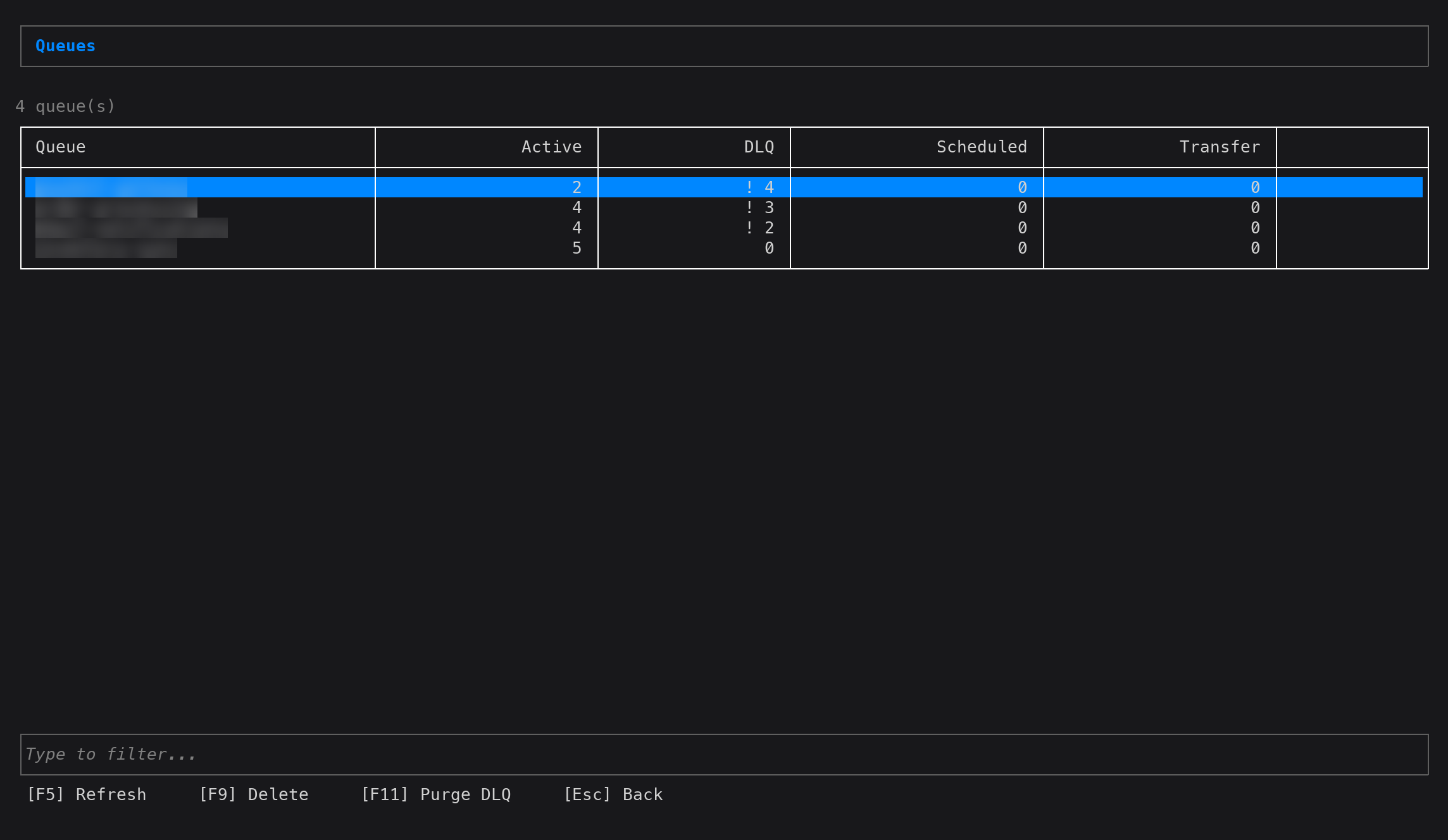
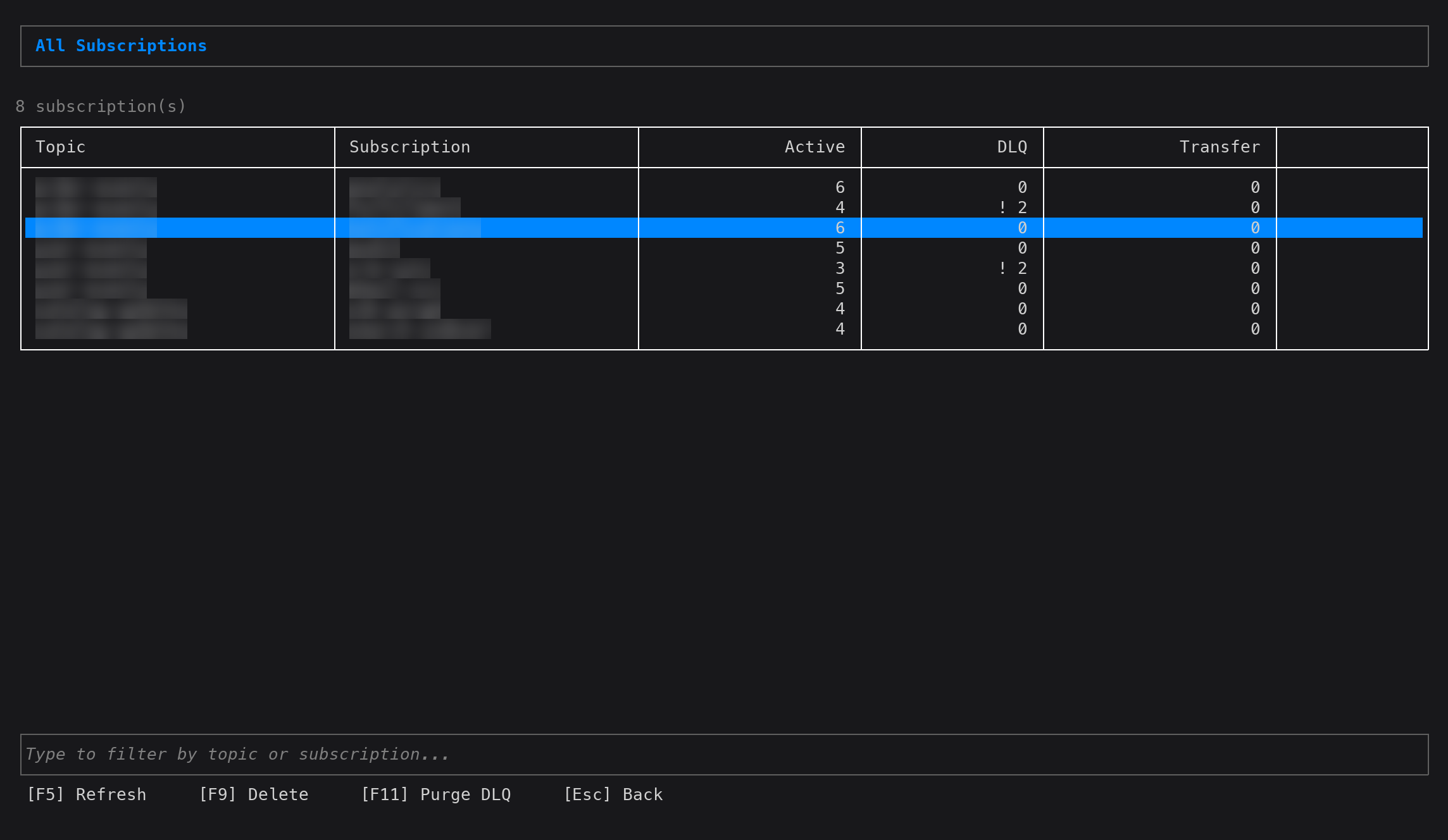
Data blurred; captured against the local Service Bus emulator.
Connection: pick a subscription and namespace
Queues: live counts, DLQ warnings, type to filter
Message detail: properties, dead-letter reason, pretty-printed JSON body
All subscriptions across every topic
Keyboard shortcuts
All screens
| Key | Action |
|---|---|
Tab / Shift+Tab |
Move focus between controls |
Esc |
Go back to previous screen |
| Click | Activate a button, or select a row; click the selected row to open it |
| Mouse wheel | Scroll the list under the pointer |
Connection screen
| Key | Action |
|---|---|
F1 |
Open queue browser |
F2 |
Open topic browser |
F3 |
Open all-subscriptions view |
Queue list / Topic list / Subscription list
| Key | Action |
|---|---|
| Type | Filter list by name |
Backspace |
Remove last filter character |
↑ / ↓ |
Scroll list |
Enter |
Open selected item |
F5 |
Refresh |
F9 / Del |
Delete focused item |
Queue browser / Subscription browser
| Key | Action |
|---|---|
F6 |
Toggle between active queue and DLQ |
F7 |
Peek… (count, optional start sequence number) |
F8 |
Receive… (count, PeekLock or ReceiveAndDelete) |
Space |
Select / deselect message (or click its checkbox) |
A / I |
Select all / invert selection |
Esc |
Clear selection, then back |
F9 / Del |
Complete (locked) |
F4 |
Abandon (locked) |
F3 |
Dead-letter (locked, active queue) |
F10 |
Requeue (locked DLQ, or received-and-deleted) / Resend copy (peeked) |
F11 |
Purge |
↑ / ↓ |
Move through message list |
Enter |
View message detail |
Actions apply to the selected messages, or to the focused one when nothing is selected.
Message detail
| Key | Action |
|---|---|
↑ / ↓ |
Scroll message body |
F9 F4 F3 F10 |
Same actions as the browser, for this message |
Prerequisites
- .NET 10 SDK
- Azure CLI logged in:
az login
Authentication uses AzureCliCredential — no connection strings or API keys are stored.
Running from source
git clone --recurse-submodules https://github.com/zidad/azure-servicebus-console
cd azure-servicebus-console
az login
dotnet run
Logs are written to ./logs/session-<timestamp>.log on each run.
Configuration
Azure subscription IDs are hardcoded in Pages/ConnectionPage.razor in the SubscriptionOptions array. Update these to match your environment before running from source.
How message operations work
The browser follows the Service Bus Explorer in the Azure portal:
- Peek is read-only.
F10sends copies; the originals stay. - Receive (PeekLock) locks the messages on a receiver that stays open. Locks are renewed in the background and abandoned when you leave the page or load something else, so messages come back right away instead of after lock expiry.
- Requeue sends copies to the origin queue (or the topic, for subscriptions: every subscription gets a copy) in order, then completes the locked originals.
- Receive (ReceiveAndDelete) removes messages immediately; requeue them before leaving or they are gone.
Bulk actions report partial failures; failed messages stay selected so you can retry.
Releasing
Every push to main checks the <Version> in ServiceBusConsole.csproj. If a tag for that version doesn't exist yet, the publish workflow will automatically create the tag, pack, and push to NuGet.org.
To release a new version, bump the version in ServiceBusConsole.csproj and merge to main:
<Version>0.2.0</Version>
Publishing uses NuGet trusted publishing — no API key secret is stored. The workflow exchanges a GitHub OIDC token for a short-lived nuget.org API key via NuGet/login.
This requires a trusted publishing policy on nuget.org (Account → Trusted Publishing) with:
| Field | Value |
|---|---|
| Repository Owner | zidad |
| Repository | azure-servicebus-console |
| Workflow File | publish.yml |
| Environment | (leave empty) |
Built with
- RazorConsole — Blazor Razor components rendered to the terminal via Spectre.Console
- Azure.Messaging.ServiceBus — Service Bus client
- Azure.ResourceManager.ServiceBus — namespace discovery via ARM
| Product | Versions Compatible and additional computed target framework versions. |
|---|---|
| .NET | net10.0 is compatible. net10.0-android was computed. net10.0-browser was computed. net10.0-ios was computed. net10.0-maccatalyst was computed. net10.0-macos was computed. net10.0-tvos was computed. net10.0-windows was computed. |
This package has no dependencies.