Py-Sharp
2.2.0
There is a newer version of this package available.
See the version list below for details.
See the version list below for details.
dotnet add package Py-Sharp --version 2.2.0
NuGet\Install-Package Py-Sharp -Version 2.2.0
This command is intended to be used within the Package Manager Console in Visual Studio, as it uses the NuGet module's version of Install-Package.
<PackageReference Include="Py-Sharp" Version="2.2.0" />
For projects that support PackageReference, copy this XML node into the project file to reference the package.
<PackageVersion Include="Py-Sharp" Version="2.2.0" />
<PackageReference Include="Py-Sharp" />
For projects that support Central Package Management (CPM), copy this XML node into the solution Directory.Packages.props file to version the package.
paket add Py-Sharp --version 2.2.0
The NuGet Team does not provide support for this client. Please contact its maintainers for support.
#r "nuget: Py-Sharp, 2.2.0"
#r directive can be used in F# Interactive and Polyglot Notebooks. Copy this into the interactive tool or source code of the script to reference the package.
#:package Py-Sharp@2.2.0
#:package directive can be used in C# file-based apps starting in .NET 10 preview 4. Copy this into a .cs file before any lines of code to reference the package.
#addin nuget:?package=Py-Sharp&version=2.2.0
#tool nuget:?package=Py-Sharp&version=2.2.0
The NuGet Team does not provide support for this client. Please contact its maintainers for support.
PySharp


🐍 This library allows you to use Python methods such as print, input and more in C#!
Installation
- type this command:
dotnet add package Py-Sharp
Alternative
- Go to Releases or NuGet and install the latest .nupkg file.
- put the .nupkg in any folder in your project (e.g. /libs, it doesn't matter)
- type this command:
dotnet add package Py-Sharp -s ./
How to use
- type this to use PySharp methods:
-
using PySharp;
Example:
color.fore.yellow();
int numtofind = Int(input("type first number: "));
print();
int num2tofind = Int(input("type second number: "));
color.reset();
print("Calculating...");
time.sleep(2);
int result = numtofind + num2tofind;
print("Result:", result);
XML hints
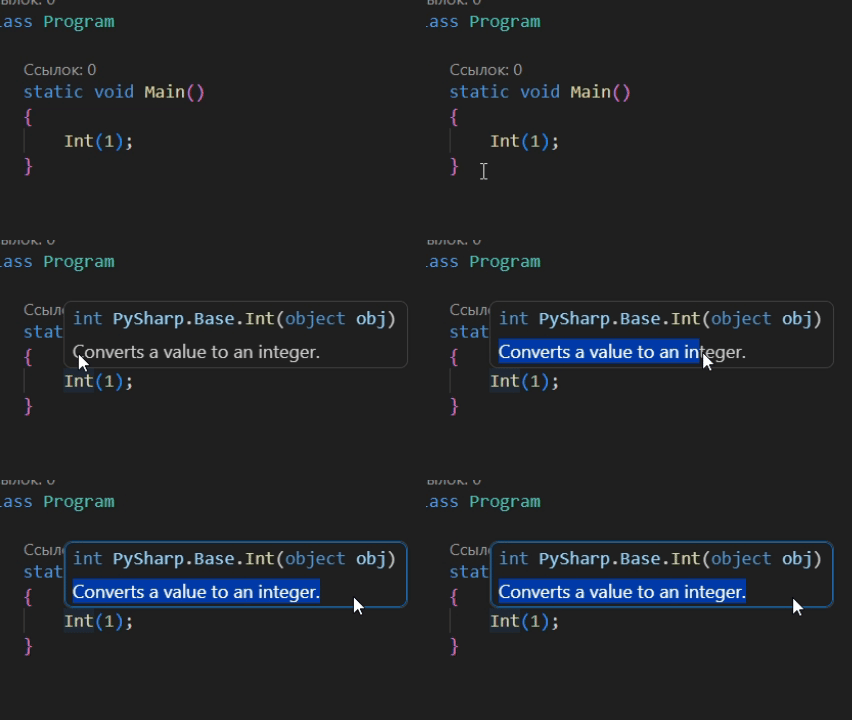
- When pointing to a method from this library, you can see an XML hint.
- It explains what this method is for
| Product | Versions Compatible and additional computed target framework versions. |
|---|---|
| .NET | net10.0 is compatible. net10.0-android was computed. net10.0-browser was computed. net10.0-ios was computed. net10.0-maccatalyst was computed. net10.0-macos was computed. net10.0-tvos was computed. net10.0-windows was computed. |
Compatible target framework(s)
Included target framework(s) (in package)
Learn more about Target Frameworks and .NET Standard.
-
net10.0
- No dependencies.
NuGet packages
This package is not used by any NuGet packages.
GitHub repositories
This package is not used by any popular GitHub repositories.
2.2.0:
- Added more random methods such as choice, shuffle, sample, choices.
- Improved print method so you can easily print an array out.