Surefire 0.4.0
dotnet add package Surefire --version 0.4.0
NuGet\Install-Package Surefire -Version 0.4.0
<PackageReference Include="Surefire" Version="0.4.0" />
<PackageVersion Include="Surefire" Version="0.4.0" />
<PackageReference Include="Surefire" />
paket add Surefire --version 0.4.0
#r "nuget: Surefire, 0.4.0"
#:package Surefire@0.4.0
#addin nuget:?package=Surefire&version=0.4.0
#tool nuget:?package=Surefire&version=0.4.0
Surefire


Distributed job scheduling for .NET with a minimal API style.
Preview: Surefire is pre-1.0, so APIs and storage schemas may change.
var builder = WebApplication.CreateBuilder(args);

builder.Services.AddSurefire();
builder.Services.AddSurefireDashboard();

var app = builder.Build();

app.AddJob("Hello", () => "Hello, World!");

app.MapSurefireDashboard();

app.Run();
Features
- Runs across multiple nodes with coordinated claiming and retry handling. Nodes can register the same or different jobs.
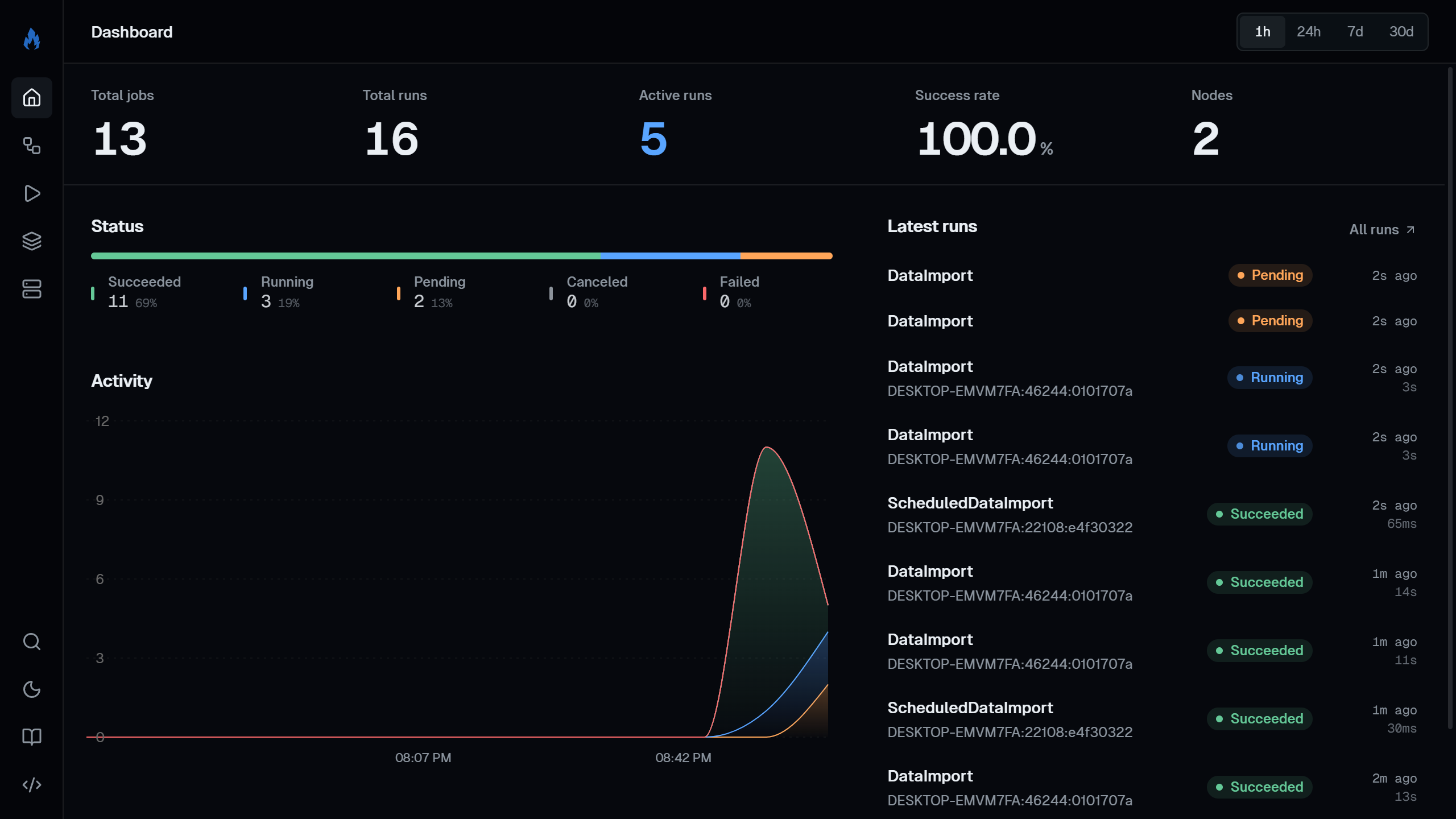
- Built-in dashboard with live logs, progress, run history, and node monitoring.
- Per-job cron, retries, queues, timeouts, and rate limits.
- Stream values into and out of jobs with
IAsyncEnumerable<T>. Run batches and consume their results as a list or a stream. - Call jobs from other jobs using
IJobClient. - Coordinate multi-step workflows with durable jobs that suspend while waiting on child runs and replay from recorded history, surviving restarts.
- Native AOT and trimming support.
- OpenTelemetry traces and metrics. ASP.NET Core health checks.
Install
dotnet add package Surefire
dotnet add package Surefire.Dashboard
Comes with an in-memory store and notifications. Provider packages are available for PostgreSQL, SQL Server, SQLite, and Redis.
dotnet add package Surefire.PostgreSql
dotnet add package Surefire.SqlServer
dotnet add package Surefire.Sqlite
dotnet add package Surefire.Redis
Defining jobs
You can register a job by calling AddJob and passing it a name and delegate. Their parameters resolve from DI and the
arguments passed in when triggering a run.
AddJob returns a builder that can be used to configure cron, retries, timeouts, rate limits, callbacks, etc.
app.AddJob("Add", (int a, int b) => a + b);

app.AddJob("ImportData", async (JobContext ctx, ILogger<Program> logger, CancellationToken ct) =>
{
    for (var i = 1; i <= 10; i++)
    {
        logger.LogInformation("Step {I}/10", i);
        await ctx.ReportProgressAsync(i / 10.0);
        await Task.Delay(1000, ct);
    }
})
.WithDescription("Imports data and reports progress")
.WithRetry(3);

app.AddJob("GenerateReport", async (IReportService reports, CancellationToken ct) =>
{
    await reports.GenerateReportAsync(ct);
})
.WithCron("0 * * * *");
Triggering jobs
Use IJobClient to trigger jobs from anywhere in your app.
// Fire and forget
await client.TriggerAsync("ImportData");

// Run a job and wait for the result
var sum = await client.RunAsync<int>("Add", new { a = 1, b = 2 });

// Or stream values as they're produced
await foreach (var value in client.StreamAsync<int>("GenerateNumbers"))
{
    // ...
}

// Run a batch and get all results at once
var results = await client.RunBatchAsync<Result>("Process", inputs);

// Or stream batch results as they finish
await foreach (var result in client.StreamBatchAsync<Result>("Process", inputs))
{
    // ...
}
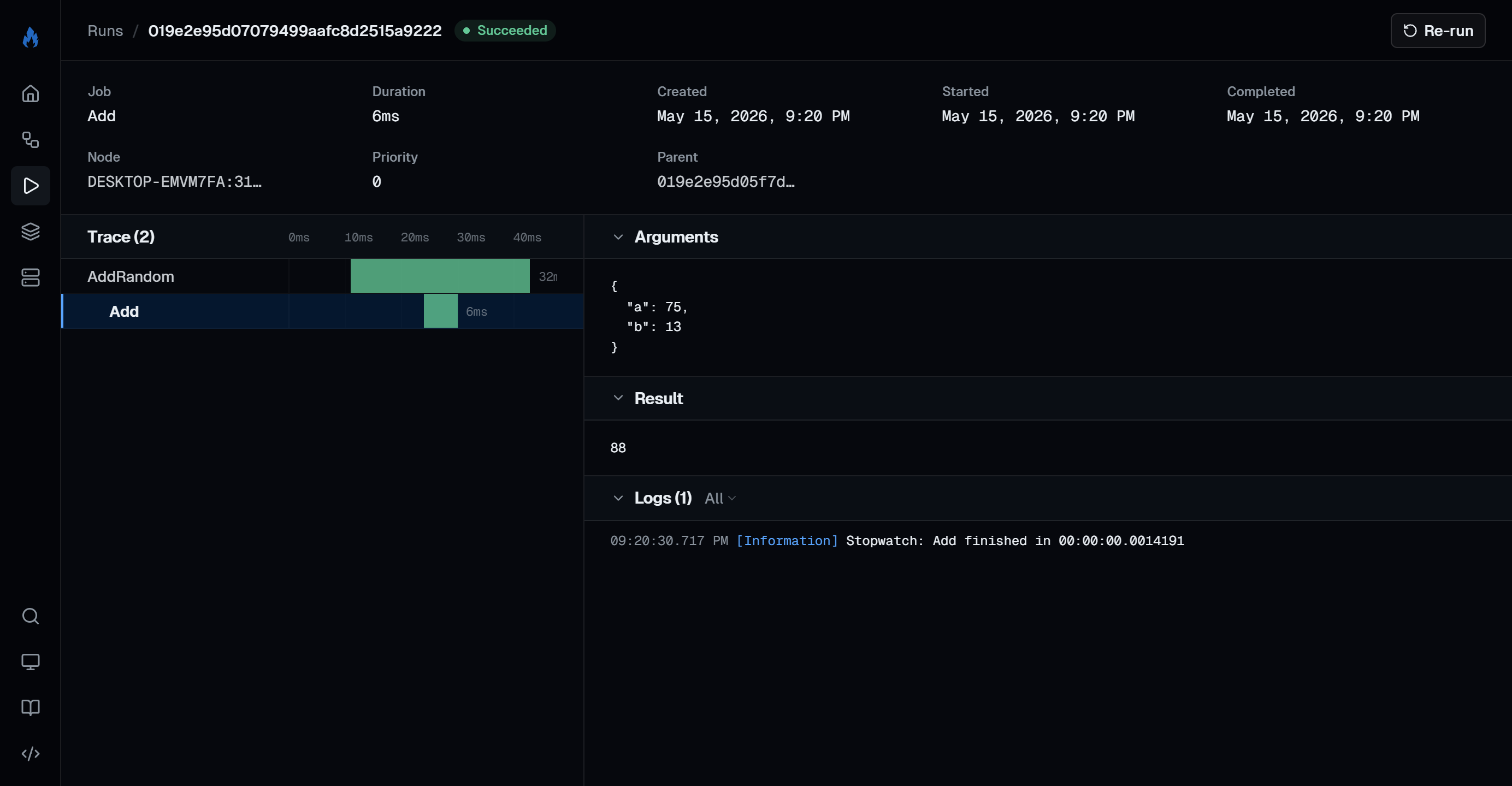
You can inject IJobClient inside of jobs to run other jobs. Those runs are automatically linked so you can view them
together on the dashboard.
app.AddJob("AddRandom", async (IJobClient client, CancellationToken ct) =>
{
    var a = Random.Shared.Next(1, 101);
    var b = Random.Shared.Next(1, 101);
    var sum = await client.RunAsync<int>("Add", new { a, b }, cancellationToken: ct);
    return new { a, b, sum };
});
Lifecycle callbacks
app.AddJob("ProcessOrder", async (int orderId) => { /* ... */ })
    .WithRetry(3)
    .OnSuccess((JobContext ctx) =>
    {
        // Run succeeded
    })
    .OnRetry((JobContext ctx, ILogger<Program> logger) =>
    {
        logger.LogWarning("Attempt {Attempt} failed", ctx.Attempt);
    })
    .OnDeadLetter((JobContext ctx) =>
    {
        // All retries exhausted
    });
OnSuccess fires when a run succeeds. OnRetry fires when Surefire schedules another attempt after a failure.
OnDeadLetter fires when no retries remain.
Dashboard
builder.Services.AddSurefireDashboard();

app.MapSurefireDashboard();    // at /surefire
app.MapSurefireDashboard("/"); // at the root
Includes an embedded dashboard that lets you:
- Trigger jobs, enable or disable them, and pause queues
- Cancel runs or rerun completed ones
- View traces, child runs, errors, arguments, and results
- Use a REST API at
{prefix}/api/for the same actions
If you expose the dashboard outside local development, be sure to configure the returned endpoint group with authorization.
Native AOT and trimming
Includes a source generator for AOT and trim-safe job registration, callbacks, and IJobClient calls. Register your
app's JSON source-generated context so job arguments and results can be serialized without reflection:
builder.Services.AddSurefire(options =>
{
    options.SerializerOptions.TypeInfoResolverChain.Insert(0, AppJsonContext.Default);
});

[JsonSerializable(typeof(AddArgs))]
[JsonSerializable(typeof(AddResult))]
internal partial class AppJsonContext : JsonSerializerContext;
Contributing
To get started with the sample app, clone the repo and run:
aspire run
Documentation
See the full documentation at batary.dev/surefire.
License
MIT
| Product | Versions Compatible and additional computed target framework versions. |
|---|---|
| .NET | net10.0 is compatible. net10.0-android was computed. net10.0-browser was computed. net10.0-ios was computed. net10.0-maccatalyst was computed. net10.0-macos was computed. net10.0-tvos was computed. net10.0-windows was computed. |
-
net10.0
- Cronos (>= 0.13.0)
- Microsoft.Extensions.DependencyInjection (>= 10.0.8)
- Microsoft.Extensions.DependencyInjection.Abstractions (>= 10.0.8)
- Microsoft.Extensions.Diagnostics (>= 10.0.8)
- Microsoft.Extensions.Diagnostics.HealthChecks (>= 10.0.8)
- Microsoft.Extensions.Hosting.Abstractions (>= 10.0.8)
- Microsoft.Extensions.Logging (>= 10.0.8)
- Microsoft.Extensions.Logging.Abstractions (>= 10.0.8)
NuGet packages (5)
Showing the top 5 NuGet packages that depend on Surefire:
| Package | Downloads |
|---|---|
|
Surefire.Dashboard
Embedded web dashboard for monitoring Surefire jobs. |
|
|
Surefire.SqlServer
SQL Server storage provider for Surefire. |
|
|
Surefire.Redis
Redis storage and notifications provider for Surefire. |
|
|
Surefire.Sqlite
SQLite storage provider for Surefire. |
|
|
Surefire.PostgreSql
PostgreSQL storage and notifications provider for Surefire. |
GitHub repositories
This package is not used by any popular GitHub repositories.
| Version | Downloads | Last Updated |
|---|---|---|
| 0.4.0 | 211 | 6/7/2026 |
| 0.3.0 | 178 | 5/15/2026 |
| 0.2.0 | 179 | 5/11/2026 |
| 0.1.0-preview.1 | 102 | 5/3/2026 |