Umbraco.Community.UmbraDesktop.Entertainment
17.4.0
See the version list below for details.
dotnet add package Umbraco.Community.UmbraDesktop.Entertainment --version 17.4.0
NuGet\Install-Package Umbraco.Community.UmbraDesktop.Entertainment -Version 17.4.0
<PackageReference Include="Umbraco.Community.UmbraDesktop.Entertainment" Version="17.4.0" />
<PackageVersion Include="Umbraco.Community.UmbraDesktop.Entertainment" Version="17.4.0" />
<PackageReference Include="Umbraco.Community.UmbraDesktop.Entertainment" />
paket add Umbraco.Community.UmbraDesktop.Entertainment --version 17.4.0
#r "nuget: Umbraco.Community.UmbraDesktop.Entertainment, 17.4.0"
#:package Umbraco.Community.UmbraDesktop.Entertainment@17.4.0
#addin nuget:?package=Umbraco.Community.UmbraDesktop.Entertainment&version=17.4.0
#tool nuget:?package=Umbraco.Community.UmbraDesktop.Entertainment&version=17.4.0

UmbraDesktop Entertainment Add-on
Games and media for UmbraDesktop. Minesweeper, Snake and Solitaire, and umbraCoffee, the Umbraco community's monthly live show, each in a window of its own on the desktop, themed along with everything else.



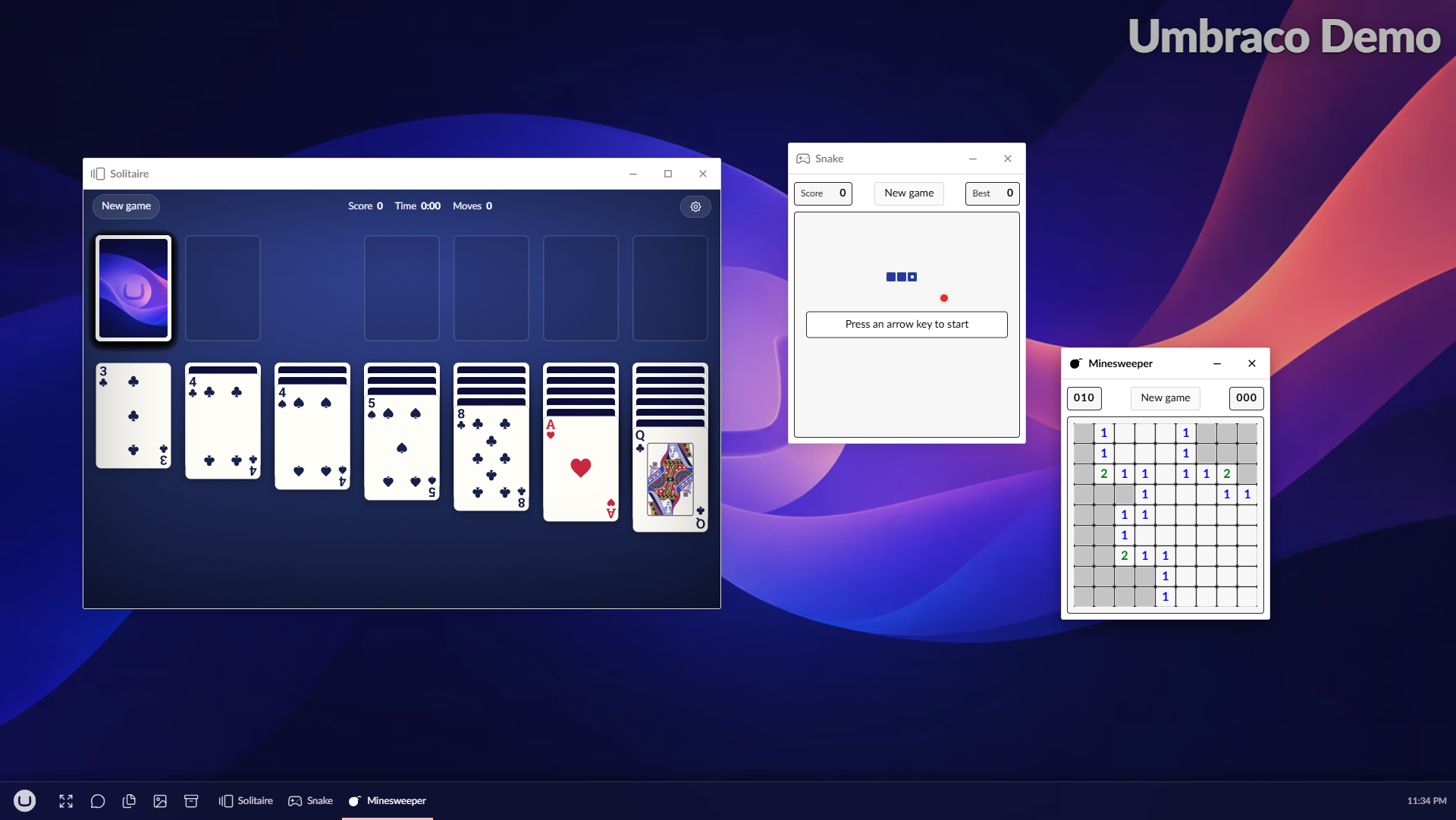
Install it and the launcher grows a Games group and a Media group. Open an app and it gets a window like everything else, in whichever theme you picked, so Minesweeper under the Windows 98 theme looks like Minesweeper, and under macOS it does not.
- Minesweeper. The real one: flags, flood fill, a mine counter and a timer.
- Snake. The classic, with arrow keys or WASD, a snake that speeds up as it grows, and your best score remembered.
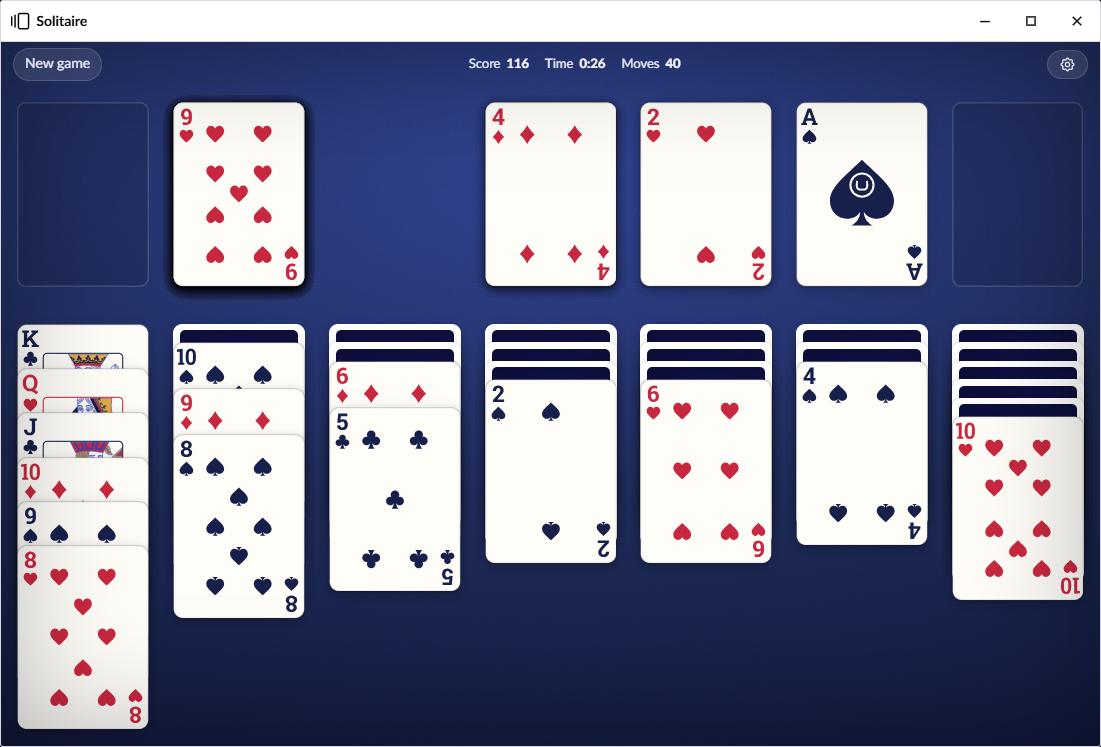
- Solitaire. Klondike with draw one or draw three, Windows-style scoring, a bouncing cascade when you win, and a choice of card backs. A game you have not finished survives a refresh.
- umbraCoffee. The live show with its chat, a countdown to the next episode, and every past episode searchable by title, topic or guest. A coffee cup beside the clock and a reminder tell you when an episode starts.
Scores go to the Arcade leaderboards, with a notification when somebody takes first place from you.
Get started
dotnet add package Umbraco.Community.UmbraDesktop.Entertainment
That is all. UmbraDesktop comes with it if you do not have it yet, and the apps appear in the launcher for anyone who can reach the desktop. You need Umbraco 17 and .NET 10.
Games covers how to play, and how versions of this package and UmbraDesktop fit together. umbraCoffee covers the show's window, its tray cup and reminders, and where its data comes from. Its video and chat are YouTube's own embeds, so by using umbraCoffee you agree to be bound by the YouTube Terms of Service.
Writing your own
Nothing in here is privileged. Each app is a umbraDesktopApp manifest and the umbraCoffee cup a umbraDesktopTrayItem, the public routes any package can use, so the source of this package is a worked example for putting your own app on the desktop. See Building a desktop app, and Adding a card back or a card face set to Solitaire for the one extension point of the games' own.
Credits
- The court cards in Solitaire's Classic card faces are by Dmitry Fomin, from the English pattern playing cards on Wikimedia Commons, released under CC0 1.0. The source of each file is in
backoffice/art/fomin/SOURCES.md. - The corner ranks are outlined from Roboto Slab Bold, Copyright 2018 The Roboto Slab Project Authors, under the Apache License 2.0. The full text is in
THIRD-PARTY-NOTICES.md, which ships inside the package.
License
| Product | Versions Compatible and additional computed target framework versions. |
|---|---|
| .NET | net10.0 is compatible. net10.0-android was computed. net10.0-browser was computed. net10.0-ios was computed. net10.0-maccatalyst was computed. net10.0-macos was computed. net10.0-tvos was computed. net10.0-windows was computed. |
-
net10.0
- Umbraco.Community.UmbraDesktop (>= 17.4.0 && <= 17.99999999.0)
- Umbraco.Community.UmbraDesktop.Services.Arcade (>= 17.4.0 && <= 17.99999999.0)
NuGet packages
This package is not used by any NuGet packages.
GitHub repositories
This package is not used by any popular GitHub repositories.
| Version | Downloads | Last Updated |
|---|---|---|
| 18.0.0-beta.1 | 63 | 10/25/2026 |
| 17.4.0 | 99 | 10/20/2026 |
| 17.4.0-rc.1 | 64 | 10/20/2026 |
| 17.3.0 | 107 | 10/11/2026 |
| 17.3.0-rc.1 | 73 | 10/4/2026 |
| 17.3.0-beta.1 | 64 | 9/30/2026 |
| 17.2.0 | 116 | 9/23/2026 |
| 17.2.0-rc.1 | 74 | 9/21/2026 |
| 17.1.0 | 132 | 9/10/2026 |
| 17.1.0-rc.1 | 95 | 9/9/2026 |