ef-timelapse
0.2.0
dotnet tool install --global ef-timelapse --version 0.2.0
dotnet new tool-manifest
dotnet tool install --local ef-timelapse --version 0.2.0
#tool dotnet:?package=ef-timelapse&version=0.2.0
nuke :add-package ef-timelapse --version 0.2.0
ef-timelapse

Time-travel through your EF Core schema history in the browser.
ef-timelapse replays how your database schema evolved — either from EF Core migration files, or from Git history of a scaffolded/database-first data project — and lets you scrub through it commit-by-commit or migration-by-migration in a live viewer.
📖 Read the write-up for a full walkthrough with screenshots.
Why
Migrations tell you what changed, one file at a time. They don't easily answer questions like: when did this column get added, what did this table look like six months ago, or which migration introduced this foreign key? ef-timelapse replays the whole history into a single scrubbable timeline so you can answer those in seconds instead of reading through migration files by hand.
It works two ways:
- Migration mode — point it at an EF Core
Migrationsfolder. It parses every migration with Roslyn and replays the schema step by step. - Git scaffold history mode — point it at a database-first/scaffolded EF project that's checked into Git (no migrations). It walks Git history and replays how the generated model files changed, commit by commit.
Both modes serve the same viewer — one interactive UI, whichever kind of project you point it at.
Install
dotnet tool install -g ef-timelapse
Quick start
ef-timelapse serve C:\Path\To\YourProject
serve auto-detects the mode: if it finds a Migrations folder, it parses migrations; otherwise, if the target is inside a Git repository, it replays scaffolded model history from Git. Then open the URL it prints (default http://127.0.0.1:5057).
Screenshots
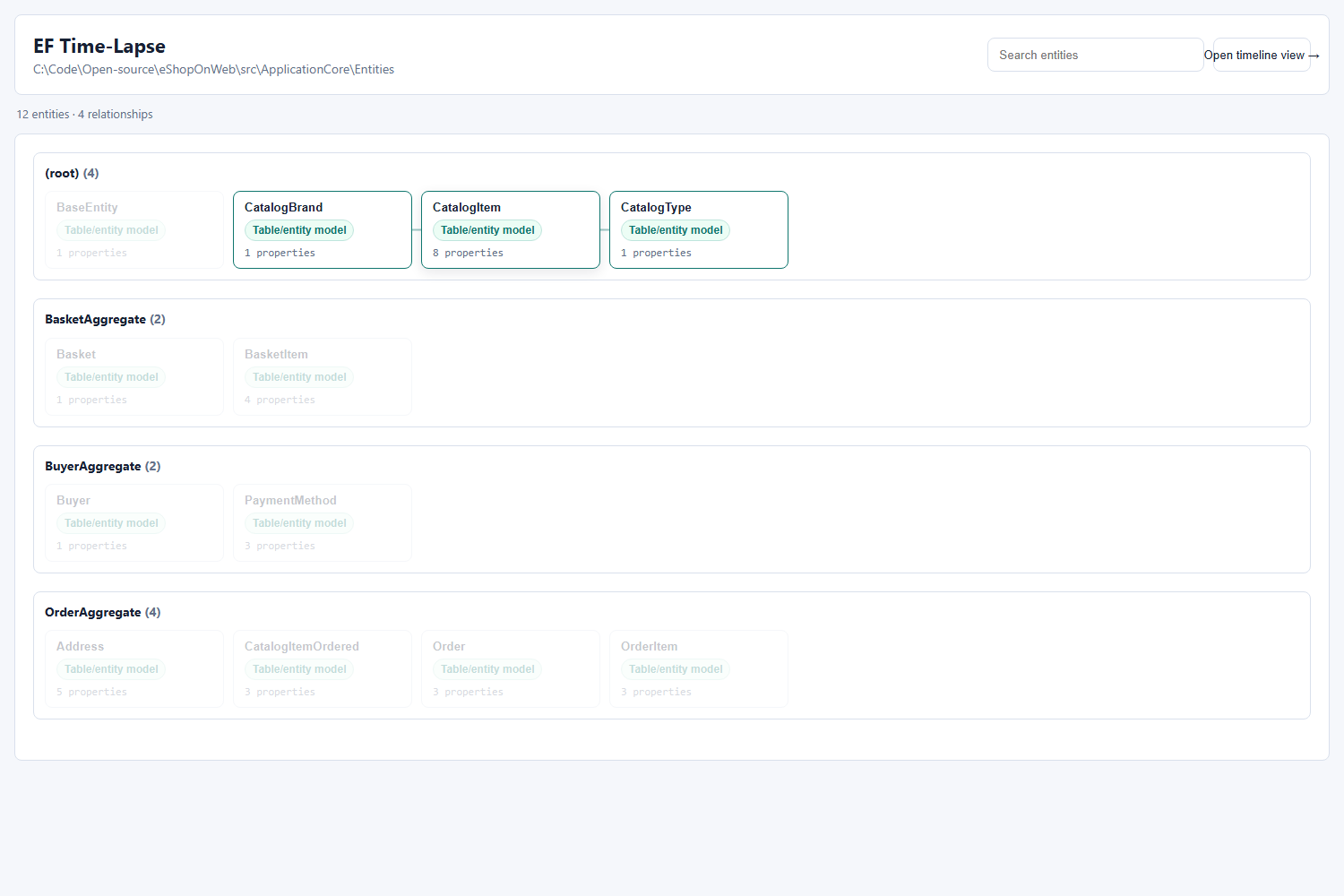
Relationship graph overview, grouped by folder/schema, with hover highlighting for direct neighbors:
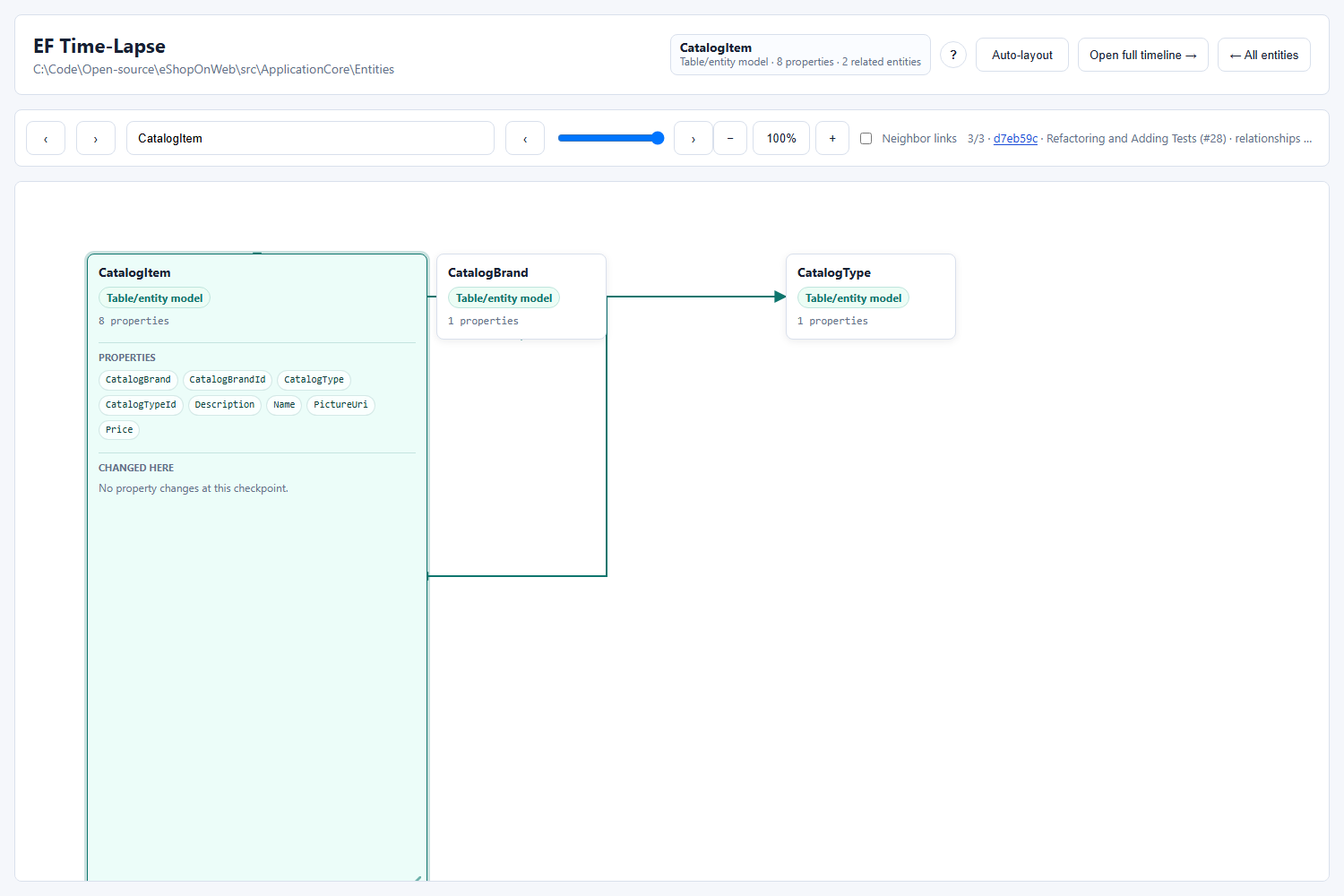
Focused entity graph, showing the selected entity's properties, changed properties at the current checkpoint, and only the relationships that matter for that entity:
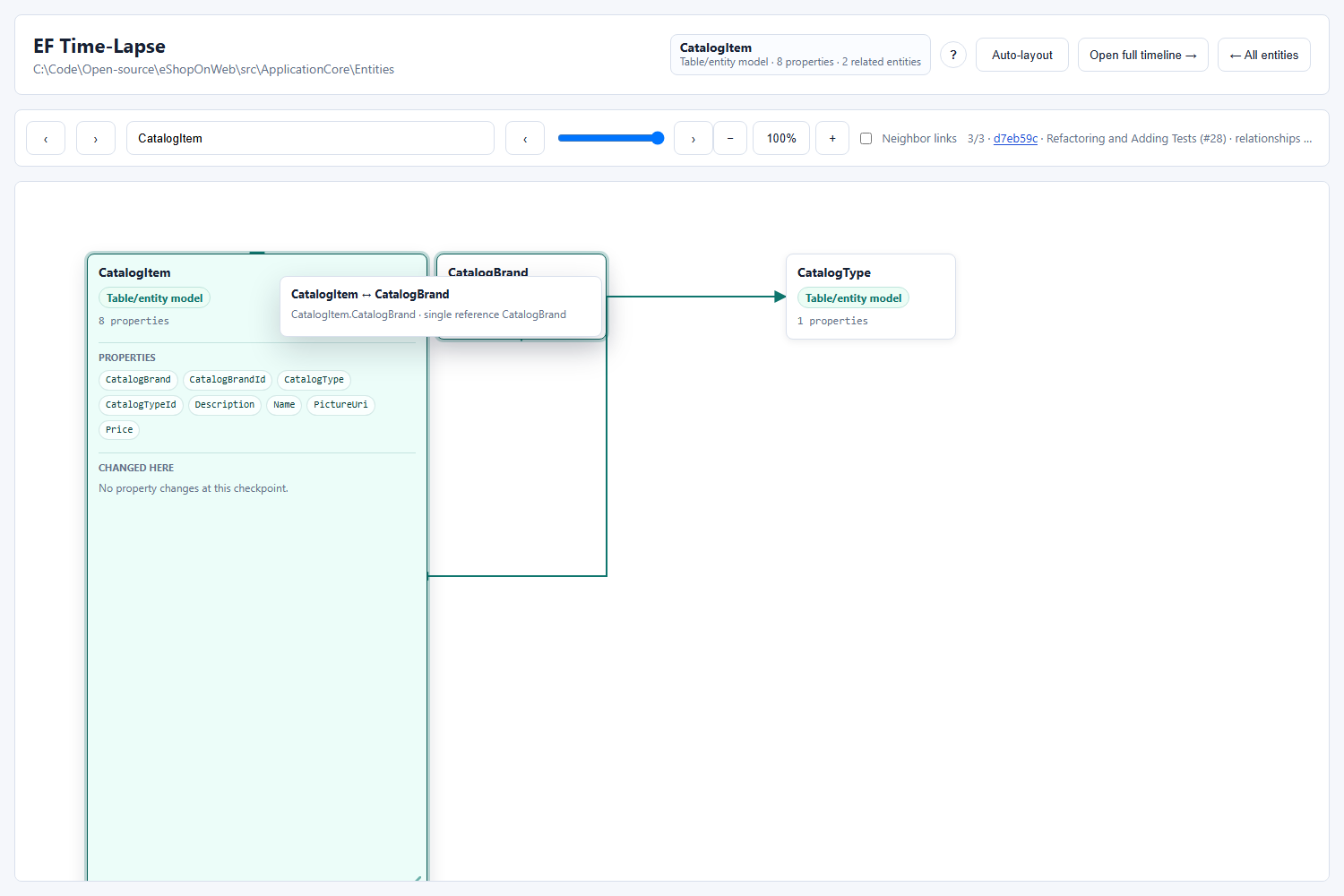
Relationship tooltips summarize the navigation property in plain language:
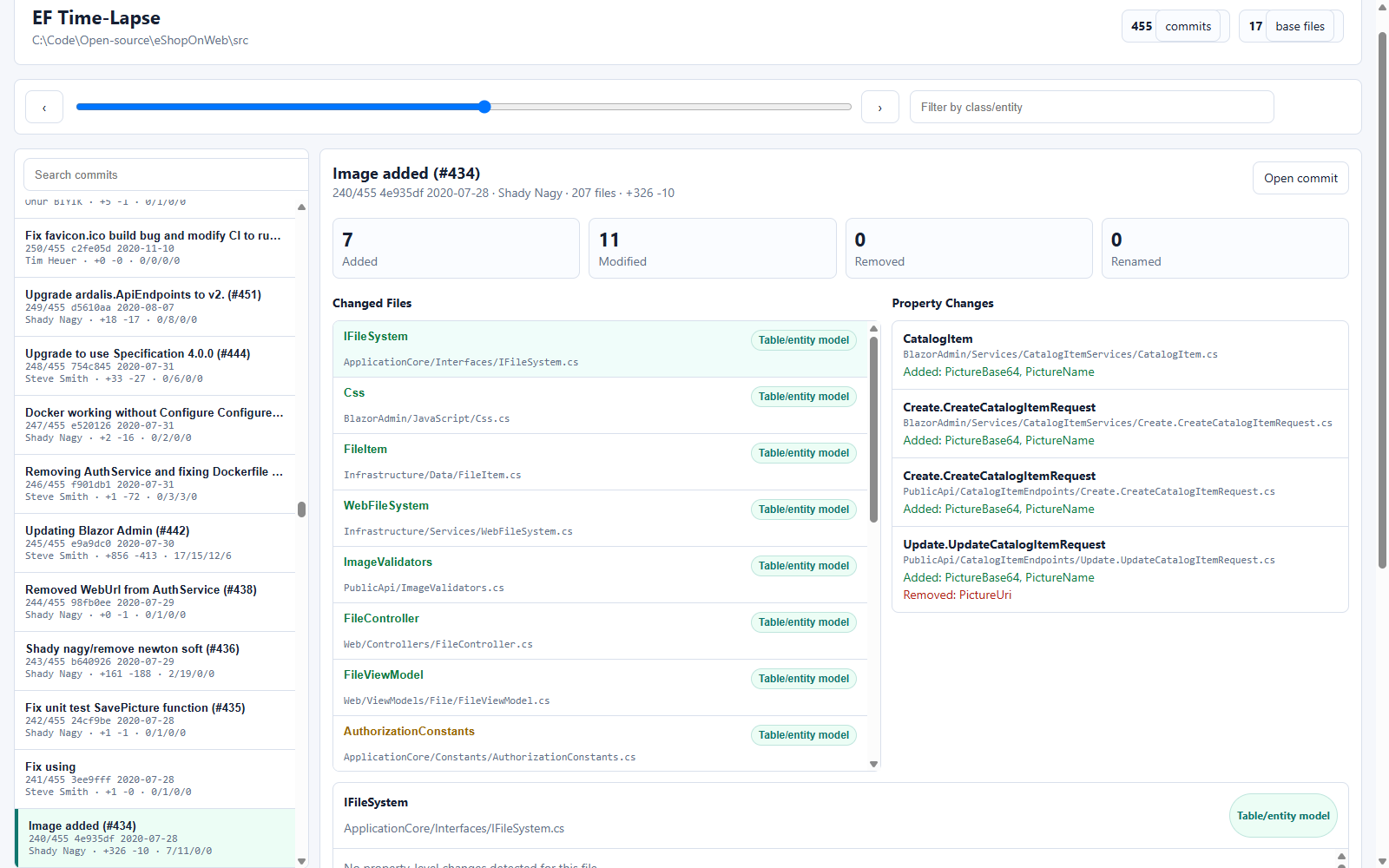
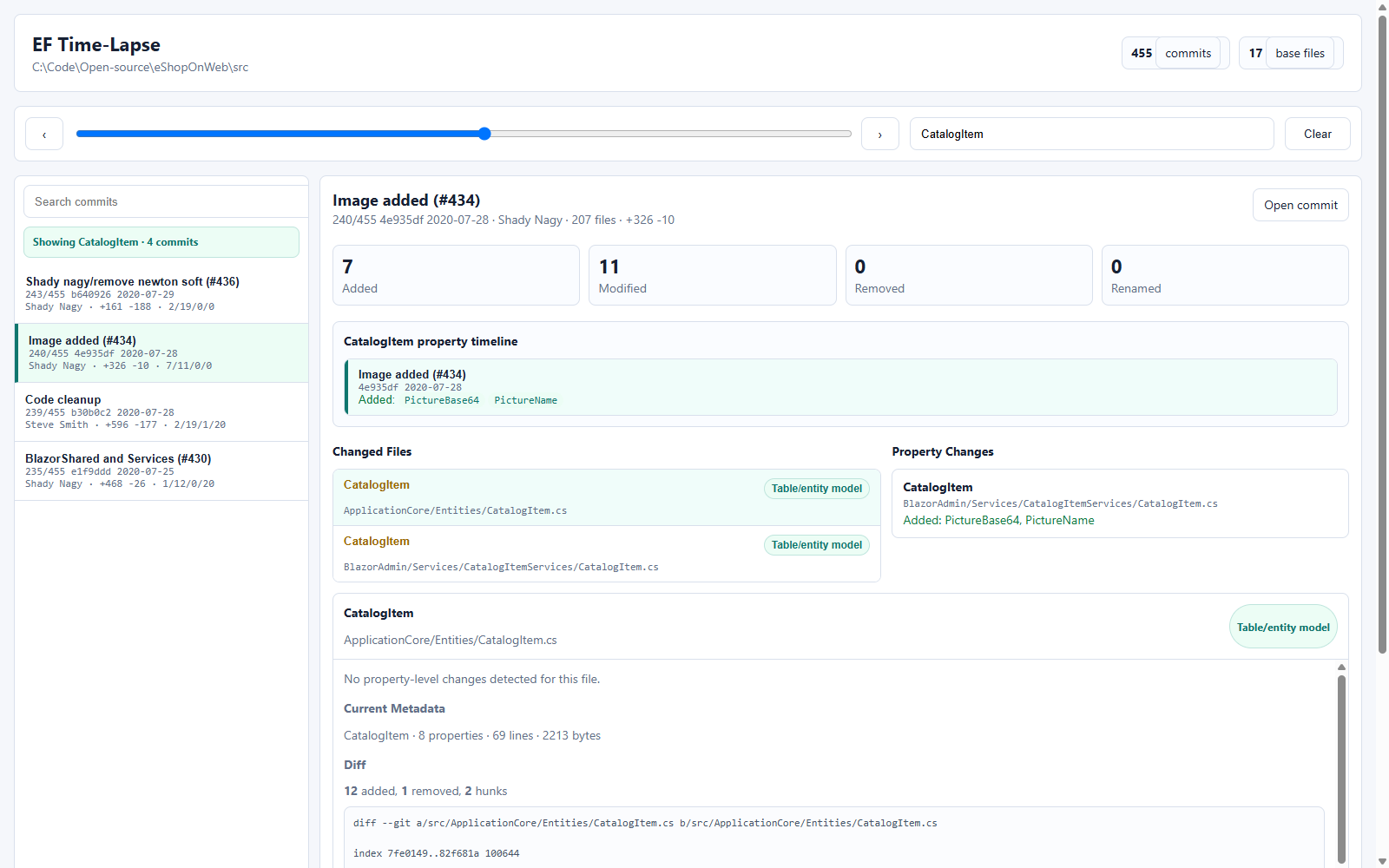
Scrubbing through Git history, with entity search and a per-class property timeline:
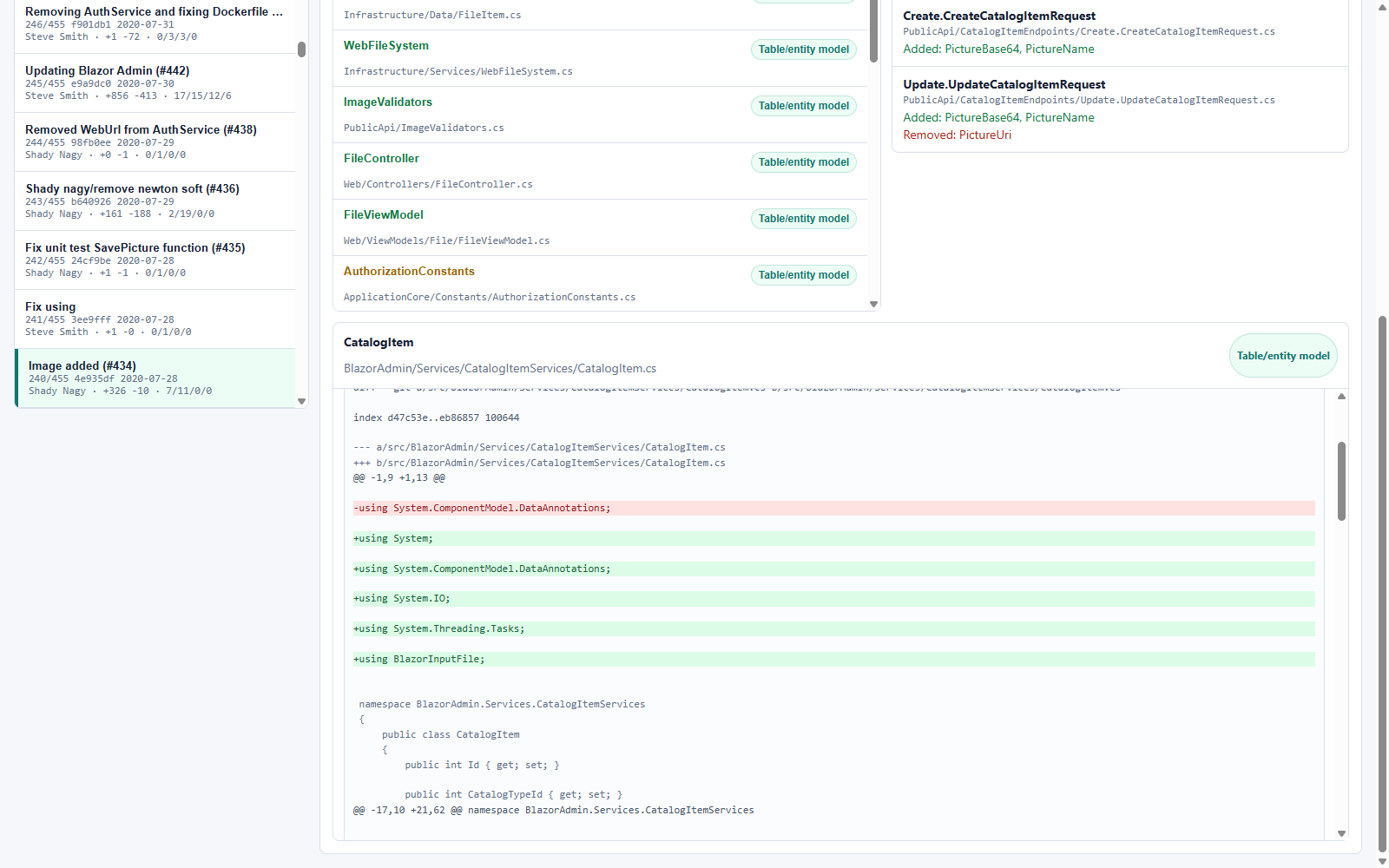
Inline diffs, line-by-line, for any changed file at any commit:
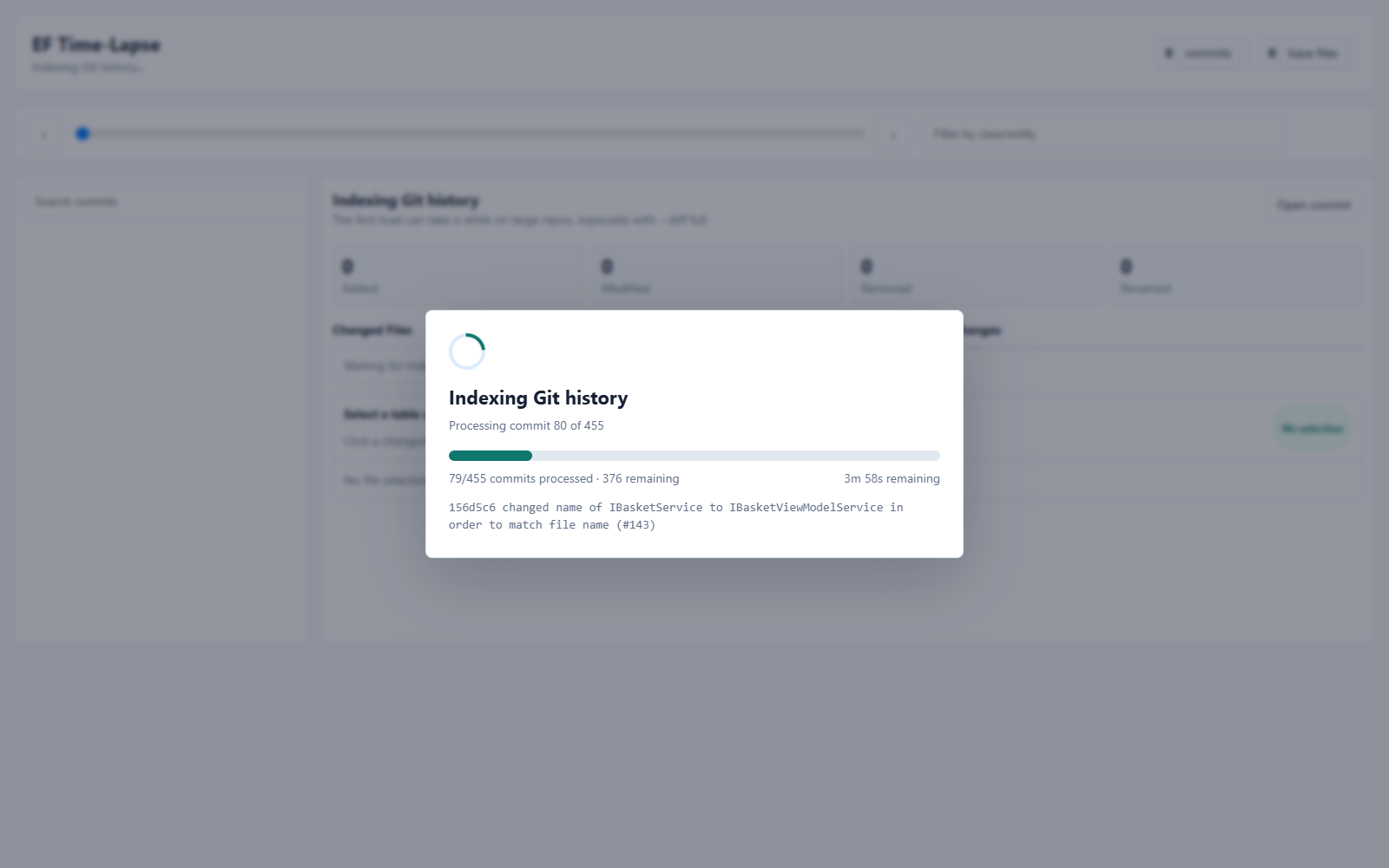
First run indexes Git history once (subsequent runs use an on-disk cache and start instantly):
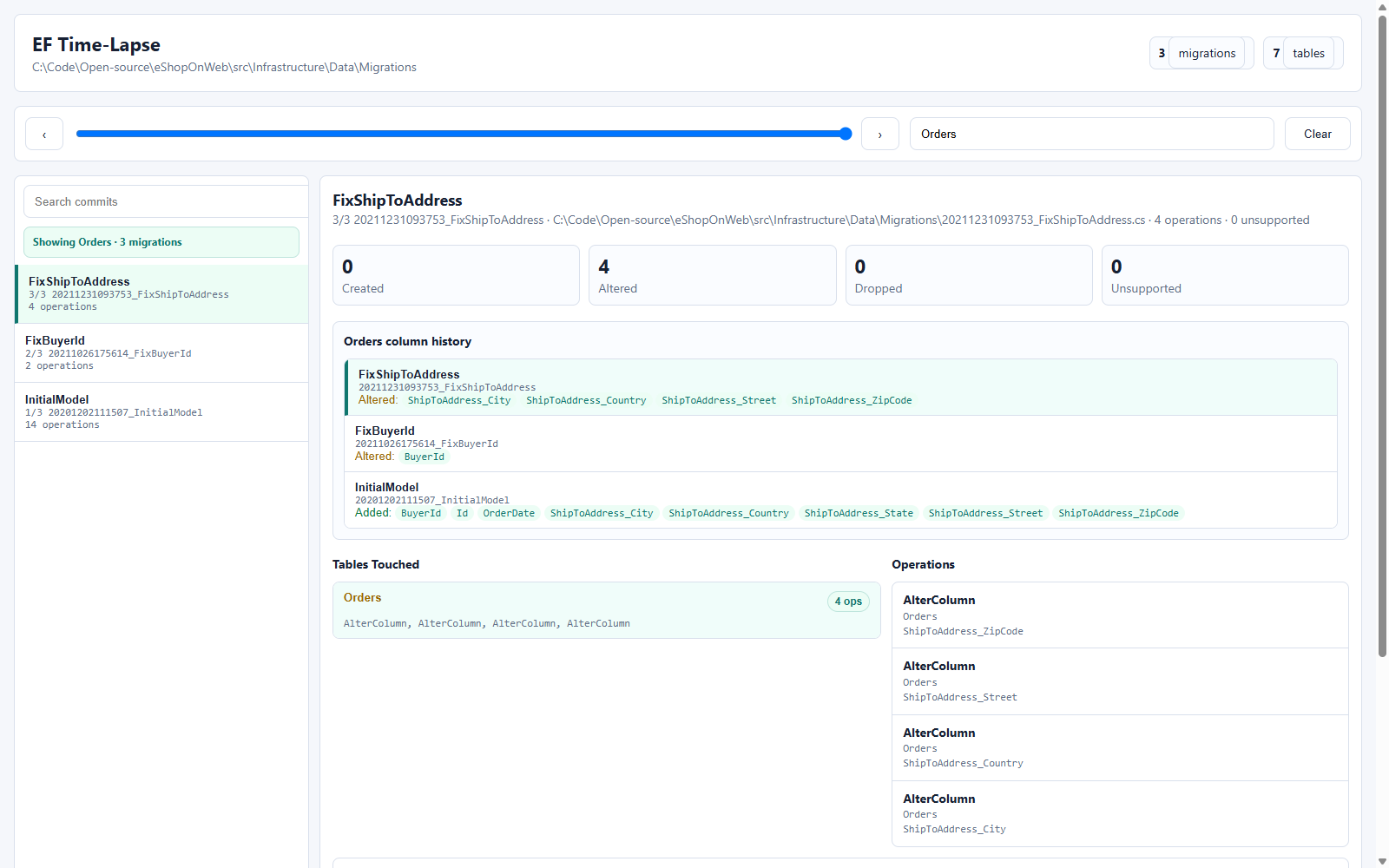
Migration mode replays every migrationBuilder call and shows exactly what each migration touched:
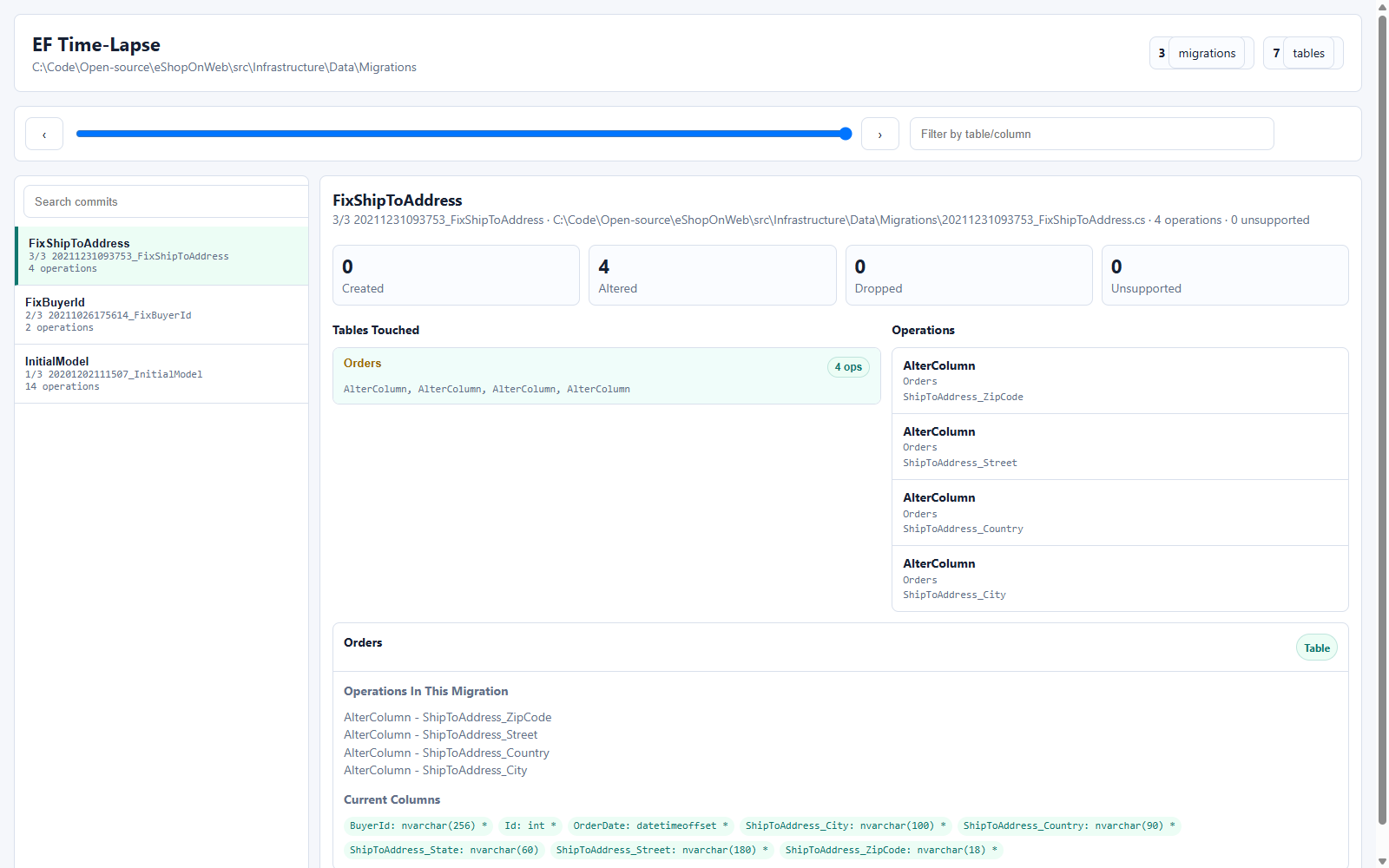
Table and column history across every migration that touched them:
Features
- Slider and previous/next navigation through commits or migrations
- Search by class/entity name (Git mode) or table/column name (migration mode)
- Per-entity property timeline / per-table column timeline — see every point in history a property or column was added or removed, without stepping through commits one at a time
- Entity relationship graph for Git mode, with a focused view for inspecting one entity's properties and direct relationships
- Time-traveling focused graph: scrub only the checkpoints where the focused entity's properties or relationships changed
- Zoom, pan, resize, and relationship tooltips for dense model graphs
- Full inline diffs with add/remove line highlighting (Git mode)
- Persistent on-disk cache for Git mode, so re-running against the same repo is instant after the first index
--watchmode to pick up file changes live- Conservative migration parser: anything it can't statically resolve is flagged as unsupported rather than silently guessed at
Usage
ef-timelapse serve <target> [options]
Common options:
--port <n>— port to serve on (default 5057)--watch— rebuild automatically when target files change--limit <n>— limit how many commits to index (Git mode)--diff none|summary|full— how much diff detail to embed;fullloads inline diff text for the diff view (Git mode)--max-diff-chars <n>— cap on inline diff text size when--diff fullis used--no-cache— skip the on-disk cache and always re-index from scratch (Git mode)--portable— for--outonly: strip the absolute local target path and commit author names from the generated report, and always omit inline source diffs (overrides--diff full). Use this before sharing a static report outside your team; see "Sharing static reports" below.
You can also generate a self-contained static HTML report instead of running a server:
ef-timelapse <target> --out report.html --json report.json
Sharing static reports
A static report generated with --out embeds whatever it was built with: with --diff full that includes full inline source diffs, and it always includes local commit metadata (author, subject) and the absolute local target path. The file looks shareable (it's a single self-contained HTML file) but by default is not safe to post externally (e.g. in a PR description or a support ticket) without review — it can leak proprietary source or local filesystem paths. ef-timelapse prints a warning to stderr when you combine --out with --diff full without --portable. Pass --portable to strip the absolute path and force diffs off regardless of --diff.
Git mode coverage
Git mode identifies "entities" by scaffolded source file, one entry per file path under the target folder. This has two practical consequences:
- Renames are detected on a best-effort basis via
git diff --name-status -M(Git's own similarity heuristics), not tracked with certainty. - A C# type split across multiple files via
partial class(e.g. a scaffoldedGenerated/Customer.csplus a hand-writtenExtensions/Customer.cs) is tracked as two separate entities, one per file, rather than being merged into one. Multiplepartial classdeclarations for the same type within a single file are merged correctly; merging partial declarations across files would require identity keyed by namespace + class name, a bigger change not attempted here.
Known limitation - directory-level moves: commit discovery in Git mode is scoped to the current target path (git log ... -- <path>), walked from the target folder as it exists today. Git's -M/-C rename heuristics operate per-file and can follow an individual file being moved or renamed, but they don't extend to the target folder itself having been moved or renamed at some point in the repository's history (e.g. OldApp/Data was renamed to NewApp/Infrastructure/Data in some past commit). If that happened, history from before the directory move will not be discovered by a walk rooted at the current path, and the report will silently start at the move instead of the folder's true origin. This is a known limitation of git log's path-scoping (which doesn't support following directory renames the way --follow can for a single file) and is not something this tool attempts to work around.
Migration parser coverage
Supported migrationBuilder operations: CreateTable / DropTable, AddColumn / DropColumn / AlterColumn / RenameColumn, AddForeignKey / DropForeignKey (including composite/multi-column keys), CreateIndex / DropIndex / RenameIndex (including filtered/partial indexes), AddPrimaryKey / DropPrimaryKey, RenameTable, CreateSequence / DropSequence, plus literal defaultValueSql/computedColumnSql on AddColumn/AlterColumn.
The parser is intentionally conservative: if an operation depends on a value it can't statically resolve (a local variable, a helper method call, raw SQL via migrationBuilder.Sql(...), branches/loops in Up()), it's reported as an unsupported step with the source line, rather than silently guessed at or dropped.
Known limitations:
- Only
Up()is parsed;Down()/rollback history isn't visualized. - Raw SQL is not interpreted.
- Sequences and indexes with the same name in different schemas can still collide (only table identity is schema-qualified so far). The migration-mode file browser in the viewer also still lists/matches tables by bare name, so same-named tables in different schemas share one row there even though the underlying replay keeps them distinct.
- Multi-
DbContextprojects should be pointed at one migrations folder at a time.
Building from source
git clone https://github.com/xonaib/ef-timelapse.git
cd ef-timelapse
dotnet build
The viewer's client-side code (viewer/app.ts) is TypeScript, compiled to the checked-in viewer/app.js:
npm install
npm run build
npm run watch recompiles on save; npm run check type-checks without emitting.
Tests
npm install
npx playwright install chromium
npm run test:e2e
Verify-Fixtures.ps1 exercises the migration parser against hand-written fixtures in fixtures/ and asserts on exact replay output and unsupported-step reporting.
License
MIT — see LICENSE.
| Product | Versions Compatible and additional computed target framework versions. |
|---|---|
| .NET | net10.0 is compatible. net10.0-android was computed. net10.0-browser was computed. net10.0-ios was computed. net10.0-maccatalyst was computed. net10.0-macos was computed. net10.0-tvos was computed. net10.0-windows was computed. |
This package has no dependencies.