McpVal 1.1.24
dotnet tool install --global McpVal --version 1.1.24
dotnet new tool-manifest
dotnet tool install --local McpVal --version 1.1.24
#tool dotnet:?package=McpVal&version=1.1.24
nuke :add-package McpVal --version 1.1.24

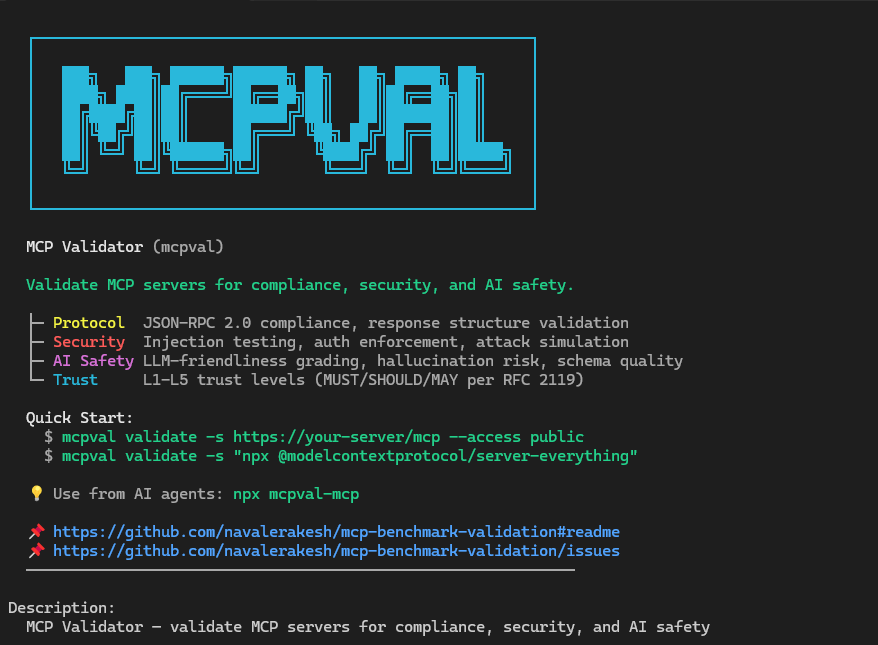
MCP Validator (mcpval)




Validate that an MCP server is safe and usable for AI agents. MCP Validator checks protocol compliance, security posture, AI safety, and operational readiness, then produces a trust assessment plus shareable artifacts for engineering and governance workflows.
Distribution Channels
| Need | Public surface | What it publishes |
|---|---|---|
| Install the CLI | NuGet (McpVal) |
Cross-platform dotnet tool install package |
| Run as a local MCP server | npm (mcpval-localmcp) |
Local MCP wrapper for desktop and agent tooling |
| Run in a container | GHCR (ghcr.io/navalerakesh/mcp-validation-security) |
Container image |
| Download without a runtime | GitHub Releases | Standalone binaries, checksums, and SBOMs |
| Use in a workflow | GitHub Marketplace | Listing for the root composite action only; it does not replace the NuGet, npm, GHCR, or release-binary publishes |
Install
Install from NuGet:
dotnet tool install --global McpVal
mcpval --help
Or download a self-contained executable from Releases if you do not want a local .NET runtime.
For container-based environments:
docker run --rm ghcr.io/navalerakesh/mcp-validation-security:latest --help
Each GitHub release includes SHA-256 checksums plus an SPDX SBOM for the standalone binaries. NuGet, npm, and GHCR publishes include provenance and SBOM metadata.
Run Your First Validation
Validate a remote MCP endpoint:
mcpval validate \
  --server https://example.test/mcp \
  --access public \
  --output ./mcp-reports
Validate an authenticated server and interpret the result for all documented client profiles:
mcpval validate \
  --server https://example.test/mcp \
  --access authenticated \
  --token "$MCP_TOKEN" \
  --output ./mcp-reports
Validate a local STDIO server:
mcpval validate \
  --server "npx -y @modelcontextprotocol/server-everything" \
  --access public \
  --output ./mcp-reports
validate and health-check support STDIO targets today. discover is currently HTTP-first and returns a clear not-supported error when pointed at a STDIO command.
CLI Surface
validate
Runs the full suite across protocol, tools, prompts, resources, security, and performance.
| Option | Description |
|---|---|
-s, --server <url-or-command> |
MCP endpoint or STDIO command. Required unless supplied through config. |
-o, --output <folder> |
Writes Markdown, HTML, JSON, and SARIF artifacts for the run. |
--mcpspec <profile> |
Selects the embedded protocol profile, such as latest or 2025-11-25. |
| <code>--access <public|authenticated|enterprise></code> | Declares the intended exposure model so auth expectations are evaluated correctly. |
| <code>--policy <advisory|balanced|strict></code> | Applies host-side gating without mutating raw findings. |
--client-profile <id> |
Narrows host-specific compatibility interpretation to profiles such as claude-code, vscode-copilot-agent, github-copilot-cli, github-copilot-cloud-agent, visual-studio-copilot, or all. When omitted, validate evaluates every documented host profile by default. |
| <code>--mode <safe|standard|elevated></code> | Applies the execution contract for the run. safe is the default. |
--dry-run |
Prints the execution plan and exits without contacting the target. |
--allow-host <host> |
Restricts outbound requests to specific hosts. Repeat to permit more than one host. |
--allow-private-addresses |
Opts into loopback or private-address targets. |
--max-requests <n> |
Caps the total outbound request budget for the run. |
--timeout <seconds> |
Sets the per-request timeout budget used by the CLI transport layer. |
| <code>--persistence-mode <ephemeral|explicit-output|session></code> | Controls whether operational artifacts stay ephemeral, go only to the explicit output directory, or are persisted under a session directory. |
| <code>--redact-level <strict|standard></code> | Controls operational redaction for logs and companion artifacts. |
| <code>--trace <off|redacted|full></code> | Declares the trace capture mode for the run. |
--confirm-elevated-risk |
Required acknowledgement for --mode elevated. |
--enable-model-eval |
Emits a separate advisory model-evaluation companion artifact when an explicit supported provider is configured. |
-t, --token <value> |
Supplies a bearer token for secured endpoints. |
-i, --interactive |
Starts an interactive authentication flow when a strategy supports it. |
--max-concurrency <n> |
Caps concurrent activity to avoid rate limits or server overload. Remote functional probes may still self-calibrate below this cap so transient throttling does not become a false protocol or tool failure. |
-c, --config <file> |
Loads a JSON McpValidatorConfiguration for advanced scenarios. |
| <code>--report-detail <full|minimal></code> | Controls human report depth. full is the default and includes all sections with compact summaries; minimal keeps the executive view. |
-v, --verbose |
Increases console and diagnostic logging detail. |
Client profile evaluation is a host-side interpretation layer. It consumes the neutral validation evidence from the run without changing the underlying findings. validate includes that interpretation by default; use --client-profile only when you want a smaller subset of host profiles.
The standard artifact set is:
mcp-validation-<timestamp>-report.md- full Markdown report with compact action hintsmcp-validation-<timestamp>-report.html- full HTML report for sharingmcp-validation-<timestamp>-result.json- canonical machine-readable validation objectmcp-validation-<timestamp>-results.sarif.json- SARIF findings feed for CI and code scanningmcp-validation-<timestamp>-audit.json- execution audit manifest for the run
When client profile evaluation is enabled, validate also writes mcp-validation-<timestamp>-profile-summary.json with per-profile compatible, warning, and incompatible counts.
The HTML report opens on the decision surface: Run Status, Deterministic Verdict, and Trust Level. The deterministic verdict drives release gating, while the trust level remains the weighted L1-L5 posture for human review and trend tracking.
When experimental model evaluation is enabled, validate writes mcp-validation-<timestamp>-model-evaluation.json as a separate companion artifact. The canonical *-result.json file remains deterministic and does not embed experimental model output. --enable-model-eval now fails fast when no provider is configured; this build currently includes the deterministic companion provider builtin-rubric.
Other Commands
mcpval health-check- fast connectivity and initialization probe with auth hints; supports the same--dry-run, host allowlist, and persistence controls asvalidatemcpval discover- capability snapshot for remote endpoints in JSON, YAML, or table form; supports the same--dry-run, host allowlist, and persistence controls asvalidatemcpval report- offline rendering from a saved JSON result or Markdown report path intohtml,xml,sarif, orjunitmcpval --list-spec-profiles- list embedded protocol profiles supported by the current build
Example offline rendering:
mcpval report \
  --input ./mcp-reports/mcp-validation-20260421-031745-result.json \
  --format junit \
  --output ./mcp-reports/mcp-validation-20260421-031745.junit.xml
Use --report-detail minimal on either validate or report when you only want the executive view.
GitHub Actions
When mcpval runs inside GitHub Actions, it writes a step summary and emits workflow annotations automatically. The repository root also includes a reusable composite action.
Use a release tag instead of main. The release workflow publishes immutable v<major>.<minor>.<patch> tags and keeps v<major> plus v<major>.<minor> aliases current for the action entrypoint.
name: Validate MCP Server

on:
  pull_request:
  workflow_dispatch:

jobs:
  validate-mcp:
    runs-on: ubuntu-latest
    steps:
      - uses: actions/checkout@v4

      - name: Validate MCP server
        uses: navalerakesh/mcp-validation-security@v1
        with:
          server: https://example.test/mcp
          access: authenticated
          token: ${{ secrets.MCP_TOKEN }}
          policy: strict
          output-dir: ./mcp-validation-results
The composite action installs the published McpVal tool, runs mcpval validate, writes the standard artifact set, and uploads the output directory by default.
Once a tagged release is published, the same root action can be listed in GitHub Marketplace from the release page. That Marketplace entry is only for the GitHub Action surface. The same release still publishes the CLI and companion artifacts to NuGet, npm, GHCR, and GitHub Releases.
Why Teams Use MCP Validator
- Weighted trust assessment with hard caps for critical blockers such as confirmed security failures or MCP MUST failures
- RFC 2119 compliance tiers that distinguish MUST, SHOULD, and MAY semantics
- AI safety analysis covering schema quality, destructive actions, exfiltration risk, and error quality for self-correcting agents
- Real auth and security testing against the target surface instead of purely static metadata review
- Structured findings with stable rule IDs, remediation guidance, and machine-readable outputs for CI workflows
- Shared evidence model that can be interpreted against documented client profiles without forking validator logic
MCP Trust Levels
Every validation run scores four dimensions: Protocol Compliance, Security Posture, AI Safety, and Operational Readiness.
Trust level is determined by a weighted multi-dimensional score and then capped by confirmed blockers such as critical security failures or MCP MUST failures.
Trust level is intentionally separate from the deterministic verdict. Use the deterministic verdict and policy outcome for release gating; use the L1-L5 trust level to summarize overall protocol, security, AI-safety, and operational posture.
| Level | Label | Meaning |
|---|---|---|
L5 |
Certified Secure | Weighted trust score is at least 90 with no blocking caps |
L4 |
Trusted | Weighted trust score is at least 75 with no blocking caps |
L3 |
Acceptable | Weighted trust score is at least 50 after applying caps |
L2 |
Caution | Weighted trust score is at least 25 or the result is capped by protocol or security blockers |
L1 |
Untrusted | Critical blockers are present or the score falls below the L2 threshold |
Architecture
MCP Validator follows a clean boundary model:
Mcp.Benchmark.Coreholds neutral domain models and abstraction contracts.Mcp.Benchmark.ClientProfilesmaps neutral evidence onto documented host expectations.Mcp.Benchmark.Infrastructureowns transport, auth, validators, scoring, and reporting.Mcp.Benchmark.CLIis the composition root and command host.Mcp.Compliance.Specvendors protocol schemas and version metadata.
See docs/Design/Architecture.md for the high-level system view and docs/Design/TechnicalArchitecture.md for the internal lifecycle and extension points.
Build From Source
git clone https://github.com/navalerakesh/mcp-validation-security.git
cd mcp-validation-security
dotnet build
dotnet run --project Mcp.Benchmark.CLI -- --help
Documentation
- docs/README.md - documentation index
- QUICKSTART.md - fast path to the first successful run
- docs/FeatureMatrix.md - current command surface and support boundaries
- docs/Troubleshooting.md - operational troubleshooting guide
- docs/Design/Architecture.md - high-level architecture and runtime flow
- docs/Design/ComponentDesign.md - component responsibilities and interactions
- docs/Design/ForwardArchitecturePlan.md - target-state boundary roadmap
- docs/Design/Schemas.md - schema registry and version-management model
- docs/Resources/GitHub-MCP-Remote-Run.md - representative remote validation run
- CHANGELOG.md - release-facing history
Contributing
- Follow the workflow in CONTRIBUTING.md.
- Run
dotnet testbefore opening a pull request. - Update the relevant user-facing documentation whenever product behavior changes.
License
Distributed under the MIT License.
| Product | Versions Compatible and additional computed target framework versions. |
|---|---|
| .NET | net8.0 is compatible. net8.0-android was computed. net8.0-browser was computed. net8.0-ios was computed. net8.0-maccatalyst was computed. net8.0-macos was computed. net8.0-tvos was computed. net8.0-windows was computed. net9.0 was computed. net9.0-android was computed. net9.0-browser was computed. net9.0-ios was computed. net9.0-maccatalyst was computed. net9.0-macos was computed. net9.0-tvos was computed. net9.0-windows was computed. net10.0 was computed. net10.0-android was computed. net10.0-browser was computed. net10.0-ios was computed. net10.0-maccatalyst was computed. net10.0-macos was computed. net10.0-tvos was computed. net10.0-windows was computed. |
This package has no dependencies.