s4ndr0ne.Workbench
0.2.0
dotnet add package s4ndr0ne.Workbench --version 0.2.0
NuGet\Install-Package s4ndr0ne.Workbench -Version 0.2.0
<PackageReference Include="s4ndr0ne.Workbench" Version="0.2.0" />
<PackageVersion Include="s4ndr0ne.Workbench" Version="0.2.0" />
<PackageReference Include="s4ndr0ne.Workbench" />
paket add s4ndr0ne.Workbench --version 0.2.0
#r "nuget: s4ndr0ne.Workbench, 0.2.0"
#:package s4ndr0ne.Workbench@0.2.0
#addin nuget:?package=s4ndr0ne.Workbench&version=0.2.0
#tool nuget:?package=s4ndr0ne.Workbench&version=0.2.0

Workbench
Drop-in monitoring workbench for ASP.NET Core Web APIs. Live runtime metrics, health checks, request log and an API explorer — served in-process, zero external dependencies.






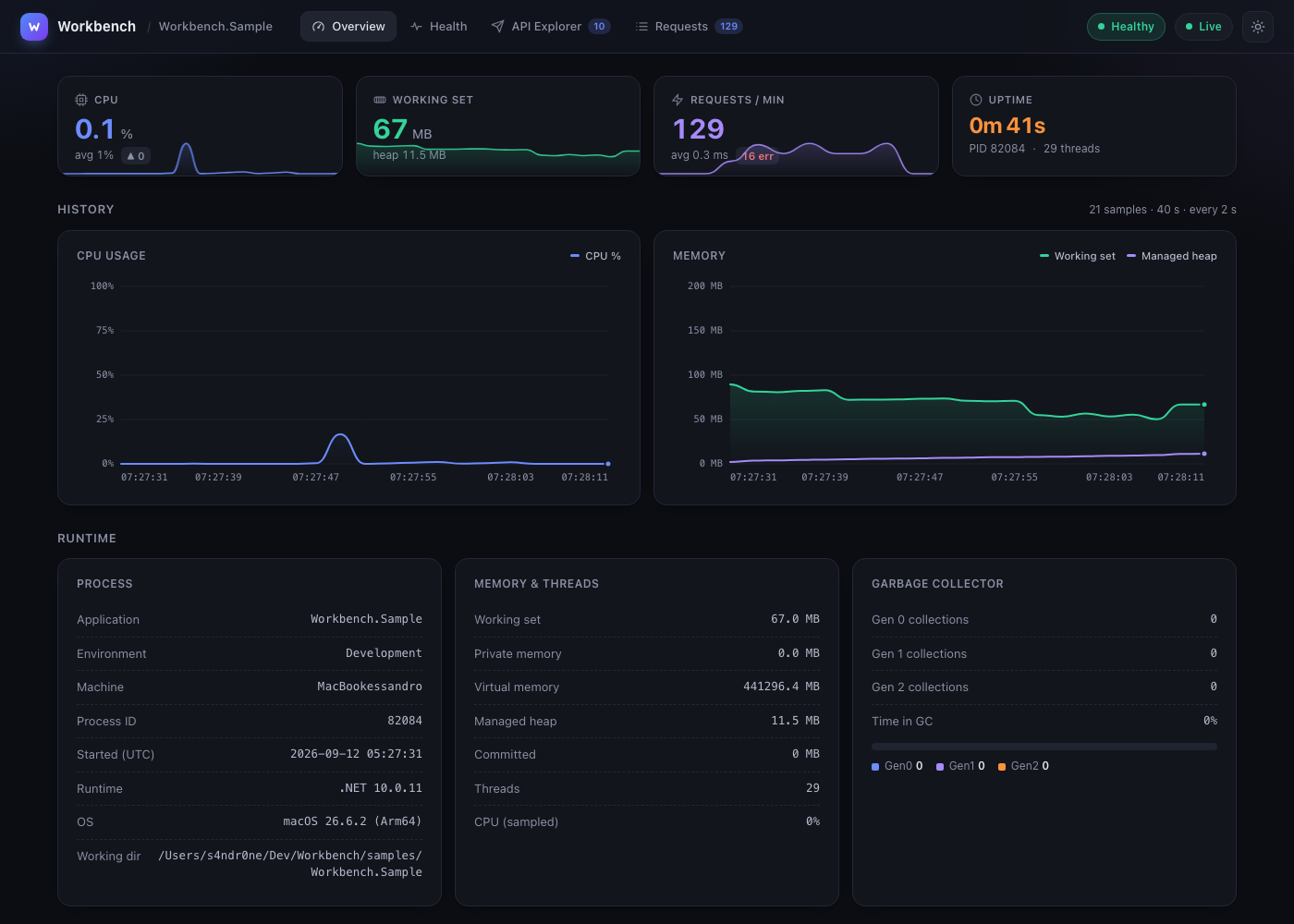
Features
- Live metrics — CPU, working set and managed heap sampled in a rolling window, streamed over Server-Sent Events.
- Health checks — the standard
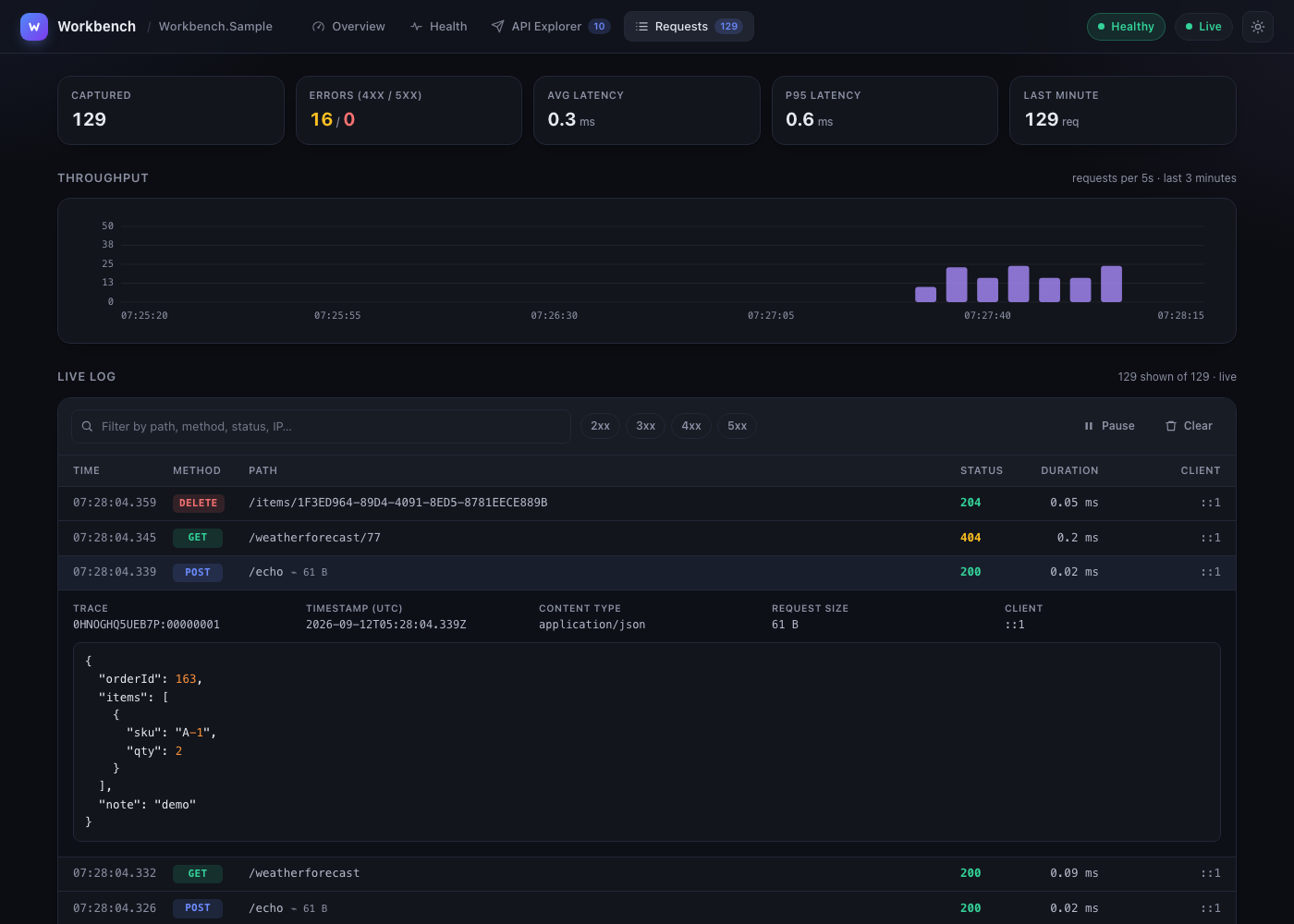
IHealthCheckreport, rendered with status, duration and custom data. - Request log — every inbound request (method, path, status, latency, client, body up to 64 KB) with filters, pause and live throughput.
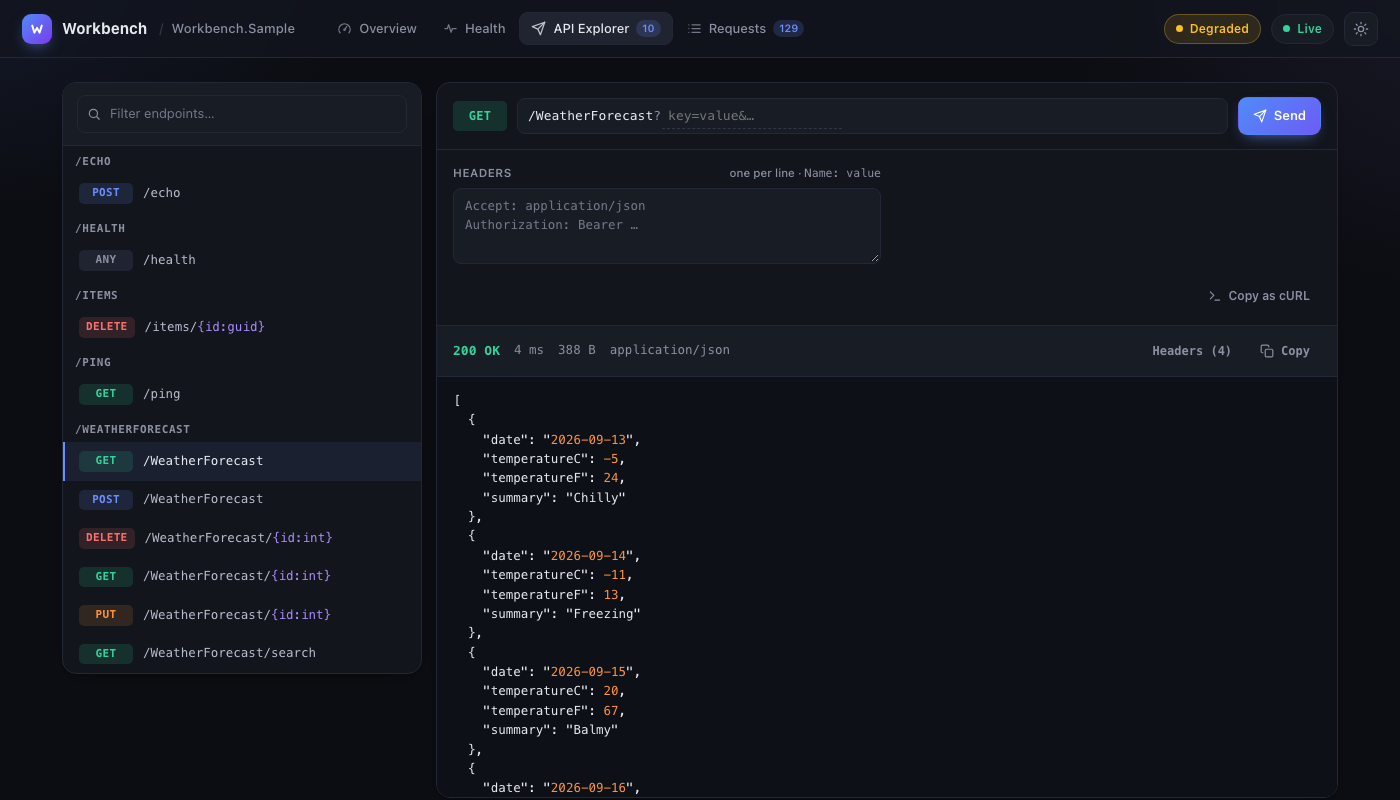
- API explorer — discovers your mapped endpoints and lets you invoke them with path/query/header/body editors, JSON highlighting and copy as cURL.
- Zero dependencies — a single embedded HTML file, no CDN, no npm; works offline and behind air-gapped networks.
- Light & dark theme, responsive layout, keyboard friendly (
⌘/Ctrl + Entersends a request).
More screenshots
Installation
dotnet add package s4ndr0ne.Workbench
Targets net8.0, net9.0 and net10.0.
Quick start
using Workbench.Extensions;

var builder = WebApplication.CreateBuilder(args);

builder.Services.AddHealthChecks();
builder.Services.AddWorkbench();          // services + metrics collector

var app = builder.Build();

app.UseWorkbench();                       // mount early: the request log sees everything after it

app.MapGet("/ping", () => "pong");
app.Run();
Open http://localhost:<port>/workbench.
Configuration
builder.Services.AddWorkbench(options =>
{
    options.Path = "/monitoring";                         // default: /workbench
    options.MetricsSampleInterval = TimeSpan.FromSeconds(5);
    options.MetricsHistory = TimeSpan.FromMinutes(10);
    options.EnableHealthReport = true;
    options.RequestLogCapacity = 500;                     // ring-buffer size
    options.CaptureRequestBody = true;                    // bodies up to 64 KB, multipart excluded
    options.Authorize = context => context.User.IsInRole("Operations");
});
| Option | Default | Description |
|---|---|---|
Path |
/workbench |
Base path of the dashboard and its API. |
MetricsSampleInterval |
5s |
How often runtime metrics are sampled and pushed to the UI (minimum 100 ms). |
MetricsHistory |
10m |
Length of the rolling metrics window (at least the sample interval, maximum 7 days). |
EnableHealthReport |
true |
Expose the health report (/api/health). |
RequestLogCapacity |
500 |
Number of requests kept in memory (50–10,000). |
CaptureRequestBody |
true |
Capture body bytes as the application reads them (chunked bodies included), without pre-reading or enabling buffering. |
Authorize |
null |
Optional dashboard authorization predicate. |
Body capture retains at most 64 KB of content. Known-length bodies larger than 64 KB and multipart bodies are excluded; streamed bodies are truncated in the log. Unread body content is not captured. Downstream middleware can still configure request-size limits and enable buffering when needed.
Endpoints
| Path | Description |
|---|---|
/workbench |
Dashboard (single-page app) |
/workbench/api/overview |
Process info, runtime metrics, sample history, recent requests |
/workbench/api/health |
Health report (403 when disabled) |
/workbench/api/endpoints |
Discovered application endpoints |
/workbench/api/stream |
Server-Sent Events: overview, health, request |
All API endpoints are GET only.
Securing the dashboard
Workbench exposes process details and request bodies. By default it is available in Development and returns 401 to anonymous production requests; authenticated production users are allowed. Use Authorize to apply a more specific policy:
builder.Services.AddWorkbench(options =>
    options.Authorize = context => context.User.IsInRole("Operations"));
Disable body capture with CaptureRequestBody = false if payloads may contain secrets.
Project layout
src/Workbench/            library (net8.0 / net9.0 / net10.0)
  Extensions/             AddWorkbench + UseWorkbench
  Middleware/             dashboard router, API, SSE stream, request log
  Models/                 response DTOs
  Options/                WorkbenchOptions
  Services/               metrics collector, request-log ring buffer
  wwwroot/index.html      the whole frontend, embedded in the assembly
samples/Workbench.Sample  demo Web API
tests/Workbench.Tests     xunit integration tests (TestServer)
Development
dotnet build Workbench.slnx
dotnet test  Workbench.slnx
node --test tests/Workbench.Tests/dashboard-regressions.cjs  # Node.js 22+
dotnet run --project samples/Workbench.Sample     # http://localhost:5036/workbench
See CONTRIBUTING.md for the release process. Changes are tracked in the CHANGELOG.md.
License
| Product | Versions Compatible and additional computed target framework versions. |
|---|---|
| .NET | net8.0 is compatible. net8.0-android was computed. net8.0-browser was computed. net8.0-ios was computed. net8.0-maccatalyst was computed. net8.0-macos was computed. net8.0-tvos was computed. net8.0-windows was computed. net9.0 is compatible. net9.0-android was computed. net9.0-browser was computed. net9.0-ios was computed. net9.0-maccatalyst was computed. net9.0-macos was computed. net9.0-tvos was computed. net9.0-windows was computed. net10.0 is compatible. net10.0-android was computed. net10.0-browser was computed. net10.0-ios was computed. net10.0-maccatalyst was computed. net10.0-macos was computed. net10.0-tvos was computed. net10.0-windows was computed. |
-
net10.0
- No dependencies.
-
net8.0
- No dependencies.
-
net9.0
- No dependencies.
NuGet packages
This package is not used by any NuGet packages.
GitHub repositories
This package is not used by any popular GitHub repositories.