uMediaOps 2.0.0
dotnet add package uMediaOps --version 2.0.0
NuGet\Install-Package uMediaOps -Version 2.0.0
<PackageReference Include="uMediaOps" Version="2.0.0" />
<PackageVersion Include="uMediaOps" Version="2.0.0" />
<PackageReference Include="uMediaOps" />
paket add uMediaOps --version 2.0.0
#r "nuget: uMediaOps, 2.0.0"
#:package uMediaOps@2.0.0
#addin nuget:?package=uMediaOps&version=2.0.0
#tool nuget:?package=uMediaOps&version=2.0.0
uMediaOps - Media Management Suite for Umbraco







Comprehensive media management package for Umbraco 17 & 18 that helps you find duplicates, clean up unused media, create backups, and track all operations with audit logging.
Features
| Feature | Description |
|---|---|
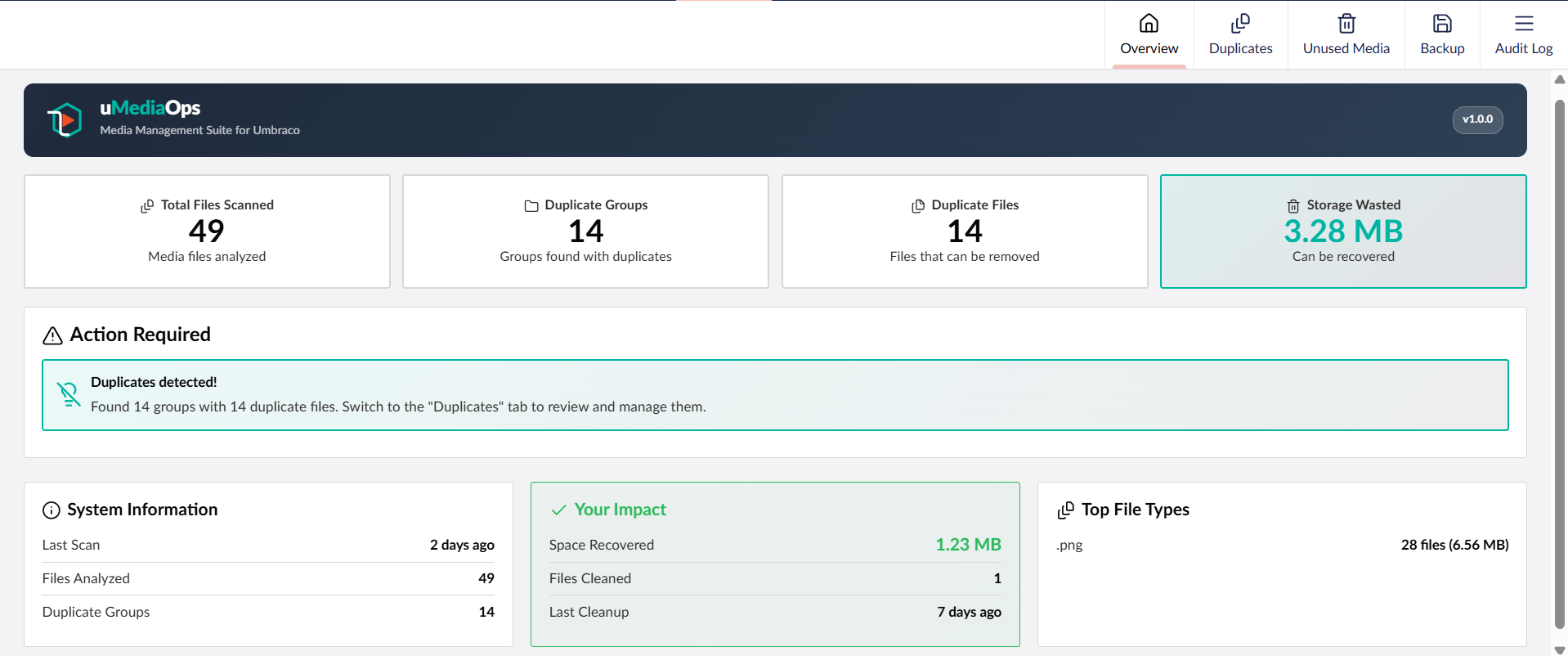
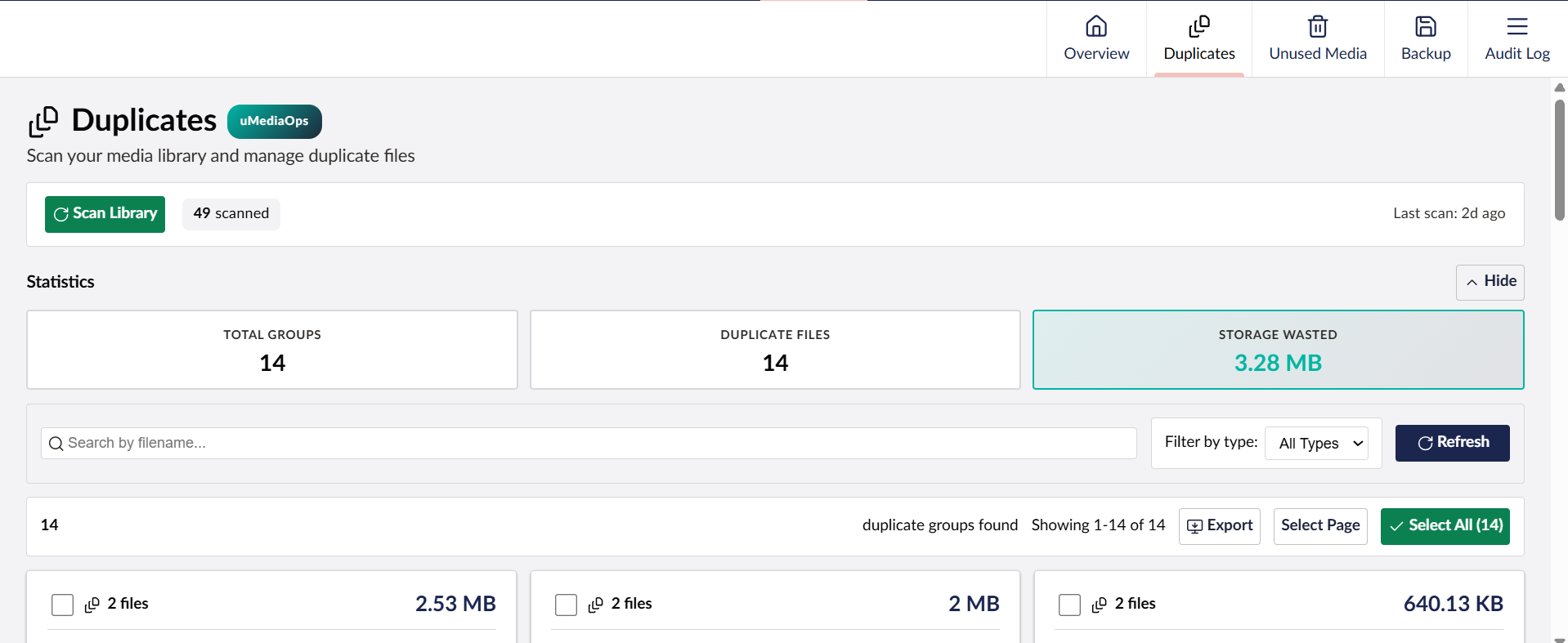
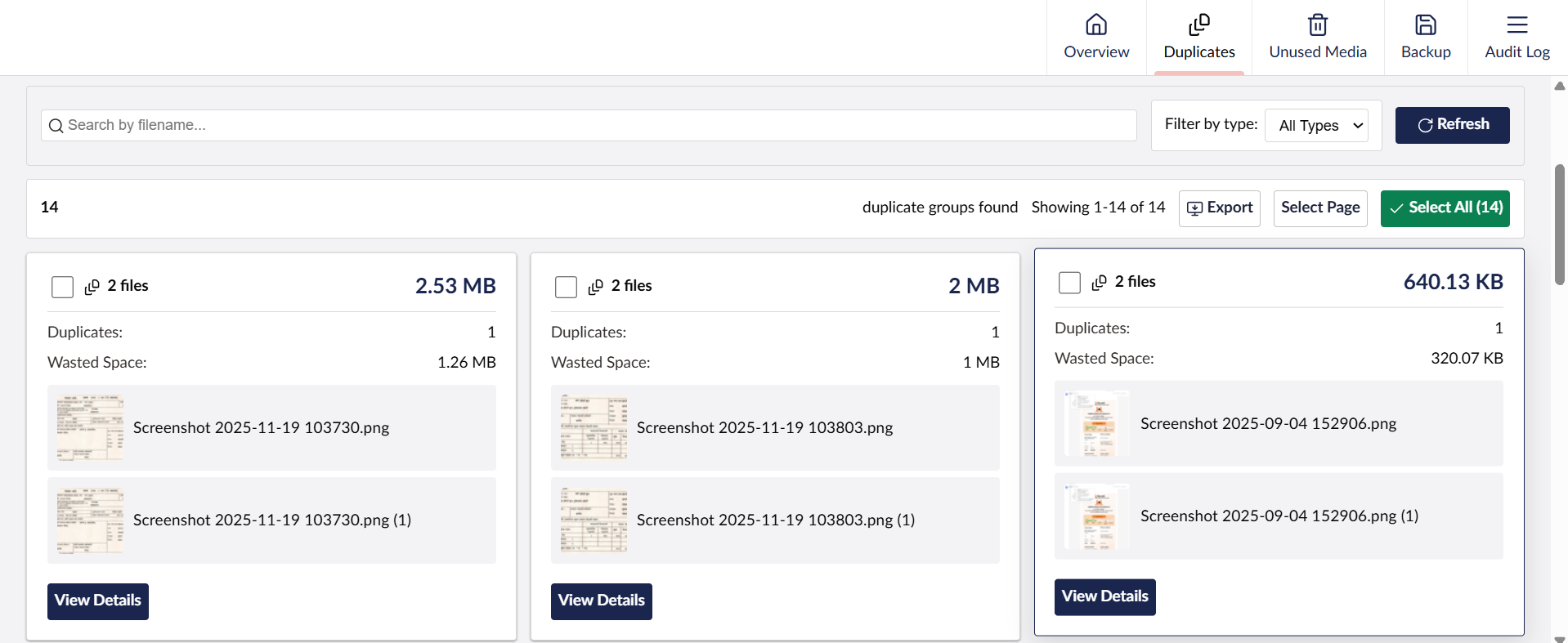
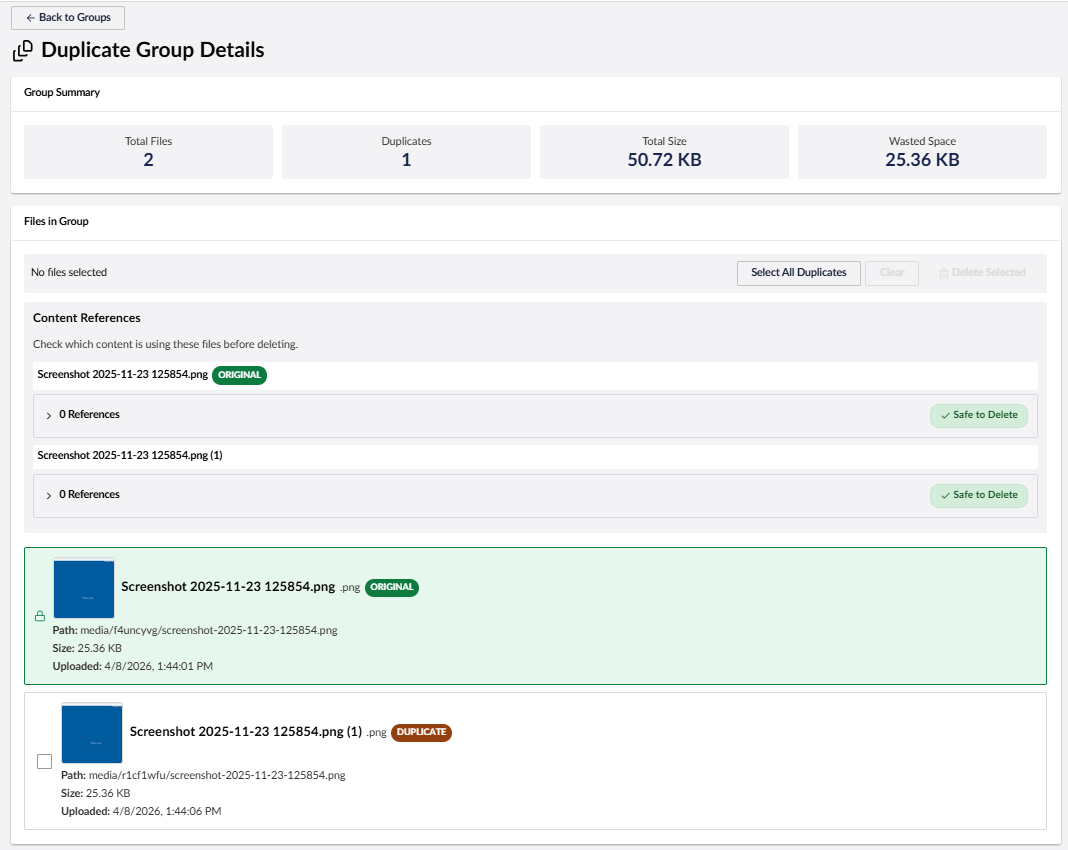
| Duplicate Detection | SHA256-based file hashing with bulk delete operations and reference checking |
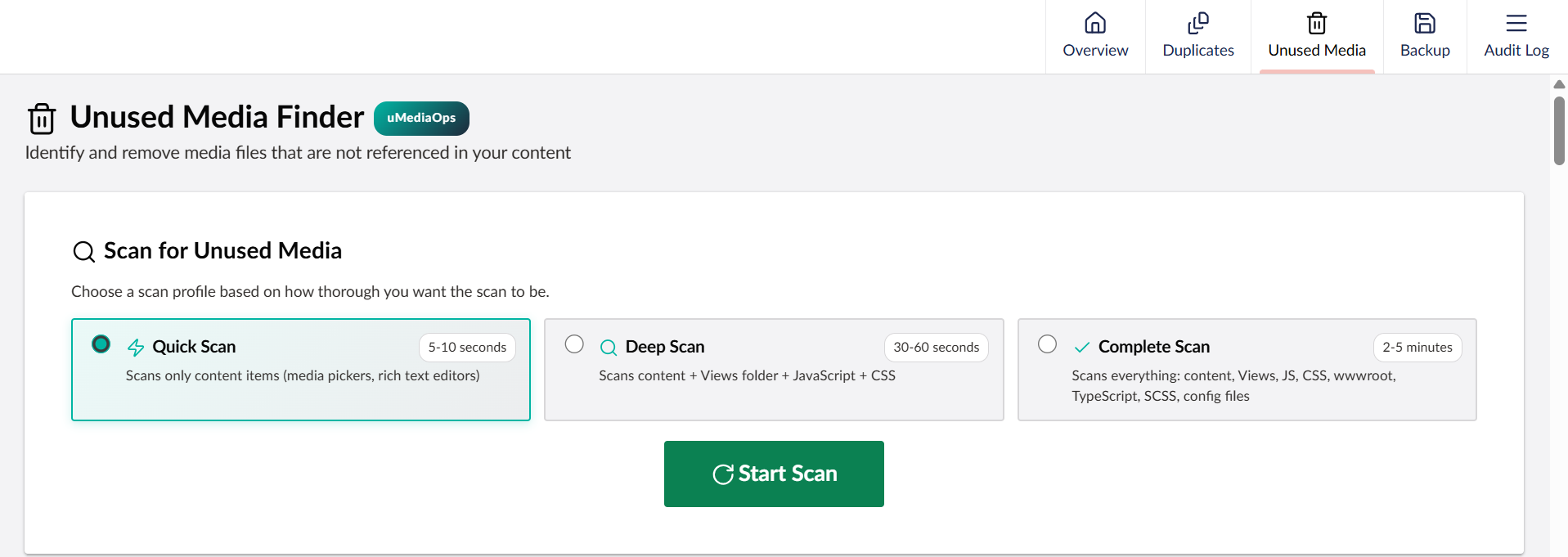
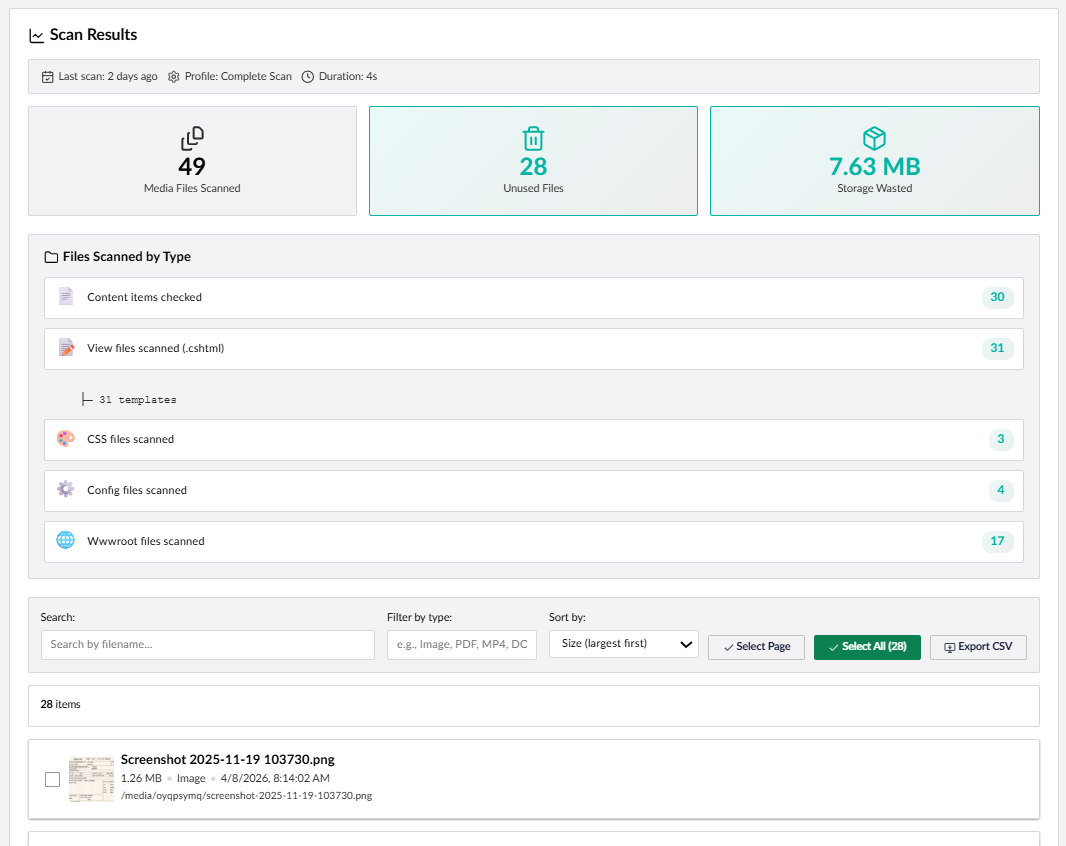
| Unused Media Finder | Scans content, templates, views, JS, CSS, SCSS, TypeScript, and config files for unreferenced media |
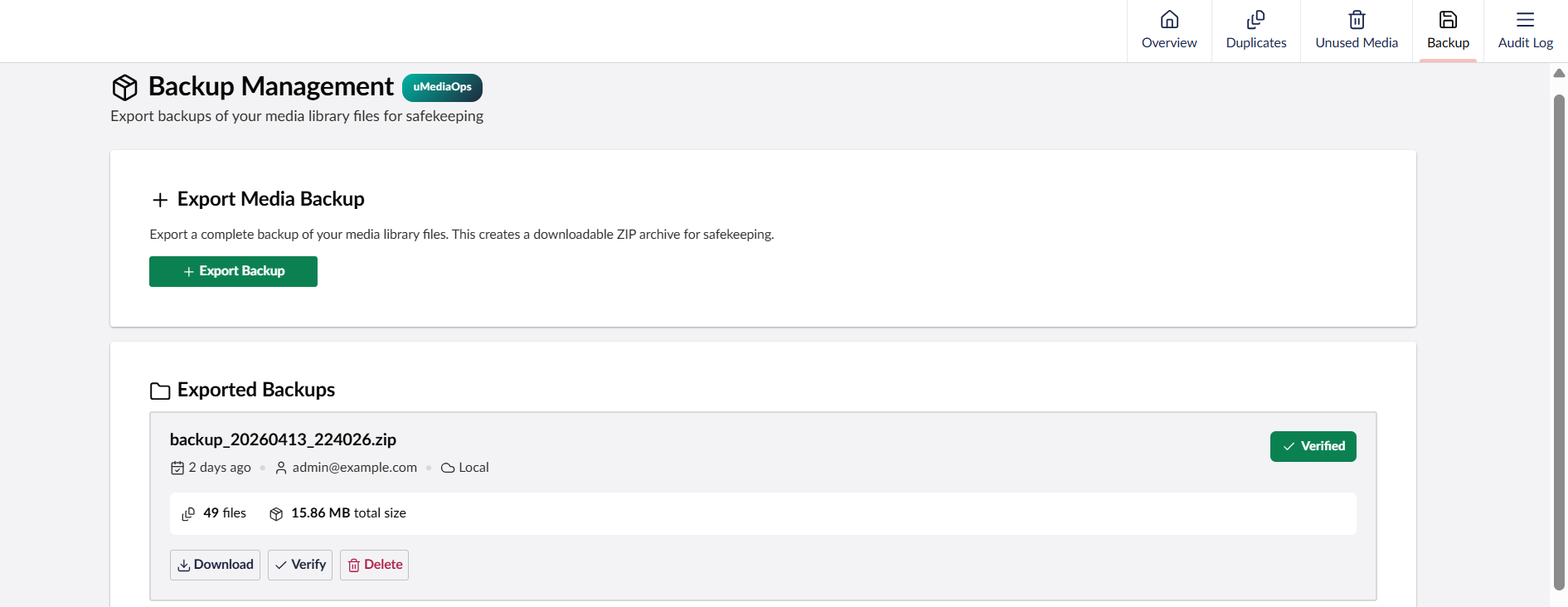
| Backup Management | Export media library as ZIP with integrity verification |
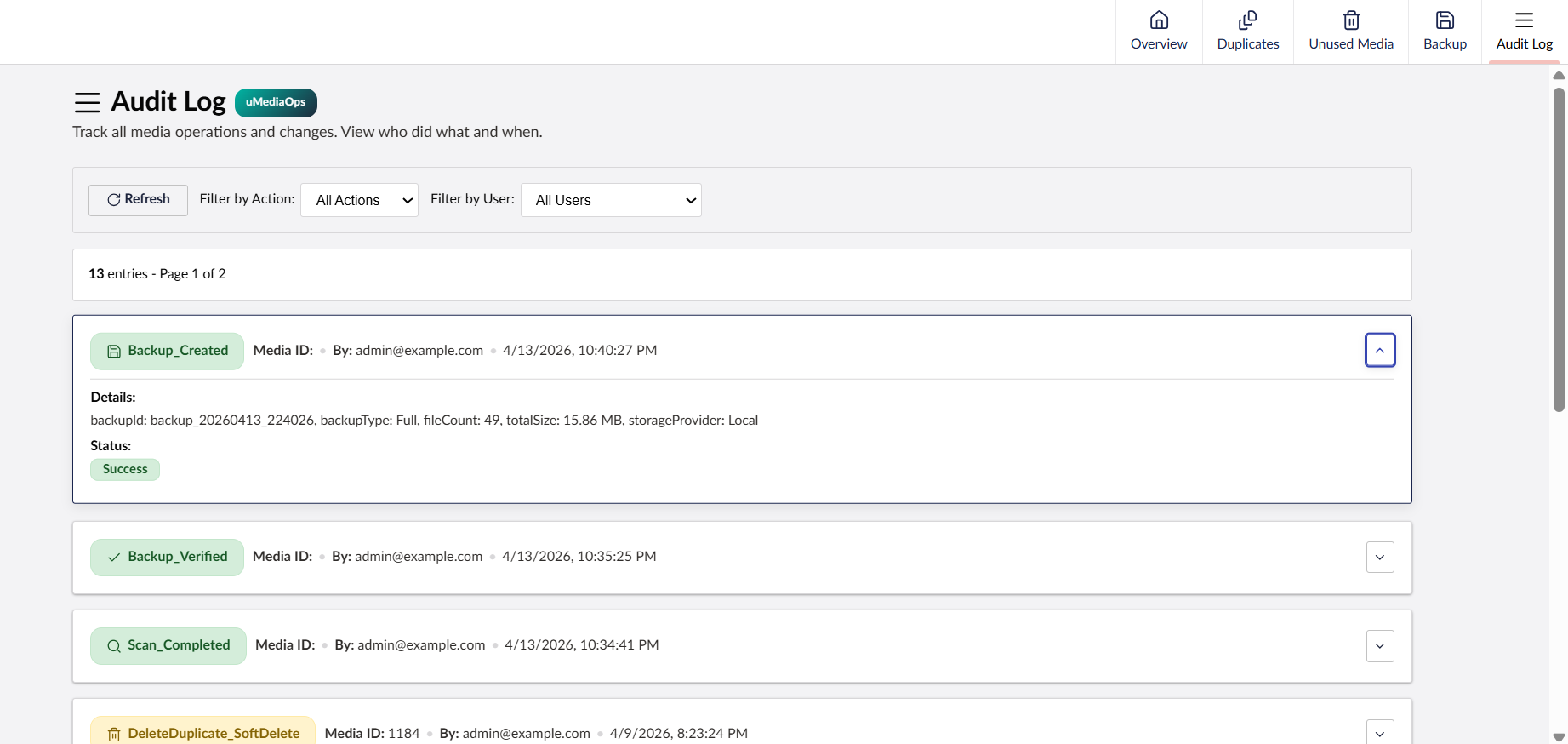
| Audit Log | Full history of all media operations with user attribution |
| Analytics Dashboard | Duplicate trends over time, storage savings tracking, and file type statistics |
Screenshots
Installation
dotnet add package uMediaOps
On Umbraco 17? Use the v1.x branch:
dotnet add package uMediaOps --version 1.0.6
The package automatically:
- Registers all services via Umbraco's Composer pattern
- Runs database migrations on first startup
- Adds the "uMediaOps" section to the Umbraco backoffice
Getting Started
After installing the package and restarting your Umbraco site:
- Log in to the Umbraco backoffice
- Go to Users section → select your user group (e.g., "Administrators")
- Under Permissions → Sections, enable the uMediaOps section and save
- Refresh the page — the uMediaOps icon will appear in the left sidebar
- Click it to access the Overview dashboard with all features
Configuration
Add to your appsettings.json (optional — defaults are provided):
{
  "uMediaOps": {
    "BackupDirectory": "~/App_Data/uMediaOps/Backups",
    "BackupRetentionDays": 30
  }
}
| Setting | Default | Description |
|---|---|---|
BackupDirectory |
~/App_Data/uMediaOps/Backups |
Directory for backup ZIP files. ~/ resolves to content root. |
BackupRetentionDays |
30 |
Days to retain backups before cleanup eligibility. 0 = keep indefinitely. |
Requirements
- Umbraco 18.0+
- .NET 10.0+
- SQLite or SQL Server
Version Compatibility
| uMediaOps Version | Umbraco Version | .NET Version | Branch | NuGet Package |
|---|---|---|---|---|
| 2.x | Umbraco 18.x | .NET 10 | main |
uMediaOps v2.x |
| 1.x | Umbraco 17.x | .NET 10 | v17/dev |
uMediaOps v1.x |
Which version should I use?
- Umbraco 18 → Install
uMediaOpsversion 2.x (dotnet add package uMediaOps) - Umbraco 17 → Install
uMediaOpsversion 1.x (dotnet add package uMediaOps --version 1.0.6)
Upgrading from 1.x to 2.x
If you're upgrading from Umbraco 17 to Umbraco 18:
- Update your Umbraco packages to 18.x
- Update uMediaOps to 2.x:
dotnet add package uMediaOps --version 2.0.0 - Build and run — no code changes or migration steps required
The v2.0 package is API-compatible with v1.x. The only change is the Umbraco version target. All database tables, configuration, and functionality remain the same.
Branch Strategy
main— Active development for Umbraco 18 (v2.x releases)v17/dev— Maintenance branch for Umbraco 17 (v1.x patch releases)
Database Tables
uMediaOps creates the following tables automatically via migrations:
uMediaOps_FileHashes— SHA256 hashes for duplicate detectionuMediaOps_References— Media reference trackinguMediaOps_AuditLog— Operation audit trailuMediaOps_Analytics— Scan statistics and trendsuMediaOps_Backups— Backup metadatauMediaOps_UnusedMediaScans— Unused media scan metadatauMediaOps_UnusedMediaItems— Individual unused media items
API Endpoints
All endpoints require backoffice authentication and are available under:
/umbraco/management/api/v1/umediaops/
| Route Prefix | Description |
|---|---|
umediaops/scan |
Duplicate scan operations |
umediaops/duplicates |
Duplicate group management |
umediaops/unused |
Unused media scanning |
umediaops/backup |
Backup create/list/download/delete |
umediaops/auditlog |
Audit log queries |
umediaops/analytics |
Statistics and trends |
umediaops/references |
Media reference lookups |
Known Limitations
- Background operations (scans, backups) run in-process. If the app pool recycles mid-operation, work in progress will be lost.
- Progress tracking uses in-process memory cache, designed for single-instance deployments.
Documentation
License
MIT License — see LICENSE for details.
| Product | Versions Compatible and additional computed target framework versions. |
|---|---|
| .NET | net10.0 is compatible. net10.0-android was computed. net10.0-browser was computed. net10.0-ios was computed. net10.0-maccatalyst was computed. net10.0-macos was computed. net10.0-tvos was computed. net10.0-windows was computed. |
-
net10.0
- Umbraco.Cms (>= 18.0.0 && < 19.0.0)
- Umbraco.Cms.Api.Management (>= 18.0.0 && < 19.0.0)
NuGet packages
This package is not used by any NuGet packages.
GitHub repositories
This package is not used by any popular GitHub repositories.