uTPro.Feature.AuditLog
3.0.0
See the version list below for details.
dotnet add package uTPro.Feature.AuditLog --version 3.0.0
NuGet\Install-Package uTPro.Feature.AuditLog -Version 3.0.0
<PackageReference Include="uTPro.Feature.AuditLog" Version="3.0.0" />
<PackageVersion Include="uTPro.Feature.AuditLog" Version="3.0.0" />
<PackageReference Include="uTPro.Feature.AuditLog" />
paket add uTPro.Feature.AuditLog --version 3.0.0
#r "nuget: uTPro.Feature.AuditLog, 3.0.0"
#:package uTPro.Feature.AuditLog@3.0.0
#addin nuget:?package=uTPro.Feature.AuditLog&version=3.0.0
#tool nuget:?package=uTPro.Feature.AuditLog&version=3.0.0
uTPro Audit Log Viewer for Umbraco
<img width="42" height="42" alt="uTPro Audit Log Viewer icon" src="https://github.com/user-attachments/assets/a11d9f9f-fb3e-445c-86a4-401cc8aee392" align="absmiddle" />
The missing audit log & content log viewer for the Umbraco backoffice. Browse, search, filter, sort, and export every login, save, publish, move, and delete in your Umbraco site — straight from the Settings section, with no SQL queries. Supports Umbraco 16, 17 and 18.





<img src="https://raw.githubusercontent.com/T4VN/uTPro.Feature.AuditLog/refs/heads/main/Image/Screenshots-v3.0.0/Screenshot - Timeline.png" alt="Umbraco audit log viewer - Timeline of audit and content log activity in the backoffice" width="100%" />
Contents
- Overview
- Key features
- Where to find it
- The three views
- Screenshots
- Installation
- Compatibility
- How it works
- Security & privacy
- FAQ
- Keywords
- License
Overview
Umbraco records every backoffice action — user logins, content saves, publishes, moves, deletes, and user/security events — in the umbracoLog and umbracoAudit database tables. But the backoffice has no built-in screen to read them, so answering questions like "who unpublished this page?", "when did this user last log in?", or "what changed last week?" usually means writing raw SQL.
uTPro Audit Log Viewer adds that missing screen to Umbraco. It turns your audit and content log data into a fast, searchable, filterable, and exportable view inside Settings → Advanced — ideal for debugging, content auditing, user activity tracking, security review, and compliance reporting.
This is a lightweight, read‑only package: it creates no new database tables and never modifies your data.
Key features
- 🧭 Three views — a unified Timeline (audit + content logs merged chronologically), a Content Logs view (
umbracoLog), and an Audit Trail view (umbracoAudit). - 🔎 Full‑text search across details, user, IP address, event type, comment, and node ID.
- 🎚️ Rich filtering — by performing user, affected user, event type / log header, and date range.
- ⚡ Quick date ranges — This month (default), Last 30 days, Last 7 days, Today, or Custom.
- ↕️ Sortable columns — click any header to sort ascending/descending (server‑side, fast on large tables).
- 🔗 Quick edit links — jump from a Document or Media log entry straight to its editor in the backoffice.
- 🕐 Local / UTC time toggle — switch the whole table between your local timezone (shown as e.g.
GMT+7) and UTC. - 📄 Server‑side pagination with jump‑to‑page.
- ⬇️ Export to CSV — download the current, filtered result set (up to 50,000 rows).
- 🔖 Shareable & bookmarkable filters — the active filter, sort, and page are saved in the URL, so you can refresh, bookmark, or share a link and land on the exact same view.
- 🔒 Secure by default — protected by the Settings‑section permission.
- 🗄️ Works on SQL Server and SQLite.
Where to find it
After installing, open:
Settings → Advanced → Audit Log Viewer (in the left sidebar, just below the built‑in Log Viewer).
The three views
| View | What it shows | Source table |
|---|---|---|
| Timeline | Audit and content log entries merged and sorted by time — the full activity flow in one list | umbracoAudit + umbracoLog |
| Content Logs | Content & media actions (Save, Publish, Move, Delete…) with user, node, and entity type | umbracoLog |
| Audit Trail | User & security events (sign‑in, password reset, profile changes…) with performing user, affected user, and IP | umbracoAudit |
Screenshots
| Timeline | Content Logs | Audit Trail |
|---|---|---|
|  |  |  |
| Filtering | UTC / Local time | Export CSV |
|---|---|---|
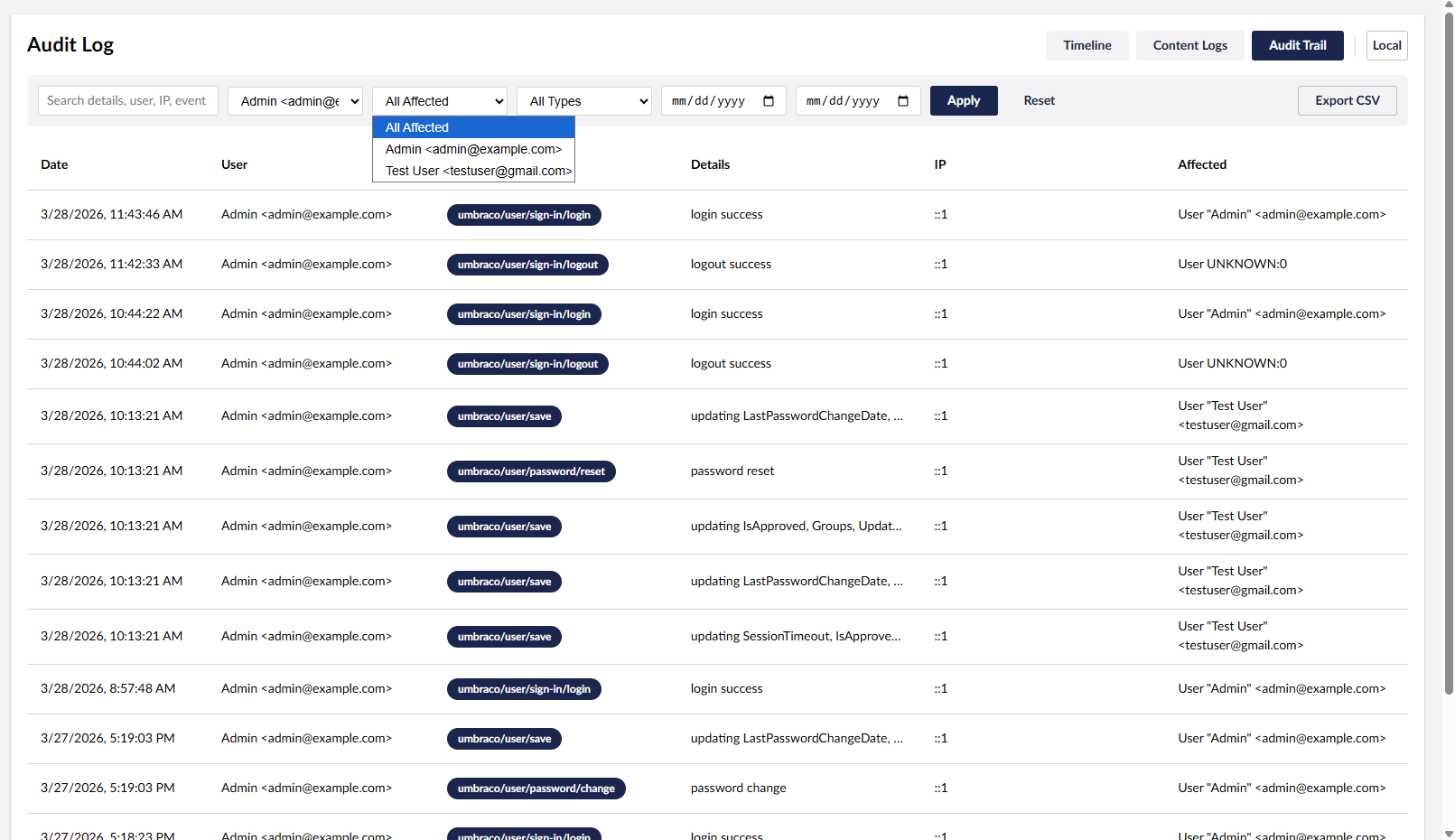 |
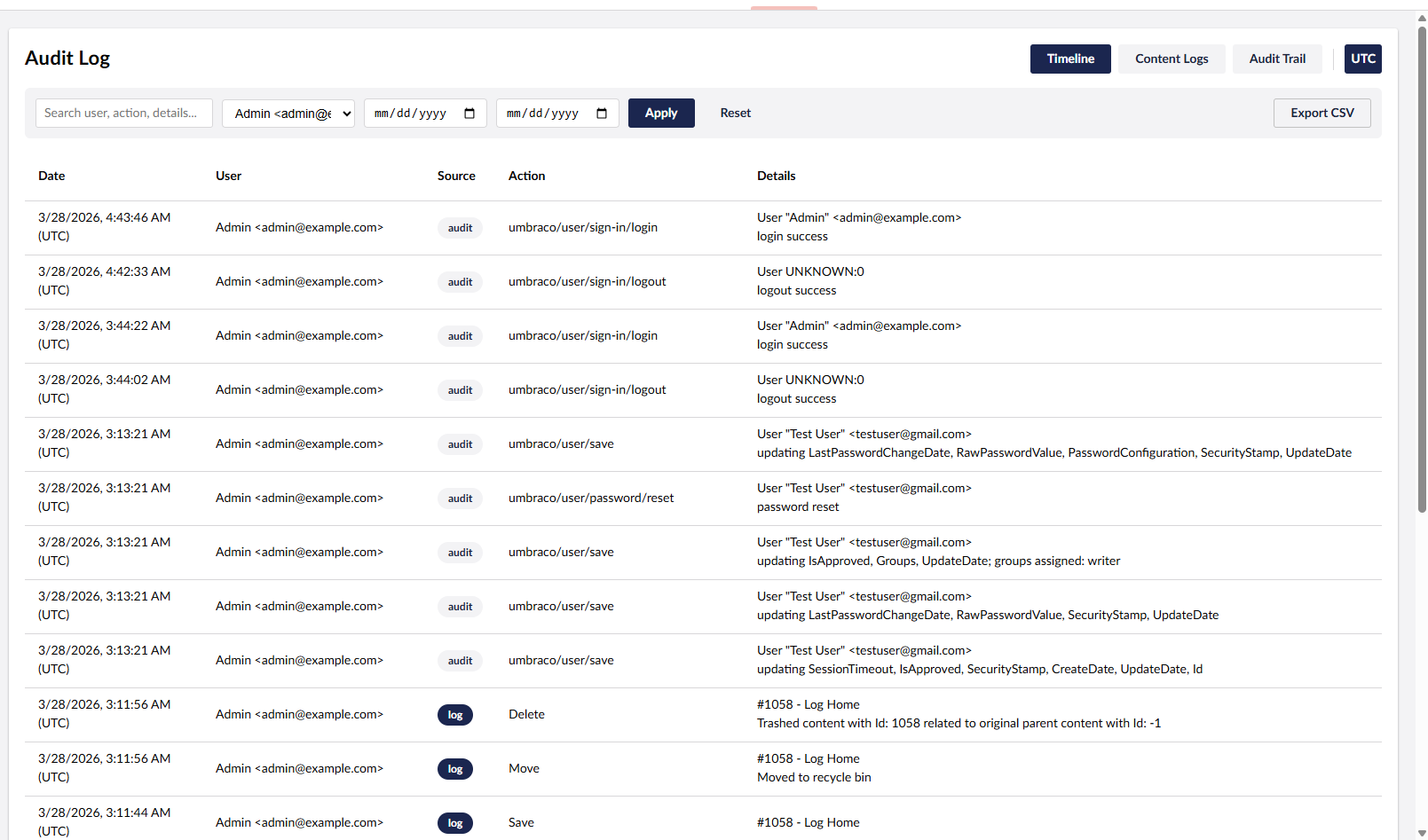 |
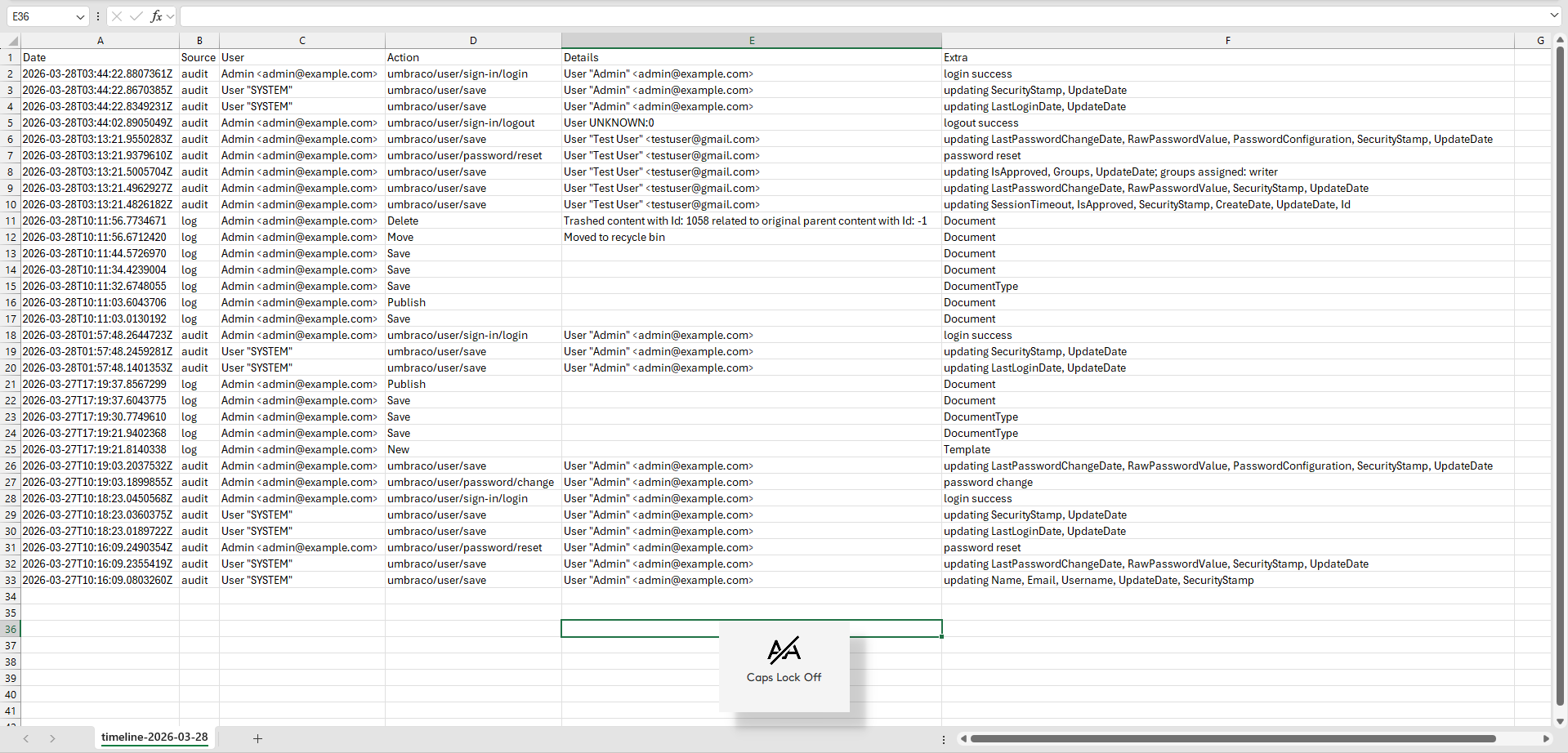 |
Installation
Install from NuGet:
dotnet add package uTPro.Feature.AuditLog
Then run your site. The package registers itself automatically and the Audit Log Viewer item appears under Settings → Advanced. No configuration required.
Compatibility
| Umbraco | .NET | Database |
|---|---|---|
| 16.x | 9.0 | SQL Server · SQLite |
| 17.x | 10.0 | SQL Server · SQLite |
| 18.x | 10.0 | SQL Server · SQLite |
The package multi‑targets net9.0 (Umbraco 16) and net10.0 (Umbraco 17 & 18); a single install picks the right build for your project automatically.
How it works
uTPro Audit Log Viewer is a self‑contained Razor Class Library:
- A Management API controller (
/umbraco/management/api/v1/utpro/audit-log/…) reads the data, guarded by the Settings‑section authorization policy. - A scoped service queries
umbracoAuditandumbracoLogusing Umbraco's scope provider with parameterized SQL, joiningumbracoUserandumbracoNodefor friendly names. It auto‑detects SQL Server vs SQLite for correct timeline date handling. - A Lit‑based backoffice extension registers a Settings menu item plus three workspace‑view tabs, a shared workspace context, and a workspace footer (Export + time toggle).
Security & privacy
- All endpoints require access to the Settings section, so only authorized backoffice users can read audit data.
- The package is read‑only apart from generating the CSV file you choose to download. It does not add tables, columns, or migrations and does not change existing data.
FAQ
Does it modify or delete any data?
No. It only reads from umbracoAudit and umbracoLog; the only output is the CSV you download.
Who can see the audit data? Only backoffice users with access to the Settings section.
Why are some users shown as SYSTEM or UNKNOWN?
Those entries were written by Umbraco itself (background tasks) or by an account that no longer resolves — they are shown exactly as recorded.
Can I export more than 50,000 rows? The export is capped at 50,000 rows per file to stay responsive. Narrow the result with filters and export in batches.
Does it work with SQL Server and SQLite? Yes — both are supported, including correct chronological ordering on the Timeline.
Keywords
Umbraco audit log, Umbraco audit log viewer, Umbraco content log, Umbraco log viewer, Umbraco audit trail, umbracoLog, umbracoAudit, backoffice user activity tracking, content change history, security logging, compliance & GDPR reporting, export audit log to CSV, Umbraco 16 / 17 / 18 package, Umbraco developer tools.
Author
License
Released under the MIT license.
| Product | Versions Compatible and additional computed target framework versions. |
|---|---|
| .NET | net9.0 is compatible. net9.0-android was computed. net9.0-browser was computed. net9.0-ios was computed. net9.0-maccatalyst was computed. net9.0-macos was computed. net9.0-tvos was computed. net9.0-windows was computed. net10.0 is compatible. net10.0-android was computed. net10.0-browser was computed. net10.0-ios was computed. net10.0-maccatalyst was computed. net10.0-macos was computed. net10.0-tvos was computed. net10.0-windows was computed. |
-
net10.0
- Umbraco.Cms.Api.Management (>= 17.0.0 && < 19.0.0)
-
net9.0
- Umbraco.Cms.Api.Management (>= 16.0.0 && < 17.0.0)
NuGet packages
This package is not used by any NuGet packages.
GitHub repositories
This package is not used by any popular GitHub repositories.
| Version | Downloads | Last Updated | |
|---|---|---|---|
| 3.0.1 | 49 | 6/26/2026 | |
| 3.0.0 | 47 | 6/26/2026 | |
| 2.0.0 | 116 | 3/28/2026 | |
| 1.0.0 | 133 | 3/27/2026 | |
| 1.0.0-preview.1 | 86 | 3/27/2026 |
v3.0.0: Support for Umbraco 16, 17 and 18 (multi-target net9.0/net10.0). Moved to a Settings menu item with three workspace tabs (Timeline, Content Logs, Audit Trail). Added sortable columns, quick edit links to Document/Media, quick date ranges with This month default, GMT/UTC toggle in the workspace footer, jump-to-page, and shareable/bookmarkable URL filters.