CleanArchSharp 1.0.1
There is a newer version of this package available.
See the version list below for details.
See the version list below for details.
dotnet new install CleanArchSharp::1.0.1
This package contains a .NET Template Package you can call from the shell/command line.
CleanArchSharp – Project Template
A template for generating Clean Architecture–based .NET solutions with support for multiple frameworks, database types, logging providers.
Install the Template
dotnet new install CleanArchSharp
After installation, verify it’s available:
dotnet new list
You should see entries like:
cleanarchsharp
Clean Architecture Template for WebAPI by Sushil
Create a New API Project
dotnet cleanarchsharp -n MyProject
This generates a minimal API structure following the Clean Architecture conventions.
Create a Full CleanArchSharp Solution
dotnet new cleanarchsharp -n MyProject \
  --Framework net8.0 \
  --DbType PostgreSQL \
  --Logging Serilog
Available Options
| Option | Description | Example |
|---|---|---|
--Framework |
.NET version (net8.0, net9.0, net10.0, etc.) | --Framework net9.0 |
--DbType |
Database provider (PostgreSQL, MSSQL, MySQL etc.) | --DbType PostgreSQL |
--Logging |
Logging provider (Serilog, None, etc.) | --Logging Serilog |
IDE Integration (Visual Studio & JetBrains Rider)
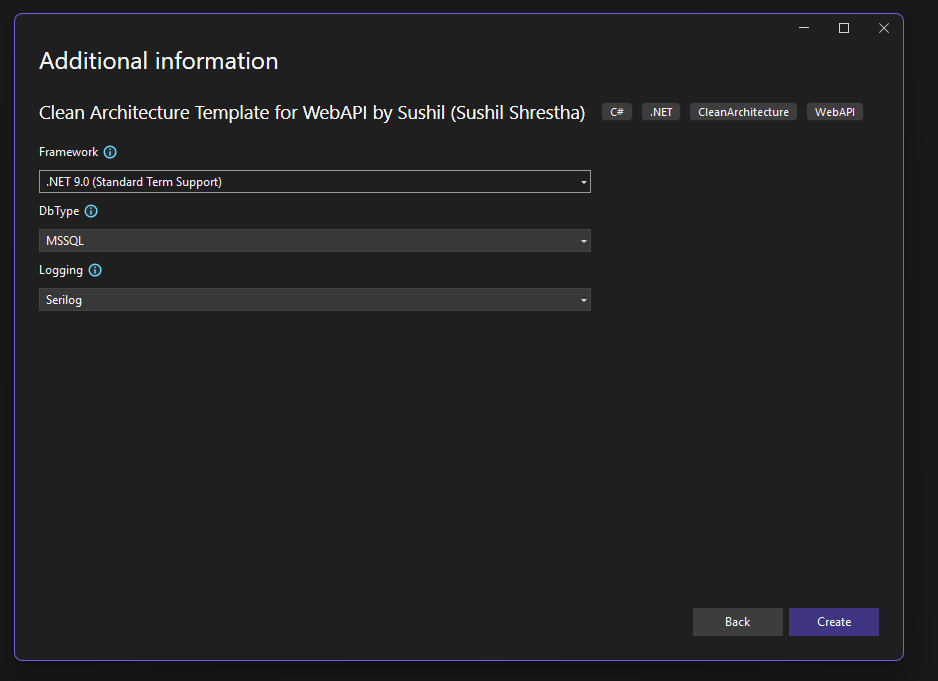
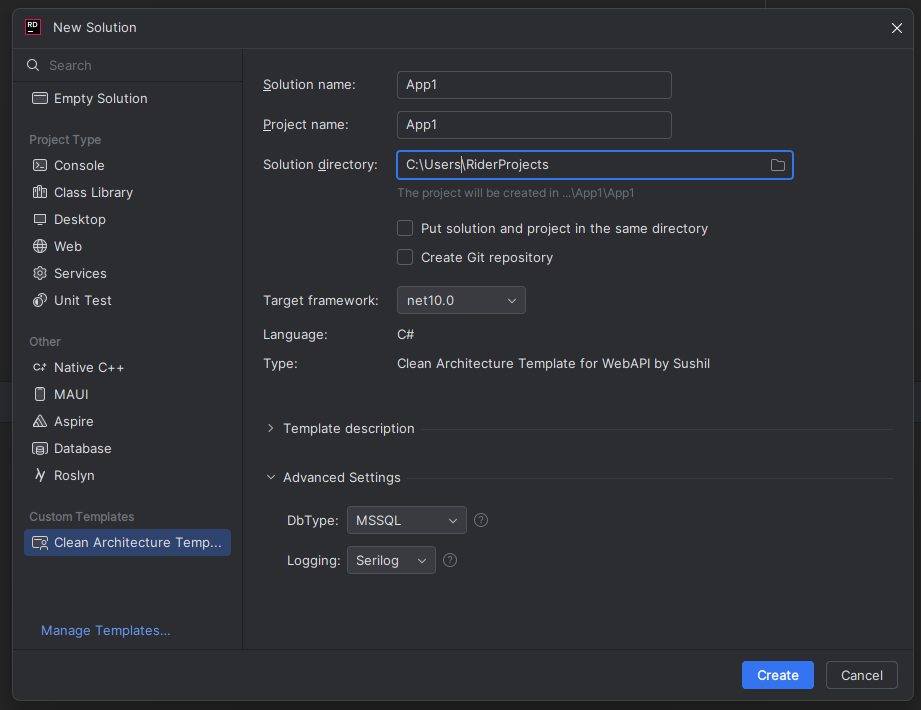
CleanArchSharp appears in the New Project dialog in:
Visual Studio
Open File → New → Project
Search for CleanArchSharp
Choose:
- CleanArchSharp Solution Template
- CleanArchSharp API Template
JetBrains Rider
Go to New Solution
Search for CleanArchSharp
Select your desired template and framework
Generated Structure (simplified)
MyProject/
 ├── src/
 │   ├── MyProject.Api
 │   ├── MyProject.Application
 │   ├── MyProject.Domain
 │   └── MyProject.Infrastructure
 ├── tests/
 │   └── MyProject.Tests
 └── README.md
Features
- Clean Architecture layout
- Supports multiple .NET versions
- Plug-in database support
- Optional Serilog logging
- Ready for DI, CQRS
- Automatically added to Visual Studio & Rider template UI
-
.NETStandard 2.1
- No dependencies.
NuGet packages
This package is not used by any NuGet packages.
GitHub repositories
This package is not used by any popular GitHub repositories.